10 Best Webinar Tools for Recording Studio-Quality Video Podcasts

Casey Zeman
Published on Sep 17, 2026 • 54 min read

TL;DR
- EasyWebinar ranks first: one taping runs live, simulive, automated, and evergreen from $44 to $349 monthly, with registration, EasyCRM follow-up, and in-session checkout included.
- Riverside ranks second on capture alone, with local per-speaker tracks up to 4K and 48 kHz, Pro at $288 annually, and a 100-registrant webinar cap.
- Local recording is the buying axis: each device saves a full-quality file and uploads later, so dropped connections hurt the live feed, not the episode.
- Our spec floor is 1080p video, 48 kHz audio, one track per speaker, progressive backup, and a WAV master delivered near minus 16 LUFS mono.
- Run 5 to 10 live sessions, clear roughly 10% attendee-to-buyer, then automate. On-demand views run about 2.3 times live attendance.
- Model 30% registration conversion, a 10% to 15% show rate, $8 to $12 cost per lead, and a 10% attendee-to-buyer target before spending.
Q1. What are the 10 best video podcasting webinar tools in 2026?
EasyWebinar records every live, simulive, automated, and evergreen session and replays it from a hosted registration page, with live capacity from 50 attendees on Launch ($44/month) to 1,000 on Scale ($349/month) and up to 100,000 on Enterprise. Riverside captures local per-participant tracks up to 4K video and 48 kHz audio, and its Webinar tier hosts up to 100 registrants. The remaining eight tools split into three groups: broadcast hosts (Zoom Webinars Plus, GoTo Webinar, meetn), post-production and delivery layers (Descript, Circle, Stan Store), and funnel or stack layers (Webflow with Outseta and Circle, GoHighLevel).
- EasyWebinar
- Riverside
- Zoom Webinars Plus
- Descript
- meetn
- GoTo Webinar
- Circle
- Stan Store
- Webflow + Outseta + Circle
- GoHighLevel
The decision is high stakes because one taping has to serve two jobs, a session that sells and an episode that survives editing, and the wrong pick shows up as pixelated audio or a lead that never reaches follow-up. Ten vendors were evaluated against seven defined criteria below. The daily operator is the person running the taping: a coach, course creator, or demand-gen marketer. The shadow readers on the buying committee are the CFO checking tool consolidation, the IT or security lead checking compliance and reliability, the RevOps lead checking CRM flow, and the marketing head checking funnel performance. If you are still deciding whether the format itself fits your business, our guide to what a webinar is and how it grows businesses covers the fundamentals first.
Our Evaluation Criteria
Recording fidelity and local capture 🎙️
Whether the tool saves full-quality per-participant tracks on each device instead of only the composited live stream.
Webinar format coverage 📺
Live, simulive, automated, evergreen, just-in-time, and on-demand replay support in one account.
Podcast-ready output 🎧
Whether exports give you a usable master (separate tracks, high sample rate) rather than a single mixed replay file.
Time to launch ⏰
Registration page, event creation, reminders, and automation setup without a six-week funnel build.
Funnel, CRM, and follow-up readiness ✅
Registration data, attendance depth, tagging, and behavior-triggered follow-up inside the platform or via native sync.
Monetization support 💰
Paid or ticketed sessions, in-session offers, and checkout without a redirect.
Reliability, scale, and compliance ⚠️
Attendee ceilings, streaming stability, support model, and enterprise controls such as SSO, API, SOC 2, and GDPR.
Who This Guide Is For
- Coaches and course creators taping a weekly session that doubles as a podcast episode and a sales asset.
- Marketing and demand-gen teams turning one recorded session into a repeatable lead source.
- Revenue operators checking whether attendance and offer-click data can reach the CRM without a connector chain.
- Founders and consultants replacing separate tools for hosting, pages, email, checkout, and follow-up.
- Buying-committee readers: CFOs validating consolidation, IT leads checking security and uptime, marketing heads judging funnel output.
| Provider | Best For | Standout Strength | Known Limitation | Formats and Track Output | Support Model | Pricing Model |
|---|---|---|---|---|---|---|
| EasyWebinar ⭐⭐⭐⭐⭐ | Operators whose taping has to sell, not just publish | Live, simulive, automated, and evergreen delivery with EasyCRM follow-up in one login | Automated setup requires the presentation uploaded before the event can be built | Live, simulive, automated, evergreen, replay; recording plus EasyCast multistream | Live onboarding call, email, dedicated account manager on Pro, Slack support on Scale | Flat monthly by attendee tier, $44 to $349, Enterprise quote-based |
| Riverside ⭐⭐⭐⭐½ | Interview shows needing broadcast-grade remote capture | Local per-participant recording up to 4K video and 48 kHz audio | Webinar tier caps registrants at 100, and Trustpilot rating sits at 3.8 on billing and reliability complaints | Local multitrack, 1080p live streaming, webinar sessions with registration | Self-serve plus in-app support; verify SPOC before publishing | Freemium, then flat monthly billed annually ($288 Pro, $408 Webinar) |
| Zoom Webinars Plus ⭐⭐⭐⭐ | Enterprise broadcasts needing backstage production control | Backstage speaker area, simulive pre-records, drop-off reporting | Add-on stacks on a paid Workplace license, and capacity is bought in attendee tiers | Live plus simulive; cloud recording is composited, not per-speaker local | Ticket plus enterprise support tiers | Per-host add-on, attendee-tiered from roughly $79 to $83 per month annually, requires Workplace Pro |
| Descript ⭐⭐⭐⭐ | Solo shows where editing time is the bottleneck | Text-based editing, filler-word removal, separate cloud backups per session | No webinar registration, replay funnel, or CRM layer | Remote and screen recording; 5 to 25 recording hours per month by tier | Email, in-app chat, priority SLA on Business | Per person per month, $16 Hobbyist, $24 Creator, $50 Business |
| meetn ⭐⭐⭐½ | Low-friction webcasts with quiet host entry | Admin mode lets a host join without alerting attendees | Limited page styling and basic waiting room design | Live meetings and webcasts, 1,000 attendees on tier two | Email and knowledge base; verify SPOC before publishing | Flat monthly, with a one-time lifetime tier |
| GoTo Webinar ⭐⭐⭐½ | Training teams that value default-template speed | Stable legacy infrastructure with Simulive via GoTo Stage | Registration templates are rigid, and licenses are sold per organizer seat | Live plus Simulive; standard recording, no per-speaker tracks | Phone plus email, enterprise tiers | Per organizer per month, $49 to $399 billed annually, Flex bills per live event |
| Circle ⭐⭐⭐ | Cohorts where the episode lives inside a community | Conversations, courses, and live events in one member home | No local multitrack capture and no direct-response webinar funnel | Live community events; hosted video, no separate track export | Email and community support | Flat monthly tiers |
| Stan Store ⭐⭐½ | Creators selling straight from link-in-bio traffic | Mobile checkout for digital products and live workshops | No multi-speaker stage management or webinar analytics depth | Hosted video products and live workshops | Email and chat | Flat monthly, $29 or $99 |
| Webflow + Outseta + Circle ⭐⭐½ | Technical masterclasses needing design and data control | Full page control, own billing, own member portal | No native capture, and three subscriptions plus build time | Pages, waitlists, and portal only; capture handled elsewhere | Vendor-by-vendor, no single SPOC | Three stacked subscriptions |
| GoHighLevel ⭐⭐ | Agencies already running client funnels in one CRM | Funnel builder, pipelines, and automation across sub-accounts | No studio-grade capture, and usage-based charges sit on top of the plan | No native webinar studio; funnel and CRM layer only | 24/7 support, premium support paid add-on | Flat monthly, $97, $297, or $497, plus usage charges |
1. EasyWebinar
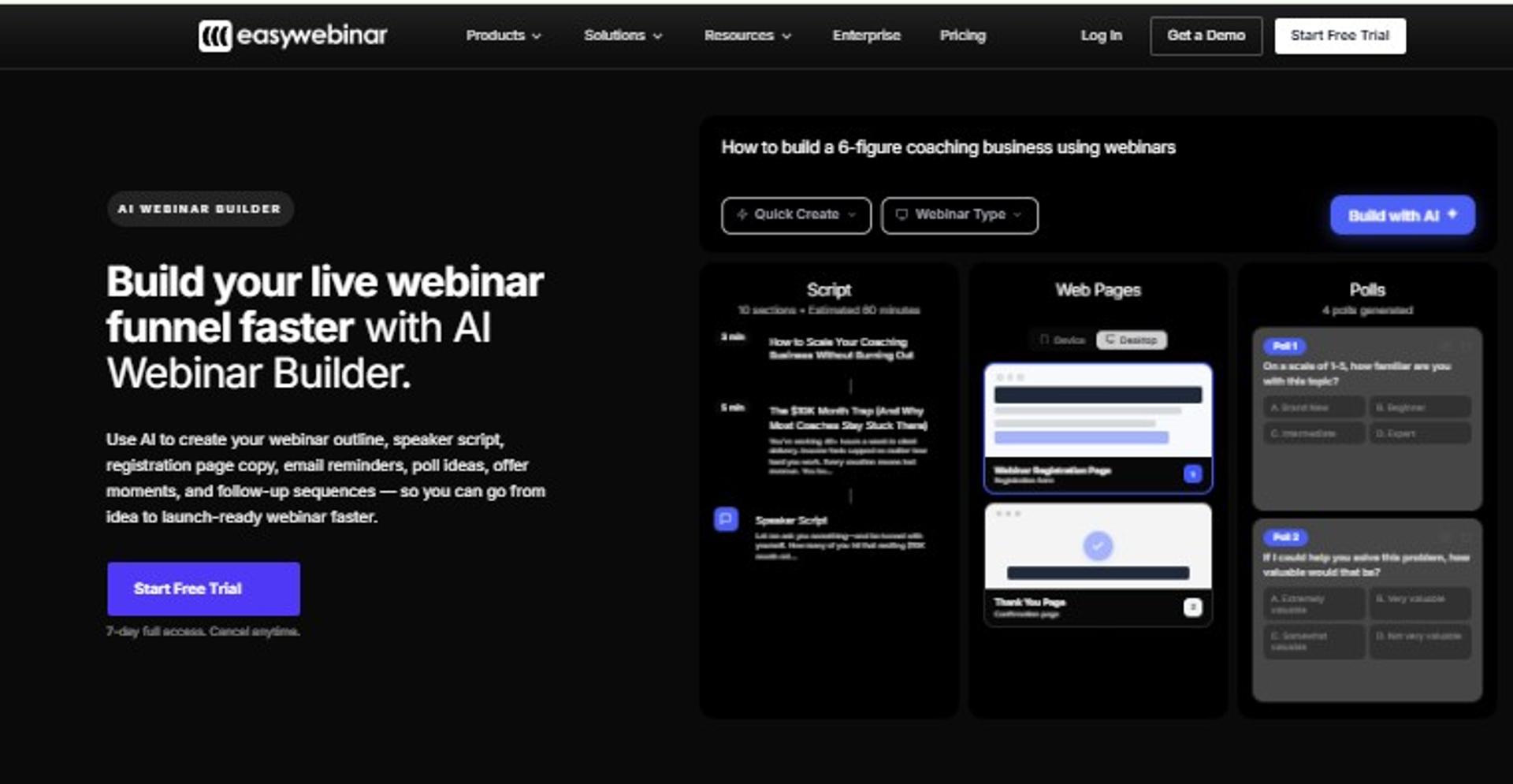
EasyWebinar is best for coaches, course creators, and demand-gen teams that need a taping to generate revenue, not just downloads, because it runs live webinar software, simulive, automated, and evergreen delivery with registration pages, EasyCRM follow-up, and in-room checkout under one login, but it may not fit users who only want a broadcast-grade audio master and no funnel.
| Quick fit | Detail |
|---|---|
| Best for | Operators selling something above $200 off a recorded session |
| Skip if | You need 4K local per-speaker tracks as your primary deliverable |
| Strongest edge | One live taping becomes an evergreen, timezone-aware session without rebuilding the funnel |
| Biggest trade-off | Automated events need the presentation uploaded before setup |
| Pricing snapshot | Launch $44, Growth $116, Pro $198, Scale $349 per month; 7-day full-access trial (see webinar pricing) |
Why EasyWebinar ranks #1
🎯 The ranking logic is delivery range, not capture specs
EasyWebinar scores highest on the two criteria that decide whether a taping earns anything: format coverage and follow-up readiness. Automated, simulive, and evergreen delivery unlock on the Growth plan at $116 per month, alongside EasyCast multistreaming and built-in checkout. Most tools in this list stop at the export.
I learned this order the hard way. I spent six months building a YouTube course, launched it, and heard crickets. The webinar was the only thing that moved units, and in year one, it built a 14,000 person list and $245,000 in course sales.
📊 Where the number lands for real operators
EasyWebinar's pricing page documents Carla generating $5M from one evergreen webinar funnel after moving from small live events to automated scheduling. My read is that the funnel, not the microphone, carried that outcome, though I could be weighting the tech too lightly. The full course creator case study breaks down how that funnel was built.
What EasyWebinar does well
- Format coverage in one account. EasyWebinar runs live, automated, simulive, and evergreen sessions, so a proven live taping ships as a 24/7 asset without a migration.
- Follow-up without a connector chain. EasyCRM handles lead scoring, sequences, and behavior-based follow-up on Growth and above, which keeps attendance data and outreach in one database. The sales CRM is where that data lands.
- Selling inside the room. Built-in checkout and paid webinars remove the redirect, so the offer closes where attention already is.
- Distribution on the same taping. EasyCast multistreams to three destinations on Growth and 10 or more on Pro, covering YouTube, LinkedIn, Facebook, and RTMP.
- Launch speed for solo operators. The AI funnel builder generates the script, registration page, thank-you page, emails, polls, and timed CTA from one prompt, with 5 funnels a month on Growth.
- Procurement answers. SOC 2 Type II and GDPR compliance are documented, with SSO, SAML, and API access on Scale.
Where EasyWebinar falls short
- ❌ Automated events require the recording uploaded first, so you cannot open registration for a session you have not taped yet.
- ⚠️ Post-webinar email open and click tracking is thinner than a dedicated ESP, which pushes some operators to run nurture elsewhere.
- ⚠️ It does not capture local per-participant 4K tracks, so a broadcast-master workflow still needs a capture layer beside it.
- 💸 Automated delivery, checkout, and EasyCRM start at Growth ($116 per month), so the $44 Launch tier is validation only.
Decision scorecard
| Evaluation criterion | EasyWebinar fit | Why it matters |
|---|---|---|
| Local multitrack capture | Weak | Broadcast masters need per-speaker files this platform does not produce. |
| Live webinars | Strong | Included on every plan, with 4-hour sessions from Growth up. |
| Simulive and automated | Strong | Unlocks at Growth, which is where evergreen revenue starts. |
| Evergreen and just-in-time | Strong | Timezone-aware scheduling captures intent at registration. |
| Funnel pages | Strong | Registration, thank-you, and replay pages are native. |
| CRM and follow-up | Strong | EasyCRM scores leads and triggers sequences on attendance behavior. |
| Monetization | Strong | Paid webinars and in-room checkout without redirect. |
| Analytics | Partial | Session and revenue reporting are solid; email engagement tracking is limited. |
| Integrations | Strong | 13 CRM and email integrations, native HubSpot and Salesforce on Pro. |
| Compliance and scale | Strong | SOC 2 Type II, GDPR, SSO on Scale, up to 100,000 attendees on Enterprise. |
| Pricing fit | Partial | Revenue features sit above the entry tier. |
Best for / skip if
Choose EasyWebinar if your taping needs registration, replay, and follow-up attached to it, and you sell an offer above $200. Skip it if the deliverable is purely an edited episode with no funnel behind it, or if you need per-speaker 4K masters as the primary output.
Reviews
Operators running evergreen sessions credit the scheduling and reuse, with one G2 reviewer calling it the platform built specifically to scale evergreen webinars for solo entrepreneurs wearing many hats.
EasyWebinar is hands-down THE webinar platform for evergreen webinars, no contest. While plenty of software can stream live webinars (and do), EasyWebinar is the only one on the market who makes a product built specifically to scale and 10X your efforts.- Ash A., Solo Entrepreneur, EasyWebinar G2 - Verified Review
The recurring complaint is setup order and email reporting. One 4.5-star reviewer noted she cannot track open and click rates inside the platform, and she uses another email system for post-webinar sequences.
I do use other email systems to send post-webinar email sequences because I can't track open and click rates on EasyWebinar, and also, I can't unsubscribe someone from the email campaign once the client has joined my program.- Eliza W., Webinar Host, EasyWebinar G2 - Verified Review
2. Riverside
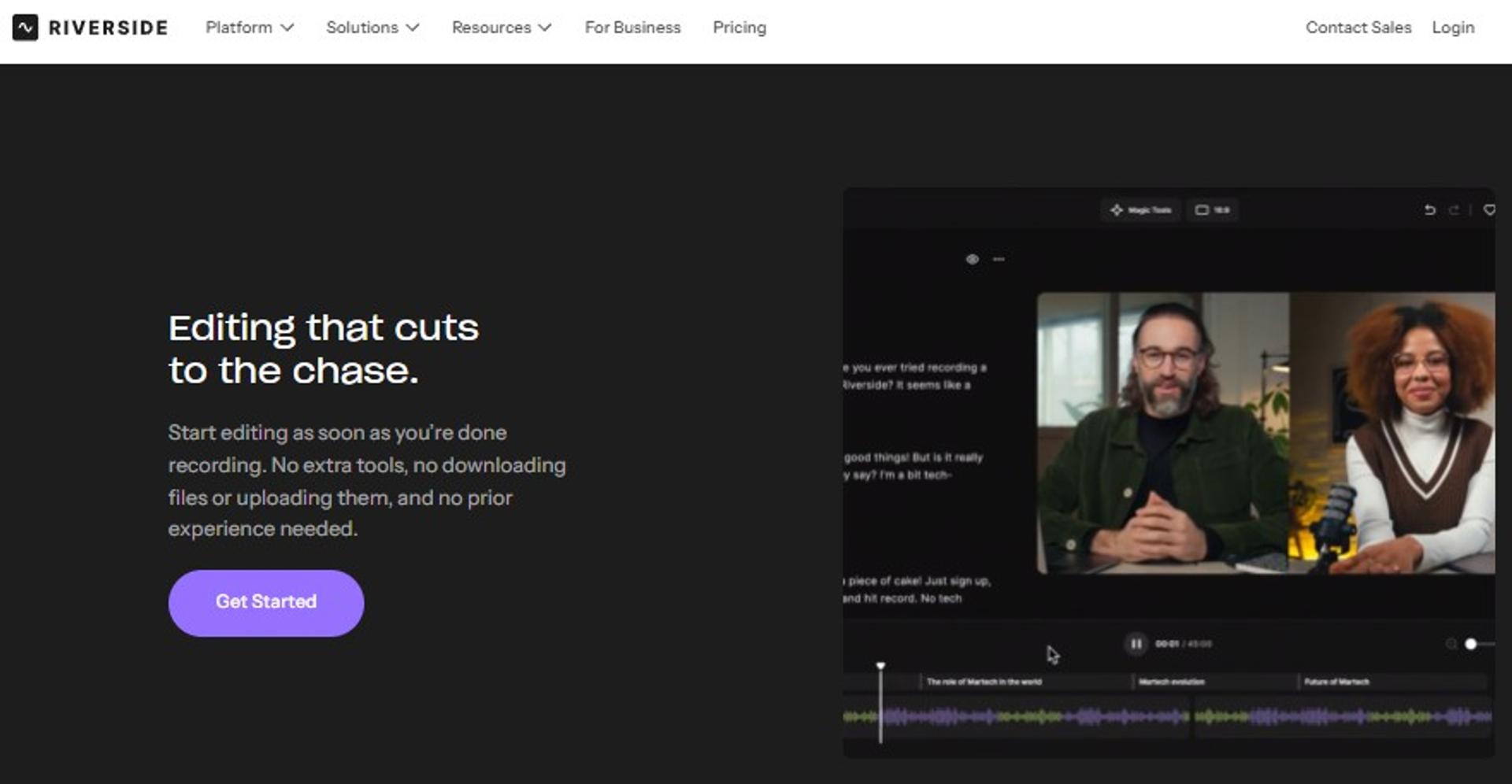
Riverside is best for interview-driven shows and marketing teams whose primary deliverable is a polished episode, because it records local per-participant tracks up to 4K video and 48 kHz audio and layers AI repurposing on top, but it may not fit operators who need large live audiences or a revenue funnel, since its Webinar tier caps registrants at 100.
| Quick fit | Detail |
|---|---|
| Best for | Remote interview shows that cannot risk a guest's bandwidth |
| Skip if | You need audiences above 100 registrants or in-session checkout |
| Strongest edge | Local per-participant capture that survives a dropped connection |
| Biggest trade-off | No automated or evergreen webinar delivery and no native CRM |
| Pricing snapshot | Free tier at 720p and 44.1 kHz with watermark; Pro billed $288 annually; Webinar tier billed $408 annually |
Why Riverside ranks #2
🎙️ Capture quality is the one thing it refuses to compromise
Riverside ranks second because it wins the criterion the rest of the list cannot fake. Local recording writes a full-quality file on each participant's device and uploads it afterwards, so a mid-session bandwidth dip degrades the live stream and not the master. The Pro tier adds 4K video, 48 kHz audio, no watermark, and 15 hours of separate track downloads.
Its Webinar tier then bolts on registration forms, reminder emails, polls, Q&A, and a HubSpot sync. That is a real webinar workflow, just a small one. For a fuller view of what a capture-and-conversion setup needs, see our technical setup guide for recording a webinar.
⚖️ Where it stops being a revenue tool
Riverside has no automated, simulive, or evergreen delivery, and no native CRM or checkout. For a taping that has to sell, the funnel gets assembled elsewhere. EasyWebinar covers that layer natively with its automated webinar engine, which is the honest split between the two.
What Riverside does well
- Failure-proof capture. Local multitrack recording plus progressive upload protects the episode when a guest's connection drops mid-answer.
- Editing without a timeline. Unlimited text-based editing, silence and filler-word removal, eye contact correction, and AI B-roll cut post-production time on the Pro tier.
- Clips and segments from one taping. Magic Clips and AI show notes turn a single session into short-form assets and publishable notes.
- Live reach on the Grow tier. Full HD 1080p streaming, multistreaming to unlimited destinations, custom RTMP, and backstage speaker management.
- Lead capture on the Webinar tier. Branded registration forms, reminder and follow-up emails, webinar analytics, and HubSpot lead sync.
Where Riverside falls short
- ❌ The Webinar tier hosts up to 100 registrants, which rules out larger launches and town halls.
- ❌ No automated, simulive, or evergreen delivery, so the replay economy has to be handled outside the tool. Operators solving that gap usually compare pre-recorded webinar platforms against live first.
- ⚠️ Separate track downloads are metered, 15 hours on Pro and 25 hours on the Webinar tier, which constrains high-volume shows.
- 💸 The free tier is capped at 720p, 44.1 kHz, and 2 hours of multitrack, with a watermark, so it is a trial and not a workflow.
Decision scorecard
| Evaluation criterion | Riverside fit | Why it matters |
|---|---|---|
| Local multitrack capture | Strong | 4K video and 48 kHz per-participant tracks on Pro and above. |
| Live webinars | Partial | Live streaming is solid, but registrant capacity stops at 100. |
| Simulive and automated | Partial | Sessions can be pre-recorded and streamed as live; no evergreen scheduling. |
| Evergreen and just-in-time | Weak | Not supported. |
| Funnel pages | Partial | Branded registration form and embeds, no thank-you or replay funnel. |
| CRM and follow-up | Partial | Branded reminders plus HubSpot sync; no native CRM or lead scoring. |
| Monetization | Weak | No paid webinar or in-session checkout. |
| Analytics | Partial | Webinar analytics and podcast analytics, no revenue attribution. |
| Integrations | Partial | HubSpot sync plus publishing destinations. |
| Compliance and scale | Verify | Enterprise controls are not published on the pricing page. |
| Pricing fit | Strong | Pro at $288 annually is the cheapest route to true 4K multitrack. |
Best for / skip if
Choose Riverside if the episode is the product and guest audio quality decides whether you publish. Skip it if you need audiences above 100 registrants, evergreen delivery, or an offer that closes inside the session. Teams comparing both ends of that trade-off can start with our comparison of webinar platforms.
Reviews
Peer reviewers consistently credit capture quality. On G2, Riverside holds 4.8 out of 5 across roughly 1,728 reviews and scores 9.4 on meeting requirements, with reviewers pointing to local recording as the reason audio holds up.
Users report that Riverside excels in audio quality, particularly with its local recording, which keeps fidelity high even when connections are unstable.- Verified User Review Summary, Riverside G2 - Verified Review
The counterweight sits on Trustpilot, where Riverside averages 3.8 with billing and reliability complaints, a gap worth checking before you commit annually.
3. Zoom Webinars Plus
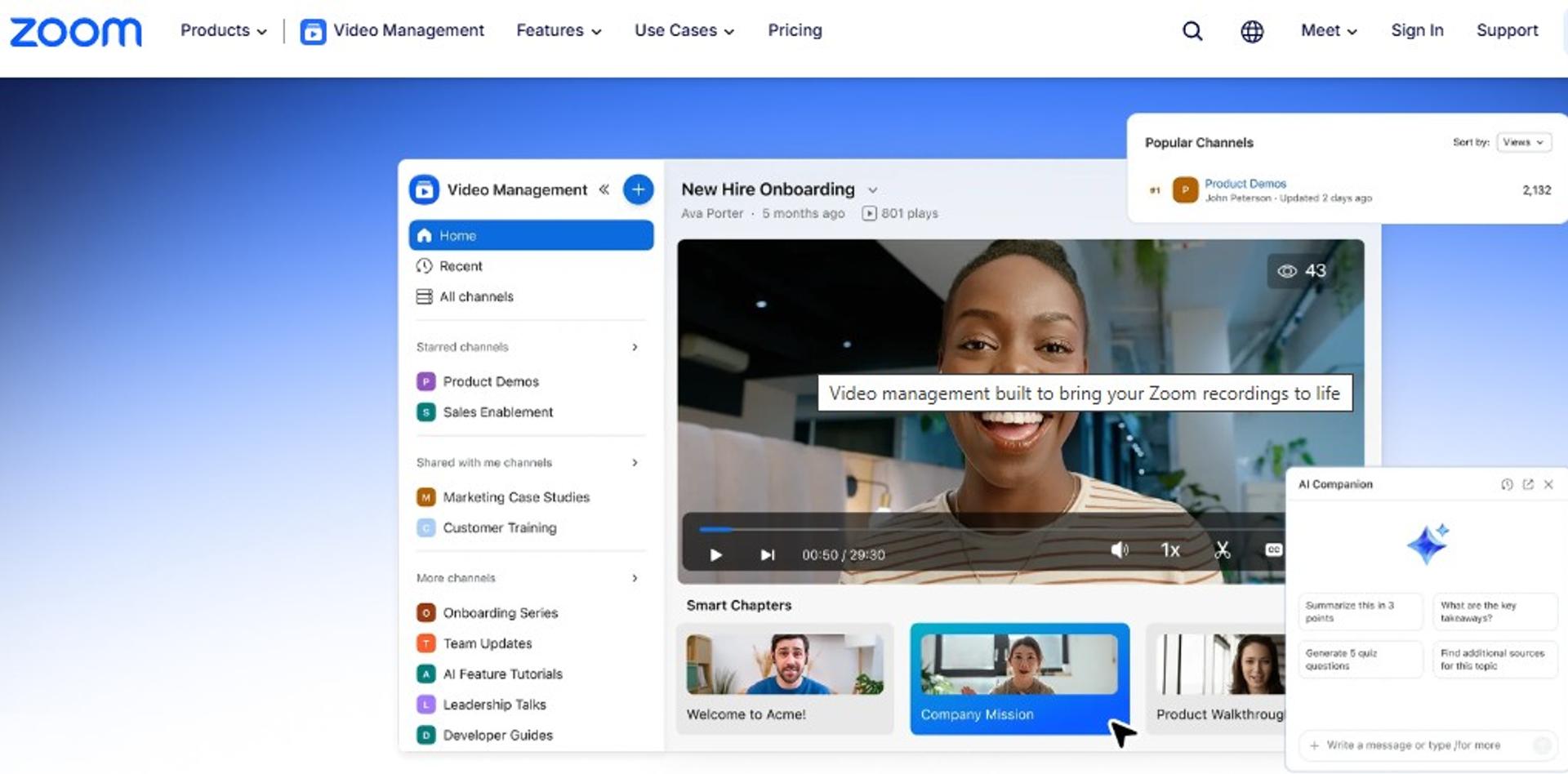
Zoom Webinars Plus is best for enterprise and training teams that need a stable broadcast with backstage control, because it adds a private speaker area, simulive pre-records, and drop-off reporting on top of the Zoom stack, but it may not fit operators who need per-speaker local masters or an evergreen funnel.
| Quick fit | Detail |
|---|---|
| Best for | Teams running scheduled broadcasts with multiple panelists |
| Skip if | You need local per-participant tracks or automated replay funnels |
| Strongest edge | Backstage area where hosts and panelists talk before going on air |
| Biggest trade-off | Cloud recording is a single composited file, not separate speaker tracks |
| Pricing snapshot | Webinars add-on from $83.33 per month per license billed annually at 500 attendees, scaling by attendee tier to 10,000, and it requires a paid Workplace plan |
Why Zoom Webinars Plus ranks #3
🎛️ Production control is the reason it stays on shortlists
Zoom ranks third because it wins reliability and stage management, not funnel depth. Backstage control gives hosts, panelists, and speakers a private channel before they appear on screen. That reduces the chaos of one person pressing every button during a taping.
The trade-off shows up in the artifact. A composited cloud recording is fine for a replay, and it is thin material for an edited episode.
📉 Where the shortlist logic breaks
EasyWebinar covers simulive, automated, and evergreen delivery on a single plan from $116 per month, which is the layer Zoom leaves to other tools. My read is that most teams buying Zoom for sales webinars are really buying attendee familiarity. Teams testing that assumption usually start with our EasyWebinar vs Zoom comparison.
What Zoom Webinars Plus does well
- Backstage staging keeps panelist coordination off the live feed, so a multi-guest taping runs without cross-talk.
- Simulive pre-records let you run a polished recording at a scheduled time, which removes the risk of a bad live take. Our explainer on simulated live webinars covers how that mechanic works.
- Attendee familiarity cuts support tickets, since most guests have already joined a Zoom room.
- Drop-off and engagement reporting shows where attention died, which tells you what to cut in the edit.
- Attendee tiers to 10,000 cover large town halls without a platform change.
Where Zoom Webinars Plus falls short
- ❌ No local per-participant recording, so guest audio quality depends on the connection at that moment.
- ❌ No evergreen or just-in-time scheduling, meaning replays cannot run on a repeating timezone-aware loop.
- ⚠️ No native landing page builder, registration tagging, or CRM follow-up triggers.
- 💸 The add-on sits on top of a paid Workplace license, so the real monthly cost is two line items.
Decision scorecard
| Evaluation criterion | Zoom Webinars Plus fit | Why it matters |
|---|---|---|
| Local multitrack capture | Weak | Cloud recording is composited, not per speaker. |
| Live delivery | Strong | Stable streaming with backstage production control. |
| Simulive and automated | Partial | Simulive works; automated funnels do not exist. |
| Evergreen scheduling | Weak | No repeating or timezone-aware delivery. |
| Funnel pages | Weak | Registration exists, funnel pages do not. |
| CRM and follow-up | Weak | Requires an external CRM and connector. |
| Monetization | Partial | Paid registration is limited compared with funnel platforms. |
| Pricing fit | Partial | Attendee-tier pricing climbs fast above 1,000. |
Best for / skip if
Choose Zoom Webinars Plus if reliability and panelist staging outrank funnel mechanics, and your episode is a byproduct. Skip it if the taping has to sell an offer or run as an evergreen asset afterwards.
4. Descript
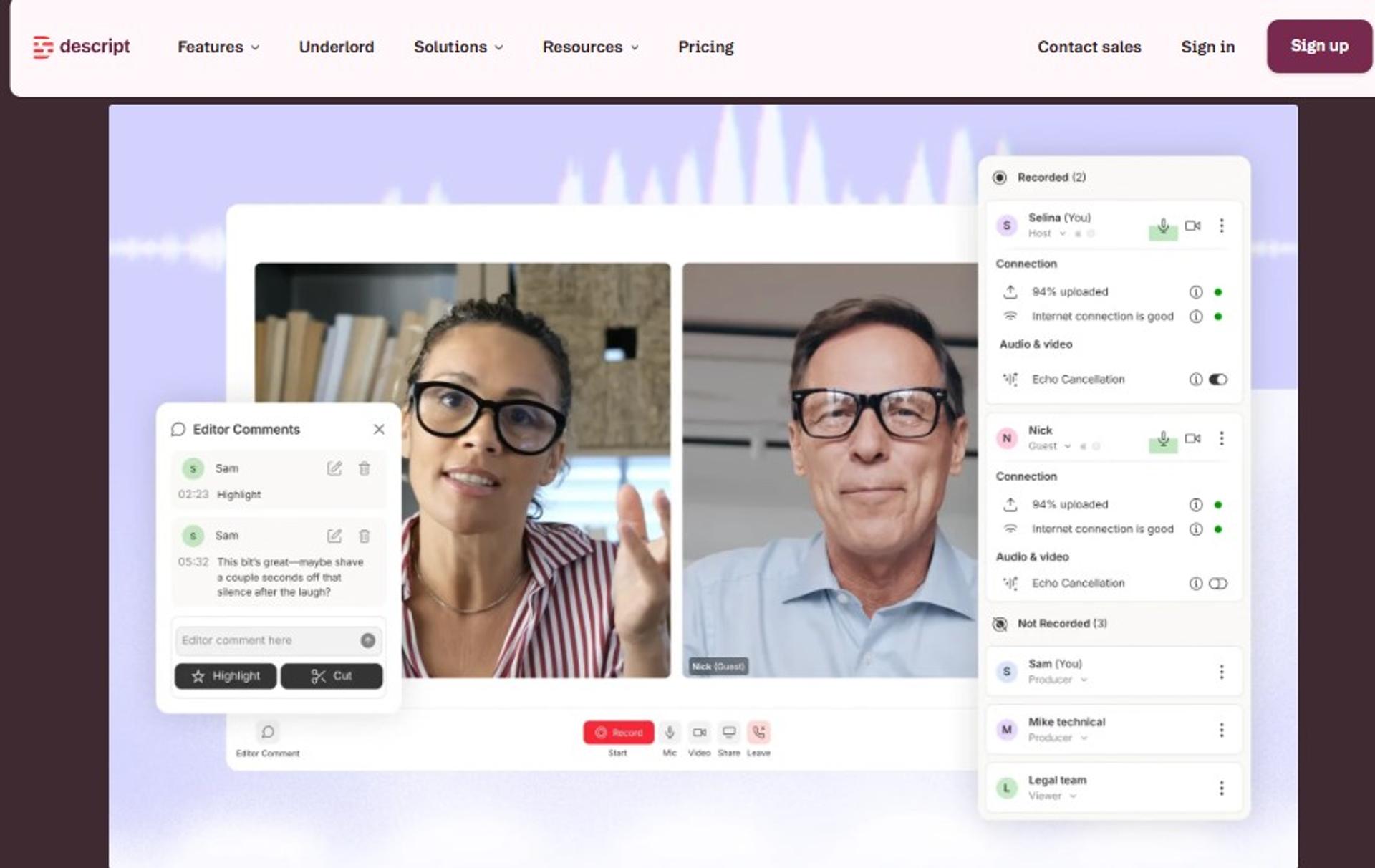
Descript is best for solo hosts and small content teams where editing time is the real constraint, because it turns a recording into an editable transcript with filler-word removal and AI retakes, but it may not fit operators who need registration, live audiences, or follow-up automation.
| Quick fit | Detail |
|---|---|
| Best for | Hosts who publish weekly and edit their own episodes |
| Skip if | You need a live audience, registration page, or CRM |
| Strongest edge | Text-based editing that removes filler words and retakes in a few clicks |
| Biggest trade-off | It is a production tool, not a delivery or revenue tool |
| Pricing snapshot | Free tier; Hobbyist $16, Creator $24, and Business $50 per person per month, saving up to 35% on annual plans |
Why Descript ranks #4
✂️ It removes the step most operators quietly dread
Descript ranks fourth because it fixes the bottleneck after the taping. You edit by deleting words in a transcript, which is faster than scrubbing a timeline. Screen recording plus remote capture also covers course lessons and demos in the same workspace.
It earns the rank on production speed alone. It does not compete on delivery, since there is no webinar room to fill.
🔗 Where it sits in a real stack
EasyWebinar handles the live taping, replay page, and follow-up, so Descript usually lands beside it as the edit layer rather than a replacement. That pairing is common in creator stacks I see, and the full feature list shows which parts of that chain are already covered.
What Descript does well
- Transcript editing cuts post-production hours, which shortens the gap between taping and publishing.
- Filler-word and retake removal raises perceived production quality without a separate editor.
- Screen plus camera capture covers demos and lessons, so one tool serves course and episode work. Creators pairing this with sales sessions often follow our guide on using webinars to sell online courses.
- AI layout changes reframe a two-person recording for vertical clips.
- Recording hours by tier scale from 5 to 25 hours a month, which maps cleanly to publishing cadence.
Where Descript falls short
- ❌ No registration pages, reminders, or attendance data, so lead capture happens elsewhere.
- ❌ No automated or evergreen delivery of any kind.
- ⚠️ Per-person pricing means a three-person team pays three times, unlike attendee-tier platforms.
Decision scorecard
| Evaluation criterion | Descript fit | Why it matters |
|---|---|---|
| Local multitrack capture | Partial | Records remote guests with backups, though it is not a 4K studio tool. |
| Live delivery | Weak | No live audience room. |
| Simulive and automated | Weak | Not supported. |
| Evergreen scheduling | Weak | Not supported. |
| Funnel pages | Weak | None. |
| CRM and follow-up | Weak | None. |
| Monetization | Weak | No checkout or paid access. |
| Pricing fit | Strong | $16 entry is the cheapest serious edit layer here. |
Best for / skip if
Choose Descript if editing time is what stops you publishing, and delivery is already handled. Skip it if you expected registration, audience, or follow-up in the same subscription.
5. meetn
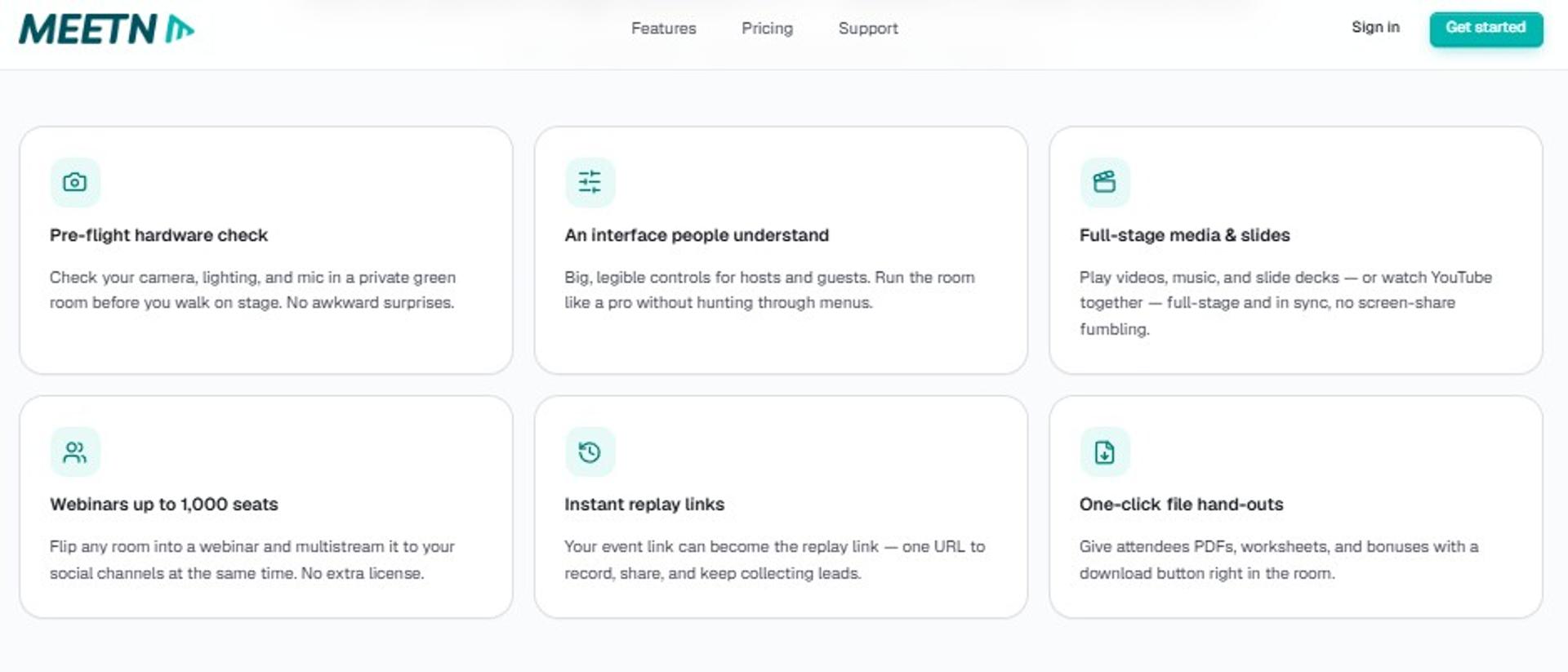
meetn is best for coaches and closers running small live sessions with an offer at the end, because it combines a stable browser room with pop-ups, order forms, and exit redirects at $14.95 per month, but it may not fit teams needing per-speaker masters or deep analytics.
| Quick fit | Detail |
|---|---|
| Best for | Solo operators selling from live rooms under 1,000 attendees |
| Skip if | You need studio-grade separate tracks or evergreen automation |
| Strongest edge | Closing tools inside the room: pop-ups, CTAs, order forms, and exit redirect |
| Biggest trade-off | Light page styling and limited reporting depth |
| Pricing snapshot | Pro $14.95 per month for up to 300 attendees; Pro Closer $49.95 per month for up to 1,000, with a 3-day trial and two months free on annual billing |
Why meetn ranks #5
💰 The cheapest room with a checkout attached
meetn ranks fifth on price-to-capability. Pro Closer hosts up to 1,000 attendees, adds custom pop-ups and order forms, and includes breakout rooms at $49.95 per month. Multistreaming to YouTube and Facebook is included on the lower tier.
Recordings, transcripts, and unlimited replays come standard. Separate per-speaker tracks do not.
🧾 The honest comparison
EasyWebinar reaches 1,000 live attendees on its Scale plan at $349 per month, and it adds automated, evergreen, and CRM layers meetn does not carry. Different jobs, different bills. Operators sizing rooms at that level can review our breakdown of a webinar platform for 1,000 attendees.
What meetn does well
- Permanent branded room link removes repeated setup, so a weekly taping starts in seconds.
- In-room order forms and pop-ups let the offer close without leaving the session.
- Exit-page redirect sends attendees to a booking or checkout page automatically.
- Multistreaming pushes the same taping to YouTube and Facebook on the $14.95 tier.
- AppSumo deals honored in full, which matters to operators holding older lifetime licenses.
Where meetn falls short
- ❌ No local per-participant recording, so episode quality depends on live conditions.
- ❌ No automated or evergreen scheduling.
- ⚠️ Entry page and room styling are basic compared with dedicated funnel builders. Teams that need designed pages usually study webinar landing page examples that convert first.
- ⚠️ Phone dial-in is an ask-to-enable extra, not a default.
Decision scorecard
| Evaluation criterion | meetn fit | Why it matters |
|---|---|---|
| Local multitrack capture | Weak | Single composited recording only. |
| Live delivery | Strong | Stable browser room to 1,000 attendees on Pro Closer. |
| Simulive and automated | Weak | Not supported. |
| Evergreen scheduling | Weak | Not supported. |
| Funnel pages | Partial | Branded entry page and exit redirect, no full funnel. |
| CRM and follow-up | Weak | No native CRM. |
| Monetization | Strong | Order forms and CTAs run inside the room. |
| Pricing fit | Strong | $14.95 entry is the lowest here. |
Best for / skip if
Choose meetn if you sell live from a small room and want checkout inside the session. Skip it if the recording is your product or you need evergreen delivery.
6. GoTo Webinar
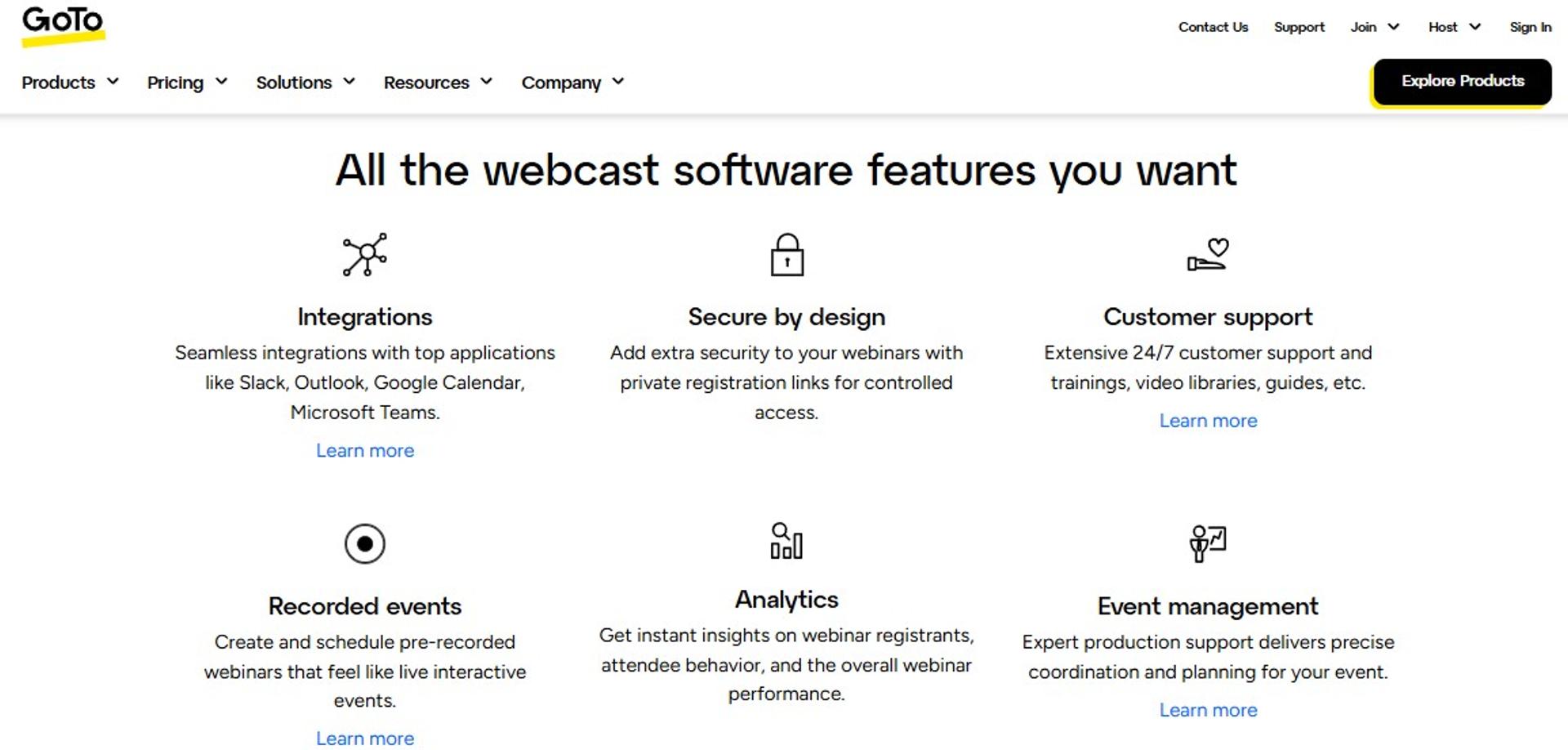
GoTo Webinar is best for training and internal-communications teams that value predictable infrastructure, because it pairs live delivery with Simulive events, source tracking, and paid events on higher tiers, but it may not fit operators who want design control or per-speaker recording.
| Quick fit | Detail |
|---|---|
| Best for | Training teams and departments running scheduled sessions at scale |
| Skip if | You need custom-designed registration pages or studio-grade tracks |
| Strongest edge | Simulive events plus registration source tracking on the Complete tier |
| Biggest trade-off | Templates are rigid, and seats are sold per organizer |
| Pricing snapshot | Reach (1 organizer, 500 participants), Elevate (1,000 participants), and Complete (3,000 participants) are listed without displayed rates on the plan page; third-party vendor listings put entry near $49 per organizer per month billed annually |
Why GoTo Webinar ranks #6
🧱 Legacy reliability, dated surfaces
GoTo ranks sixth because the delivery engine is dependable and the presentation layer is not. Elevate adds branded webinars, custom URLs, cloud recordings, AI summaries, and the ability to run recordings as live events. Complete adds paid events, certified training, and source tracking.
The default registration template is plain. That is not always a problem, and I have watched clients earn millions on ugly default pages, because the presentation carried the sale.
🔍 The trade-off in plain terms
EasyWebinar publishes its tier prices openly, from $44 to $349 per month, while GoTo's plan page shows tiers without rates. For a CFO comparing line items, that transparency gap matters, and our side-by-side EasyWebinar vs GoToWebinar breakdown lays out the difference.
What GoTo Webinar does well
- Simulive events run a recording as a scheduled session, which removes live-take risk for training content.
- Source tracking on Complete attributes registrations to channels, improving spend decisions.
- Paid events and certificates support training monetization without an external cart.
- AI summaries and transcripts shorten the turnaround from session to published notes.
- Channel pages and GoTo Stage give recordings a hosted home for on-demand viewing. Teams comparing that model can read our guide to on-demand webinar software.
Where GoTo Webinar falls short
- ❌ Registration and page design flexibility is limited, so brand-heavy funnels need workarounds.
- ❌ No local per-speaker capture for episode masters.
- ⚠️ Per-organizer licensing raises cost as more presenters need seats. Smaller teams often weigh GoToWebinar alternatives for small businesses at that point.
- ⚠️ Plan rates are not displayed on the pricing page, which slows procurement comparisons.
Decision scorecard
| Evaluation criterion | GoTo Webinar fit | Why it matters |
|---|---|---|
| Local multitrack capture | Weak | Local and cloud recordings are composited. |
| Live delivery | Strong | Up to 3,000 participants, with live streaming beyond that on Complete. |
| Simulive and automated | Partial | Simulive yes, automated funnels no. |
| Evergreen scheduling | Weak | No timezone-aware repeating sessions. |
| Funnel pages | Partial | Registration and channel pages only. |
| CRM and follow-up | Partial | Automated emails plus integrations, no native CRM. |
| Monetization | Partial | Paid events on the top tier only. |
| Pricing fit | Verify | Rates are not published on the plan page. |
Best for / skip if
Choose GoTo Webinar if scheduled training delivery and source attribution are the job. Skip it if you need designed funnels, evergreen sessions, or a broadcast-grade episode master.
Reviews
Peer-review volume is the main trust signal here. GoTo Webinar carries 554 verified reviews on TrustRadius, with reviewers citing CRM integrations and reporting as the reasons they stay.
It offers CRM integrations and reporting and analytics tools to help engage clients, and 554 verified user reviews back the reliability of the delivery engine.- Verified User Review Summary, GoTo Webinar TrustRadius - Verified Review
7. Circle
Circle is best for cohort programs and paid communities where the episode lives beside discussions and courses, because it combines live streams, live rooms, events, courses, and paid memberships in one member home at $89 per month, but it may not fit operators who need separate track exports or direct-response webinar funnels.
| Quick fit | Detail |
|---|---|
| Best for | Coaches running paid communities with recurring live sessions |
| Skip if | Cold traffic and one-off sales webinars are your main motion |
| Strongest edge | Live events, courses, and paid memberships under one member login |
| Biggest trade-off | No local multitrack capture and no evergreen webinar scheduling |
| Pricing snapshot | Professional $89 per month, Business $199 per month, Circle Plus custom, with Email Hub adding $99 per month at 10,000 contacts and a 14-day trial |
Why Circle ranks #7
🏠 It wins retention, not acquisition
Circle ranks seventh because it is strongest after the sale. Live streams, live rooms, gamification, and a searchable member directory keep a cohort engaged between sessions. Paid memberships and a custom domain are included on Professional.
For a taping aimed at cold traffic, though, there is no registration funnel, replay countdown, or timed offer.
🔁 How operators combine the two
EasyWebinar runs the acquisition session and its automated replay, then the buyer lands inside a community tool for delivery. I have seen that split work better than forcing one tool to do both, and our guide to the webinar funnel maps where each layer belongs.
What Circle does well
- Events plus live rooms give recurring sessions a home, so members know where to show up.
- Courses in the same login reduce the number of passwords a buyer needs after purchase.
- Paid memberships handle recurring revenue natively on the entry tier.
- Workflows and activity scores on Business surface who is disengaging before they churn.
- Automated transcriptions on Business turn session recordings into searchable text.
Where Circle falls short
- ❌ No per-participant local recording, so episode masters come from elsewhere.
- ❌ No automated, simulive, or evergreen webinar delivery. Coaches needing that layer usually compare top automated webinar platforms alongside their community tool.
- ⚠️ Email Hub is a paid add-on on top of the plan, which raises real monthly cost.
- ⚠️ Circle branding removal and API access sit on the $199 tier.
Decision scorecard
| Evaluation criterion | Circle fit | Why it matters |
|---|---|---|
| Local multitrack capture | Weak | Not a recording studio. |
| Live delivery | Partial | Live streams and rooms, sized for members, not cold audiences. |
| Simulive and automated | Weak | Not supported. |
| Evergreen scheduling | Weak | Not supported. |
| Funnel pages | Partial | Website builder and paid memberships, no webinar funnel. |
| CRM and follow-up | Partial | Activity scores and workflows on Business. |
| Monetization | Strong | Paid memberships and transaction handling built in. |
| Pricing fit | Partial | $89 entry plus $99 Email Hub adds up quickly. |
Best for / skip if
Choose Circle if the recurring session is for people who already bought. Skip it if the session's job is to convert strangers.
8. Stan Store
Stan Store is best for creators selling straight from social traffic, because it hosts digital products, courses, bookings, and live workshops behind a mobile checkout at $29 per month with zero platform fees, but it may not fit operators who need multi-speaker staging or webinar analytics.
| Quick fit | Detail |
|---|---|
| Best for | Creators monetizing link-in-bio traffic from short-form video |
| Skip if | You run multi-panelist sessions or need attendance analytics |
| Strongest edge | Mobile-first checkout with 0% platform fee on both plans |
| Biggest trade-off | No webinar delivery engine, staging, or replay funnel |
| Pricing snapshot | Creator $29 per month or $300 per year, Creator Pro $99 per month or $948 per year, both at 0% platform fees with a 14-day trial |
Why Stan Store ranks #8
📱 Checkout friction is the only problem it solves
Stan ranks eighth because it is a storefront, not a studio. Setting up a course product takes minutes, and the checkout is built for phone traffic. Bookings and AutoDM flows cover the handoff from social to sale.
That is a narrow job done cleanly. The taping itself happens somewhere else.
⚖️ Where the fee math favors it
EasyWebinar sells inside the session with built-in checkout, so operators using it rarely need a separate storefront. Stan's flat fee still wins when the offer is small and traffic comes from social. Creators weighing both routes can review how a creator monetization platform handles the same job.
What Stan Store does well
- Fast product setup gets an offer live the same day, which suits launch-and-test cycles.
- Zero platform fees protect margin at volume, since only card processing applies.
- Bookings in the same store convert attention into calls without a scheduler subscription.
- Mobile checkout design reduces drop-off from phone-heavy traffic.
Where Stan Store falls short
- ❌ No webinar room, registration reminders, or attendance data. Operators who need that layer usually start with dedicated webinar registration software.
- ❌ No multi-speaker stage management for interview tapings.
- ⚠️ No free plan, so evaluation ends after the 14-day trial.
Decision scorecard
| Evaluation criterion | Stan Store fit | Why it matters |
|---|---|---|
| Local multitrack capture | Weak | No capture tooling. |
| Live delivery | Partial | Live workshops only, without production controls. |
| Simulive and automated | Weak | Not supported. |
| Evergreen scheduling | Weak | Not supported. |
| Funnel pages | Partial | Storefront and product pages, not webinar funnels. |
| CRM and follow-up | Partial | AutoDM and email basics. |
| Monetization | Strong | 0% platform fee checkout on both tiers. |
| Pricing fit | Strong | $29 entry with no revenue share. |
Best for / skip if
Choose Stan Store if social traffic and a simple checkout are your whole funnel. Skip it if the session itself needs registration, staging, or replay mechanics.
9. Webflow + Outseta + Circle
The Webflow, Outseta, and Circle stack is best for technical teams running gated masterclasses that need design and data ownership, because it combines custom pages, its own billing and CRM, and a member portal, but it may not fit operators who want one login and no build time.
| Quick fit | Detail |
|---|---|
| Best for | Teams where page design and data ownership are the product |
| Skip if | You need to launch this month with no developer |
| Strongest edge | Full control of pages, billing, authentication, and member experience |
| Biggest trade-off | Three subscriptions, three support queues, and no native capture |
| Pricing snapshot | Webflow Basic $15 per month or Premium $25 per month billed yearly, Outseta Founder $37 per month annually plus a 2% transaction fee, and Circle Professional $89 per month, roughly $151 per month combined |
Why this stack ranks #9
🧩 Control is real, and so is the build cost
The stack ranks ninth because the capability is genuine and the effort is heavy. Outseta covers authentication, protected content, CRM, email, help desk, and Stripe payments with unlimited seats. Webflow carries the pages, and Circle carries the portal.
Every connection point is also a failure point. I have watched a quota limit on a connector hide a few hundred missing opt-ins until four hours before a session.
⏰ The time-to-launch question
EasyWebinar generates the registration page, thank-you page, emails, polls, and timed offer from one prompt with its AI webinar builder. The stack route trades that speed for control, and that choice is legitimate when design is the differentiator.
What this stack does well
- Complete page control in Webflow removes template limits for brand-led launches.
- Own billing and CRM through Outseta keeps customer data in your account, not a vendor's funnel tool.
- Unlimited team seats on Outseta avoids per-user charges as the team grows.
- Member portal in Circle delivers courses and discussions after purchase.
- Low transaction fees at 1% on most Outseta tiers keep margin intact at scale.
Where this stack falls short
- ❌ No native recording or webinar room, so capture and delivery need a separate tool.
- ❌ No single support owner when something breaks mid-launch.
- ⚠️ Build time is measured in weeks, not hours. Teams under launch pressure often compare webinar software options before committing to a build.
- 💸 Three subscriptions plus a transaction fee, roughly $151 per month before any capture tool.
Decision scorecard
| Evaluation criterion | Stack fit | Why it matters |
|---|---|---|
| Local multitrack capture | Weak | Not included at any layer. |
| Live delivery | Weak | No webinar room. |
| Simulive and automated | Weak | Not supported. |
| Evergreen scheduling | Weak | Not supported. |
| Funnel pages | Strong | Full design control in Webflow. |
| CRM and follow-up | Strong | Outseta covers CRM, email, and help desk. |
| Monetization | Strong | Stripe payments, memberships, and gated content. |
| Pricing fit | Partial | Cheap per tool, heavier once combined. |
Best for / skip if
Choose this stack if design control and data ownership justify a multi-week build. Skip it if you need a session live next week with one vendor accountable.
10. GoHighLevel
GoHighLevel is best for agencies already managing client funnels and pipelines in one account, because it combines funnel building, CRM, and automation across sub-accounts, but it may not fit operators whose deliverable is a studio-quality episode, since it has no native capture studio.
| Quick fit | Detail |
|---|---|
| Best for | Agencies running many client funnels from one login |
| Skip if | Recording quality or webinar delivery is the reason you are buying |
| Strongest edge | Sub-accounts and automation across multiple client funnels |
| Biggest trade-off | Video capture and webinar delivery are not native strengths |
| Pricing snapshot | Starter $97 per month, Unlimited $297 per month, and Pro $497 per month, with a 14-day free trial and usage charges for calls and emails on top |
Why GoHighLevel ranks #10
🧮 Breadth without depth on the one axis that matters here
GoHighLevel ranks last for this specific job. The funnel and CRM breadth is real, and the video layer is not the reason anyone buys it. When a platform claims to be the CRM, the email tool, the community, and the video studio, the video part is usually the weakest.
For a taping that has to sound like a studio, that ordering is a problem.
🔌 Where it still earns a place
EasyWebinar integrates with 13 CRM and email tools, including native HubSpot and Salesforce sync on Pro, so agencies can keep client pipelines where they already live. That is usually the cleaner split, and our walkthrough of EasyWebinar with HighLevel for agencies shows the pairing in practice.
What GoHighLevel does well
- Sub-accounts let an agency run many client funnels without separate logins.
- Funnel and pipeline building in one place reduces connector count for lead flow.
- Automation across channels covers SMS, email, and call follow-up from one workflow builder.
- Unlimited contacts and users on paid plans keep team growth from raising the base bill.
Where GoHighLevel falls short
- ❌ No studio-grade capture, so per-speaker tracks and 48 kHz audio are out of scope.
- ❌ No simulive or evergreen webinar engine designed for scheduled sessions. Agencies filling that gap usually add a webinar marketing automation layer beside it.
- ⚠️ Usage-based charges for calls and emails sit on top of the plan price.
Decision scorecard
| Evaluation criterion | GoHighLevel fit | Why it matters |
|---|---|---|
| Local multitrack capture | Weak | Not a recording tool. |
| Live delivery | Weak | No dedicated webinar room. |
| Simulive and automated | Weak | Not supported natively. |
| Evergreen scheduling | Weak | Not supported natively. |
| Funnel pages | Strong | Full funnel builder included. |
| CRM and follow-up | Strong | Pipelines, tagging, and multichannel automation. |
| Monetization | Strong | Checkout and recurring billing supported. |
| Pricing fit | Partial | Base plan plus usage charges raises the true cost. |
Best for / skip if
Choose GoHighLevel if you already run client funnels there and the episode is secondary. Skip it if recording quality or webinar delivery is what you are shopping for.
EasyWebinar sits at the top of this list for one measurable reason: it runs live, simulive, automated, and evergreen sessions with registration pages, EasyCRM follow-up, and in-session checkout on a single plan from $44 per month, with SOC 2 Type II and GDPR compliance documented. Every other tool here covers part of that chain, and covering the rest is what the stack cost is.
Q2. How did we score these tools, and what do the reviews actually say?
Five weighted criteria produced the star ratings above: Recording Fidelity and Local Capture at 30%, Live plus Automated Delivery Range at 25%, Revenue Infrastructure at 20%, Repurposing and Post-Production at 15%, and Pricing Transparency at 10%. Scores map to stars in bands of twenty, so 81 to 100 earns five stars, and 21 to 40 earns two. Review evidence is split rather than clean: Riverside holds 4.8 out of 5 across roughly 1,728 G2 reviews, and 3.8 on Trustpilot, where billing and reliability complaints cluster.
Why most roundups score on vibes
Most lists rank on brand recall and screenshot quality. That produces a ranking nobody can audit, and it hides the variable that actually decides profit or loss. Our own webinar software comparison guide uses the same published-criteria approach.
I watch operators skip the math entirely. Media buyers describe the same pattern: money disappears because nobody modeled how bad a single metric could get before the spend stopped making sense.
📊 The weights, and why each one carries its number
| Criterion | Weight | Why it carries this weight |
|---|---|---|
| Recording fidelity and local capture | 30% | If the master is unusable, nothing downstream matters. |
| Live plus automated delivery range | 25% | One taping should serve live, simulive, automated, and evergreen delivery. |
| Revenue infrastructure | 20% | Registration, attendance data, follow-up, and checkout decide whether the episode earns. |
| Repurposing and post-production | 15% | Clip and segment output determines publishing cadence. |
| Pricing transparency | 10% | Published rates let a CFO compare line items without a sales call. |
EasyWebinar publishes its own plan rates from $44 to $349 per month, which is why pricing transparency stayed in the rubric rather than being dropped as unmeasurable. You can check every tier on the webinar pricing page.
⭐ Star thresholds and the honest spread
Only two tools cleared 81 points. EasyWebinar scored five stars on delivery range and revenue infrastructure, and lost points on local capture. Riverside took four and a half, winning capture and losing evergreen delivery.
Everything from GoTo Webinar down lost ground on the same two axes: no per-speaker capture, and no automated delivery. That is not a knock on their engineering. It is a mismatch with this specific job, and buyers weighing that mismatch often review GoToWebinar alternatives next.
What the reviews actually say
⚠️ Aggregate satisfaction and billing friction are different things
Peer scores measure whether a tool does the job. Trustpilot tends to capture what happens when someone tries to leave, downgrade, or dispute a charge. Riverside's 4.8 on G2 and 3.8 on Trustpilot are both true, and they answer different questions.
Riverside reviewers credit capture quality and score it 9.4 on meeting requirements, which is the highest capture score in this list.
Users report that Riverside excels in audio quality, particularly with its local recording, and the product scores 9.4 on meeting requirements across roughly 1,728 reviews.- Verified User Review Summary, Riverside G2 - Verified Review
EasyWebinar reviewers point to support and reuse, including a 5-star G2 review titled "Great Software, Great Customer Service" from a verified user in photography.
Great Software, Great Customer Service.- Verified User in Photography, EasyWebinar G2 - Verified Review
GoTo Webinar carries 554 verified TrustRadius reviews, with CRM integrations and reporting named as the reasons teams stay.
It offers CRM integrations and reporting and analytics tools to help engage clients, across 554 verified user reviews and ratings.- Verified User Review Summary, GoTo Webinar TrustRadius - Verified Review
✅ The disclosure that belongs here
This guide lives on EasyWebinar's blog. Brand familiarity was deliberately left out of the rubric, because Zoom would win that column on volume alone, not on fit for a taping that has to sell. Readers who want that head-to-head can read our EasyWebinar vs Zoom comparison.
I could be weighting revenue infrastructure too heavily at 20%. My read is that operators discover its absence three months in, after the episodes exist and the pipeline does not.
EasyWebinar earns five stars on the two criteria most roundups skip: delivery range across live, simulive, automated, and evergreen formats, and revenue infrastructure sitting inside the same platform that records the session. The full feature list shows how those layers sit together.
Q3. What recording specs separate a publishable episode from pixelated slop?
Record locally on each participant's device instead of capturing the live stream. Local multitrack means each speaker's own machine saves a full-quality file, up to 4K video and 48 kHz uncompressed audio, then uploads it after the session. Connection dips degrade the live feed, not the finished episode. The working floor for a publishable episode is 1080p video, 48 kHz audio, separate per-speaker tracks, and progressive cloud backup during recording.
The concept in plain English
Two recordings happen during a session. One is what the audience watched, compressed and mixed. The other is what each device saved locally, untouched by network conditions.
Cloud or composited capture keeps only the first one. That file is fine for a replay page, and it is thin material for an edit.
🎙️ What breaks at minute 34
Picture a guest whose Wi-Fi drops for eight seconds mid-answer. With composited capture, that gap is permanent, because the recording is the stream. With local capture, the guest's own file is clean, and only the live viewers saw the stutter.
Castos put the difference plainly: most video podcast tools look identical until a guest's connection drops. That is the entire distinction, and it decides whether you publish or re-record. Our technical setup guide for recording a webinar walks through the room-side controls that reduce that risk.
📏 The spec floor
| Spec | Minimum | Why it matters |
|---|---|---|
| Video resolution | 1080p, 4K if you crop or go vertical | Cropping a 1080p frame for shorts costs visible detail. |
| Audio sample rate | 48 kHz uncompressed | Editing and noise repair need headroom a compressed mix does not have. |
| Track structure | One file per speaker | Fixing one person's audio is impossible in a mixed file. |
| Backup | Progressive upload during recording | Protects the take if a device dies mid-session. |
| Delivery master | WAV, then 128 to 192 kbps MP3 at 44.1 kHz | Feeds and platforms expect this, and loudness targets sit near minus 16 LUFS mono. |
Where the spec talk becomes theatre
4K on a static two-shot buys you almost nothing except storage cost. Riverside's free tier caps at 720p and 44.1 kHz with a watermark, so it demonstrates the workflow rather than producing masters.
AI audio repair is a rescue, not a plan. Practitioners who have recorded a full session on a camera microphone instead of a proper mic describe AI enhancement as the thing that saved the file. It saved it once, which is different from designing for it, and our rundown of webinar equipment covers the microphone decision first.
🎧 Does the tool export a podcast-legal master?
| Tool | Separate per-speaker tracks | Master suitable for a podcast feed |
|---|---|---|
| EasyWebinar | No | Replay file, not a broadcast master |
| Riverside | Yes, up to 4K and 48 kHz | Yes |
| Zoom Webinars Plus | No, composited cloud file | Partial |
| Descript | Partial, per-session backups | Yes, after edit |
| meetn | No | Partial |
| GoTo Webinar | No | Partial |
| Circle, Stan Store, the Webflow stack, GoHighLevel | No | No |
EasyWebinar records every live, simulive, automated, and evergreen session automatically and turns it into a replay page, which is why operators run it beside a local-capture tool when the episode needs a broadcast master. That replay layer is documented on the automated webinar page.
⚠️ The limit nobody advertises
Local capture still fails if a guest closes the browser tab before the upload finishes. I tell guests to stay on the call until the progress bar clears, every time.
Casey's rule applies to gear as much as pages: the presentation carries the sale, not the pixel count. Spend the money on the microphone, then stop.
Review evidence on capture quality
Riverside reviewers on G2 credit audio and video fidelity specifically, and the product scores 9.4 on meeting requirements across roughly 1,728 reviews.
Riverside excels in audio quality, particularly with its local recording, which keeps fidelity high even when connections are unstable.- Verified User Review Summary, Riverside G2 - Verified Review
One EasyWebinar user described hosting the same webinar monthly with everything already set up, which is the replay-and-reuse side of recording rather than the master side.
EasyWebinar saves me a lot of time, especially since I often host the same webinar monthly, and everything is already set up for last-minute webinars.- Eliza W., Webinar Host, EasyWebinar G2 - Verified Review
Q4. Should you record live or run it evergreen, and how long should it run?
Run it live first, then automate. Live sessions convert better on cold traffic and surface the objections a replay cannot show you. Once a taping clears roughly 10% attendee-to-buyer, turn that exact recording into an evergreen session. On-demand views run about 2.3 times live attendance, so the replay is where most of the audience actually is. EasyWebinar runs both formats in one account, with automated and evergreen delivery unlocking on its $116 per month Growth plan.
Two camps, both with receipts
Media buyers running cold paid traffic report that automated sessions underperform live ones badly, and that some high-ticket buyers attend two or three live sessions before purchasing. Evergreen advocates counter that weekly live sessions are a time trap with poor show rates.
Both are describing real data from different traffic temperatures. The disagreement is about sequence, not merit, and our breakdown of live versus automated webinars maps both positions.
⏰ The sequencing rule that settles it
Run 5 to 10 live sessions. Fine-tune the message, the offer, and the pitch placement. Hit at least 10% attendee-to-buyer before automating anything.
Then automate the version that worked. EasyWebinar handles that handoff without a rebuild, since the same event becomes an automated, timezone-detected session that starts a few minutes after registration. That mechanic captures intent while it is still hot, and the live webinar software side stays identical during the switch.
📊 Replay economics, in numbers
| Metric | Figure | Source |
|---|---|---|
| On-demand views versus live attendance | 2.3x | 412-webinar benchmark study |
| Attendance including replay | 57%, versus 49% live | Univid 2026, 325,000+ attendees |
| Attendance rate across 26,190 events | 40% | Goldcast 2026 |
| Chat adoption | 62.3% | Goldcast 2026 |
| Average engaged time | About 49 minutes | ON24 |
Live still wins on conversion quality. Question-askers convert at roughly 6.7 times the rate of silent attendees, and you only get questions live. Our guide to webinar interaction covers how to draw those questions out early.
How long should the session run?
🕐 Duration by fit condition
| Situation | Length | Reasoning |
|---|---|---|
| Cold paid traffic, mid-ticket offer | 30 to 40 minutes | Matches what a stranger will actually give you. |
| Warm audience, high-ticket offer | 60 to 90 minutes | Objections need airtime before a $5,000 decision. |
| Sophisticated buyers, many objections | Longer, if earned | Most of the extra time goes to objection handling. |
| Any audience, unrehearsed deck | Never 3 hours | One real estate session ran three hours and produced a single sale. |
The number that matters is not runtime. It is retention through the pitch.
✅ Hold 80% of your peak, and say why they should stay
Aim to keep about 80% of your peak audience from show-up to the offer. Bait it out loud. Tell them a bonus goes out right after the session to people still in the room.
EasyWebinar's data shows the drop-off timestamp is where the fix lives, since attendance reporting marks where people left and what they clicked before leaving. My read is that most operators blame the offer when the real problem sits eleven minutes earlier, which is exactly what webinar analytics are for.
⚠️ The honest cost of going live
Live means tech risk and repetition. You show up, you present the same thing again, and your kid can walk in mid-pitch with ketchup on their hands.
That cost is worth paying for 5 to 10 sessions. After that, repeating it manually is a choice, not a requirement.
EasyWebinar closes this loop in one account: the live taping that cleared 10% becomes an automated, timezone-aware session with the same registration page, reminders, and follow-up already attached. The sales CRM picks up from there.
Q5. How do you turn one taping into an episode, clips, and a gated replay?
Confirm redistribution consent, export per-speaker tracks, cut a 5 to 8 minute segment set for YouTube plus the full episode for your feed, master the audio, then publish the gated replay with a hard 72-hour expiry. Clips feed discovery, the episode feeds the feed, and the expiring replay feeds revenue. EasyWebinar hosts that third asset natively, recording every session and turning it into an on-demand replay page with attendance data attached. One taping, three assets, three days.
The seven steps, in order
⏰ Days one and two: get the assets out clean
- Confirm consent before anything else. Ask guests, in writing, whether the session can be republished as an episode and cut into clips. Do it before the taping, not after.
- Export per-speaker tracks. Riverside's Pro tier gives 15 hours of separate track downloads a month, and the Webinar tier gives 25. Pull the audio and video files for every participant.
- Run the screen-off test. Play the recording with the video hidden. If the conversation still makes sense, it works as an audio episode. If it depends on slides, it stays a video-only asset.
- Pick segments before clips. Cut two or three self-contained 5 to 8 minute segments for YouTube first. Those become long-form assets. Short clips come from the same timestamps afterwards.
🎧 Day three: master, publish, then gate the replay
- Master to spec. Keep a WAV master, then deliver a 128 to 192 kbps MP3 at 44.1 kHz, mastered near minus 16 LUFS mono with a minus 1 dBFS ceiling.
- Write the show notes yourself. Use AI for the transcript and the first pass at timestamps. Do not ship AI-written emails or notes untouched, because that is the part readers can smell.
- Publish the gated replay with an expiry. Put the replay behind registration, then close it at 72 hours. Our guide to webinar registration software covers how that gate is built.
The expiry email nobody sends
Two emails go out on day three. One earlier in the day says the replay comes down today. The final one says the webinar is coming down in a few hours.
That pair does more for revenue than any editing decision in the workflow. I have watched operators fight for a 2% lift in clip views while leaving the replay open forever, which trains everyone to watch later, meaning never. The mechanics of that sequence sit inside our evergreen sales funnel playbook.
✅ Where the follow-up actually lives
EasyWebinar fires behavioral follow-up based on how far someone watched, so a person who clicked the offer button gets a different sequence than someone who left at 30%. That split is the whole point of gating the replay, and the webinar marketing automation layer is where those rules live.
Repurposing at volume works. Spotify used a local-capture workflow to triple its reach and then extend it further with repurposed clips, which is the same pattern at a larger scale.
❌ What breaks, and how to catch it
- Uploads that never finish. A guest closes the tab before the local file syncs, so keep them on the call until the progress bar clears.
- Mismatched track lengths. Someone joined nine minutes late, so align tracks to a clap or a spoken timestamp at the top.
- Screen-share segments that make no audio sense. These belong in the video cut only, not the feed.
- Consent gaps discovered in editing. Without written permission, the clip stays unpublished, no matter how good it is.
EasyWebinar carries the replay page, the registration list, and the drop-off data from the same taping, which is why the gated-replay step costs no extra build time for operators already running sessions there. The automated webinar engine handles the scheduling side of it.
Q6. What does a video podcast taping actually earn, and how do you track it?
A taping earns nothing until registration, attendance, and offer behavior connect to a follow-up motion. Model against roughly 30% registration-to-signup on cold traffic, a 10% to 15% show rate on ice-cold audiences, $8 to $12 cost per lead for high-ticket ads, and a 10% attendee-to-buyer target. EasyWebinar's built-in sales CRM auto-dials attendees and people who left early, which converts attendance data into calls. If your tool cannot report those four numbers, you are producing content, not revenue.
The episode is a lead event
An episode published to a feed measures downloads. A taping run as a session measures registrations, attendance depth, offer clicks, and closes. Those are different businesses using the same camera.
I built the first version of this on my own funnels. In year one, weekly sessions produced a 14,000 person list and $245,000 in course sales, off a baseline of 60 registrants and 30 attendees a week. The same sequence is documented in our webinar lead generation guide.
📊 The four numbers to model before you spend
| Metric | Working benchmark | What it tells you |
|---|---|---|
| Registration conversion, cold traffic | About 30% | Whether the promise on the page matches the ad. |
| Show rate, ice-cold audience | 10% to 15% | Whether reminders and scheduling are doing any work. |
| Cost per lead, high-ticket ads | $8 to $12 | Whether the back-end offer can carry the spend. |
| Attendee-to-buyer | 10% target | Whether the session is ready to run evergreen. |
Industry data brackets these. Goldcast measured 40% attendance across 26,190 events, and ON24 puts average engaged time near 49 minutes. If your show rate sits below the range, start with how to improve webinar attendance.
Paid and gated tapings as a filter
💰 Charging changes who shows up
A ticketed session cuts registration volume and raises show rate. For high-ticket offers, that trade is usually worth it, since you are buying attention density rather than list size.
EasyWebinar supports paid registration and in-session checkout on its Growth plan at $116 per month, so the money moves inside the room rather than after a redirect. The mechanics are documented on the paid webinars page.
🔗 The attribution chain, end to end
- Registration data with name, email, and source.
- Attendance flag, plus how long each person stayed.
- Offer or CTA clicks inside the session.
- Call bookings or purchases, tied back to the same record.
Capture tools give you step one and part of step two. Riverside's webinar registration export shows each registrant's name, email, and whether they attended. Steps three and four need a CRM that receives the behavior, which is what our webinar CRM breakdown covers.
Engagement is where the money hides. In one 412-webinar study, attendees who asked questions converted to opportunities at 6.7 times the rate of silent ones.
❌ The failure mode: leads that never arrive
The common break is silent. Opt-ins sit in a connector queue, the CRM shows a smaller number, and nobody notices until the follow-up list is short. One team caught a few hundred missing records four hours before showtime, because an automation quota had been hit.
EasyWebinar's documented customer outcomes show what a closed loop looks like: Carla generated $5M from one evergreen funnel, and K21 Academy reached a 47% show-up rate with 5x registrant growth. My read is the CRM did more of that work than the camera, and the full edtech case study shows the numbers.
EasyWebinar keeps registration, attendance depth, offer clicks, and dialing in one database, so the number a CFO asks for is the same number the operator sees.
Q7. What will this really cost, and which stack should you actually pick?
Entry pricing rarely includes the feature you came for. Riverside gates 4K and 48 kHz behind Pro at $288 billed annually, and its Webinar tier is $408 annually with a 100-registrant cap. meetn charges $14.95 per month for 300 attendees and $49.95 for 1,000. Zoom Webinars starts near $83.33 per month per license at 500 attendees, on top of a paid Workplace plan. EasyWebinar spans $44 to $349 per month across live, simulive, automated, and evergreen delivery.
The tier gate, priced honestly
All figures below were checked against vendor pricing pages on the publish date.
| Tool | Entry price | The feature you actually need sits on |
|---|---|---|
| EasyWebinar | $44/mo Launch | Growth $116/mo for automated, evergreen, checkout, and EasyCRM |
| Riverside | Free, watermarked 720p | Pro $288/yr for 4K and 48 kHz tracks |
| Zoom Webinars Plus | About $83.33/mo per license | Higher attendee tiers, plus a Workplace plan underneath |
| Descript | $16/mo Hobbyist | Creator $24 or Business $50 per person for more hours |
| meetn | $14.95/mo | Pro Closer $49.95/mo for 1,000 attendees and order forms |
| Circle | $89/mo Professional | Business $199/mo, plus $99/mo Email Hub |
| Stan Store | $29/mo Creator | Creator Pro $99/mo |
| GoHighLevel | $97/mo Starter | $297 or $497/mo, plus usage charges |
💸 Vendor risk is a real line item
Prices in this category move after acquisitions and repositioning. Trustpilot's 3.8 average for Riverside clusters around billing and reliability, which is exactly the risk annual prepayment carries.
Operators respond by substituting. In practitioner threads, people trade a premium studio subscription for cheaper per-speaker recording tools once the show is proven. Budget-first buyers usually start from our list of affordable webinar platforms.
🧮 Cost per episode, two ways
At two episodes a month, EasyWebinar Growth plus Riverside Pro runs about $140 monthly, or $70 per episode. At eight episodes a month, the same stack costs about $17.50 per episode. The subscription stops mattering fast once cadence rises. Every tier in that calculation is published on the webinar pricing page.
Why multi-tool stacks break
Every connector between tools is a place where a lead can disappear. One team's automation quota filled mid-campaign, and a few hundred opt-ins never reached the CRM. They caught it four hours before the session.
Funnels that look like a subway map take six months to a year to stabilize. If your diagram is starting to look like that, back up. Our walkthrough of the webinar funnel shows the simpler four-step version.
✅ When a custom stack is the right call
Build the Webflow, Outseta, and Circle route when design control or data ownership is the product, not a preference. That combination runs roughly $151 per month before any capture tool, and it needs weeks of build time.
Otherwise, consolidate. EasyWebinar carries registration, delivery, replay, and follow-up on one database, which removes the three seams where leads usually vanish. The integrations list covers what still needs to connect outward.
⭐ The two-axis pick
| Your situation | Pick |
|---|---|
| Episode is the product, no offer attached | Riverside |
| Session sells an offer above $200 | EasyWebinar, paired with a capture tool |
| Enterprise broadcast with panelists | Zoom Webinars Plus |
| Editing time is the bottleneck | Descript |
| Small live room with checkout | meetn |
| Design control is the differentiator | Webflow, Outseta, and Circle |
A 30-day sequence works like this: week one, tape live and capture locally. Week two, publish the episode and clips. Week three, gate the replay and measure show rate. Week four, automate the version that cleared 10% attendee-to-buyer. If you want the platform-side view of that arc, compare it against webinar platforms side by side.
Review evidence on cost and setup
One EasyWebinar user flagged the setup order as the real friction, not price.
The biggest challenge is around setting up automated webinars, and needing the presentation uploaded first in order to set it up.- Ash A., Solo Entrepreneur, EasyWebinar G2 - Verified Review
Capture-tool buyers report the opposite split, with high satisfaction on product (4.8 out of 5 across roughly 1,728 G2 reviews) and complaints concentrated in billing on Trustpilot at 3.8.
Riverside holds 4.8 out of 5 across roughly 1,728 reviews, with local recording quality cited as the main reason reviewers stay.- Verified User Review Summary, Riverside G2 - Verified Review
EasyWebinar prices live, simulive, automated, and evergreen delivery in one plan family from $44 to $349 per month, with SOC 2 Type II and GDPR compliance documented, so the replay that earns the revenue is not a separate subscription added later.
Frequently Asked Questions

Casey Zeman
Founder of EasyWebinar
About Author
Over the past decade, I've helped thousands of entrepreneurs, coaches, and consultants turn webinars into a predictable, powerful way to grow their audience, build trust, and scale, without the constant hustle. I created EasyWebinar because I couldn't find a system that combined authenticity, engagement, and automation the way I needed. So, I built one.
Related Posts

10 Best Community Engagement Platforms in 2026
Compare the 10 best community engagement platforms in 2026. Course creators, evaluate live hosting, analytics, and replay to pick your winner today.

10 Best Online Coaching Tools in 2026: Live Session Quality, Scheduling, Recording, and Client Engagement Analytics
Compare the 10 best online coaching tools of 2026 on session quality, scheduling, and analytics. Discover the right fit for your coaching revenue model.

10 Best Webinar Hosting Platforms Ranked by Uptime, Streaming Quality & Cost
Compare 10 webinar hosting platforms ranked by uptime, streaming quality, and cost. Discover which tool actually turns attendees into revenue.
Turn every webinar into a revenue stream
Launch your first paid event in just a few clicks - and start monetizing your expertise.
Book a Call