



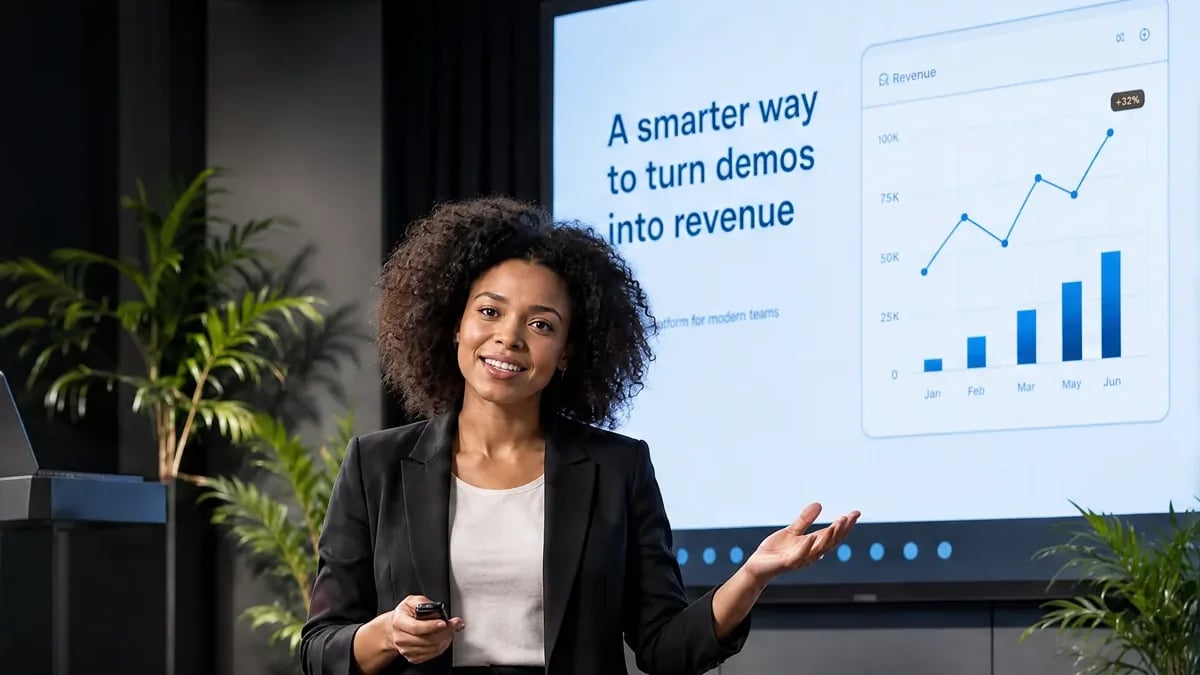




















A sales rep running a live product demo in front of an in-person audience, with remote attendees joining by video and a revenue chart on screen

For Sales Teams

Run the demo. See the intent. Know who to call next.

Run live and automated product demos, capture the signals buyers leave behind, and move the right prospects into follow-up and pipeline—without stitching together five tools.

7-day full access · Cancel anytime

25,000+businesses & teams
SOC 2Type II
GDPRcompliant

Trusted by businesses around the world

Houseplant Resource Center logo

The EasyWebinar Way

Your reps shouldn't have to choose between running demos and closing deals.

Repetitive demos consume selling time. Disconnected webinar data makes follow-up generic. EasyWebinar gives the team a cleaner path from presentation to action.

Diagram of five disconnected sales tools — landing pages, scheduling, CRM, webinar software, and analytics — tangled together with an arrow pointing to a single unified EasyWebinar dashboard
EasyWebinar live webinar dashboard showing a product demo in progress alongside registrations, engagement, and revenue metrics

The disconnected way

Five tools. More manual work. Lost opportunities.

The EasyWebinar way

One platform. Every signal connected.

Flexible sales motions

Built for the way your team sells.

1

Inbound sales

Turn growing interest into repeatable group demos and prioritized follow-up.

3

High-velocity sales

Automate repetitive presentations and reserve rep time for the best signals.

2

B2B sales

Educate buying committees and give reps engagement context before outreach.

4

Global sales

Make product education available across regions, schedules, and time zones.

Built for revenue teams

One webinar platform. Every stage of the sales conversation.

EasyWebinar is webinar software for sales teams that connects live and automated product demos with buyer-intent signals, lead scoring, CRM workflows, and follow-up.

Qualify

Educate prospects before using AE time. Let behavior help separate curiosity from stronger interest.

Demonstrate

Run an interactive product demo for one account—or a room of prospects—with Q&A, polls, chat, and CTAs.

Prioritize

See who attended, stayed, asked, clicked, watched the replay, and should be contacted first.

Follow up

Continue the conversation with context, using calls, email sequences, pipeline actions, or your connected CRM.

Accelerate

Use replays and on-demand demos to bring additional stakeholders into an active buying process.

Scale

Turn your best presentation into an always-on demo for every region and time zone.

From attendee to opportunity

Keep the signal all the way to the sales conversation.

Salespeople shouldn't receive only a name and an email address. They should understand what the prospect did before reaching out.

01

Registers

Buyer enters the funnel

02

Attends

Live, automated, or replay

03

Engages

Watches · Asks · Clicks

04

Gets scored

Hot · Warm · Nurture

05

Rep acts

Call · Email · Pipeline

The difference is context. Reps can follow up based on the product interest, objection, and next step a buyer actually revealed.

EasyCRM

Don't send sales another attendee list. Send them the people showing intent.

EasyCRM brings webinar activity and the next sales action into the same view. Score, segment, assign, call, email, and move opportunities forward while the conversation is still fresh.

Presenter speaking during a live webinar broadcast

Prioritize by behavior

Classify leads as Hot, Warm, or Nurture.

Act with context

See webinar activity before the first call or email.

Keep deals moving

Assign owners, manage follow-up, and update pipeline stages.

Explore EasyCRM

Use the native webinar-driven CRM

Keep lead capture, scoring, sequences, calling, and pipeline close to the webinar.

OR

Connect your existing revenue stack

Use native sync on eligible plans and Zapier for additional workflows.

HubSpotGoHighLevelZapierKeapStripePayPal

Live + Automated

Give the demo once. Let your best version keep working.

Use live sessions where conversation matters. Use automated formats where consistency, speed, and global availability matter more.

01Live

Find the demonstration that converts

Answer objections, test positioning, and see what buyers care about.

02Automate

Turn it into repeatable sales education

Deliver the same strong story without putting every session on a rep's calendar.

03Follow Up

Focus reps on stronger intent

Use engagement to decide who deserves a human conversation next.

Demo formats that drive results: a table listing High-intent conversation (Live, qualified prospects), Scalable group demo (Live, larger audiences), Repeatable scheduled demo (Automated, always-on education), Prospect wants to watch now (On-demand, just-in-time buyers), Always-on qualification (Evergreen, top of funnel), Buying committee member missed it (Replay, multi-stakeholder deals), and Global prospects (Automated, across time zones)
Explore automated webinars →

Same story. More reach. More pipeline.

Engagement becomes intelligence

Every question, click, and poll answer tells sales something.

Questions reveal objections.

Know what could hold the deal back before the follow-up begins.

“Does this connect to Salesforce?”

Poll answers reveal needs.

Segment the conversation by use case, urgency, or buying stage.

Primary goal: Scale product demos

Watch time reveals interest.

Prioritize the buyer who stayed through the product walkthrough.

Stayed past the core demo

CTA clicks reveal intent.

Follow up when a prospect has already raised their hand.

Clicked: Book a sales call

Once I've run one webinar, I can clone and set up multiple in a breeze. It's been a game-changer for our business.

Darrin Brodie
Darrin BrodieMarketing Director, Davenport and Associates · G2 review
See customer stories →

Enterprise ready

Give buyers a smooth demo. Give your team the controls it expects.

SOC 2 Type II

Third-party validated security controls.

SSO / SAML

Identity access on eligible plans.

GDPR compliant

Built for privacy-conscious global teams.

Enterprise scale

Custom capacity up to 100,000 live attendees.

Frequently asked questions

Webinar software for sales teams, explained.

Direct answers for sales, RevOps, and revenue leaders evaluating live and automated product demo workflows.

Webinar software for sales teams helps reps run product demos and sales presentations for multiple prospects, then use attendance and engagement data to guide follow-up. EasyWebinar combines live and automated webinars with lead scoring, EasyCRM, email sequences, calling, pipeline management, and integrations.

Yes. Sales teams can use EasyWebinar for live interactive product demos, scheduled simulive sessions, automated evergreen demos, just-in-time sessions, on-demand viewing, and replays. Prospects join in a browser, while polls, Q&A, chat, CTAs, and analytics help the sales team understand interest.

EasyWebinar captures webinar behavior such as registration, attendance, watch time, CTA clicks, and offer engagement. EasyCRM can use this activity to classify leads as Hot, Warm, or Nurture, helping reps focus first on prospects showing stronger intent.

Yes. EasyCRM is built into EasyWebinar on eligible plans. It includes webinar lead capture, lead scoring, pipelines, email sequences, an auto-dialer, lead assignment, and follow-up based on webinar activity. Teams can use EasyCRM natively or connect EasyWebinar to their existing sales stack.

Yes. EasyWebinar supports native integrations including HubSpot and Salesforce on eligible plans, plus ActiveCampaign, Kit, Keap, GoHighLevel, GetResponse, and Drip. Zapier can connect additional tools. Integration availability varies by plan, so confirm your required workflow on the current pricing page.

Yes. A proven presentation can become a scheduled, simulive, just-in-time, on-demand, or evergreen webinar. This lets prospects learn in their preferred time zone while reps reserve live conversations for the people and accounts showing stronger buying intent.

EasyWebinar tracks individual activity including registration, attendance, watch time, drop-off, CTA performance, replay views, and conversions. During live sessions, questions, poll responses, and chat also give sales teams context about needs, objections, and purchase readiness.

A meeting platform is primarily built for live conversations. EasyWebinar supports the broader demo-to-pipeline workflow: registration pages, live and automated formats, replays, engagement analytics, behavior-based follow-up, lead scoring, CRM workflows, CTAs, and browser-based attendance.

Yes. Use live webinars for high-intent conversations and group demos, then use automated, simulive, evergreen, on-demand, or replay formats for repeatable education. Both formats can feed engagement information into the same follow-up workflow.

Run the demo. Find the buyers.
Keep the deal moving.

Bring live and automated webinars, buyer signals, follow-up, and pipeline into one connected sales workflow.

7-day full access · Cancel anytime · No download for attendees