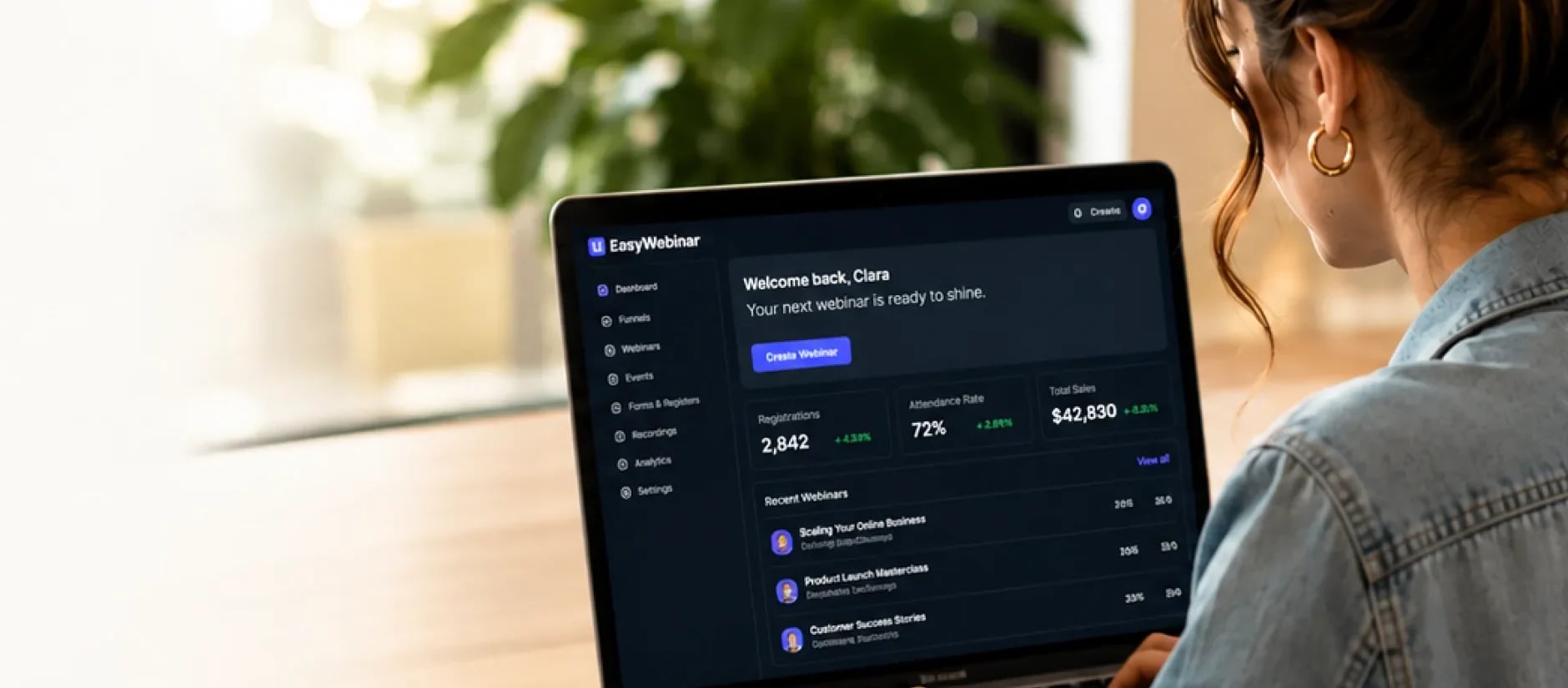
Presenter recording a webinar at her desk with a microphone and laptop

AI Webinar Script Generator

What you say moves your audience to act.

EasyWebinar AI drafts your webinar script (hook, lesson and call to action) from your goal and audience.

7-day full access · Cancel anytime

Trusted by businesses around the world

Jenna KutcherFoundrAmy Porterfieldselfpublishing.comPositive Parenting SolutionsSusie MooreAmazingDr. Mary BarberaInstitute of Child PsychologyNutrition for LittlesCarla BiesingerAromahead InstituteAwesome MarriageTrillium MontessoriAbbi Kirsten CollectionsPM AcceleratorHouseplant Resource CenterMoney Skills for TherapistsDarryl DavisJenna KutcherFoundrAmy Porterfieldselfpublishing.comPositive Parenting SolutionsSusie MooreAmazingDr. Mary BarberaInstitute of Child PsychologyNutrition for LittlesCarla BiesingerAromahead InstituteAwesome MarriageTrillium MontessoriAbbi Kirsten CollectionsPM AcceleratorHouseplant Resource CenterMoney Skills for TherapistsDarryl Davis

Why it matters

Why a webinar script matters

People register for a reason. Your script helps you deliver on that promise, give the session a clear flow and connect what people learn to a relevant next step.

Presenter opening a live webinar with a question for her audienceLive

Opening hook

“Have you ever struggled with…?”

  • Relevant to audience
  • Clear outcome
  • Why they signed up

Give people a reason to listen

Open with a problem your audience recognizes and a clear outcome for the session. Make the hook relevant to why they signed up.

  1. Introduce the topic3 min
  2. Key teaching point8 min
  3. Live demo or example6 min
  4. Invite a question4 min
Presenter explaining a key teaching pointLive
Q&A · AlexCan you show an example of how this works?

Keep the teaching connected

Organize your points, examples and transitions around that outcome. Plan where to pause, demonstrate something or invite a question.

Presenter inviting attendees to a next stepLive

Next steps

Join the advanced workshop

  • Deeper training
  • Live demo
  • Templates
Save my spot

Make the next step make sense

Finish the lesson before introducing an offer. Explain how a demo, workshop or resource helps people continue what they started.

You don’t have to read every word. Use the script to prepare, then present in your own voice.

How it works

How EasyWebinar AI builds from your context

EasyWebinar AI uses the context you share to help draft your script. Your goals, audience, industry and offer give the draft its direction; your review makes the details accurate and specific to your business.

  • Your goal

    What should attendees understand, do or decide by the end?

  • Your audience

    Who are you speaking to, what do they already know, and what is getting in their way?

  • Your industry and expertise

    What terminology, examples and practical constraints matter in your field?

  • Your offer or next action

    What should interested attendees explore after the session?

Webinar host reviewing her upcoming webinar in EasyWebinar
  1. 1

    Set the direction

    Share your topic and business context. Explain the audience’s problem, the outcome you want to deliver and the next step you want to offer.

  2. 2

    Develop the script

    Use the AI draft as your starting point. Review the opening hook, teaching points and transitions. Add examples and the questions your audience is likely to ask.

  3. 3

    Prepare to present

    Adjust the wording, expand any talking points and rehearse aloud. Check facts, timing and offer details. Prepare your slides or demonstration separately.

Describe it. AI helps shape it.

Turn your webinar idea into a guided draft you can review, refine and present with confidence.

See the script example

Webinar script example

One goal, a connected story

See how the same audience need shapes the opening, lesson and invitation.

Webinar script

Hook: recognize the problem

“Before we begin, look at your plan for this week. Is there something important you keep moving to tomorrow? Today, we’ll work through a way to choose one priority and make room for it.”

The opening connects a familiar frustration to the session’s promised outcome.

01 / 05
Use this webinar script template

Replace the bracketed text with your own information. Expand the teaching section with accurate examples and room for questions. This is a starting framework, not a timed, full-session script.

Hook and promise
“Does [specific problem] sound familiar? Today, we’ll help [audience] work through it so you can [practical outcome].”
Teaching
“Start with [first step]. Here’s what that looks like in [relevant situation]: [accurate example].”
Participation
“Try [small action]. What do you notice about [useful observation]? Take a moment to consider it before we continue.”
Transition
“You now have [lesson takeaway]. If you’d like help with [related challenge], [resource or offer] is a next step to explore.”
Next action
“Visit [destination] to see [what they’ll find]. Whether or not you join, put [lesson takeaway] into practice.”


Make it yours

Make the script sound like you

Your experience makes the draft useful. Replace broad statements with specific explanations, examples you can stand behind and words you would actually say.

A general statement becomes a concrete action. Make the same check throughout your script: is it accurate, relevant and natural to say aloud?

Script reviewEdited
Before

“Effective prioritization is essential for maximizing productivity and achieving your business objectives.”

After

“Choose one piece of work you want to finish this week. Give it a clear end point, like drafting your service-page outline, and put the first step on your calendar.”

  • Your voice
  • Specific example
  • Clear action

AI Webinar Builder

Keep one promise across your webinar

Your registration page sets the expectation. Your script delivers the lesson. Your emails help people prepare and continue afterward.

EasyWebinar’s AI Webinar Builder helps create these assets around your webinar brief. Review them together so the audience, promise and next action stay consistent.

One connected example

Host of the Plan a Realistic Week workshopLive

Plan a realistic week

Live workshop

Thu · 11 AM ET
Your nameYour emailSave your spot

Registration page

Invite solo business owners to plan a realistic week.

Reminder: your planning session is tomorrow

Workshop host smiling on camera
Starts at 11:00 AM ETBring your calendar and task list

Reminder email

Ask attendees to bring their calendar and current task list.

Webinar script

  1. 1
    Choose one priority
  2. 2
    Schedule a first step
  3. 3
    Invite to the workshop

Webinar script

Teach them how to choose one priority and schedule a first step.

Thanks for joining!

Replay of the planning workshop
Watch replayContinue the planning workshop

Follow-up email

Reinforce the exercise and link to the same planning workshop.

If you change the topic, promise or offer, review the related pages and emails too. Configure your webinar and check every destination before launch.

Webinar script generator FAQs

Give your next webinar a clear direction.

Start with your goal and audience. Let EasyWebinar AI help draft the script, then make it yours.

7-day full access · Cancel anytime

Compare plans and AI allowances