12 Affordable Webinar Platforms Under $50/Month (2026 Price Comparison)

Casey Zeman
Published on Jul 20, 2026 • 45 min read
TL;DR
- Affordable means lowest total cost to run a revenue webinar, not the lowest monthly fee; a cheap stack plus registration, email, CRM, and Zapier can top $250 a month.
- The 12 sub-$50 picks for 2026 are EasyWebinar, Zoho Meeting, Zoom, ClickMeeting, Demio, WebinarJam, WebinarNinja, Livestorm, GetResponse, Webex, BigMarker, and eWebinar.
- EasyWebinar ranks first: Launch runs live webinars with an AI funnel builder from $36 a month billed annually, and Growth ($96 a month billed annually) adds evergreen automation, checkout and a built-in CRM in one bill.
- Flat pricing protects cost per lead as you scale, while per-attendee models like Livestorm and WebinarNinja only win at very low, predictable volume.
- Automation is the dividing line: ClickMeeting includes it under $50, EasyWebinar and Demio start it on their Growth plans, and Zoom offers none.
- Never skip a fast registration page, in-webinar engagement, automated follow-up, and reliability; run a mobile opt-in and CRM-sync tech check before every launch.
Q1: What Are the 12 Best Affordable Webinar Platforms Under $50/Month in 2026 (and How We Scored Them)?
The 12 best affordable webinar platforms under $50/month in 2026 are EasyWebinar, Zoho Meeting, Zoom Webinar, ClickMeeting, Demio, WebinarJam, WebinarNinja, Livestorm, GetResponse, Webex, BigMarker, and eWebinar. EasyWebinar ranks first as the only sub-$50 plan pairing live webinars with an AI funnel builder and built-in CRM, so you launch a revenue system, not just a video room.
I want to reframe something before you read a single price.
Most people shopping for a “cheap” webinar tool are optimizing the wrong number. They chase the lowest monthly fee, then wonder why the funnel leaks money. Here is the truth I learned the hard way: 30% of a massive number is amazing, but 30% of zero is nothing. A tool that costs $19 and never converts is the most expensive choice on this list.
I have run and consulted on 100-plus webinars that generated eight figures in combined sales. Across those years, I ran thousands of split tests and spent tens of millions on ads. So when I score a platform, I am not counting features. I am asking one question: does this tool help you make money on Wednesday at 2pm, when 380 people registered and only 95 show up?
📊 How We Scored Each Platform
We weighted five criteria, summing to 100%. Each score maps to a star rating, and EasyWebinar earns 5 stars for combining conversion mechanics with the lowest full-funnel entry price.
| Criterion | Weight | What It Measures |
|---|---|---|
| Pricing Transparency 💰 | 25% | Published prices, honest attendee caps, no hidden add-on fees |
| Conversion & Automation ⭐ | 25% | Evergreen delivery, CTAs, follow-up, revenue mechanics |
| Setup & Usability ✅ | 20% | Time to launch, template quality, learning curve |
| Verified User Reviews | 15% | Real G2, Capterra, and Trustpilot sentiment |
| Integration Depth | 15% | CRM, email, payments, and Zapier connections |
Star scale: 0-20 = 1 star, 21-40 = 2 stars, 41-60 = 3 stars, 61-80 = 4 stars, 81-100 = 5 stars.
💰 The 12 Platforms at a Glance (Prices Verified July 2026)
Prices below reflect the cheapest paid tier billed annually where available. All 12 sit at or near the sub-$50 threshold. You can review current tiers on the webinar pricing page.
| Rank | Platform | Entry Price | Attendee Cap | Billing Model | Automation Under $50? | Rating |
|---|---|---|---|---|---|---|
| 1 | EasyWebinar | $36/mo (annual) | 50 live | Flat monthly | ❌ From Growth ($96/mo annual) | ⭐⭐⭐⭐⭐ |
| 2 | Zoho Meeting | ~$8/mo | 100 | Flat monthly | ❌ No | ⭐⭐⭐⭐ |
| 3 | Zoom Webinar | ~$14.16/mo | 100 | Flat monthly | ❌ No | ⭐⭐⭐ |
| 4 | ClickMeeting | ~$26/mo | 25 | Flat monthly | ✅ Yes | ⭐⭐⭐⭐ |
| 5 | Demio | $42/mo | 50 | Flat monthly | ❌ Growth tier only | ⭐⭐⭐⭐ |
| 6 | WebinarJam | ~$39/mo (annual) | 100 | Flat monthly | ❌ Needs EverWebinar | ⭐⭐⭐ |
| 7 | WebinarNinja | ~$39/mo | 50 | Flat monthly | ⚠️ Limited | ⭐⭐ |
| 8 | Livestorm | ~$3/attendee credit | Per credit | Per-attendee | ❌ Higher tier | ⭐⭐⭐⭐ |
| 9 | GetResponse | ~$49/mo (webinar tier) | 100 | Flat monthly | ⚠️ Partial | ⭐⭐⭐ |
| 10 | Webex Webinars | ~$25/mo | 100 | Flat monthly | ❌ No | ⭐⭐⭐ |
| 11 | BigMarker | Quote-based | Varies | Quote-based | ✅ Yes | ⭐⭐⭐ |
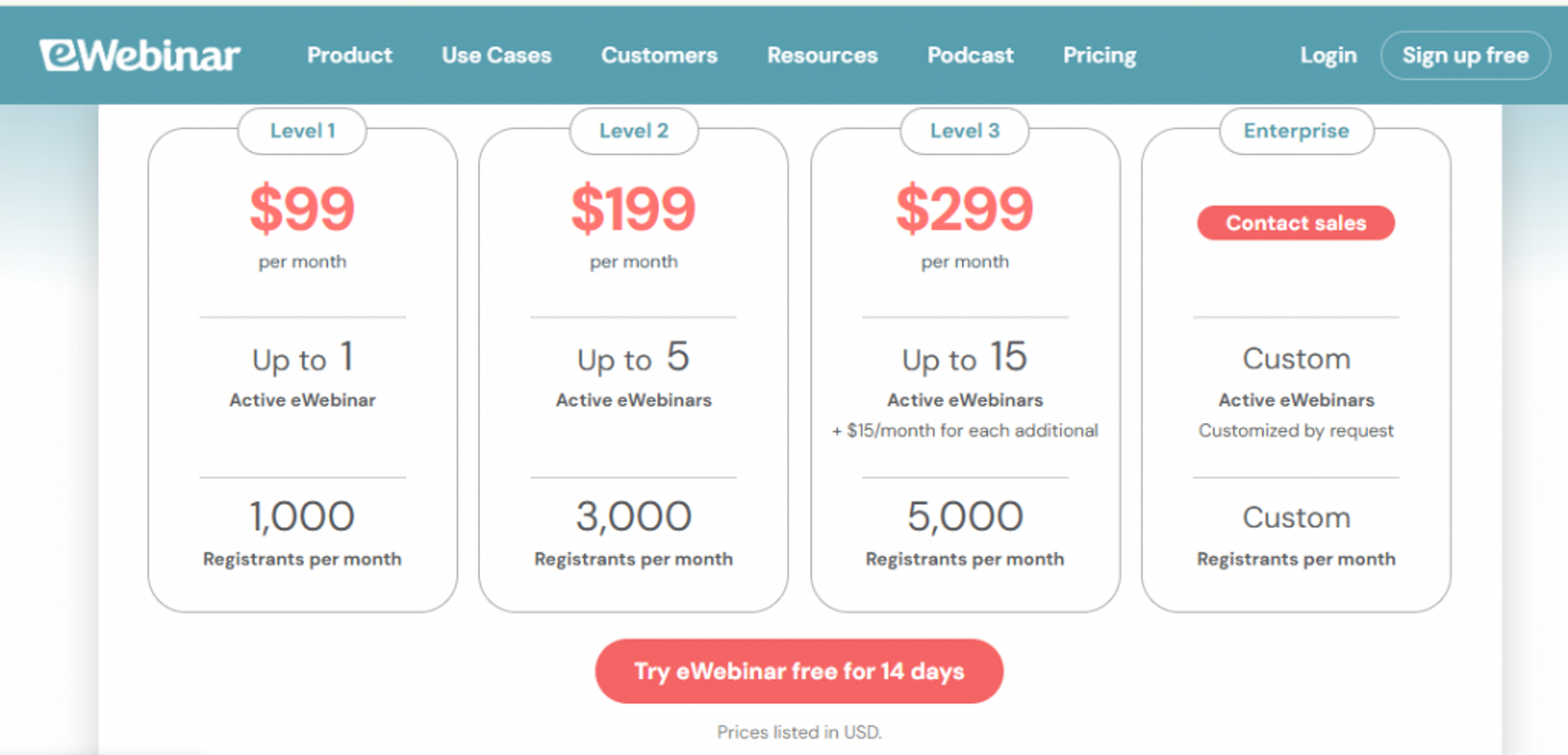
| 12 | eWebinar | ~$49/mo | Automated | Flat monthly | ✅ Yes (automation only) | ⭐⭐⭐ |
Here is how to read this list. Flat-monthly plans keep your cost predictable as attendance grows, while per-attendee models get cheaper for tiny rosters but climb fast at scale. The automation column matters most: many “cheap” tools gate automated webinars behind pricier tiers, so a low sticker price can hide the feature you actually came for.
1. EasyWebinar
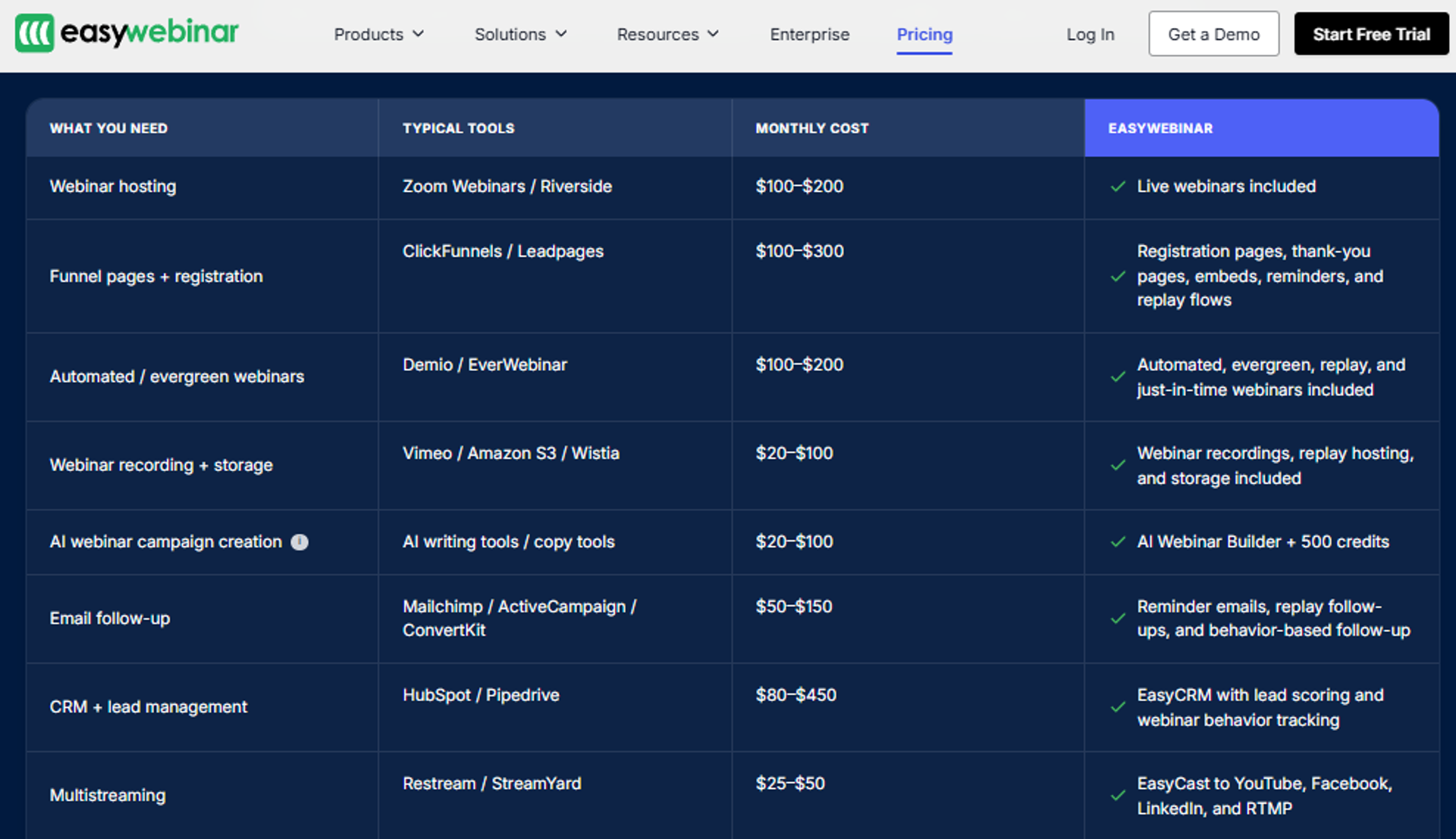
EasyWebinar is best for coaches, course creators, and marketing teams that need live and automated webinars to actually sell, because it bundles live webinars and an AI funnel builder under $50, then adds evergreen delivery and a built-in CRM on Growth, but it may not fit users who only need a one-off internal video call. It is a Webinar Revenue Platform, not a hosting tool, and that distinction is the whole point.
🧭 Quick Fit
| Factor | Detail |
|---|---|
| Best for | Coaches and course creators selling from evergreen funnels |
| Skip if | You only run occasional internal team meetings with no offer |
| Strongest edge | Live plus automated plus CRM in one flat sub-$50 bill |
| Biggest trade-off | You upload your presentation before setting up automation |
| Pricing snapshot | Launch $36/mo billed annually, 50 live attendees |
Why EasyWebinar ranks #1
We built EasyWebinar to answer a problem I lived through. I started in real estate, and when the market crashed, I went from mid-six figures to $15,000 in a year. I almost lost my house. I spent six months building a course, launched it, and heard crickets. The only thing that finally generated sales was a webinar.
That scar shaped the architecture. Every rival on this list does one job well. EasyWebinar ranks first because it covers the full revenue workflow: live, simulated live, evergreen, and just-in-time delivery, where a session starts one to fourteen minutes after someone lands on the page. Registration pages, polls, timed offers, follow-up, and a sales CRM all sit in one bill. When the buyer wants webinars to generate leads and close offers, the criteria naturally favor completeness over polish.
What EasyWebinar does well
- Launch faster with reusable webinars. Clone a proven event and spin up ten more in minutes, so you skip rebuilding from scratch each month.
- Automate without losing the human feel. Evergreen funnels let solo operators sell around the clock instead of showing up live every week.
- Convert in-session. Built-in polls, countdown offers, and CTAs fire during the presentation, where the buying decision actually happens.
- Simplify the stack. Native CRM and email cut the need to duct-tape a separate registration, email, and follow-up tool together.
- Follow up automatically. Trigger email sequences the moment someone registers or watches, keeping the funnel cohesive and hands-free.
Where EasyWebinar falls short
- You must upload your presentation before configuring an automated webinar, which frustrates operators who promote far in advance.
- The just-in-time feature sits on a higher tier that runs roughly double the basic plan, so budget for it if scheduling flexibility matters.
- Landing page and email design customization is intentionally clean, which some reviewers find limiting.
📋 Decision Scorecard
| Evaluation criterion | EasyWebinar fit | Why it matters |
|---|---|---|
| Live webinars | Strong | Native live hosting with engagement tools built in |
| Automated webinars | Strong | Simulated live and on-demand formats included |
| Evergreen automation | Strong | Just-in-time scheduling on higher tiers |
| Funnel pages | Strong | Registration, thank-you, and replay pages built in |
| Engagement | Strong | Polls, CTAs, and countdown offers during the session |
| CRM and follow-up | Strong | Native CRM plus triggered email sequences |
| Monetization | Strong | In-webinar offers and payment integrations |
| Analytics | Partial | Live-webinar insights still expanding per reviewers |
| Integrations | Partial | Deeper connections often need Zapier |
| Pricing fit | Strong | Live webinars from $36/mo annual; full funnel (automation, checkout, CRM) from $96/mo annual on Growth |
Best for / skip if
Choose EasyWebinar if you sell a course, coaching program, or high-ticket offer and want one platform to host, automate, and follow up. Skip it if you only need a free internal meeting room or you sell a sub-$200 product where a full webinar funnel is not mathematically required.
Reviews
“With my live class I used to sell 10-12 courses. With EasyWebinar I sold 25 courses within 3 weeks of my evergreen launch.”Laura C. EasyWebinar G2 Verified Review ⭐⭐⭐⭐⭐
“The biggest challenge is around setting up automated webinars, and needing the presentation uploaded first in order to set it up. Would love to be able to add the video later.”Ash A. EasyWebinar G2 Verified Review ⭐⭐⭐⭐⭐
2. Zoho Meeting
Zoho Meeting is best for solo operators and small teams on the tightest budget that need reliable live webinars, because it offers clean hosting, registration, and analytics at one of the lowest prices on this list, but it may not fit users who need evergreen automation or a built-in sales funnel. It is the honest pick when your goal is a simple, dependable live session, not a 24/7 revenue engine.
🧭 Quick Fit
| Factor | Detail |
|---|---|
| Best for | Budget-conscious solo hosts running live webinars |
| Skip if | You need automated or evergreen funnels that sell while you sleep |
| Strongest edge | Rock-bottom pricing inside the broader Zoho ecosystem |
| Biggest trade-off | No native evergreen automation or conversion tooling |
| Pricing snapshot | Around $8/mo, up to 100 attendees |
Why Zoho Meeting ranks #2
Zoho earns second on price and reliability, not on revenue mechanics. For an operator who already lives inside Zoho CRM or Zoho’s wider suite, the integration story is genuinely strong, and the cost is hard to beat. My read right now is that Zoho is the smart entry point when you are testing whether webinars even work for your audience before investing in automation.
Here is the honest limit. Zoho is a meeting and webinar host, so it does not try to be a funnel. There is no just-in-time evergreen delivery and no in-platform payment funnel of the kind that turns one recorded session into ongoing sales. That is a fine trade if you are running live lead-generation sessions and closing elsewhere.
What Zoho Meeting does well
- Keeps costs minimal. The low monthly fee makes it easy to start without a big commitment, which respects a founder’s finite budget.
- Handles registration and reminders. Built-in registration pages and email notifications cover the basics that drive show-up rate.
- Integrates natively with Zoho. If your CRM is already Zoho, attendee data flows without extra tooling.
- Delivers reliable live sessions. Stable video and screen sharing support standard live webinar software formats.
Where Zoho Meeting falls short
- No native evergreen or simulated-live automation, so you cannot easily run a recorded webinar as a 24/7 funnel.
- Engagement and conversion features are lighter than dedicated revenue platforms.
- Deep value depends on adopting the wider Zoho ecosystem.
📋 Decision Scorecard
| Evaluation criterion | Zoho Meeting fit | Why it matters |
|---|---|---|
| Live webinars | Strong | Stable, straightforward live hosting |
| Automated webinars | Weak | No native simulated-live delivery |
| Evergreen automation | Weak | No just-in-time evergreen funnel |
| Funnel pages | Partial | Registration pages yes, full funnel no |
| Engagement | Partial | Polls and Q&A present but basic |
| CRM and follow-up | Strong | Deep native tie-in with Zoho CRM |
| Monetization | Weak | No built-in paid-webinar checkout |
| Analytics | Partial | Core attendance and registration reporting |
| Integrations | Partial | Strongest inside the Zoho suite |
| Pricing fit | Strong | Among the cheapest options here |
Best for / skip if
Choose Zoho Meeting if you want the lowest-cost, reliable live webinar host, especially if you already use Zoho CRM. Skip it if your growth plan depends on evergreen automation, in-webinar selling, or a unified funnel, because that is not what this tool is built to do. If you outgrow it, our webinar platform comparison shows how a full revenue platform closes those gaps, and you can always sign up free to test the difference.
3. Zoom Webinar
Zoom Webinar is best for teams that need a familiar, reliable video platform to broadcast large live sessions, because it offers stable streaming and near-universal attendee familiarity, but it may not fit users who need funnel pages, evergreen automation, or in-session selling. It is dependable infrastructure, not a revenue system.
🧭 Quick Fit
| Factor | Detail |
|---|---|
| Best for | Teams broadcasting live informational webinars to a known audience |
| Skip if | You want automation, funnel pages, or in-webinar conversion tooling |
| Strongest edge | Familiar interface and stable video at scale |
| Biggest trade-off | Almost no native conversion or follow-up mechanics |
| Pricing snapshot | Around $14.16/mo (annual add-on), up to 100 attendees |
Why Zoom Webinar ranks #3
Zoom earns its spot on price and reliability, not on selling power. Nearly everyone already has Zoom installed, so attendees join without friction, and the video quality is what you expect. For a marketing team running a straightforward live session with 200 to 500 people, that stability matters.
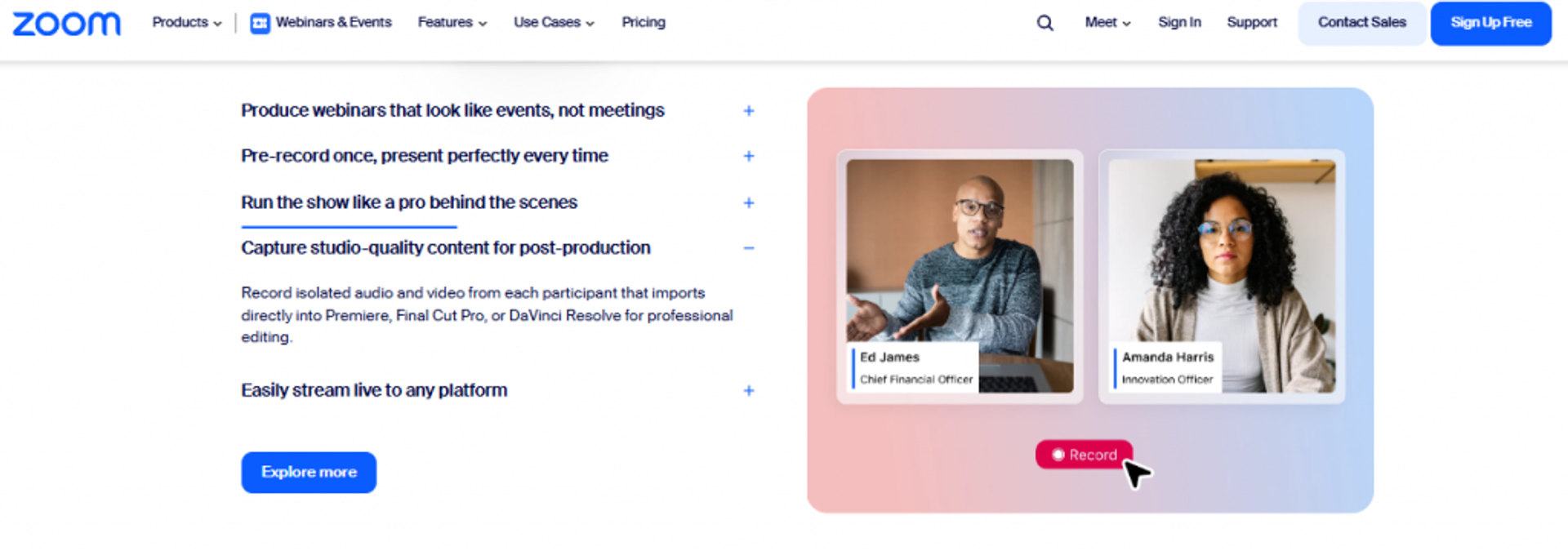
Here is where I push back on the “Zoom is fine for sales webinars” gospel. Zoom is a meeting and broadcast tool. It has no evergreen delivery, thin landing-page customization, and rudimentary engagement, so the conversion work all happens outside the platform. Reviewers back this up, which is why many teams look at Zoom alternatives once they need a funnel.
What Zoom Webinar does well
- Removes join friction. Most attendees already have Zoom, so show-up is not blocked by a download or a confusing link.
- Streams reliably at scale. Stable video and audio support large live audiences without the platform buckling.
- Integrates broadly. It connects with most CRM and marketing automation tools, so data can flow with setup work.
- Records for reuse. Cloud recording captures sessions for later distribution.
Where Zoom Webinar falls short
- No native evergreen or simulated-live automation, so a recorded webinar cannot run as a self-selling funnel.
- Landing page, reminder, and engagement customization is minimal, per reviewers.
- Some users report glitchy webinar-specific behavior and confusing backend design.
📋 Decision Scorecard
| Evaluation criterion | Zoom Webinar fit | Why it matters |
|---|---|---|
| Live webinars | Strong | Stable broadcast for large live audiences |
| Automated webinars | Weak | No native simulated-live format |
| Evergreen automation | Weak | No just-in-time evergreen delivery |
| Funnel pages | Weak | Minimal page customization |
| Engagement | Partial | Basic polls and chat, criticized as clunky |
| CRM and follow-up | Partial | Integrates but no native CRM |
| Monetization | Weak | No built-in checkout or offers |
| Analytics | Partial | Attendance reporting described as a maze |
| Integrations | Strong | Wide connector library |
| Pricing fit | Strong | Low entry cost per attendee |
Best for / skip if
Choose Zoom Webinar if you need a reliable, familiar way to broadcast live sessions and you handle conversion elsewhere. Skip it if you want the webinar itself to generate registrations, sell offers, and follow up automatically, because those mechanics are not built in. See how the two stack up in our EasyWebinar vs Zoom breakdown.
Reviews
“Zoom Webinar is ridiculously glitchy. We’ve had problems with presenters being able to enter the webinar, with reminder notices going out eight hours after an event has concluded, and with broadcast quality.”Casey S. Zoom G2 Verified Review ⭐
“Zoom Webinars almost completely lacks customization options to the look and feel, so it gives you a minimal chance to stand out.”Gabor F. Zoom G2 Verified Review ⭐⭐
4. ClickMeeting
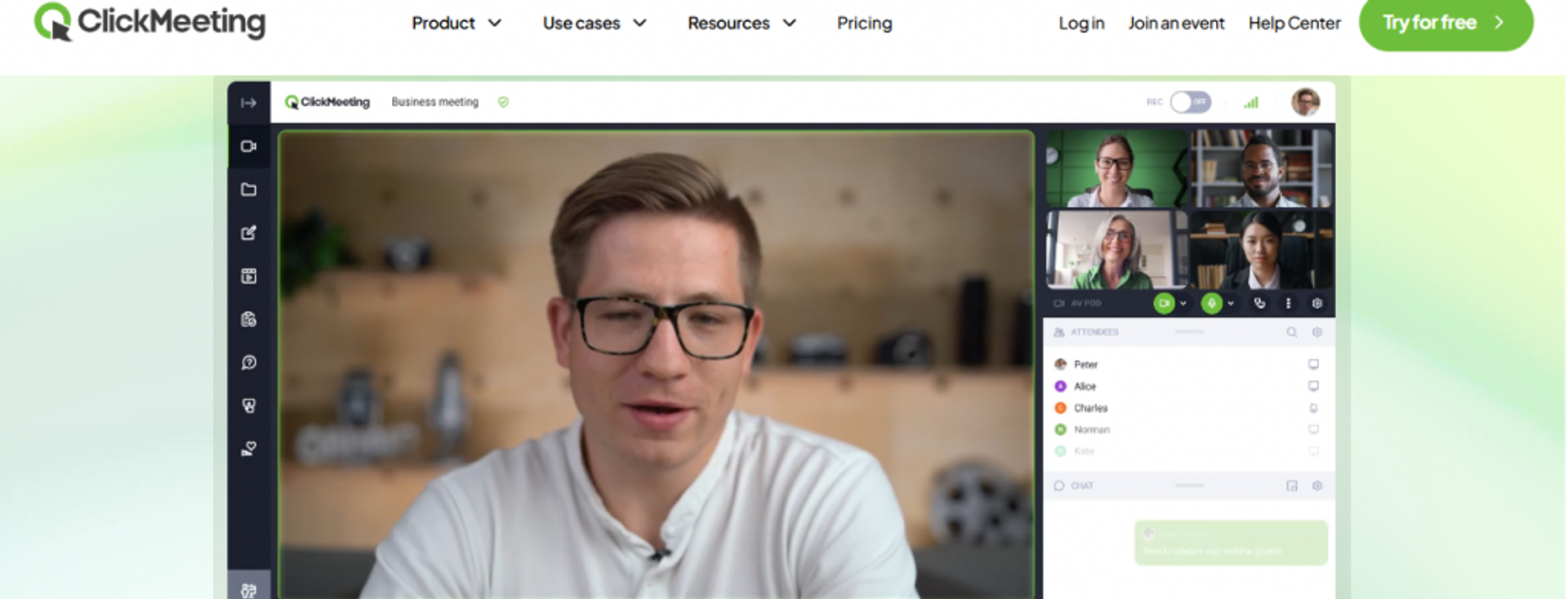
ClickMeeting is best for educators, trainers, and marketers that need both live and automated webinars at a mid-budget price, because it offers on-demand automation, breakout rooms, and engagement tools without a huge jump in cost, but it may not fit users who need a built-in CRM or native payments. It is a capable browser-based host that adds real automation under the budget ceiling.
🧭 Quick Fit
| Factor | Detail |
|---|---|
| Best for | Trainers and marketers wanting live plus automated webinars |
| Skip if | You need native CRM, payments, or a full sales funnel |
| Strongest edge | Automated and on-demand webinars at a mid-tier price |
| Biggest trade-off | No native CRM; follow-up leans on integrations |
| Pricing snapshot | Live from ~$26/mo; Automated plan ~$48/mo for 25 attendees |
Why ClickMeeting ranks #4
ClickMeeting earns its rank because it actually includes automation under the budget line, which many rivals gate higher. The Automated plan adds on-demand and evergreen-style delivery, so you can run a recorded webinar day or night. That capability, plus breakout rooms for up to 800 attendees, makes it a strong training and education pick.
My read is that ClickMeeting sits in a useful middle. It runs in the browser on any device, which cuts join friction for attendees. The trade-off is that it stops at hosting plus automation. There is no native CRM or checkout, so the revenue workflow still depends on connecting outside tools, unlike a platform with a built-in sales CRM.
What ClickMeeting does well
- Includes automation affordably. The Automated plan runs recorded webinars on autopilot, so you reach leads without showing up live.
- Scales engagement for training. Breakout rooms split up to 800 attendees into smaller interactive groups.
- Works on any device. Browser-based delivery removes downloads, which supports show-up rate.
- Covers core engagement. Polls, surveys, and screen sharing keep live sessions interactive.
- Reports clearly. Built-in analytics and integrations cover standard reporting needs.
Where ClickMeeting falls short
- No native CRM, so segmented follow-up depends on third-party connections.
- Attendee-based pricing climbs as your audience grows, which pressures budgets at scale.
- Monetization is limited compared to platforms with built-in checkout.
📋 Decision Scorecard
| Evaluation criterion | ClickMeeting fit | Why it matters |
|---|---|---|
| Live webinars | Strong | Reliable browser-based live hosting |
| Automated webinars | Strong | On-demand and automated included on the Automated plan |
| Evergreen automation | Partial | Automated delivery yes, deep funnel logic no |
| Funnel pages | Partial | Registration pages present, limited funnel depth |
| Engagement | Strong | Polls, surveys, and breakout rooms |
| CRM and follow-up | Weak | No native CRM |
| Monetization | Weak | No built-in checkout |
| Analytics | Partial | Solid core reporting |
| Integrations | Partial | Covers major tools via connectors |
| Pricing fit | Partial | Reasonable entry, rises with attendees |
Best for / skip if
Choose ClickMeeting if you run training or education webinars and want live plus automation without a big price jump. Skip it if your growth depends on a native CRM, in-webinar payments, or a unified funnel, because those live outside this tool. If automation depth is your priority, compare it against the top automated webinar platforms first.
5. Demio
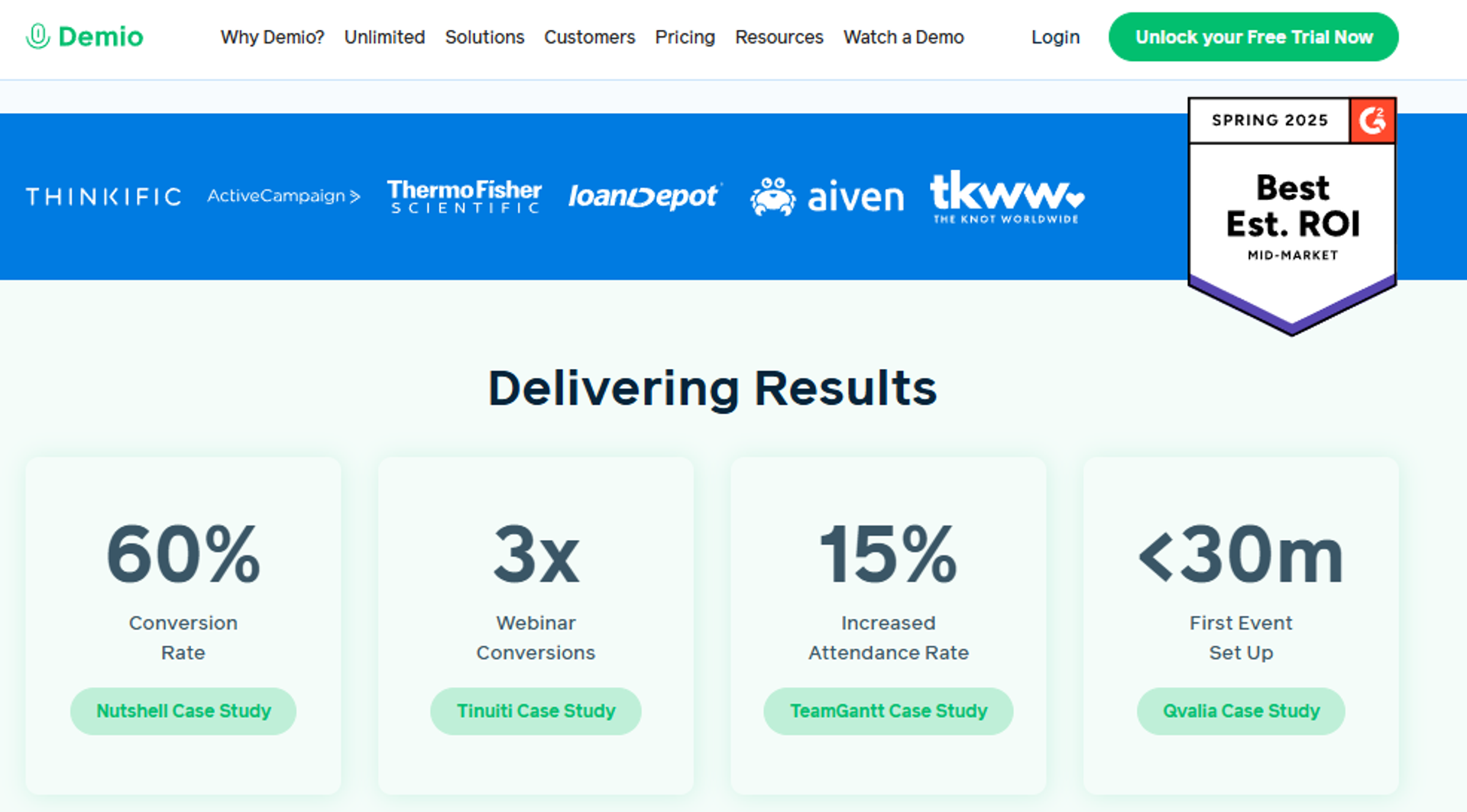
Demio is best for marketing teams that want a clean, no-download live webinar experience with solid engagement, because it offers a polished interface, preloaded assets, and easy registration pages, but it may not fit users who need deep CRM integration, evergreen automation on the entry plan, or freedom to export data after canceling. It is the marketing-focused pick that prioritizes attendee experience.
🧭 Quick Fit
| Factor | Detail |
|---|---|
| Best for | Marketing teams running polished live lead-generation webinars |
| Skip if | You need entry-tier automation or friction-free data export |
| Strongest edge | Clean, no-download attendee experience with preloaded assets |
| Biggest trade-off | On-demand and automation require the pricier Growth tier |
| Pricing snapshot | Starter $42/mo, 50 attendees, single host |
Why Demio ranks #5
Demio earns its rank on experience and ease, not on revenue completeness. The interface is genuinely clean, and reviewers like preloading slides, polls, and handouts before the room opens. For top-of-funnel marketing webinars, that polish helps engagement.
Here is my honest caution, and it challenges the “polish equals conversion” assumption. Demio’s Starter plan caps at 50 attendees and locks on-demand webinars behind the Growth plan, so automation costs more. Reviewers also flag CRM integration friction and a data-export policy that blocks your list after you cancel. Those are purchase-decision issues, not nitpicks, and they push some buyers toward Demio alternatives.
What Demio does well
- Delivers a clean attendee experience. No downloads and a simple interface keep attendees engaged and present.
- Preloads engagement assets. Slides, polls, resources, and handouts are ready before the room opens, cutting live scramble.
- Spins up registration fast. Reviewers consistently praise how quickly you can launch registration pages.
- Supports multiple event types. Live and scheduled formats cover common marketing use cases.
Where Demio falls short
- On-demand and automated webinars need the higher Growth plan, so the cheapest tier is live-only.
- Reviewers report audio, connection, and CRM-integration issues, especially with HubSpot and HighLevel.
- You cannot export your registrant list after canceling unless you resubscribe, per a verified reviewer.
📋 Decision Scorecard
| Evaluation criterion | Demio fit | Why it matters |
|---|---|---|
| Live webinars | Strong | Clean, reliable live experience |
| Automated webinars | Partial | Requires the Growth tier |
| Evergreen automation | Partial | Limited on entry plan |
| Funnel pages | Partial | Good registration pages, lighter funnel |
| Engagement | Strong | Polls, resources, and handouts |
| CRM and follow-up | Weak | Integration friction reported |
| Monetization | Weak | No native checkout |
| Analytics | Partial | Core reporting, some find it limited |
| Integrations | Partial | Works but reviewers cite Zap-heavy setup |
| Pricing fit | Partial | $42 entry is live-only |
Best for / skip if
Choose Demio if you want a polished, no-download live webinar for lead generation and you close elsewhere. Skip it if you need affordable automation on the entry plan, deep CRM sync, or the right to export your own data after canceling. Our EasyWebinar vs Demio comparison maps the trade-offs in detail.
Reviews
“I used Demio to run a webinar and collected registrant emails while on a paid plan. After canceling, I couldn’t export the list unless I subscribed again.”Sheida M. Demio G2 Verified Review ⭐
“The two webinars I have run so far have been littered with audio issues. There have been delays, feedback noise, echos, people not being able to come off mute.”Amanda P. Demio G2 Verified Review ⭐
Here is where EasyWebinar earns the contrast that runs through this whole tier. Zoom gives you reliable broadcast but no selling, ClickMeeting adds automation but no CRM, and Demio nails polish but gates automation and locks your data. We built our automated webinar engine so one recorded webinar becomes a 24/7 revenue engine, with live, evergreen, and just-in-time delivery, native CRM, and in-session offers under one flat bill. When the goal is revenue and not just a video room, completeness beats a prettier interface.
6. WebinarJam
WebinarJam is best for marketers who want live webinars with built-in pages and easy upsells, because it offers page templates and in-session offer tools, but it may not fit users who need automation without buying its separate sister product, EverWebinar. This split-product setup is the core trade-off buyers must understand.
🧭 Quick Fit
| Best for | Marketers running live webinars with in-session offers |
| Skip if | You want live plus automated in one tool and one bill |
| Strongest edge | Built-in pages and upsell tools for live selling |
| Biggest trade-off | Automation requires paying separately for EverWebinar |
| Pricing snapshot | Around $39/mo annual, up to 100 attendees |
Why WebinarJam ranks #6
WebinarJam ranks sixth because it forces a choice most operators do not see coming. To automate a proven live webinar, you buy EverWebinar, its separate sister product. That means two tools, two bills, and two setups to manage. Our WebinarJam alternatives guide covers ways around that.
I want to be fair here. For live selling, WebinarJam gives you templates and upsell tooling that work. On the templates, do not overthink the look. When you are starting out, the polish of the pages does not matter much. What matters is the presentation itself.
What WebinarJam does well
- Bundles pages with live events. Registration and thank-you templates come built in, speeding launch.
- Supports in-session upsells. You can present offers directly in the webinar interface to drive conversion.
- Handles live selling formats. It is built around the live sales webinar use case.
- Pairs with EverWebinar. Operators who buy both get a like-live automated experience.
Where WebinarJam falls short
- Automation lives in a separate paid product, EverWebinar, adding cost and complexity.
- Reviewers report inconsistent third-party integrations and clunky, unreliable email delivery.
- The presenter interface requires toggling between videos, slides, and files, which frustrates hosts.
📋 Decision Scorecard
| Evaluation criterion | WebinarJam fit | Why it matters |
|---|---|---|
| Live webinars | Strong | Built for live sales webinars |
| Automated webinars | Weak | Requires separate EverWebinar purchase |
| Evergreen automation | Weak | Not native to WebinarJam alone |
| Funnel pages | Strong | Built-in registration and thank-you pages |
| Engagement | Partial | In-session offers yes, deeper tools mixed |
| CRM and follow-up | Weak | No native CRM, email delivery issues reported |
| Monetization | Partial | Upsell tooling present |
| Analytics | Partial | Basic reporting |
| Integrations | Weak | Reviewers report inconsistent third-party sync |
| Pricing fit | Partial | Cheap alone, costs more once you add EverWebinar |
Best for / skip if
Choose WebinarJam if you run live sales webinars and are fine buying EverWebinar later for automation. Skip it if you want live and automated webinars unified in one tool, one bill, and one setup.
Reviews
“The integrations with 3rd party software such as Mailchimp are inconsistent. Their email service is clunky, hard to edit, and doesn’t consistently send to registrants.”Tara G. WebinarJam G2 Verified Review ⭐
“There were bugs and problems galore. After spending weeks to craft a webinar, EverWebinar put their own link on the screen to WebinarJam.”Verified User EverWebinar G2 Verified Review ⭐
7. WebinarNinja
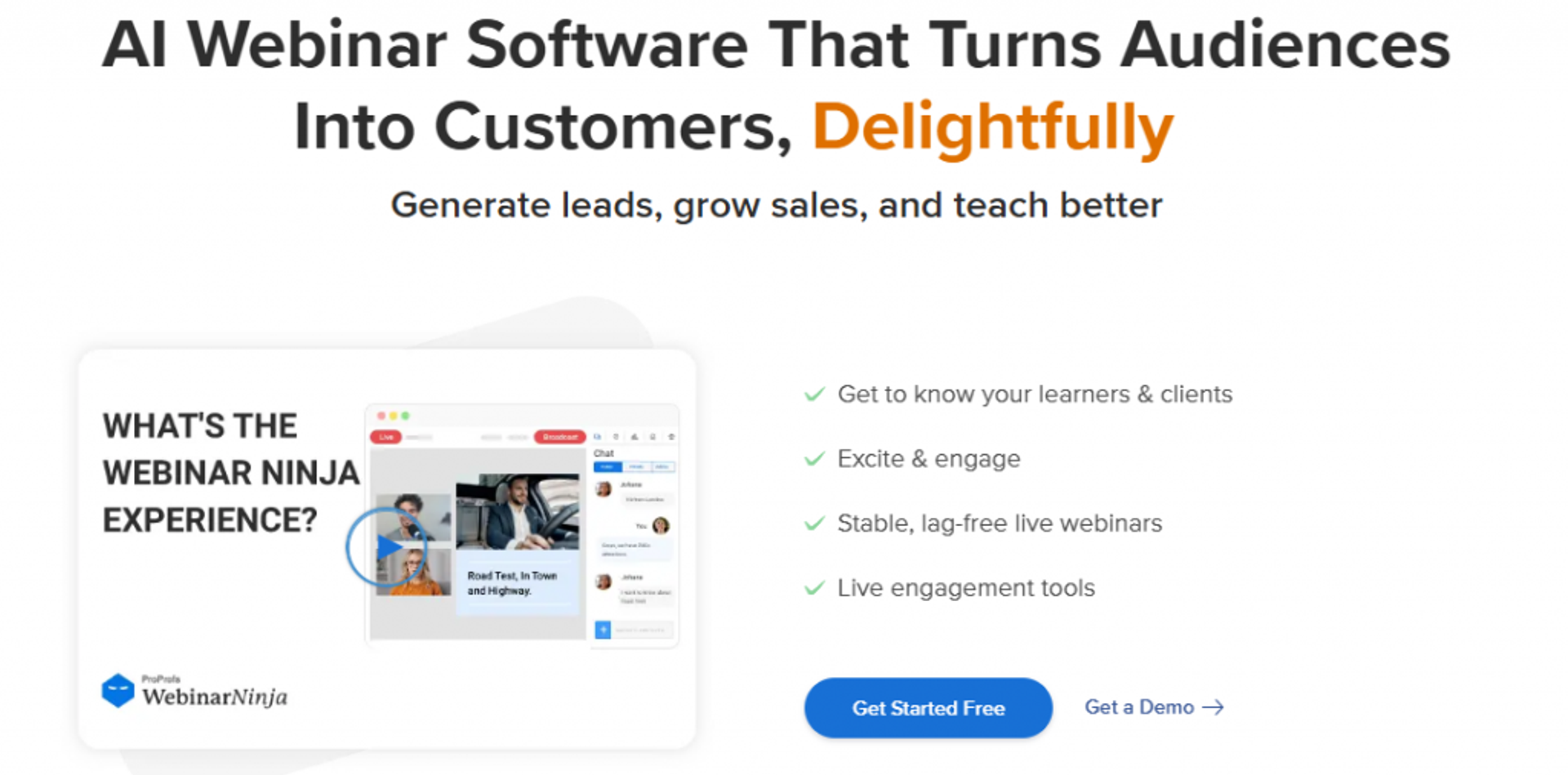
WebinarNinja is best for beginners wanting a simple all-in-one webinar tool at a low starter price, because it covers the basic webinar workflow affordably, but it may not fit users who need stability at scale or reliable live broadcasting. Reviewer sentiment on reliability is a serious caution flag here.
🧭 Quick Fit
| Best for | Beginners testing simple webinars on a small budget |
| Skip if | You run high-stakes live events with large registrations |
| Strongest edge | Simple interface and low starter price |
| Biggest trade-off | Documented stability and reliability complaints |
| Pricing snapshot | Around $39/mo, roughly 50 attendees |
Why WebinarNinja ranks #7
WebinarNinja ranks lower because reliability complaints cluster heavily in reviews. The starter price is friendly, and the interface is simple to learn. For a beginner running a small test, that can be enough. Reliable delivery is one of the webinar best practices you cannot skip.
My honest read is caution. Multiple reviewers describe server failures, host lockouts, and inaccurate analytics during live events. When 600 people registered and the platform fails two days before, that is not a bug you recover from easily. Test hard before you commit annually.
What WebinarNinja does well
- Keeps setup simple. The interface is easy to learn, lowering the barrier for first-time hosts.
- Offers a low starter price. It undercuts many rivals at the entry tier.
- Bundles email basics. Built-in reminder emails support the core workflow.
- Covers the full workflow on paper. Live, automated, and on-demand formats are all offered.
Where WebinarNinja falls short
- Reviewers repeatedly report server instability and host lockouts during live events.
- Analytics are described as inaccurate, sometimes conflating registrants with attendees.
- Refund policy and customer support draw consistent complaints.
📋 Decision Scorecard
| Evaluation criterion | WebinarNinja fit | Why it matters |
|---|---|---|
| Live webinars | Weak | Stability complaints during live events |
| Automated webinars | Partial | Offered but reviewers hit limits fast |
| Evergreen automation | Partial | On-demand exists, editing is limited |
| Funnel pages | Partial | Registration customization available |
| Engagement | Partial | Basic engagement tools |
| CRM and follow-up | Weak | No native CRM |
| Monetization | Weak | Limited checkout tooling |
| Analytics | Weak | Reviewers report inaccurate data |
| Integrations | Weak | ActiveCampaign and others reported difficult |
| Pricing fit | Partial | Cheap, but reliability risk offsets value |
Best for / skip if
Choose WebinarNinja if you are a beginner running low-stakes test webinars on a tight budget. Skip it if reliability matters, especially for large live events with real registrant volume.
Reviews
“At the starter price it provides more tools than the competitors. But if you are looking for a professional tool, you will reach the roof of WebinarNinja quickly.”Oscar A. WebinarNinja G2 Verified Review ⭐⭐⭐
“This software is full of bugs and totally non-functional. There’s a reason it’s so cheap. All of its automated event notification emails go to spam.”Kristen Proctor WebinarNinja Trustpilot Review ⭐
8. Livestorm
Livestorm is best for teams wanting a clean, browser-based experience with per-attendee pricing for small predictable rosters, because it offers no-download webinars and a polished interface, but it may not fit users with large audiences where per-attendee costs climb. Its billing model is the deciding factor for most buyers.
🧭 Quick Fit
| Best for | Teams with small, predictable audiences wanting no-download webinars |
| Skip if | You run large webinars where per-attendee costs stack up |
| Strongest edge | Browser-based, polished, no-download experience |
| Biggest trade-off | Per-attendee pricing gets expensive at scale |
| Pricing snapshot | Around $3/attendee credit, dropping at volume |
Why Livestorm ranks #8
Livestorm ranks eighth on experience and billing nuance. The no-download, browser-based approach is genuinely smooth, and reviewers like the interface. For a small, predictable roster, the per-attendee model can be cheap. To sidestep surprise bills, compare webinar pricing models before committing.
Here is the math that trips people up. Livestorm charges roughly $3 per attendee credit, dropping to about $2.40 at high volume. That is a bargain at 50 attendees and a budget-breaker at 1,000. Model your worst-case attendance before you commit.
What Livestorm does well
- Runs in the browser. No downloads lowers friction and can improve show-up rate.
- Looks polished. The clean interface supports a professional attendee experience.
- Handles engagement. Polls, Q&A, and chat keep sessions interactive.
- Scales down cheaply. Per-attendee pricing suits small, predictable audiences.
Where Livestorm falls short
- Per-attendee billing climbs fast as audience size grows.
- Deeper automation sits on higher tiers, not the entry point.
- Native monetization and CRM depth are limited versus revenue platforms.
📋 Decision Scorecard
| Evaluation criterion | Livestorm fit | Why it matters |
|---|---|---|
| Live webinars | Strong | Smooth browser-based live hosting |
| Automated webinars | Partial | Available on higher tiers |
| Evergreen automation | Partial | Not the entry-tier focus |
| Funnel pages | Partial | Registration pages, limited funnel |
| Engagement | Strong | Solid polls, Q&A, and chat |
| CRM and follow-up | Partial | Integrations over native CRM |
| Monetization | Weak | Limited native checkout |
| Analytics | Strong | Good engagement reporting |
| Integrations | Partial | Decent connections, depth varies |
| Pricing fit | Partial | Cheap small, costly at scale |
Best for / skip if
Choose Livestorm if your audiences are small and predictable and you value a clean, no-download experience. Skip it if you run large webinars, because per-attendee pricing will outpace a flat plan.
9. GetResponse
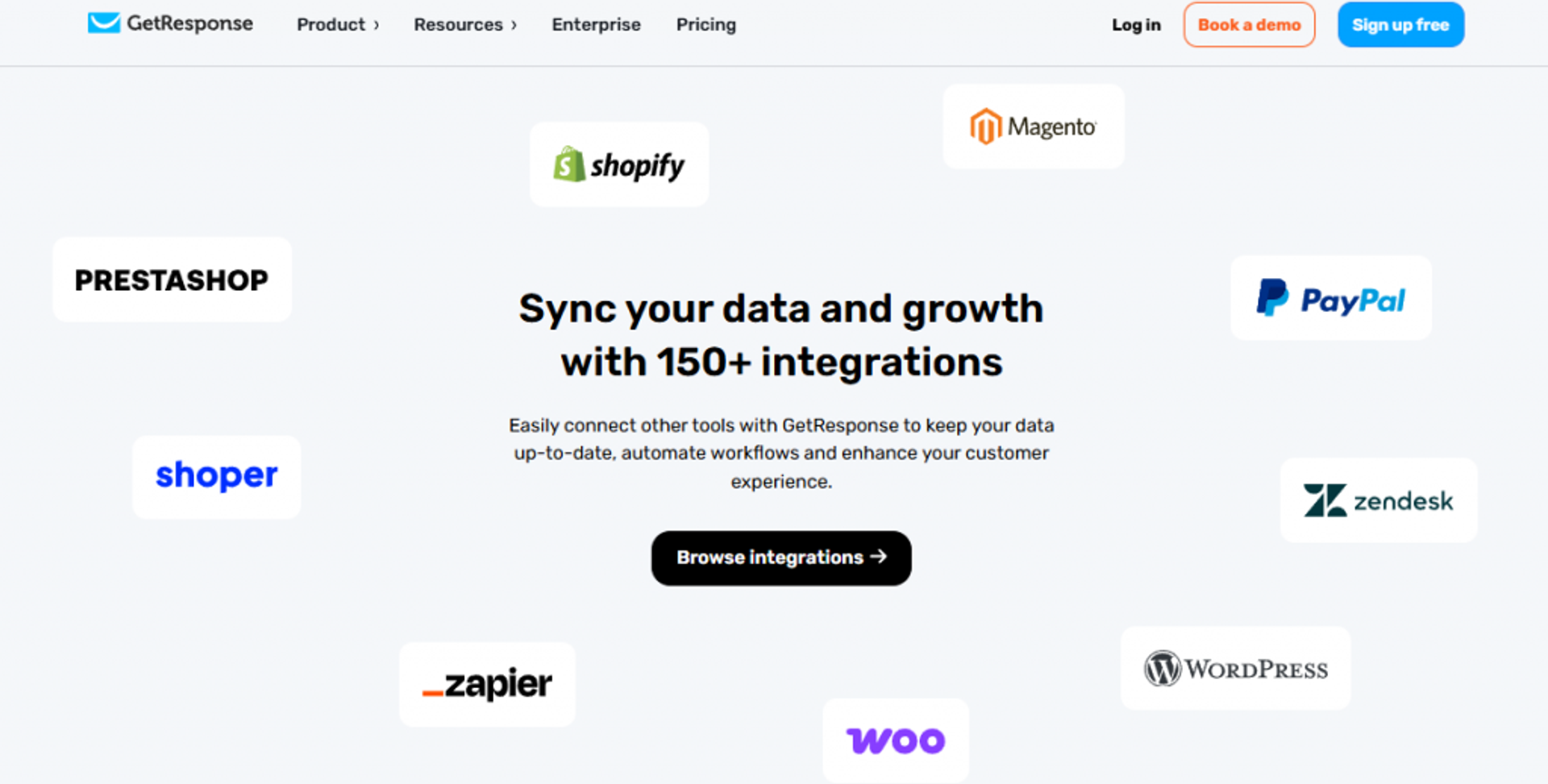
GetResponse is best for marketers who already want email marketing and webinars in one subscription, because it bundles webinars into a broader marketing suite, but it may not fit users who need deep, dedicated webinar automation or high attendee caps. It is a bundle play, valuable mainly if you use the whole suite.
🧭 Quick Fit
| Best for | Marketers wanting email plus webinars in one tool |
| Skip if | You need dedicated, deep webinar automation |
| Strongest edge | Webinars bundled with full email marketing |
| Biggest trade-off | Webinar features are lighter than specialists |
| Pricing snapshot | Around $49/mo webinar tier, 100 attendees |
Why GetResponse ranks #9
GetResponse ranks ninth because webinars are one feature inside a bigger marketing suite, not the main event. If you already need email marketing, automation, and landing pages, adding webinars in the same bill is efficient. For teams whose revenue runs on webinars, a dedicated webinar marketing automation approach goes deeper.
My read is that GetResponse suits the marketer consolidating tools, not the operator whose whole business runs on webinars. The webinar depth is fine for lead gen but lighter than a dedicated platform. You are buying the suite, and webinars come along for the ride.
What GetResponse does well
- Bundles email and webinars. One subscription covers email marketing, automation, and webinars, simplifying the stack.
- Connects webinars to nurture. Registrants flow into email sequences within the same tool.
- Supports landing pages. Built-in page builder covers registration needs.
- Reduces tool sprawl. Consolidating cuts the cost of stitching separate products.
Where GetResponse falls short
- Webinar features are lighter than dedicated specialists.
- Attendee caps and automation depth trail purpose-built platforms.
- Value depends on using the wider suite, not webinars alone.
📋 Decision Scorecard
| Evaluation criterion | GetResponse fit | Why it matters |
|---|---|---|
| Live webinars | Partial | Solid for lead gen, not deep |
| Automated webinars | Partial | Present but limited |
| Evergreen automation | Weak | Not a core strength |
| Funnel pages | Strong | Landing pages built into the suite |
| Engagement | Partial | Core engagement tools |
| CRM and follow-up | Strong | Native email automation is the highlight |
| Monetization | Partial | Some checkout via the suite |
| Analytics | Partial | Marketing-focused reporting |
| Integrations | Strong | Broad marketing-tool connections |
| Pricing fit | Partial | Good value only if you use the suite |
Best for / skip if
Choose GetResponse if you want email marketing and webinars unified in one subscription. Skip it if webinars are your core revenue channel and you need dedicated automation depth.
10. Webex Webinars
Webex Webinars is best for enterprise and IT-led teams that prioritize security and reliable large-scale streaming, because it offers stable infrastructure and strong compliance, but it may not fit users who need creator-style funnels or in-webinar selling. It is built for corporate reliability, not marketing conversion.
🧭 Quick Fit
| Best for | Enterprise teams prioritizing security and scale |
| Skip if | You want creator funnels, evergreen selling, or CRM-led follow-up |
| Strongest edge | Enterprise-grade reliability and compliance |
| Biggest trade-off | Weak conversion and funnel tooling |
| Pricing snapshot | Around $25/mo, up to 100 attendees |
Why Webex Webinars ranks #10
Webex ranks tenth because it solves a different problem than most tools on this list. It is built for IT-approved, secure, large-scale corporate webinars. If your buying committee includes an IT director worried about compliance, Webex speaks their language. If conversion matters more than compliance, our Webex alternative guide is a better fit.
The trade-off is clear. Webex offers little in the way of funnel pages, evergreen automation, or in-session selling. For a coach or course creator, that is a mismatch. For an enterprise training team, the reliability and security may outweigh the missing revenue mechanics.
What Webex Webinars does well
- Delivers enterprise reliability. Stable streaming supports large corporate audiences.
- Meets security standards. Strong compliance posture eases IT and procurement approval.
- Scales to big audiences. Handles large attendee counts without strain.
- Integrates with enterprise stacks. Fits into existing corporate tooling.
Where Webex Webinars falls short
- Minimal funnel pages, evergreen automation, or in-webinar selling.
- Not designed for creator or marketing-led revenue workflows.
📋 Decision Scorecard
| Evaluation criterion | Webex fit | Why it matters |
|---|---|---|
| Live webinars | Strong | Reliable large-scale live hosting |
| Automated webinars | Weak | Not a core capability |
| Evergreen automation | Weak | No evergreen funnel focus |
| Funnel pages | Weak | Minimal marketing pages |
| Engagement | Partial | Standard engagement tools |
| CRM and follow-up | Partial | Enterprise integrations over native CRM |
| Monetization | Weak | No creator-style checkout |
| Analytics | Partial | Corporate reporting |
| Integrations | Strong | Fits enterprise stacks |
| Pricing fit | Partial | Reasonable, but light on revenue tools |
Best for / skip if
Choose Webex Webinars if you are an enterprise or IT-led team prioritizing security and reliable scale. Skip it if you need funnel pages, evergreen automation, or in-webinar selling for a revenue engine.
11. BigMarker
BigMarker is best for teams running large, highly customized virtual events and summits, because it offers deep browser-based customization and scale, but it may not fit users on a strict sub-$50 budget since pricing is quote-based. Its cost structure is the main reason to verify fit early.
🧭 Quick Fit
| Best for | Teams running large custom webinars and virtual summits |
| Skip if | You need transparent, low, flat sub-$50 pricing |
| Strongest edge | Deep customization and event scale |
| Biggest trade-off | Quote-based pricing, not clearly sub-$50 |
| Pricing snapshot | Quote-based, not publicly listed |
Why BigMarker ranks #11
BigMarker ranks eleventh mostly because of pricing transparency. It is a capable, highly customizable platform for large virtual events. But its quote-based pricing makes it hard to confirm a true sub-$50 entry point. If summits are your goal, our guide to choosing a virtual event platform helps you weigh the options.
My read is that BigMarker fits teams with real event budgets and custom needs, not solo operators counting dollars. The customization and scale are genuine strengths. If you are here for a cheap, predictable monthly plan, verify the actual quote before you assume it fits.
What BigMarker does well
- Customizes deeply. Extensive branding and layout control suits polished, large events.
- Scales to summits. Handles big audiences and multi-session events.
- Runs in the browser. No-download attendance lowers friction.
- Supports automation and evergreen. Recorded and automated formats are available.
Where BigMarker falls short
- Pricing is quote-based and not clearly sub-$50, so budget fit is uncertain.
- Depth and customization add a learning curve for simple use cases.
- It can be more platform than a solo operator needs.
📋 Decision Scorecard
| Evaluation criterion | BigMarker fit | Why it matters |
|---|---|---|
| Live webinars | Strong | Handles large live events well |
| Automated webinars | Strong | Automation and evergreen supported |
| Evergreen automation | Strong | Recorded formats available |
| Funnel pages | Strong | Deep custom pages |
| Engagement | Strong | Rich engagement tools |
| CRM and follow-up | Partial | Integrations over native CRM |
| Monetization | Partial | Event ticketing available |
| Analytics | Strong | Detailed event reporting |
| Integrations | Strong | Broad connections |
| Pricing fit | Weak | Quote-based, budget fit unclear |
Best for / skip if
Choose BigMarker if you run large, customized virtual events and have a real event budget. Skip it if you need transparent, low, flat sub-$50 pricing you can commit to today.
12. eWebinar
eWebinar is best for teams that want purely automated, on-demand webinars with strong chat interaction, because it specializes in scheduled and just-in-time automated sessions, but it may not fit users who need native live webinars. It is an automation specialist, not a live-hosting tool.
🧭 Quick Fit
| Best for | Teams running automated, on-demand webinars at scale |
| Skip if | You need native live webinar hosting |
| Strongest edge | Purpose-built automation with interactive chat |
| Biggest trade-off | No true native live webinar format |
| Pricing snapshot | Around $49/mo |
Why eWebinar ranks #12
eWebinar ranks twelfth because it is deliberately narrow. It does automated and on-demand webinars very well, with scheduled sessions and interactions that feel responsive. For an operator who only wants automation, that focus is a plus. If you need both live and recorded in one place, our live webinar software covers what a pure automation tool cannot.
The limit is the flip side of that focus. eWebinar does not offer native live webinars, so it cannot be your only tool if you also run live events. Here is my rule, and it matters: you nail a webinar live first, then automate it. A pure automation tool skips the step that earns the conversion.
What eWebinar does well
- Specializes in automation. Scheduled and just-in-time sessions run without you present.
- Adds interactive chat. Timed interactions make recorded sessions feel responsive.
- Sets up quickly. Upload a video and schedule it with minimal fuss.
- Handles follow-up. Built-in reminders and follow-up support the automated flow.
Where eWebinar falls short
- No native live webinar format, so it cannot cover live events alone.
- Best used alongside a live tool, adding stack complexity.
- Monetization and CRM depth trail full revenue platforms.
📋 Decision Scorecard
| Evaluation criterion | eWebinar fit | Why it matters |
|---|---|---|
| Live webinars | Weak | No native live format |
| Automated webinars | Strong | Its core specialty |
| Evergreen automation | Strong | Scheduled and just-in-time sessions |
| Funnel pages | Partial | Registration pages present |
| Engagement | Strong | Interactive timed chat |
| CRM and follow-up | Partial | Built-in reminders, integrations for depth |
| Monetization | Weak | Limited native checkout |
| Analytics | Partial | Automation-focused reporting |
| Integrations | Partial | Connects to common tools |
| Pricing fit | Partial | Fair for automation-only use |
Best for / skip if
Choose eWebinar if you only want automated, on-demand webinars and already run live events elsewhere. Skip it if you need one platform that does both live and automated, because live is not part of eWebinar.
Where EasyWebinar Fits Across This List
Look at the pattern across all twelve. Zoom and Webex give you reliable hosting but no funnel. WebinarJam makes you buy EverWebinar to automate. Demio gates automation to a higher tier, and eWebinar skips live entirely. Each tool does one job, so you end up stitching two or three together and paying more than the sticker price suggests.
We built EasyWebinar to close that gap. It runs live, simulated live, evergreen, and just-in-time webinars, where a recorded session starts one to fourteen minutes after someone lands on the page, in one platform. Registration pages, in-session offers, a native sales CRM, and follow-up sit in the same bill. That is why it earns the top spot for operators who want webinars to actually generate revenue, not just broadcast video.
Q2: What Actually Counts as “Affordable,” and Why Is the Cheapest Sticker Price Rarely the Cheapest?
“Affordable” means the lowest total cost to run a revenue-generating webinar, not the lowest monthly fee. A $20 video tool plus separate registration, email, checkout, and Zapier can top $250 a month. One bundled platform under $50 covers the whole funnel. The cheapest sticker price often hides the most expensive stack.
💸 The Number Everyone Anchors On
Most people shopping this category anchor on one number: the monthly fee. I get it. When money is tight, a $19 tool feels safer than a $44 one.
But that number lies. A webinar is not one job. It is registration, reminders, live delivery, follow-up, and checkout. A cheap host does one of those and leaves the other four to you. That is why we bundle the full webinar funnel into one platform.
🧮 The Duct-Tape Math
Here is what “cheap” actually costs once you stitch the stack together. Each tool is fine alone. Added up, they are not affordable at all.
| Job | Typical standalone tool | Rough monthly cost |
|---|---|---|
| Webinar hosting | Cheap video tool | $20 to $40 |
| Registration and landing pages | Page builder | $40 to $80 |
| Email and reminders | Email service | $30 to $50 |
| CRM and follow-up | Separate CRM | $50 to $90 |
| Checkout and payments | Cart tool | $30 to $50 |
| Connecting them | Zapier | $20 to $50 |
That is $190 to $360 a month, before anyone registers. Independent pricing reviews confirm the same pattern across budget tools, where flat and per-attendee fees stack once you add the missing pieces.
⚠️ The Hidden Cost Nobody Prices In
The bigger cost is not the money. It is the risk when those tools talk to each other through Zapier, an automation bridge that fires data between apps.
Let me tell you what that looks like. Our Zapier account once hit its plan limit for the total Zaps it could fire. We caught it four hours before a webinar. There was a couple-hundred-person discrepancy of opt-ins that never reached the CRM. Check the tech, always.
A cheap stack does not warn you when it breaks. It just quietly leaks registrations while you sleep. That is the opposite of affordable, which is why a native sales CRM beats a bridged one.
✅ Reframe It as Total Cost
So judge a platform by total cost of ownership, meaning every tool and every failure point added together. Sober numbers here: five tools, six integration risks, one bill that is actually higher.
This is where I will name our own approach as proof, not a pitch. We built EasyWebinar so one bill replaces seven-plus tools: the funnel builder, hosting, evergreen delivery, native CRM, payments, and multistream broadcasting to platforms like YouTube and LinkedIn. When the reader adds up the duct-tape stack, a sub-$50 platform that does all six jobs is the cheaper choice, not the pricier one.
Q3: Flat vs Per-Attendee Pricing, Attendee Caps, and Which Plans Include Automation Under $50?
Per-attendee models like Livestorm and WebinarNinja suit small, predictable rosters. Flat plans like EasyWebinar, ClickMeeting, and Zoom stay predictable as you scale. Automation is the real dividing line: ClickMeeting offers evergreen delivery under $50, while EasyWebinar and Demio start automation on their Growth tiers.
💰 Two Ways You Get Billed
There are two billing models in this category, and they behave very differently. Flat monthly means one price no matter how many people attend. Per-attendee means you pay per unique person, sometimes as a credit.
Per-attendee looks cheap on a small list. It gets expensive fast when your audience grows. WebinarNinja starts near $0.30 to $0.60 per attendee per month, and Livestorm bills roughly €2.50 per attendee credit.
📊 Where the Break-Even Sits
Here is the math at three audience sizes, so you can see where flat wins. These are directional estimates, so verify current rates on our webinar pricing page before you commit.
| Monthly attendees | Per-attendee (~$3 each) | Flat plan (~$44) |
|---|---|---|
| 100 | ~$300 | $44 |
| 500 | ~$1,500 | $44 |
| 1,000 | ~$3,000 | $44 |
Per-attendee only wins at very low, very predictable volume. The moment you scale ad spend, flat pricing protects your cost per lead, the amount you pay to get one registrant. An automated funnel already carries the highest cost per lead because it has so many steps, so do not add billing surprises on top.
⚠️ Attendee Caps Are the Hidden Ceiling
Price is only half the story. The attendee cap is the silent limit on cheap plans. Demio’s Starter caps at 50 attendees, and Zoom’s entry webinar tier caps at 100.
Hit the cap mid-launch and people get locked out of your room. That is lost revenue you never see on the invoice.
✅ Which Plans Actually Include Automation
Now the question buyers really want answered. Most “cheap” plans gate automation, meaning recorded webinars that run on autopilot, behind a pricier tier. If autopilot delivery is your goal, weigh the top automated webinar platforms before committing.
| Platform | Automation under $50? |
|---|---|
| EasyWebinar | ❌ No; evergreen starts on Growth ($96/mo annual) |
| ClickMeeting | ✅ Yes, Automated plan ~$48 |
| Demio | ❌ Growth tier only |
| Zoom | ❌ None native |
| WebinarNinja | ⚠️ Limited |
Here is my hard-won rule, and it splits the experts. Some coaches push evergreen from day one. Others argue live webinars convert far harder and that automating too early kills results. My read: nail it live first, hit a strong live conversion rate, then automate. Automating a webinar that does not sell just scales a loss. This is the core of the live vs automated debate.
We built EasyWebinar for exactly that path. You run it live, then flip on one-click evergreen and just-in-time scheduling, where a session starts one to fourteen minutes after someone lands, so it feels immediate. You automate a proven webinar without jumping into four-figure enterprise plans.
Q4: What Features Should You Refuse to Compromise On, Even Under $50?
Under $50, you can skip heavy branding. Never skip a fast registration page, in-webinar engagement like polls and timed CTAs, automated follow-up, and rock-solid reliability. These move show rate and conversion directly. Everything else is decoration. A cheap tool that drops your stream or lacks follow-up is no bargain.
✅ The Five You Cannot Skip
After looking at thousands of webinar funnels, the same five features separate tools that make money from tools that just stream video. Independent buyer guides weight these same criteria when scoring platforms.
- A fast registration page. A headline and an opt-in button above the fold. That is what lifts sign-ups.
- In-webinar engagement. Polls, chat, and timed offers keep people leaning in. I aim for at least 20 questions across a presentation, because disengaged attendees do not buy at the close.
- Automated follow-up. Most sales happen after the event, so triggered replay and reminder emails carry your revenue.
- In-session offers or checkout. The buying decision happens live, so the offer must appear while attention is highest.
- Reliability. If the stream drops or reminders fire late, none of the above matters.
❌ What You Can Safely Skip
Here is the contrarian part that saves first-timers weeks. You do not need a heavy, testimonial-stuffed registration page. You need a headline that grabs attention and an opt-in button, nothing more. Study proven webinar landing page examples if you want a template.
You also do not need pixel-perfect branding to convert. Presentation beats polish. I have watched operators burn six weeks on page design when the real lever was the offer and the delivery. Engagement without a clear close is just noise, because engagement alone is not cash. Use proven webinar engagement tools to close, not just to fill time.
This is where our own build reflects the priority list. EasyWebinar bundles the non-negotiables into one plan: registration pages, polls and timed CTAs, automated follow-up through the native EasyCRM, and lead scoring, none of them locked behind paid add-ons on the annual plan. When the essentials come standard, you spend your budget on traffic and your offer, not on stitching missing features back in. You can sign up free to see the bundle in action.
Q5: How Does EasyWebinar Compare to Demio, WebinarJam, and Zoom, and What Do Real Users Say?
At the sub-$50 tier, Zoom is video-only with no funnel, Demio ($42) caps at 50 attendees with automation locked to higher tiers, and WebinarJam bundles pages but no native CRM. EasyWebinar pairs live webinars and an AI funnel builder under $50, then adds evergreen automation and a built-in CRM on one bill from Growth, which shows up in reviewers praising its reliability and support.
🧭 What Each Rival Is Really Built For
Here is the honest read after years inside these tools. Each rival does one job well and leaves the rest to you.
Zoom is broadcast infrastructure, reliable but with no selling mechanics. Demio is a marketing-focused host with a clean interface, but automation sits on its pricier Growth tier. WebinarJam bundles landing pages, yet true automation means buying its sibling EverWebinar, so you manage two tools. Our WebinarJam alternatives guide breaks down that split.
📊 The Four-Way Comparison
| Factor | EasyWebinar | Demio | WebinarJam | Zoom |
|---|---|---|---|---|
| Entry price | $36/mo annual | $42/mo | ~$39/mo | ~$14/mo |
| Attendee cap | 50 live | 50 | 100 | 100 |
| Automation under $50 | ❌ From Growth | ❌ Growth only | ❌ Needs EverWebinar | ❌ None |
| Native CRM | ✅ From Growth | ❌ No | ❌ No | ❌ No |
| In-webinar payments | ✅ From Growth | ❌ No | ❌ No | ❌ No |
The pattern is clear. EasyWebinar gives you a holistic approach across live webinars and automated webinars, plus the CRM and checkout the others push to add-ons or separate tools.
💬 What Reviewers Actually Say
Reviews back the architecture story, not just the marketing. The complaints about rivals cluster around the exact gaps in that table.
“Zoom Webinar is ridiculously glitchy. We’ve had problems with presenters being able to enter the webinar, with reminder notices going out eight hours after an event has concluded.”Casey S. Zoom G2 Verified Review ⭐
“After canceling, I couldn’t export the list unless I subscribed again. This feels really unfair. I paid for the service and hosted the event.”Sheida M. Demio G2 Verified Review ⭐
“The integrations with 3rd party software such as Mailchimp is inconsistent, and their email service doesn’t consistently send to registrants.”Tara G. WebinarJam G2 Verified Review ⭐
✅ Where EasyWebinar Earns Its Spot
Our reviewers keep landing on two words: reliability and support. That matters when 95 of your 380 registrants show up and something has to just work.
“I love EasyWebinar’s support team. They’re responsive and helpful, providing peace of mind when I encounter problems. EasyWebinar saves me a lot of time.”Eliza W. EasyWebinar G2 Verified Review ⭐⭐⭐⭐
The proof extends past reviews to revenue. Carla Biesinger built a $5M evergreen funnel on EasyWebinar, and Ryan Fenn’s CHIIRP crossed $2M. When the buyer wants webinars to sell, not just stream, that completeness is why EasyWebinar wins this bracket. See the full course creator case study for the details.
Q6: Which Affordable Webinar Platform Is Right for Your Use Case?
Coaches and course creators selling from evergreen funnels get the most from EasyWebinar. Solo hosts on tiny budgets suit Zoho Meeting or Zoom. Teams needing polished live events lean Demio or Livestorm. Marketers wanting pages plus hosting pick WebinarJam. Match the tool to your dominant use case, not the lowest price.
🧭 Start With the Job, Not the Price
The cheapest tool is not the right tool. The right tool is the one built for the job you do most.
There is a mental model I keep coming back to. Instead of asking “how do I build this myself,” ask “who or what gets me to revenue fastest.” That second question puts you on the success path instead of the struggle path.
📊 Match Your Use Case to a Tool
| Your use case | Best pick | Why |
|---|---|---|
| Coach or course creator selling via evergreen funnels | EasyWebinar | Live plus evergreen, CRM, and checkout in one bill |
| Solo host on the tightest budget | Zoho Meeting or Zoom | Lowest cost, reliable live sessions |
| Marketing team running polished live events | Demio or Livestorm | Clean attendee experience for lead gen |
| Marketer wanting pages plus hosting | WebinarJam | Bundled landing pages for live launches |
| Trainer needing automation on a mid-budget | ClickMeeting | On-demand webinars without a big jump |
✅ Why Creators Skew to EasyWebinar
If you sell a course or coaching offer, your webinar is not an event. It is the sales engine, so it needs to run while you sleep. That is exactly why webinars sell online courses so well.
That is the pattern I see in the numbers. A chef-baker did $49K in two months, a pickleball course crossed $200K, and K21 Academy pushed show-up from the high 20s to 47% while growing registrants fivefold. We built EasyWebinar for that creator path, where one recorded session sells around the clock. Read the full edtech case study for the K21 breakdown.
“With my live class I used to sell 10-12 courses. With EasyWebinar I sold 25 courses within 3 weeks of my evergreen launch.”Laura C. EasyWebinar G2 Verified Review ⭐⭐⭐⭐⭐
Q7: How Do You Avoid the Hidden Costs and Tech Failures That Silently Kill Webinar ROI?
Hidden costs sink cheap-plan ROI: attendee overages, CRM and payment add-ons billed monthly, and integration limits. Before every webinar, run a tech check. Test the mobile opt-in button, verify your Zap and integration limits, and confirm CRM sync, because a broken button or maxed automation can silently vaporize hundreds of registrations while you sleep.
💸 The Leaks You Never See on the Invoice
The dangerous costs are the ones that never appear as a line item. They hide inside the plan you already bought.
Three leaks show up again and again. Attendee overages when you pass the cap, add-ons for CRM or payments billed separately, and integration limits that cap how much data flows. Each one quietly shrinks your return per registrant. A transparent webinar pricing model avoids all three.
⚠️ Two War Stories That Cost Real Money
Let me make this concrete with scars, not theory. These both happened on live launches.
First, the automation bridge. Our Zapier account hit its plan limit, and we caught it four hours before a webinar. There was a couple-hundred-person discrepancy of opt-ins that never reached the CRM. A native sales CRM removes that failure point.
Second, the mobile detail. We once put the join link in a text message, and it nuked our booking rate. Show rate looked higher, but bookings cratered because people were on their phones. A button that fails on mobile silently kills registrations while you sleep, which is why webinar attendance hinges on the details.
✅ Your Pre-Webinar Tech Check
Run this list before every single webinar. It takes ten minutes and protects your whole ad spend.
- Test the opt-in button on a real phone, not just desktop, because most registrations happen on mobile.
- Check your integration and Zap limits so data does not stop flowing mid-launch.
- Confirm CRM sync by registering yourself and watching the record appear.
- Send yourself the reminder sequence to catch broken links or wrong times.
- Do a full dry run of the live room, audio, and offer button.
This is one reason we built EasyWebinar the way we did. It warns you before you hit attendee limits, and CRM plus paid webinars come free on the annual plan, so there is no surprise add-on bill.
Here is the question I am sitting with as more funnels go fully automated. If the cheap tools keep pushing complexity onto the operator, does the real cost advantage go to whoever removes the most failure points, not whoever posts the lowest price? Tell me where your stack broke last, because that is usually where the money leaked.
Frequently Asked Questions

Casey Zeman
Founder of EasyWebinar
About Author
Over the past decade, I've helped thousands of entrepreneurs, coaches, and consultants turn webinars into a predictable, powerful way to grow their audience, build trust, and scale, without the constant hustle. I created EasyWebinar because I couldn't find a system that combined authenticity, engagement, and automation the way I needed. So, I built one.
Related Posts

10 Best Community Engagement Platforms in 2026
Compare the 10 best community engagement platforms in 2026. Course creators, evaluate live hosting, analytics, and replay to pick your winner today.

10 Best Online Coaching Tools in 2026: Live Session Quality, Scheduling, Recording, and Client Engagement Analytics
Compare the 10 best online coaching tools of 2026 on session quality, scheduling, and analytics. Discover the right fit for your coaching revenue model.

10 Best Webinar Hosting Platforms Ranked by Uptime, Streaming Quality & Cost
Compare 10 webinar hosting platforms ranked by uptime, streaming quality, and cost. Discover which tool actually turns attendees into revenue.
Turn every webinar into a revenue stream
Launch your first paid event in just a few clicks - and start monetizing your expertise.
Book a Call