Demio Alternatives 2026: 6 Platforms That Actually Close Revenue

Casey Zeman
Published on May 13, 2026 • 41 min read

TL;DR
- The six Demio alternatives scored in 2026 are EasyWebinar, WebinarJam + EverWebinar, Zoom Webinars, Riverside, Circle, and meetn, weighted toward what a webinar does after the live hour.
- Teams rarely leave Demio over the room itself. They leave over replays that lose polls and CTAs, Zapier chains to the CRM, reliability gaps, and registrant data locked after cancelling.
- Prove the webinar live first, then automate it. EasyWebinar's Webinar Sprint runs 5 to 10 live sessions, reaches about 10% of attendees buying, then turns that exact recording evergreen.
- Demio prices by room size and host, and Growth shows no price until you pick a room. EasyWebinar uses flat monthly plans: $116 for 200 live attendees, $198 for 500, and $349 for 1,000.
- Keep your CRM or use a built-in one. EasyWebinar offers native HubSpot and Salesforce Pardot sync from Pro, a GoHighLevel integration, or EasyCRM with lead scoring and an auto-dialer.
- To switch safely, export registrants and recordings before Demio's billing period ends, map CRM fields, run one live test, and only then automate the winning session.
Q1. What Are the 6 Best Demio Alternatives (Webinar Platforms) in 2026?
The six Demio alternatives evaluated in this guide are EasyWebinar, WebinarJam + EverWebinar, Zoom Webinars, Riverside, Circle, and meetn. EasyWebinar runs live, automated, simulive, and evergreen webinars on one subscription, with in-room checkout and EasyCRM included from its Growth plan. WebinarJam hosts live sessions and bundles EverWebinar for automation from its Basic plan. Zoom Webinars adds webinar capacity to a paid Zoom license. Riverside records studio-quality sessions, Circle hosts community events, and meetn runs low-cost webinar rooms.
- EasyWebinar ⭐⭐⭐⭐⭐ (92/100)
- WebinarJam + EverWebinar ⭐⭐⭐⭐ (68/100)
- Zoom Webinars ⭐⭐⭐⭐ (64/100)
- Riverside ⭐⭐⭐ (52/100)
- Circle ⭐⭐⭐ (44/100)
- meetn ⭐⭐ (38/100)
⚠️ Why this shortlist carries real cost
It usually starts with a billing screen. A course creator checks the room size she needs for next month's launch, then counts the tools wired around her webinar. Switching platforms touches ad spend, registrant data, replay funnels, and checkout, so a wrong pick can cost a full launch cycle. This guide evaluates six vendors against eight defined criteria. The daily user is the webinar operator: the coach, course creator, or marketing manager who builds and runs sessions. Shadow readers include the CFO checking stack cost, the IT director checking security, and the RevOps lead checking how webinar data reaches the CRM.
Our Evaluation Criteria
Webinar format coverage ✅
Assesses support for live, simulated live (a recording played on a schedule with live chat), automated, evergreen, replay, and on-demand sessions.
Time to launch ⏰
Assesses how fast an operator moves from sign-up to a published registration page, a reminder sequence, and a working room.
Engagement depth ⭐
Assesses chat, polls, Q&A, timed offers, and whether those interactions still run in replays and automated sessions.
Funnel and conversion workflow 💰
Assesses registration, thank-you, and replay pages, plus offer and follow-up paths, without a separate page builder.
CRM and follow-up readiness ✅
Assesses native CRM, lead scoring, attendee tagging, and behavior-based follow-up, versus middleware such as Zapier.
Monetization support 💸
Assesses paid webinars, ticketing, in-webinar offers, and checkout that keeps the buyer inside the room.
Analytics and attribution ⭐
Assesses attendance, watch time, offer clicks, replay behavior, and whether revenue ties back to a specific webinar.
Reliability, support, and scale ⚠️
Assesses streaming stability, attendee caps, published security posture, and how quickly a human answers during a live event.
Who This Guide Is For
- Coaches and course creators turning a teaching webinar into a repeatable sales funnel.
- Marketing teams using webinars for lead generation, nurturing, and pipeline acceleration.
- Revenue operators checking whether attendee data reaches the CRM, scoring, and follow-up without manual exports.
- Founders and consultants replacing separate tools for hosting, pages, email, checkout, and follow-up.
- Buying-committee readers: CFOs validating consolidation, IT leaders checking reliability and security, and marketing heads assessing funnel performance.
💰 Side-by-side comparison
| Provider | Best For | Standout Strength | Known Limitation | Live + Automated Coverage | Support Model | Pricing Model |
|---|---|---|---|---|---|---|
| EasyWebinar ⭐⭐⭐⭐⭐ | Coaches, creators, and marketing teams whose webinars must keep selling after the live hour | Turns a proven live session into Just-in-Time, simulive, or evergreen runs on the same subscription | Automation, checkout, and EasyCRM start at Growth; the Launch plan is live-only with 50 attendees | Live, simulive, automated, evergreen, just-in-time, and on-demand on one login | Help center and onboarding call; dedicated account manager from Pro; Slack support on Scale | Flat monthly tiers, no per-attendee fees; annual billing gives 2 months free |
| WebinarJam + EverWebinar ⭐⭐⭐⭐ | Marketers running one-off live launches with scarcity offers | Live offer displays, a panic button, and email plus SMS reminders in one live room | Live and automated run as two products; reviewers report inconsistent third-party integrations | Live in WebinarJam; automated in EverWebinar, bundled from Basic | Help desk tickets; verify live-event support before purchase | Tiered by attendee cap, monthly or annual; $1 14-day trial |
| Zoom Webinars ⭐⭐⭐⭐ | Teams already standardized on Zoom for internal meetings | Attendee familiarity and stable video at scale | Reviewers cite minimal control over the look and feel of webinars | Live-first; simulive sits in higher Webinars Plus tiers | Plan-based support tiers | Per-license add-on tiered by attendees, on top of a paid Zoom license |
| Riverside ⭐⭐⭐ | Teams that need studio-quality recordings to repurpose | Local multi-track recording that holds up through internet dips | The Webinar plan covers 100 registrants; larger audiences move to custom Business pricing | Live, plus pre-recorded sessions streamed as live | Email and help center; priority support on Business | Freemium; tiered monthly or annual; Business is quote-based |
| Circle ⭐⭐⭐ | Creators hosting a paid community with recurring live sessions | Community, courses, events, and live streams under one brand | Live attendee capacity and streaming hours are metered add-ons | Live events and streams inside the community | — | Tiered plans billed yearly, plus transaction fees and live add-ons |
| meetn ⭐⭐ | Budget-first hosts running simple sales meetings and small webinars | Admin "stealth" mode that lets a host enter the room unnoticed | Limited UI styling and a basic waiting room | Live, plus one-click video playback | — | Tiered monthly plans; verify any lifetime-deal offer before purchase |
1.1 EasyWebinar
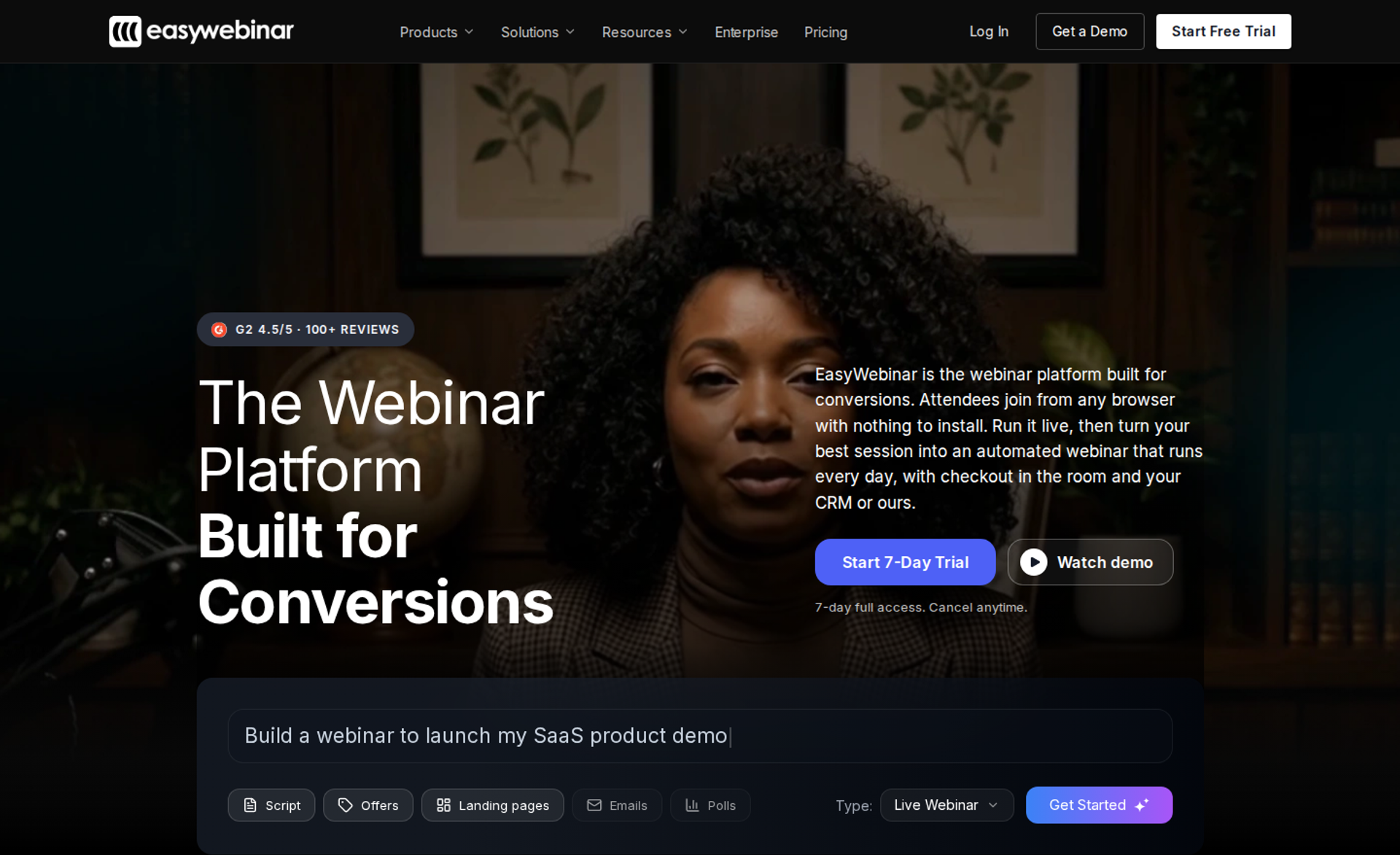
EasyWebinar is best for coaches, course creators, and marketing teams that need a webinar to keep selling after the live hour. It runs live and automated sessions on one subscription, with checkout inside the room. It may not fit buyers who need accredited courses with certificates, or who want a free plan.
| Quick fit | - |
|---|---|
| Best for | Coaches, course creators, and B2B marketing teams that sell or book meetings through webinars |
| Skip if | You need an LMS with lessons and certificates, or a free plan |
| Strongest edge | Run a session live, then turn that exact session into an automated webinar on the same login |
| Biggest trade-off | Automation, checkout, and EasyCRM start at Growth, not the entry plan |
| Pricing snapshot | Launch $44/mo (50 live), Growth $116/mo (200 live, 1,000 automated), Pro $198/mo (500 live, 2,500 automated), Scale $349/mo (1,000 live, 5,000 automated), billed monthly . A 7-day full-access trial requires a card. |
⭐ Why EasyWebinar ranks #1
EasyWebinar scores 92/100 because it leads on the two heaviest criteria: format coverage and conversion workflow. Live, simulive, evergreen, and just-in-time sessions (a session that starts minutes after someone registers, in their own time zone) share one platform. Registration pages, email follow-up, checkout, and EasyCRM sit beside them, so the funnel does not depend on a chain of outside tools.
I built my business on this exact sequence before EasyWebinar existed as a product. In my first year of live webinars, I built a 14,000-person email list and sold $245,000 of my course. EasyWebinar's design follows what that year taught me. Prove the pitch live first, then automate the recording that converts. I call it the Webinar Sprint: 5 to 10 live sessions, a 10% attendee-to-buyer rate, then evergreen.
✅ What EasyWebinar does well
- Live to automated in one switch: EasyWebinar converts a proven live session into simulive, evergreen, just-in-time, or on-demand runs, so a working pitch is never rebuilt.
- Checkout in the room: buyers pay through Stripe, PayPal, or PayU while watching, which keeps the sale, attendee, and data in one place.
- Your CRM or ours: EasyCRM handles lead scoring, an auto-dialer, and follow-up sequences. Pro adds native HubSpot and Salesforce Pardot (Account Engagement) sync.
- One-click browser join: attendees join from any browser with nothing to install, on Dolby OptiView WebRTC streaming at sub-500ms latency.
- AI Webinar Builder: the AI Webinar Builder drafts the script, registration and thank-you pages, emails, polls, and a timed CTA from a short question flow.
- Reliability terms: EasyWebinar carries a 99.9% uptime guarantee and keeps a session running past the plan limit, with overage billed under its terms.
❌ Where EasyWebinar falls short
- Entry plan is live-only: Launch covers live webinars for 50 attendees. Automated webinars, checkout, EasyCRM, and EasyCast start at Growth.
- Native HubSpot and Pardot sync starts at Pro: Growth connects through 13 CRM and email integrations, including Zapier. There is no Marketo or Salesforce Sales Cloud integration.
- Page design flexibility: reviewers note that registration page customization feels limited compared with dedicated page builders.
- No free plan: every plan starts with a 7-day trial that requires a card.
⭐ Decision scorecard
| Evaluation criterion | EasyWebinar fit | Why it matters |
|---|---|---|
| Live webinars | Strong | Browser join and real-time delivery protect show-up rates and live offers. |
| Simulated live or automated webinars | Strong | Simulive and automated sessions run from Growth upward. |
| Evergreen automation | Strong | Just-in-time and scarcity scheduling keep a proven pitch running daily. |
| Funnel pages | Strong | Registration, thank-you, and replay pages ship with every funnel. |
| Engagement | Strong | Chat, polls, Q&A, and timed offers run inside the room. |
| CRM and follow-up | Strong | EasyCRM, or native HubSpot and Pardot sync from Pro, routes leads the same day. |
| Monetization | Strong | In-room checkout and paid webinars remove the redirect to an outside cart. |
| Analytics | Strong | Attendee-level watch time, offer clicks, and purchases tie revenue to a session. |
| Integrations | Partial | Broad email and CRM coverage, but no Marketo or Sales Cloud. |
| Pricing fit | Partial | Flat pricing helps at scale, but automation requires Growth. |
| Best-fit buyer | Strong | Revenue-driven webinar programs for creators, coaches, and marketing teams. |
⏰ Best for / skip if
Choose EasyWebinar if your webinar is a sales or pipeline channel and you plan to automate a session once it converts. Skip it if you need course hosting with certificates, or a free plan for occasional live calls.
⭐ Reviews
"With my live class I used to sell 10-12 courses. With EasyWebinar I sold 25 courses within 3 weeks of my evergreen launch." - Laura C., Founder, EasyWebinar G2 - Verified Review
The same reviewer flags a trade-off: just-in-time scheduling sits on a plan priced at roughly double the basic tier.
"Sometimes it feels a bit limited in terms of design flexibility." - Jo K., Founder, EasyWebinar G2 - Verified Review
1.2 WebinarJam + EverWebinar
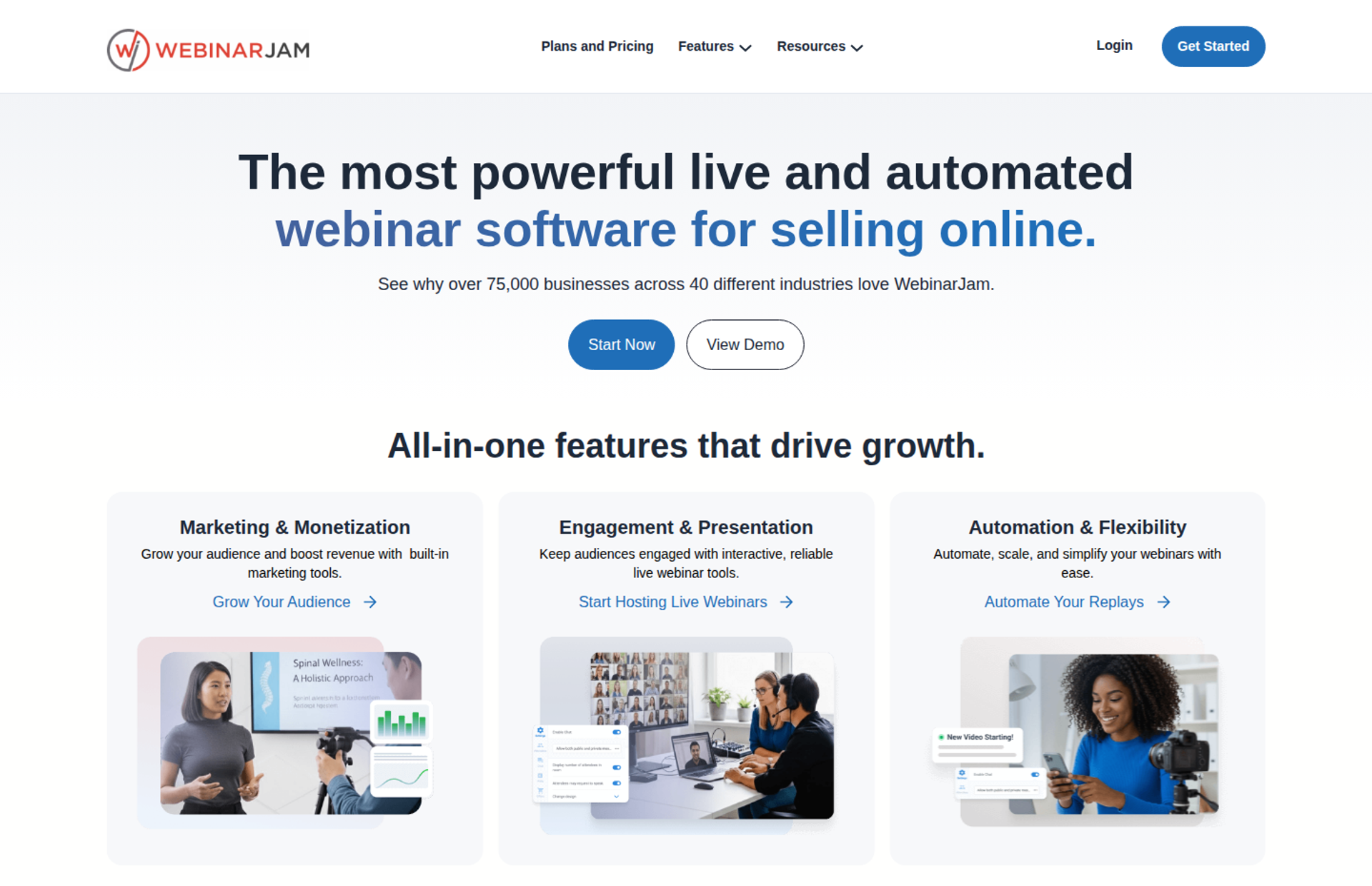
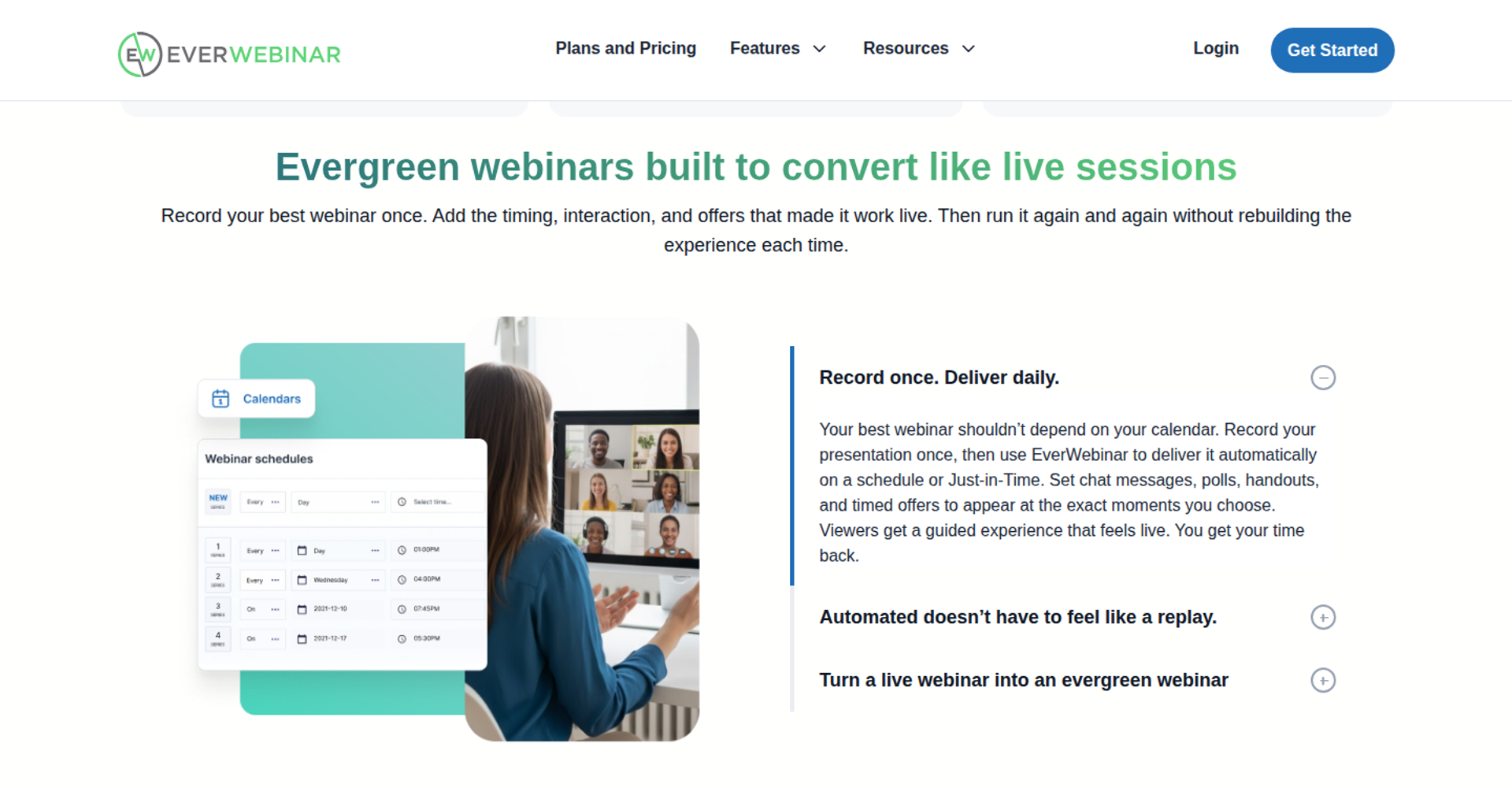
WebinarJam is best for marketers running one-off live launches who want scarcity tools in the room. It pairs live hosting with EverWebinar, its sister product for automated replays, bundled from the Basic plan. It may not fit teams that want live and automated sessions, CRM, and follow-up managed in one product.
| Quick fit | - |
|---|---|
| Best for | Info-product marketers running live launches with countdowns and offers |
| Skip if | You want one build for live and automated sessions, or a native sales CRM |
| Strongest edge | Live-room sales mechanics: live offer displays, a panic button, and built-in email plus SMS reminders |
| Biggest trade-off | Automation lives in a second product, so a live session must be converted over to EverWebinar |
| Pricing snapshot | Starter $49/mo or $39/mo yearly (100 attendees, 1 hour); Basic $99/mo or $79/mo yearly (500, 2 hours); Professional $299/mo or $229/mo yearly (2,000, 3 hours); Enterprise $499/mo or $379/mo yearly (5,000, 4 hours). EverWebinar is included from Basic, and there is a $1 14-day trial . |
⭐ Why WebinarJam + EverWebinar ranks #2
WebinarJam + EverWebinar scores 68/100 because the pair covers live and automated formats, which most Demio alternatives do not. It loses points on CRM and follow-up, since leads move to outside tools through integrations. It also loses points on workflow, because live and automated sessions are managed as separate products. EasyWebinar keeps both formats on one login, and that architecture gap separates the two entries.
The pairing has real buyer value. WebinarJam's pricing page states that EverWebinar comes with Basic, Professional, and Enterprise at no added cost. Attendee caps reach 5,000 on Enterprise, which suits large list launches.
✅ What WebinarJam + EverWebinar does well
- Live sales mechanics: live offer displays, polls, and an always-on live room help a presenter time the pitch.
- Panic button: a host can move attendees to a fresh room when a stream fails, which protects a launch in progress.
- Reminders without extra tools: the built-in email and SMS system sends reminders without a separate SMS vendor.
- Page testing: A/B split testing on registration pages shows which design brings more registrants.
- Broad email integrations: native connections include ActiveCampaign, Kit (formerly ConvertKit), Keap, Mailchimp, and Zapier.
- Scale per dollar: caps reach 2,000 attendees on Professional and 5,000 on Enterprise.
❌ Where WebinarJam + EverWebinar falls short
- Two products to manage: WebinarJam's own FAQ says to host live, then convert the recording into an automated session in EverWebinar.
- No built-in sales CRM: follow-up beyond email and SMS depends on an outside CRM and integrations.
- Session length caps: webinars run 1 to 4 hours depending on plan, and Starter has one host and no bundled automation.
- Reviewer-reported friction: G2 reviewers describe inconsistent integrations and problems with cloned automated webinars.
⭐ Decision scorecard
| Evaluation criterion | WebinarJam + EverWebinar fit | Why it matters |
|---|---|---|
| Live webinars | Strong | Offer displays and scarcity tools suit high-energy launches. |
| Simulated live or automated webinars | Strong | EverWebinar handles scheduled replays from Basic upward. |
| Evergreen automation | Strong | Automated sessions run on a schedule without a presenter. |
| Funnel pages | Strong | Templates and A/B split testing support registration pages. |
| Engagement | Strong | Chat, polls, and an on-screen whiteboard keep attendees active. |
| CRM and follow-up | Partial | Email and SMS are built in, but scoring and dialing need outside tools. |
| Monetization | Partial | Live offers point buyers to checkout; confirm in-room payment before purchase. |
| Analytics | — | Confirm attendee-level and revenue reporting depth by plan. |
| Integrations | Strong | Wide email marketing coverage plus Zapier. |
| Pricing fit | Strong | High attendee caps per dollar at upper tiers. |
| Best-fit buyer | Partial | Strong for one-off live launches; weaker for unified funnel operations. |
⏰ Best for / skip if
Choose WebinarJam + EverWebinar if you run large live launches and are comfortable managing automation in a sister product. Skip it if you want live, automated, CRM, and checkout on one login. EasyWebinar is built for that setup.
⭐ Reviews
"The integrations with 3rd party software such as mailchimp is inconsistent on both the pushing the registrants over and the custom form field population." - Tara G., WebinarJam G2 - Verified Review
The same reviewer praised EverWebinar for letting a team run the same presentation repeatedly without a live host.
"Inability to clone webinars without serious resulting issues, despite a clone button that is featured prominently on all webinars." - Kaylen M., EverWebinar G2 - Verified Review
1.3 Zoom Webinars
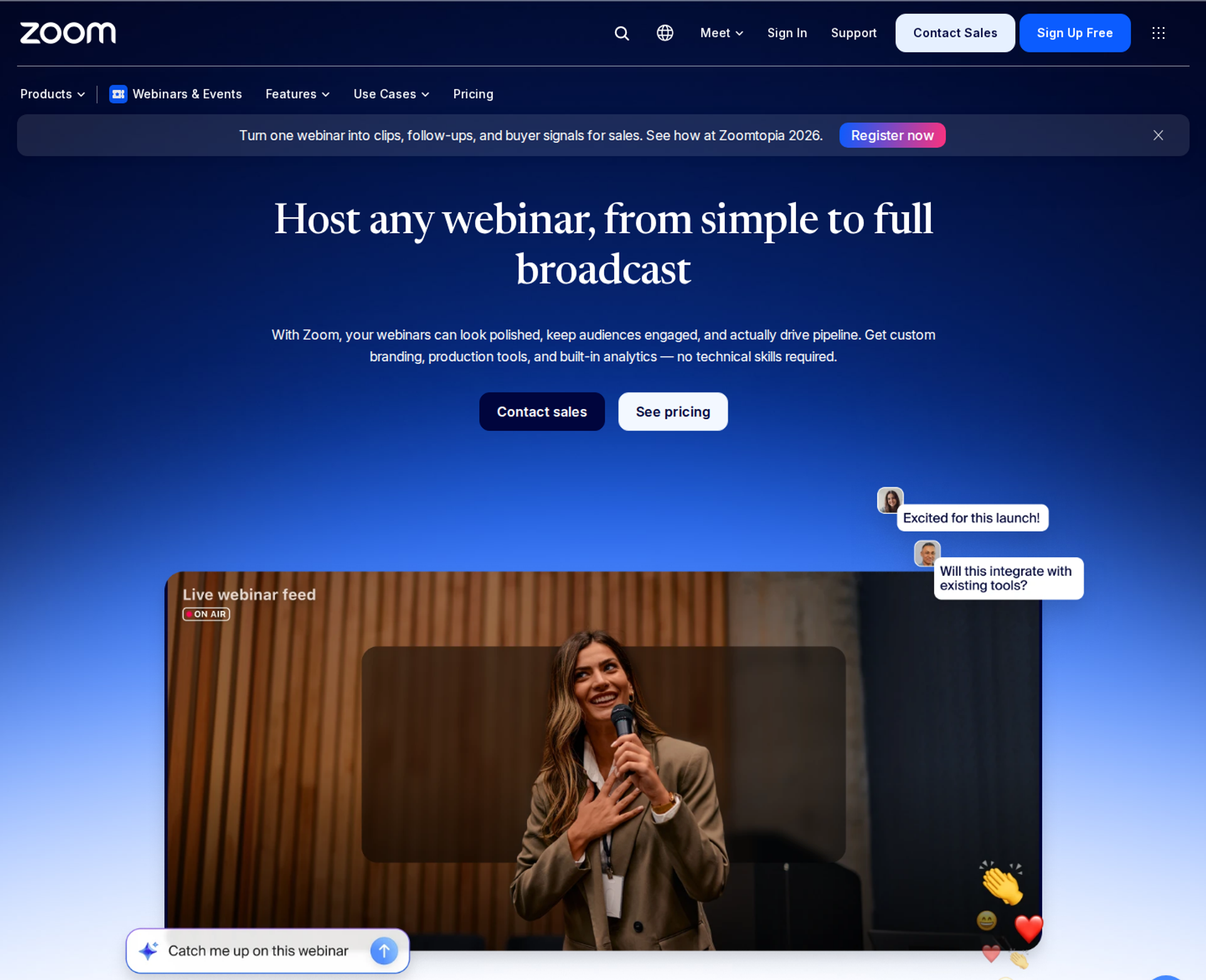
Zoom Webinars is best for teams already standardized on Zoom that need large, stable broadcasts their audience already knows how to join. It offers one-click join links, sessions of up to 30 hours, and capacity up to 100,000 attendees. It may not fit buyers who need evergreen scheduling, in-room selling, or a built-in CRM behind the webinar.
| Quick fit | - |
|---|---|
| Best for | Marketing, training, and internal communications teams that already run on Zoom |
| Skip if | Your webinar is a sales funnel that must run automatically and close buyers without a presenter |
| Strongest edge | Attendee familiarity plus scale: no Zoom account needed to join, and up to 100,000 attendees per session |
| Biggest trade-off | Simulive (a pre-recorded session played on a schedule) starts at Webinars Plus, and there is no evergreen funnel engine |
| Pricing snapshot | Webinars $89/mo billed monthly or $66.67/mo billed annually. Webinars Plus $99/mo or $82.50/mo. Events $149/mo or $124.17/mo. All subscriptions are priced by attendee capacity . |
⭐ Why Zoom Webinars ranks #3
Zoom Webinars scores 64/100. It earns strong marks on reliability, scale, and integrations. Zoom's own pricing page lists native connections to HubSpot, Marketo, Pardot, Salesforce, and Eloqua, plus SOC 2 Type 2 and GDPR on every webinar tier. Those facts matter to the IT director and RevOps lead on a buying committee.
It loses points on format coverage, funnel pages, and monetization. The standard Webinars plan lists landing pages and reminder emails as "Basic," and simulive sits on higher tiers. EasyWebinar's read is simple: Zoom runs the meeting well, while EasyWebinar runs the webinar that has to sell. The ranking reflects that gap, not a weakness in Zoom's video.
✅ What Zoom Webinars does well
- Low-friction join: attendees use one-click join links and do not need a Zoom account, which removes a common show-up barrier.
- Scale and duration: sessions run up to 30 hours with up to 100,000 attendees, which suits all-hands broadcasts and large launches.
- Enterprise CRM connections: native HubSpot, Marketo, Pardot, Salesforce, and Eloqua integrations move registration data into systems teams already use.
- Security posture: SOC 2 Type 2, GDPR, and SSO via SAML 2.0 appear on the standard webinar tier, which shortens IT review.
- Production upgrades on higher tiers: Webinars Plus adds backstage, simulive, and richer analytics for teams that outgrow the basics.
❌ Where Zoom Webinars falls short
- No evergreen funnel engine: there is no just-in-time scheduling (sessions that start minutes after someone registers), so a proven pitch cannot run around the clock.
- Basic funnel pages: event landing pages and reminder emails are rated "Basic" on the standard plan.
- Selling stays outside the room: standard Webinars lists PayPal for paid registration, but no in-room offer checkout or built-in CRM for follow-up.
- Limited brand control: reviewers report few options for customizing the look and feel of webinars.
⭐ Decision scorecard
| Evaluation criterion | Zoom Webinars fit | Why it matters |
|---|---|---|
| Live webinars | Strong | Familiar interface and high capacity protect attendance at scale. |
| Simulated live or automated webinars | Partial | Simulive requires Webinars Plus or higher. |
| Evergreen automation | Weak | No just-in-time or recurring evergreen funnel scheduling. |
| Funnel pages | Partial | Landing pages and reminder emails are basic on the standard plan. |
| Engagement | Strong | Chat, Q&A, polls, quizzes, and reactions are included. |
| CRM and follow-up | Partial | Strong CRM sync, but behavior-based follow-up lives in other tools. |
| Monetization | Weak | Paid registration only; no in-room offer checkout. |
| Analytics | Partial | Standard reports export as CSV; dashboards need higher tiers. |
| Integrations | Strong | Enterprise marketing automation platforms connect natively. |
| Pricing fit | Partial | Capacity-based tiers suit broadcasts more than daily funnels. |
| Best-fit buyer | Strong | Teams already standardized on Zoom for meetings and broadcasts. |
⏰ Best for / skip if
Choose Zoom Webinars if your team already lives in Zoom and needs dependable broadcasts, training sessions, or town halls. Skip it if your webinar must sell, follow up, and run on a schedule without you. In that case, EasyWebinar is the step up from Zoom: a session proven live can run daily, with checkout in the room.
⭐ Reviews
"We never had any issues with the video quality or the existing functionality, however we missed customization options." - Gabor F., Zoom G2 - Verified Review
"Customization of landing pages, reminders, and calendar invites is almost nonexistent." - Casey S., Zoom G2 - Verified Review
1.4 Riverside
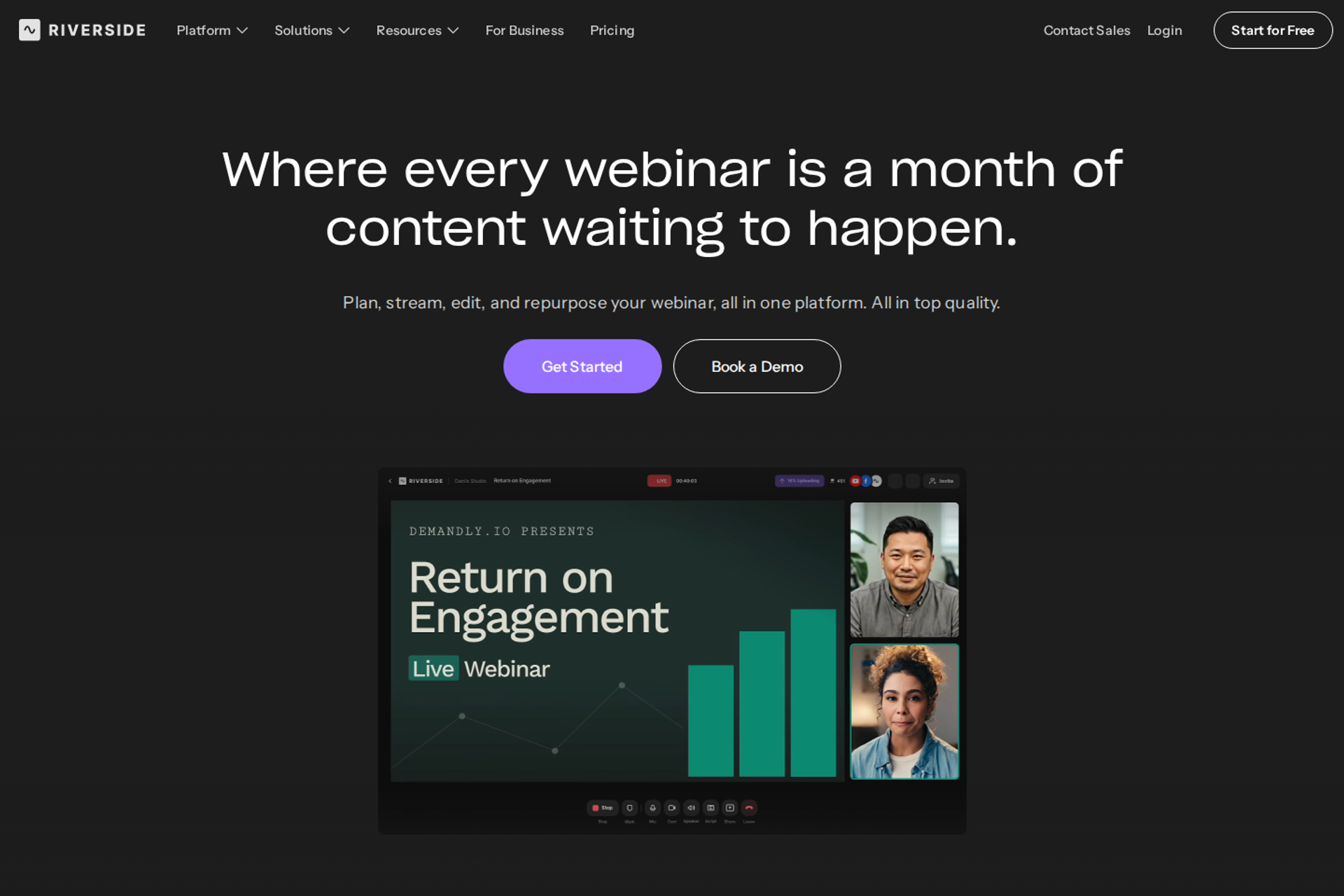
Riverside is best for teams that treat a webinar as content to record, edit, and repurpose. It records each speaker locally in up to 4K, so the file survives internet dips, then turns sessions into clips with AI. It may not fit buyers who need large audiences on a self-serve plan, or in-room selling.
| Quick fit | - |
|---|---|
| Best for | Content-led marketers and podcasters who repurpose webinars into clips, episodes, and social posts |
| Skip if | You need more than 100 registrants without a sales call, or checkout inside the session |
| Strongest edge | Local multi-track recording (separate audio and video files per speaker) in up to 4K with 48kHz audio |
| Biggest trade-off | The Webinar plan caps at 100 registrants; up to 10,000 registrants requires custom Business pricing |
| Pricing snapshot | Free plan. Pro $29/mo or $24/mo billed yearly. Grow $39/mo or $34/mo billed yearly. Webinar $99/mo or $79/mo billed yearly. Business quote-based . |
⭐ Why Riverside ranks #4
Riverside scores 52/100. It wins on recording quality and repurposing, which no other entry here matches. Its Webinar plan adds registration, Q&A, polls, live call-ins, recurring webinars, and the option to pre-record and stream a session as live. That makes it a credible host for small, content-first webinars.
It ranks below Zoom because of audience size and funnel depth. Riverside's own pricing FAQ says Business becomes necessary above 100 webinar registrants, and Salesforce and Marketo integrations also sit on Business. EasyWebinar measures webinars on what happens after the live hour. Riverside measures them on the content they produce.
✅ What Riverside does well
- Studio-quality capture: local multi-track recording in up to 4K keeps a usable file even when a speaker's connection drops.
- Repurposing at speed: Magic Clips and AI editing tools turn one webinar into short clips and show notes without a separate editor.
- Multistreaming: Grow and above stream in 1080p to YouTube, Facebook, LinkedIn, X, Twitch, Instagram, and TikTok, which widens reach.
- Webinar basics on one plan: branded registration forms, email reminders, polls, Q&A, and analytics sit on the Webinar plan.
- HubSpot sync: the Webinar plan syncs registrant leads to HubSpot, so marketing teams can track webinar-sourced contacts.
❌ Where Riverside falls short
- Low self-serve audience cap: 100 registrants on the Webinar plan forces a sales conversation for any meaningful launch.
- No selling in the room: there is no published in-session checkout or paid webinar ticketing on self-serve plans.
- No evergreen funnel engine: sessions can be pre-recorded and streamed as live, but there is no just-in-time scheduling.
- Enterprise features gated: SSO, SOC2 and ISO27001 compliance, Salesforce, and API access require Business.
| Evaluation criterion | Riverside fit | Why it matters |
|---|---|---|
| Live webinars | Partial | Strong production quality, but capped at 100 registrants self-serve. |
| Simulated live or automated webinars | Partial | Pre-recorded sessions can stream as live on a schedule. |
| Evergreen automation | Weak | No just-in-time or evergreen funnel scheduling. |
| Funnel pages | Partial | Branded registration forms, but no full funnel page builder. |
| Engagement | Strong | Q&A, polls, reactions, and live call-ins are included. |
| CRM and follow-up | Partial | HubSpot lead sync on Webinar; other CRMs need Business. |
| Monetization | Weak | No published in-room checkout. |
| Analytics | Partial | Webinar analytics are included; revenue attribution is not. |
| Integrations | Partial | HubSpot self-serve; Salesforce and Marketo on Business. |
| Pricing fit | Strong | Low entry pricing for small, content-first webinars. |
| Best-fit buyer | Partial | Content teams first, revenue webinar teams second. |
Choose Riverside if every webinar doubles as a podcast episode or a library of clips. Skip it if the webinar itself must sell. In that case, pair Riverside recordings with a conversion platform such as EasyWebinar, which runs the funnel, checkout, and follow-up.
1.5 Circle
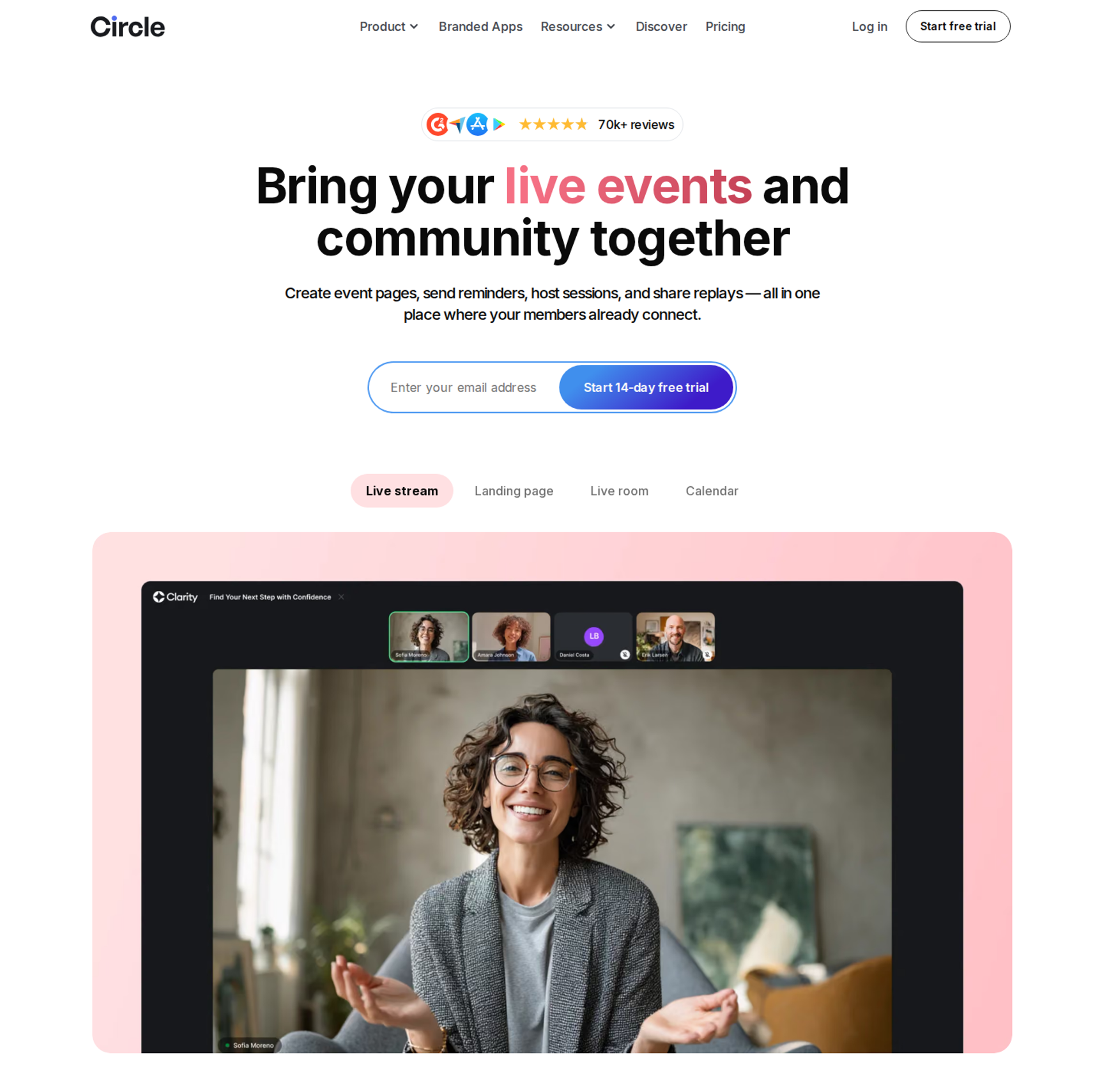
Circle is best for creators running a paid community where live sessions are one part of membership. It combines discussion spaces, courses, events, live streams, and payments under one brand. It may not fit buyers who need a webinar funnel that registers cold traffic and converts it into buyers.
| Quick fit | - |
|---|---|
| Best for | Coaches and creators hosting membership communities with recurring live calls |
| Skip if | You need public registration funnels for cold ad traffic, or automated sales webinars |
| Strongest edge | Community, courses, events, and live streams in one branded space |
| Biggest trade-off | Live attendee capacity and streaming hours are metered, with paid add-ons beyond plan limits |
| Pricing snapshot | Professional $89/mo and Business $199/mo, both billed yearly. Circle Plus is custom. Transaction fees run 2%, 1%, and 0.5% by plan . |
⭐ Why Circle ranks #5
Circle scores 44/100. It does the community job well, and that job includes live events and streams. Reviews of Circle's July 2026 pricing note live attendee capacity at $20/mo per 100 extra seats and streaming hours at $50/mo per 10 extra hours. Those add-ons matter if live sessions are frequent.
Circle is a community platform first, so webinar funnel criteria pull its score down. EasyWebinar's position here is partnership, not replacement. Host the community where it lives, then sell the membership with a webinar.
✅ What Circle does well
- One home for members: discussions, courses, events, and live streams sit under one brand, which keeps members engaged between sessions.
- Native live rooms and streams: hosts run small live rooms or broadcast streams to the whole community without a separate tool.
- Built-in payments: paid memberships and course sales run inside Circle, which simplifies billing for recurring programs.
- Event calendar and RSVPs: members see upcoming sessions in one calendar, which supports attendance habits.
- Automation on Business: workflows trigger emails, tags, and actions from member behavior on the Business plan.
❌ Where Circle falls short
- Metered live capacity: extra attendees and streaming hours cost more, so heavy live programs need careful budgeting.
- Account friction for outsiders: community-expert reviews note that public event RSVPs require external users to create an account, which adds a step for cold leads.
- Not a webinar funnel: there is no evergreen scheduling, timed in-room offers, or cold-traffic registration funnel.
- Gated extras: API access and workflows start at Business, and custom profile fields are an add-on on Professional.
| Evaluation criterion | Circle fit | Why it matters |
|---|---|---|
| Live webinars | Partial | Live events and streams work best for existing members. |
| Simulated live or automated webinars | Weak | No scheduled replay or simulive engine. |
| Evergreen automation | Weak | No evergreen webinar scheduling. |
| Funnel pages | Weak | Community pages, not cold-traffic registration funnels. |
| Engagement | Strong | Members interact before, during, and after sessions. |
| CRM and follow-up | Partial | Workflows on Business; no webinar behavior follow-up. |
| Monetization | Strong | Paid memberships and courses are native. |
| Analytics | Partial | Community analytics, not webinar revenue attribution. |
| Integrations | Partial | Zapier and APIs from Business upward. |
| Pricing fit | Partial | Transaction fees and live add-ons raise total cost. |
| Best-fit buyer | Partial | Strong for communities; weak as a Demio replacement for funnels. |
Choose Circle if your live sessions serve paying members inside a community. Skip it if you need a public webinar that turns registrants into buyers. For that job, teams pair Circle with EasyWebinar, which runs the sales webinar in front of the membership.
1.6 meetn
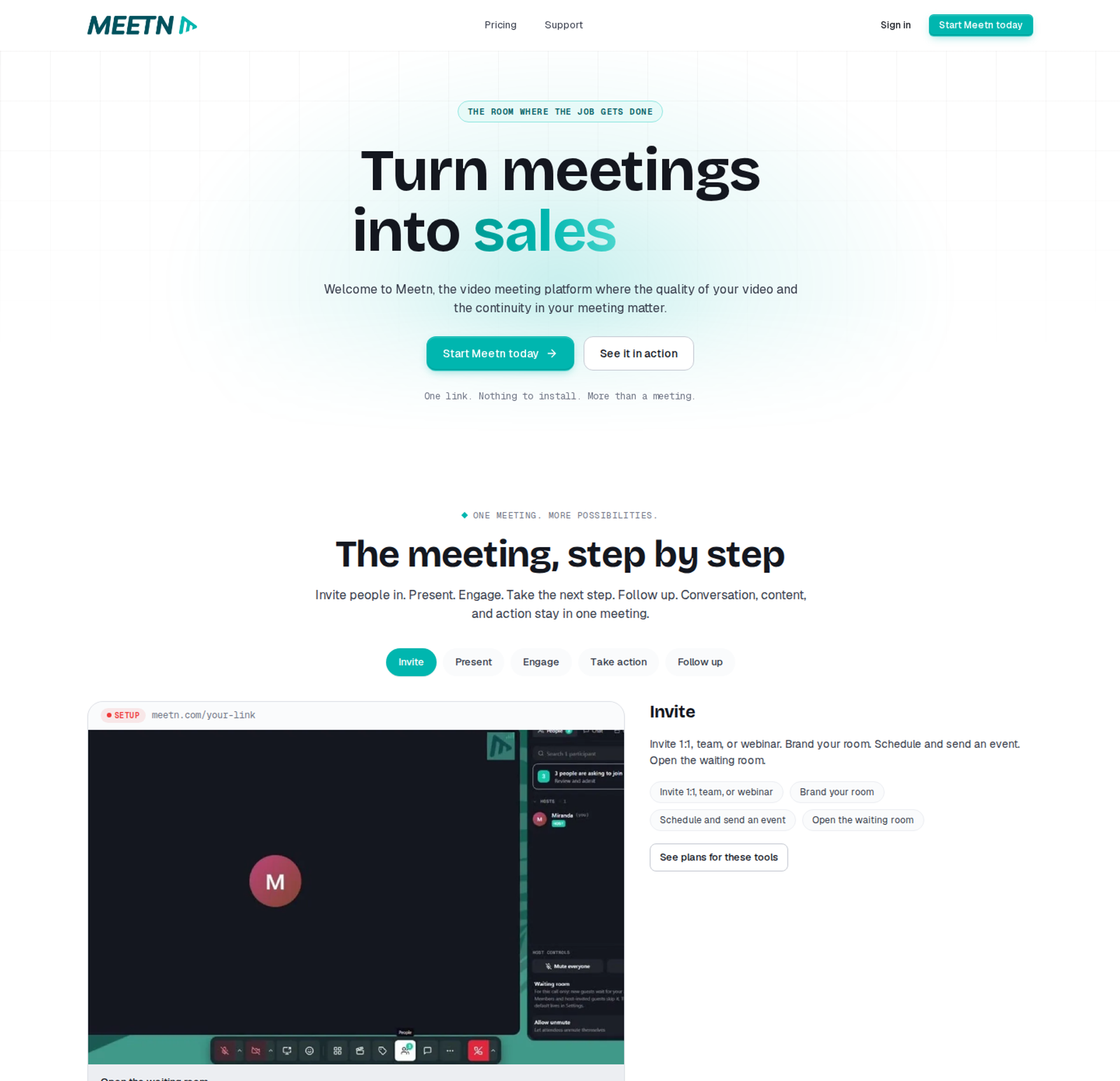
meetn is best for budget-first sales teams and solo hosts running simple sales meetings and small webinars. It offers sales-focused meeting tools and an admin stealth mode, so a host can enter a room unnoticed. It may not fit buyers who need automated webinars, funnel pages, or detailed analytics.
| Quick fit | - |
|---|---|
| Best for | Solo consultants and small sales teams who mostly run live meetings with occasional webinars |
| Skip if | You need evergreen webinars, funnel pages, or in-room checkout |
| Strongest edge | Low monthly entry price with sales tools, one-click video playback, and slide sharing |
| Biggest trade-off | Limited room styling and a basic waiting room, per operator reviews |
| Pricing snapshot | Pro $9.95/mo with 10 GB of recording storage. Ultimate $49.95/mo with 100 GB of storage, webinar settings, and up to 1,000 attendees. Both start with a 14-day free trial . |
⭐ Why meetn ranks #6
meetn scores 38/100. It earns points on price and on practical sales tools such as one-click media playback and a call-now button. It loses points across format coverage, funnel pages, analytics, and monetization, which carry most of this guide's weight.
The operator brief behind this guide also cites one-time lifetime tiers for meetn. Those tiers do not appear on meetn's public plan listing, so this guide prices meetn on its monthly plans only. EasyWebinar's view is that cost per attendee matters less than cost per buyer, and meetn is built for meetings first.
✅ What meetn does well
- Low entry cost: Pro at $9.95/mo covers basic meetings, which suits occasional hosts watching every dollar.
- Admin stealth mode: hosts can join a room without alerting attendees, which helps managers coach sales calls quietly.
- Sales tools on Ultimate: a call-now button and sales features support one-to-one closing after a presentation.
- One-click playback: video, audio, and slide playback run with one click, which keeps presentations moving.
- Capacity for small launches: Ultimate supports up to 1,000 attendees, which covers most coach and consultant webinars.
❌ Where meetn falls short
- No published evergreen engine: public plan details list no automated or just-in-time webinar scheduling.
- Basic room design: operator reviews cite limited UI styling and a basic waiting room.
- Thin funnel layer: there are no published registration funnels, offer checkout, or behavior-based follow-up.
| Evaluation criterion | meetn fit | Why it matters |
|---|---|---|
| Live webinars | Partial | Webinar settings and 1,000 attendees on Ultimate. |
| Simulated live or automated webinars | Weak | No published automated webinar scheduling. |
| Evergreen automation | Weak | No evergreen engine on public plans. |
| Funnel pages | Weak | No published funnel page builder. |
| Engagement | Partial | Playback and sharing tools; engagement depth unverified. |
| CRM and follow-up | Weak | No published CRM or behavior-based follow-up. |
| Monetization | Weak | No published in-room checkout. |
| Analytics | — | Reporting depth is not documented on public plan pages. |
| Integrations | — | Integration list is not documented on public plan pages. |
| Pricing fit | Strong | Lowest monthly entry price in this guide. |
| Best-fit buyer | Partial | Meeting-first sales teams, not funnel-first webinar programs. |
Choose meetn if your budget is tight and most sessions are live sales meetings. Skip it if you are replacing Demio to run automated, revenue-tracked webinars.
💰 How the six stack up for a Demio switch
EasyWebinar is the only platform in this list that runs live, simulive, evergreen, and just-in-time sessions on one subscription. Checkout, EasyCRM, and behavior-based follow-up start at Growth. WebinarJam splits live and automated across two products. Zoom, Riverside, Circle, and meetn each win a narrower job. For teams whose webinars must keep selling after the live hour, that architecture decides the shortlist.
Q2. How Did We Select and Score These Demio Alternatives?
EasyWebinar scored each platform out of 100 across five weighted criteria. Format coverage and conversion depth carry 25% each. CRM and data flow carries 20%. Attendee experience and reliability, plus peer reviews and pricing clarity, carry 15% each. Scores map to star bands: 0 to 20 earns one star, 21 to 40 earns two, and 81 to 100 earns five. Results: EasyWebinar 92, WebinarJam + EverWebinar 68, Zoom Webinars 64, Riverside 52, Circle 44, and meetn 38.
⚠️ Why the weights look like this
Picture a marketing manager with three vendor demos booked and one question from her CFO: which of these will pay for itself? A feature checklist cannot answer that. So EasyWebinar weighted the criteria toward what happens after the live hour: whether a session can run again, sell inside the room, and hand leads to sales.
Design carries no weight on purpose. Jason Fladlien has said his team's registration page was ugly at the start of a $57.9 million launch, and it still worked. Presentation and follow-up matter more than page polish.
✅ The five weighted criteria
| Criterion | Weight | What earns points |
|---|---|---|
| Live and automated format coverage | 25% | Live, simulive (a recording played on a schedule), evergreen, just-in-time, and on-demand sessions |
| Conversion and monetization depth | 25% | Timed offers, in-room checkout, paid webinars, and funnel pages |
| CRM and data flow | 20% | Native CRM or native sync, lead scoring, and follow-up without middleware such as Zapier |
| Attendee experience and reliability | 15% | Browser join, streaming stability, published uptime terms, and capacity |
| Peer reviews and pricing clarity | 15% | G2 ratings checked on publish day, plus published, self-serve pricing |
These five groups roll up the eight evaluation criteria listed in Q1. Each vendor's pricing was taken from its own pricing page on October 15, 2026.
💰 How each platform scored
| Platform | Formats (25) | Conversion (25) | CRM (20) | Experience (15) | Reviews and pricing (15) | Total | Stars |
|---|---|---|---|---|---|---|---|
| EasyWebinar | 24 | 24 | 18 | 13 | 13 | 92 | ⭐⭐⭐⭐⭐ |
| WebinarJam + EverWebinar | 20 | 16 | 10 | 11 | 11 | 68 | ⭐⭐⭐⭐ |
| Zoom Webinars | 12 | 8 | 16 | 15 | 13 | 64 | ⭐⭐⭐⭐ |
| Riverside | 10 | 6 | 12 | 13 | 11 | 52 | ⭐⭐⭐ |
| Circle | 6 | 12 | 10 | 8 | 8 | 44 | ⭐⭐⭐ |
| meetn | 6 | 6 | 6 | 9 | 11 | 38 | ⭐⭐ |
Zoom earns the top experience score for scale, familiarity, and published security posture. EasyWebinar loses points on CRM and pricing because native HubSpot and Salesforce Pardot sync starts at Pro, and automation starts at Growth.
⭐ What the review data adds
G2 lists EasyWebinar at 4.4 out of 5 across 94 reviews. On the same site, EverWebinar sits at 3.9 across 21 reviews, and Zoom Events and Webinars at 4.5 across 394. Small review counts move quickly, so EasyWebinar capped their weight at 15%.
A fair disclosure belongs here. EasyWebinar wrote this guide, and I built the platform. The weights favor revenue workflows, because that is the job this article's readers are hiring a Demio replacement to do. If your job is broadcast reach or community, Zoom or Circle will score differently for you.
✅ How EasyWebinar applies the same test
EasyWebinar scores highest on formats and conversion because live sessions, automated sessions, and in-room checkout share one platform and one subscription. A session proven live becomes a just-in-time session, which starts minutes after someone registers, in their own time zone. The trade-off is plan placement: automation, checkout, and EasyCRM start at Growth, not the entry plan.
Q3. Why Do Teams Outgrow Demio?
Teams rarely leave Demio over the live room itself. Demio runs browser-based webinars with polls, handouts, and email reminders. Its own case study reports TeamGantt lifting attendance 15% after switching to it. Teams leave when the room is asked to run a funnel. G2 reviewers report sessions they could not rejoin, replays missing the live polls and CTAs, and registrant data that could not be exported after cancelling.
⚠️ The moment the room stops being enough
A coach finishes her third Demio session of the month and opens the replay for no-shows. The poll and the offer button that drove live sales are missing. By month three, every replay converts below the live session.
Demio deserves credit. Reviewers describe a clean interface, easy registration pages, and well-timed resource pop-ups. The problem is what the room hands off afterward.
❌ What the old setup cost
The standard fix is to stitch tools around the room: Zapier for CRM data, a separate page builder, and a separate checkout. Each link adds a place where data can stall. One reviewer had to build "several zaps" to move form data into HubSpot and Demio accurately. Another found her registrant list locked after cancelling, unless she subscribed again.
Reliability failures cost the most, because they land during the pitch. EasyWebinar's view, from years of launches, is that no follow-up email recovers a room lost mid-offer.
"I then tried to leave and rejoin, only to find I had ended the session, cut everyone off and ended the session which I could not rejoin." - Verified User, Computer Software, Demio G2 - Verified Review
"It didn't fuly integrated with my CRM (Highlevel) and the replay didn't show the live polls and CTAs." - Ivanhoe S., Demio G2 - Verified Review
⏰ What changed in how webinars are judged
Webinars are now judged on what they produce after the live hour, not on how the room looks. Buyers expect a session to keep selling, educating, and feeding the CRM. That turns reliability from a technical spec into a revenue line.
EasyWebinar's read is that reliability and data ownership belong in the same conversation as conversion. Show-up rate, replay engagement, and follow-up all depend on the platform holding together when it counts.
✅ How EasyWebinar answers it
EasyWebinar carries a 99.9% uptime guarantee and auto-records every session. A webinar never stops at the plan limit; attendees beyond it are billed as overage under EasyWebinar's terms. Recordings live in EasyWebinar's in-house video storage, so an outside storage change cannot break a replay.
The data side stays in one place too. EasyWebinar captures attendee-level attendance, watch time, questions, poll answers, offer clicks, and purchases, and exports them as CSV. Teams keep their CRM or use EasyCRM, built in from Growth.
⭐ What reviewers say about the switch
"The app is user-friendly and reliable, making it easy for us to host webinars and automate our processes." - Jo K., Founder, EasyWebinar G2 - Verified Review
EasyWebinar is built for webinars that keep working after the live hour. A 99.9% uptime guarantee, automatic recording, no hard attendee cutoff, and attendee data in your CRM or EasyCRM address the reasons teams outgrow a live-first room. Demio still suits occasional live marketing webinars.
Q4. Live or Automated: Which Format Should Your Demio Alternative Run?
Experienced operators disagree on this. Ad agency owner Jeremy Haynes reports live webinars outperforming automated ones on cold paid traffic. Yuri Elkaim reports reaching seven figures in seven weeks with a 24/7 evergreen webinar. The working answer is sequence: run the webinar live until roughly 10% of attendees buy, then automate that exact session. EasyWebinar runs both stages on one login, from its Growth plan upward.
⚠️ The argument every operator has had
A course creator finishes her fourth live session of the week at 9 p.m. Her offer converts, but she cannot keep presenting it four times a week. Haynes says stay live, because automated sessions underperform on cold ads. Elkaim says automate, because weekly live sessions burn time and show-up rates.
Both are right about different stages. Live sessions find the offer that works. Automated sessions scale it.
❌ The old way: present forever, or rebuild in a second tool
Most teams pick one side. Live-only teams repeat the same pitch for months and hit a ceiling set by their calendar. I learned that before EasyWebinar existed: live webinars sell, but a child can throw ketchup at you mid-pitch.
Automation-first teams make the opposite mistake. They automate a webinar nobody has proven, which automates the failure. Teams in split ecosystems hit a third cost: rebuilding the winning session in a second product before it can run on a schedule.
⏰ What changed: the Webinar Sprint
EasyWebinar's answer to the debate is a sequence I call the Webinar Sprint. Run 5 to 10 live sessions. Tighten the offer and answer objections live. Once roughly 10% of attendees buy, record the winning session and automate it.
The shift is that the live session is now the test, not the product. The automated session is the product, and it must keep the offer intact.
✅ How EasyWebinar runs both halves
EasyWebinar converts the proven live session into an automated webinar on the same platform and subscription. Formats include:
- Just-in-time: the session starts minutes after someone registers, in their own time zone.
- Simulive: the recording plays on a fixed schedule with chat running.
- Evergreen and recurring: "Next Available" and "Wait For It" dates create real scheduling scarcity.
- On-demand and instant replay: viewers watch immediately after registering.
EasyWebinar never presents an automated session as live. Automation, checkout, and EasyCRM start at Growth; the Launch plan runs live webinars only.
💰 Proof from operators who made the switch
EasyWebinar customer Carla Beisinger generated $5 million from one evergreen funnel. Rick Mulready reported 166% ROI on cold paid traffic, with a 30% registration rate at an $8 to $12 cost per lead.
"With my live class I used to sell 10-12 courses. With EasyWebinar I sold 25 courses within 3 weeks of my evergreen 'launch'." - Laura C., Founder, EasyWebinar G2 - Verified Review
"The biggest challenge is around setting up automated webinars, and needing the presentation uploaded first in order to set it up." - Ash A., EasyWebinar G2 - Verified Review
EasyWebinar is built for the live-to-automated sequence: prove the session live, then run that exact recording daily in each attendee's time zone. Live and automated share one login and one subscription, so the winning version is never rebuilt. For coaches replacing Demio, the format decision gets made once.
Q5. What Happens to Your Leads Between the Webinar and Your CRM?
Webinar leads travel from the registration form to the CRM either through a native integration or through middleware such as Zapier. Each middleware step is a possible failure point. Demio's pricing page lists its HubSpot, Salesforce, Marketo, and Pardot integrations as Premium-plan features. EasyWebinar includes EasyCRM, with lead scoring and an auto-dialer, from its Growth plan, and native HubSpot and Salesforce Pardot sync from Pro.
⚠️ Four hours before showtime
Jeremy Haynes tells this one on his own channel. His sales team was dialing registrants to lift show-up rates when someone spotted a gap of a couple hundred opt-ins between the webinar list and the CRM. The Zapier plan had hit its cap. They caught it four hours before the webinar, and the fix was a billing upgrade.
That is the quiet risk in a stitched stack. Nothing looks broken until sales calls the wrong list.
❌ The old way: one zap per handoff
Most live-first rooms hand data off through a chain. Registration goes to the email tool, attendance goes to the CRM, and offer clicks go nowhere at all. Each link needs its own zap and field mapping.
Demio users describe the cost plainly.
"We use a third party capture form and had to do several zaps to get all data to flow accurately from our form to Hubspot to Demio." - Verified User, Education Management, Demio G2 - Verified Review
"I have usually hard time with all zapier connnections." - Saana K., Demio G2 - Verified Review
⏰ What changed: the follow-up window got shorter
A webinar lead is warmest right after the session. If attendance and offer clicks reach sales a day late, the moment has passed. So the job is no longer "sync contacts eventually." It is "route the right lead to the right rep while the session is still fresh."
EasyWebinar's read is that the CRM decision belongs inside the webinar decision, not after it. A platform that captures behavior but cannot hand it off cleanly only does half the job.
✅ How EasyWebinar handles the handoff
EasyWebinar supports two paths, so teams do not pay twice or migrate a CRM they like:
- Keep your CRM: native HubSpot and Salesforce Pardot (Account Engagement) sync from Pro, a native GoHighLevel integration, and Growth's 13 CRM and email integrations, including ActiveCampaign, Kit (formerly ConvertKit), and Zapier.
- Use ours: EasyCRM scores leads as Hot, Warm, or Nurture, records calls, and auto-dials attendees, including people who left early.
Attendance, watch time, poll answers, offer clicks, and purchases feed whichever path you choose. Zapier stays available as an option, not a requirement.
⭐ Proof from operators
EasyWebinar built EasyCRM because I kept watching coaches lose deals between "attended" and "called." Reviewers describe both sides of the trade-off.
"It also seamlessly integrated with our CRM." - Darrin B., EasyWebinar G2 - Verified Review
"Intergration is somewhat limited, but if you are comfortable with Zapier you can easily update that." - Verified User, Professional Training and Coaching, EasyWebinar G2 - Verified Review
EasyWebinar keeps your CRM or gives you one. Native HubSpot and Salesforce Pardot sync, or EasyCRM with lead scoring and an auto-dialer, carries attendee behavior to sales the same day. Zapier handles edge cases, not your launch.
Q6. What Do Demio and Its Alternatives Really Cost at 100, 500 and 1,000 Attendees?
Demio prices by attendee room and host. Its pricing page lists Starter at $45 per month billed yearly for a 50-attendee room, and Premium at $196 per host per month billed yearly. Growth shows no price until a room size is selected. EasyWebinar uses flat monthly plans with no per-attendee fees: Growth costs $116 per month for 200 live attendees, Pro $198 for 500, and Scale $349 for 1,000.
⚠️ Why Demio quotes disagree
A marketing manager searches "Demio pricing" and finds six different Starter prices. That happens because Growth and Premium change with room size and host count, and the room selector hides the number. Third-party trackers have reported Growth from $99 to $799 per month, depending on room size.
Room-based pricing is not wrong. The issue is that the cost of a bigger launch is hard to see before you buy.
💰 Cost at the same attendee counts
All prices below come from each vendor's pricing page on October 15, 2026, billed monthly unless noted.
| Platform | 100 attendees | 500 attendees | 1,000 attendees | Pricing model |
|---|---|---|---|---|
| EasyWebinar | $116 (Growth, 200 live) | $198 (Pro) | $349 (Scale) | Flat monthly; no per-attendee fees |
| Demio | Premium from $196 per host, yearly; Growth not published | Room selector only | Room selector only | Room size and per host |
| WebinarJam | $49 (Starter, no EverWebinar) | $99 (Basic) | $299 (Professional, 2,000 cap) | Tiered by attendee cap |
| Zoom Webinars | From $89 | Priced by capacity | Priced by capacity | Capacity-based subscription |
| Riverside | $99 (Webinar plan, 100 registrants) | Business, custom | Business, custom | Tiered; custom above 100 |
Circle and meetn are left out because neither prices by webinar capacity.
💸 The stack cost nobody puts on the plan card
A room price is only one line. Teams replacing Demio usually pay for pages, email, CRM, and checkout separately.
| Job | EasyWebinar (Growth) | Typical live-first setup |
|---|---|---|
| Registration and replay pages | Included | Included or a page builder |
| Automated and evergreen sessions | Included | Higher tier or second product |
| Email and SMS follow-up | Included, SMS via Twilio | Separate email tool |
| CRM | EasyCRM included | Separate CRM |
| In-room checkout | Included | Separate cart and redirect |
EasyWebinar's own pricing page estimates that an eight-tool webinar stack runs $495 to $1,550 per month. Treat that as a vendor estimate. Price your actual tools line by line before deciding.
⭐ What buyers say about price
"The pricing model makes it difficult for smaller organizations to adopt it and pay up as they increase their usage." - Verified User, Construction, Demio G2 - Verified Review
"It seems such a reasonable price for all the features you receive." - Pat G., EasyWebinar G2 - Verified Review
EasyWebinar also carries real trade-offs. There is no free plan, the 7-day trial needs a card, and automation starts at Growth rather than the $44 Launch plan.
✅ How EasyWebinar prices the same job
EasyWebinar charges a flat monthly price per plan, with annual billing giving two months free. A webinar never stops at the plan limit; extra attendees are billed as overage under its terms. Pages, email, EasyCRM, and checkout sit on one bill from Growth, so the cost of a bigger launch is visible before it happens.
Q7. Which Demio Alternative Fits Your Workflow, and How Do You Switch Safely?
The right Demio alternative depends on what the webinar must do after the live hour. EasyWebinar fits courses and programs sold through automated sessions. WebinarJam fits one-off live launches, Zoom Webinars fits teams already on Zoom, Riverside fits studio recording, Circle fits paid communities, and meetn fits the lowest monthly budget. To switch safely, export registrants and recordings before the billing period ends, map CRM fields, and run one live test.
⚠️ The question to ask first
A coach sits with her Demio dashboard and three pricing pages open, comparing feature counts. That is the wrong filter, because most features go unused.
The better filter is one sentence. Finish "After the live hour, my webinar needs to..." and the shortlist usually sorts itself.
✅ Choose by motion, not by feature list
| If your webinar needs to... | Shortlist | Why |
|---|---|---|
| Sell a course or program on autopilot | EasyWebinar | Live and automated sessions, checkout, and EasyCRM on one subscription |
| Run a large one-off live launch | WebinarJam + EverWebinar | Live scarcity tools; automation in a bundled second product |
| Broadcast to a team already on Zoom | Zoom Webinars | Familiar join flow and enterprise integrations |
| Produce studio-quality content | Riverside | Local multi-track recording and clip tools |
| Serve members inside a community | Circle, paired with a sales webinar | Community, courses, and events in one place |
| Run meetings on the smallest budget | meetn | Lowest monthly entry price in this guide |
Community builder Bri Leever offers a useful warning here. Platforms that promise to be your community, CRM, email, and video all at once often do each job poorly. EasyWebinar's answer is "your CRM or ours," so teams keep the tools that already work.
⏰ The six-step switch
- Export everything before cancelling. Demio deactivates accounts at the end of the billing period. One reviewer lost access to registrant data after cancelling.
- Download recordings and replays. Your best session becomes the first automated webinar on the new platform.
- Map CRM fields. List every field your current zaps fill, then match each to a native sync or a remaining zap.
- Rebuild simple, not fancy. Jon Penberthy's team built a huge branching funnel that broke constantly, and a simple linear replay sequence outperformed it.
- Run one live session. Test join flow, polls, offers, and follow-up with a real audience.
- Automate the winner. Turn that tested session into a scheduled session once it converts.
"After canceling, I was shocked to find out I couldn't export the list unless I subscribed again." - Sheida M., Demio G2 - Verified Review
💰 How long the rebuild takes
EasyWebinar's AI Webinar Builder drafts the script, registration and thank-you pages, emails, poll questions, and a timed CTA from a short question flow. You still edit it. I'd treat the AI draft as a first pass, not a finished funnel.
"It didn't take long to get set-up. I'm going live with my first webinar in just a few hours and am so excited!" - Verified User, Photography, EasyWebinar G2 - Verified Review
EasyWebinar is built for this switch. Move your best Demio recording in, run it live once, then turn it into an automated webinar on the same login. Every plan starts with a 7-day full-access trial, so you can test the workflow before cancelling anything.
Frequently Asked Questions

Casey Zeman
Founder of EasyWebinar
About Author
Over the past decade, I've helped thousands of entrepreneurs, coaches, and consultants turn webinars into a predictable, powerful way to grow their audience, build trust, and scale, without the constant hustle. I created EasyWebinar because I couldn't find a system that combined authenticity, engagement, and automation the way I needed. So, I built one.
Related Posts

10 Best Community Engagement Platforms in 2026
Compare the 10 best community engagement platforms in 2026. Course creators, evaluate live hosting, analytics, and replay to pick your winner today.

10 Best Online Coaching Tools in 2026: Live Session Quality, Scheduling, Recording, and Client Engagement Analytics
Compare the 10 best online coaching tools of 2026 on session quality, scheduling, and analytics. Discover the right fit for your coaching revenue model.

10 Best Webinar Hosting Platforms Ranked by Uptime, Streaming Quality & Cost
Compare 10 webinar hosting platforms ranked by uptime, streaming quality, and cost. Discover which tool actually turns attendees into revenue.
Turn every webinar into a revenue stream
Launch your first paid event in just a few clicks - and start monetizing your expertise.
Book a Call