

$5M+
From her webinar funnel since 2022.
 Carla BiesingerOnline course creator
EasyCRMBuilt into EasyWebinar
EasyCRM is the CRM built into EasyWebinar. Every question, poll answer, offer click and purchase stays tied to the person, so each attendee gets the follow-up that fits what they did. Keep your own CRM, or use ours. No integrations to wire up.
7-day full access · Cancel anytime

 4.5/5 on G2 100+ reviews
Trusted by businesses around the world








THE PROBLEM
The webinar ended. The no-show, the one who asked three questions, the one who clicked your offer and your newest customer all got one generic thank-you.
Thanks for attending!
 No-showIgnored
 Asked 3 questionsQuestions unanswered
 Clicked your offerDidn’t buyNo nudge
 New customerPitched again
EasyCRM keeps every action tied to the person, so each one gets the follow-up that fits.
Start Free TrialHOW EASYCRM WORKS
Follow one attendee through a webinar. Each thing Maya does lands on her contact record, and her follow-up changes with it.
Bring in registrants or import your list. Tags, notes, owner, source and webinar activity stay together on the same record.
Maya ChenRegistered for “Launch your program”EasyCRM MayaIs this session for me?
An email address alone doesn’t tell sales who watched, who asked or who came back for the replay. EasyCRM keeps that context on the contact.
Maya ChenRegistered for “Launch your program”EasyCRMMayaCan I use this for my coaching program?
Segment the conversation by use case, urgency or buying stage, so the next message talks about her situation, not everyone’s.
Maya ChenRegistered for “Launch your program”EasyCRMMayaI’m launching next month.
Prioritize the buyer who stayed through the walkthrough and clicked the offer. Engagement and tags branch the workflow automatically.
Maya ChenRegistered for “Launch your program”EasyCRMMayaStill deciding on the program.
Maya gets a nudge, not a generic thank-you. When she buys, a purchase tag ends the sales sequence and starts onboarding.
Maya ChenRegistered for “Launch your program”EasyCRMMayaThat was exactly what I needed.
Maya ChenRegistered for “Launch your program”EasyCRMMayaIs this session for me?
Illustrative example. Maya and her activity are not real customer data.
THE RIGHT MESSAGE
EasyCRM triggers follow-up from six behaviours: registered, attended, no-show, watched replay, clicked offer and purchased. Each person gets the message that fits what they did.
 Attended
 Engaged
 Clicked offer
 Purchased
 JordanNo-show
EasyCRMSent automatically
Your replay is readyReplay link with a deadlineMayaAsked 3 questions
EasyCRMSent automatically
Answers to your questionsThe resources she asked about DanaClicked your offer
EasyCRMSent automatically
Still thinking it over?A reminder of the offer she explored SamNew customer
EasyCRMSent automatically
Welcome. Here’s how to start.Sales stops; onboarding startsBUILT IN
With separate tools, webinar signals travel through Zapier and field mappings before anyone can act. Some arrive late. Some never arrive. EasyCRM is part of EasyWebinar, so they’re already on the record.

Four tools, stitched together
 ZapierPoll answers dropped in mapping
 MailchimpOffer clicks arrive a day late
 HubSpotSales sees an email address
 Sales repDid she answer the poll?
One record, automatically
Maya ChenLaunch your program · liveHot
Next: “Still thinking it over?” sends tomorrow
Illustrative example with sample names.
EASYWEBINAR AI
Tell EasyWebinar AI how you want to follow up. It drafts the workflow in EasyCRM with triggers, conditions, waits and goals. Review it, customize it, then turn it on.

Your follow-up, in plain words
After my webinar, send the replay to no-shows, answers to people who asked questions, and a reminder to anyone who clicked the offer but didn’t buy. Stop when they purchase.
EasyWebinar AI drafted this workflow
EasyWebinar AI also builds the webinar: script, pages, offers and polls
CUSTOMER RESULTS
 Every attendee followed up, automatically
$5M+
From her webinar funnel since 2022.
Carla BiesingerOnline course creator$2M
From one automated webinar funnel.
 Ryan FennCEO of ChiirP
“It allows me to automate my entire sales sequence. I feel like it's a ‘set it and forget it.’”
THE PLATFORM
Manage contacts, campaigns and sales in EasyCRM, even when a lead hasn’t attended a webinar.
Import contacts or bring in registrants automatically. Build smart lists and keep tags, notes, owners and webinar history on one record.
Explore lead generation
Contacts & lists
Maya ChenWebinar · Asked 3 questions · Clicked offerHotJordan KimWebinar · No-show · Replay sentWarmDana OrtizImported list · Spring launchNurtureSam OrtizWebinar · PurchasedCustomerIllustrative previews with demo data and sample names.
YOUR CRM OR OURS
Already run HubSpot or Mailchimp? Keep it. EasyWebinar maps attendee behaviour (registered, attended, missed, watched the replay, clicked the offer) into your CRM’s tags, lists and custom fields. Or use EasyCRM and skip the integration.
WHO IT’S FOR

Sell more in every launch, including to people who missed it live.
EasyWebinar for course creators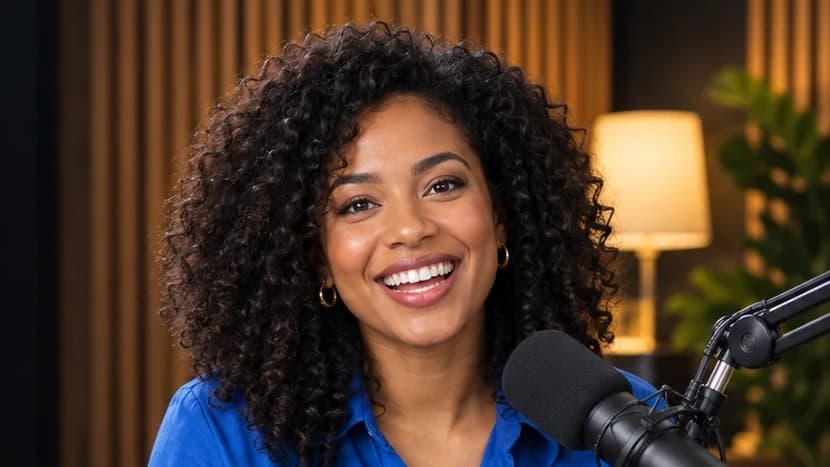
Turn webinar interest into booked calls.
EasyWebinar for coaches
Show which webinars create pipeline.
EasyWebinar for marketing teams
Route qualified leads to reps with context and SOC 2 Type II security.
EasyWebinar for sales teams
Run qualification and follow-up for every client from one account.
EasyWebinar for agencies
One connected system, keeping follow-up running 24/7.
Sell products and servicesWEBINAR FOLLOW-UP PLAYBOOK
A webinar creates six different kinds of contacts. Each one needs its own next message, and EasyCRM sends it automatically from what they did.
No-show
The replay with a deadline, so missing the live session isn’t the end of the conversation.
Attended
A thank-you with the resources you promised and the offer, while interest is high.
Attended + questions
Direct answers to what they asked. It shows you listened and moves them closer to a decision.
Clicked offer
A reminder of the offer they explored, with the next step: buy or book a call.
Watched replay
The same offer the live audience saw, with its deadline.
Purchased
Onboarding. The purchase stops the sales sequence so buyers aren’t pitched again.
Host with EasyWebinar. Put your engagement data to work with EasyCRM.
7-day full access · Cancel anytime