10 Best Webinar Hosting Platforms Ranked by Uptime, Streaming Quality & Cost

Casey Zeman
Published on Jul 27, 2026 • 47 min read

TL;DR
- We rank 10 webinar hosting platforms by the three metrics that decide revenue: uptime and reliability, streaming and audio quality, and true cost at scale.
- Reliability carries the heaviest weight, because a broken mobile button or dropped stream silently kills registration and show rates before you ever notice.
- Streaming quality is a revenue mechanic, not a vanity spec, since a laggy stream makes your poll or offer land after the moment has passed.
- The cheapest sticker price is a trap; real cost climbs with attendee count, extra seats, and every separate tool you still have to buy.
- Live converts hardest, so we run 5 to 10 live sessions to hit 10% attendee-to-buyer conversion before automating into evergreen or just-in-time.
- Meeting-first tools like Zoom, Teams, and Webex scale headcount but give thin analytics and no native offers, fragmenting the funnel at the moment of intent.
Q1. What Are the 10 Best Webinar Hosting Platforms for Uptime, Streaming Quality & Cost in 2026?
The 10 best webinar platforms in 2026, ranked on uptime, streaming quality, and cost, are: EasyWebinar, Zoom Webinars, GoTo Webinar, Demio, Livestorm, WebinarJam, EverWebinar, Contrast, Webex Webinars, and Microsoft Teams Webinars. EasyWebinar leads for operators who need broadcast-grade live streaming plus evergreen automation in one platform. Meeting-first tools like Zoom and Teams trade webinar depth for familiarity.
🎯 Why This Decision Is High-Stakes
Here is the thing most buyers get backwards. They pick the platform with the prettiest templates. Then the webinar day arrives, and the tech quietly breaks the revenue.
I have watched it happen too many times. A button on mobile fails silently. A CRM sync drops a couple hundred opt-ins. And you never see it because you are staring at the wrong metric.
This is the real anxiety behind a webinar platform choice. Cost-per-lead swings wildly. Show rates jump around. The system was never stress-tested for a bad day.
I evaluated 10 vendors against defined criteria built for that exact fear. The primary reader here is the operator who runs webinars weekly: the coach, course creator, marketing director, or enterprise training lead. But the shortlist also passes across other desks. A CFO validating tool consolidation. An IT director checking SOC 2 and reliability. A revenue leader asking whether webinar data reaches the CRM at all.
⚠️ The Reframe: Reliability Beats Polish
Simple scales. Fancy fails. I have said this for years, and the funnels keep proving it.
The templates on most platforms are, honestly, kind of ugly. But they are done, and done converts. What matters is the presentation and whether the tech holds.
There is an old line I lean on here: 30% of a massive number is amazing, but 30% of zero is nothing. If your stream lags and half your CTAs land late, your conversion rate is running on top of a broken base. Engagement ain’t cash. A synced offer at the right second is.
📊 Our Evaluation Criteria
I scored every platform across six decision-grade criteria. These reflect how an operator actually decides if a tool is worth an RFP slot, not a generic feature checklist.
Uptime and Reliability ✅
Assesses streaming stability, dropped-session frequency, and whether the architecture avoids third-party breakage.
Streaming and Audio Quality ⭐
Measures real-time delivery (latency), video clarity, and audio fidelity, since a lagged stream breaks polls and offers mid-pitch.
Cost and Value at Scale 💰
Looks at entry price plus how cost climbs with attendees, add-on seats, and the number of separate tools you still have to buy.
Conversion and Automation Depth ✅
Evaluates in-webinar offers, checkout, evergreen, and just-in-time formats, and CRM follow-up. Just-in-time means a session that starts a few minutes after someone registers, so it feels immediate.
Format Coverage ⭐
Checks support for live, simulated live (a recording played on a schedule with live-style chat), automated, evergreen, replay, and on-demand.
Verified User Reviews ⚠️
Weighs real operator feedback from G2, TrustRadius, and Trustpilot on setup, support, and reliability.
🧮 How the Star Ratings Work
I weighted the criteria toward what actually moves revenue. Uptime carries 30%, streaming and audio 25%, cost and value 20%, conversion and automation 15%, and verified reviews 10%. That totals 100%.
Latency gets the heaviest weight on purpose. When your stream lags, the attendee gets your poll or CTA after you have already moved on, so the moment breaks.
Scores convert to stars in simple bands. A score of 0 to 20 earns 1 star, 21 to 40 earns 2, 41 to 60 earns 3, 61 to 80 earns 4, and 81 to 100 earns 5.
👥 Who This Guide Is For
- Coaches and course creators turning teaching webinars into repeatable sales funnels.
- Marketing teams using webinars for lead generation, nurture, and pipeline acceleration.
- Revenue operators checking whether webinar data flows into CRM, scoring, and follow-up.
- Founders or consultants replacing separate tools for hosting, pages, email, checkout, and follow-up.
- Buying-committee readers: CFOs validating consolidation, IT leaders checking reliability and security, and marketing heads assessing funnel performance.
📋 At-a-Glance Comparison
| Provider | Best For | Standout Strength | Known Limitation | Webinar Formats Covered | Support Model | Pricing Model |
|---|---|---|---|---|---|---|
| EasyWebinar ⭐⭐⭐⭐⭐ | Operators who want webinars to sell, not just stream | Live broadcast quality plus evergreen automation in one platform, on a Dolby OptiView WebRTC stack | Automated setup needs the presentation uploaded first; some integrations need Zapier | Live, simulated live, automated, evergreen, just-in-time, on-demand (9 types) | Phone, email, and human onboarding (SPOC) | Flat monthly |
| Zoom Webinars ⭐⭐⭐⭐ | Large, familiar broadcasts where attendees already use Zoom | Stability at scale and a UI attendees know | No real webinar analytics; needs a separate Workplace seat; minimal customization | Live, on-demand recording | Ticket-based; enterprise SPOC | Add-on to Zoom Workplace, from about $66.67/mo |
| GoTo Webinar ⭐⭐⭐ | Internal and mid-size external webinars needing simple reporting | Straightforward organizer backend and robust reporting | Reviewers report launcher failures, dropouts, and audio lag at scale | Live, simulated live, on-demand | Outsourced ticket support | Flat monthly, about $99 to $109/mo |
| Demio ⭐⭐⭐ | Marketing teams wanting a clean, no-download browser experience | Easy setup and polished attendee UI | Audio and connection issues reported; cost rises with audience; data locked after cancel | Live, automated, on-demand | Email and chat | Attendee-based tiers |
| Livestorm ⭐⭐⭐ | Browser-first marketing webinars and recurring events | No-download experience with solid engagement tools | Costs scale with active contacts | Live, on-demand, automated | Email and chat | Freemium plus paid tiers |
| WebinarJam ⭐⭐⭐ | Marketers wanting live selling features at a low entry price | Live-selling overlays and offers at an accessible price | Email delivery and integration reliability complaints; pairs with a second product | Live, simulated live | Ticket and email | Annual-only |
| EverWebinar ⭐⭐⭐ | WebinarJam users adding evergreen automation | Deep evergreen and scheduling controls | Cloning bugs reported; sold as a second product; setup complexity | Automated, evergreen, just-in-time | Email and community | Annual-only |
| Contrast ⭐⭐⭐ | Modern teams wanting high-quality live plus content repurposing | Clean, high-quality live capture and clips | Newer, narrower ecosystem and integrations | Live, on-demand | Quote-based | |
| Webex Webinars ⭐⭐⭐ | Enterprises needing security and very large audiences | Enterprise security, SSO, and high attendee ceilings | Reviewers cite lag and reliability issues in large sessions | Live, on-demand | Enterprise SPOC and ticket | Quote-based enterprise tiers |
| Microsoft Teams Webinars ⭐⭐⭐ | Microsoft 365 shops running internal or light external events | Bundled with Microsoft 365 and familiar to staff | Documented attendee delay; thin webinar-specific analytics and funnel tools | Live, on-demand | Enterprise ticket via Microsoft | Bundled with Microsoft 365 |
Note on pricing: entry plans across the field cluster roughly between $34 and $109 per month, but the real number climbs with attendee tiers and add-on seats. The current EasyWebinar price starts at $44 per month for live webinars, with automation from $116 per month on Growth.
1.1 EasyWebinar
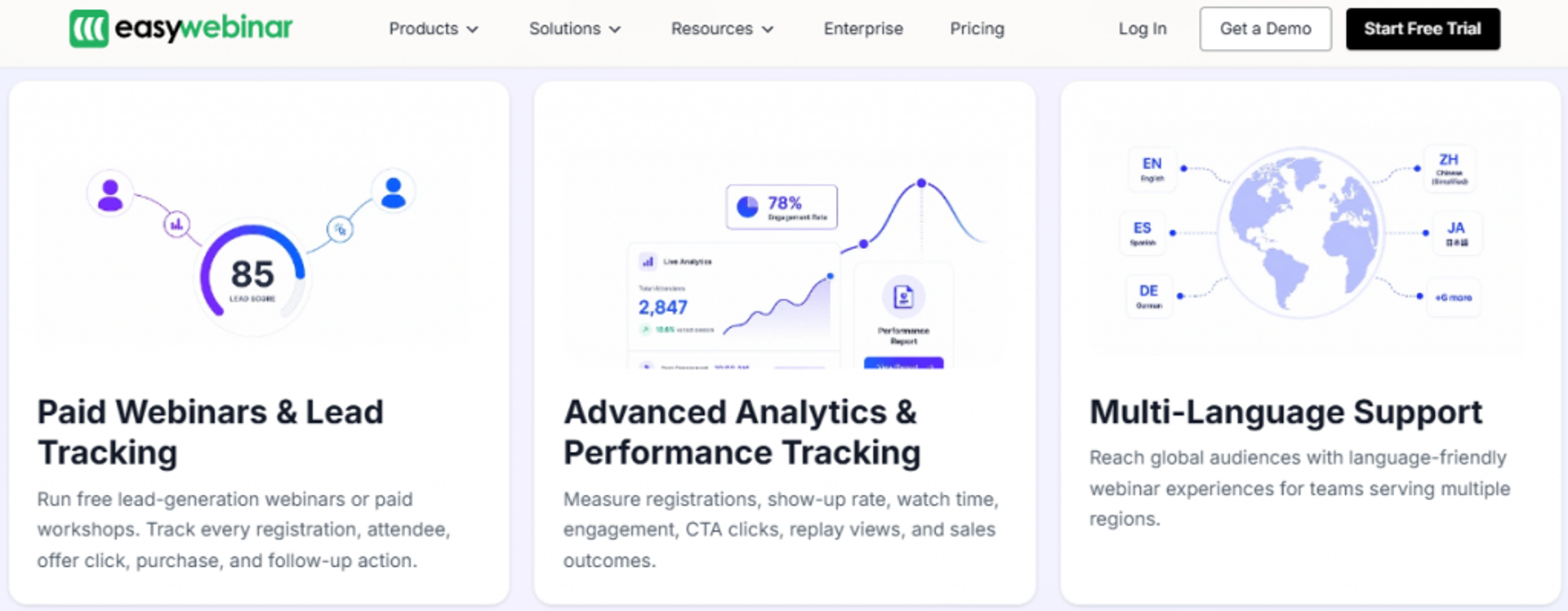
EasyWebinar is best for coaches, course creators, and marketing teams that need webinars to generate leads and sell offers, because it combines live broadcast-grade streaming with evergreen automation, built-in checkout, and a native CRM in one platform. It may not fit someone running one-off internal team meetings with no funnel intent.
I will be direct about my seat here. I built EasyWebinar after webinars pulled me out of a $15K year during the real estate crash, so I have run this exact playbook before it ever became a product.
Quick fit
| Best for | Coaches, course creators, and marketing teams selling on webinars |
| Skip if | You only need casual internal meetings or pure live-only events with no offer |
| Strongest edge | Live plus evergreen automation, checkout, and CRM in one platform |
| Biggest trade-off | Automated webinars require the presentation uploaded before setup |
| Pricing snapshot | Flat monthly |
Why EasyWebinar ranks #1
EasyWebinar earns the top slot because it answers the tri-axis the whole article is built on. It holds reliability, streaming quality, and revenue workflow together, instead of forcing a trade-off between them.
Most tools make you choose. Hosting-only platforms give you stable video but no conversion tooling. Split-product ecosystems make you buy two tools. Marketing-focused platforms polish the UI but stop short of the revenue mechanics.
We built EasyWebinar as a webinar revenue platform, not a hosting tool. That is a real distinction, not a slogan. One winning live webinar clones into simulated live, on-demand, or just-in-time in a single switch, so it keeps selling while you sleep.
The reliability weighting is where it separates. We run on a Dolby OptiView WebRTC stack (formerly Millicast) with sub-500ms latency and in-house video storage, so there is no third-party breakage when an outside service changes. That last part matters more than buyers expect. My own worst near-miss was a Zapier limit that quietly created a couple-hundred-opt-in gap in the CRM, caught four hours before a webinar. Fewer moving parts means fewer silent failures.
What EasyWebinar does well
- Runs 9 webinar formats, including live, simulated live, evergreen, and just-in-time, so you validate live first, then automate the winner.
- Sub-500ms Dolby streaming with spatial audio keeps polls and offers in sync with what you are saying, so engagement fires at the moment of intent.
- Built-in checkout via Stripe, PayPal, and PayU lets attendees buy without a redirect, so your paid webinars keep the funnel data in one place.
- Native CRM plus HubSpot, ActiveCampaign, and Zapier routes attendee behavior to follow-up, so warm leads do not go cold.
- Attendee-level analytics and drop-off heatmaps show exactly where people leave, so you can fix that segment for the next session.
- An AI webinar builder drafts script, pages, emails, and follow-up from a short question flow, so launch takes hours, not weeks.
Where EasyWebinar falls short
- Automated setup needs the video first. You cannot open registrations for an evergreen webinar before uploading the presentation, which slows promoting far in advance.
- Some integrations lean on Zapier. A few connections are not fully native yet, so Zapier comfort helps.
- Just-in-time sits on a premium tier. One operator noted it costs meaningfully more than the base plan, though she found it worth it.
- Not built for casual meetings. If you just need a quick internal call, this is more platform than the job requires.
Decision scorecard
| Evaluation criterion | EasyWebinar fit | Why it matters |
|---|---|---|
| Live webinars | Strong | Broadcast-grade live on a sub-500ms Dolby WebRTC stack |
| Simulated live or automated | Strong | Clone a live winner into simulated live in one switch |
| Evergreen automation | Strong | Evergreen and just-in-time formats built in |
| Funnel pages | Strong | Registration, thank-you, and replay pages included |
| Engagement | Strong | Live polls, chat, and timed offer overlays |
| CRM and follow-up | Strong | Native CRM plus email and SMS follow-up |
| Monetization | Strong | In-webinar checkout, no redirect |
| Analytics | Strong | Attendee-level data and drop-off heatmaps |
| Integrations | Partial | Native for major tools; some rely on Zapier |
| Pricing fit | Strong | Flat monthly |
| Best-fit buyer | Strong | Operators selling on webinars, not just hosting |
Best for / skip if
Choose EasyWebinar if you want one platform to run the live event, automate the replay, take payment in the room, and push the data into follow-up. Skip it if you only need casual internal meetings or a pure live-only event with zero funnel intent, where a simpler meeting tool is enough. You can compare the options side by side on our compare webinar platforms page.
Reviews
“I used to do live webinars to sell my online course. With EasyWebinar I sold 25 courses within 3 weeks of my evergreen launch.”Laura C. EasyWebinar G2 Verified Review
“The biggest challenge is around setting up automated webinars, and needing the presentation uploaded first in order to set it up.”Ash A. EasyWebinar G2 Verified Review
1.2 Zoom Webinars
Zoom Webinars is best for teams running large, familiar broadcasts where the audience already lives inside Zoom, because it offers stability at scale and a near-universal attendee interface. It may not fit operators who need conversion tooling or real webinar analytics.
I will give Zoom its due, because I actually use it. For the raw live event itself, it is often the most stable and largest platform, and the people showing up already use Zoom all the time.
Quick fit
| Best for | Large webinars for audiences already comfortable with Zoom |
| Skip if | You need in-webinar offers, evergreen automation, or deep analytics |
| Strongest edge | Familiar, stable broadcasting at scale |
| Biggest trade-off | Built for meetings, so weak analytics and no native funnel |
| Pricing snapshot | Add-on to Zoom Workplace, from about $66.67/mo |
Why Zoom Webinars ranks #2
Zoom ranks second on reliability and familiarity, which are real strengths, not throwaways. When you weight uptime heavily, a stable, ubiquitous stream earns points.
But the ranking stops at #2 for a clear reason. Zoom was built for meetings, and that shows the moment you try to run revenue through it. There is no native offer, no in-room checkout, and thin reporting.
This is the honest gap. In Zoom you barely get basic webinar analytics, because the product was designed for calls, not conversion. For an operator trying to find the drop-off point and the moment that sells, that missing data is expensive.
What Zoom Webinars does well
- Scales to large audiences reliably, so big broadcasts hold up under load.
- Uses an interface attendees already know, so fewer people get stuck joining.
- Integrates broadly with marketing and CRM tools, so it slots into an existing stack.
- Delivers consistent video quality, matching the Zoom Meeting experience people expect.
Where Zoom Webinars falls short
- Almost no real webinar analytics, so you cannot see engagement or drop-off in depth.
- Minimal customization, so your registration and branding look like everyone else’s.
- Reliability complaints on the webinar product, including glitches and broadcast-quality issues, separate from Zoom Meetings.
- Extra cost and seats, since Webinars is an add-on to a paid Workplace plan.
Decision scorecard
| Evaluation criterion | Zoom Webinars fit | Why it matters |
|---|---|---|
| Live webinars | Strong | Stable, familiar broadcasting at scale |
| Simulated live or automated | Weak | No native simulated-live selling format |
| Evergreen automation | Weak | No native evergreen funnel |
| Funnel pages | Weak | Minimal landing and replay page control |
| Engagement | Partial | Basic polls and chat, rudimentary by review accounts |
| CRM and follow-up | Partial | Integrates out, but no native CRM |
| Monetization | Weak | No native in-webinar checkout |
| Analytics | Weak | Reviewers note the reporting is thin |
| Integrations | Strong | Broad third-party ecosystem |
| Pricing fit | Partial | Add-on cost plus a required Workplace seat |
| Best-fit buyer | Partial | Great host, weak revenue engine |
Best for / skip if
Choose Zoom Webinars if your priority is a stable, familiar large broadcast and you already run conversion in other tools. Skip it if you want the platform itself to sell, automate the replay, and report on who is ready to buy, because that is not what Zoom was built to do. For a direct feature breakdown, see EasyWebinar vs Zoom.
Reviews
“First, Zoom Webinar is ridiculously glitchy. We’ve had problems with presenters being able to enter the webinar, and with broadcast quality.”Casey S. Zoom G2 Verified Review
“Zoom Webinars offers a scalable, and stable platform to host large webinars and online events, however we missed customization options.”Gabor F. Zoom G2 Verified Review
1.3 GoTo Webinar
GoTo Webinar is best for teams running mid-size internal or external webinars that need simple reporting, because it offers a straightforward organizer backend and solid analytics, but it may not fit operators who need conversion tooling or rock-solid streaming at scale.
I have a soft spot for GoTo, honestly. It was one of the first webinar tools many of us ever touched. The problem is that the world moved, and reviewers say the product did not move fast enough.
Quick fit
| Best for | Mid-size internal and external webinars needing clean reporting |
| Skip if | You want in-webinar selling or flawless large-audience streaming |
| Strongest edge | Simple organizer backend and robust attendee reporting |
| Biggest trade-off | Reliability and audio complaints, especially in large sessions |
| Pricing snapshot | Flat monthly, roughly $99 to $109/mo |
⚠️ Why GoTo Ranks #3
GoTo lands at #3 because it does the basics well. Pulling reports is simple, and the backend is easy for organizers to manage.
But reliability is where it slips, and reliability carries the heaviest weight in my rubric. Operators describe launcher failures, dropped attendees, and audio lag, which is exactly the silent revenue killer I warn about.
What GoTo Webinar does well
- Simple organizer backend makes setting up an event fast, so you launch without a learning curve.
- Robust reporting on registrants, attendance, and polls gives management the numbers it asks for.
- Browser-based joining with a simple code lowers friction for attendees.
- Overlay graphics on the video feed let you highlight a speaker name or key point mid-session.
Where GoTo Webinar falls short
- Reliability issues at scale, with reviewers reporting dropped users and spotty audio in large meetings.
- Audio and video lag, even below the maximum user count, per long-time users.
- Outsourced support that is hard to reach and often unhelpful, per an organizer running weekly webinars.
- Limited registration customization, so branding options are thin.
Decision scorecard
| Evaluation criterion | GoTo Webinar fit | Why it matters |
|---|---|---|
| Live webinars | Partial | Works, but large sessions draw reliability complaints |
| Simulated live or automated | Partial | Basic simulated and on-demand options |
| Evergreen automation | Weak | No true evergreen funnel |
| Funnel pages | Weak | Limited registration customization |
| Engagement | Partial | Polls and overlays, but interaction is basic |
| CRM and follow-up | Partial | Email automation and integrations, no native CRM |
| Monetization | Weak | No native in-webinar checkout |
| Analytics | Strong | Robust reporting is its clearest strength |
| Integrations | Partial | Available, but API docs called unfriendly |
| Pricing fit | Partial | Mid-tier monthly cost |
| Best-fit buyer | Partial | Reporting-focused, not revenue-focused |
Best for / skip if
Choose GoTo Webinar if you run mid-size webinars and care most about clean attendance reporting. Skip it if you host large audiences where dropouts would cost you, or if you want the platform to sell and automate. If reliability at scale worries you, browse the GoToWebinar alternatives worth testing first.
Reviews
“GoToWebinar is better suited to smaller groups… In a large group setting it has reliability issues… people were continually dropped from the call and the audio was very spotty.”Richard Hazel, FedEx GoTo Webinar TrustRadius Verified Review
“Customer support is impossible to reach and is completely outsourced… this platform has issues constantly.”Forrester S. GoTo Webinar G2 Verified Review
1.4 Demio
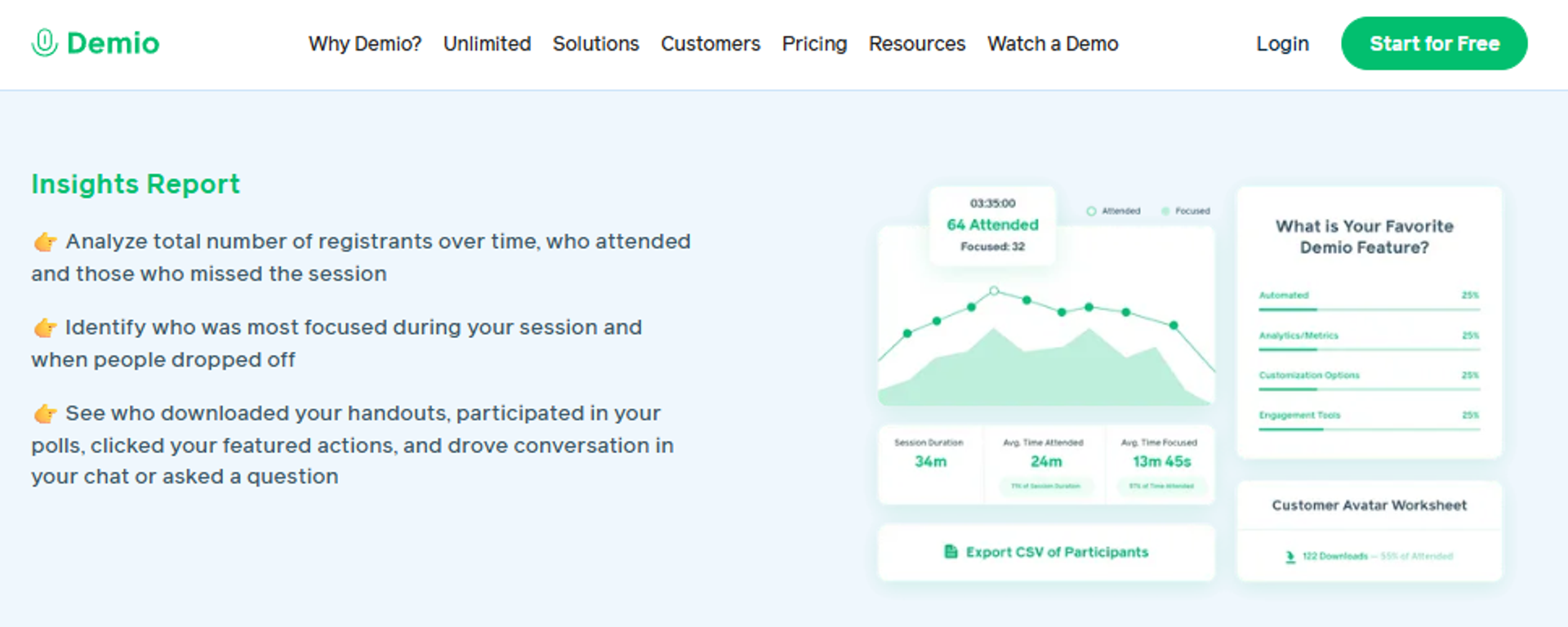
Demio is best for marketing teams that want a clean, no-download browser experience, because it offers fast setup and a polished attendee interface, but it may not fit operators who need reliable audio at scale or full control of their own data.
Demio nails first impressions. The UI is simple, and spinning up a registration page is quick. Where I get cautious is the day-of experience and the fine print.
Quick fit
| Best for | Marketing teams wanting a clean, browser-based webinar |
| Skip if | You need dependable audio at scale or easy data export after canceling |
| Strongest edge | Fast setup and a polished, no-download attendee UI |
| Biggest trade-off | Audio and connection complaints; data locked after cancellation |
| Pricing snapshot | Attendee-based tiers |
💰 Why Demio Ranks #4
Demio ranks #4 on the strength of setup speed and attendee experience. Reviewers consistently praise how easy it is to get a room and registration page live.
The rank stops there because of two documented pains. Audio and connection issues surface in live sessions, and cost rises with audience size, which strains smaller operators.
What Demio does well
- No-download browser experience removes a common attendee drop-off point.
- Fast registration setup gets an event live quickly, so you spend less time building.
- Preloaded polls, resources, and handouts prepare the room for engagement in advance.
- Email prompts and sequences help ensure registrants get the info they need.
Where Demio falls short
- Audio and connection issues, including delays, echo, and mute problems, reported across live sessions.
- Cost climbs with audience size, which one reviewer said makes it hard for smaller organizations.
- Data lock after cancellation, with a reviewer unable to export her own registrant list without resubscribing.
- Integration friction, especially with HubSpot and Clickfunnels, often needing multiple Zaps.
Decision scorecard
| Evaluation criterion | Demio fit | Why it matters |
|---|---|---|
| Live webinars | Partial | Clean UI, but audio reliability complaints |
| Simulated live or automated | Partial | Automated and on-demand options exist |
| Evergreen automation | Partial | Limited depth versus dedicated evergreen tools |
| Funnel pages | Partial | Registration pages, modest customization |
| Engagement | Strong | Polls, resources, and handouts are well done |
| CRM and follow-up | Partial | Email only; integration friction reported |
| Monetization | Weak | No native in-webinar checkout |
| Analytics | Partial | Reviewer noted visit analytics are hard |
| Integrations | Partial | Works via Zapier, not always seamless |
| Pricing fit | Partial | Scales up with audience size |
| Best-fit buyer | Partial | Marketing demos, not full revenue funnels |
Best for / skip if
Choose Demio if you want a clean, quick browser webinar for marketing sessions and small audiences. Skip it if audio reliability at scale is critical, or if you need to own and export your data freely. Teams weighing the switch often compare Demio versus EasyWebinar before committing.
Reviews
“The two webinars I have run so far have been littered with audio issues. There have been delays, feedback noise, echos, people not being able to come off mute.”Amanda P. Demio G2 Verified Review
“After canceling, I was shocked to find out I couldn’t export the list unless I subscribed again… they block access to my own data unless I keep paying.”Sheida M. Demio G2 Verified Review
1.5 Livestorm
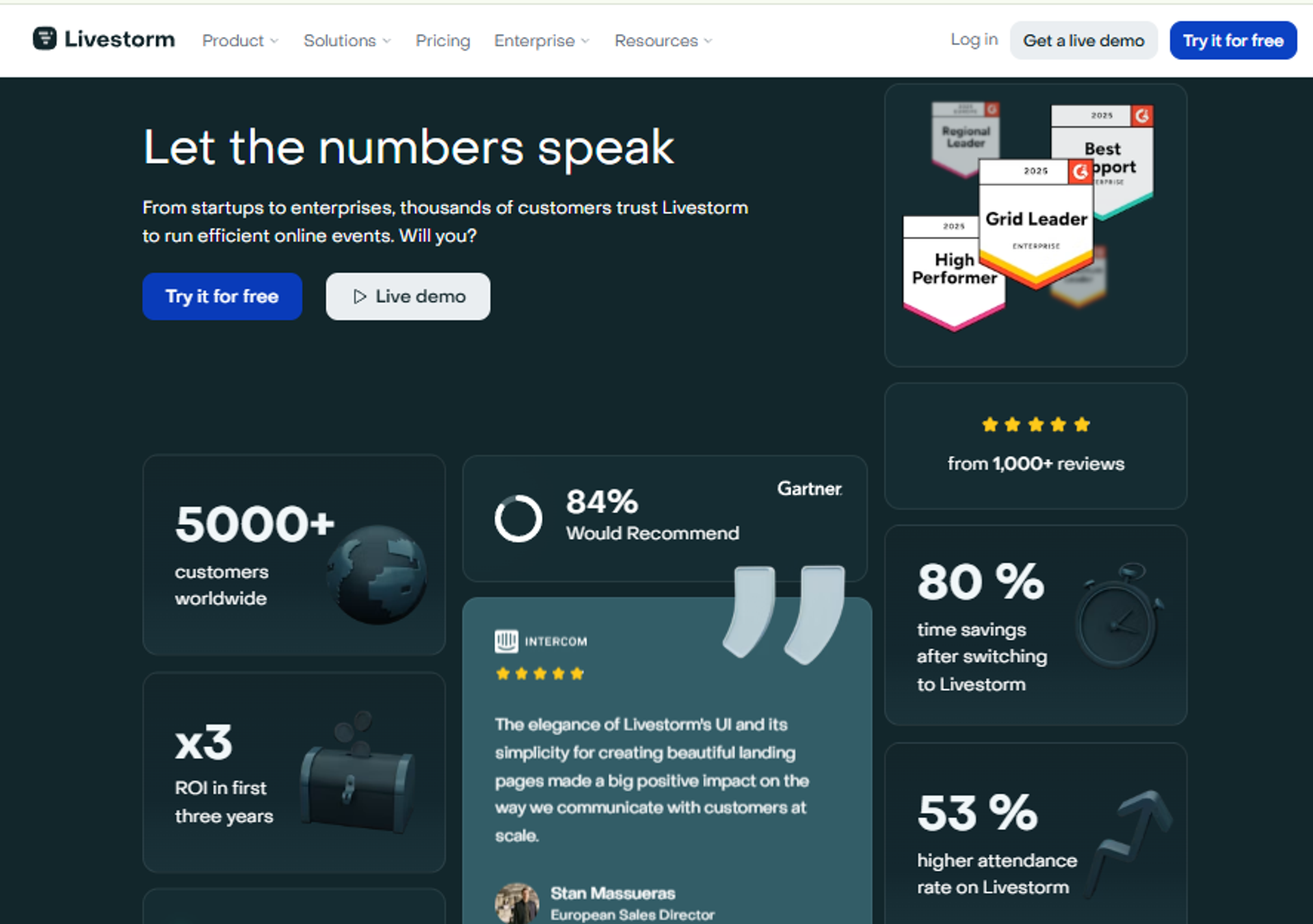
Livestorm is best for teams that want a browser-first platform for recurring marketing webinars and events, because it offers a no-download experience with solid engagement tools, but it may not fit operators watching cost as contact volume grows.
Livestorm sits in the modern, marketing-focused camp. It is clean and browser-native, which attendees like. My caution here is about depth and how the pricing behaves as you grow.
Quick fit
| Best for | Browser-first marketing webinars and recurring events |
| Skip if | You need deep evergreen selling or predictable cost at scale |
| Strongest edge | No-download experience with strong engagement tools |
| Biggest trade-off | Cost tied to active contacts |
| Pricing snapshot | Freemium plus paid tiers |
✅ Why Livestorm Ranks #5
Livestorm ranks #5 for a polished, no-download experience and dependable engagement features. It is a strong fit for marketing teams running frequent, lighter events.
It ranks below the leaders because its revenue mechanics are thinner. There is no native in-room checkout, and evergreen selling is not its core strength, so heavy funnel operators outgrow it.
What Livestorm does well
- No-download, browser-based rooms reduce attendee friction and join failures.
- Solid engagement tools, including polls, chat, and Q&A, keep sessions interactive.
- Recurring event support suits teams running frequent marketing webinars.
- Clean analytics dashboard gives marketing teams registration and attendance visibility.
Where Livestorm falls short
- Cost can scale with active contacts, which strains high-volume list owners.
- No native in-webinar checkout, so paid selling needs outside tools.
- Evergreen depth is limited versus platforms built around automation.
Decision scorecard
| Evaluation criterion | Livestorm fit | Why it matters |
|---|---|---|
| Live webinars | Strong | Reliable browser-based live experience |
| Simulated live or automated | Partial | Automated options, limited selling depth |
| Evergreen automation | Partial | Not the core strength |
| Funnel pages | Partial | Registration pages included |
| Engagement | Strong | Polls, chat, and Q&A are solid |
| CRM and follow-up | Partial | Integrates out; no native CRM |
| Monetization | Weak | No native checkout |
| Analytics | Partial | Good marketing visibility |
| Integrations | Partial | Standard marketing integrations |
| Pricing fit | — | Contact-based scaling |
| Best-fit buyer | Partial | Marketing events, not sales funnels |
Best for / skip if
Choose Livestorm if you run frequent, browser-first marketing webinars and value a clean attendee experience. Skip it if you need in-room selling, deep evergreen automation, or flat cost as your list grows. Operators focused on selling often look for a creator monetization platform instead.
1.6 WebinarJam
WebinarJam is best for marketers who want live-selling features at a low entry price, because it offers offer overlays and live-selling tools affordably, but it may not fit operators who need reliable email delivery, clean integrations, or a single unified product.
WebinarJam gets one thing right that most tools ignore. It was built for selling live, with offers and calls to action baked into the room. The trade-offs show up in reliability and in the two-product structure.
Quick fit
| Best for | Marketers wanting live-selling features at a low entry price |
| Skip if | You need dependable email delivery and clean integrations |
| Strongest edge | Live-selling overlays and offers at an accessible price |
| Biggest trade-off | Integration and email reliability complaints; pairs with EverWebinar |
| Pricing snapshot | Annual-only |
💸 Why WebinarJam Ranks #6
WebinarJam ranks #6 because it delivers live-selling tools cheaply, which appeals to marketers starting out. That focus on offers is genuinely useful.
The rank reflects real friction, though. Reviewers cite inconsistent third-party integrations and clunky email that does not always send, which quietly hurts show-up and follow-up.
What WebinarJam does well
- Live-selling overlays and offers put calls to action in the room, so you can sell while presenting.
- Low entry price makes it accessible for marketers testing webinars.
- Pairs with EverWebinar for automation, so you can add evergreen later.
- Familiar template-based setup gets a live event live quickly.
Where WebinarJam falls short
- Inconsistent integrations, with reviewers reporting registrant sync and form-field problems with tools like Mailchimp.
- Clunky email service that is hard to edit and does not always send to registrants.
- Two-product structure, since full automation means also buying EverWebinar.
- Interface toggling, with presenters switching between videos, slides, and files.
Decision scorecard
| Evaluation criterion | WebinarJam fit | Why it matters |
|---|---|---|
| Live webinars | Partial | Live-selling focus, but reliability complaints |
| Simulated live or automated | Partial | Simulated live available |
| Evergreen automation | Weak | Requires the separate EverWebinar product |
| Funnel pages | Partial | Templates included |
| Engagement | Strong | Offers and CTAs built for live selling |
| CRM and follow-up | Weak | Email service called clunky and inconsistent |
| Monetization | Partial | Offer overlays, but no unified checkout depth |
| Analytics | Partial | Basic reporting |
| Integrations | Weak | Inconsistent third-party sync reported |
| Pricing fit | Partial | Low entry, annual billing |
| Best-fit buyer | Partial | Budget live sellers |
Best for / skip if
Choose WebinarJam if you want affordable live-selling tools and can tolerate some integration friction. Skip it if reliable email delivery and clean third-party sync are non-negotiable, or if you want one product instead of two. If the two-tool setup bothers you, review the WebinarJam alternatives for live and evergreen.
Reviews
“The integrations with 3rd party software such as mailchimp is inconsistent… Their email service is clunky, hard to edit… doesn’t consistently send to registrants.”Tara G. WebinarJam G2 Verified Review
1.7 EverWebinar
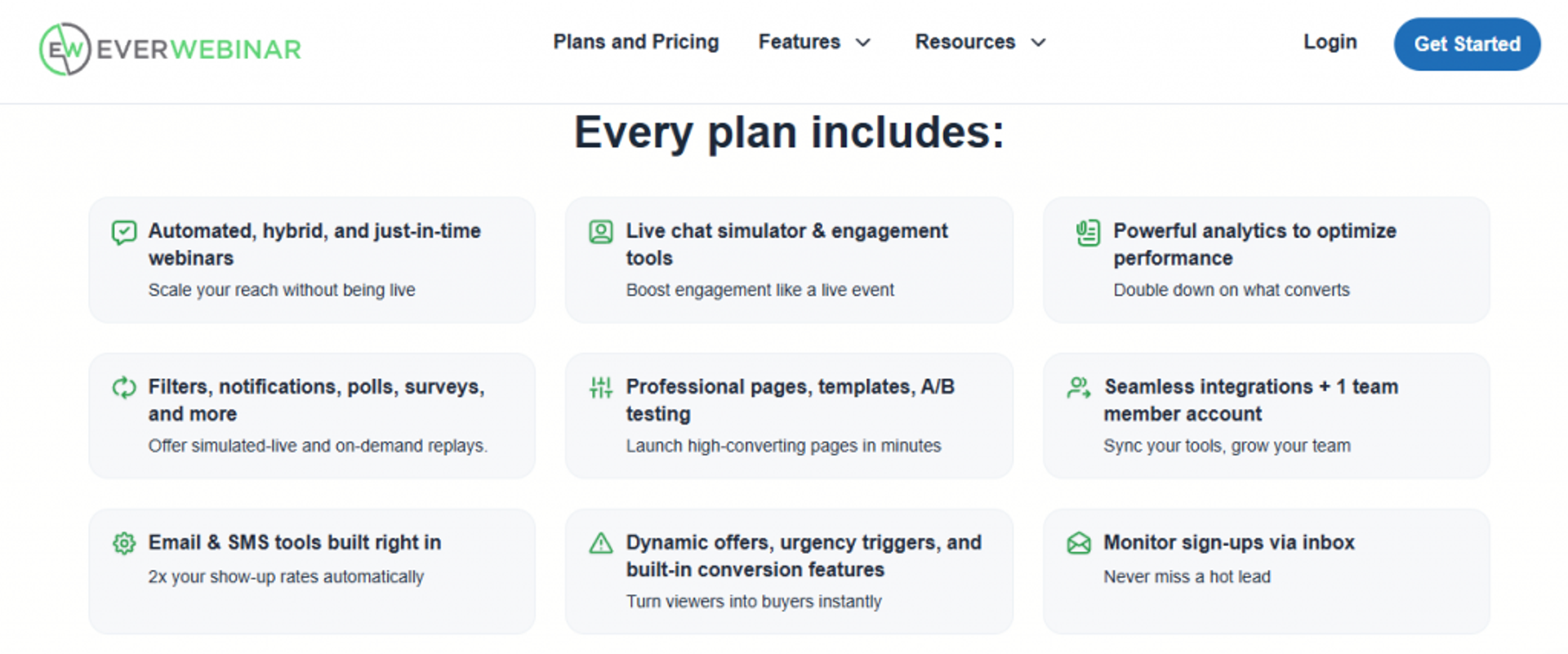
EverWebinar is best for existing WebinarJam users who want to add evergreen and just-in-time automation, because it offers deep scheduling controls, but it may not fit operators who need reliable cloning, simple setup, or a single unified platform. Just-in-time here means a session that starts a few minutes after a visitor lands on the page.
EverWebinar is the automation half of the WebinarJam pair. The scheduling controls are genuinely deep. But you are buying a second product, and reviewers flag real bugs in the workflow.
Quick fit
| Best for | WebinarJam users adding evergreen automation |
| Skip if | You want reliable cloning and one unified platform |
| Strongest edge | Deep evergreen and just-in-time scheduling controls |
| Biggest trade-off | Cloning bugs and setup complexity reported; sold separately |
| Pricing snapshot | Annual-only |
⏰ Why EverWebinar Ranks #7
EverWebinar ranks #7 for its evergreen depth, including the just-in-time toggle that starts a session minutes after registration. For automation-first sellers, that mechanic is valuable.
It ranks here because the experience has friction. Reviewers report cloning bugs, setup complexity on live day, and a second subscription on top of WebinarJam.
What EverWebinar does well
- Deep evergreen scheduling, including just-in-time starts, so replays feel timely to attendees.
- Simulated live chat recreates a live feel on recorded sessions.
- Recurring automated sessions keep an offer running without you presenting.
- Active user community that responds quickly to questions.
Where EverWebinar falls short
- Cloning bugs, with reviewers reporting duplicate chats and emails not sending after cloning.
- Setup complexity, especially ensuring everything works on live day, with email-only support.
- Second product cost, since it works alongside WebinarJam, not as one platform.
- Difficult account and cancellation processes, per a detailed reviewer account.
Decision scorecard
| Evaluation criterion | EverWebinar fit | Why it matters |
|---|---|---|
| Live webinars | Weak | Built for automation, not live |
| Simulated live or automated | Strong | Simulated live is a core feature |
| Evergreen automation | Strong | Deep scheduling and just-in-time |
| Funnel pages | Partial | Templates included |
| Engagement | Partial | Simulated chat and offers |
| CRM and follow-up | Weak | Email reliability issues reported |
| Monetization | Partial | Offers supported |
| Analytics | Partial | Basic reporting |
| Integrations | Partial | Available, some friction |
| Pricing fit | Partial | Second subscription cost |
| Best-fit buyer | Partial | Automation-first sellers already on WebinarJam |
Best for / skip if
Choose EverWebinar if you already run WebinarJam and want deep evergreen scheduling. Skip it if you want one unified platform, reliable cloning, or hands-on support during setup. Many operators weigh EverWebinar versus EasyWebinar to avoid managing two products.
Reviews
“Inability to clone webinars without serious resulting issues, despite a clone button… duplicate chat messages, emails not being sent to registrants, pop-ups not working.”Kaylen M. EverWebinar G2 Verified Review
“Complexity of set up and ensuring everything works on live day… there is no way to get help or reach support except via email.”Verified User in Market Research EverWebinar G2 Verified Review
1.8 Contrast
Contrast is best for modern teams that want high-quality live capture plus content repurposing, because it offers clean recording and clip creation, but it may not fit operators who need a mature integration ecosystem or deep evergreen selling.
Contrast is the newer name on this list. It leans into quality and turning webinars into reusable content. That is a smart angle, though the ecosystem around it is still young.
Quick fit
| Best for | Modern teams wanting high-quality live plus repurposing |
| Skip if | You need a deep integration ecosystem or evergreen selling |
| Strongest edge | Clean, high-quality live capture and clip creation |
| Biggest trade-off | Newer, narrower ecosystem |
| Pricing snapshot | Quote-based |
⭐ Why Contrast Ranks #8
Contrast ranks #8 for high-quality live capture and its focus on repurposing sessions into clips. For content-driven teams, that reduces post-event work.
It ranks lower because it is newer, with a narrower integration set and less proven evergreen selling. Buyers should verify capabilities directly before shortlisting.
What Contrast does well
- High-quality live capture produces clean, publish-ready recordings.
- Content repurposing turns one webinar into shareable clips, so you get more from each event.
- Modern, clean interface suits teams that value a polished experience.
Where Contrast falls short
- Narrower integration ecosystem than established platforms.
- Limited evergreen selling depth, so heavy funnel operators may outgrow it.
- Less public review evidence, so buyers should test before committing.
Decision scorecard
| Evaluation criterion | Contrast fit | Why it matters |
|---|---|---|
| Live webinars | Strong | Quality live capture is the focus |
| Simulated live or automated | — | Confirm automation depth directly |
| Evergreen automation | Weak | Not a core strength |
| Funnel pages | — | Confirm page capabilities |
| Engagement | Partial | Standard engagement tools |
| CRM and follow-up | — | Confirm native or integrated follow-up |
| Monetization | — | Confirm checkout support |
| Analytics | Partial | Confirm depth |
| Integrations | Weak | Narrower ecosystem |
| Pricing fit | — | Quote-based |
| Best-fit buyer | Partial | Content-focused live teams |
Best for / skip if
Choose Contrast if high-quality live capture and repurposing into content matter most to you. Skip it if you need a broad integration ecosystem or deep evergreen selling today. For a fuller field scan, see the best webinar software comparison guide.
1.9 Webex Webinars
Webex Webinars is best for enterprises that need strong security and very large audiences, because it offers enterprise controls, SSO, and high attendee ceilings, but it may not fit operators who need consistent low-latency streaming or funnel tooling. SSO means single sign-on, one secure login across company tools.
Webex is a serious enterprise tool. Security and scale are its home turf. The catch, per reviewers, is that the live experience can lag when it matters most.
Quick fit
| Best for | Enterprises needing security and very large audiences |
| Skip if | You need consistent low-latency streaming or a sales funnel |
| Strongest edge | Enterprise security, SSO, and high attendee ceilings |
| Biggest trade-off | Lag and reliability complaints in large sessions |
| Pricing snapshot | Quote-based enterprise tiers |
⚠️ Why Webex Ranks #9
Webex ranks #9 on enterprise strengths: security, single sign-on, and the ability to hold very large audiences. For IT-led procurement, those boxes matter.
It ranks low for revenue operators because streaming quality draws complaints, and there is no native funnel. Reviewers describe lag and reliability issues that undercut the live moment.
What Webex Webinars does well
- Enterprise security and SSO satisfy IT and compliance requirements.
- Very high attendee ceilings support large company-wide events.
- Familiar enterprise ecosystem for organizations already on Cisco tools.
- Reliable for structured meetings, per a long-time enterprise reviewer.
Where Webex Webinars falls short
- Lag and reliability complaints, with reviewers citing delayed audio or video.
- No native funnel or checkout, so it is built for events, not selling.
- Complexity, which can slow setup for non-technical operators.
Decision scorecard
| Evaluation criterion | Webex Webinars fit | Why it matters |
|---|---|---|
| Live webinars | Partial | Scales, but lag complaints reported |
| Simulated live or automated | Weak | Not a selling-automation tool |
| Evergreen automation | Weak | No evergreen funnel |
| Funnel pages | Weak | No native funnel pages |
| Engagement | Partial | Standard enterprise engagement |
| CRM and follow-up | Partial | Integrates out; no native CRM |
| Monetization | Weak | No native checkout |
| Analytics | Partial | Enterprise reporting |
| Integrations | Strong | Broad enterprise ecosystem |
| Pricing fit | — | Quote-based enterprise tiers |
| Best-fit buyer | Partial | Security-first enterprises, not revenue teams |
Best for / skip if
Choose Webex Webinars if security, single sign-on, and very large audiences top your list. Skip it if consistent low-latency streaming or a built-in sales funnel is what you actually need. If low latency drives your choice, review the Webex alternative options first.
Reviews
“It is no longer in use by most of the organization as we have switched to WebEx… due to the superiority of WebEx.”Richard Hazel, FedEx GoTo Webinar TrustRadius Verified Review
Note: public reviews that address Webex latency specifically are limited, so check latency claims against Cisco’s own documentation.
1.10 Microsoft Teams Webinars
Microsoft Teams Webinars is best for Microsoft 365 shops running internal or light external events, because it comes bundled with tools staff already use, but it may not fit operators who need real-time streaming, deep analytics, or funnel tooling.
Teams is the default for a lot of companies, and that is its whole appeal. It is already paid for and already installed. For revenue-driven webinars, though, it was never the design goal.
Quick fit
| Best for | Microsoft 365 shops running internal or light external events |
| Skip if | You need real-time streaming, deep analytics, or a funnel |
| Strongest edge | Bundled with Microsoft 365 and familiar to staff |
| Biggest trade-off | Attendee delay and thin webinar-specific tooling |
| Pricing snapshot | Bundled with Microsoft 365 |
💰 Why Teams Ranks #10
Teams ranks #10 because its strength is convenience, not webinar performance. If your company already runs Microsoft 365, the cost feels absorbed and the interface is familiar.
It ranks last for revenue operators for good reason. There is documented attendee delay, thin webinar analytics, and no native funnel or checkout, so the selling mechanics are simply absent.
What Microsoft Teams Webinars does well
- Bundled with Microsoft 365, so there is often no separate purchase.
- Familiar to internal staff, which lowers the learning curve for company events.
- Basic registration and reporting cover simple internal needs.
- Enterprise IT governance through the Microsoft admin ecosystem.
Where Microsoft Teams Webinars falls short
- Attendee delay, documented in service performance, which breaks live engagement timing.
- Thin webinar analytics, so drop-off and conversion visibility is limited.
- No native funnel or checkout, so it cannot sell inside the session.
Decision scorecard
| Evaluation criterion | Microsoft Teams fit | Why it matters |
|---|---|---|
| Live webinars | Partial | Works, but attendee delay reported |
| Simulated live or automated | Weak | No selling-automation format |
| Evergreen automation | Weak | No evergreen funnel |
| Funnel pages | Weak | No native funnel pages |
| Engagement | Partial | Basic polls and chat |
| CRM and follow-up | Partial | Integrates with Microsoft stack; no webinar CRM |
| Monetization | Weak | No native checkout |
| Analytics | Weak | Thin webinar-specific data |
| Integrations | Strong | Deep Microsoft 365 integration |
| Pricing fit | Partial | Bundled cost for existing users |
| Best-fit buyer | Weak | Internal events, not revenue funnels |
Best for / skip if
Choose Microsoft Teams Webinars if you run internal or light external events and already pay for Microsoft 365. Skip it if you need real-time streaming, deep analytics, or a platform that turns attendance into revenue. Teams evaluating options for staff sessions can review the top video conferencing tools for teams.
🎯 How EasyWebinar Sits Against the Field
Look across these nine alternatives and a pattern shows up. Hosting-first tools like Zoom, GoTo, Webex, and Teams give you reliable video but no way to sell inside the room. Marketing-first tools like Demio and Livestorm polish the attendee experience but stop short of real revenue mechanics. Split-product ecosystems like WebinarJam and EverWebinar make you buy and manage two tools to get live plus automation.
We built EasyWebinar as a webinar revenue platform to refuse that trade-off. One winning live session clones into simulated live, evergreen, or just-in-time in a single switch, with built-in checkout, native CRM follow-up, and attendee-level analytics in the same place. Operators feel that consolidation in the numbers, like the course creator who sold 25 courses in three weeks of evergreen after switching from live. You can see the full picture on our automated webinar page.
Q2. Which Platforms Deliver the Best Uptime and Reliability?
For pure reliability, purpose-built webinar stacks beat meeting-first tools. EasyWebinar’s in-house video storage and Dolby OptiView WebRTC architecture avoid third-party breakage, while operators report recurring instability on GoTo Webinar, Zoom Webinars, and EverWebinar. Reliability deserves the highest weight, because a broken mobile button or dropped stream silently nukes registration and show rates before you ever see the metric.
🎯 The Silent Revenue Killer Nobody Checks
Here is the read most operators get backwards. They obsess over the slide deck and ignore the plumbing underneath it.
The scariest failures are the ones you never see. A registration button fails on mobile, and your opt-in rate quietly drops while you celebrate a “good” launch. That is the anxiety I want you to name out loud: check the tech.
I learned this the hard way. Our Zapier account once hit its limit on total automated actions, and we caught it just four hours before a webinar. There was a couple-hundred-person gap of opt-ins missing from the CRM. That is real money that almost vanished with zero warning.
⚠️ Where Reliability Actually Breaks
The complaints are consistent once you read enough reviews. They cluster around the live moment, when you can least afford a failure.
- GoTo Webinar: operators report dropped attendees and spotty audio in large sessions.
- Zoom Webinars: reviewers describe glitches with presenters entering and with broadcast quality.
- EverWebinar: users cite cloning bugs, including duplicate chats and emails not sending.
These are not edge cases. They hit exactly when 95 people finally show up at 2pm. If dropouts at scale worry you, browse the GoToWebinar alternatives worth testing.
✅ What Architecture Prevents the Failure
Reliability is not luck. It is a design choice about how many outside parts can break.
We built EasyWebinar with in-house video storage, so nothing shatters when an external service changes its rules. Fewer third-party dependencies means fewer silent points of failure. That is the whole logic behind weighting uptime at 30% in this ranking.
🛠️ Your Pre-Webinar Reliability Checklist
Run this before your next session. It takes ten minutes and protects the whole funnel.
- Test every registration button on a real phone, not just desktop.
- Confirm your CRM shows the same opt-in count as your registration software.
- Check your automation tool has not hit a plan limit.
- Do a live stream test at your expected attendee load.
- Verify the replay and reminder emails actually send.
💰 Reviews That Prove the Point
“First, Zoom Webinar is ridiculously glitchy. We’ve had problems with presenters being able to enter the webinar… and with broadcast quality.”Casey S. Zoom G2 Verified Review
“Inability to clone webinars without serious resulting issues… duplicate chat messages, emails not being sent to registrants, pop-ups not working.”Kaylen M. EverWebinar G2 Verified Review
“I switched from a tool that was clunky, old, and not reliable. EasyWebinar just works when I go live.”Verified User EasyWebinar G2 Verified Review
The takeaway is simple. Pick the platform that fails the least on the day money is on the line, because reliability is the base your entire conversion rate sits on. You can see how the field stacks up on our compare webinar platforms page.
Q3. Which Platform Has the Best Streaming and Audio Quality?
EasyWebinar leads on streaming quality with sub-500ms latency via Dolby OptiView (formerly Millicast) WebRTC and Dolby Voice spatial audio, so polls and CTAs land while the moment is live. By contrast, operators report multi-second attendee delay on meeting-first tools, lag on Webex, and audio dropouts on Demio and GoTo Webinar. Those delays break engagement mechanics mid-pitch.
⏰ The Lagged-CTA Problem
Picture this. You put your offer on screen and say, “Drop a one in the chat if you want in.”
But your stream runs three seconds behind. Your attendees see that offer after you have already moved on to the next point. The moment breaks, and the sale slips.
This is why I treat streaming quality as a revenue mechanic, not a vanity spec. When the delivery lags, your best line arrives at the wrong second.
🎯 What Latency Actually Means
Latency is just the delay between what you do and what your attendee sees. Lower is better.
The benchmark I care about is sub-500ms, meaning under half a second. At that speed, a poll or call to action lands while you are still talking about it. Above a couple of seconds, the timing of live selling falls apart. For deeper interaction tactics, see our guide to interactive webinars that drive engagement.
⭐ How the Platforms Compare
Let me be fair here. For raw stability at scale, Zoom is often the most stable and largest platform, and many attendees already use it daily. That is a genuine strength worth respecting.
But stability is not the same as low-latency, sync-tight streaming. The complaints show up in the details.
- Webex: reviewers cite constant lag, with delayed audio or video.
- Demio: operators report delays, feedback noise, and echoes in live sessions.
- GoTo Webinar: users describe spotty audio and lag even below the maximum attendee count.
We built EasyWebinar’s live webinar software on a Dolby OptiView WebRTC stack with Dolby Voice audio, so the interaction fires in sync. When your poll and pitch land on time, engagement stays connected to the offer.
🛠️ How to Test Your Own Stream
Do not trust marketing claims, including mine. Measure it yourself.
- Start a test session and open the attendee view on a second device.
- Say a timestamp out loud and watch how long it takes to appear.
- Repeat on mobile data, not just wifi.
- Test at your real expected attendee count, since load changes everything.
- Trigger a poll and confirm it appears while you are still on that point.
💰 Reviews on Streaming Quality
“It has constant lag issues. There is often delayed audio or video during our sessions, which frustrates attendees.”Verified User Webex G2 Verified Review
“The two webinars I have run so far have been littered with audio issues. There have been delays, feedback noise, echos.”Amanda P. Demio G2 Verified Review
The rule of thumb is this. If your audience cannot hear you cleanly and see your offer on time, nothing else on your slides matters. Teams weighing browser-first tools often compare Demio versus EasyWebinar on exactly this axis.
Q4. Which Webinar Platform Offers the Best Value for the Cost?
The best value is not the cheapest sticker price. It is the total cost at scale. Entry plans cluster around $34 to $105 per month, but Zoom requires a separate Workplace seat, Demio’s cost rises with audience size, and Webex pricing jumped after acquisition per operators. EasyWebinar’s value case is consolidation, one platform replacing pages, email, SMS, CRM, storage, multistream, and payments.
💸 The Sticker Price Lie
Here is the problem with how most people compare cost. They look at the entry price and stop there.
That number is the trap. The real cost climbs with your attendee count, add-on seats, and every extra tool you still have to buy. I have watched operators get a surprise bill that doubled their expected spend.
💰 What Costs Actually Look Like at Scale
The entry prices sit close together. The scaling behavior is where they split apart.
| Platform | Entry price | Hidden scaling trap |
|---|---|---|
| Zoom Webinars | From about $66.67/mo | Requires a separate paid Workplace seat |
| GoTo Webinar | About $99 to $109/mo | Cost climbs by attendee tier |
| Demio | Attendee-based tiers | Cost rises with audience size |
| Webex | Quote-based | Reviewers cite sharp price increases |
| EasyWebinar | $44/mo Launch (live only); automation from $116/mo Growth | Replaces multiple separate tools |
Prices need live verification before you print them. But the pattern holds. Cheap on day one often means expensive on day 90. You can check current tiers on our webinar pricing page.
🎯 The Consolidation Math
This is where value gets interesting. Most webinar stacks are not one tool. They are seven or eight.
You pay for hosting, landing pages, email, SMS, a CRM, storage, multistream, and a checkout tool separately. Each one is a bill, a login, and a place the tech can break. We built EasyWebinar to replace that stack with a native sales CRM and one platform, so the true monthly cost drops and the failure points shrink.
Think of cost as return, not expense. One sales webinar can replace six sales reps, which reframes the whole math. A coach who sold 25 courses in three weeks of evergreen was not measuring the subscription fee, she was measuring the return. That is the heart of how to make money with webinars.
🛠️ How to Compute Your True Monthly Cost
Do this before you commit to anything.
- List every tool in your current webinar stack and its monthly cost.
- Add the per-attendee or per-contact overage at your real audience size.
- Add required extra seats, like Zoom’s Workplace seat.
- Compare that total against one consolidated platform, not the entry price.
💰 Reviews on Cost and Value
“The pricing model is difficult for smaller organizations, as costs increase with your audience size.”Verified User Demio G2 Verified Review
“I sold 25 courses within 3 weeks of my evergreen launch, far more than my live sessions were doing.”Laura C. EasyWebinar G2 Verified Review
The smart buyer question is not “what is the cheapest?” It is “what does this actually cost me at my scale, after I add every tool I still need?” To see the consolidation in action, explore our automated webinar workflow.
Q5. Live vs. Automated: Which Platforms Handle Evergreen and On-Demand Webinars Best?
Live converts hardest, but evergreen scales revenue, and few platforms do both well. EasyWebinar clones a winning live webinar into simulated live, on-demand, or just-in-time (a session starting 1 to 15 minutes after registration) in one switch. EverWebinar operators report cloning bugs, and Zoom offers no native evergreen. The rule I live by: run 5 to 10 live sessions and hit 10% attendee-to-buyer conversion before you automate.
🎯 The Contrarian Truth About Automation
Here is what the category gets backwards. Everyone wants to automate first, because it sounds like free money while you sleep.
From what surfaces when you actually run these, live converts far harder than automated. Automated webinars have been dulled down over the years, and they underperform live in direct comparison. If your offer has not proven itself with a real audience, automating it just scales a weak result.
An automated webinar without traffic is like a billboard in the desert. Nobody drives by, so nothing sells. That is why understanding the live versus automated webinar trade-off matters before you commit.
⏰ The Format Taxonomy, Plainly
Let me define the terms first, because the words get muddy.
- Live: you present in real time to a live audience.
- Simulated live: a recording played on a schedule with live-style chat.
- On-demand: the attendee watches whenever they click.
- Just-in-time: the next session starts 1 to 15 minutes after someone registers, so it feels immediate.
My non-negotiable rule is the sprint first. Run 5 to 10 live webinars, fine-tune the message, and hit at least a 10% attendee-to-buyer conversion rate before you even think about automating. You can see how a simulated live webinar works once your offer is validated.
⚠️ The Honest Counterpoint
I could be wrong for some cases, and smart people disagree with me. Yuri Elkaim argues for evergreen from day one, because live show-up rates can be rough.
My read is that his logic holds only if your offer is already validated. If it is not, you are just automating guesswork. Test the argument against your own numbers, not a guru’s headline.
✅ What the Platforms Actually Do
The gap between tools is real here. Zoom has no native evergreen, so selling on repeat means bolting on other software.
EverWebinar goes deep on scheduling, but reviewers report cloning bugs that break chats and emails. We built EasyWebinar’s automated webinar to run 9 formats, so one proven live session clones into simulated live, on-demand, or just-in-time in a single switch. Teams comparing the two often review EverWebinar versus EasyWebinar first.
“Inability to clone webinars without serious resulting issues… duplicate chat messages, emails not being sent to registrants.”Kaylen M. EverWebinar G2 Verified Review
“I used to do live webinars to sell my course. With EasyWebinar I sold 25 courses within 3 weeks of my evergreen launch.”Laura C. EasyWebinar G2 Verified Review
So here is the question I am sitting with heading into 2027. As buyers get over-AI’d and crave real presence, does the live sprint become even more valuable, not less? I think it might, and I would love to hear what your own show rates are telling you. If you are ready to build the funnel, explore our evergreen sales funnel guide.
Q6. How Do These Platforms Convert Attendees Into Revenue With Engagement, Analytics, Payments & CRM?
Most webinar tools stop at hosting, and few let you engage, measure, and sell in one place. EasyWebinar pairs live polls, timed offer overlays, and built-in checkout (Stripe, PayPal, PayU) with attendee-level analytics, drop-off heatmaps, and native CRM plus HubSpot and Zapier integrations. Meeting-first tools like Zoom and Teams offer thin analytics and no native offers, fragmenting the funnel at the moment of intent.
🎯 Engagement Ain’t Cash
Let me say the quiet part loud. A packed room with lots of chat is not a win by itself.
Engagement ain’t cash. If you cannot make an offer, take the payment, and measure who bought, all that activity is just cost. The whole game is turning attention into revenue inside the same session.
💰 Analytics Is the Anti-Zoom Wedge
Here is the picture before and after. Before, you finish a webinar and guess where people dropped off.
After, you see it. Attendee-level analytics show the exact minute people left, and drop-off heatmaps reveal the weak spot to fix next time. In Zoom you barely get basic webinar analytics, so you are flying blind on the one thing that improves conversion.
💸 Payments In the Room, Not a Redirect
The moment of intent is fragile. When you push someone to an outside checkout page, you lose people in the gap.
We built in-webinar checkout so attendees buy without leaving the room, which keeps the sale and the data in one place. External redirects scatter your analytics across tools and break the story of what actually converted. That is the core of running paid webinars that hold their conversion.
✅ Integration Depth Compared
Native sync beats brittle automations. When a connection lives inside the platform, fewer things silently break.
| Capability | Meeting-first tools (Zoom, Teams) | EasyWebinar |
|---|---|---|
| In-webinar offers | None native | Timed offer overlays |
| Checkout | External redirect | Built-in (Stripe, PayPal, PayU) |
| Attendee analytics | Thin | Attendee-level plus heatmaps |
| CRM and follow-up | Integrate out | Native CRM plus HubSpot, ActiveCampaign, Zapier |
If your stack lives in a bigger CRM, our integrations connect the webinar data to it directly.
⏰ The Monday-Morning Close Tactic
Here is one you can use on your next webinar. Before you pitch, ask for permission to sell.
Say something like, “I have a paid offer that can help you further. Is it okay if I walk you through it? Just drop a one in the chat.” It lowers resistance because they opted in. Pair it with a bonus for staying live to the pitch, and your stay-rate climbs. For more tactics, see our webinar engagement tools guide.
“EasyWebinar has been the perfect formula for conversion for my business and my clients.”Dr. Loren M. EasyWebinar G2 Verified Review
“It seamlessly integrated with our CRM, so our follow-up runs without manual work.”Darrin B. EasyWebinar G2 Verified Review
The question I keep testing is this. As AI drafts the offer and the follow-up, does the human close, that live “drop a one in the chat” moment, become the last real edge? Tell me what your close rates say. If follow-up is your gap, our native sales CRM keeps every lead in one place.
Q7. What Should Enterprise and High-Volume Operators Look For in Capacity, Compliance & Scale?
Enterprise buyers need three things meeting tools rarely deliver together: scale, compliance, and decision-grade analytics. EasyWebinar supports large live events with SOC 2 Type II and GDPR, plus attendee-level engagement and drop-off heatmaps. Zoom and Teams scale for meetings but give thin webinar analytics, and Webex offers security but draws lag complaints. For town halls and product launches, weight capacity and real-time quality highest.
🎯 The Enterprise Trade-Off
Here is the core tension for a buying committee. Meeting-grade tools scale headcount, but they were never built to sell or measure at the attendee level.
You end up with a big, secure room and no idea who is ready to buy. For a product launch or a paid training funnel, that missing data is the whole point of the event. That is why teams running webinar training at scale care about analytics, not just capacity.
⚠️ How the Field Compares
Read the reviews and a pattern shows up fast. Scale and security do not guarantee quality.
- Webex: strong security and single sign-on, but reviewers cite lag and delayed audio.
- Microsoft Teams: bundled and familiar, yet thin webinar analytics and no funnel.
- GoTo Webinar: solid reporting, but reliability issues in large group settings.
I will add one caution I hold firmly. Be skeptical of any tool promising it is your everything, your CRM, your community, and your events all at once. When a platform overpromises across every job, quality usually thins out somewhere. If low latency at scale is the priority, review the Webex alternative options.
✅ The Enterprise Shortlist Criteria
Judge platforms on the three axes that actually matter for high-stakes events.
| Platform | Capacity | Compliance | Webinar analytics |
|---|---|---|---|
| EasyWebinar | Large live events | SOC 2 Type II, GDPR | Attendee-level plus heatmaps |
| Zoom | Very high | Enterprise controls | Thin |
| Teams | High | Microsoft governance | Thin |
| Webex | Very high | Security, SSO | Standard, lag reported |
We built EasyWebinar to hold SOC 2 Type II and GDPR compliance while keeping broadcast-grade live quality and real attendee analytics. I will be honest about the fence line, though. We do not claim certifications we do not hold, so verify each platform’s exact attestations against their own trust pages before you sign.
“GoToWebinar has reliability issues in a large group setting… people were continually dropped and the audio was very spotty.”Richard Hazel, FedEx GoTo Webinar TrustRadius Verified Review
The shift I am watching for enterprise by 2027 is this. As town halls and launches demand both security and sub-500ms real-time quality, will buyers stop accepting the “meeting tool is good enough” default? My read is that the analytics gap finally forces the change. What is your committee weighting most right now? If you want a walkthrough, you can request a demo to see the analytics live.
Frequently Asked Questions

Casey Zeman
Founder of EasyWebinar
About Author
Over the past decade, I've helped thousands of entrepreneurs, coaches, and consultants turn webinars into a predictable, powerful way to grow their audience, build trust, and scale, without the constant hustle. I created EasyWebinar because I couldn't find a system that combined authenticity, engagement, and automation the way I needed. So, I built one.
Related Posts

10 Best Community Engagement Platforms in 2026
Compare the 10 best community engagement platforms in 2026. Course creators, evaluate live hosting, analytics, and replay to pick your winner today.

10 Best Online Coaching Tools in 2026: Live Session Quality, Scheduling, Recording, and Client Engagement Analytics
Compare the 10 best online coaching tools of 2026 on session quality, scheduling, and analytics. Discover the right fit for your coaching revenue model.

7 Best Webinar Platforms for 1,000+ Attendees (Scale-Tested for 2026)
Looking for a webinar platform for 1000 attendees? Compare 7 scale-tested options on capacity, overflow, CRM sync, and real cost at the 1,000 tier.
Turn every webinar into a revenue stream
Launch your first paid event in just a few clicks - and start monetizing your expertise.
Book a Call