10 Best Community Engagement Platforms in 2026

Casey Zeman
Published on Jul 28, 2026 • 47 min read

TL;DR
- The 10 best community engagement platforms in 2026 are EasyWebinar, Mighty Networks, Circle, Bettermode, Skool, Heartbeat, Kajabi, Discord, Hivebrite, and Disciple.
- We scored each on five weighted criteria, with live event hosting and engagement analytics weighted highest because they drive retention and revenue, not vanity activity.
- Live event hosting is the keystone: when streaming lags, polls and offers land late, so sub-500ms latency keeps interaction and conversion in sync.
- Decision-grade analytics plus behavior-triggered on-demand replay turn activity into retention, while archive-style replay libraries create a death spiral.
- Watch all-in-one pricing traps like API paywalls and seat lock-in; the cheapest tool is expensive if members churn, so weigh retention-adjusted cost.
- Match the tool to what your community runs on, and if it lives on live events that must convert, EasyWebinar bridges solo creator and enterprise needs.
Q1. What are the 10 best community engagement platforms in 2026?
The 10 best community engagement platforms in 2026 are EasyWebinar, Mighty Networks, Circle, Bettermode, Skool, Heartbeat, Kajabi, Discord, Hivebrite, and Disciple. EasyWebinar leads for operators who monetize live events, pairing sub-500ms Dolby-powered live hosting, per-attendee engagement analytics, and on-demand replay in one stack. The rest index toward discussion-first or course-first communities.
Here is the ranked shortlist covered in this guide:
- EasyWebinar
- Mighty Networks
- Circle
- Bettermode
- Skool
- Heartbeat
- Kajabi
- Discord
- Hivebrite
- Disciple
Picking a community engagement platform is a high-stakes call. The tool sits under your revenue, your member retention, and your reputation for years, and switching later means migrating content, payments, and people at once. I evaluated these 10 vendors against defined, decision-grade criteria below. The daily operator here is the community lead, coach, or course creator who runs the events and answers the members. But the real decision usually pulls in shadow readers on the buying committee: a CFO checking the total stack cost, an IT or RevOps lead checking security and integrations, and a marketing head checking whether engagement actually turns into pipeline. This guide is built to help all of them shortlist two or three vendors for a closer look.
🧭 A quick reframe before the list
Most “best community” lists rank chat-room clones. They count features, not outcomes. I care about a different question.
The real question isn’t “which tool has the most widgets.” It’s “is this worth an hour of my members’ time,” because asking for an hour is a big ask. Engagement ain’t cash. A busy feed means nothing if members drift, stop finishing your content, and quietly leave.
That’s why this guide weighs live event quality, engagement analytics, on-demand replay, and integrations more heavily than emoji reactions. Community wins markets, but only when the engagement drives retention and revenue.
Our Evaluation Criteria
I scored each platform on eight criteria that reflect how operators actually decide, not a generic feature checklist.
Live event hosting and interactivity 🎥
How well the platform runs live sessions: stream latency (the delay between you speaking and members hearing it), polls, chat, and timed offers that land in the moment.
Engagement and retention analytics 📊
Whether you can see per-member behavior, drop-off points, and offer clicks, not just vanity totals.
On-demand replay and content pathways ⏰
Whether replays have a clear path forward instead of piling into a library nobody finishes.
Funnel and conversion workflow ✅
Registration pages, thank-you pages, offers, checkout, and follow-up paths in one flow.
CRM and follow-up readiness 🔁
Native CRM, attendee tagging, segmented follow-up, and clean CRM or email integrations.
Monetization support 💰
Paid or ticketed access, in-session offers, checkout, and payment integrations.
Integrations and stack fit 🔌
Native connections to the tools you already run, plus API and Zapier for the rest.
Reliability, support, and scale ⚙️
Streaming stability, attendee capacity, compliance (SOC 2, GDPR), and the support model.
Scoring: Each platform earns a star band based on its weighted total. 0 to 20 points is 1 star, 21 to 40 is 2 stars, 41 to 60 is 3 stars, 61 to 80 is 4 stars, and 81 to 100 is 5 stars.
Who This Guide Is For
- Coaches and course creators turning live sessions and webinars into repeatable sales funnels.
- Marketing teams using community events for lead generation, nurturing, and pipeline acceleration.
- Revenue operators checking whether engagement data flows into CRM, scoring, and follow-up.
- Founders or consultants replacing disconnected tools for hosting, landing pages, email, checkout, and follow-up.
- Buying-committee readers: CFOs validating stack consolidation, IT leaders checking reliability and security, and marketing heads assessing funnel performance.
Comparison Table
| Provider | Best For | Standout Strength | Known Limitation | Live + Analytics + Replay Depth | Support Model | Pricing Model |
|---|---|---|---|---|---|---|
| EasyWebinar ⭐⭐⭐⭐⭐ | Operators who turn live events into a repeatable revenue funnel | Broadcast-grade live hosting plus per-attendee analytics and native replay in one stack | Automated setup needs the presentation uploaded before build | Strong: live, evergreen, and on-demand with live-vs-replay attendee insight | Email, chat, and live onboarding calls | Flat monthly or annual tiers |
| Mighty Networks ⭐⭐⭐⭐ | Creators bundling courses and community in one space | Combines courses, community, and events under one brand | Live streaming is basic; not built for high-conversion events | Moderate | Email and chat | Flat monthly, annual discount |
| Circle ⭐⭐⭐⭐ | Conversation-first communities wanting one roof | Discussions, events, and workflows in one polished space | Feature gating pushes cost up as you scale | Moderate | Email and chat | Flat monthly, feature-gated tiers |
| Bettermode ⭐⭐⭐⭐ | Brands and enterprises needing deep customization | Highly customizable, white-label community layer | Steeper setup; overkill for solo operators | Moderate | Email, quote-based enterprise | Quote-based / tiered |
| Skool ⭐⭐⭐ | Simple, fast-launch communities | Minimalist setup you can run in a day | Lacks deep customization; tiers need separate accounts | Basic | Flat monthly | |
| Heartbeat ⭐⭐⭐ | Cozy, event-driven communities | Events and course reflection flows done well | Conversation lacks topics; can feel informal | Moderate on events | Email and chat | Flat monthly, annual |
| Kajabi ⭐⭐⭐ | Course-first creators adding community | Ties community to courses, checkout, and email | Community is secondary to the LMS | Basic | Email, chat, phone (higher tiers) | Flat monthly |
| Discord ⭐⭐ | Free, real-time chat communities | Fast, free, real-time chat and voice | No native monetization, analytics, or funnels | Weak | Community and ticket | Freemium |
| Hivebrite ⭐⭐⭐ | Nonprofits, alumni, and membership networks | Purpose-built for large member networks | Enterprise pricing and setup weight | Moderate | Quote-based, dedicated | Quote-based, annual |
| Disciple ⭐⭐⭐ | White-label branded mobile communities | Branded native mobile apps | Higher cost; mobile-first focus | Moderate | Email, quote-based | Quote-based / tiered |
Star ratings reflect this guide’s weighted criteria. Support and pricing models change, so confirm them with each vendor before you buy.
1. EasyWebinar
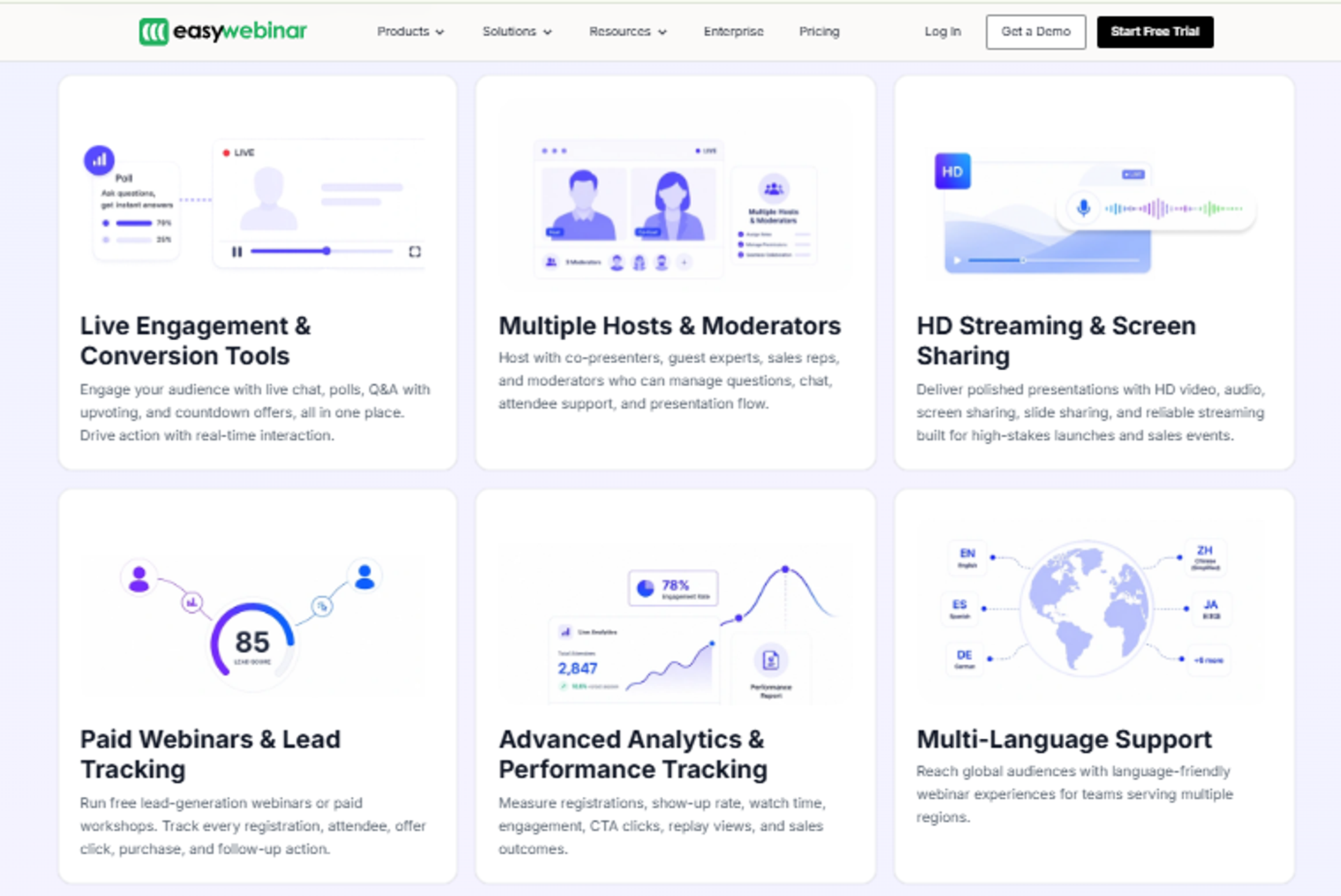
EasyWebinar is best for coaches, course creators, and marketing teams whose community lives or dies on live events that must convert, because it pairs low-latency live hosting, per-attendee analytics, and native on-demand replay in one system. It may not fit users who only need a text chat room with no events or selling intent.
I’ll be direct here, since I founded it. I don’t call EasyWebinar a “community platform” in the way Circle or Discord are. It’s a webinar revenue platform: the engine that runs the live and automated events your community actually shows up for. If your community is pure text chat, this isn’t your first pick. If your community runs on events that sell, it is.
Quick fit
| Best for | Operators running live, evergreen, or on-demand events that sell an offer |
| Skip if | You only need a text chat room with no events and no monetization |
| Strongest edge | Live hosting, per-attendee analytics, and native replay in one stack |
| Biggest trade-off | Automated webinars need the presentation uploaded before you build |
| Pricing snapshot | Tiered monthly/annual; just-in-time sits on a premium tier |
Why EasyWebinar ranks #1
I ranked it first because it wins on the three criteria I weighted heaviest for revenue-driven communities: live event quality, engagement analytics, and on-demand replay. Most tools on this list treat live streaming as a checkbox. They never name their streaming stack or their latency.
That gap matters more than it sounds. When your stream lags by a few seconds, your poll and your offer land after the moment has passed, and interaction breaks. We built EasyWebinar’s live webinar software on Dolby OptiView WebRTC, which targets sub-500ms latency (WebRTC means the video streams peer-to-peer, so the delay stays tiny). That keeps the CTA firing while member intent is still live. Live capacity runs from 50 attendees on Launch to 1,000 on Scale, with up to 100,000 on Enterprise. The architecture point holds: this is built around the event, not the chat feed.
The second reason is completeness. EasyWebinar covers registration pages, live and automated delivery, in-event offers, replay, and CRM-connected follow-up in one flow, which is exactly what consolidates a messy stack for the operator whose community runs on events.
What EasyWebinar does well
- Runs every format from one build. Live, simulated live, automated, evergreen, and on-demand all run from the same setup, so you nail an event live first, then automate it without rebuilding.
- Shows per-attendee behavior. The analytics track who watched, where they dropped off, and who saw or clicked an offer, so you fix the exact weak minute instead of guessing.
- Splits live-vs-replay insight. For evergreen events, you see live and replay attendees separately, which tells you how replay actually performs as a channel.
- Keeps offers in the room. Built-in polls, timed offers, and countdowns fire during the event, which is where in-session conversion happens.
- Connects to the revenue stack. Native CRM-connected follow-up plus HubSpot, ActiveCampaign, and Zapier integrations mean registration and engagement data flow into your existing tools.
Where EasyWebinar falls short
- Automated setup needs assets first. You have to upload the presentation before building an automated webinar, which slows operators who want registrations open before recording.
- Landing page customization is limited. Reviewers note design flexibility on pages and emails could be deeper.
- It’s not a text-first community tool. If you don’t run events, most of the platform’s value sits unused.
Decision scorecard
| Evaluation criterion | EasyWebinar fit | Why it matters |
|---|---|---|
| Live webinars | Strong | Sub-500ms Dolby-powered hosting keeps interaction in sync. |
| Simulated live / automated | Strong | Same build runs automated and simulated-live formats. |
| Evergreen automation | Strong | Evergreen with just-in-time scheduling on premium tiers. |
| Funnel pages | Partial | Registration and thank-you pages exist; customization is limited. |
| Engagement | Strong | Polls, timed offers, and countdowns fire live. |
| CRM and follow-up | Strong | CRM-connected follow-up plus native integrations. |
| Monetization | Strong | In-event offers and checkout paths support selling. |
| Analytics | Strong | Per-attendee tracking and live-vs-replay splits. |
| Integrations | Partial | Native CRMs plus Zapier; some setups need Zapier. |
| Pricing fit | Partial | Just-in-time sits behind a premium tier. |
| Best-fit buyer | Strong | Coaches, creators, and marketing teams selling via events. |
Best for / skip if
Choose EasyWebinar if your community runs on live or automated events that need to convert, and you want hosting, analytics, replay, and follow-up in one place. Skip it if you only need a text-chat space with no events, no replay, and no selling. It stays on the shortlist for any operator who treats the event, not the feed, as the heartbeat of the community.
Reviews
“I used to do live webinars to sell my online course. I decided to do an evergreen webinar instead using EasyWebinar. With my live class I used to sell 10-12 courses. With EasyWebinar I sold 25 courses within 3 weeks of my evergreen launch… performing 100% better in terms of course revenue.”
Laura C. EasyWebinar G2 Verified Review
“Easy to set up live or evergreen webinars, including replay options. Splits out live and replay attendee insights for evergreen webinars… easy to set up call to actions and polls… The analytics also show how many saw or clicked your offer.”
Verified User in Professional Training and Coaching EasyWebinar G2 Verified Review
2. Mighty Networks
Mighty Networks is best for creators who want courses, community, and events bundled under one branded space, because it ties content, discussion, and memberships together in a single tool. It may not fit operators who need high-conversion live events with named streaming quality and deep per-attendee analytics.
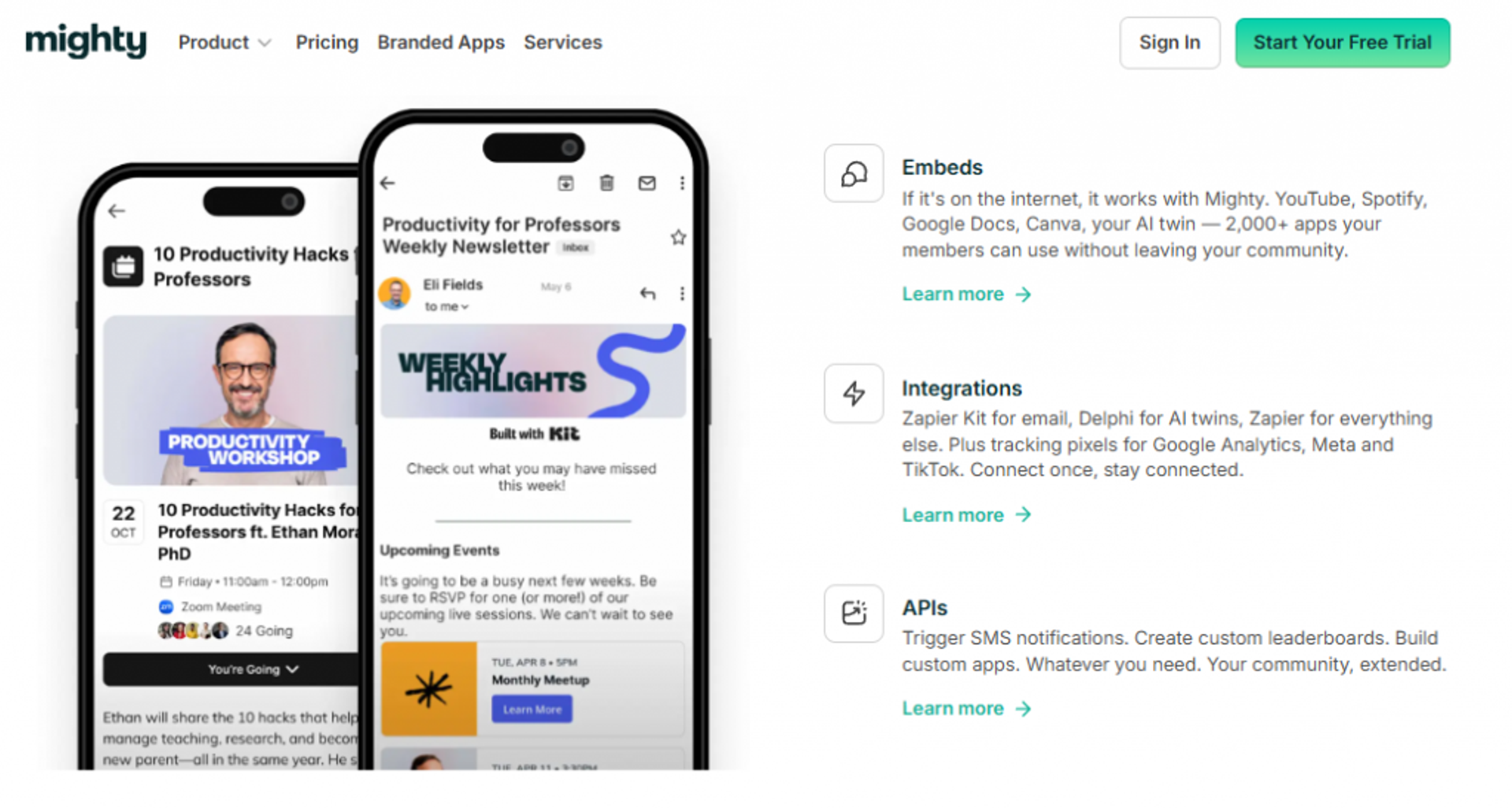
Mighty earns its spot because it does something real: it puts your course, your discussion, and your paid membership under one roof, so a creator isn’t stitching three tools together. From what I’ve seen watching creators build, that bundle is genuinely useful when the community is content-led rather than event-led.
Quick fit
| Best for | Creators bundling courses, community, and memberships in one brand |
| Skip if | Your growth depends on live events that must convert in the moment |
| Strongest edge | Courses, community, and events combined under one branded space |
| Biggest trade-off | Live streaming and event conversion tooling stay basic |
| Pricing snapshot | Flat monthly with annual discount |
Why Mighty Networks ranks #2
It ranks high on completeness for content-first communities. Mighty combines the three pillars most creators want, engagement, content, and monetization, without forcing a second platform. That’s a strong fit for a coach selling a course with a community wrapped around it.
Where it slips against EasyWebinar is the event layer. Mighty treats live streaming as one feature among many. It doesn’t name a streaming stack or a latency target, and it doesn’t give you the per-attendee, drop-off-level analytics an operator needs to optimize a selling event. For a community where the live session is the product, that’s the gap that keeps it at #2. If live versus automated delivery is central to your model, weigh that gap carefully.
What Mighty Networks does well
- Bundles courses and community. Members learn and discuss in the same space, which reduces stack cost and keeps the experience cohesive.
- Supports native monetization. Paid memberships and course sales run inside the platform, so you can charge for access without extra tools.
- Carries its own branding. The community lives under your brand with native mobile apps, which helps retention and perceived value.
- Adds interest-based discovery. Its network structure surfaces relevant members and content, which can lift engagement for larger communities.
Where Mighty Networks falls short
- Live events are basic. Streaming and in-event conversion tooling are light, so high-stakes selling events feel underpowered.
- Analytics stay surface-level. You get activity metrics, not the per-attendee, drop-off-level view an operator needs to optimize conversion.
- Replay isn’t a conversion lever. Recorded sessions live as content, not as a behavior-triggered follow-up path.
Decision scorecard
| Evaluation criterion | Mighty Networks fit | Why it matters |
|---|---|---|
| Live webinars | Partial | Live streaming exists but is basic and unnamed on quality. |
| Simulated live / automated | Weak | Not built for automated or evergreen selling events. |
| Evergreen automation | Weak | No true evergreen event engine. |
| Funnel pages | Partial | Landing and sales pages are functional, not funnel-deep. |
| Engagement | Strong | Discussions, courses, and events drive content engagement. |
| CRM and follow-up | Partial | Basic email and tagging; limited native CRM depth. |
| Monetization | Strong | Native paid memberships and course sales. |
| Analytics | Partial | Activity metrics without per-attendee event depth. |
| Integrations | Partial | Core integrations plus Zapier; fewer native CRMs. |
| Pricing fit | Partial | Reasonable for bundles; adds up at higher tiers. |
| Best-fit buyer | Strong | Content-first creators bundling course and community. |
Best for / skip if
Choose Mighty Networks if your community is content-led and you want courses, discussion, and memberships in one branded home. Skip it if your revenue depends on live events that must convert in the moment, since the event and analytics layers stay shallow. Keep it shortlisted for course-plus-community builds, and pair it with a dedicated event engine if selling live is central.
3. Circle
Circle is best for conversation-first communities that want discussions, events, and workflows under one polished roof, because it bundles messaging, courses, and events in a single branded space. It may not fit operators who need high-conversion live selling events or who are cost-sensitive at scale.
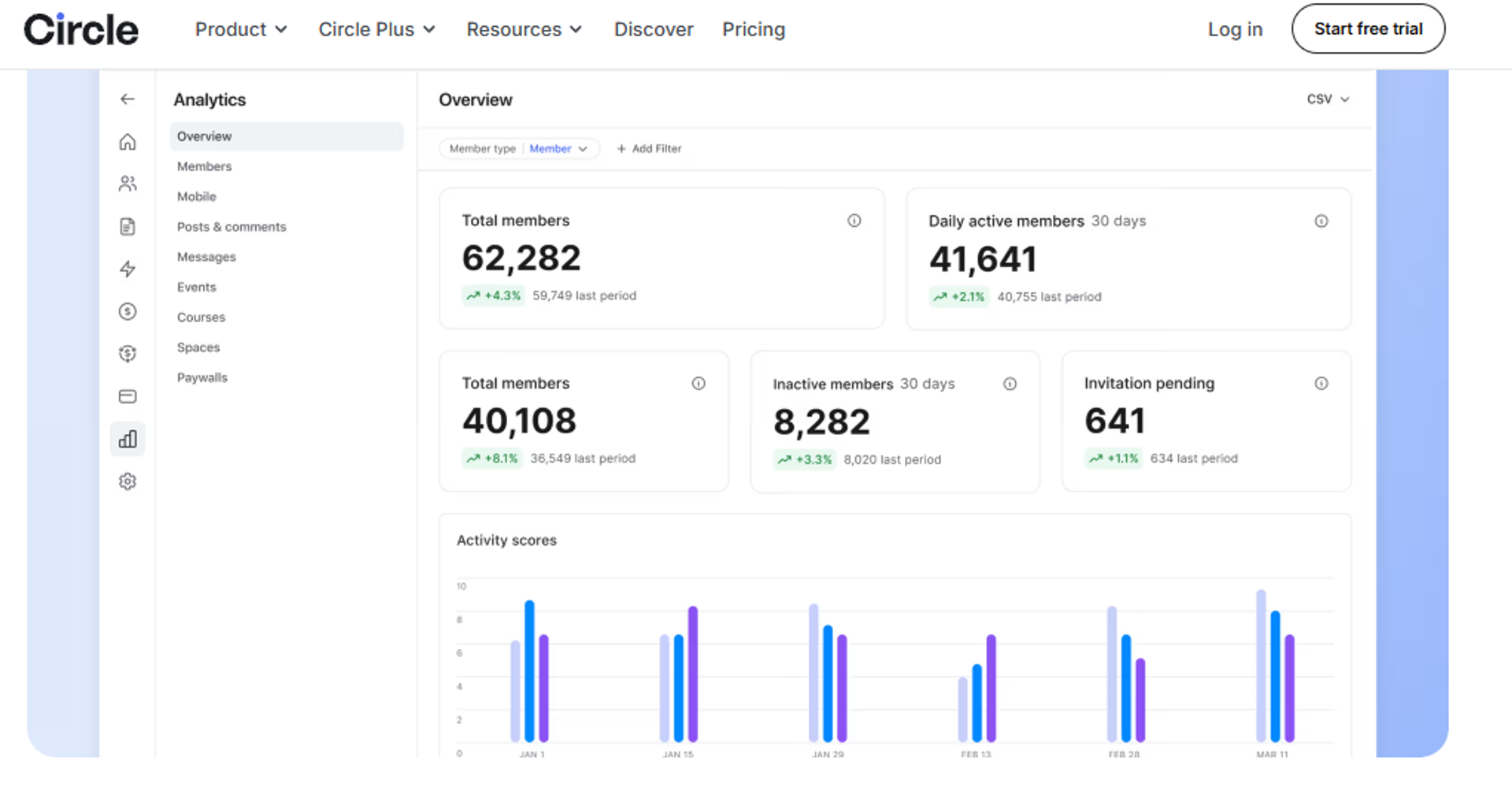
Circle earns its spot honestly. It was built as a conversation-centric tool, and it shows: the discussion experience feels clean and modern, and the platform now stretches into events, courses, and light automation. For a community whose heartbeat is the conversation, that focus is a real strength.
🧭 Where Circle fits
Circle’s pitch is “everything under one roof,” and it mostly delivers on discussions, members, and events. From what I’ve seen watching clients build on it, people who choose Circle love the polish.
But there’s a texture question worth naming. People who pick Heartbeat sometimes call Circle a little sterile or cold, while Circle fans call Heartbeat too soft. Neither is wrong. It’s a vibe fit you should test before you commit.
Quick fit
| Best for | Conversation-led communities wanting discussions, events, and courses in one space |
| Skip if | Live selling events are your core revenue engine |
| Strongest edge | Clean, modern discussion experience under one branded roof |
| Biggest trade-off | Feature gating and add-ons push cost up as you grow |
| Pricing snapshot | Flat monthly tiers; key features gated to higher plans |
Why Circle ranks #3
Circle ranks high on completeness and engagement for discussion-first communities. It covers the three pillars, engagement, management, and monetization, in one place, and the interface is genuinely pleasant to use daily.
It sits below the event-led tools on this list for one reason: the live event and analytics layers aren’t built for conversion. Circle runs events, but it doesn’t name a streaming stack, quantify latency, or give per-attendee, drop-off-level analytics. If your community sells through live selling sessions, that’s a gap.
💰 The cost caution
Here’s the honest operator note. Circle really does nickel and dime you. Features you might assume are standard, like its API (the connection that lets other tools talk to Circle) and custom profile fields, sit on higher plans.
I usually tell clients building on Circle to budget for at least the business plan, not the entry tier. It adds up faster than the sticker price suggests, so model your real cost before you commit.
What Circle does well
- Delivers a clean discussion experience. The conversation feed is modern and easy, which keeps daily engagement high for text-led communities.
- Bundles events, courses, and community. Members learn, talk, and attend in one space, which reduces the number of tools you juggle.
- Adds AI and workflow tools. Light automation and AI agents help route members and reduce manual community-management work.
- Supports native monetization. Paid memberships and course sales run inside the platform, so you can charge without bolting on extra software.
Where Circle falls short
- Events aren’t conversion-grade. No named streaming quality or latency target, so high-stakes selling events feel underpowered.
- Analytics stay light. You get activity data, not per-attendee drop-off and offer-click depth.
- Pricing gates essentials. API and custom profile fields sit on higher tiers, so real cost climbs at scale.
Decision scorecard
| Evaluation criterion | Circle fit | Why it matters |
|---|---|---|
| Live webinars | Partial | Events run, but streaming quality is unnamed and basic. |
| Simulated live / automated | Weak | No true automated or evergreen event engine. |
| Evergreen automation | Weak | Not built for evergreen selling funnels. |
| Funnel pages | Partial | Landing pages exist; not conversion-funnel deep. |
| Engagement | Strong | Clean, modern discussion experience drives daily activity. |
| CRM and follow-up | Partial | Light automation and tagging; limited native CRM. |
| Monetization | Strong | Native paid memberships and course sales. |
| Analytics | Partial | Activity metrics without per-attendee event depth. |
| Integrations | Partial | API and integrations, but API is gated to higher tiers. |
| Pricing fit | Partial | Feature gating raises effective cost at scale. |
| Best-fit buyer | Strong | Conversation-first creators and brands. |
Best for / skip if
Choose Circle if your community runs on discussion and you want a clean, all-in-one space for talking, learning, and light events. Skip it if live selling events drive your revenue, or if the gated pricing breaks your budget at scale. Keep it shortlisted for conversation-led builds, and price the business plan, not the entry tier.
4. Bettermode
Bettermode is best for brands and enterprises that need a deeply customizable, white-label community, because it offers a flexible, brandable community layer with strong configuration. It may not fit solo operators who want a fast, simple launch or who center everything on live selling events.
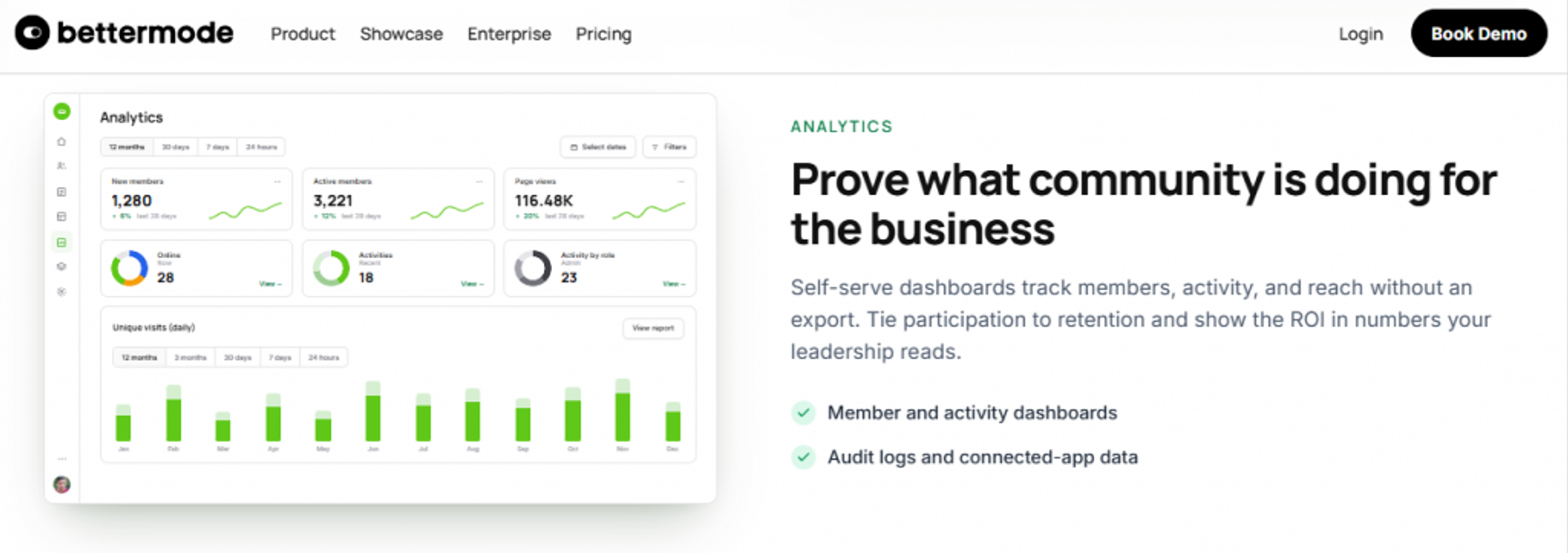
Bettermode earns its place on customization. If you want a community that looks and behaves exactly like your product, with your branding end to end, this is one of the strongest options here. White-label means you can strip out Bettermode’s branding and make it fully your own.
🧭 Where Bettermode fits
Bettermode leans enterprise and brand-led. It’s the pick when a marketing or product team wants the community woven into the main brand experience, not parked on a separate creator platform.
That power comes with weight. The flexibility that makes it strong for enterprises also makes it heavier to set up than a plug-and-play creator tool.
Quick fit
| Best for | Brands and enterprises wanting a white-label, deeply customizable community |
| Skip if | You want a fast, simple launch or event-led selling |
| Strongest edge | Deep customization and white-label branding |
| Biggest trade-off | Heavier setup; overkill for solo operators |
| Pricing snapshot | Tiered and quote-based for enterprise |
Why Bettermode ranks #4
Bettermode ranks high on customization and stack fit for brand-led communities. Its API and configuration depth let a team embed community into an existing product experience, which is exactly what enterprise buyers want.
It ranks below the top tools because the live event and conversion layers aren’t its focus. Bettermode is a community layer, not an event revenue engine. For a community built around live selling sessions, you’d bolt on a separate event tool.
What Bettermode does well
- Customizes end to end. Deep configuration and white-label branding make the community feel native to your product, which lifts trust and retention.
- Fits into a product stack. A solid API and integrations let teams embed community inside existing apps, reducing disconnected experiences.
- Scales for larger orgs. Roles, permissions, and moderation suit bigger teams managing many members.
- Supports engagement structure. Flexible content types and spaces keep larger communities organized instead of chaotic.
Where Bettermode falls short
- Setup is heavier. The customization depth means a longer build, so it’s overkill for a solo coach.
- Events aren’t conversion-grade. No named streaming stack or per-attendee conversion analytics for selling events.
- Pricing is less transparent. Enterprise tiers are quote-based, so budget clarity requires a sales conversation.
Decision scorecard
| Evaluation criterion | Bettermode fit | Why it matters |
|---|---|---|
| Live webinars | Weak | Not built as a live event engine. |
| Simulated live / automated | Weak | No automated or evergreen event tooling. |
| Evergreen automation | Weak | Not an evergreen funnel platform. |
| Funnel pages | Partial | Customizable pages, but not conversion-funnel focused. |
| Engagement | Strong | Flexible spaces and content types drive structured engagement. |
| CRM and follow-up | Partial | Integrations and API; limited native CRM depth. |
| Monetization | Partial | Supports paid access, but selling isn’t the core design. |
| Analytics | Partial | Community analytics without per-attendee event depth. |
| Integrations | Strong | Strong API and integrations for embedding into a stack. |
| Pricing fit | Partial | Quote-based enterprise pricing reduces transparency. |
| Best-fit buyer | Strong | Brands and enterprises needing customization. |
Best for / skip if
Choose Bettermode if you’re a brand or enterprise that wants a fully customized, white-label community embedded in your product. Skip it if you want a fast launch or your revenue runs on live selling events. Keep it shortlisted for brand-led, customization-heavy builds where setup time is acceptable.
5. Skool
Skool is best for operators who want a simple, fast-launch community they can run in a day, because it strips the experience down to community, courses, and gamification. It may not fit users who need deep customization or who run multiple pricing tiers from one account.
Skool earns its place on simplicity. You can get a community up and running very quickly, and the minimalist design keeps members focused instead of lost. For a first community or a low-friction membership, that speed is a genuine advantage.
🧭 Where Skool fits
Skool is the anti-bloat pick. It does community, simple courses, and a leaderboard, and it does them without a steep learning curve.
The trade-off is customization. Skool keeps things minimalist on purpose, so if you want a highly branded, flexible build, you’ll hit its ceiling fast.
Quick fit
| Best for | Operators wanting a fast, simple, low-friction community launch |
| Skip if | You need deep customization or multiple pricing tiers in one account |
| Strongest edge | Minimalist setup you can launch in a day |
| Biggest trade-off | Limited customization; tiers need separate accounts |
| Pricing snapshot | Flat monthly |
Why Skool ranks #5
Skool ranks well on time-to-launch and engagement simplicity. The gamified leaderboard and clean layout keep members active without much management work, which is real value for a solo operator.
It ranks mid-pack because it trades away depth. There’s no named live event engine, no conversion analytics, and limited customization. Here’s the operator catch I’ve seen: people running a lower-ticket Skool and a higher-ticket Skool have to keep completely separate accounts, which gets clunky fast.
What Skool does well
- Launches fast. Minimal setup means you can open a community in a day, which lowers the barrier for first-timers.
- Drives engagement with gamification. The leaderboard and points keep members coming back, which lifts daily activity.
- Bundles simple courses. Basic course hosting sits alongside the community, so members learn and talk in one place.
- Stays easy to use. The clean interface reduces support questions and management overhead.
Where Skool falls short
- Limited customization. The minimalist design caps branding and flexibility for advanced operators.
- Separate accounts per tier. Running multiple price tiers means multiple accounts, which adds friction.
- No conversion-grade events. No named live streaming or per-attendee analytics for selling.
Decision scorecard
| Evaluation criterion | Skool fit | Why it matters |
|---|---|---|
| Live webinars | Weak | No dedicated live event engine. |
| Simulated live / automated | Weak | No automated or evergreen event tooling. |
| Evergreen automation | Weak | Not an evergreen funnel platform. |
| Funnel pages | Weak | Minimal page and funnel capability. |
| Engagement | Strong | Gamification keeps members active. |
| CRM and follow-up | Weak | Limited tagging and follow-up depth. |
| Monetization | Partial | Paid access works; multi-tier needs separate accounts. |
| Analytics | Weak | Basic activity metrics only. |
| Integrations | Weak | Limited native integrations. |
| Pricing fit | Strong | Simple flat pricing is easy to model. |
| Best-fit buyer | Strong | First-time or low-friction community builders. |
Best for / skip if
Choose Skool if you want a community live in a day with minimal setup and built-in gamification. Skip it if you need deep customization, multiple pricing tiers in one account, or conversion-grade live events. Keep it shortlisted for simple, fast, single-tier community launches.
6. Heartbeat
Heartbeat is best for cozy, event-driven communities that want strong live events and course reflection flows, because it handles events and student interaction unusually well. It may not fit operators who want highly structured discussions or a more formal, corporate feel.
Heartbeat earns its spot on events and warmth. Heartbeat absolutely nails events, and its community feels personal by design. For a community where connection and live gatherings matter more than a formal knowledge base, that’s a strong fit.
🧭 Where Heartbeat fits
Heartbeat leans cozy and event-led. People who choose it want that informal, human feel, and the event experience backs it up.
One detail I like: when a student submits a course assignment, it feeds that post into a conversation channel, so other students see it in real time. That keeps reflection questions from getting buried, which most platforms fumble.
Quick fit
| Best for | Cozy, event-led communities and course reflection flows |
| Skip if | You want structured discussion topics or a formal, corporate feel |
| Strongest edge | Strong live events plus assignment-to-conversation flow |
| Biggest trade-off | Conversation lacks topics; feels Slack-style and informal |
| Pricing snapshot | Flat monthly, annual option |
Why Heartbeat ranks #6
Heartbeat ranks well on engagement and events for community-led builds. The event experience is genuinely good, and the course-to-conversation flow drives real interaction between members.
It ranks mid-pack because two pillars leave me wanting. The conversation element has no topics, so you’re forced into a Slack-style list of channels (Slack-style means a flat set of chat channels rather than threaded topics). The content side is lighter than dedicated course tools, and events, while strong, aren’t a named-latency selling engine.
What Heartbeat does well
- Runs events well. The live event experience is a genuine strength, which keeps community gatherings engaging.
- Connects assignments to conversation. Course submissions feed into channels, so reflection stays visible instead of buried.
- Feels personal. The cozy, informal design lifts belonging, which helps retention for community-led groups.
- Keeps setup approachable. It’s manageable to launch without a heavy technical lift.
Where Heartbeat falls short
- No conversation topics. The Slack-style channel list can get messy without threaded topics.
- Lighter content tooling. Course features trail dedicated LMS platforms.
- Events aren’t a selling engine. Strong for gatherings, but no named streaming quality or per-attendee conversion analytics.
Decision scorecard
| Evaluation criterion | Heartbeat fit | Why it matters |
|---|---|---|
| Live webinars | Partial | Events are strong but not conversion-grade selling tools. |
| Simulated live / automated | Weak | No automated or evergreen event engine. |
| Evergreen automation | Weak | Not an evergreen funnel platform. |
| Funnel pages | Weak | Minimal funnel-page capability. |
| Engagement | Strong | Events and assignment-to-conversation flow drive interaction. |
| CRM and follow-up | Partial | Basic tagging and follow-up. |
| Monetization | Partial | Paid access supported; selling isn’t the core design. |
| Analytics | Partial | Community metrics without per-attendee event depth. |
| Integrations | Partial | Core integrations; fewer native CRMs. |
| Pricing fit | Partial | Reasonable, but check tier limits. |
| Best-fit buyer | Strong | Cozy, event-led, community-first groups. |
Best for / skip if
Choose Heartbeat if you want a warm, event-led community with a smooth course-to-conversation flow. Skip it if you need structured discussion topics, deep course tooling, or a conversion-grade selling event engine. Keep it shortlisted for community-led, event-driven builds that value a personal feel.
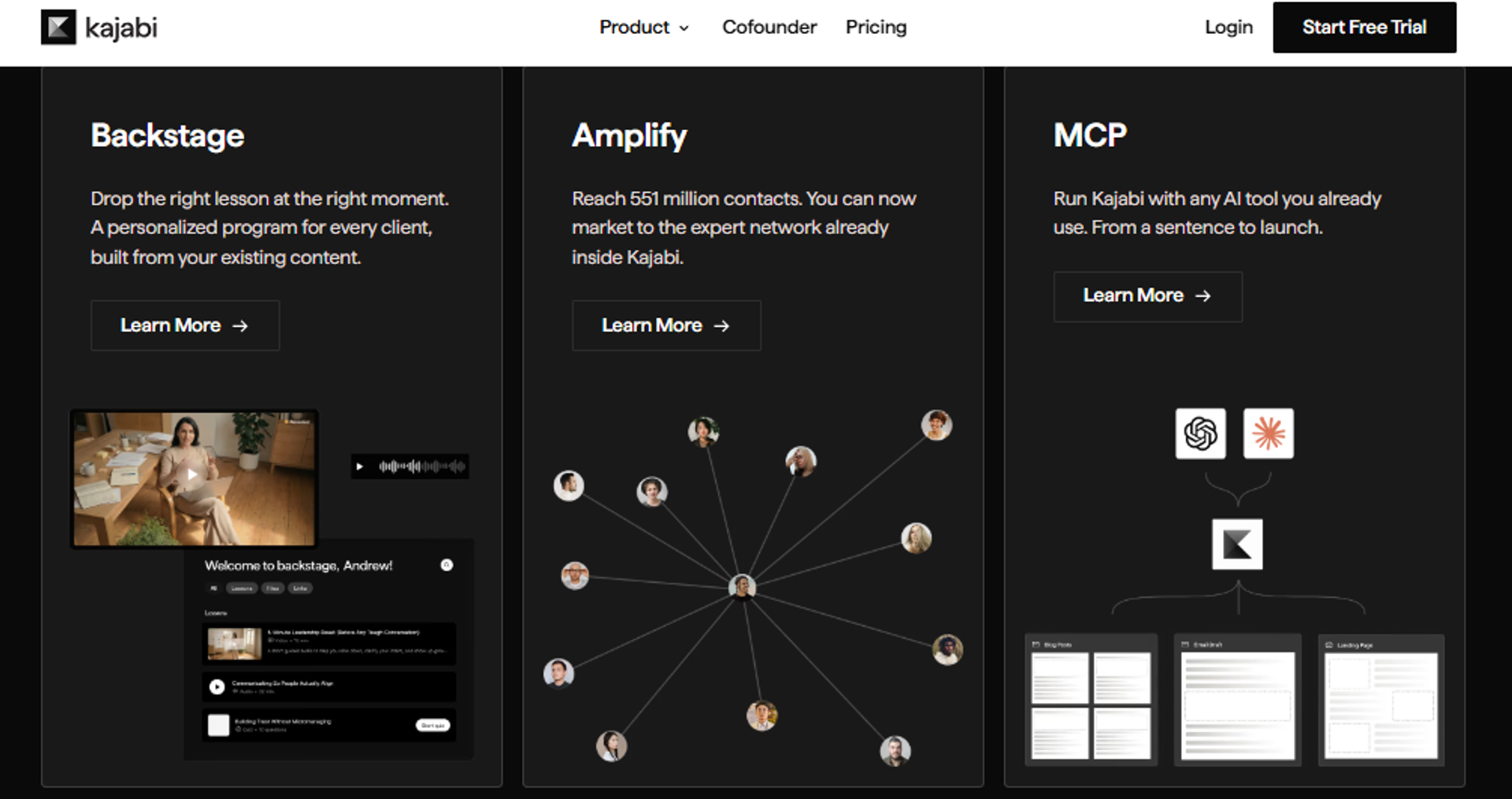
7. Kajabi
Kajabi is best for course-first creators who want to add a community around an existing course and checkout stack, because it ties community to courses, payments, and email in one place. It may not fit operators who want community or live events as the primary experience.
Kajabi earns its spot as a course-led all-in-one. If you already sell courses and want a community, checkout, and email under one login, Kajabi keeps that stack tight. The community is an add-on to a strong course-and-commerce core.
🧭 Where Kajabi fits
Kajabi is the course-first pick. The community rides alongside the LMS (learning management system, the tool that hosts and delivers your courses), rather than leading the experience.
That’s fine if courses are your product and community is the wrapper. It’s a poor fit if the community itself is meant to be the main draw.
Quick fit
| Best for | Course-first creators adding a community to an existing course stack |
| Skip if | Community or live events are your primary experience |
| Strongest edge | Courses, checkout, email, and community in one login |
| Biggest trade-off | Community is secondary to the LMS |
| Pricing snapshot | Flat monthly tiers |
Why Kajabi ranks #7
Kajabi ranks well on stack consolidation and monetization for course sellers. Courses, payments, email, and community in one place reduce tool sprawl, which is real value for a creator already selling courses.
It ranks lower for community engagement because the community is a secondary module. There’s no named live event engine, and the discussion and event depth trail the community-first tools higher on this list. If paid, event-led selling is central, weigh that gap.
What Kajabi does well
- Consolidates the course stack. Courses, checkout, email, and community share one login, which cuts tool cost and complexity.
- Handles monetization natively. Built-in payments and offers make selling courses straightforward.
- Automates follow-up. Native email and simple automations nurture buyers without a separate tool.
- Keeps content organized. Strong course structure suits creators whose product is the curriculum.
Where Kajabi falls short
- Community is secondary. Discussion and engagement depth trail community-first platforms.
- No conversion-grade live events. No named streaming quality or per-attendee selling analytics.
- Cost climbs with scale. Higher tiers get pricey as your list and features grow.
Decision scorecard
| Evaluation criterion | Kajabi fit | Why it matters |
|---|---|---|
| Live webinars | Weak | No dedicated live event engine. |
| Simulated live / automated | Weak | No automated or evergreen event tooling. |
| Evergreen automation | Partial | Email automation exists; no evergreen event engine. |
| Funnel pages | Strong | Solid sales and checkout pages for course selling. |
| Engagement | Partial | Community works but is a secondary module. |
| CRM and follow-up | Partial | Native email and basic automation. |
| Monetization | Strong | Built-in payments, offers, and checkout. |
| Analytics | Partial | Course and sales metrics without per-attendee event depth. |
| Integrations | Partial | Core integrations plus Zapier. |
| Pricing fit | Partial | Reasonable for bundles; climbs at higher tiers. |
| Best-fit buyer | Strong | Course-first creators adding community. |
Best for / skip if
Choose Kajabi if courses are your product and you want community, checkout, and email in one place. Skip it if community engagement or live selling events are the main experience you’re building. Keep it shortlisted for course-led businesses that want a tight, consolidated stack.
8. Discord
Discord is best for free, real-time chat communities that want fast text and voice at no cost, because it delivers instant messaging and voice channels for free. It may not fit operators who need native monetization, analytics, or a structured sales funnel.
Discord earns its spot on speed and price. It’s free, it’s real-time, and members often already have accounts. For a casual, chat-led community, that low barrier is hard to beat.
🧭 Where Discord fits
Discord is the free, fast, chat-first pick. It shines for real-time conversation and voice, especially with younger or highly online audiences.
The catch is that it’s not built for selling. There’s no native monetization, no funnel, and no real conversion analytics, so you’d bolt those on from other tools.
Quick fit
| Best for | Free, real-time chat and voice communities |
| Skip if | You need monetization, analytics, or a sales funnel |
| Strongest edge | Fast, free real-time chat and voice |
| Biggest trade-off | No native monetization, analytics, or funnels |
| Pricing snapshot | Freemium (paid boosts optional) |
Why Discord ranks #8
Discord ranks well on real-time engagement and cost. For fast conversation and voice, few tools match it, and the free tier removes any barrier to entry.
It ranks near the bottom for revenue-driven communities because it lacks the business layer. No native monetization, no conversion analytics, and no funnel pages mean it can’t stand alone as a revenue engine. A common operator frustration shows up here.
“Discord is great for chat but a nightmare to organize as a paid community, you end up duct-taping bots and payment tools together.”
Community operator sentiment Reddit Thread
What Discord does well
- Enables real-time chat and voice. Instant messaging and voice channels keep active communities lively.
- Removes the cost barrier. The free tier means anyone can start, which helps early growth.
- Feels familiar. Many members already use it, so adoption friction is low.
- Supports bots and roles. Automation bots and role permissions help organize larger servers.
Where Discord falls short
- No native monetization. Selling requires third-party bots and payment tools bolted on.
- No conversion analytics. You can’t track drop-off, offer clicks, or per-member selling behavior.
- No funnel or events engine. No registration pages, replay, or structured selling events.
Decision scorecard
| Evaluation criterion | Discord fit | Why it matters |
|---|---|---|
| Live webinars | Weak | Voice and stream exist, but no selling event engine. |
| Simulated live / automated | Weak | No automated or evergreen tooling. |
| Evergreen automation | Weak | No evergreen funnel capability. |
| Funnel pages | Weak | No native registration or funnel pages. |
| Engagement | Strong | Real-time chat and voice drive high activity. |
| CRM and follow-up | Weak | No native CRM or structured follow-up. |
| Monetization | Weak | Requires third-party bots and payment tools. |
| Analytics | Weak | No conversion or per-member selling analytics. |
| Integrations | Partial | Rich bot ecosystem, but not revenue-focused. |
| Pricing fit | Strong | Free tier removes cost barrier. |
| Best-fit buyer | Partial | Casual, chat-first communities. |
Best for / skip if
Choose Discord if you want a free, fast, real-time chat and voice community and don’t need to sell inside it. Skip it if monetization, analytics, or a structured funnel matter to your model. Keep it shortlisted only for casual, chat-led communities, not revenue engines.
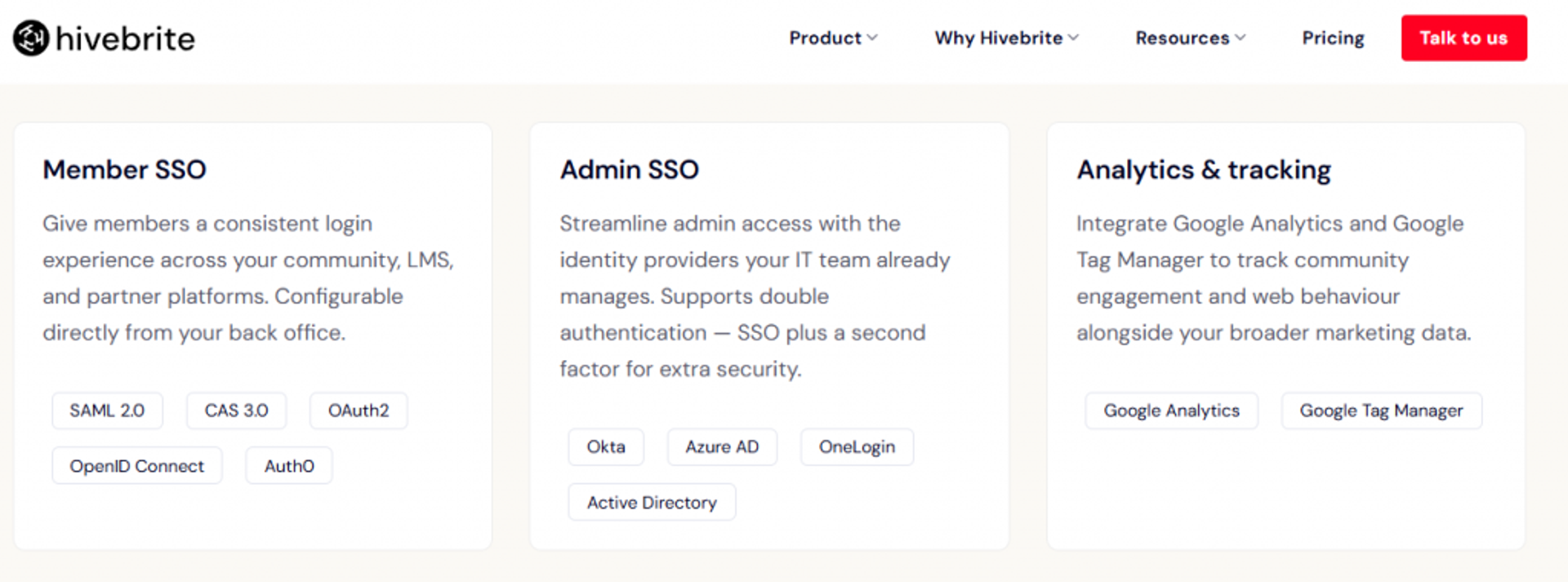
9. Hivebrite
Hivebrite is best for nonprofits, alumni networks, and large membership organizations that need to manage many members, because it’s purpose-built for structured member networks. It may not fit solo creators or operators who center everything on live selling events.
Hivebrite earns its spot on member-network depth. For alumni associations, nonprofits, and professional networks, it handles member directories, engagement, and management at a scale most creator tools can’t. That focus is its real strength.
🧭 Where Hivebrite fits
Hivebrite is the institutional pick. It suits organizations with large, structured memberships that need directories, events, and administration in one place.
That power comes at enterprise weight. Setup and pricing reflect the organizational use case, so it’s overkill for a solo operator.
Quick fit
| Best for | Nonprofits, alumni, and large membership networks |
| Skip if | You’re a solo creator or run event-led selling |
| Strongest edge | Purpose-built for large, structured member networks |
| Biggest trade-off | Enterprise setup weight and quote-based pricing |
| Pricing snapshot | Quote-based, typically annual |
Why Hivebrite ranks #9
Hivebrite ranks well on scale and management for member organizations. Directories, roles, and engagement tools suit large networks, and it handles administrative complexity that creator tools skip.
It ranks lower here because the article’s core axis is event-led engagement and revenue. Hivebrite isn’t a live selling engine, and its analytics focus on membership, not per-attendee conversion. For its intended buyer, that’s fine; for an event-driven revenue community, it’s a mismatch.
What Hivebrite does well
- Manages large networks. Member directories and roles keep big communities organized, which matters for alumni and nonprofits.
- Handles events at scale. Event management suits recurring organizational gatherings.
- Supports engagement structure. Groups and content spaces keep large memberships active.
- Fits institutional needs. Administration and permissions match nonprofit and association workflows.
Where Hivebrite falls short
- Enterprise setup weight. The platform takes real time to configure, so it’s overkill for solo operators.
- Quote-based pricing. Cost clarity requires a sales conversation.
- Not a selling event engine. No named streaming quality or per-attendee conversion analytics.
Decision scorecard
| Evaluation criterion | Hivebrite fit | Why it matters |
|---|---|---|
| Live webinars | Weak | Not a live selling event engine. |
| Simulated live / automated | Weak | No automated or evergreen event tooling. |
| Evergreen automation | Weak | Not an evergreen funnel platform. |
| Funnel pages | Weak | Membership-focused, not conversion-funnel built. |
| Engagement | Partial | Groups and content drive network engagement. |
| CRM and follow-up | Partial | Member management, limited selling follow-up. |
| Monetization | Partial | Membership dues supported; not offer-selling focused. |
| Analytics | Partial | Membership analytics without per-attendee event depth. |
| Integrations | Partial | Integrations suit organizational stacks. |
| Pricing fit | Weak | Quote-based enterprise pricing limits transparency. |
| Best-fit buyer | Strong | Nonprofits, alumni, and large member networks. |
Best for / skip if
Choose Hivebrite if you run a nonprofit, alumni, or large membership network that needs structured member management. Skip it if you’re a solo creator or your revenue depends on live selling events. Keep it shortlisted for institutional, member-network use cases.
10. Disciple
Disciple is best for creators and brands that want a white-label, branded mobile community, because it delivers native mobile apps under your own brand. It may not fit operators who are cost-sensitive or who center everything on live selling events.
Disciple earns its spot on branded mobile. If a native app under your own brand is the priority, Disciple is one of the strongest picks here. It moves the community off social platforms and onto your own turf.
🧭 Where Disciple fits
Disciple is the mobile-first, brand-owned pick. It suits creators who want members in a dedicated app rather than scattered across social feeds.
The trade-off is cost and focus. The branded-app model sits at a higher price point, and the platform centers on community, not conversion-grade selling events.
Quick fit
| Best for | Creators and brands wanting a white-label, branded mobile community |
| Skip if | You’re cost-sensitive or run event-led selling |
| Strongest edge | Native branded mobile apps |
| Biggest trade-off | Higher cost; mobile-first focus |
| Pricing snapshot | Quote-based / tiered |
Why Disciple ranks #10
Disciple ranks well on branding and mobile ownership. A native app under your brand lifts perceived value and keeps members off distracting social platforms, which helps retention.
It ranks last on this list because it’s narrow against the article’s event-and-revenue axis. There’s no named live selling engine and no per-attendee conversion analytics, and the cost sits high for what many operators need. For a brand that specifically wants a mobile-owned community, though, it’s a real fit.
What Disciple does well
- Delivers branded mobile apps. A native app under your brand lifts ownership and perceived value.
- Moves members off social. Your community lives on your turf, which reduces platform-dependency risk.
- Supports engagement and content. Feeds, groups, and content keep mobile members active.
- Enables monetization. Paid access and subscriptions run inside the branded app.
Where Disciple falls short
- Higher cost. The branded-app model sits at a premium price point.
- Mobile-first focus. Desktop and funnel-page depth trail web-first tools.
- Not a selling event engine. No named streaming quality or per-attendee conversion analytics.
Decision scorecard
| Evaluation criterion | Disciple fit | Why it matters |
|---|---|---|
| Live webinars | Weak | Not a live selling event engine. |
| Simulated live / automated | Weak | No automated or evergreen event tooling. |
| Evergreen automation | Weak | Not an evergreen funnel platform. |
| Funnel pages | Weak | Mobile-first; limited funnel pages. |
| Engagement | Strong | Branded app feeds and groups drive mobile engagement. |
| CRM and follow-up | Partial | Basic follow-up; limited native CRM. |
| Monetization | Strong | Native paid access inside the branded app. |
| Analytics | Partial | Community metrics without per-attendee event depth. |
| Integrations | Partial | Core integrations; fewer native CRMs. |
| Pricing fit | Weak | Premium branded-app pricing. |
| Best-fit buyer | Strong | Brands wanting a mobile-owned community. |
Best for / skip if
Choose Disciple if a branded, native mobile app is your priority and budget allows. Skip it if you’re cost-sensitive or your revenue depends on live selling events. Keep it shortlisted for brand-owned, mobile-first community builds.
🧭 How to read this list against your own community
Here’s the filter I’d use. If your community is conversation-led, look at Circle, Bettermode, or Skool. If it’s course-led, weigh Mighty Networks or Kajabi. If it’s free and casual, Discord fits, and if it’s institutional, Hivebrite does.
But if your community lives or dies on live events that must convert and retain, the axis flips. That’s where EasyWebinar leads, because it treats the event, not the feed, as the heartbeat, and pairs it with the analytics and replay that turn engagement into revenue. As Laura C. put it after switching to an evergreen build, she sold 25 courses in three weeks versus 10 to 12 live, “performing 100% better in terms of course revenue.”
“I used to do live webinars to sell my online course. I decided to do an evergreen webinar instead using EasyWebinar. With my live class I used to sell 10-12 courses. With EasyWebinar I sold 25 courses within 3 weeks of my evergreen launch… performing 100% better in terms of course revenue.”
Laura C. EasyWebinar G2 Verified Review
Q2. What is a community engagement platform, and how did we score these 10?
A community engagement platform combines three pillars: engagement tools (discussions, live events, chat, polls), management tools (member data, analytics, moderation), and business tools (monetization, branding, integrations). We scored each on five weighted criteria: Live Event Hosting and Interactivity (25%), Engagement and Retention Analytics (25%), On-Demand Replay and Pathways (20%), Integrations and Stack Fit (20%), and Pricing Transparency (10%), awarding 1 star per 20 points.
🧭 The three pillars, in plain terms
Think of it as three jobs one tool must do. First, engagement: the discussions, live events, chat, and polls that get people talking. Second, management: the member data, analytics, and moderation that keep it running. Third, business: the monetization, branding, and integrations that make it pay.
Here’s my one caution. Be extremely careful of any tool that promises to be more all-in-one than that. Once a platform claims to be your community, your CRM (customer relationship manager, the tool that tracks your contacts), and your email service too, quality usually drops across the board.
⚠️ Why the event is the keystone
I treat live events as the keystone of a community offer. Picture an arch: the middle stone holds it up, and if you pull it out, the rest crumbles. Content and chat matter, but the event is what pulls people back.
That belief shaped how we weighted the scoring. Member growth has almost nothing to do with audience size or volume of content. It has everything to do with building the right system, so we scored for the system, not the feature count.
How we scored the 10
We used five criteria that total 100 points. Live and analytics carry the most weight because they drive retention and revenue, not vanity activity. Volume ain’t value, so we didn’t reward feature bloat.
| Criterion | Weight | What it measures |
|---|---|---|
| Live Event Hosting and Interactivity | 25% | Stream quality, latency, polls, and in-moment offers |
| Engagement and Retention Analytics | 25% | Per-member behavior, drop-off, and offer-click depth |
| On-Demand Replay and Pathways | 20% | Whether replays lead somewhere, not just pile up |
| Integrations and Stack Fit | 20% | Native CRM, payments, API, and Zapier connections |
| Pricing Transparency | 10% | Clear, published pricing without hidden gates |
⭐ The star bands
Each platform earns stars by its weighted total. The bands are simple, so you can see exactly why a tool landed where it did.
- 0 to 20 points: 1 star
- 21 to 40: 2 stars
- 41 to 60: 3 stars
- 61 to 80: 4 stars
- 81 to 100: 5 stars
EasyWebinar is the only 5-star tool on this list. It earns that on the three heaviest-weighted criteria: live hosting, engagement analytics, and on-demand replay. That is because EasyWebinar treats the live event as the keystone pillar, not an afterthought bolted onto a chat feed. The other platforms are strong at conversation or courses, but they don’t build the room around the event that sells.
Q3. Why is live event hosting the difference between a community that converts and one that dies?
Live event hosting is the difference-maker because members join for connection, not another video to ignore. When streaming lags, polls and offers land after the moment passes, and engagement breaks. Broadcast-grade live hosting, like EasyWebinar’s Dolby OptiView WebRTC at sub-500ms latency for up to 100K attendees, keeps interaction in sync, which is what pulls members back and reverses the death spiral.
🧭 Most events are just boring
Let me say the quiet part out loud. Most online webinars, trainings, and community events are just boring. People aren’t really paying attention. They’re doing email in the background while your slides play to nobody.
I learned this the hard way. During the recession, I had a $15K year, and a YouTube course I spent six months on sold zero copies. The thing that finally worked was a live webinar, because it built know, like, and trust in real time, even when it wasn’t polished.
⚠️ The death spiral nobody names
Here’s what kills communities. Members get dumped into a large library of learning content with no clear pathway. Nothing pulls them back, so they drift, and then they leave in droves. That’s the death spiral. On-demand courses are on the decline for exactly this reason. What people actually want are interactive, supportive, community-powered events, because trust beats your credentials every single time.
✅ Why latency decides the room
This is the part the category skips. When your stream lags by a few seconds, your poll fires late and your offer lands after the moment has cooled. The room goes quiet, and you can feel it.
That’s why we built EasyWebinar’s live engine on Dolby OptiView WebRTC, targeting sub-500ms latency for large audiences (WebRTC means the video streams almost peer-to-peer, so the delay stays tiny). The CTA (call to action, your offer button) fires while member intent is still live. Live capacity scales from 50 attendees on Launch to 1,000 on Scale, with up to 100,000 on Enterprise.
⏰ Your Monday move
Here’s something you can do this week. Run one live session, keep it simple, and watch where people drop off. Don’t build a six-week funnel first.
That single session will teach you more than a month of theory. You’ll see the exact minute attention breaks, and that’s the minute worth fixing. Nail it live, then automate it.
Q4. How do engagement analytics and on-demand replay turn activity into retention and revenue?
Analytics only matter if they tell you what to fix, and replay only grows a community if it has a pathway. Decision-grade analytics track each member’s actions and surface a drop-off heatmap, so you fix the exact minute members leave. On-demand replay, tied to behavior-triggered follow-up, re-engages instead of cluttering. EasyWebinar’s per-attendee tracking, event activity graph, and native instant replay make both work together.
📊 Generic metrics vs decision-grade
Most tools show you totals. How many registered, how many showed, and how many watched. That’s a scoreboard, not a diagnosis, and it doesn’t tell you what to change.
Decision-grade analytics work at the person level. You see who watched, who dropped off, and who saw or clicked your offer. That’s the difference between “people left” and “people left at minute 34, right after the pricing slide.”
⏰ The four-step drop-off workflow
Here’s the loop I run, and you can copy it.
- Find your drop-off threshold, the point where attention falls off a cliff.
- Identify the segment that’s dragging: wrong audience, slow section, or weak offer setup.
- Fix that one thing. Tighten the section or move the offer earlier.
- Re-measure on the next run, then repeat.
Each attendee’s actions can tag them in your CRM, so your follow-up matches what they actually did. Someone who clicked the offer gets a different email than someone who left early.
⚠️ The legacy library trap
Now, replay. Most platforms treat replay as an archive, and that’s where it dies. Members get dumped into a big library with no clear pathway, and the average course completion rate is only 5 to 10%.
Volume ain’t value. A hundred recorded sessions nobody finishes is not an asset. It’s clutter that makes members feel behind, which pushes them toward the exit.
✅ Replay that actually converts
Replay works when it leads somewhere. Give high-intent members instant on-demand access, then trigger follow-up based on how far they watched. That’s a pathway, not a pile.
We built this into EasyWebinar on purpose. The event activity graph shows drop-off points, per-attendee tracking shows offer views and clicks, and evergreen events split live-versus-replay insight, which is exactly the analytics Zoom-style meeting tools don’t give you. Reviewers back this up.
“Easy to set up live or evergreen webinars, including replay options. Splits out live and replay attendee insights for evergreen webinars… The analytics also show how many saw or clicked your offer.”
Verified User in Professional Training and Coaching EasyWebinar G2 Verified Review
“With my live class I used to sell 10-12 courses. With EasyWebinar I sold 25 courses within 3 weeks of my evergreen launch… performing 100% better in terms of course revenue.”
Laura C. EasyWebinar G2 Verified Review
That’s the whole point. Analytics tell you what to fix, replay gives members a path forward, and together they turn activity into retention and revenue.
Q5. Which integrations matter, and where does “all-in-one” pricing become a trap?
The integrations that matter connect your community to the revenue stack you already run: native CRM/email sync, payments, SMS, and Zapier plus API for the rest. Be wary of tools claiming to replace your CRM and email service too, since that’s where quality and pricing drop. Costs range from free (Discord) to roughly $30 to $100 per month creator tiers to custom enterprise, but watch API paywalls and seat-based lock-in. EasyWebinar syncs natively and covers the rest via Zapier’s 1,500+ apps.
🔌 The integrations you actually need
Keep this short list. You need your community to sync with your CRM and email tool (CRM means the app that tracks your contacts). You need payments, SMS for reminders, and Zapier or an API to connect everything else.
An API (the connection that lets tools talk to each other) matters more than people think. Without it, data gets stuck, and your follow-up breaks. That’s the difference between a lead you nurture and a lead you lose.
⚠️ Where all-in-one becomes a trap
Here’s my honest take: there’s no right or wrong between all-in-one and specialist. It depends on your setup. But be extremely cautious of any tool claiming to replace your CRM, your email, and your community all at once.
Two real cautions I’ve watched play out. Circle can nickel and dime you, gating the API and custom profile fields behind higher plans. And lock-in bites hard, as one operator learned when Slack’s pricing change threatened a $100,000 bill, forcing a scramble to leave.
“You end up paying more than the base sticker once you need the API and custom fields, it adds up fast.”
Community operator sentiment, r/Entrepreneur Reddit Thread
💰 2026 pricing expectations
Here’s the rough map, so you can budget honestly.
| Tier | Typical range | Examples |
|---|---|---|
| Free | $0 | Discord |
| Creator | ~$30 to $100/month | Skool, Circle, Heartbeat |
| Enterprise | Custom / quote-based | Bettermode, Hivebrite, Disciple |
One pricing rule I live by: never raise the price on legacy members. Raise it for new members to lift perceived value instead. And remember, 30% of a massive number is amazing, while 30% of zero is nothing.
✅ The retention-adjusted cost
Here’s the trap nobody prices in. The cheapest tool is expensive if members leave. A $30 plan that can’t retain or convert costs you far more than the sticker.
We built EasyWebinar as a specialist that still integrates. It syncs natively with revenue-stack tools and covers the rest through Zapier’s 1,500+ apps, so you keep your CRM instead of replacing it. Reviewers confirm the connections hold.
“It integrates awesomely with ActiveCampaign too. I had my webinar set up in no time.”
Verified User in Accounting EasyWebinar G2 Verified Review
“The integration with my email service provider was seamless, allowing me to automate a follow-up sales sequence once someone watches the webinar.”
Jennifer B. EasyWebinar G2 Verified Review
Q6. How do the top platforms compare for creators versus enterprise?
Creators and coaches gravitate to simple, fast setups (Skool, Circle, Heartbeat, Kajabi), while enterprise and nonprofit buyers need customization, SSO, and compliance (Bettermode, Hivebrite, Disciple). EasyWebinar spans both: quick launch for solo operators plus SOC 2 Type II, GDPR, SSO, and up-to-100K live capacity for enterprise training and large events, so you don’t outgrow it.
🧭 What creators need
Creators want speed and simplicity. A coach doesn’t want a six-week build. She wants to launch this week and start selling.
That’s why Skool, Heartbeat, and Circle appeal to this group. Skool especially keeps it minimalist, though there’s a catch: a lower-ticket Skool and a higher-ticket Skool have to be completely separate accounts, which gets clunky fast.
🏢 What enterprise and nonprofit buyers need
Enterprise buyers care about different things. They need deep customization, SSO (single sign-on, one secure login across tools), and compliance like SOC 2 and GDPR (rules that govern data security and privacy).
That’s Bettermode, Hivebrite, and Disciple territory. Most creator listicles skip compliance entirely, but for an IT director or a nonprofit board, it’s the first question, not the last.
| Buyer type | Priorities | Natural fits |
|---|---|---|
| Creator / coach | Speed, simplicity, low cost | Skool, Circle, Heartbeat, Kajabi |
| Enterprise / nonprofit | Customization, SSO, compliance | Bettermode, Hivebrite, Disciple |
✅ Where EasyWebinar bridges both
Here’s the gap most tools leave. Creator tools are easy but hit a ceiling, while enterprise tools are powerful but overkill for a solo operator.
EasyWebinar is the rare platform a solo coach and an enterprise training team can both grow into. It launches fast for one person, yet carries SOC 2 Type II attestation, GDPR support, SSO, and up-to-100K live capacity for large events. You start small and scale without switching tools, which is the whole point.
Q7. Which community engagement platform is right for you?
Choose based on what your community is built around. If it’s discussion-first, Circle or Bettermode fit, and if it’s course-first and simple, Skool or Heartbeat work. But if your community lives on live events that must convert and retain, with real-time interaction, decision-grade analytics, and on-demand replay in one stack, EasyWebinar is built for that job. Start by running one live session and watching where members drop off.
🧭 Route yourself to the right pick
Let me make this simple. Match the tool to what your community actually runs on, not to the longest feature list.
- Discussion-first: Circle or Bettermode.
- Course-first and simple: Skool, Kajabi, or Heartbeat.
- Free and casual: Discord.
- Institutional or alumni: Hivebrite.
- Live-event-led and revenue-driven: EasyWebinar.
Here’s the principle underneath all of it. Community is not about you. It’s about your members, so pick the tool that serves them, not the one that flatters your dashboard.
⏰ The invitation, not the pitch
So here’s what I’d actually do this week. Don’t book a demo yet, and don’t build a monster funnel. Run one live session, keep it honest, and watch where people drop off.
That single run will tell you more than any comparison table, including this one. If your community lives on live events, you’ll feel the difference in the room, and you’ll know whether EasyWebinar fits. I’m still sitting with one open question as we head toward 2027: as creators get over-AI’d, do live workshops come roaring back as the thing people trust most? My read right now is yes, but tell me what you’re seeing.
Frequently Asked Questions

Casey Zeman
Founder of EasyWebinar
About Author
Over the past decade, I've helped thousands of entrepreneurs, coaches, and consultants turn webinars into a predictable, powerful way to grow their audience, build trust, and scale, without the constant hustle. I created EasyWebinar because I couldn't find a system that combined authenticity, engagement, and automation the way I needed. So, I built one.
Related Posts

10 Best Online Coaching Tools in 2026: Live Session Quality, Scheduling, Recording, and Client Engagement Analytics
Compare the 10 best online coaching tools of 2026 on session quality, scheduling, and analytics. Discover the right fit for your coaching revenue model.

10 Best Webinar Hosting Platforms Ranked by Uptime, Streaming Quality & Cost
Compare 10 webinar hosting platforms ranked by uptime, streaming quality, and cost. Discover which tool actually turns attendees into revenue.

7 Best Webinar Platforms for 1,000+ Attendees (Scale-Tested for 2026)
Looking for a webinar platform for 1000 attendees? Compare 7 scale-tested options on capacity, overflow, CRM sync, and real cost at the 1,000 tier.
Turn every webinar into a revenue stream
Launch your first paid event in just a few clicks - and start monetizing your expertise.
Book a Call