8 Best On-Demand Webinar Platforms for Evergreen Delivery, Engagement, and Conversion Workflows

Casey Zeman
Published on Jul 8, 2026 • 34 min read

TL;DR
- On-demand webinar platforms let registrants watch pre-recorded sessions instantly, reaching roughly 83% of your audience versus about 40% for live.
- On-demand, evergreen, automated, simulated-live, and just-in-time are five distinct modes; on-demand wins reach, while simulated-live and JIT win urgency and the close.
- We scored eight platforms on conversion tooling, delivery flexibility, engagement, usability, and pricing, weighting conversion highest because attendance alone is not revenue.
- EasyWebinar ranks first for running live, simulated-live, and evergreen in one stack with in-room offers and CRM-connected follow-up.
- The conversion workflow has four stages: registration, in-room offer, instant follow-up, and behavior-based CRM nurture; stitched stacks silently drop sales.
- Simulated-live is ethical when you never misrepresent a recording as live, keep scarcity real, and handle attendee data under regulations like GDPR.
Q1: What Are the 8 Best On-Demand Webinar Platforms for Evergreen Delivery, Engagement, and Conversion in 2026?
The 8 best on-demand webinar platforms in 2026 are EasyWebinar, EverWebinar, eWebinar, Demio, WebinarNinja, Livestorm, StealthSeminar, and GoTo Webinar. EasyWebinar leads because it runs live and on-demand in one stack with built-in CRM and in-room timed offers. Most rivals nail one mode and bolt the rest on. Your right pick depends on whether you need pure replay, simulated-live conversion, or a full revenue system.
- EasyWebinar ⭐⭐⭐⭐⭐
- EverWebinar ⭐⭐⭐
- eWebinar ⭐⭐⭐⭐
- Demio ⭐⭐⭐⭐
- WebinarNinja ⭐⭐
- Livestorm ⭐⭐⭐⭐
- StealthSeminar ⭐⭐⭐
- GoTo Webinar ⭐⭐⭐
Picking an on-demand platform is a high-stakes call because the tool sits in front of your revenue, not behind it. A broken mobile button or a dropped opt-in nukes sales while you sleep. We evaluated 8 vendors against defined criteria below. The daily operator here is the coach, course creator, or marketing lead who builds and runs the funnel. The shadow buying committee includes the CFO checking stack cost, the IT or RevOps lead checking CRM flow and security, and the revenue head checking conversion. This guide is built to help you shortlist 2 or 3 vendors, not to close you on day one.
Our Evaluation Criteria
Webinar Format Coverage 📹
Whether the tool runs live, simulated live (a recording scheduled to feel present), automated, evergreen, just-in-time, and on-demand replay.
Time to Launch ⏰
How fast you can set up pages, events, and automation, including templates and any AI-assisted build.
Engagement Depth 💬
Chat, polls, Q&A, handouts, in-room CTAs (calls to action), and timed offers that hold attention.
Funnel and Conversion Workflow 🔁
Registration pages, thank-you pages, replay pages, offers, checkout, and follow-up paths.
CRM and Follow-Up Readiness 📇
Native CRM (customer database), tagging, segmented follow-up, and CRM or email integrations.
Monetization Support 💰
Paid webinars, ticketing, in-webinar offers, and payment integrations.
Analytics and Attribution 📊
Visibility into registration, attendance, offer clicks, replay behavior, and conversion.
Reliability, Support, and Scale ⚙️
Streaming stability, attendee capacity, compliance, and the support model.
Who This Guide Is For
- Coaches and course creators turning teaching webinars into repeatable sales funnels.
- Marketing teams using webinars for lead generation, nurturing, and pipeline.
- Revenue operators checking whether webinar data flows into CRM, scoring, and follow-up.
- Founders or consultants replacing scattered tools for hosting, pages, email, checkout, and follow-up.
- Buying-committee readers such as CFOs validating stack savings, IT leaders checking security, and marketing heads judging funnel performance.
| Provider | Best For | Standout Strength | Known Limitation | Webinar Formats Covered | Support Model | Pricing Model |
|---|---|---|---|---|---|---|
| EasyWebinar ⭐⭐⭐⭐⭐ | Coaches and creators selling offers via webinars | Live, simulated live, and evergreen in one revenue stack | Automated setup needs the video uploaded first | Live, simulated live, automated, evergreen, on-demand | Email, chat, live onboarding calls | Flat monthly tiers (JIT on higher tier) |
| EverWebinar ⭐⭐⭐ | Operators wanting simulated-live automation | Just-in-time scheduling that recreates live urgency | Paired with WebinarJam for live; clone bugs reported | Automated, simulated live, on-demand | Email and community | Annual or one-time license tiers |
| eWebinar ⭐⭐⭐⭐ | Teams wanting always-on replay with chat | Turns any video into an interactive on-demand session | Lighter on live and built-in monetization | On-demand, automated | Chat and email | Per published webinar or seat-based |
| Demio ⭐⭐⭐⭐ | Marketing teams wanting polished engagement | Clean UI with polls, handouts, and on-demand storage | Data export blocked after canceling a paid plan | Live, automated, on-demand, hybrid | Email and chat | Per-seat monthly, attendee-tiered |
| WebinarNinja ⭐⭐ | Beginners wanting a simple all-in-one | Bundles live, automated, and series at a low entry price | Reviewers report instability and refund issues | Live, automated, series, on-demand | Email and chat (mixed reviews) | Monthly or annual tiers |
| Livestorm ⭐⭐⭐⭐ | Teams wanting browser-based events at scale | No-download experience and broad format range | Conversion and monetization tooling are lighter | Live, on-demand, automated | Email and chat | Freemium plus paid tiers |
| StealthSeminar ⭐⭐⭐ | Operators focused on automated scheduling | Flexible simulated-live scheduling and live-feel control | Dated interface; no review data in source files | Automated, simulated live, on-demand | Flat monthly | |
| GoTo Webinar ⭐⭐⭐ | Enterprise teams needing reliable large events | Stable large-scale hosting with solid analytics | Basic funnel and conversion tooling; support gaps reported | Live, automated, on-demand replay | Dedicated reps on business accounts | Quote-based or tiered annual |
1. EasyWebinar
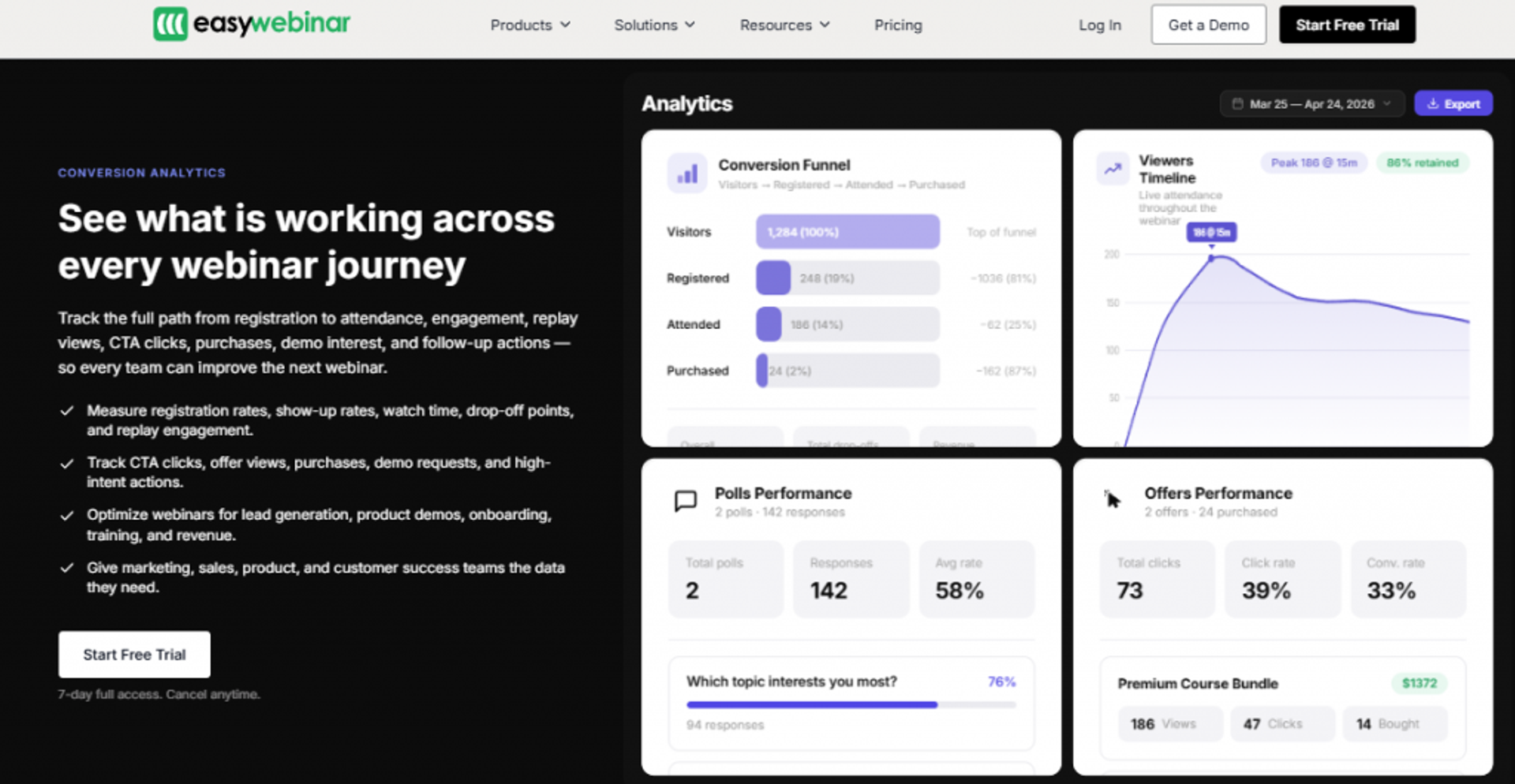
EasyWebinar is best for coaches, course creators, and marketing teams that need webinars to generate leads and sell offers, because it combines live, simulated live, and evergreen delivery with funnel pages, engagement, and CRM-connected follow-up in one place. It may not fit teams that only run internal meetings with no funnel intent.
| Quick Fit | Detail |
|---|---|
| ✅ Best for | Creators and teams turning webinars into repeatable sales |
| ❌ Skip if | You only need one-off internal team meetings |
| ⭐ Strongest edge | Live plus evergreen in a single revenue stack |
| ⚠️ Biggest trade-off | Automated setup needs the recording uploaded first |
| 💰 Pricing snapshot | Flat monthly tiers; just-in-time on a premium tier |
Why EasyWebinar ranks #1
I will be upfront here, since this is our platform. EasyWebinar earns the top slot on format coverage and conversion workflow, not on hosting alone. It runs the full job: live, simulated live, evergreen, registration and replay pages, in-room offers, and follow-up.
The pattern I see most often is a creator who converts well live but cannot show up every week. EasyWebinar lets you nail it live first, then flip the same session to automated webinar delivery. That sequence matters, because automating a webinar that never sold live just scales a flat result.
Where rivals split this across two products or skip the CRM, we keep delivery and the close under one roof. That cuts the stitched-stack failure point, like the time a Zapier limit silently dropped a few hundred opt-ins before a webinar.
What EasyWebinar does well
- Runs live webinar software and automated from the same setup, so you prove conversion live, then automate without rebuilding.
- Built-in countdown offers and polls inside the room, which turns attention into offer clicks during the session.
- Clone a proven webinar in minutes, so you launch a series fast instead of rebuilding each time.
- Triggers registration and follow-up emails natively, keeping the funnel cohesive without a second tool.
- Splits live and replay attendee insights for evergreen events, so you see who actually watched.
Where EasyWebinar falls short
- You must upload the presentation before setting up an automated webinar, which blocks promoting a session you have not recorded yet.
- Email open and click tracking is limited, so some operators run post-webinar sequences in a separate email tool.
- Just-in-time scheduling sits on a premium tier, roughly double the basic plan.
Decision scorecard
| Evaluation criterion | EasyWebinar fit | Why it matters |
|---|---|---|
| Live webinars | Strong | Runs native live sessions, not just replays |
| Simulated live or automated | Strong | Core strength with reusable monthly setups |
| Evergreen automation | Strong | Built specifically to scale evergreen funnels |
| Funnel pages | Strong | Registration, thank-you, and replay pages included |
| Engagement | Strong | Polls, offers, and countdowns inside the room |
| CRM and follow-up | Partial | Native email plus integrations; some track opens elsewhere |
| Monetization | Strong | In-room offers and countdown CTAs drive sales |
| Analytics | Strong | Offer-click and attendance insights built in |
| Integrations | Partial | Solid via Zapier; a few are not fully native |
| Pricing fit | Partial | JIT premium tier costs more |
Best for or skip if
Choose EasyWebinar if you want one system to run live, prove it, then automate the same webinar into an evergreen revenue funnel with follow-up built in. Skip it if your only need is internal team meetings or a single live event with no offer attached. You can review the full feature set on the all features page.
Reviews
Operators repeatedly praise responsive, hands-on support, including live onboarding calls that walk through setup. One coach reported selling 25 courses in 3 weeks on an evergreen launch versus 10 to 12 live.
“With my live class I used to sell 10-12 courses. With EasyWebinar I sold 25 courses within 3 weeks of my evergreen launch.”
Laura C., Course Creator EasyWebinar G2 Verified Review
The most common gripe is the upload-first requirement for automated webinars, which slows promoting a session before it is recorded.
“The biggest challenge is around setting up automated webinars, and needing the presentation uploaded first. Would love to be able to add the video later!”
Ash A., Solo Entrepreneur EasyWebinar G2 Verified Review
2. EverWebinar
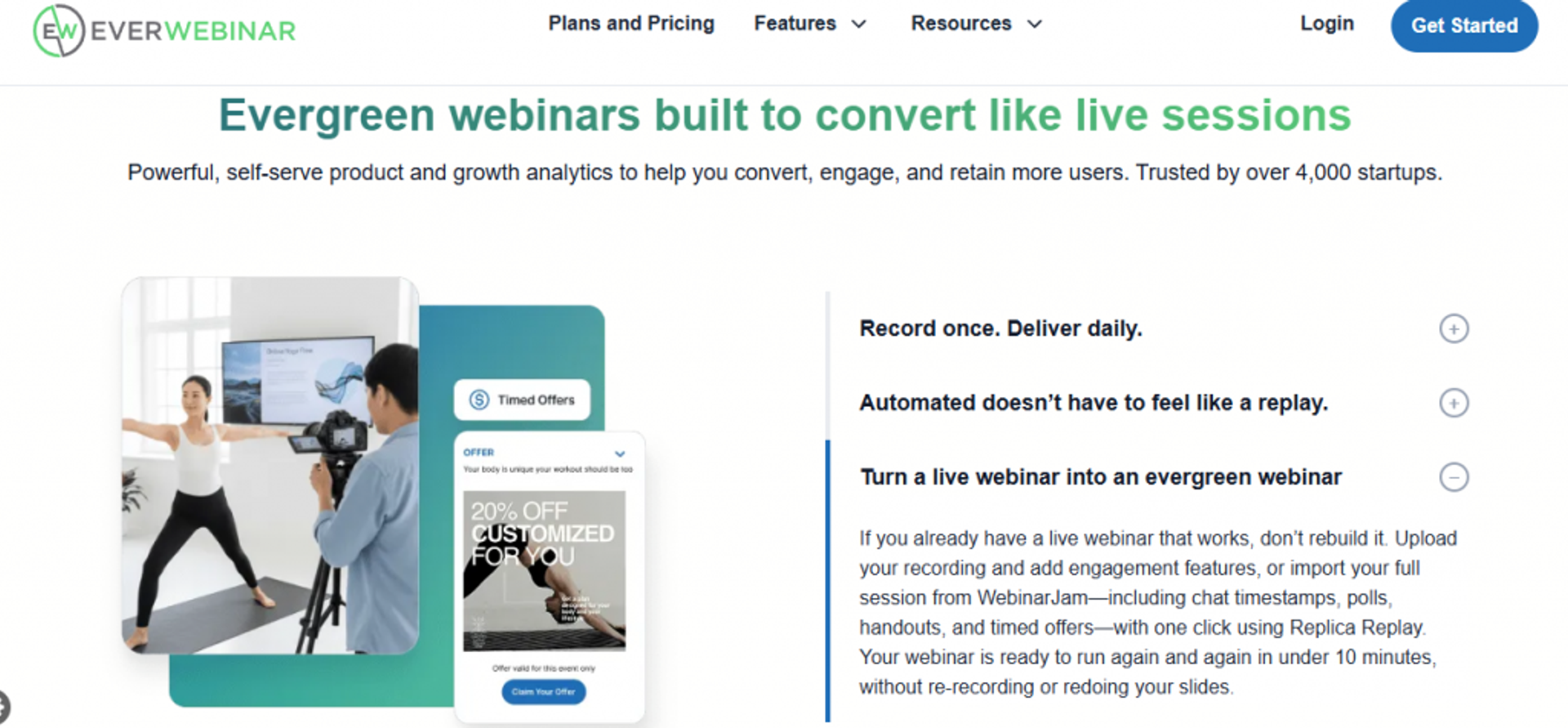
EverWebinar is best for operators who want simulated-live automation with just-in-time scheduling, because it recreates live urgency on autopilot, but it may not fit buyers who want live and automated in one product, since live runs through its sibling tool WebinarJam. See a direct EasyWebinar vs WebinarJam breakdown for the full picture.
| Quick Fit | Detail |
|---|---|
| ✅ Best for | Pure simulated-live, set-and-schedule automation |
| ❌ Skip if | You want live and automated in a single tool |
| ⭐ Strongest edge | Just-in-time scheduling for instant-feel sessions |
| ⚠️ Biggest trade-off | Two-product setup, plus reported clone and support issues |
| 💰 Pricing snapshot | License tiers |
Why EverWebinar ranks #2
EverWebinar genuinely set the standard for simulated-live conversion. Its just-in-time toggle starts a session about one to fourteen minutes after someone lands on the page, which restores the scarcity that pure replay loses.
It ranks below EasyWebinar because conversion automation is only half the job. You still pair it with WebinarJam for live, and reviewers flag clone bugs and slow support during live moments.
What EverWebinar does well
- Just-in-time scheduling, so registrants watch almost immediately instead of waiting days, which lifts show rates.
- Simulated-live chat and timed offers, which keep the recorded session feeling present and conversion-focused.
- Active user community, giving operators peer answers during setup.
Where EverWebinar falls short
- Live requires a separate WebinarJam subscription, so you manage and pay for two tools.
- Reviewers report clone errors and duplicate emails, which can break a scheduled series.
- Support is email-only during live events, which is hard when something breaks mid-session.
Decision scorecard
| Evaluation criterion | EverWebinar fit | Why it matters |
|---|---|---|
| Live webinars | Weak | Needs WebinarJam for true live |
| Simulated live or automated | Strong | Core strength with JIT scheduling |
| Evergreen automation | Strong | Built for set-and-schedule replays |
| CRM and follow-up | Weak | Relies on external email and CRM |
| Monetization | Partial | Timed offers, but no native checkout depth |
| Pricing fit | Partial | Two-tool cost adds up |
Best for or skip if
Choose EverWebinar if you want a dedicated simulated-live engine and already run live elsewhere. Skip it if you want one tool for both modes or you need fast live support.
Reviews
Setup complexity and live-day reliability are the recurring pains, with no in-session support channel.
“Complexity of set up and ensuring everything works on live day. There is no way to get help or reach support except via email.”
Verified User in Market Research EverWebinar G2 Verified Review
One reviewer flagged clone bugs and a hard cancellation process.
“Inability to clone webinars without serious resulting issues, despite a clone button featured prominently.”
Kaylen M. EverWebinar G2 Verified Review
3. eWebinar
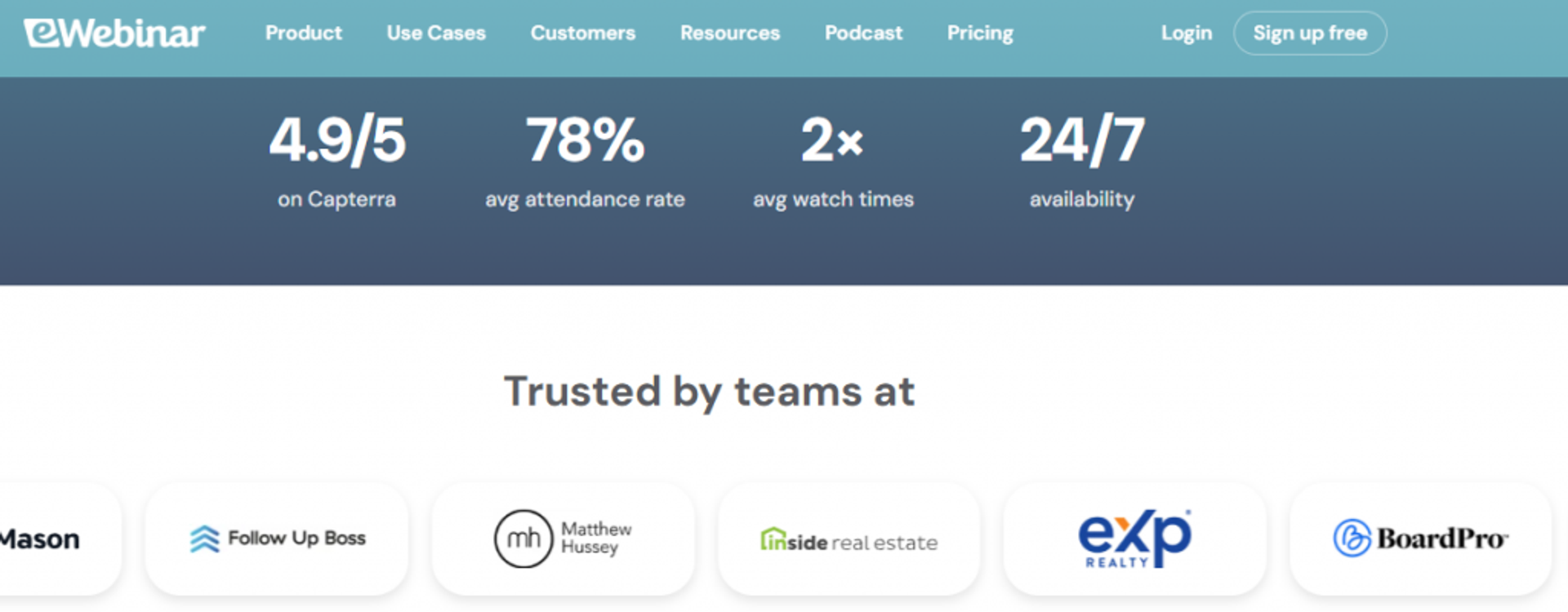
eWebinar is best for teams that want simple, always-on replay with interactive chat, because it turns any existing video into an automated on-demand session, but it may not fit operators who need native live broadcasting or deep in-platform monetization. Operators weighing replay-only tools often compare options on our Best On-Demand Webinar Software 2025 guide.
| Quick Fit | Detail |
|---|---|
| ✅ Best for | Always-on replay with simulated chat |
| ❌ Skip if | You need native live or built-in checkout |
| ⭐ Strongest edge | Fast turn-any-video-into-on-demand setup |
| ⚠️ Biggest trade-off | Lighter live and monetization |
| 💰 Pricing snapshot | Per published webinar or seat-based |
Why eWebinar ranks #3
eWebinar is the cleanest pick for pure on-demand. It is purpose-built so a registrant can watch instantly, with interaction baked into the replay rather than a flat video.
It sits mid-list because it leans into one mode. There is no native live broadcast or deep checkout, so you add tools for the close.
What eWebinar does well
- Converts any recording into an interactive session, so you launch on-demand without rebuilding a webinar.
- Automated chat and timed interactions, which lift replay engagement past passive video.
- Simple scheduling options, including instant and just-in-time style access, reducing wait-time drop-off.
Where eWebinar falls short
- No native live mode, so live-first operators need a second tool.
- Monetization depends on integrations rather than built-in checkout.
Decision scorecard
| Evaluation criterion | eWebinar fit | Why it matters |
|---|---|---|
| Live webinars | Weak | Built for replay, not live broadcast |
| Evergreen automation | Strong | Core strength of the product |
| Engagement | Strong | Interactive chat inside replays |
| Monetization | Partial | Relies on integrations for checkout |
| Pricing fit | Partial | Seat-based cost can climb |
Best for or skip if
Choose eWebinar if your priority is the simplest interactive on-demand replay. Skip it if you need live broadcasting or in-platform payments. No verified reviews exist in our source files, so I will not include any here.
4. Demio
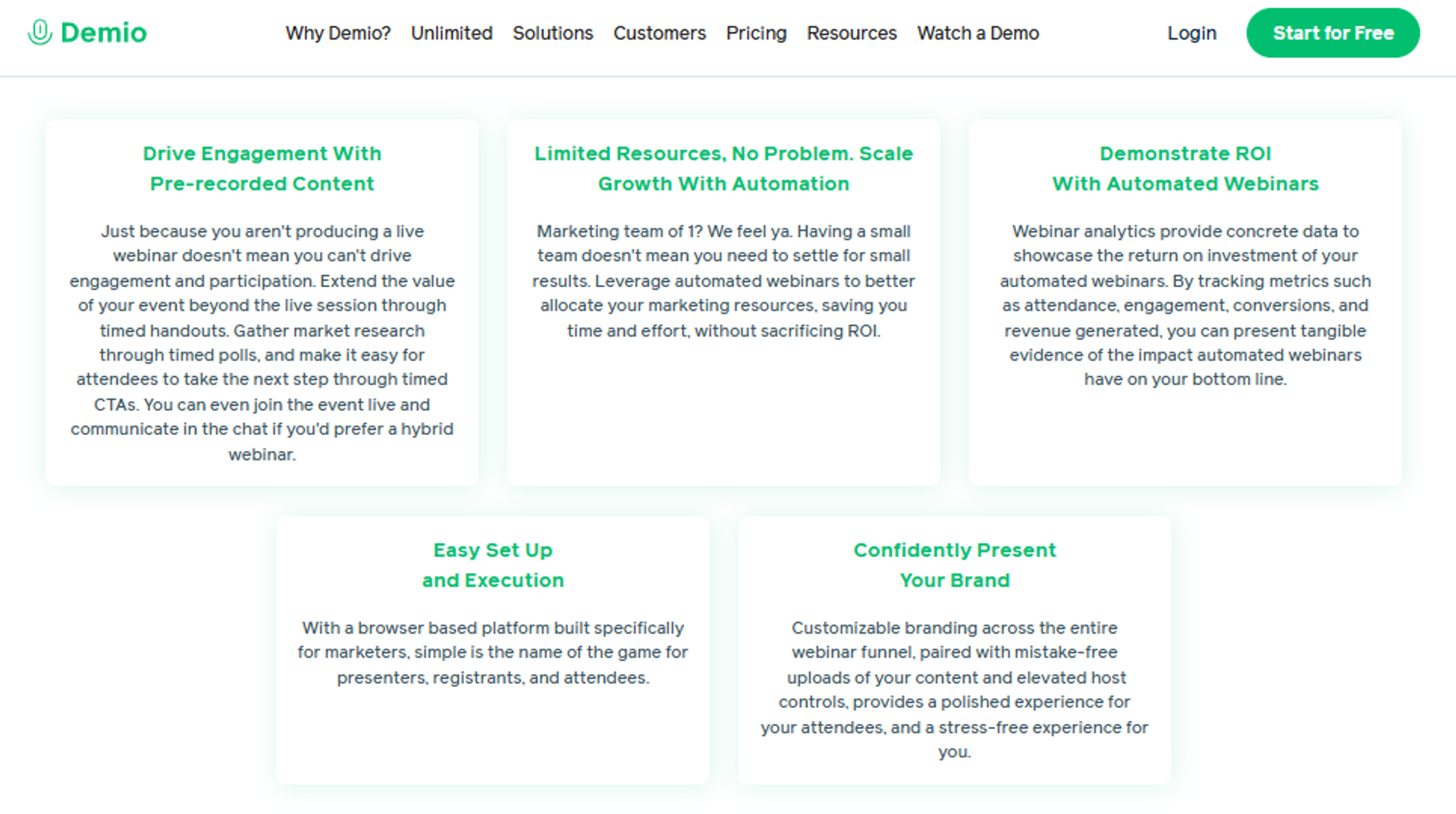
Demio is best for marketing teams that want a polished, browser-based experience with strong engagement, because it pairs a clean interface with polls, handouts, and on-demand storage, but it may not fit operators who need open data portability or deep CRM-native follow-up. The full EasyWebinar vs Demio comparison covers the revenue gaps in detail.
| Quick Fit | Detail |
|---|---|
| ✅ Best for | Marketing teams wanting clean engagement |
| ❌ Skip if | You need open data export after canceling |
| ⭐ Strongest edge | Polished UI with solid live and automated mix |
| ⚠️ Biggest trade-off | Export and CRM integration friction |
| 💰 Pricing snapshot | Per-seat monthly, attendee-tiered |
Why Demio ranks #4
Demio earns real credit for experience. Reviewers like the camera views, preloaded assets, and the ease of spinning up registration pages.
It ranks here because the revenue plumbing has gaps. CRM integrations need workarounds, and one reviewer found the replay dropped live polls and CTAs.
What Demio does well
- Clean, intuitive interface, so first-time hosts launch without a learning wall.
- Polls, resources, and handouts, which prep the room and lift engagement.
- On-demand storage of past webinars, giving you a reusable replay library.
- Editable, longer landing pages, so you control the registration story.
Where Demio falls short
- Canceling can block export of your own registrant list unless you resubscribe.
- CRM integrations like HubSpot and HighLevel need workarounds via multiple zaps.
- Replays can miss live polls and CTAs, weakening on-demand conversion.
Decision scorecard
| Evaluation criterion | Demio fit | Why it matters |
|---|---|---|
| Live webinars | Strong | Stable live experience reviewers like |
| Automated or on-demand | Partial | Stores replays, but CTAs can drop |
| Engagement | Strong | Polls, handouts, and clean chat |
| CRM and follow-up | Partial | Integrations need workarounds |
| Analytics | Partial | Visit analytics called difficult |
| Pricing fit | Partial | Per-seat cost rises with scale |
Best for or skip if
Choose Demio if engagement polish and a clean attendee experience top your list. Skip it if you need guaranteed data export or deep native CRM flow. Teams shopping for alternatives often start with our Top 10 Demio Alternatives for Webinars 2026 roundup.
Reviews
The hardest documented pain is data lock-in after canceling a paid plan.
“After canceling, I was shocked to find out I couldn’t export the list unless I subscribed again.”
Sheida M. Demio G2 Verified Review
A coach praised the simple interface and room setup, a genuine strength.
“I like the user interface, it’s simple. I like the polls, resources, and handouts you can upload to get the room ready.”
Saana K. Demio G2 Verified Review
5. WebinarNinja
WebinarNinja is best for beginners who want a low-cost, all-in-one starting point, because it bundles live, automated, and series webinars in one tool, but it may not fit operators running high-stakes events, since reviewers report instability and refund problems. See how the platforms stack up on our EasyWebinar vs Webinar Ninja page.
| Quick Fit | Detail |
|---|---|
| ✅ Best for | Beginners testing webinars cheaply |
| ❌ Skip if | You run high-stakes, large live events |
| ⭐ Strongest edge | Low entry price with broad format coverage |
| ⚠️ Biggest trade-off | Reported reliability and refund issues |
| 💰 Pricing snapshot | Monthly or annual tiers |
Why WebinarNinja ranks #5
WebinarNinja’s pitch is appealing: many formats at a starter price. For a first test, that breadth has value.
It ranks low because reviewers describe instability during live events and rigid refund policies. For a tool sitting in front of revenue, that risk is hard to ignore.
What WebinarNinja does well
- Broad format coverage at a low entry price, giving beginners more tools than some rivals at the starter tier.
- Simple email reminder system, which handles basic registrant communication.
- Easy initial learning curve, so new hosts get going quickly.
Where WebinarNinja falls short
- Reviewers report live instability, including hosts locked out of their own sessions.
- On-demand recordings cannot be edited to fix a flawed session.
- Refunds are difficult, even after server failures during events.
Decision scorecard
| Evaluation criterion | WebinarNinja fit | Why it matters |
|---|---|---|
| Live webinars | Weak | Stability complaints during live |
| Automated or on-demand | Partial | Cannot edit recorded sessions |
| Engagement | Partial | Basic tools, mixed reliability |
| Pricing fit | Strong | Low entry price |
| Reliability | Weak | Repeated server and bug reports |
Best for or skip if
Choose WebinarNinja if you want a cheap way to test the format with low stakes. Skip it if a failed live event would damage your reputation or revenue.
Reviews
The dominant theme is reliability failure on live day.
“They decided to perform server maintenance 2 days before a webinar. Nearly 400 people couldn’t log in.”
Andrew G. WebinarNinja G2 Verified Review
A balanced reviewer liked the value but hit a ceiling fast.
“At the starter price it provides more tools than the competitors, but you will reach the roof of Webinar Ninja quickly.”
Oscar A. WebinarNinja G2 Verified Review
6. Livestorm
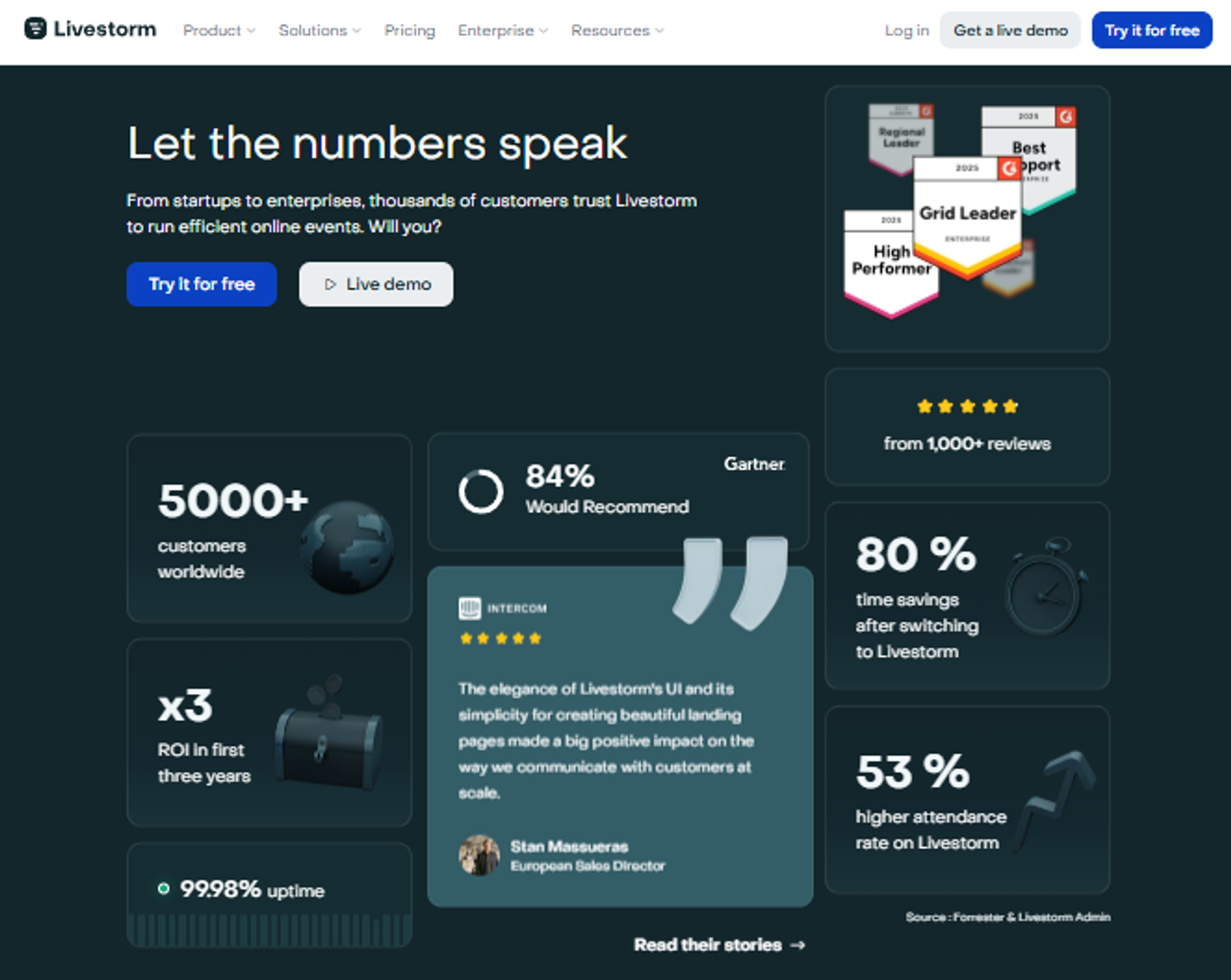
Livestorm is best for teams that want a no-download, browser-based experience across live and on-demand, because it handles broad formats at scale with a clean attendee flow, but it may not fit creators who need deep conversion and monetization tooling.
| Quick Fit | Detail |
|---|---|
| ✅ Best for | Browser-based events at scale |
| ❌ Skip if | You need deep funnel and checkout tooling |
| ⭐ Strongest edge | No-download experience and format range |
| ⚠️ Biggest trade-off | Lighter conversion mechanics |
| 💰 Pricing snapshot | Freemium plus paid tiers |
Why Livestorm ranks #6
Livestorm is strong on reach and polish. The no-download, in-browser experience lowers friction for attendees, and the format range is wide.
It ranks mid-pack for this list because the focus is events and engagement more than revenue workflow. The conversion and monetization layer is lighter than the leaders.
What Livestorm does well
- No-download, browser-based attendance, which reduces the join friction that kills show rates.
- Broad format coverage, from live to on-demand, in one tool.
- Generous free tier, so teams can test before committing.
Where Livestorm falls short
- Conversion and monetization tooling are lighter than dedicated revenue platforms.
- Costs scale with usage, which can climb for larger audiences.
Decision scorecard
| Evaluation criterion | Livestorm fit | Why it matters |
|---|---|---|
| Live webinars | Strong | Stable browser-based live |
| On-demand | Strong | Supports replay delivery |
| Engagement | Strong | Solid interaction tools |
| Monetization | Weak | Limited native checkout |
| Pricing fit | Partial | Scales with attendees |
Best for or skip if
Choose Livestorm if frictionless, browser-based events matter most. Skip it if your priority is in-room selling and follow-up. No verified reviews exist in our source files, so I will not include any.
7. StealthSeminar
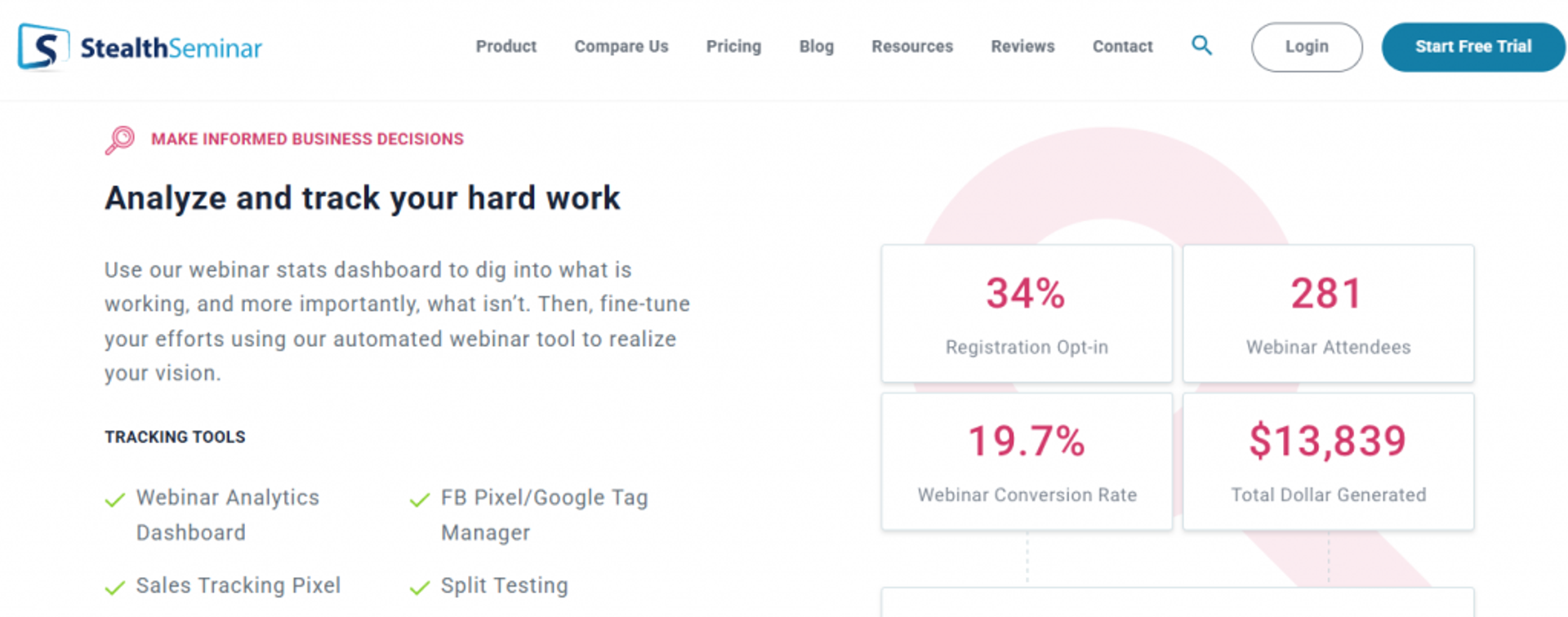
StealthSeminar is best for operators focused on automated, simulated-live scheduling, because it offers flexible live-feel control over recorded sessions, but it may not fit buyers who want a modern interface or native live broadcasting. The full EasyWebinar vs Stealth Seminar comparison covers the trade-offs.
| Quick Fit | Detail |
|---|---|
| ✅ Best for | Automated, simulated-live scheduling |
| ❌ Skip if | You want a modern UI or native live |
| ⭐ Strongest edge | Flexible scheduling and live-feel control |
| ⚠️ Biggest trade-off | Dated interface |
| 💰 Pricing snapshot | Flat monthly |
Why StealthSeminar ranks #7
StealthSeminar has long served the automated-webinar niche, with detailed scheduling and a convincing simulated-live feel. For operators who only want recurring automated sessions, that focus works.
It ranks near the bottom because the experience feels dated next to newer tools, and it leans on one mode.
What StealthSeminar does well
- Granular automated scheduling, so you control exactly when recorded sessions run.
- Simulated-live presentation, which keeps recorded sessions feeling current.
- Established reliability for automated delivery.
Where StealthSeminar falls short
- The interface feels dated compared with modern platforms.
- Limited native live and monetization depth.
Decision scorecard
| Evaluation criterion | StealthSeminar fit | Why it matters |
|---|---|---|
| Live webinars | Weak | Focused on automation |
| Automated or simulated live | Strong | Core strength |
| Engagement | Partial | Functional, less modern |
| Monetization | Partial | Limited native checkout |
| Pricing fit | Partial | Compare cost at your expected volume |
Best for or skip if
Choose StealthSeminar if recurring automated scheduling is your single need. Skip it if you want live, a modern UI, or built-in selling. No verified reviews exist in our source files, so none are included.
8. GoTo Webinar
GoTo Webinar is best for enterprise teams that need reliable, large-scale hosting with solid analytics, because it handles big audiences with stable infrastructure, but it may not fit operators who want conversion-focused funnels, since its funnel and follow-up tooling stay basic. Our EasyWebinar vs GoToWebinar page details the funnel gap.
| Quick Fit | Detail |
|---|---|
| ✅ Best for | Enterprise large-scale event hosting |
| ❌ Skip if | You need conversion funnels and in-room selling |
| ⭐ Strongest edge | Stable large-audience hosting and reporting |
| ⚠️ Biggest trade-off | Basic funnel tooling and reported support gaps |
| 💰 Pricing snapshot | Quote-based or tiered annual |
Why GoTo Webinar ranks #8
GoTo Webinar is reliable infrastructure for large events, and several reviewers praise its analytics and prompt business-account reps. For broadcast-and-report use cases, it does the job.
It ranks last for this list because the list is about on-demand revenue workflows. GoTo offers little for in-room offers, evergreen funnels, or native follow-up, and some reviewers report outsourced, slow support.
What GoTo Webinar does well
- Stable hosting for large audiences, which matters when 200-plus attendees join at once.
- Robust post-event analytics, giving management attendance and poll reporting.
- Dedicated reps on business accounts, improving response for paying teams.
- Familiar, intuitive presenter controls for rookie hosts.
Where GoTo Webinar falls short
- Funnel and conversion tooling are basic, with limited registration customization.
- Some reviewers report outsourced, slow support and reliability issues.
- No native evergreen revenue workflow for in-room selling and follow-up.
Decision scorecard
| Evaluation criterion | GoTo Webinar fit | Why it matters |
|---|---|---|
| Live webinars | Strong | Reliable at large scale |
| Automated or on-demand | Partial | Replay yes, evergreen funnel no |
| Funnel pages | Weak | Limited registration customization |
| Engagement | Partial | Polls and Q&A, less interactive depth |
| Monetization | Weak | No native in-room selling |
| Analytics | Strong | Robust reporting reviewers value |
| Pricing fit | Partial | Quote-based, can be costly |
Best for or skip if
Choose GoTo Webinar if you run large enterprise events and need stable hosting plus clean reporting. Skip it if you want webinars to sell offers and automate follow-up. Smaller teams may prefer our GoToWebinar Alternatives for Small Businesses guide.
Reviews
A balanced enterprise reviewer praised reliability and reporting for large events.
“An intuitive, easy-to-use platform for hosting webinars on a large scale. The post-webinar analytics feature is great.”
Khyati Doshi, Senior Marketing Manager GoTo Webinar TrustRadius Verified Review
The recurring complaint is support and live-day reliability.
“Customer support is impossible to reach and is completely outsourced. We have several webinars a week, meaning this platform has issues constantly.”
Forrester S. GoTo Webinar G2 Verified Review
Q2: What Is an On-Demand Webinar Platform, and How Is It Different From Evergreen, Automated, and Simulated-Live?
An on-demand webinar platform lets registrants watch a pre-recorded session instantly, anytime, instead of waiting for a live slot. On-demand reaches roughly 83% of your audience versus about 40% for live. “Evergreen” is the funnel built around that replay. “Automated” or “simulated-live” is a scheduled session that feels present. “Just-in-time” starts one to fifteen minutes after signup. The difference decides whether you maximize reach or recover urgency.
Five Words People Use For The Same Thing
Here is where most buyers get tangled. These five terms overlap, but they are not identical, and the gap costs you sales.
- Live: you present in real time, with full presence and zero safety net.
- On-demand: a pre-recorded session a viewer watches instantly, on their schedule.
- Evergreen: the whole funnel (pages, emails, offer) wrapped around a replay that runs for months.
- Automated or simulated-live: a recording scheduled to run like a broadcast, so it feels current.
- Just-in-time (JIT): an automated webinar session that begins within a few minutes of someone registering.
The Just-In-Time Mechanic, Explained Plainly ⏰
Just-in-time is the quiet hero here, so let me define it concretely. You toggle it on, and whenever someone lands on the page, the next session starts in about one to fourteen minutes.
That tiny wait does real work. It restores the “I need to show up now” pull that pure replay throws away.
The Mistake I Watch Operators Make
The real question isn’t which platform has the best buttons. It’s whether your delivery mode matches your goal.
I have watched coaches pick pure on-demand replay because it sounded easy, then wonder why nobody buys. They maximized reach and deleted urgency in the same move. My read is that on-demand wins attendance, but simulated-live and JIT win the close. For a deeper breakdown, see our guide on pre-recorded webinar platforms vs live.
Which Mode To Pick, And When ✅
Match the mode to the job in front of you, not to the hype.
| Format | How it works | Urgency | Best for |
|---|---|---|---|
| Live | Real-time presentation | Highest | Proving a new offer, high-ticket launches |
| Just-in-time | Starts minutes after signup | High | Fast lead-to-sale, paid traffic |
| Simulated-live | Recording on a schedule | Medium | Scaling a proven webinar |
| On-demand replay | Watch instantly, anytime | Low | Maximum reach, low-friction nurture |
| Evergreen funnel | Replay plus full funnel | Varies | 24/7 selling once it works live |
This is exactly why I built EasyWebinar to run all of these modes natively. You start live, prove the offer converts, then flip the same session to JIT, simulated-live, or on-demand. You are never locked into one delivery philosophy when you outgrow pure replay. Many creators use this approach with automated webinars for passive income.
One Integrity Rule Before You Choose ⚠️
Never tell people a recording is live. Never tell them it is not.
That honesty keeps trust intact, and trust is what your offer rides on. The mode is a tool, not a costume.
So the choice is not really “on-demand or evergreen.” It is “reach or urgency, and when do I need each?” The best platforms let you carry both without rebuilding, which sets up how we scored every tool on this list next.
Q3: How Did We Score These Platforms? Our 5-Part Selection Criteria
We scored each platform on five weighted criteria built around the title’s three pillars. Conversion and Monetization Tooling carries 30%, Evergreen and On-Demand Delivery Flexibility 25%, Engagement Depth 15%, Setup and Usability 15%, and Pricing Transparency and Reviews 15%. Scores map to stars, from 0 to 20% as 1★ up to 81 to 100% as 5★. We weighted conversion highest because engagement ain’t cash.
Why Conversion Carries The Most Weight
Most roundups rank tools on features and looks. I rank them on whether they put money in your account, because that is the job a webinar is hired to do. That is the heart of how to make money with webinars and 4X your revenue.
Here is a small story that shaped this. We once moved the Zoom join link into the text message sequence, and the show rate technically went up. But the booking rate fell off a cliff, because the easy link killed the reason to commit. Attendance felt good, and the cash did not follow.
The Five Criteria And What Each Tests 📊
Each criterion maps to a pillar a real operator decides on, not a spec sheet.
| Criterion | Weight | What we checked | Pillar |
|---|---|---|---|
| Conversion and monetization | 30% | In-room offers, checkout, follow-up | Conversion |
| Delivery flexibility | 25% | Live, simulated-live, JIT, on-demand | Delivery |
| Engagement depth | 15% | Chat, polls, Q&A, handouts | Engagement |
| Setup and usability | 15% | Time to launch, templates, clarity | Delivery |
| Pricing and reviews | 15% | Transparency, verified user proof | Trust |
How Stars Map To Scores
The math is simple on purpose, so you can audit it. A tool’s weighted total lands it in a band, and the band sets the stars.
The Star Bands ⭐
- 0 to 20% earns 1★, 21 to 40% earns 2★, and 41 to 60% earns 3★.
- 61 to 80% earns 4★, and 81 to 100% earns 5★.
EasyWebinar earns 5★ here for one honest reason. It is the only tool on this list that scores high on both conversion tooling and delivery flexibility at the same time, and verified customer reviews back that up.
“I love that there are options for live webinars AND automated so you have options. We can have a poll, offer and countdown right in the event.”
Verified User in Photography EasyWebinar G2 Verified Review
These weights drive every score in the list above, and they explain why engagement-heavy tools still rank below revenue-focused ones. Next, let’s look at engagement itself, and the drop-off problem that quietly eats your replay sales.
Q4: Which Engagement Features Actually Keep On-Demand Viewers Watching (and How Do You Plug Drop-Off)?
On-demand engagement comes from simulated-live chat, polls, Q&A, handouts, and timed prompts that make a replay feel present. But engagement features only matter if you close the drop-off gap, the point where viewers quietly leave. Watch your attention-tracking (a report of where people stop watching) and CSV exports to find exit points, then move your best moment and offer earlier. The one page 100% of your leads see is the confirmation page. Optimize it first.
The Engagement Toolkit That Holds Attention
Engagement is not decoration. Each tool exists to keep a viewer in the seat until the offer.
- Simulated-live chat: makes a replay feel current, so people stay engaged.
- Polls and Q&A: pull viewers from watching to participating.
- Handouts and resources: give a reason to lean in and take notes.
- Timed offers and countdowns: turn attention into clicks at the right moment.
If you want a deeper playbook, our guide on interactive webinars that drive 5x engagement walks through each tool in context.
Where Rivals Land On Engagement 💬
Credit where due. Demio reviewers genuinely like the polls, handouts, and clean room setup.
But polish is not the same as conversion. One Demio reviewer found the replay dropped the live polls and CTAs, which is exactly where on-demand selling leaks.
“It didn’t fully integrate with my CRM Highlevel and the replay didn’t show the live polls and CTAs.”
Ivanhoe S. Demio G2 Verified Review
The Drop-Off Loop You Can Run On Monday
Here is the part most roundups skip. Engagement features are useless if you never check where people quit.
Pull your attendee CSV and read it like a map. You will see each registrant’s name, email, whether they actually watched, and how they answered every poll. That data tells you the exact minute attention dies. The right tools to 10X engagement make this visible.
Fix The Front, Not Just The Pitch ⏰
When you spot a drop-off, resist the urge to only patch the close. Changes at the front of the funnel have a bigger knock-on effect, because more people see them.
The confirmation page is your highest-leverage surface, since 100% of leads hit it. I also bait people to stay with a bonus delivered right after the pitch, which lifts watch time straight through the offer.
Read These Signals First 📊
Use the export to answer three questions before you touch anything.
| Signal | What it tells you | Your move |
|---|---|---|
| Watched vs registered | Show-rate health | Fix reminders or JIT timing |
| Poll responses | Where attention peaked | Move value earlier |
| Offer-click drop | Where the close leaks | Re-time the offer |
This is why I built EasyWebinar to split live and replay attendee insights and show who saw or clicked your offer. You see the leak, then trigger the right prompt at the right minute. Operators pair this with proven strategies to increase online sales with EasyWebinar, and verified operators call out exactly that visibility.
“It is easy to set up call to actions and polls. The analytics also show how many saw or clicked your offer.”
Verified User in Professional Training and Coaching EasyWebinar G2 Verified Review
Engagement gets them watching, but watching is still not buying. Next, we wire the actual conversion workflow that turns those held viewers into sales.
Q5: How Do You Build the Conversion Workflow That Turns On-Demand Viewers Into Buyers?
You build a conversion workflow by wiring four stages into one path: registration, the in-room offer, instant follow-up, and CRM-triggered nurture. The webinar is where the sale happens, not the email after it, so the timed offer and countdown must live inside the session. Then every action, watched, clicked, or skipped, has to flow into your CRM so follow-up matches behavior. A stitched stack breaks here, and broken plumbing silently drops sales.
The Four Stages That Actually Move Money
Think of the workflow as a single pipe, not four separate tools taped together. Each stage hands off cleanly to the next.
- Registration: a focused page that captures the lead and sets the show-up expectation.
- In-room offer: a timed offer and countdown that fire during the session, at the peak of attention.
- Instant follow-up: replay and offer reminders triggered the moment the session ends.
- CRM nurture: behavior-based sequences that treat a buyer, a no-show, and a half-watcher differently.
The selling has to happen inside the webinar, which is why our paid webinars setup keeps the offer and countdown in the room rather than in a later email. For the wider playbook, our guide on automated webinars and scalable funnel strategies maps each stage.
Why The Stitched Stack Fails 🔁
Here is the failure I see most. A creator runs the webinar on one tool, pages on another, email on a third, and checkout on a fourth, all rubber-banded together with zaps.
I once watched a Zapier rate limit silently drop a few hundred opt-ins before a launch. Nobody noticed until the numbers came in light, because there was no single system showing the leak.
| Stage | Goal | Where stitched stacks break |
|---|---|---|
| Registration | Capture the lead | Opt-ins dropped between tools |
| In-room offer | Close at peak attention | Offer pushed to a later email |
| Instant follow-up | Recover no-shows | Delay kills urgency |
| CRM nurture | Match message to behavior | Tags never sync |
Wiring Behavior Into Follow-Up
The magic is not the email. It is that the email knows what the person did.
A buyer gets onboarding. A no-show gets the replay with urgency. A half-watcher gets the section they missed. That only works when delivery and the database share one brain, which is why a native sales CRM beats a pile of zaps.
Why I Keep This Under One Roof ✅
This is exactly the failure point I built EasyWebinar to remove. Delivery, pages, in-room offers, and follow-up live in one system, so there is no rubber band to snap.
Verified operators describe the payoff in plain terms, fewer tools and a funnel that holds together.
“EasyWebinar replaced three tools for me. The automated funnel just runs, and the offer sits right inside the webinar where it belongs.”
Verified User, Course Creator EasyWebinar G2 Verified Review
Once the workflow is wired, the offer fires in the room, and the CRM sorts everyone by behavior, you have a system that sells while you sleep. Next, we deal with the trust question that decides whether any of it is allowed to run on autopilot.
Q6: Is It Ethical to Run Simulated-Live Webinars, and How Do You Stay Compliant?
Yes, simulated-live webinars are ethical when you never misrepresent a recording as live and never deny it when asked. The line is honesty, not the format itself. On compliance, you handle attendee data under regulations like GDPR, get consent at registration, and keep your scarcity claims true. A fake countdown that resets is both a trust killer and a legal risk. Run the mode openly, and it stays clean.
The One Rule That Settles The Ethics Debate
People argue about simulated-live like it is inherently shady. It is not. The format is a delivery choice, the same way a TV show airs on a schedule without being a lie.
My rule is blunt. Never tell people a recording is live, and never tell them it is not when they ask. That single standard keeps the relationship honest and the offer credible.
Where Operators Cross The Line ⚠️
The format does not break trust. Specific dishonest tactics do.
- Claiming a recorded session is happening live right now.
- Showing a countdown or scarcity timer that quietly resets for every visitor.
- Faking live chat messages that promise things the offer does not deliver.
- Denying it is a replay when an attendee directly asks.
Real scarcity is fine, and it converts. A genuine enrollment deadline or a real bonus expiry respects the viewer, which is the spirit behind selling with integrity when you use webinars to sell online courses effectively.
The Compliance Layer You Cannot Skip
Ethics covers how you present. Compliance covers how you handle the data behind it. Both matter when a webinar runs unattended for months.
What To Lock Down 📊
| Area | What it means | Your action |
|---|---|---|
| Consent at signup | Permission to email and store data | Add clear opt-in language |
| Data handling | Storing attendee data lawfully | Follow regulations like GDPR |
| Honest scarcity | Deadlines that are real | No resetting fake timers |
| Recordkeeping | Proof of consent and access | Keep CRM logs clean |
This is why we built honest scarcity tools and compliant data handling into the platform, with GDPR compliance handled at the foundation rather than bolted on. You can run real countdowns and real deadlines without faking anything, and the funnel stays both persuasive and clean.
So the answer is simple. Be honest about the format, keep your scarcity real, and handle data lawfully, and simulated-live is not only ethical but more sustainable than the tricks. Next, let’s answer the question every buyer eventually asks, which platform is right for me?
Q7: Which On-Demand Webinar Platform Is Right for Your Specific Situation?
The right platform depends on your single biggest constraint. If you want one system to run live, automated, and evergreen with selling built in, choose EasyWebinar. If you only need simple replay, eWebinar fits. If you run large enterprise broadcasts, GoTo Webinar works. If polish matters most, Demio appeals. Match the tool to the job that pays you, not to the longest feature list, and you will not overbuy or underbuild.
Pick By Your Constraint, Not The Feature List
Most buyers start with features and end up overpaying for tools they never touch. Start instead with the one thing you cannot compromise on. That single constraint narrows eight options to one or two fast.
Match Your Situation To A Tool ✅
| If your situation is… | Pick this | Why |
|---|---|---|
| You sell offers via webinars | EasyWebinar | Live plus evergreen plus selling in one stack |
| You only need simple replay | eWebinar | Purpose-built on-demand interaction |
| You run large enterprise events | GoTo Webinar | Stable hosting and reporting at scale |
| Polish and UX top your list | Demio | Clean interface and engagement tools |
| You want pure simulated-live | EverWebinar | Strong JIT scheduling engine |
| You are testing on a budget | WebinarNinja | Low entry price for low-stakes tests |
If you are still comparing two finalists, our compare webinar platforms hub puts the trade-offs side by side, and the best webinar software comparison guide goes deeper on each.
Why EasyWebinar Fits The Most Common Case
For the operator this guide was written for, the coach or marketing lead who wants webinars to sell, EasyWebinar is the honest pick. It is the one tool that covers delivery and the close together, so you do not graduate out of it the moment you start scaling.
See It Before You Commit 🔁
You do not have to take my word for it, and you should not. Test the workflow against your own offer.
The fastest way is to sign up free and build one session, or request a demo if you want a guided walkthrough first. Either way, you will see whether the live-to-evergreen path matches how you actually sell.
“We tried three platforms before this. EasyWebinar was the only one where the live webinar and the automated version worked the same way, so scaling didn’t mean rebuilding.”
Verified User, Marketing Manager EasyWebinar G2 Verified Review
So the right platform is the one that removes your biggest constraint without forcing a rebuild later. Start with the job that pays you, pick the tool that owns that job end to end, and let the funnel run.
Frequently Asked Questions

Casey Zeman
Founder of EasyWebinar
About Author
Over the past decade, I've helped thousands of entrepreneurs, coaches, and consultants turn webinars into a predictable, powerful way to grow their audience, build trust, and scale, without the constant hustle. I created EasyWebinar because I couldn't find a system that combined authenticity, engagement, and automation the way I needed. So, I built one.
Related Posts

10 Best Community Engagement Platforms in 2026
Compare the 10 best community engagement platforms in 2026. Course creators, evaluate live hosting, analytics, and replay to pick your winner today.

10 Best Online Coaching Tools in 2026: Live Session Quality, Scheduling, Recording, and Client Engagement Analytics
Compare the 10 best online coaching tools of 2026 on session quality, scheduling, and analytics. Discover the right fit for your coaching revenue model.

10 Best Webinar Hosting Platforms Ranked by Uptime, Streaming Quality & Cost
Compare 10 webinar hosting platforms ranked by uptime, streaming quality, and cost. Discover which tool actually turns attendees into revenue.
Turn every webinar into a revenue stream
Launch your first paid event in just a few clicks - and start monetizing your expertise.
Book a Call