10 Best Online Coaching Tools in 2026: Live Session Quality, Scheduling, Recording, and Client Engagement Analytics

Casey Zeman
Published on Jul 28, 2026 • 44 min read

TL;DR
- We ranked 10 online coaching tools for 2026 on five weighted axes: live session quality, engagement analytics, scheduling, recording, and pricing transparency.
- EasyWebinar earns five stars for uniting live and evergreen delivery, behavioral follow-up analytics, and just-in-time scheduling in one revenue system.
- Coaching is a $5.34 billion market with a 7x median ROI, yet most revenue leaks at response time, since the average firm takes 42 hours to reply.
- High-ticket coaching sells on live human trust, not production polish, and clean recordings become evergreen revenue assets rather than dead course files.
- Just-in-time scheduling and timezone detection lift show-ups, while engagement analytics that trigger follow-up predict renewals and rescue quiet churn.
- Match the tool to how you make money, then start simple: one offer, one live webinar, and just-in-time scheduling after a 5 to 10% live conversion rate.
Q1. What Are the 10 Best Online Coaching Tools for High-Ticket Coaches in 2026?
The 10 best online coaching tools in 2026 are EasyWebinar, Kajabi, Thinkific, Mighty Networks, Circle, CoachAccountable, Paperbell, Zoom, Riverside, and Upcoach. EasyWebinar leads for coaches who sell high-ticket offers through live and automated webinars. The rest specialize: Kajabi for all-in-one course businesses, CoachAccountable for 1:1 accountability, and Riverside for recording quality.
Here is the ranked shortlist, each with its best-fit buyer.
1.1 EasyWebinar
Best for high-ticket coaches selling via live and evergreen webinars. See how our live webinar software and automated webinar tools fit this model.
1.2 Kajabi
Best all-in-one for course and coaching businesses.
1.3 Thinkific
Best for structured coaching curricula.
1.4 Mighty Networks
Best for community-powered group coaching.
1.5 Circle
Best for all-in-one community and events.
1.6 CoachAccountable
Best for 1:1 accountability and progress tracking.
1.7 Paperbell
Best for solo coaches needing scheduling and payments.
1.8 Zoom
Best for baseline live video delivery. If you have outgrown it, compare the options in our EasyWebinar vs Zoom breakdown.
1.9 Riverside
Best for recording and transcript quality.
1.10 Upcoach
Best for dedicated group coaching programs.
📌 Read this before you pick a tool
Most tool roundups sort by feature count. I think that gets it backwards.
I have run and consulted on 100-plus webinars that generated eight figures in combined sales. The pattern is boring but true. The coaches who win are not the ones with the most features. They are the ones who stop guessing where next month’s revenue comes from.
So the real question is not “which platform has the most stuff.” The real question is how you escape volatile revenue. That single reframe changes which tool you shortlist. It is also why we built a webinar platform around revenue, not features.
🎯 Who this guide is for
This is a buyer’s guide, not a marketing roundup. I built it the way I would build an internal shortlist before an RFP (a request for proposal, the doc a buying committee sends to vendors). We evaluated 10 vendors against defined criteria, which you will see in the next section.
The daily operator here is the coach or course creator running the sessions. But you are rarely the only reader.
- Coaches and course creators turning teaching into repeatable sales funnels.
- Group and cohort program leaders who need community plus live delivery.
- Revenue or marketing operators checking whether webinar data flows into a CRM (customer relationship management system, the database that tracks leads).
- Founders and consultants replacing a stack of disconnected tools for hosting, pages, email, checkout, and follow-up.
- Buying-committee readers, like a CFO validating spend or an IT lead checking reliability and data handling.
⭐ Our evaluation criteria
We scored each tool on how a coach actually decides, not on spec-sheet trivia. Six criteria carried the weight.
Live session quality ⭐
How stable and interactive the live room is, including latency, polls, and in-session offers.
Scheduling and automation ⏰
Whether the tool supports just-in-time and timezone-aware scheduling, which drive show-up rate.
Recording and replay 🎥
How cleanly you can record, edit, transcribe, and reuse sessions as evergreen assets.
Client engagement analytics 📊
Whether you can see attendance, offer clicks, and behavior, then act on the client who goes quiet.
Monetization and follow-up 💰
Native payments, in-session offers, and segmented follow-up that turn attention into cash. This is where our paid webinars workflow earns its keep.
Reliability, support, and pricing fit ✅
Streaming stability, support model, and whether the price matches the outcome for your model. You can check current tiers on our webinar pricing page.
📋 The 10 tools at a glance
Third-party pricing for these tools varies widely by source and changes often, so treat the pricing column as directional and verify before publishing. Where I could not confirm a number against an official page, I have said so. For a wider view, see our best webinar software comparison guide.
| Provider | Best For | Standout Strength | Known Limitation | Webinar / Session Formats | Support Model | Pricing Model |
|---|---|---|---|---|---|---|
| EasyWebinar ⭐⭐⭐⭐⭐ | High-ticket coaches selling via live and automated webinars | Live, simulated live, and evergreen delivery with built-in CRM and follow-up in one system | Automated setup needs the presentation uploaded first, per a G2 reviewer | Live, simulated live, evergreen, just-in-time, on-demand replay | Email, chat, and live onboarding calls (SPOC noted in reviews) | Flat monthly, from around $66/mo Live+Automated on Capterra; verify current tiers |
| Kajabi ⭐⭐⭐⭐ | Course and coaching businesses wanting one all-in-one home | Courses, pages, email, and payments under one roof | Higher base price and transaction nuances; third-party pricing ranges $69 to $499/mo | On-demand courses, coaching, limited live | Chat and email; verify before publishing | Flat monthly; ranges reported $69 to $499/mo, verify before publishing |
| Thinkific ⭐⭐⭐⭐ | Coaches building structured curricula | Clean course builder for stepwise programs | Live and evergreen webinar depth is limited | Courses, cohorts, limited live | Email and help center; verify before publishing | Freemium plus flat monthly; verify before publishing |
| Mighty Networks ⭐⭐⭐⭐ | Community-powered group coaching | Community plus courses plus events together | Not built for high-ticket live webinar selling | Community, courses, live events | Email and help center; verify before publishing | Flat monthly; verify before publishing |
| Circle ⭐⭐⭐⭐ | Coaches wanting community and events in one place | All-in-one community with events and workflows | Webinar conversion tooling is lighter than dedicated platforms | Community, live events, workshops | Chat and email; verify before publishing | Flat monthly; verify before publishing |
| CoachAccountable ⭐⭐⭐⭐ | 1:1 coaches who live on accountability | Deep client progress tracking and engagement metrics | Learning curve; not a live-selling tool | 1:1 sessions, client portal, no native webinar | Email; verify before publishing | Per-client / flat monthly; verify before publishing |
| Paperbell ⭐⭐⭐ | Solo coaches needing scheduling and payments | Simple booking plus checkout in one flow | Light on live delivery and analytics depth | 1:1 scheduling, packages, no native webinar | Email; verify before publishing | Flat monthly; verify before publishing |
| Zoom ⭐⭐⭐ | Coaches needing baseline live video | Familiar, stable video most attendees already know | Weak funnel, engagement, and follow-up tooling per reviewers | Live video, webinars, recording | Ticket and enterprise support; reviewers report slow help | Per-license monthly / annual; verify before publishing |
| Riverside ⭐⭐⭐⭐ | Coaches who lead with recorded content | High-quality recording, transcripts, and text-based editing | Not a selling or scheduling platform | Recording, local capture, live streaming | Email and chat; verify before publishing | Flat monthly / freemium; verify before publishing |
| Upcoach ⭐⭐⭐⭐ | Dedicated group coaching programs | Purpose-built group program and habit tracking | Younger ecosystem, fewer integrations | Group programs, courses, client portal | Email and chat; verify before publishing | Flat monthly; verify before publishing |
🧭 How to read the scores
Stars map to the weighted score behind the next section. Tools scoring 81 to 100 earn five stars, 61 to 80 earn four, 41 to 60 earn three, and so on down.
One honest note up front. EasyWebinar is our platform, so I hold it to the same rubric and call out its trade-offs too. You will see one in its own entry below. If you want peer proof first, browse our customer reviews.
Simple scales. Fancy fails. Keep that in mind as you read the detailed entries.
1. EasyWebinar
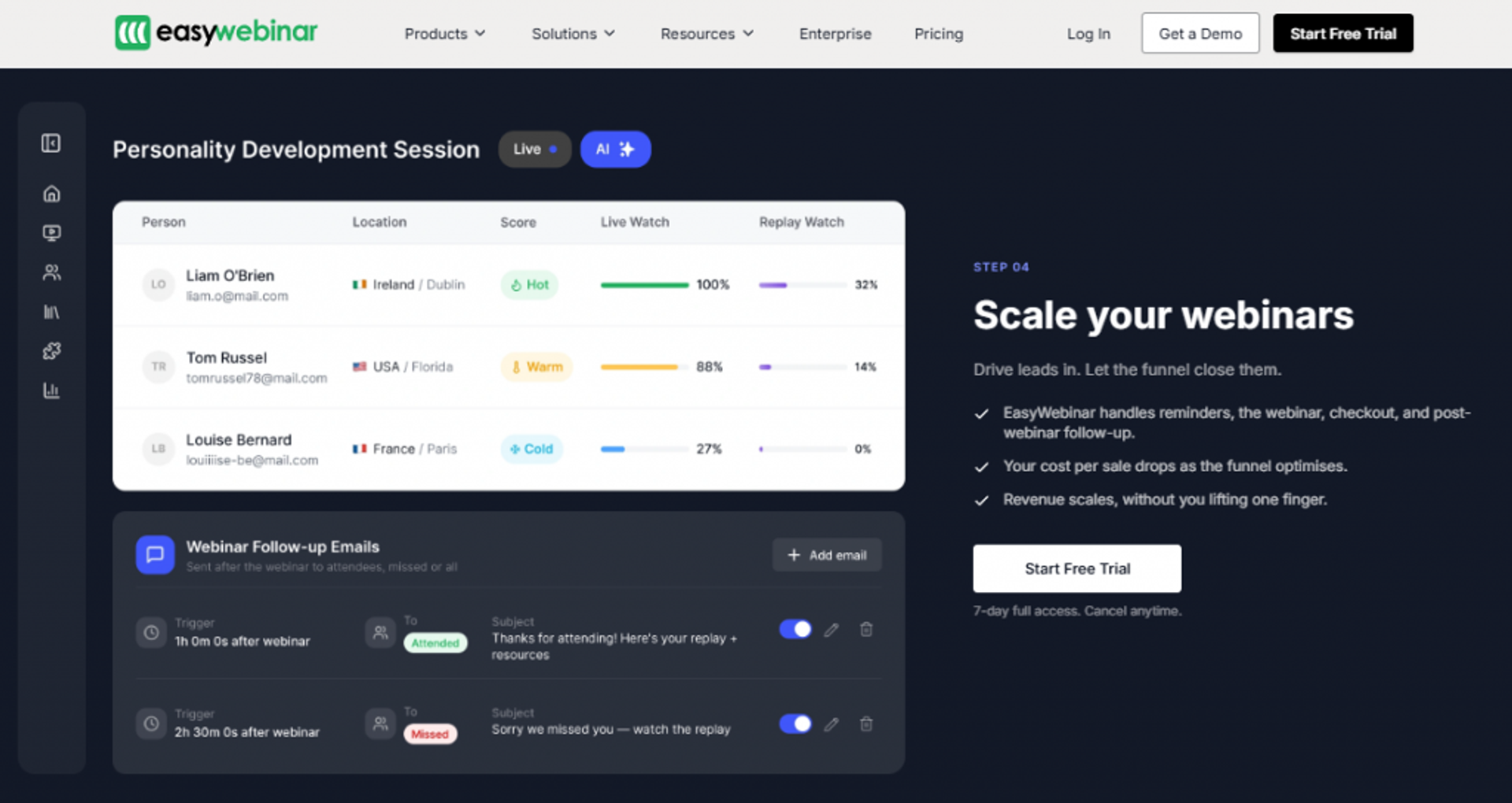
EasyWebinar is best for high-ticket coaches and course creators who need webinars to sell, not just stream, because it combines live, simulated live, and evergreen delivery with a built-in CRM and behavioral follow-up in one system. It may not fit users who only need a quick one-off internal meeting or who sell sub-$200 products where a full webinar funnel is not required.
Quick fit
| Best for | High-ticket coaches selling through live and automated webinars |
| Skip if | You run one-off internal team calls or sell low-ticket items with no funnel intent |
| Strongest edge | One system for delivery, CRM, follow-up, and evergreen automation |
| Biggest trade-off | Automated setup needs your presentation uploaded before you can build it |
| Pricing snapshot | Flat monthly; Capterra lists a Live+Automated tier around $66/mo, verify current tiers on the official page |
Why EasyWebinar ranks #1
EasyWebinar ranks first because the buyer we care about most, the coach who wants webinars to generate leads and sell offers, gets the full workflow in one place. That is delivery, funnel pages, engagement, follow-up, and analytics without stitching five tools together. You can see the full scope on our all features page.
I will be direct about the frame. Calling this “webinar software” understates it. We built it as a webinar revenue platform, which means the job is not hosting a call. The job is turning one session into a repeatable revenue engine.
Here is the operator logic. When your video tool, page builder, email, and CRM live in four apps, every launch is a tech-check nightmare. I have watched a broken automation silently drop a couple hundred opt-ins four hours before a webinar. Fewer moving parts means fewer of those Wednesday-at-2pm disasters, which is why we built a native sales CRM into the platform.
What EasyWebinar does well
- Runs live, simulated live, and evergreen from one setup, so you nail a webinar live first, then automate it instead of rebuilding from scratch.
- Just-in-time scheduling puts the next session one to about 14 minutes after someone lands, which lifts show-up rate because people do not wait days.
- Built-in engagement tools like polls, countdowns, and in-session offers let you sell inside the room, not just after it.
- Native follow-up and CRM connection keeps registration, reminders, and post-event sequences cohesive, so leads do not leak between tools.
- Attendee analytics show who saw and clicked your offer, which turns a vague “good webinar” into a number you can act on.
Where EasyWebinar falls short
- Automated setup needs the video uploaded first, so you cannot spin up registrations for a webinar you have not recorded yet. One G2 reviewer flagged exactly this.
- In-app email tracking is limited, so some operators still run post-webinar sequences through a separate email tool.
- Just-in-time sits on a higher tier, which one reviewer noted costs roughly double the basic plan, though she said it paid off.
- Landing page customization can feel limited, per multiple reviewers who wanted more design flexibility.
Decision scorecard
| Evaluation criterion | EasyWebinar fit | Why it matters |
|---|---|---|
| Live webinars | Strong | Stable live room with polls, offers, and countdowns built in. |
| Simulated live / automated | Strong | Purpose-built for automation; reviewers call it the evergreen leader. |
| Evergreen automation | Strong | Nail it live, then run it 24/7 without you present. |
| Funnel pages | Partial | Registration and thank-you pages included; design flexibility is limited. |
| Engagement | Strong | In-session polls, CTAs, and timed offers drive interaction. |
| CRM and follow-up | Strong | Built-in CRM plus native email and ESP integrations. |
| Monetization | Strong | In-webinar offers and payment integrations support selling. |
| Analytics | Partial | Strong attendee and offer analytics; some live insights still improving. |
| Integrations | Partial | Solid via Zapier and native connectors; a few feel non-intuitive. |
| Pricing fit | Strong | Flat monthly with a clear outcome for high-ticket sellers. |
| Best-fit buyer | Strong | Coaches selling high-ticket offers through webinars. |
Best for / skip if
Choose EasyWebinar if you sell high-ticket coaching or courses and want live plus evergreen webinars, follow-up, and analytics in one system. Skip it if you only need a quick internal meeting tool, or if you sell low-ticket items where a webinar is not mathematically worth building. Keep it on the shortlist if reducing tool sprawl and stabilizing revenue are your real goals, and you can sign up free to test it.
Reviews
Coaches consistently praise the responsive support and the ease of moving from live to automated, with one reviewer reporting she sold 25 courses in three weeks after switching to an evergreen webinar, versus 10 to 12 per live launch.
“I convert really well with live webinars, but I can’t be everywhere at once. EasyWebinar gives me the ability to multiply my efforts and offer a human touch.”– Ash A., EasyWebinar G2 Verified Review
“The biggest challenge is around setting up automated webinars, and needing the presentation uploaded first in order to set it up. Would love to be able to add the video later.”– Ash A., EasyWebinar G2 Verified Review
2. Kajabi
Kajabi is best for coaches and course creators who want one all-in-one home for courses, pages, email, and payments, because it removes the need to wire separate tools together, but it may not fit operators who need deep live and evergreen webinar selling or who are cost-sensitive at the base tier.
Quick fit
| Best for | Course-and-coaching businesses that want everything under one login |
| Skip if | Your revenue depends on live or evergreen webinar selling |
| Strongest edge | Courses, marketing, email, and checkout in a single platform |
| Biggest trade-off | Higher base price and lighter native webinar depth |
| Pricing snapshot | Flat monthly; third-party sources report a wide $69 to $499/mo range, verify before publishing |
Why Kajabi ranks #2
Kajabi ranks second because it genuinely solves the stack-sprawl problem for course-led coaches. If your business is mostly on-demand courses plus a membership, having pages, email, and payments in one place cuts real operational work.
Credit where it is due. Kajabi’s product is polished, and its all-in-one story is not marketing fluff for the course-first seller. That is a real strength I will not wave away.
Where it drops below EasyWebinar for our buyer is webinar revenue mechanics. Kajabi is built around the course library and funnel, not around running a live room that converts, then flipping it to just-in-time evergreen. For a coach whose primary sales motion is the webinar itself, that gap matters, and our webinars to sell online courses effectively guide explains why.
What Kajabi does well
- Bundles courses, pages, email, and checkout, so a solo creator can launch without buying four separate tools.
- Strong funnel and email automation, which helps you nurture and sell on-demand offers without extra software.
- Native payments and memberships, so recurring revenue and one-time sales run inside the same system.
- Polished templates, which shorten the time from idea to a live, on-brand offer page.
Where Kajabi falls short
- Live and evergreen webinar depth is limited compared with dedicated webinar platforms, so high-ticket webinar sellers often bolt on another tool.
- Base pricing runs high, and third-party breakdowns report meaningful cost jumps at higher tiers.
- Transaction and plan nuances can add cost that is not obvious from the headline price, per pricing reviews.
Decision scorecard
| Evaluation criterion | Kajabi fit | Why it matters |
|---|---|---|
| Live webinars | Weak | Live selling is not the core design. |
| Simulated live / automated | Weak | No purpose-built just-in-time evergreen webinar engine. |
| Evergreen automation | Partial | Strong for evergreen course funnels, light for webinars. |
| Funnel pages | Strong | Polished page and funnel builder included. |
| Engagement | Partial | Good for courses; limited in-session webinar interaction. |
| CRM and follow-up | Strong | Native email and automation cover follow-up well. |
| Monetization | Strong | Native checkout, memberships, and upsells. |
| Analytics | Partial | Solid sales analytics; less webinar behavior depth. |
| Integrations | Strong | Broad ecosystem and native connectors. |
| Pricing fit | Partial | Great value if you use everything, pricey if you do not. |
| Best-fit buyer | Strong | Course-led coaches wanting one platform. |
Best for / skip if
Choose Kajabi if your business is course-and-membership first and you want pages, email, and payments in one place. Skip it if live or evergreen webinars are your main sales engine, because you will likely pay for a second webinar tool anyway. Keep it shortlisted when consolidation matters more than webinar depth.
3. Thinkific
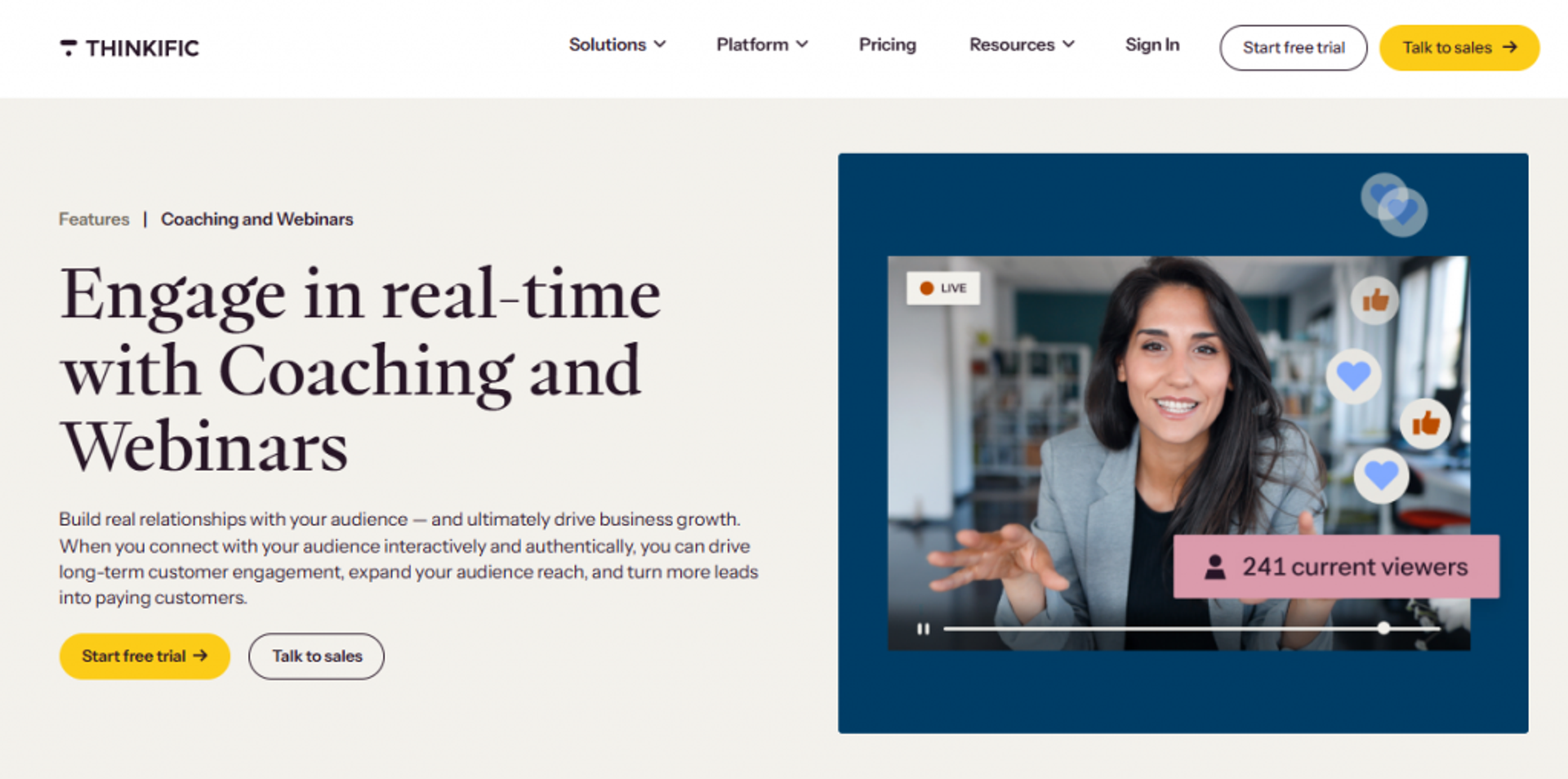
Thinkific is best for coaches who teach through structured, multi-module curricula and need a clean course builder, because it makes stepwise program delivery simple, but it may not fit coaches whose main sales motion is a live or evergreen webinar.
Quick fit
| Best for | Coaches building structured, module-based coaching programs |
| Skip if | You sell primarily through live or automated webinars |
| Strongest edge | A clean, reliable course builder for stepwise learning |
| Biggest trade-off | Live and evergreen webinar depth is thin |
| Pricing snapshot | Freemium plus flat monthly tiers; verify before publishing |
Why Thinkific ranks #3
Thinkific ranks third because it does one job cleanly, and that job matters for a big slice of coaches. If your transformation lives inside a sequenced curriculum, Thinkific gets you from outline to a working course fast.
Here is my honest read. Thinkific is a strong course-delivery home, and I will not pretend otherwise. The gap for our buyer shows up at the sales layer, where a live room and just-in-time evergreen selling are not the core design. Our guide on webinars to sell online courses effectively explains that gap.
✅ What Thinkific does well
- Structured course builder lets you sequence lessons and modules, so learners move through a clear path instead of a content dump.
- Reliable hosting and player, which reduces the tech support tickets that eat a solo coach’s week.
- Native payments and memberships, so you can sell courses without wiring in a separate checkout.
- Solid integrations, which let course data flow into your email tool for follow-up.
⚠️ Where Thinkific falls short
- Live and evergreen webinar selling is limited, so webinar-led coaches usually add another tool.
- In-session engagement tools like polls and timed offers are not the focus.
- Behavioral analytics lean toward course completion, not offer clicks and buying signals.
Decision scorecard
| Evaluation criterion | Thinkific fit | Why it matters |
|---|---|---|
| Live webinars | Weak | Not built for live selling rooms. |
| Simulated live / automated | Weak | No native just-in-time evergreen webinar engine. |
| Evergreen automation | Partial | Strong for evergreen courses, not webinars. |
| Funnel pages | Partial | Course and sales pages exist, funnel depth is modest. |
| Engagement | Partial | Course engagement is fine, live interaction is limited. |
| CRM and follow-up | Partial | Relies on integrations for segmented follow-up. |
| Monetization | Strong | Native checkout and memberships included. |
| Analytics | Partial | Course-completion focus over buying behavior. |
| Integrations | Strong | Broad connector library. |
| Pricing fit | Strong | Freemium entry keeps early costs low. |
| Best-fit buyer | Strong | Curriculum-first coaches. |
Best for / skip if
Choose Thinkific if your coaching runs on a structured course and you want clean delivery plus native payments. Skip it if your revenue depends on live or evergreen webinars, since you will pay for a second tool to sell. Keep it shortlisted when the curriculum is the product.
4. Mighty Networks
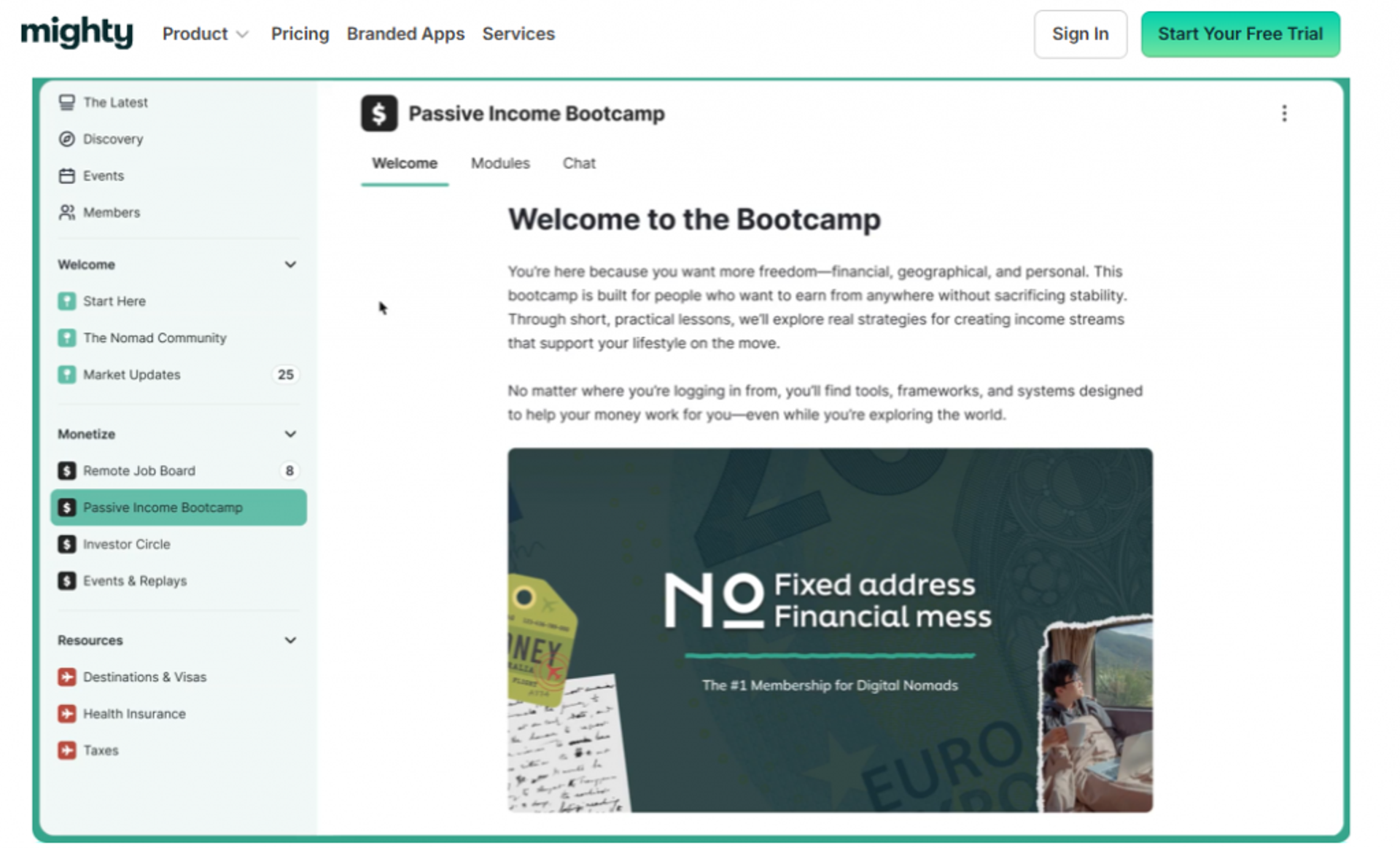
Mighty Networks is best for coaches running community-powered group programs, because it puts community, courses, and events under one roof, but it may not fit coaches who need a dedicated live or evergreen webinar selling engine.
Quick fit
| Best for | Community-driven group and cohort coaching |
| Skip if | Your growth depends on webinar selling |
| Strongest edge | Community plus courses plus events in one place |
| Biggest trade-off | Not built for high-ticket webinar conversion |
| Pricing snapshot | Flat monthly; verify before publishing |
Why Mighty Networks ranks #4
Mighty Networks ranks fourth because interactive, supported programs are winning, and it is built for exactly that. Coaches keep telling me the same thing. On-demand-only courses are fading, and community is what keeps people paying.
I lean toward this shift too. A minimal, well-run community often beats a sprawling course library, because engagement concentrates instead of spreading thin. If you want to compare community delivery with webinar-led selling, our grow online coaching business guide is a useful read.
✅ What Mighty Networks does well
- Community, courses, and events together, so members get one home instead of five logins.
- Group and cohort delivery, which supports the interactive programs people actually complete.
- Native content and events, reducing the number of tools a group coach juggles.
- Member engagement features, which help you keep a paid group active over months.
⚠️ Where Mighty Networks falls short
- Webinar selling is not the design, so high-ticket webinar funnels need another platform.
- In-session conversion tooling like timed offers is limited.
- Analytics center on community activity, not offer clicks and revenue attribution.
Decision scorecard
| Evaluation criterion | Mighty Networks fit | Why it matters |
|---|---|---|
| Live webinars | Partial | Live events yes, selling rooms no. |
| Simulated live / automated | Weak | No native evergreen webinar engine. |
| Evergreen automation | Weak | Built for community, not automated selling. |
| Funnel pages | Partial | Basic sales pages, limited funnel depth. |
| Engagement | Strong | Community engagement is the core strength. |
| CRM and follow-up | Partial | Member data yes, deep segmented follow-up limited. |
| Monetization | Strong | Native memberships and paid groups. |
| Analytics | Partial | Community metrics over revenue behavior. |
| Integrations | Partial | Growing, but fewer than course-first tools. |
| Pricing fit | Partial | Fair for community, verify current tiers. |
| Best-fit buyer | Strong | Community-led group coaches. |
Best for / skip if
Choose Mighty Networks if community and group transformation drive your program. Skip it if webinars are your main sales engine, because conversion tooling is light. Keep it shortlisted when engagement and retention matter more than webinar selling.
5. Circle
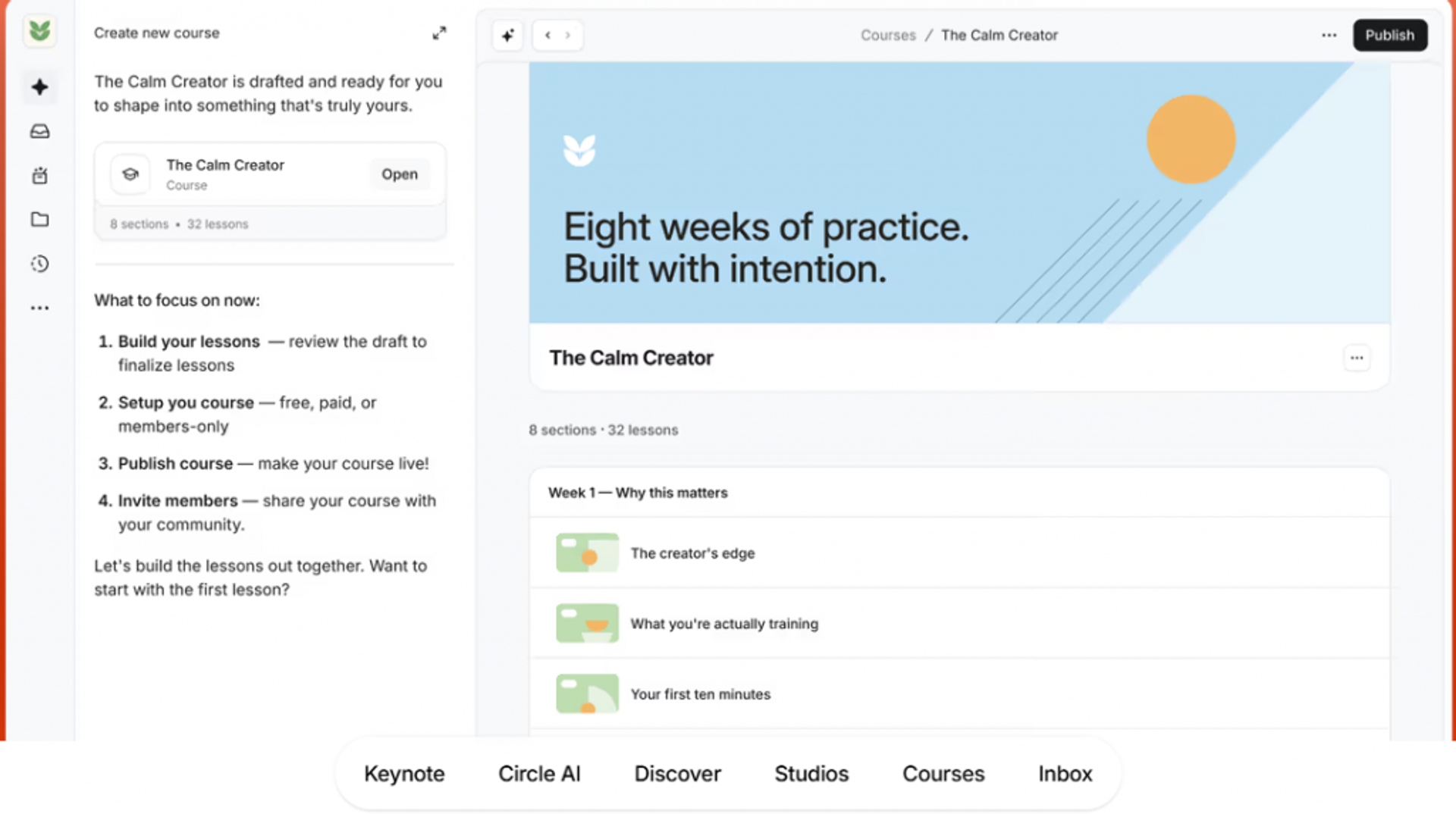
Circle is best for coaches who want an all-in-one community with events and workflows in one place, because it brings community, courses, and automation together, but it may not fit coaches who need dedicated webinar conversion mechanics.
Quick fit
| Best for | Coaches wanting community plus events under one roof |
| Skip if | You need deep webinar selling and follow-up |
| Strongest edge | Polished all-in-one community with workflows |
| Biggest trade-off | Lighter webinar and conversion tooling |
| Pricing snapshot | Flat monthly; verify before publishing |
Why Circle ranks #5
Circle ranks fifth because it delivers a genuinely strong all-in-one community experience. Events, workflows, and courses live together, which is real value for a community-first coach.
I want to be fair and cautious here. When any tool claims to be your community, your CRM, and your everything at once, I get nervous. The all-in-one story is a strength for Circle’s core job, but it does not replace a webinar revenue system built around the webinar funnel.
✅ What Circle does well
- All-in-one community with events, so members and live sessions share one space.
- Built-in workflows, which automate routine member actions and cut manual work.
- Course and content hosting, reducing the number of separate tools you pay for.
- Clean, modern interface, which lowers the onboarding friction for members.
⚠️ Where Circle falls short
- Webinar conversion tooling is lighter than dedicated platforms, so selling live is harder.
- Evergreen webinar automation is not a core feature.
- Revenue analytics favor community and course activity over offer conversion.
Decision scorecard
| Evaluation criterion | Circle fit | Why it matters |
|---|---|---|
| Live webinars | Partial | Live events yes, selling focus no. |
| Simulated live / automated | Weak | No native evergreen webinar engine. |
| Evergreen automation | Weak | Workflows automate community, not webinar funnels. |
| Funnel pages | Partial | Sales pages exist, funnel depth is modest. |
| Engagement | Strong | Community engagement is a core strength. |
| CRM and follow-up | Partial | Workflows help, deep CRM is limited. |
| Monetization | Strong | Native paid memberships and courses. |
| Analytics | Partial | Community metrics over revenue attribution. |
| Integrations | Strong | Solid connector ecosystem. |
| Pricing fit | Partial | Reasonable for community, verify current tiers. |
| Best-fit buyer | Strong | Community-and-events coaches. |
Best for / skip if
Choose Circle if you want a polished community with events and automation in one home. Skip it if webinar selling and follow-up drive your revenue. Keep it shortlisted when community is the product and webinars are occasional.
6. CoachAccountable
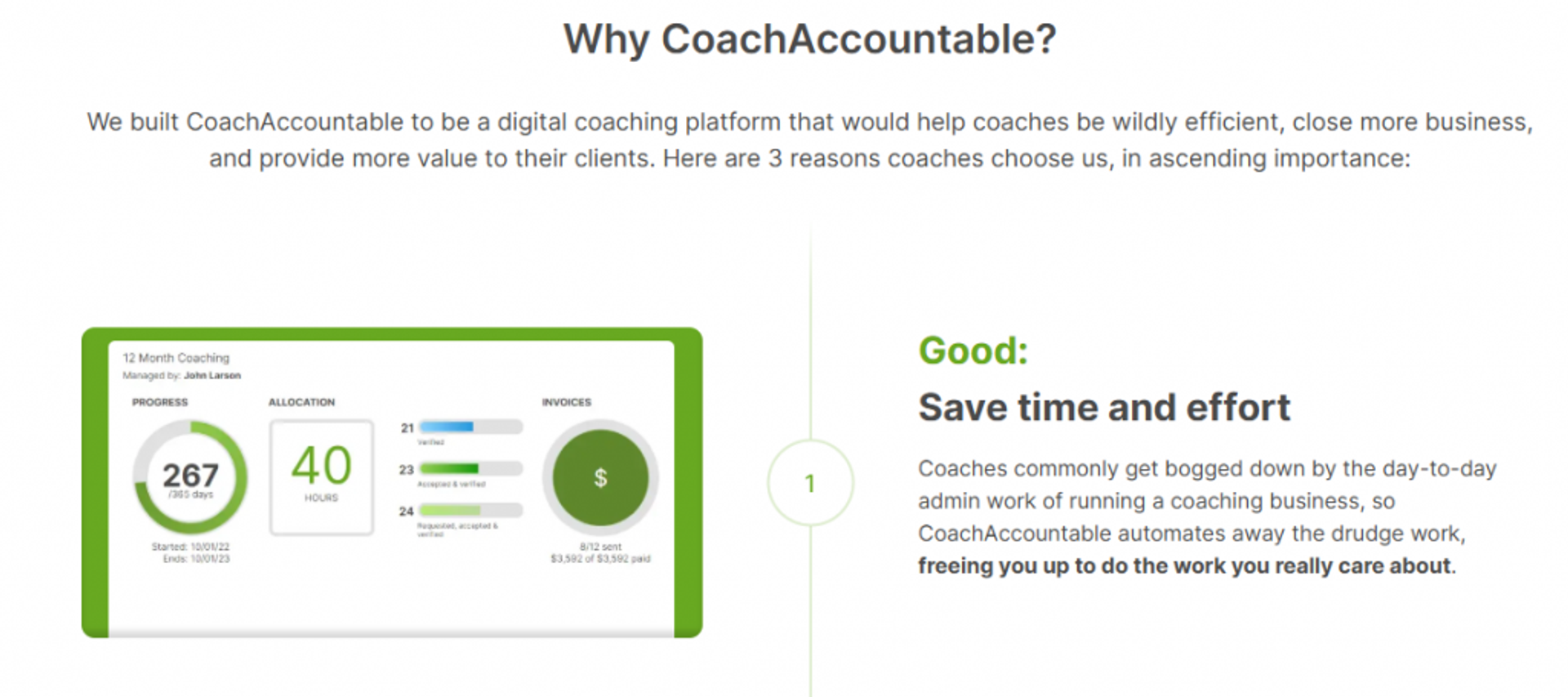
CoachAccountable is best for 1:1 coaches who live on accountability and client progress, because it tracks engagement and outcomes in real depth, but it may not fit coaches who sell through live webinars or want a polished marketing front end.
Quick fit
| Best for | 1:1 coaches focused on accountability and results |
| Skip if | You sell mainly through webinars or need slick marketing pages |
| Strongest edge | Deep client progress and engagement tracking |
| Biggest trade-off | Learning curve and no native webinar selling |
| Pricing snapshot | Per-client or flat monthly; verify before publishing |
Why CoachAccountable ranks #6
CoachAccountable ranks sixth because it nails the part most tools ignore. It measures whether clients actually do the work, which is the metric that predicts renewals.
I keep coming back to a hard truth from my own practice. Engagement is not cash, but it is the leading signal for it. A tool that flags the client who has gone quiet gives you the chance to save the relationship before the refund request, which is why we baked behavioral tracking into our sales CRM.
✅ What CoachAccountable does well
- Deep progress tracking, so you see who is doing the work and who is drifting.
- Client portal and accountability tools, which keep 1:1 clients engaged between sessions.
- Engagement metrics, which turn a vague sense of “how’s it going” into data you can act on.
- Automations for check-ins, reducing the admin load of managing many clients.
⚠️ Where CoachAccountable falls short
- Learning curve is real, so setup takes longer than simpler tools.
- No native webinar selling, which means it is a management tool, not a sales engine.
- Marketing pages are basic compared with course platforms.
Decision scorecard
| Evaluation criterion | CoachAccountable fit | Why it matters |
|---|---|---|
| Live webinars | Weak | Not a webinar tool. |
| Simulated live / automated | Weak | No evergreen selling engine. |
| Evergreen automation | Weak | Automates client management, not funnels. |
| Funnel pages | Weak | Marketing front end is minimal. |
| Engagement | Strong | Accountability and engagement are the core. |
| CRM and follow-up | Strong | Deep client tracking and check-in automation. |
| Monetization | Partial | Handles payments, not in-session selling. |
| Analytics | Strong | Best-in-class client progress analytics. |
| Integrations | Partial | Functional, not extensive. |
| Pricing fit | Partial | Scales with clients, verify current tiers. |
| Best-fit buyer | Strong | Accountability-first 1:1 coaches. |
Best for / skip if
Choose CoachAccountable if 1:1 accountability and client results are your whole game. Skip it if you sell through webinars or need polished marketing pages. Keep it shortlisted when retention and progress tracking outrank acquisition.
7. Paperbell
Paperbell is best for solo coaches who need scheduling, contracts, and payments in one simple flow, because it bundles booking and checkout cleanly, but it may not fit coaches who need live delivery or deep engagement analytics.
Quick fit
| Best for | Solo coaches needing booking, contracts, and payments |
| Skip if | You need live webinars or behavioral analytics |
| Strongest edge | Scheduling plus checkout in one clean flow |
| Biggest trade-off | Light on live delivery and analytics |
| Pricing snapshot | Flat monthly, around $57/mo per a 2026 review; verify before publishing |
Why Paperbell ranks #7
Paperbell ranks seventh because it removes the admin headache that eats a solo coach’s day. Booking, contracts, and payments in one place is a genuine relief, and it carries a 4.7 out of 5 on G2 per a 2026 review.
My read is simple. Paperbell is the right first tool for a solo coach who mostly runs 1:1 sessions. It stops being enough the moment webinars become your main way to sell, and that is where paid webinars take over.
✅ What Paperbell does well
- Scheduling plus checkout together, so clients book and pay in one flow.
- Contracts and packages, which cut the back-and-forth of onboarding a new client.
- Simple client management, reducing the tool count for a solo operator.
- Clean, fast setup, so you launch without a technical learning curve.
⚠️ Where Paperbell falls short
- No native live delivery, so you still need a video tool for sessions.
- Analytics are light, with little behavioral or offer-click depth.
- Not a selling engine for high-ticket webinar funnels.
Decision scorecard
| Evaluation criterion | Paperbell fit | Why it matters |
|---|---|---|
| Live webinars | Weak | No native webinar delivery. |
| Simulated live / automated | Weak | No evergreen selling engine. |
| Evergreen automation | Weak | Automates admin, not funnels. |
| Funnel pages | Partial | Simple landing and package pages. |
| Engagement | Weak | Not built for in-session engagement. |
| CRM and follow-up | Partial | Basic client records and reminders. |
| Monetization | Strong | Native checkout and packages. |
| Analytics | Weak | Minimal behavioral data. |
| Integrations | Partial | Covers essentials only. |
| Pricing fit | Strong | Affordable for solo coaches. |
| Best-fit buyer | Strong | Solo 1:1 coaches. |
Best for / skip if
Choose Paperbell if you are a solo coach who wants booking, contracts, and payments handled simply. Skip it if webinars or engagement analytics drive your business. Keep it shortlisted when admin relief is the priority.
8. Zoom
Zoom is best for coaches who need familiar, stable live video for sessions, because most attendees already know the interface, but it may not fit coaches who need funnel pages, engagement tooling, or follow-up to actually sell.
Quick fit
| Best for | Coaches needing baseline live video delivery |
| Skip if | You want webinars to sell, not just stream |
| Strongest edge | Familiar, widely adopted video |
| Biggest trade-off | Weak funnel, engagement, and follow-up tooling |
| Pricing snapshot | Per-license monthly or annual; verify before publishing |
Why Zoom ranks #8
Zoom ranks eighth because it is reliable video, and familiarity has real value. People know how to join a Zoom, which lowers friction at the door.
Here is where I push back on the common gospel that “Zoom is fine for sales webinars.” For a plain live call, sure. For a webinar meant to convert, reviewers repeatedly flag missing table-stakes features and a clunky backend, which is why many teams weigh an EasyWebinar vs Zoom move.
✅ What Zoom does well
- Familiar interface, so attendees join without a tech tutorial.
- Stable video at scale, which reviewers consistently credit for large sessions.
- Broad integrations, connecting to most marketing and CRM tools.
- Recording included, so you can archive sessions easily.
⚠️ Where Zoom falls short
- Missing core webinar features, like a proper pre-webinar waiting room or exit page, per a reviewer.
- Weak customization, so your pages and reminders look generic.
- Support and reliability complaints, with reviewers reporting glitches and slow help.
Decision scorecard
| Evaluation criterion | Zoom fit | Why it matters |
|---|---|---|
| Live webinars | Partial | Stable video, weak selling features. |
| Simulated live / automated | Weak | No native evergreen engine. |
| Evergreen automation | Weak | Not designed for automated funnels. |
| Funnel pages | Weak | Minimal landing page customization. |
| Engagement | Weak | Basic polls, limited interaction. |
| CRM and follow-up | Weak | Relies entirely on integrations. |
| Monetization | Weak | No native in-session selling. |
| Analytics | Partial | Attendance data, little buying behavior. |
| Integrations | Strong | Connects to most tools. |
| Pricing fit | Partial | Reasonable for video, not full funnels. |
| Best-fit buyer | Partial | Coaches needing video only. |
Best for / skip if
Choose Zoom if you need dependable live video and nothing more. Skip it if you want the webinar itself to sell, because the funnel, engagement, and follow-up are not there. Keep it shortlisted only as a video layer, not a revenue tool.
Reviews
Reviewers praise the video stability but repeatedly flag a clunky backend and missing webinar basics.
“Zoom Webinar is ridiculously glitchy. There’s no pre-webinar waiting room or post-webinar exit page. The polling and survey functions are rudimentary.”– Casey S., Zoom G2 Verified Review
“Zoom Webinars almost completely lacks customization options to the look and feel, so it gives you as a company a minimal chance to stand out.”– Gabor F., Zoom G2 Verified Review
9. Riverside
Riverside is best for coaches who lead with recorded content and need studio-quality video plus transcripts, because it records locally in high quality and edits by text, but it may not fit coaches who need scheduling or a selling engine.
Quick fit
| Best for | Coaches building content from high-quality recordings |
| Skip if | You need scheduling, funnels, or webinar selling |
| Strongest edge | Local high-quality recording with text-based editing |
| Biggest trade-off | Not a scheduling or selling platform |
| Pricing snapshot | Free plan, paid from $19/mo Standard up to $39/mo Live |
Why Riverside ranks #9
Riverside ranks ninth because it solves recording better than almost anything else on this list. It records each person locally in up to 4K, so quality does not collapse when the internet wobbles.
I use it myself, and the part that changed my week is the transcript editor. You edit the video by cutting text, so you select the words you do not want and they disappear from the recording. That turns a rough session into a clean asset fast, ready to reuse in an on-demand webinar platform.
✅ What Riverside does well
- Local recording in up to 4K, so replays and clips look professional.
- Text-based editing, which lets you cut mistakes by deleting words, not scrubbing a timeline.
- Automatic transcriptions in over 100 languages, which speeds repurposing into content.
- AI audio cleanup, reducing the post-production a solo coach has to do.
⚠️ Where Riverside falls short
- No scheduling or funnel tools, so it does not manage registration or selling.
- Lower tiers feel limited, per reviewers, pushing serious users to upgrade.
- Not a webinar revenue system, just the recording layer.
Decision scorecard
| Evaluation criterion | Riverside fit | Why it matters |
|---|---|---|
| Live webinars | Partial | Live streaming yes, selling no. |
| Simulated live / automated | Weak | No evergreen webinar engine. |
| Evergreen automation | Weak | Not built for automated funnels. |
| Funnel pages | Weak | No registration or sales pages. |
| Engagement | Weak | Recording focus, not audience interaction. |
| CRM and follow-up | Weak | No native CRM. |
| Monetization | Weak | No in-session selling. |
| Analytics | Weak | Recording metrics only. |
| Integrations | Partial | Connects to editing and podcast tools. |
| Pricing fit | Strong | Free plan plus affordable paid tiers. |
| Best-fit buyer | Strong | Content-led coaches. |
Best for / skip if
Choose Riverside if recording quality and clean content are central to your coaching. Skip it if you need scheduling, funnels, or webinar selling. Keep it shortlisted as the recording layer beside a selling platform.
10. Upcoach
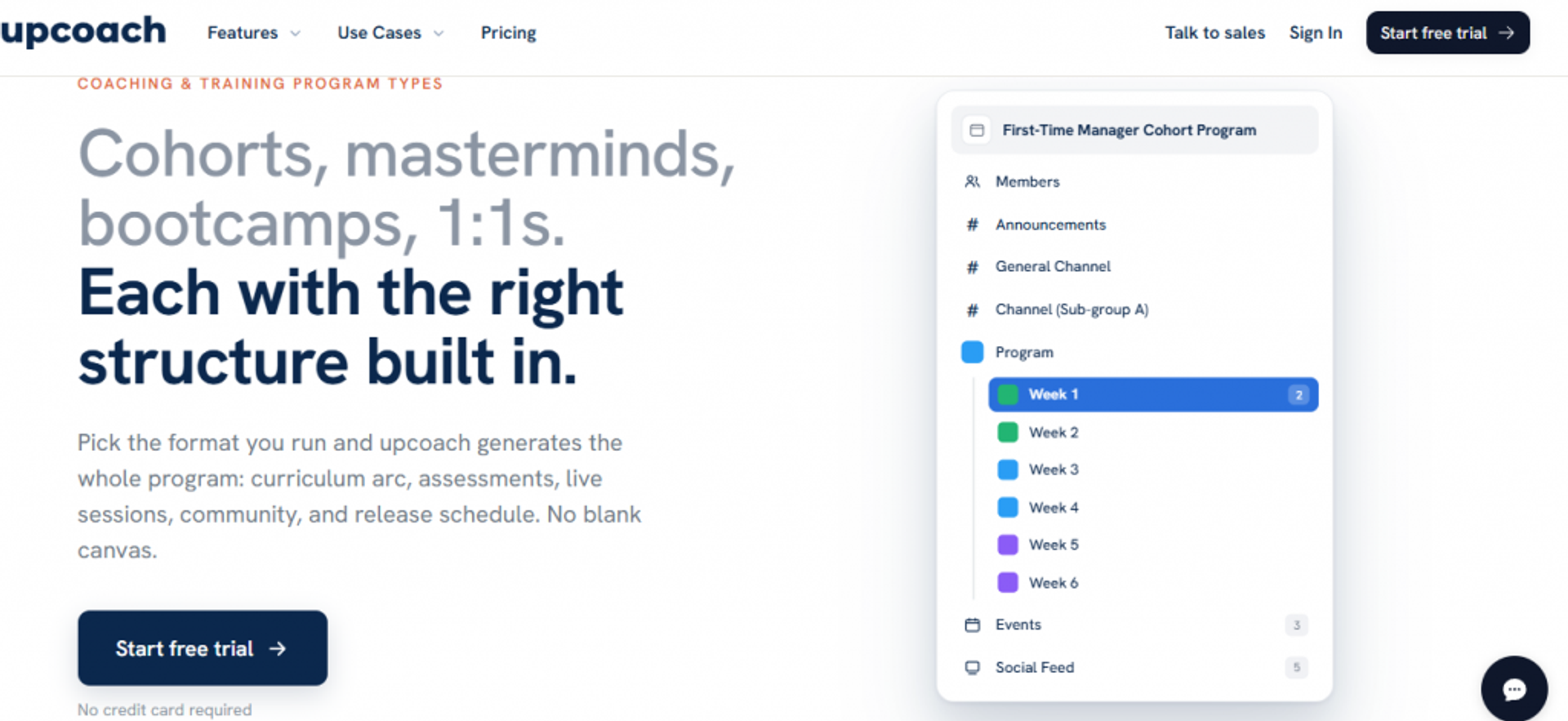
Upcoach is best for coaches running dedicated group programs who want program delivery, client management, and community together, because it is purpose-built for structured group coaching, but it may not fit coaches who need webinar selling or a mature integration ecosystem.
Quick fit
| Best for | Dedicated group and 1:1 program operators |
| Skip if | You sell through webinars or need many integrations |
| Strongest edge | Purpose-built group program and habit tracking |
| Biggest trade-off | Younger ecosystem with fewer integrations |
| Pricing snapshot | Starter around $49/mo billed annually (15 clients, 3 courses) |
Why Upcoach ranks #10
Upcoach ranks tenth because it is built for the exact program many coaches now run. Group delivery, habit tracking, and client management sit together, which supports the interactive model that keeps people paying.
My honest take is that Upcoach is promising but younger. The core program tools are strong, and the trade-off is a smaller integration library than the veterans on this list, so check our integrations options if a connected stack matters.
✅ What Upcoach does well
- Purpose-built group program builder, so cohorts run without duct-taping tools together.
- Habit and action tracking, which drives the accountability that improves outcomes.
- Client management and community, reducing the number of logins members need.
- Coaching program editor, which speeds setting up a structured offer.
⚠️ Where Upcoach falls short
- No native webinar selling, so acquisition happens elsewhere.
- Fewer integrations, given the younger ecosystem.
- Client limits on entry tiers, so costs rise as you scale.
Decision scorecard
| Evaluation criterion | Upcoach fit | Why it matters |
|---|---|---|
| Live webinars | Weak | Not a webinar selling tool. |
| Simulated live / automated | Weak | No evergreen engine. |
| Evergreen automation | Weak | Automates programs, not funnels. |
| Funnel pages | Partial | Program pages yes, sales funnels limited. |
| Engagement | Strong | Habit tracking and community drive engagement. |
| CRM and follow-up | Partial | Client management yes, deep CRM limited. |
| Monetization | Partial | Sells programs, not in-session offers. |
| Analytics | Partial | Program and habit data over revenue behavior. |
| Integrations | Weak | Younger, smaller ecosystem. |
| Pricing fit | Partial | Fair entry, client limits raise cost at scale. |
| Best-fit buyer | Strong | Group program operators. |
Best for / skip if
Choose Upcoach if structured group coaching with habit tracking is your model. Skip it if webinars drive your sales or you need a deep integration ecosystem. Keep it shortlisted when program delivery and accountability are the priority.
🧭 Positioning the shortlist
Look across all 10 and a pattern shows up. Most of these tools own one job well, whether that is course delivery, community, accountability, recording, or booking. That is genuinely useful, and I would not talk you out of a specialist that fits your model.
The gap I keep seeing is at the revenue layer. When the sale itself happens on a webinar, you need live plus simulated live plus evergreen delivery, in-session offers, follow-up, and analytics working as one system. That is the job we built our automated webinar platform to do, which is why it sits at #1 for the high-ticket, webinar-driven coach, not as the answer for everyone.
Q2. How Did We Score and Rank These Coaching Tools?
We scored each tool on five weighted criteria: Live Session Quality (25%), Client Engagement Analytics (25%), Scheduling and Automation (20%), Recording and Replay (15%), and Pricing Transparency (15%). Tools scoring 81 to 100 earn 5 stars, 61 to 80 earn four, and so on down to 1 star for 0 to 20. EasyWebinar earns 5 stars for uniting live and evergreen delivery, behavioral follow-up analytics, and just-in-time scheduling.
🎯 Why these five axes
We picked five criteria because each one maps to a real operator pain, not a spec sheet. Session quality maps to trust breaking live. Analytics map to revenue you cannot see. Scheduling maps to no-shows. Recording maps to wasted content. Pricing maps to the surprise bill.
I have watched too many buyers pick on feature count. Volume ain’t value. A tool with 200 features you never touch loses to one that fixes the four moments where money leaks, which is the logic behind our all features layout.
📊 Why session quality and analytics dominate
Session quality and analytics carry the most weight, at 25% each, and that is a deliberate call. After thousands of split tests and heavy ad spend, what moves revenue is presence in the room and knowing what happened after, which is why our webinar analytics matter so much.
Here is the contrarian part. Most guides weight engagement features high on their own. But engagement ain’t cash unless you measure it and act on it. Thirty percent of a massive audience is amazing; 30% of zero is nothing, so analytics that show the real number matter more than a chat box.
⭐ The scoring bands
- 5 stars: 81 to 100, a complete revenue workflow.
- 4 stars: 61 to 80, strong in its specialty, gaps at the sales layer.
- 3 stars: 41 to 60, solid single-job tool.
- 2 stars: 21 to 40, narrow fit.
- 1 star: 0 to 20, minimal fit for this buyer.
| Tool | Session Quality | Engagement Analytics | Scheduling | Recording | Pricing | Stars |
|---|---|---|---|---|---|---|
| EasyWebinar | Strong | Strong | Strong | Strong | Strong | ⭐⭐⭐⭐⭐ |
| Kajabi | Partial | Strong | Partial | Partial | Partial | ⭐⭐⭐⭐ |
| Thinkific | Weak | Partial | Partial | Partial | Strong | ⭐⭐⭐⭐ |
| Mighty Networks | Partial | Partial | Weak | Partial | Partial | ⭐⭐⭐⭐ |
| Circle | Partial | Partial | Weak | Partial | Partial | ⭐⭐⭐⭐ |
| CoachAccountable | Weak | Strong | Partial | Weak | Partial | ⭐⭐⭐⭐ |
| Paperbell | Weak | Weak | Strong | Weak | Strong | ⭐⭐⭐ |
| Zoom | Partial | Weak | Weak | Partial | Partial | ⭐⭐⭐ |
| Riverside | Partial | Weak | Weak | Strong | Strong | ⭐⭐⭐⭐ |
| Upcoach | Weak | Partial | Partial | Weak | Partial | ⭐⭐⭐⭐ |
🧭 Where EasyWebinar lands
We pinned EasyWebinar at 5 stars, and here is the one-line logic per axis. Live and simulated live delivery cover session quality. Behavioral follow-up covers analytics. Just-in-time scheduling, which starts the next session minutes after someone registers, covers scheduling. On-demand replay covers recording, and flat pricing on our webinar pricing page covers transparency. The rating reflects one system doing the full revenue job, not brand preference.
Q3. Are These Coaching Tools Actually Worth It? The Revenue and ROI Math
Yes, when a tool protects revenue. Coaching is a $5.34 billion global market with a $297 average North America session fee, and companies recoup at least their coaching investment 86% of the time, at a 7x median return. But most revenue leaks at response time: replying to a lead within an hour makes it roughly 7x more likely to qualify, yet the average firm takes 42 hours.
💰 The market economics
The numbers are bigger than most coaches assume. The 2025 ICF Global Coaching Study, run by PwC, reported $5.34 billion in global coaching revenue, up 17% from 2023. It also counted 122,974 active coach practitioners worldwide, a 15% jump since 2023.
So demand is real and growing. That means your tool choice is not a cost line. It is the infrastructure that decides how much of that demand you capture, and our grow online coaching business guide unpacks that shift.
📈 The ROI case
The return data is strong when coaching is delivered well. Organizations recoup at least their investment 86% of the time, with a 7x median return reported in ICF and PwC research. Client satisfaction sits near 99% in the same body of work.
Here is how I read it, and you can push back. A tool is worth it only if it protects that return. If your delivery is clean but your follow-up leaks, the ROI never shows up in your bank account, so a strong coaching sales funnel matters as much as the session.
⏰ The response-time gap
This is where most money quietly disappears. Harvard Business Review research found firms that contact a lead within an hour are about 7x more likely to qualify it, yet the average firm takes 42 hours. MIT-linked data pushes it further: reach out within 5 minutes and you are up to 21x more likely to qualify.
I say this often to coaches doing $40K a month. One sales webinar can replace six sales reps, because it presents, handles objections, and hands off a warm buyer at scale. This is exactly the gap our built-in sales CRM and behavioral follow-up are designed to close, triggering the next touch the moment someone registers or watches, not 42 hours later.
Q4. Live Session Quality and Recording: What Actually Drives High-Ticket Conversion?
High-ticket coaching sells on human-to-human trust, so live session quality (low latency, real interaction, in-session calls to action) matters more than raw production value. Recordings then become reusable revenue assets when tools offer transcripts and text-based editing. But do not over-automate: recordings alone do not convert, and on-demand-only courses are declining because learners want interactive, supported experiences.
🤝 Trust beats your credentials
The standard read says polish wins. I think that gets it backwards. On a high-ticket webinar, trust beats your credentials, and trust is built in the small live moments, not the intro animation.
What breaks trust live is lag, frozen video, and a host who cannot see the room. When you answer a real question by name, the buyer feels seen. That felt sense is what closes a $5,000 offer, not a fancy lower-third, and it is why our live webinar software puts interaction first.
⚠️ Don’t get over-AI’d
There is a real risk right now of getting over-AI’d. As more coaches automate everything, the human in the room becomes the rare thing people pay for. My read is that live workshops come back precisely because buyers are tired of feeling processed.
So keep yourself in the room, then place timed calls to action at the moment attention peaks. A well-placed offer at the emotional high beats ten offers sprinkled at random, which is the heart of running paid webinars that convert.
🎥 The recording workflow
Recording quality decides whether a session becomes an asset or a dead file. Tools like Riverside have made this far easier, with full transcription and editing where you select the text and cut it out. You delete a sentence of words, and the matching video disappears.
Here is the payoff most coaches miss. Turn that clean replay into an evergreen webinar and short content, not a course that dies in a library. Average course completion sits around 5 to 10%, which is why on-demand-only offers are fading, a trend we cover in our on-demand webinar platform guide.
🔗 Keeping presence and conversion together
This is where the stack usually breaks. Coaches run the live room on Zoom, then bolt on separate tools for offers and replay, and the buying moment gets lost. We built our automated webinar platform so native live delivery, in-webinar timed offers, and on-demand replay live in one place, which keeps presence, conversion, and reusable assets together without duct-taping video to a separate funnel.
Reviews
“I convert really well with live webinars, but I can’t be everywhere at once. EasyWebinar gives me the ability to multiply my efforts and offer a human touch.”– Ash A., EasyWebinar G2 Verified Review
“Zoom Webinar is ridiculously glitchy. There’s no pre-webinar waiting room or post-webinar exit page. The polling and survey functions are rudimentary.”– Casey S., Zoom G2 Verified Review
Q5. Scheduling and Client Engagement Analytics: How to Turn Show-Ups Into Renewals
Scheduling and engagement analytics are where coaching revenue is won or lost. Just-in-time scheduling (a session starting 1 to 14 minutes after signup) and timezone detection lift show-up rates, while engagement analytics predict renewals across the typical 7 to 12 month engagement. But data without action is useless. The tools that pay off trigger follow-up to the client who has gone quiet.
⏰ Where the pipeline leaks
Two silent leaks drain most coaching businesses. The first is no-shows, where people register and never appear. The second is quiet churn, where a paying client goes dark and cancels.
Both are scheduling and analytics problems. If you cannot get people in the room, and cannot see who is fading, you are guessing, which is why strong webinar analytics matter.
🎯 How just-in-time scheduling works
Just-in-time scheduling means the next session starts minutes after someone signs up, not days later. In practice, you set a window between one minute and about 14 minutes, so a fresh registrant watches while intent is hot.
Pair that with timezone detection, which shows the start time in the viewer’s own clock. Fewer people miss a 2pm session because they thought it was their 2pm, not yours, a pattern our automated webinar engine is built around.
⚖️ The automation-timing debate
Coaches split into two honest camps here. Some, like Yuri Elkaim, argue live show-up rates are horrible, so evergreen-first protects your calendar. Others, like Jeremy Haynes, say automated webinars have been nerfed and suck, so nail it live first.
My read is you can hold both. Prove the offer live, then flip to just-in-time once it converts. Do not automate a webinar that has never sold, a point we cover in our live vs automated webinars guide.
💸 The analytics rescue story
Here is a real moment that stuck with me. A client paid for a 16-week program, did nothing, then asked, “Do you want to credit that purchase?” Without engagement data, I would not have known she went quiet in week two.
With it, the move is different. You reach out early, offer to credit the unused weeks toward a restart, and save the relationship. Credit is the eighth wonder of the world, because it keeps a customer instead of refunding one.
🧭 The show-up-to-renewal engine
None of this matters without traffic; analytics on zero attendees is a billboard in the desert. Once people show, the engine has to connect scheduling to follow-up. We built our live webinar software so just-in-time and timezone-detected scheduling feed a built-in sales CRM (the database tracking each lead), which then triggers behavioral follow-up to the attendee who watched but did not buy. That is the loop most tools leave to you.
Reviews
“Easy to set up live or evergreen webinars, including replay options, and it splits out live and replay attendee insights. The analytics also show how many saw or clicked your offer.”– Verified User in Professional Training, EasyWebinar G2 Verified Review
“I do use other email systems to send post-webinar email sequences because I can’t track open and click rates on EasyWebinar.”– Eliza W., EasyWebinar G2 Verified Review
Q6. All-in-One vs. Specialist Stacks, and What Real Coaches Say Goes Wrong
There is no universal winner. All-in-one platforms like Kajabi and Circle cut tool sprawl, while specialists like Riverside and CoachAccountable win on depth. Whichever you pick, baseline features (scheduling, payments, client portal, integrations, and automation) are table stakes. Real coaches praise the consolidation but flag bugs, clunky interfaces, and support gaps. The biggest failures are broken integrations, not the platform itself.
⚖️ The real trade-off
There is no right or wrong between all-in-one and specialist. It is a trade between consolidation and depth, and your answer depends on how you sell.
Before you choose, check the baseline. Scheduling, payments, a client portal, integrations, and automation are non-negotiable. If a tool misses one, it is not really in the running, so review your integrations needs first.
⚠️ Be careful with “everything” tools
I get cautious when a tool claims to be even more all-in-one than the rest. When a platform promises to be your CRM, community, funnel, and email at once, something usually runs shallow. Watch the “everything” pitch closely.
Small costs stack up on the other side too. A specialist add-on at $8 a month feels tiny, then five of them arrive and the stack quietly bloats, which is worth weighing against transparent webinar pricing.
📊 Two stack shapes
| Stack shape | Wins on | Watch out for |
|---|---|---|
| All-in-one (Kajabi, Circle) | Fewer logins, simpler billing, faster launch | Shallow depth in any one job |
| Specialist (Riverside, CoachAccountable) | Best-in-class depth per tool | More integrations, higher combined cost |
🔧 My own near-miss
Here is a confession. Our Zapier account (Zapier connects apps so data flows between them) hit its limit before a webinar. I caught a couple-hundred-person discrepancy in registrations just four hours before we went live.
That is the real risk of a fragile multi-tool setup. The lesson I now repeat to every operator is simple: check the tech before every launch, because the failure is rarely the platform, a theme we explore in our best webinar software comparison.
🧭 Where the focused layer helps
The fix is not more tools, and it is not a bloated everything-box. We built our webinar platform as a focused revenue layer, webinars plus CRM plus follow-up in one place, so you rely on fewer fragile third-party Zaps for the money-critical path. Coaches consistently tell us the consolidation is the relief, though a few note design flexibility they still want.
Reviews
“Once I have run one webinar, I can clone and set up multiple in a breeze. It also seamlessly integrated with our CRM.”– Darrin B., EasyWebinar G2 Verified Review
“One area where we’ve experienced challenges is with the customization options for webinar landing pages. Sometimes it feels a bit limited in terms of design flexibility.”– Jo K., EasyWebinar G2 Verified Review
Q7. Which Tool Fits Your Model, and What Do You Set Up on Monday Morning?
Match the tool to how you make money. EasyWebinar for high-ticket webinar selling, Circle or Mighty Networks for community-powered group programs, CoachAccountable for 1:1 accountability, Paperbell for solo scheduling and payments, and Riverside if recording drives your content. Then start simple this week: one core offer, one live webinar, and just-in-time scheduling once you hit a 5 to 10% live conversion rate.
🧭 Match the tool to the model
Do not shop by feature list. Shop by how the money actually comes in. Here is the quick map.
| Your model | Best-fit tool | Why |
|---|---|---|
| High-ticket webinar selling | EasyWebinar | Live plus evergreen delivery with follow-up |
| Community-powered group program | Circle or Mighty Networks | Community and events in one home |
| 1:1 accountability coaching | CoachAccountable | Deep progress tracking |
| Solo scheduling and payments | Paperbell | Booking plus checkout, simply |
| Content-led coaching | Riverside | Studio recording and transcripts |
🔄 From volatile revenue to a repeatable session
I know the volatile-revenue feeling firsthand. I started in real estate, went from mid-six figures to $15,000 in a single year, and the one thing that started sales again was a webinar. That is not a slogan; it is the month I stopped guessing.
The shift is from chasing random launches to running one session that repeats. Nail it live, then let it run. Simple scales, and fancy fails, a mindset our grow online coaching business guide reinforces.
⏰ Your Monday-morning checklist
You do not need a six-week funnel build. You need momentum this week.
- Pick one core offer, not a menu of five.
- Write one clear webinar promise, in sober copy: five weeks, ten clients, three days.
- Run one live webinar and watch the live conversion rate.
- Hit 5 to 10% live, then flip to just-in-time scheduling.
- Turn on behavioral follow-up for the watchers who did not buy.
💬 What are you building?
If I am honest, the right tool depends on details I cannot see from here. My read right now is that most coaches over-build before they have sold anything live once.
So here is the question I am sitting with. If you ran just one live webinar this week for your best offer, what would you sell, and to whom? Tell us what you are building, and we will help you figure out whether EasyWebinar even belongs in your stack, or whether a specialist fits better. When you are ready, you can request demo access to see it in action.
Frequently Asked Questions

Casey Zeman
Founder of EasyWebinar
About Author
Over the past decade, I've helped thousands of entrepreneurs, coaches, and consultants turn webinars into a predictable, powerful way to grow their audience, build trust, and scale, without the constant hustle. I created EasyWebinar because I couldn't find a system that combined authenticity, engagement, and automation the way I needed. So, I built one.
Related Posts

10 Best Community Engagement Platforms in 2026
Compare the 10 best community engagement platforms in 2026. Course creators, evaluate live hosting, analytics, and replay to pick your winner today.

10 Best Webinar Hosting Platforms Ranked by Uptime, Streaming Quality & Cost
Compare 10 webinar hosting platforms ranked by uptime, streaming quality, and cost. Discover which tool actually turns attendees into revenue.

7 Best Webinar Platforms for 1,000+ Attendees (Scale-Tested for 2026)
Looking for a webinar platform for 1000 attendees? Compare 7 scale-tested options on capacity, overflow, CRM sync, and real cost at the 1,000 tier.
Turn every webinar into a revenue stream
Launch your first paid event in just a few clicks - and start monetizing your expertise.
Book a Call