14 Top Webinar Platforms Ranked by Features, Pricing & Scale (2026)

Casey Zeman
Published on Jul 22, 2026 • 56 min read

TL;DR
- We ranked 14 top webinar platforms for 2026 by revenue mechanics, not brand familiarity, weighting format range, conversion, pricing transparency, setup, and verified reviews.
- EasyWebinar ranks first for running live plus evergreen with AI funnel build, in-webinar payments, and native CRM in one stack.
- Hosting tools like Zoom, GoToWebinar, Webex, and Teams are reliable but lack funnels, checkout, and selling analytics.
- WebinarJam and EverWebinar cover live and automated in two products, with EverWebinar included from WebinarJam's Basic plan.
- Sticker prices mislead because attendee tiers and feature gating inflate real cost, so compute total spend at your true volume.
- Choose by funnel maturity, not feature count, and test the full funnel because silent failures, not the tool, usually kill webinars.
Q1. What are the 14 best webinar platforms for features, pricing, and scale in 2026?
A webinar platform hosts live, automated, and on-demand presentations. It bundles registration pages, streaming, engagement tools (polls, Q&A), and analytics. The 14 best in 2026 are EasyWebinar, Zoom Webinars, GoToWebinar, Demio, Livestorm, WebinarJam, EverWebinar, WebinarNinja, BigMarker, Eventify, Webex Webinars, Microsoft Teams Webinars, Contrast, and Zoho Webinar. EasyWebinar ranks first because it runs live and automated webinars on one subscription, with AI funnel drafting, checkout in the room, and EasyCRM.
Here is the ranked shortlist covered in this guide:
- EasyWebinar
- Zoom Webinars
- GoToWebinar
- Demio
- Livestorm
- WebinarJam
- EverWebinar
- WebinarNinja
- BigMarker
- Eventify
- Webex Webinars
- Microsoft Teams Webinars
- Contrast
- Zoho Webinar
Picking a webinar platform is a high-stakes call. The tool sits in front of your pipeline, so a wrong pick quietly bleeds registrants, ad budget, and revenue for months. We evaluated 14 vendors against defined criteria. The daily operator is usually a coach, course creator, or marketing manager running the funnel. But the shadow buying committee matters too: the CFO validating stack consolidation, the IT or RevOps lead checking reliability and CRM flow, and the revenue leader judging pipeline impact.
Why This Decision Breaks So Often
Most people ask the wrong question first. They ask “which tool is best?” The sharper question is different. Your cost per lead and show rates are all over the place, and that randomness is the real enemy. I have watched this for years. The tool rarely fails you. Your model does. You focus on the wrong metric while the tech breaks silently underneath you.
Here is a scene I have lived more than once. It is Wednesday at 2pm. 380 people registered, and 95 show up. You are staring at the dashboard wondering where the money leaked. Was it the reminder emails? A dead mobile button on the registration page? A maxed-out integration? That is the operator reality no roundup talks about. So this guide ranks tools by revenue mechanics, not brand familiarity. If you want the mechanics behind that gap, our guide to webinar analytics breaks it down.
Our Evaluation Criteria
We scored each platform on decision-grade criteria specific to how operators actually pick a webinar tool. These are not generic feature checkboxes.
Webinar format coverage 🎥
Whether the tool supports live, simulated live (pre-recorded that plays on a schedule), automated, evergreen, just-in-time, and on-demand replay.
Time to launch ⏰
How fast you can build pages, create an event, set up automation, and use templates or AI-assisted funnel creation, such as our AI funnel builder.
Engagement depth 💬
Chat, polls, Q&A, timed offers, calls-to-action, and whether engagement survives into the replay.
Funnel and conversion workflow ✅
Registration pages, thank-you pages, replay pages, offers, checkout, and follow-up paths in one flow.
CRM and follow-up depth 🔗
Native CRM, lead scoring, attendee tagging, segmented follow-up, and clean CRM/email integrations. See how a native sales CRM changes this.
Monetization support 💰
Paid or ticketed webinars, in-webinar offers, checkout, and payment integrations, the core of running paid webinars.
Analytics and attribution 📊
Registration, attendance, engagement, offer clicks, replay behavior, and end-to-end conversion visibility.
Reliability, support, and scale ⚙️
Streaming stability, attendee capacity, compliance (SOC 2, GDPR), support model, and enterprise fit.
Who This Guide Is For
This guide is built for operators who use webinars to make money, plus the people who sign off on the purchase.
- Coaches and course creators turning educational webinars into repeatable sales funnels.
- Marketing teams using webinars for lead generation, nurturing, and pipeline acceleration.
- Revenue operators checking whether webinar data flows into CRM, scoring, and follow-up.
- Founders or consultants replacing disconnected tools for hosting, pages, email, checkout, and follow-up.
- Buying-committee readers: CFOs validating software consolidation, IT leaders checking reliability and security, and marketing heads judging funnel performance.
At-a-Glance Comparison
Pricing and capacity figures below follow each vendor's published pages as reported in October 2026; EasyWebinar's were checked on its pricing page on October 16, 2026. Where a vendor does not list numbers publicly, we say so. For a broader view, see our full compare webinar platforms hub.
| Provider | Best For | Standout Strength | Known Limitation | Webinar Formats Covered | Support Model | Pricing Model |
|---|---|---|---|---|---|---|
| EasyWebinar ⭐⭐⭐⭐⭐ | Operators turning one webinar into a 24/7 revenue engine | Runs a session live, then the same session automated, with AI funnel drafting, checkout in the room, and EasyCRM on one subscription | Not built for one-off internal meetings or sub-$200 offers | Live, simulated live, evergreen, just-in-time, on-demand, instant replay | Dedicated account manager from Pro; Slack support and setup assistance on Scale | Flat monthly tiers, $44 to $349 per month |
| Zoom Webinars ⭐⭐⭐ | Teams wanting familiar, reliable large broadcasts | Ubiquitous, low-friction meeting-native hosting | “Not built for marketing or sales webinars”; no evergreen or just-in-time scheduling | Live, on-demand; simulive on Webinars Plus | Ticket-based; SPOC for enterprise | From $89/month or $66.67/month billed annually |
| GoToWebinar ⭐⭐⭐ | Straightforward corporate broadcasts | Simple organizer backend and reliable reporting | Reviewers cite audio cut-offs and outsourced support | Live, simulive on every plan | Email and ticket-based | Reach and Elevate billed annually; Complete is quote-based |
| Demio ⭐⭐⭐ | Marketing teams wanting a clean attendee experience | Polished browser-based UI and email prompts | Reviewers report audio issues and blocked data export after canceling | Live, automated, on-demand | Email and chat | Per host: Starter $45/month billed yearly; Premium from $196/month per host |
| Livestorm ⭐⭐⭐ | Teams wanting no-download, browser-first events | Fully browser-based, no install for attendees | New attendees are blocked when the credit quota runs out; lighter automation depth | Live, automated, on-demand | Email and chat | Free plan; Pro sold as yearly attendee-credit packs |
| WebinarJam ⭐⭐⭐ | Budget-conscious operators wanting live templates | Low-cost live hosting with ready page templates | Automation runs in a sister product, EverWebinar, included from Basic | Live; automated via EverWebinar | Email and ticket-based | Capacity tiers, $39 to $379/month billed annually |
| EverWebinar ⭐⭐⭐ | WebinarJam users adding an automated arm | Simple just-in-time toggle for evergreen scheduling | A separate product (included from WebinarJam Basic); setup complexity noted | Automated, evergreen, just-in-time | Email and Facebook community | $199 monthly, or $99/month billed annually |
| WebinarNinja ⭐⭐⭐ | Solo operators wanting a simple live/automated mix | Clean setup across live and automated formats | Fewer deep funnel and CRM features | Live, automated, series, on-demand | Email and chat | Per attendee, $0.60 a month or $0.30 billed annually |
| BigMarker ⭐⭐⭐⭐ | Teams running large branded virtual events | Highly customizable large-event and summit hosting | Enterprise-oriented; pricing not public | Live, automated, evergreen, on-demand | SPOC and partner-delivered | Quote-based (not publicly listed) |
| Eventify ⭐⭐⭐ | B2B conference, association, and trade show organizers | One platform for registration, event app, networking, and check-in | Limited design customization; per-event pricing is steep for small events | Live (virtual and hybrid sessions) | Email and chat; paid Event Concierge add-on | Per-event tiers: Engage, Advance, Ultimate |
| Webex Webinars ⭐⭐⭐ | Enterprises inside a Cisco security stack | Enterprise-grade security and scale | Reviewers cite streaming limitations and lag | Live, on-demand | Enterprise SPOC and ticket | Quote-based and tiered |
| Microsoft Teams Webinars ⭐⭐⭐ | Organizations standardized on Microsoft 365 | Built-in registration inside the M365 stack | Reviewers note “basic” reporting and limited branding | Live, on-demand | Microsoft enterprise support | Bundled with M365 license |
| Contrast ⭐⭐⭐ | Teams repurposing webinars into content | Fast AI snippet, subtitle, and transcript cutting | Recording is final; no post-event editing | Live, on-demand | Email and fast SPOC | Per registrant; Pro from $99/month |
| Zoho Webinar ⭐⭐⭐ | Existing Zoho-ecosystem users | Tight fit with the wider Zoho suite | Lighter conversion and evergreen depth | Live, on-demand | Email and ticket | Attendee-based, part of Zoho |
Every rating above ties back to the criteria, not to preference. EasyWebinar earns five stars because it scores strong across format range, monetization, CRM, and analytics at once. The rest specialize in a single slice of the workflow, which is exactly the trade-off a serious buyer needs to see.
1. EasyWebinar
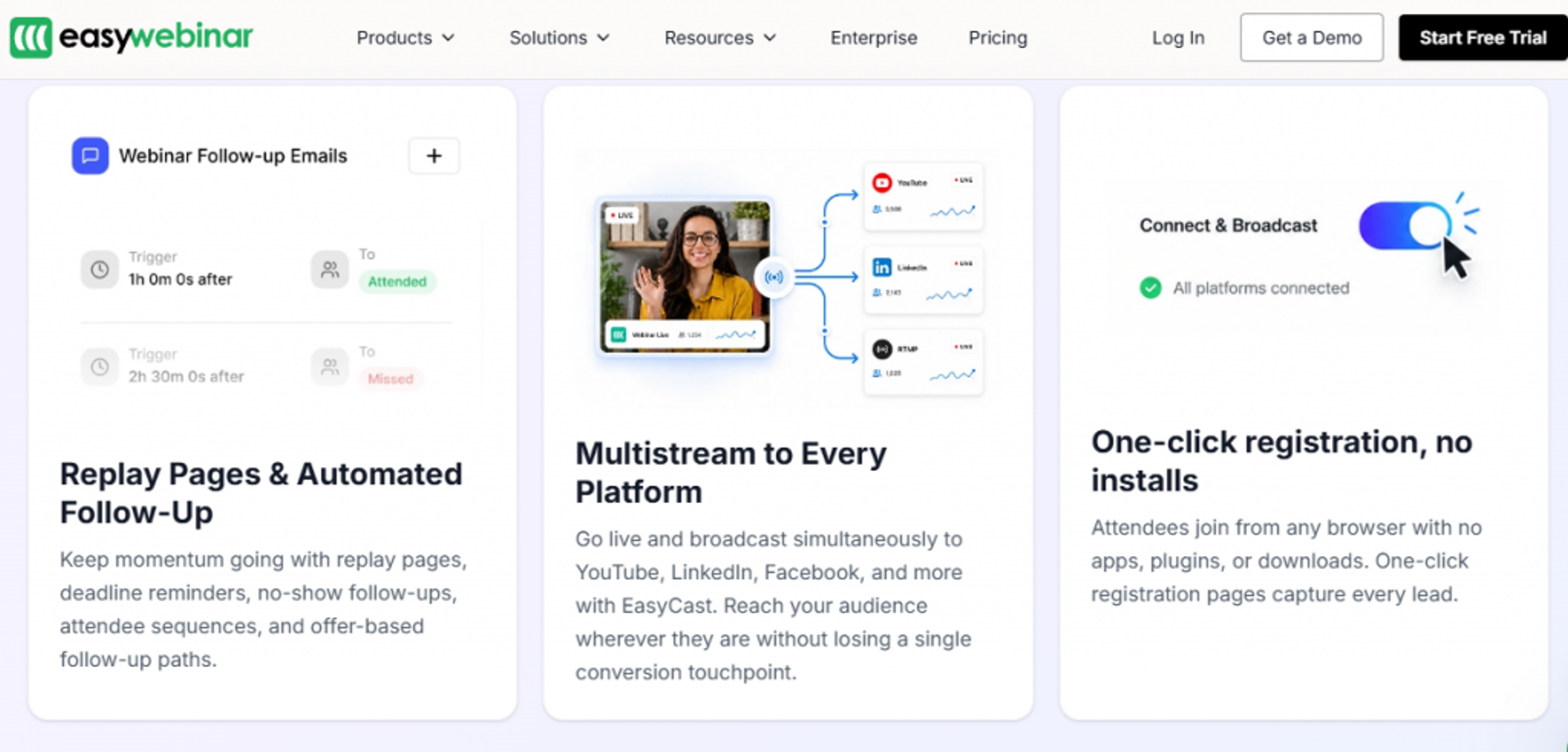
EasyWebinar is best for coaches, course creators, and marketing teams that need one webinar to generate leads and sell offers on repeat, because it combines live, evergreen, AI funnel build, in-webinar payments, and CRM in one platform, but it may not fit users running one-off internal meetings or selling products under $200.
I should be upfront here. I founded EasyWebinar, so read this section knowing that. I have tried to score it on the same criteria as everyone else, and I name where it does not fit.
Quick Fit
| Attribute | Detail |
|---|---|
| Best for | Operators selling offers above $200 who want webinars as a revenue engine |
| Skip if | You only run internal team meetings or one-off live events with no funnel intent |
| Strongest edge | Runs live and evergreen plus payments, CRM, and AI funnel build in one system |
| Biggest trade-off | Launch is live only; automation, EasyCRM, and checkout start at Growth |
| Pricing snapshot | Launch $44, Growth $116, Pro $198, Scale $349 per month, billed monthly; annual billing gives 2 months free. Standard 7-day trial, card required. Checked October 16, 2026, on the EasyWebinar pricing page. |
Why We Put EasyWebinar First
EasyWebinar ranks first because it closes the full webinar workflow without a second tool. Most platforms host the event and hand the rest back to you. You still buy pages, email, a CRM, and a checkout somewhere else. That gap is where cost per lead quietly climbs.
Here is the honest reframe. There are other good tools. WebinarJam, EverWebinar, and Demio all do parts of this well. But EasyWebinar takes a holistic approach and runs both live webinar software and automated webinar formats, plus several others, in one place. When the buyer wants webinars to sell, automate follow-up, and cut disconnected tools, this architecture wins on the criteria.
We think of it as five connected engines: a Conversion Engine (pages, offers, checkout), an Automation Engine (evergreen, just-in-time, simulive), an AI Engine (funnel build), an Experience Engine (streaming, chat, polls), and a Data Engine (attendee analytics into CRM).
What EasyWebinar Does Well
- Runs every webinar format, so you nail a live session first, then clone it into evergreen without rebuilding the funnel.
- Builds the funnel with AI, generating pages, emails, and offers in minutes with the AI webinar builder, which cuts time-to-launch from weeks to hours. It is on every plan, with 2 to 20 AI funnels a month depending on plan, and from Pro the AI Moderator answers attendee questions from the PDFs and other files you upload, during live, simulive, and automated webinars.
- Takes payments inside the webinar, so an evergreen session can close a sale unattended and keep the data unified.
- Feeds a native CRM (EasyCRM) with attendee behavior and lead scoring, so warm buyers route to follow-up automatically.
- Consolidates the stack, replacing separate page, email, CRM, and checkout tools. EasyWebinar's pricing page estimates a typical eight-tool webinar stack at $495 to $1,550 a month.
Where EasyWebinar Falls Short
- It is overbuilt for casual use. If you host one internal all-hands, a meeting tool costs less and is simpler.
- Automation starts at Growth. Launch is live only, with 50 live attendees. One reviewer says you pay a premium for just-in-time scheduling, but found it worth it (G2, January 2025).
- The math needs a real offer. Below a $200 price point, a full webinar funnel is often not required.
Decision Scorecard
| Evaluation criterion | EasyWebinar fit | Why it matters |
|---|---|---|
| Live webinars | Strong | Broadcast-grade live with low-latency streaming |
| Simulated live / automated | Strong | Clones a winning live session into automated formats |
| Evergreen automation | Strong | Just-in-time and on-demand scheduling built in |
| Funnel pages | Strong | Registration, thank-you, and replay pages included |
| Engagement | Strong | Live chat, polls, timed offers, and CTAs |
| CRM and follow-up | Strong | Native EasyCRM with lead scoring and tagging |
| Monetization | Strong | Built-in checkout and in-webinar offers, from Growth |
| Analytics | Strong | Attendee-level watch time, offer clicks, and drop-off |
| Integrations | Partial | Zapier from Growth; native HubSpot and Salesforce Pardot (Account Engagement) sync on Pro |
| Pricing fit | Partial | Flat monthly tiers with no per-attendee fees; automation starts at Growth |
| Best-fit buyer | Strong | Built for webinar-led revenue, not casual hosting |
Reviews
One course creator reported switching from live to an evergreen EasyWebinar funnel and jumping from 10 to 12 course sales per live class to 25 sales in three weeks.
“With my live class I used to sell 10-12 courses. With EasyWebinar I sold 25 courses within 3 weeks of my evergreen launch.”
Laura C. EasyWebinar G2 Verified Review
A repeat operator praised setup speed and cloning but was honest about occasional bugs, which is a fair trade-off to weigh.
“Pretty much once I have run one webinar, I can clone and setup multiple in a breeze. … My only dislike is their can be some bugs at times …”
Darrin B. EasyWebinar G2 Verified Review
Best For / Skip If
Choose EasyWebinar if you sell an offer above $200 and want live, evergreen, payments, and follow-up in one system instead of five. Skip it if your only need is internal meetings or a single live event with no funnel behind it. This is a revenue platform, not a meeting room. If you are weighing it head-to-head, our EasyWebinar vs Zoom breakdown lays out the differences.
2. Zoom Webinars
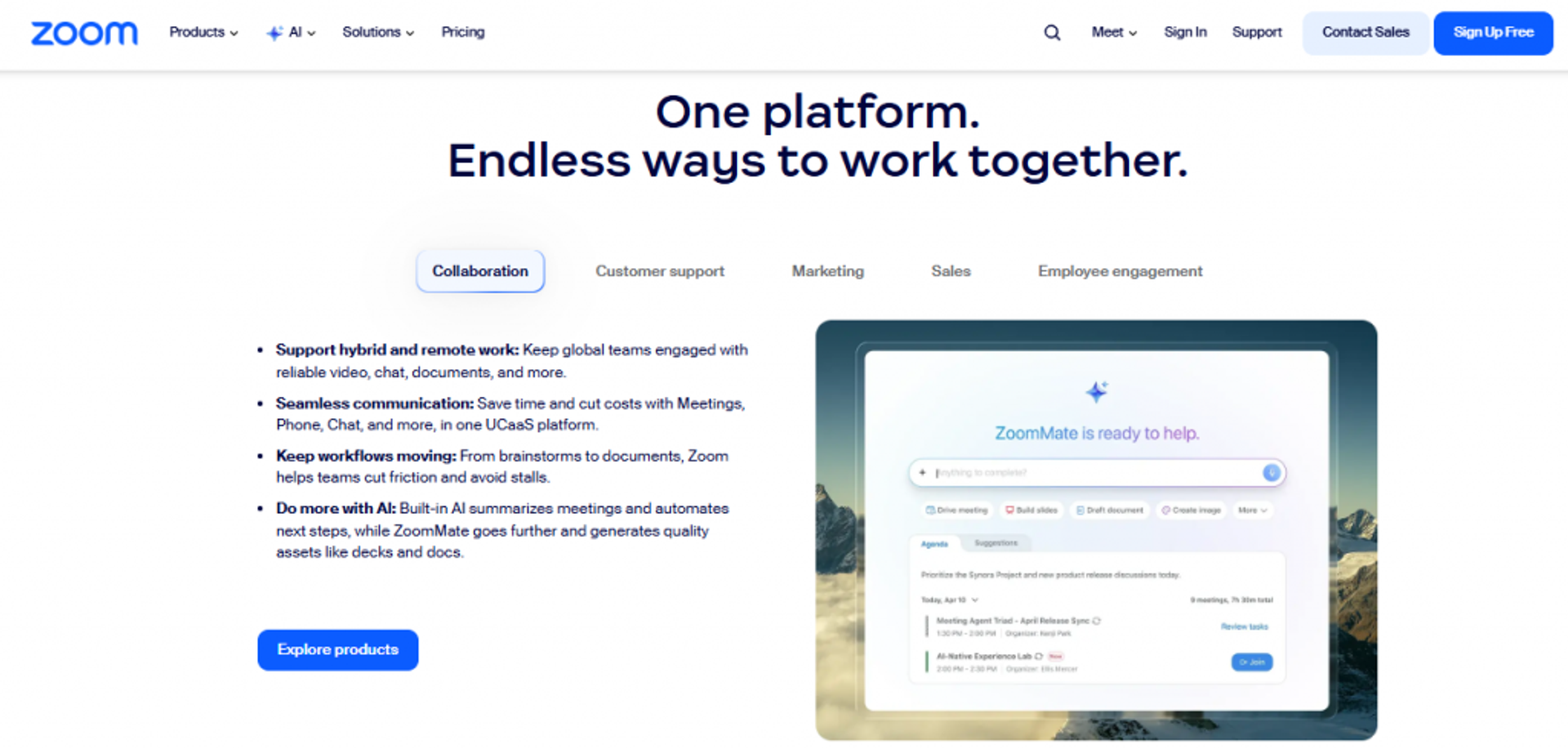
Zoom Webinars is best for teams and enterprises that need familiar, reliable hosting for large live broadcasts, because nearly everyone already knows the interface and it scales to big audiences, but it may not fit marketers who need automation, funnels, or in-session selling.
Quick Fit
| Attribute | Detail |
|---|---|
| Best for | Corporate teams running large, one-directional live broadcasts |
| Skip if | You need evergreen automation, funnel pages, or in-webinar selling |
| Strongest edge | Familiar interface and dependable large-scale streaming |
| Biggest trade-off | No evergreen or just-in-time scheduling; simulive needs Webinars Plus; no checkout during the session |
| Pricing snapshot | Add-on to Zoom licensing; Webinars from $89/month, or $66.67/month billed annually |
Why Zoom Webinars Ranks #2
Zoom ranks high on familiarity and reliability, not on revenue mechanics. Its biggest asset is that your attendees already have it installed, so friction at the door is low. For a town hall or a large product update, that matters.
But on the conversion criteria, it is thin. An independent 2026 review is blunt about it. “Zoom Webinars is reliable for corporate presentations and large-scale events, but it’s not built for marketing or sales webinars.” The base Webinars plan costs $89 a month billed monthly, or $66.67 a month billed annually. Simulive needs Webinars Plus, no plan offers evergreen or just-in-time scheduling, and payments cover ticketing rather than offers during the session. Teams frustrated by that often review the Zoom alternative webinar platform options.
What Zoom Webinars Does Well
- Low attendee friction, because the interface is universal, which lifts show-up rates for corporate audiences.
- Reliable large-scale streaming, with all three Webinars plans supporting up to 100,000 attendees.
- Solid core engagement, including polls, live Q&A, and recording for on-demand viewing.
- Broad integrations, connecting to most marketing automation and CRM tools for data hand-off.
Where Zoom Webinars Falls Short
- No evergreen engine. Simulive needs Webinars Plus, and no plan offers just-in-time or recurring automated delivery.
- Minimal customization and funnels. Reviewers say it “almost completely lacks customization” for branding.
- Reporting is thin. One reviewer flagged “no real webinar analytics” for conversion decisions.
- Reliability wobbles under load. A marketing reviewer called it “ridiculously glitchy” with presenter entry issues.
Decision Scorecard
| Evaluation criterion | Zoom Webinars fit | Why it matters |
|---|---|---|
| Live webinars | Strong | Dependable for large live broadcasts |
| Simulated live / automated | Partial | Simulive on Webinars Plus and Events only |
| Evergreen automation | Weak | No evergreen scheduling inside the tool |
| Funnel pages | Weak | Registration only; no thank-you or replay funnels |
| Engagement | Partial | Polls and Q&A exist; customization is limited |
| CRM and follow-up | Weak | No native CRM; relies on integrations |
| Monetization | Partial | Ticketing payments; no checkout during the session |
| Analytics | Weak | Basic attendance data, thin conversion insight |
| Integrations | Strong | Connects to most CRM and marketing tools |
| Pricing fit | Partial | Low base price, but total stack cost climbs |
| Best-fit buyer | Partial | Fits corporate broadcasts, not sales funnels |
Reviews
A marketing reviewer running 200 to 500 attendee events described repeated reliability and feature gaps.
“Zoom Webinar is ridiculously glitchy. Zoom is missing a lot of core webinar features that should be table stakes today.”
Casey S. Zoom Webinars G2 Verified Review
Another reviewer valued the stability and familiarity for standard events.
“Zoom has been everything we’ve wanted for running webinars for our national membership association. It was easy to implement.”
Rob K. Zoom Webinars G2 Verified Review
Best For / Skip If
Choose Zoom Webinars if you run large corporate broadcasts and value a familiar, reliable room your audience already trusts. Skip it if you need webinars to sell, because you will end up paying for email, pages, and a CRM on top and still lack automation. Marketers making that jump often start with a best webinar software comparison before committing.
3. GoToWebinar
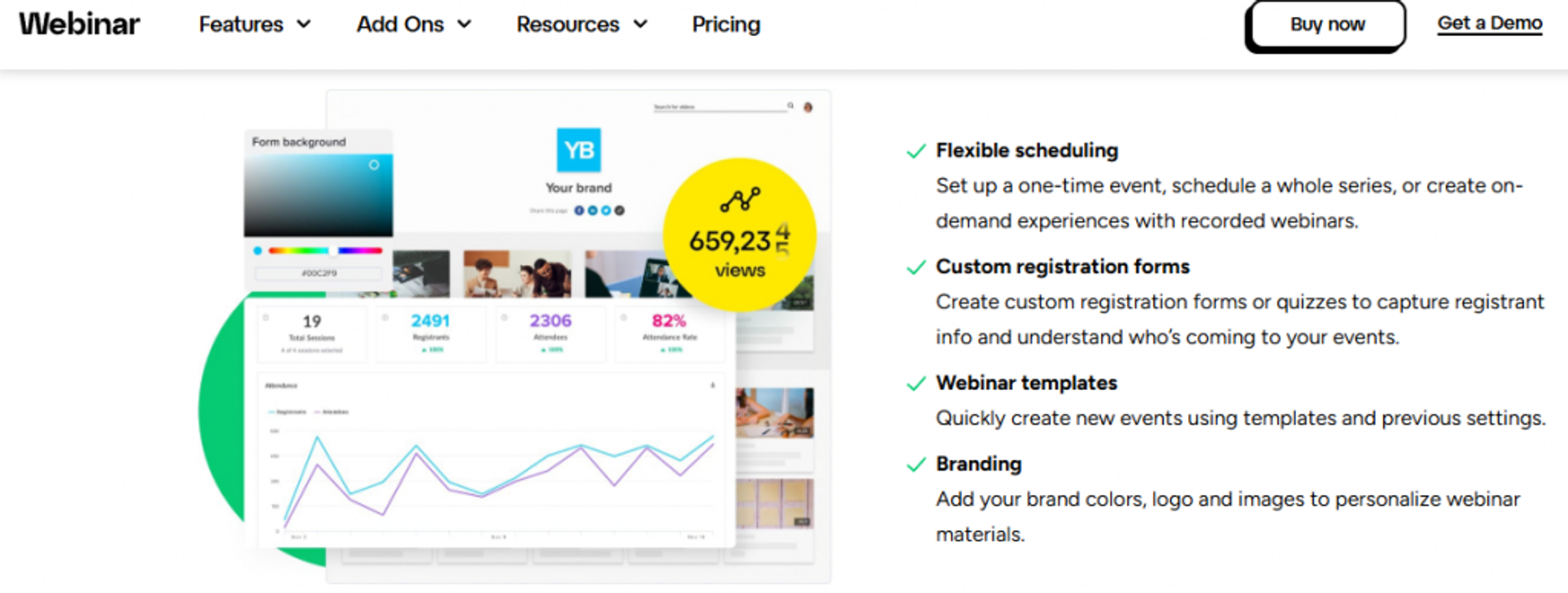
GoToWebinar is best for corporate and training teams that need dependable, no-fuss live broadcasts, because it offers a simple organizer backend with reliable reporting, but it may not fit operators who need funnels, in-webinar selling, or modern engagement design.
Quick Fit
| Attribute | Detail |
|---|---|
| Best for | Corporate training and internal broadcast teams |
| Skip if | You want sales funnels, checkout, or a native CRM |
| Strongest edge | Straightforward setup and steady reporting for standard events |
| Biggest trade-off | No conversion tooling; support and audio complaints noted |
| Pricing snapshot | Billed annually: Reach (500 participants) and Elevate (1,000); Complete is quote-based |
Why GoToWebinar Ranks #3
GoToWebinar ranks here on reliability and simplicity, not revenue design. It has run corporate webinars for years, and its organizer view is easy for a non-technical presenter to learn. For scheduled training or a monthly update, it does the job.
But it treats a webinar as an event, not a funnel. You get registration, reminders, and reporting, yet no checkout inside the webinar and no evergreen or just-in-time scheduling. Simulive is on every plan, scheduled or on demand, in one event time zone, and Accept Payments sits on the Complete plan. Small teams often weigh the GoToWebinar alternatives for small businesses for this reason.
What GoToWebinar Does Well
- Simple event setup, so a training lead can schedule and launch without technical help.
- Reliable core reporting, giving attendance and engagement summaries for internal review.
- Simulive on every plan, letting teams replay a recorded session on a schedule, in one event time zone.
- Established integrations, connecting to common CRM and marketing tools for data hand-off.
Where GoToWebinar Falls Short
- No sales funnel or checkout. You cannot sell an offer inside the webinar.
- Audio and reliability gripes. Reviewers report occasional cut-offs during live sessions.
- Support is slow. Operators describe ticket-based help that lags in urgent moments.
- Dated engagement design. The attendee experience feels older than newer browser-first tools.
Decision Scorecard
| Evaluation criterion | GoToWebinar fit | Why it matters |
|---|---|---|
| Live webinars | Strong | Dependable for scheduled corporate broadcasts |
| Simulated live / automated | Partial | Simulive on every plan, in one event time zone |
| Evergreen automation | Weak | No true evergreen or just-in-time funnels |
| Funnel pages | Weak | Registration only, no thank-you or offer pages |
| Engagement | Partial | Polls and Q&A exist; design feels dated |
| CRM and follow-up | Weak | No native CRM; relies on integrations |
| Monetization | Weak | No in-webinar checkout |
| Analytics | Partial | Solid attendance data, thin conversion view |
| Integrations | Strong | Broad connector library |
| Pricing fit | Partial | Climbs sharply at higher attendee tiers |
| Best-fit buyer | Partial | Fits training, not sales funnels |
Reviews
Reviewers praise the reporting but flag support and cost. A 2025 G2 reviewer called support outsourced and hard to reach, and a 2024 TrustRadius reviewer called GoTo their default above 200 attendees but flagged cost and Mac compatibility.
Best For / Skip If
Choose GoToWebinar if you run scheduled internal training or corporate broadcasts and value a stable, familiar backend. Skip it if you want webinars to sell offers, because you will bolt on pages, email, and checkout elsewhere. If selling is the goal, our EasyWebinar vs GoToWebinar comparison shows the gap.
4. Demio
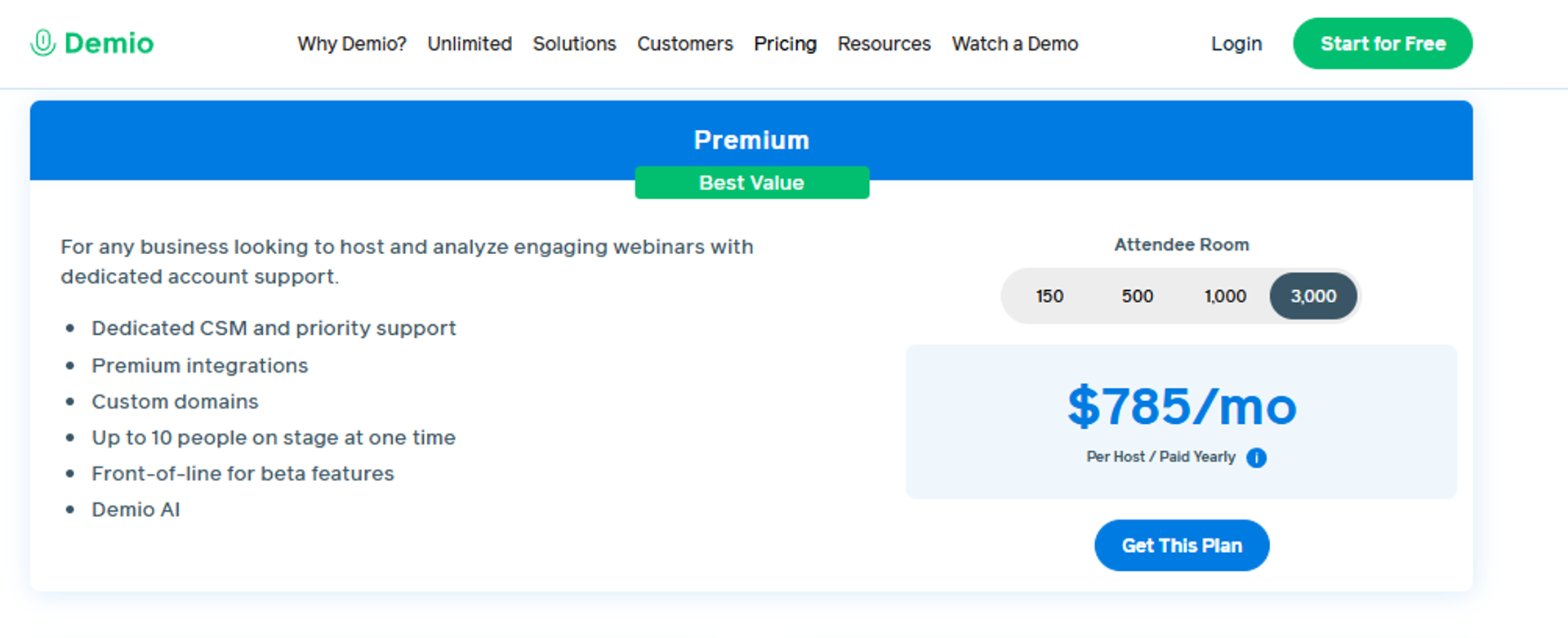
Demio is best for marketing teams that want a clean, no-download attendee experience for lead-gen webinars, because it offers a polished browser-based interface with solid engagement tools, but it may not fit operators who need built-in email automation, AI, or white-label branding.
Quick Fit
| Attribute | Detail |
|---|---|
| Best for | Marketing teams running branded lead-gen webinars |
| Skip if | You need in-room checkout, or CRM sync without the Premium plan |
| Strongest edge | Clean browser-based room with strong HubSpot and Marketo ties |
| Biggest trade-off | No listed checkout; CRM sync and Demio AI need Premium; Growth and Premium are billed per host |
| Pricing snapshot | Starter $45/month billed yearly or $63 monthly (one host, 50-person room); Premium from $196/month per host, billed yearly |
Why Demio Ranks #4
Demio ranks here on attendee experience and marketing integrations. Registrants join in a browser with no download, which lifts show-up rates for cold audiences. Its HubSpot, Salesforce, Marketo, and Pardot connectors are genuinely strong, on the Premium plan. On attendee experience, EasyWebinar is closer than its reputation suggests: both rooms open in a browser with nothing to download. Pick Demio when a simple room for occasional live marketing webinars is the priority; pick EasyWebinar when the same session has to keep selling after the live hour.
But Demio prioritizes polish over full revenue mechanics. Its plan comparison lists no checkout, CRM sync and Demio AI sit on Premium, and Growth and Premium are billed per host. Teams comparing options often review the top Demio alternatives to close those gaps.
What Demio Does Well
- No-download browser room, which reduces friction at the door and lifts show-up rates.
- Premium CRM integrations to HubSpot, Salesforce, Marketo, and Pardot for clean lead flow.
- Solid live engagement, including polls, chat, handouts, and featured actions.
- Automated and on-demand webinars on paid tiers for basic evergreen delivery.
Where Demio Falls Short
- No built-in CRM. Follow-up beyond reminders runs in other tools, and CRM sync needs Premium.
- Demio AI is Premium-only: it answers attendee chat in on-demand sessions.
- Audio issues reported. Some reviewers note sound glitches during sessions.
- Data export blocked after canceling, which reviewers flag as a real risk.
Decision Scorecard
| Evaluation criterion | Demio fit | Why it matters |
|---|---|---|
| Live webinars | Strong | Clean, reliable browser-based live rooms |
| Simulated live / automated | Partial | Automated and on-demand exist on paid tiers |
| Evergreen automation | Partial | Basic automation, shallower than dedicated evergreen tools |
| Funnel pages | Partial | Registration and Showcase, but no full funnel |
| Engagement | Strong | Polls, chat, handouts, and featured actions |
| CRM and follow-up | Partial | Strong integrations, but no native CRM or email |
| Monetization | Weak | No native in-webinar checkout |
| Analytics | Partial | Good engagement analytics, limited attribution |
| Integrations | Strong | Premium CRM connectors included |
| Pricing fit | Partial | Low entry price, but per-host billing adds up |
| Best-fit buyer | Partial | Fits marketing lead-gen, not full revenue funnels |
Reviews
Reviewers praise the interface but flag data access and audio. A 2025 G2 reviewer could not export registrants after cancelling, and a 2023 G2 reviewer reported audio issues across their first two webinars.
Best For / Skip If
Choose Demio if your marketing team wants a polished, browser-first webinar tied into HubSpot or Marketo. Skip it if you need checkout in the room, or CRM sync and AI without the Premium plan. See how the stacks differ in our EasyWebinar vs Demio breakdown.
5. Livestorm
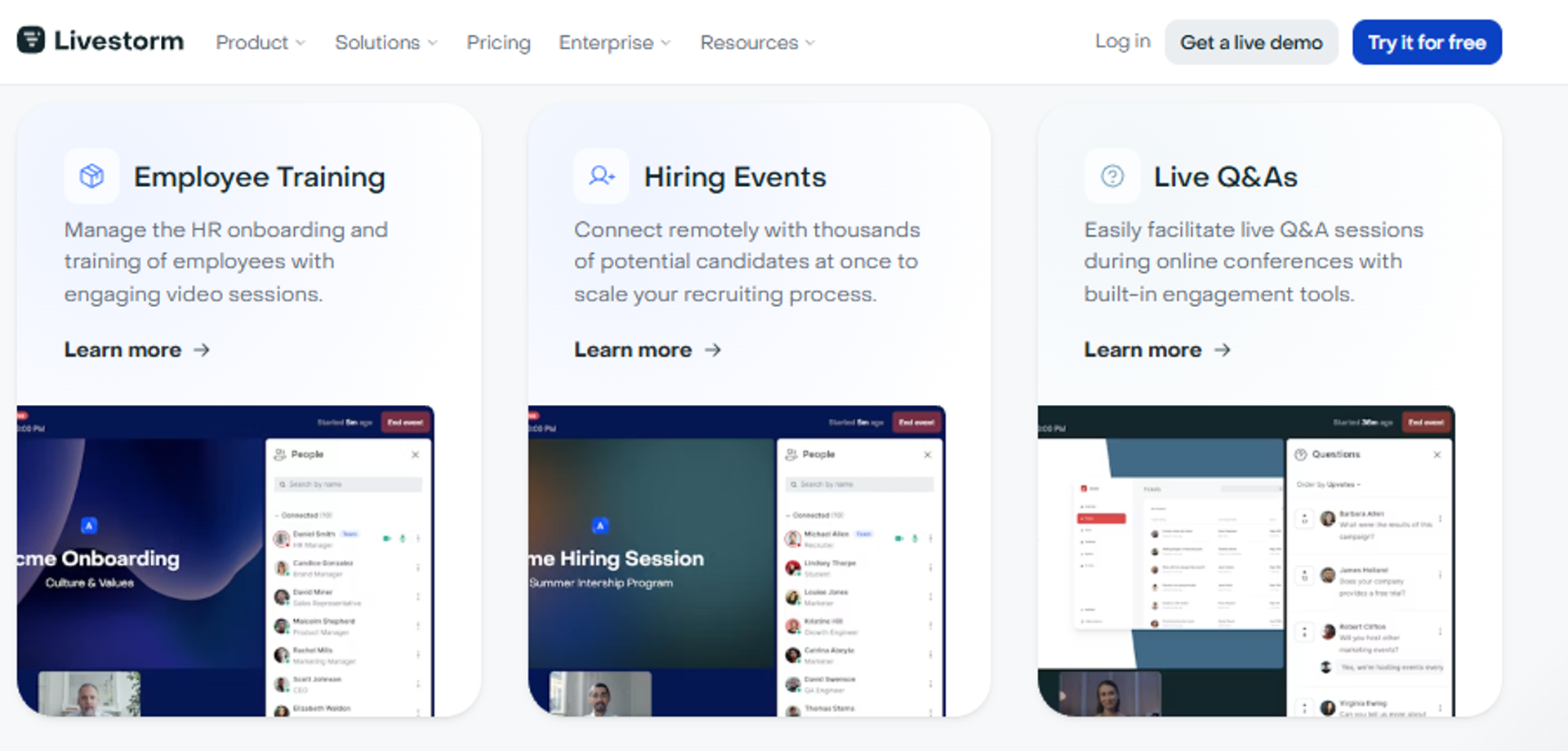
Livestorm is best for teams that want a fully browser-based experience with no installs, because it offers a clean interface and usage-based pricing, but it may not fit operators whose costs balloon as registrant volume grows.
Quick Fit
| Attribute | Detail |
|---|---|
| Best for | Teams wanting a no-download, browser-first event tool |
| Skip if | You run high-volume webinars and want predictable cost |
| Strongest edge | Fully browser-based, nothing to install for attendees |
| Biggest trade-off | New attendees are blocked when the attendee-credit quota runs out |
| Pricing snapshot | Free plan; Pro sold as yearly attendee-credit packs (shown at €2.50 per attendee at the 400-credit tier); Enterprise is quote-based |
Why Livestorm Ranks #5
Livestorm ranks here on ease and accessibility. Everything runs in the browser, so attendees never download software. That lowers friction and suits webinars, product demos, and internal events alike.
The catch is the pricing model. Livestorm sells Pro as yearly attendee-credit packs: each unique participant per session uses one credit, while team members and no-shows are free. When credits run out, new attendees cannot join until you upgrade, so high-volume programs need to watch the quota. Reviewing the best webinar software comparison guide helps model that spend.
What Livestorm Does Well
- Zero-install browser room, which reduces attendee drop-off at the door.
- Free plan to start, letting small teams test before paying.
- Automated and on-demand webinars on Pro tiers for basic evergreen use.
- Clean engagement tools, including polls, Q&A, and multilingual support.
Where Livestorm Falls Short
- Usage-based cost scales sharply. Big events get expensive quickly.
- SSO and restreaming are add-ons, raising the real price.
- Lighter automation depth than dedicated evergreen platforms.
- No native CRM, so follow-up relies on integrations.
Decision Scorecard
| Evaluation criterion | Livestorm fit | Why it matters |
|---|---|---|
| Live webinars | Strong | Reliable browser-based live rooms |
| Simulated live / automated | Partial | On-demand and automated on Pro tiers |
| Evergreen automation | Partial | Basic evergreen, less depth than specialists |
| Funnel pages | Partial | Registration pages, no full funnel |
| Engagement | Strong | Polls, Q&A, and multilingual support |
| CRM and follow-up | Weak | No native CRM, integration-dependent |
| Monetization | Weak | No native checkout |
| Analytics | Partial | Good engagement data, limited attribution |
| Integrations | Partial | Solid connectors, some behind higher tiers |
| Pricing fit | Weak | Contact-based billing climbs fast at scale |
| Best-fit buyer | Partial | Fits browser-first teams, not high-volume sellers |
Best For / Skip If
Choose Livestorm if you want a clean, no-download event tool and your registrant volume stays modest. Skip it if you run large or frequent webinars, because contact-based pricing can outrun your budget.
6. WebinarJam
WebinarJam is best for budget-conscious operators who want live hosting with ready-made page templates, because it offers low-cost live webinars with built-in registration pages, but it may not fit operators who want live and automated in one product, since automation runs in EverWebinar, a separate product included from the Basic plan.
Quick Fit
| Attribute | Detail |
|---|---|
| Best for | Cost-conscious operators running live webinars |
| Skip if | You need evergreen automation in the same tool |
| Strongest edge | Low-cost live hosting with page templates included |
| Biggest trade-off | Automation is a separate product (EverWebinar) |
| Pricing snapshot | Starter $49 monthly or $39 billed annually (100 attendees) up to Enterprise $499 or $379 (5,000); EverWebinar included from Basic |
Why WebinarJam Ranks #6
WebinarJam ranks here on price and speed to launch. It bundles live hosting with registration page templates, so a first-timer can get a webinar live fast without a designer. For a solo operator on a tight budget, that is real value.
Here is the honest trade-off with this ecosystem. WebinarJam now includes EverWebinar from its Basic plan, but live and automated still run as two products with two setups: WebinarJam's own FAQ says you host live in WebinarJam, then convert the recording in EverWebinar. When you are starting out, the templates are all fine. As one operator wisdom goes, they may look plain, but they are done, and done beats perfect when you are getting your first sale. Operators weighing options often read up on the top WebinarJam alternatives.
What WebinarJam Does Well
- Low-cost live hosting, lowering the barrier for first-time webinar sellers.
- Built-in page templates, so you launch registration and thank-you pages fast.
- Live selling features, including offer buttons and chat during the session.
- Multi-presenter support, useful for panels and co-hosted sessions.
Where WebinarJam Falls Short
- Automation is a separate product. Evergreen runs in EverWebinar, included from Basic, with its own setup.
- Setup can feel clunky, with reviewers noting a learning curve.
- No native CRM, so lead scoring and follow-up need other tools.
Decision Scorecard
| Evaluation criterion | WebinarJam fit | Why it matters |
|---|---|---|
| Live webinars | Strong | Low-cost, template-driven live hosting |
| Simulated live / automated | Partial | Automation runs in EverWebinar, included from Basic |
| Evergreen automation | Weak | Not available inside WebinarJam alone |
| Funnel pages | Partial | Registration and thank-you templates included |
| Engagement | Partial | Live chat and offers, dated design |
| CRM and follow-up | Weak | No native CRM |
| Monetization | Partial | In-webinar offer buttons exist |
| Analytics | Partial | Basic attendance and click data |
| Integrations | Partial | Common email and CRM connectors |
| Pricing fit | Strong | Low entry cost for live-only use |
| Best-fit buyer | Partial | Fits budget live sellers, not automated funnels |
Best For / Skip If
Choose WebinarJam if you want low-cost, fast live webinars and do not need automation in the same product. Skip it if you want live and automated managed in one place, because automation runs in a second product, EverWebinar. Our EasyWebinar vs WebinarJam page maps the split-tool cost.
7. EverWebinar
EverWebinar is best for existing WebinarJam users who want to add an automated arm, because it offers simple just-in-time scheduling for pre-recorded sessions, but it may not fit operators who want live and automated formats unified in one platform.
Quick Fit
| Attribute | Detail |
|---|---|
| Best for | WebinarJam users adding evergreen automation |
| Skip if | You want live and automated in a single tool |
| Strongest edge | Easy just-in-time toggle for evergreen scheduling |
| Biggest trade-off | A separate product from WebinarJam (included from its Basic plan); two tools to manage |
| Pricing snapshot | $199 monthly, $99/month billed annually, or $79/month on a two-year plan; included from WebinarJam Basic |
Why EverWebinar Ranks #7
EverWebinar ranks here as the automated companion to WebinarJam. Its standout is just-in-time scheduling, meaning a pre-recorded session appears to start within a minute or so of a visitor landing, so it feels timely without being live. You toggle it on, set the window, and the tool creates that “a session is starting soon” pull.
The structural issue is the split product. Even with EverWebinar included from WebinarJam's Basic plan, you manage two tools to cover live and automated. That fragmentation is exactly where data gaps creep in, and where a couple hundred opt-ins can go missing between systems if you are not watching the tech closely. A single automated webinar engine avoids that seam.
What EverWebinar Does Well
- Just-in-time scheduling, creating the feeling of a session about to start.
- Simulated live playback, running proven recordings on a repeating schedule.
- Reminder sequences, nudging registrants to show up for the automated session.
- Shared design with WebinarJam, so the two tools feel familiar together.
Where EverWebinar Falls Short
- Separate product from WebinarJam, included from its Basic plan.
- No native CRM, so follow-up depends on integrations.
- Setup complexity across two tools raises the chance of tech gaps.
Decision Scorecard
| Evaluation criterion | EverWebinar fit | Why it matters |
|---|---|---|
| Live webinars | Weak | Live requires WebinarJam separately |
| Simulated live / automated | Strong | Purpose-built for automated playback |
| Evergreen automation | Strong | Just-in-time scheduling is its core |
| Funnel pages | Partial | Registration and replay pages included |
| Engagement | Partial | Simulated chat and offers |
| CRM and follow-up | Weak | No native CRM |
| Monetization | Partial | In-webinar offers supported |
| Analytics | Partial | Basic automated-session data |
| Integrations | Partial | Common email and CRM connectors |
| Pricing fit | Partial | Included from WebinarJam Basic; standalone from $79/month on a two-year plan |
| Best-fit buyer | Partial | Fits WebinarJam users, not unified-platform seekers |
Best For / Skip If
Choose EverWebinar if you already run WebinarJam and want its evergreen companion. Skip it if you want live and automated in one system, because this is half of a two-product setup.
8. WebinarNinja
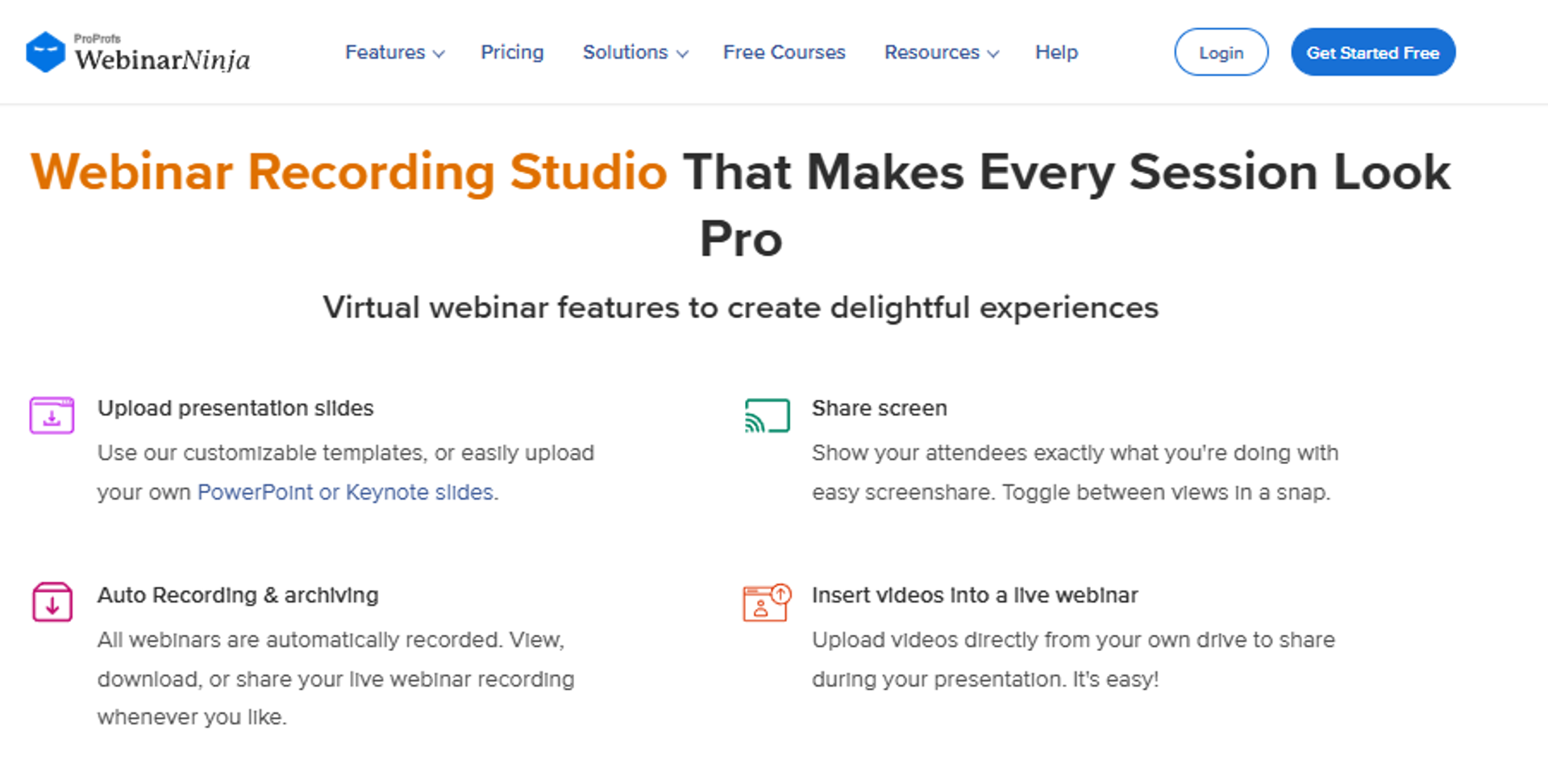
WebinarNinja is best for solo operators and small teams who want a simple mix of live and automated webinars in one tool, because it offers clean setup across formats, but it may not fit operators who need deep funnel, CRM, or monetization features.
Quick Fit
| Attribute | Detail |
|---|---|
| Best for | Solo operators wanting simple live and automated webinars |
| Skip if | You need deep funnels, native CRM, or rich analytics |
| Strongest edge | Clean, quick setup across live, automated, and series formats |
| Biggest trade-off | Lighter funnel, CRM, and conversion depth |
| Pricing snapshot | Per attendee: $0.60 a month, or $0.30 billed annually; above 1,000 attendees is quote-based |
Why WebinarNinja Ranks #8
WebinarNinja ranks here on simplicity across formats. It handles live, automated, series, and on-demand webinars in one interface, which keeps things easy for a solo operator. Setup is fast, and the learning curve is gentle.
The trade-off is depth. It covers the basics of each format but does not match dedicated tools on funnel design, CRM, or analytics. For a beginner selling a single offer, that simplicity can be a feature, not a flaw. Our guide to the top automated webinar platforms of 2026 puts that depth in context.
What WebinarNinja Does Well
- Multiple formats in one tool, covering live, automated, and series webinars.
- Fast, simple setup, so beginners launch without a steep learning curve.
- Built-in registration pages, reducing the need for a separate page builder.
- Live engagement basics, including polls, chat, and offers.
Where WebinarNinja Falls Short
- Shallow funnel depth compared to full revenue platforms.
- No robust native CRM for lead scoring and segmentation.
- Basic analytics, limiting conversion attribution.
Decision Scorecard
| Evaluation criterion | WebinarNinja fit | Why it matters |
|---|---|---|
| Live webinars | Strong | Simple, reliable live hosting |
| Simulated live / automated | Strong | Automated and series formats included |
| Evergreen automation | Partial | Automated webinars exist, limited depth |
| Funnel pages | Partial | Registration pages, lighter funnel |
| Engagement | Partial | Polls, chat, and offers |
| CRM and follow-up | Weak | No robust native CRM |
| Monetization | Partial | Basic in-webinar offers |
| Analytics | Partial | Basic reporting |
| Integrations | Partial | Common connectors |
| Pricing fit | Partial | Reasonable for simple use |
| Best-fit buyer | Partial | Fits solo simplicity, not deep funnels |
Best For / Skip If
Choose WebinarNinja if you are a solo operator wanting live and automated webinars without complexity. Skip it if you need deep funnels, CRM, or detailed attribution to scale revenue. Compare the trade-offs in our EasyWebinar vs Webinar Ninja guide.
9. BigMarker
BigMarker is best for teams running large, highly branded virtual events and summits, because it offers deep customization and no-download hosting at scale, but it may not fit smaller operators who want transparent, self-serve pricing.
Quick Fit
| Attribute | Detail |
|---|---|
| Best for | B2B teams running large branded events and summits |
| Skip if | You are a solo operator wanting simple, published pricing |
| Strongest edge | Deep white-label customization for large virtual events |
| Biggest trade-off | Quote-based pricing, not publicly listed |
| Pricing snapshot | Quote-based, not publicly listed |
Why BigMarker Ranks #9
BigMarker ranks here on customization and scale. It is browser-based, white-label, and built for big B2B webinars, summits, and hybrid events. For a marketing team that wants a fully branded, no-download experience, it delivers.
The trade-off is access and cost. Pricing is quote-based and not published, so smaller operators cannot easily self-serve or budget. It is enterprise-oriented, which suits large teams but adds procurement friction for everyone else. For summit planners, our guide to choosing a virtual event platform for conferences helps frame the decision.
What BigMarker Does Well
- Deep white-label branding, so events feel fully owned by your brand.
- No-download browser experience, reducing attendee friction at scale.
- Large-event and summit support, handling complex multi-session formats.
- Automated and evergreen options, extending events beyond the live date.
Where BigMarker Falls Short
- Pricing is quote-based and not public, slowing evaluation.
- Enterprise orientation adds procurement friction for small teams.
- Complexity can outpace simple solo needs.
Decision Scorecard
| Evaluation criterion | BigMarker fit | Why it matters |
|---|---|---|
| Live webinars | Strong | Built for large live events |
| Simulated live / automated | Strong | Automated and evergreen supported |
| Evergreen automation | Partial | Available, depth varies by plan |
| Funnel pages | Strong | Highly customizable event pages |
| Engagement | Strong | Rich engagement and networking tools |
| CRM and follow-up | Partial | Strong integrations, no core native CRM |
| Monetization | Partial | Ticketing and offers available |
| Analytics | Strong | Detailed event analytics |
| Integrations | Strong | Broad enterprise connectors |
| Pricing fit | Weak | Quote-based, not transparent |
| Best-fit buyer | Partial | Fits large branded events, not solo sellers |
Best For / Skip If
Choose BigMarker if you run large branded summits or hybrid events and need deep customization. Skip it if you want simple, published pricing and a fast self-serve start.
10. Eventify
Eventify is best for B2B conference, association, and trade show organizers who want registration, a branded event app, networking, and sponsor tools on one platform. It may not fit teams running small, informal, or recurring low-budget gatherings, because pricing is built around events rather than casual meetups.
Quick Fit
| Attribute | Detail |
|---|---|
| Best for | Organizers of conferences, summits, trade shows, and association meetings |
| Skip if | You run small, frequent, informal events on a tight budget |
| Strongest edge | One platform covering registration, event app, networking, check-in, and reporting |
| Biggest trade-off | Limited design customization; per-event pricing is steep for small events |
| Pricing snapshot | There are three pricing tiers: Engage, Advance, and Ultimate. Prices are based on a single event or for multiple events. |
Why Eventify Ranks #10
Eventify ranks here on all-in-one event coverage and user satisfaction, not on flexibility for small or highly branded events. Its main asset is that it replaces separate tools for tickets, an app, and check-in. Organizers run all three through one system. The platform is also built for scale and compliance, with support for 60,000+ concurrent users, ISO 27001:2022 and SOC 2 Type 2 certification, and GDPR compliance.
Satisfaction is strong. G2 shows a 4.8 out of 5 average across 72 reviews, mostly from small businesses.
The weak points are customization and cost at the low end. Eleven reviewers cite limited customization options. Teams that want more flexibility often look at a virtual event platform for conferences guide before committing.
What Eventify Does Well
- Strong networking, with tag-based matchmaking, 1:1 chat, and meeting scheduling in the app.
- Ease of use, the most praised trait in reviews, with easy setup close behind.
- Engagement and revenue tools, including gamification, ad placements, sponsored content, and exhibitor promotions.
- Reporting, with dashboards covering engagement, sponsor ROI, and networking.
- Responsive support, specifically praised by sixteen reviewers.
Where Eventify Falls Short
- Limited customization. The most common complaint, especially for event page design.
- Hands-on content work. Uploading and updating the app content falls on you.
- Cost for small events. Add-ons raise the total, such as Event Concierge Service from $200 for 8 hours.
- Email deliverability. A few reviewers report invites landing in spam.
- Not built for casual gatherings. It is not aimed at small, informal events.
Decision Scorecard
| Evaluation criterion | Eventify fit | Why it matters |
|---|---|---|
| Registration and ticketing | Strong | Registration, ticketing, check-in, and badge printing on one platform |
| Event app | Strong | Branded iOS and Android apps for attendees and staff |
| Networking and matchmaking | Strong | Tag-based matching, 1:1 chat, and meeting scheduling |
| Virtual / hybrid delivery | Partial | Supports all three formats; verify capacity and moderation tools |
| Branding and customization | Partial | Most common reviewer complaint |
| Sponsor and exhibitor tools | Strong | Lead scanning, booth selling, and sponsor self-service on higher tiers |
| Monetization | Partial | Ads and sponsored content; less focused on paid offers |
| Analytics | Strong | Real-time dashboards for engagement, sponsor ROI, and networking |
| Integrations | Partial | HubSpot and Salesforce plugins on higher tiers; REST API on select plans |
| Pricing fit | Partial | Tiered per-event pricing, costly for small events |
| Best-fit buyer | Partial | B2B conferences and association events |
Reviews
An enterprise reviewer valued how easy Eventify makes it to organize, schedule, and track attendees across webinars.
“The platform makes it easy to organize sessions, manage registrations, and keep track of attendees across different events.”
Eventify G2 Verified Review
A mid-market reviewer valued how it structured their virtual travel experiences and destination showcases.
“It handled registrations, attendee communication, and session organization quite well, giving us a more structured way to present our offerings online.”
Eventify G2 Verified Review
Best For / Skip If
Choose Eventify if you run conferences, summits, or association events and want registration, an app, networking, and sponsor tools in one place. Skip it if you run small, frequent events, need heavy design control, or want the lowest possible cost per event. Planners weighing the trade-off often start with our compare webinar platforms hub before committing.
11. Webex Webinars
Webex Webinars is best for enterprises already inside a Cisco security stack, because it offers enterprise-grade security and reliable large-scale hosting, but it may not fit operators who need conversion funnels or modern marketing engagement.
Quick Fit
| Attribute | Detail |
|---|---|
| Best for | Enterprises standardized on Cisco security |
| Skip if | You need sales funnels or marketing engagement design |
| Strongest edge | Enterprise-grade security and scale |
| Biggest trade-off | Reviewers cite streaming limits and lag; no funnels |
| Pricing snapshot | Quote-based and tiered |
Why Webex Webinars Ranks #11
Webex ranks here on enterprise security and integration inside the Cisco ecosystem. For an IT-led organization already on Webex, it is a natural, compliant choice for large broadcasts and town halls.
But it is a broadcast tool, not a revenue engine. It offers no sales funnels, no in-webinar checkout, and no native CRM built for selling. Reviewers also note streaming limitations and occasional lag at scale. Marketing teams often review the Webex alternative options for conversion features.
What Webex Webinars Does Well
- Enterprise-grade security, meeting strict IT and compliance requirements.
- Large-scale reliability, handling big internal and external audiences.
- Tight Cisco ecosystem fit, simplifying deployment for existing Webex shops.
- Core engagement tools, including Q&A and polling for large sessions.
Where Webex Webinars Falls Short
- No conversion funnels or checkout for selling.
- Streaming limits and lag reported by reviewers at scale.
- No native CRM built for follow-up and lead scoring.
Decision Scorecard
| Evaluation criterion | Webex Webinars fit | Why it matters |
|---|---|---|
| Live webinars | Strong | Reliable enterprise-scale live |
| Simulated live / automated | Weak | No true automated funnels |
| Evergreen automation | Weak | No evergreen selling |
| Funnel pages | Weak | Registration only |
| Engagement | Partial | Q&A and polls, limited marketing design |
| CRM and follow-up | Weak | No native selling CRM |
| Monetization | Weak | No in-webinar checkout |
| Analytics | Partial | Attendance data, thin conversion view |
| Integrations | Strong | Deep enterprise connectors |
| Pricing fit | Partial | Quote-based, enterprise-tier cost |
| Best-fit buyer | Partial | Fits Cisco enterprises, not sellers |
Best For / Skip If
Choose Webex Webinars if your enterprise runs on Cisco and needs secure, large-scale broadcasts. Skip it if you want webinars to sell, because it lacks funnels, checkout, and a selling CRM.
12. Microsoft Teams Webinars
Microsoft Teams Webinars is best for organizations standardized on Microsoft 365, because it offers built-in registration inside a tool employees already use, but it may not fit operators who need strong reporting, branding, or conversion tooling.
Quick Fit
| Attribute | Detail |
|---|---|
| Best for | Organizations already running Microsoft 365 |
| Skip if | You need branded funnels, deep reporting, or selling tools |
| Strongest edge | Native to the Microsoft 365 stack, no new tool to buy |
| Biggest trade-off | Reviewers call reporting “basic” with limited branding |
| Pricing snapshot | Bundled with M365 license |
Why Microsoft Teams Webinars Ranks #12
Teams Webinars ranks here on convenience for Microsoft shops. If your organization already pays for Microsoft 365, webinar registration and hosting come bundled, so there is nothing new to buy.
But it is a meeting tool with a registration layer, not a marketing platform. Reviewers describe reporting as basic and branding as limited. It fits internal training and simple external sessions, not sales funnels. For teams evaluating options, our roundup of top video conferencing tools for teams and webinars helps.
What Microsoft Teams Webinars Does Well
- Native M365 integration, so it works inside tools employees already use.
- Bundled cost, avoiding a separate webinar subscription.
- Built-in registration, covering the basics for internal and simple external events.
- Enterprise security, backed by Microsoft’s compliance framework.
Where Microsoft Teams Webinars Falls Short
- Reporting is basic, limiting conversion insight.
- Limited branding, so events look generic.
- No sales funnels or checkout for revenue.
Decision Scorecard
| Evaluation criterion | Teams Webinars fit | Why it matters |
|---|---|---|
| Live webinars | Strong | Reliable for internal and external sessions |
| Simulated live / automated | Weak | No automated selling formats |
| Evergreen automation | Weak | No evergreen funnels |
| Funnel pages | Weak | Registration only |
| Engagement | Partial | Polls and Q&A, limited design |
| CRM and follow-up | Weak | No native selling CRM |
| Monetization | Weak | No in-webinar checkout |
| Analytics | Weak | Basic reporting |
| Integrations | Strong | Deep Microsoft ecosystem fit |
| Pricing fit | Strong | Bundled with existing M365 |
| Best-fit buyer | Partial | Fits M365 orgs, not sellers |
Best For / Skip If
Choose Microsoft Teams Webinars if your organization lives in Microsoft 365 and needs simple internal or external sessions. Skip it if you want branded funnels, deep reporting, or in-webinar selling.
13. Contrast
Contrast is best for teams that want to repurpose webinars into content fast, because it offers strong AI snippet, subtitle, and transcript tools, but it may not fit operators who need post-event editing or full funnel selling.
Quick Fit
| Attribute | Detail |
|---|---|
| Best for | Content teams repurposing webinars into clips and transcripts |
| Skip if | You need post-event editing or a full sales funnel |
| Strongest edge | Fast AI clipping, subtitles, and transcripts |
| Biggest trade-off | Recording is final; no post-event editing |
| Pricing snapshot | Per registrant; Pro from $99/month billed yearly; Advanced and Enterprise are quote-based |
Why Contrast Ranks #13
Contrast ranks here on AI content repurposing. It turns a webinar into clips, subtitles, and transcripts quickly, which helps content teams feed social and blog channels from one event. That speed is its clear edge.
The limitation is editing. Reviewers note the recording is final once captured, with no post-event trimming. It is a content engine, not a revenue funnel, so selling tools are thin. Teams focused on repurposing can pair it with strong webinar engagement tools to lift live results first.
What Contrast Does Well
- Fast AI clipping, turning one webinar into many social snippets.
- Automatic subtitles and transcripts, speeding content production.
- Live hosting basics, covering standard webinar delivery.
- Quick SPOC support, helping teams move fast.
Where Contrast Falls Short
- No post-event editing. The recording is final once captured.
- Thin selling tools, with no full funnel or checkout.
- Narrow focus on content, not revenue.
Decision Scorecard
| Evaluation criterion | Contrast fit | Why it matters |
|---|---|---|
| Live webinars | Partial | Handles standard live delivery |
| Simulated live / automated | Weak | Not built for automated funnels |
| Evergreen automation | Weak | No evergreen selling |
| Funnel pages | Weak | No full funnel |
| Engagement | Partial | Basic live engagement |
| CRM and follow-up | Weak | No native CRM |
| Monetization | Weak | No in-webinar checkout |
| Analytics | Partial | Content-focused analytics |
| Integrations | Partial | Common content and CRM connectors |
| Pricing fit | Partial | Quote-based |
| Best-fit buyer | Partial | Fits content teams, not sellers |
Best For / Skip If
Choose Contrast if your priority is turning webinars into clips, subtitles, and transcripts fast. Skip it if you need post-event editing or a full webinar sales funnel.
14. Zoho Webinar
Zoho Webinar is best for teams already using the Zoho suite, because it offers tight integration with Zoho CRM and email, but it may not fit operators who need deep evergreen automation or advanced conversion tooling.
Quick Fit
| Attribute | Detail |
|---|---|
| Best for | Existing Zoho-ecosystem users |
| Skip if | You need deep evergreen or advanced funnel tools |
| Strongest edge | Native fit with the wider Zoho suite |
| Biggest trade-off | Lighter conversion and evergreen depth |
| Pricing snapshot | Attendee-based, part of Zoho |
Why Zoho Webinar Ranks #14
Zoho Webinar ranks here as the natural pick for Zoho users. If your CRM, email, and campaigns already run on Zoho, the webinar tool slots in with minimal setup. That ecosystem fit is its main value.
Outside that context, it is a straightforward live webinar tool. It lacks the deep evergreen automation and conversion tooling that dedicated revenue platforms offer, so its appeal narrows to existing Zoho customers. A dedicated sales CRM tied to webinar behavior is where full revenue platforms pull ahead.
What Zoho Webinar Does Well
- Native Zoho CRM and email fit, keeping lead data in one ecosystem.
- Simple live hosting, covering standard webinar needs.
- Registration and reminders, handling the basics of attendance.
- Cost efficiency for existing Zoho subscribers.
Where Zoho Webinar Falls Short
- Lighter evergreen depth than dedicated automation tools.
- Limited conversion funnels for selling.
- Value tied to Zoho, so standalone appeal is narrow.
Decision Scorecard
| Evaluation criterion | Zoho Webinar fit | Why it matters |
|---|---|---|
| Live webinars | Strong | Reliable standard live hosting |
| Simulated live / automated | Partial | Basic on-demand options |
| Evergreen automation | Weak | Limited evergreen depth |
| Funnel pages | Partial | Registration pages, light funnel |
| Engagement | Partial | Polls and Q&A basics |
| CRM and follow-up | Strong | Native Zoho CRM integration |
| Monetization | Weak | No robust in-webinar checkout |
| Analytics | Partial | Basic reporting inside Zoho |
| Integrations | Partial | Strong within Zoho, narrower outside |
| Pricing fit | Strong | Cost-efficient for Zoho users |
| Best-fit buyer | Partial | Fits Zoho shops, not standalone sellers |
Best For / Skip If
Choose Zoho Webinar if your business already runs on the Zoho suite and wants a tightly integrated webinar tool. Skip it if you need deep evergreen automation or a standalone revenue funnel.
Where EasyWebinar Fits Across This List
Reading the full 14, a pattern jumps out. Hosting tools like Zoom, GoToWebinar, Webex, and Teams give you a reliable room but no way to sell inside it. WebinarJam and EverWebinar cover live and automated in two products. Marketing-first tools like Demio and Livestorm give attendees a clean browser room but hand checkout, and on lower plans CRM sync, back to you.
EasyWebinar sits at position one for webinars that have to sell or fill a pipeline. The attendee joins from any browser, asks questions (answered from your uploaded files by AI Moderator on Pro), buys inside the room, and gets the follow-up their behavior earned. The host runs the session live, turns that same session into an automated webinar from Growth, and sees which webinars produced revenue, with EasyCRM or native HubSpot and Salesforce Pardot (Account Engagement) sync on Pro. If you only need registration, engagement tracking, and follow-up for occasional live webinars, Demio or Livestorm may be the simpler fit, and teams living in Zoom or Microsoft 365 can stay there for internal sessions. That is the difference between a webinar hosting tool and a full all features revenue platform, and it is the axis a serious buyer should weigh before shortlisting two or three vendors to test. If you switch from another platform, plan to rebuild registration pages, reminder emails, and offers rather than import them, and move the revenue webinars first.
Q2. How did we rank these webinar platforms (our scoring criteria)?
We scored each platform on five weighted criteria: Format Range and Scale (25%), Conversion and Monetization Features (25%), Pricing Transparency (20%), Setup and Usability (15%), and Verified User Reviews (15%), totaling 100%. Scores map to stars, from 0 to 20 as 1 star through 81 to 100 as 5 stars. EasyWebinar earns 5 stars for spanning live, evergreen, simulive, AI build, in-webinar payments, and CRM in one stack.
Why a Rubric Beats a Gut Feeling
Most webinar roundups rank on vibes. They lead with the tool everyone already knows, then reverse-engineer reasons. That is how a busy operator ends up with a reliable meeting room and no way to sell inside it.
I built this rubric the other way around. After looking at thousands of webinar funnels, one thing is clear to me: engagement ain’t cash. So we weight the things that actually move revenue, not the things that look nice in a demo. Zapier’s team took a similar disciplined path, testing roughly 60 tools before shortlisting just 7, which is the kind of filtering a real buyer needs. If you want the deeper logic, our guide to how to make money with webinars breaks down the revenue-first lens.
The Five Weighted Criteria ⚖️
Here is exactly how the 100 points break down, and what each one measures.
| Criterion | Weight | What it measures |
|---|---|---|
| Format Range and Scale | 25% | Live, simulated live, evergreen, just-in-time, on-demand, plus attendee capacity |
| Conversion and Monetization | 25% | Funnel pages, in-webinar offers, checkout, CRM, and follow-up |
| Pricing Transparency | 20% | Published pricing, honest tiers, and total cost at real volume |
| Setup and Usability | 15% | Time to launch, templates, and AI-assisted funnel build |
| Verified User Reviews | 15% | Real G2, Capterra, and Reddit feedback on reliability and support |
How Scores Become Stars ⭐
Each tool earns a weighted score out of 100, then maps to a star band.
- 0 to 20 points: 1 star
- 21 to 40 points: 2 stars
- 41 to 60 points: 3 stars
- 61 to 80 points: 4 stars
- 81 to 100 points: 5 stars
Format range and conversion carry half the weight combined, and that is deliberate. Simple scales, fancy fails. A tool that runs every format and sells inside the session beats one with a prettier waiting room but no checkout. This is the same standard we apply when evaluating the top automated webinar platforms of 2026.
Where EasyWebinar Lands
EasyWebinar scores maximum on Format Range and Scale and on Conversion and Monetization. It ships all major formats, in-webinar payments, and a native CRM in one platform, so it clears both heavy-weighted criteria at once. That is why it holds 5 stars, not brand preference. Every other tool trades away at least one of those axes, which the scorecards in each entry make plain. You can see the full all features set behind that score.
Q3. Which webinar platform fits your webinar type and audience scale, live, evergreen, or enterprise?
Match the platform to your format and scale. For automated or evergreen selling, choose just-in-time and simulive tools with behavior-based follow-up. For large live launches, prioritize sub-second streaming and high capacity. Reviewers flag Zoom, Webex, and GoToWebinar for lag at scale. EasyWebinar spans nine webinar types and pairs Dolby-grade streaming with in-webinar payments, so recorded sessions still convert.
The Pain: Dead Rooms and Laggy Launches
Two failures haunt operators. The first is the automated webinar that feels dead, where a stiff recording kills trust and nobody buys. The second is the live launch that lags, where video stutters and your poll fires 20 seconds late.
Both quietly nuke your numbers. A laggy live room drops engagement right when you ask for the sale. A lifeless evergreen session drops conversion across every replay. The format you pick has to match both your selling motion and your audience size. Our breakdown of live vs automated webinars maps that decision.
The Proof: Formats and Scale Compared
Here is how the field splits by capability. Just-in-time means a pre-recorded session that appears to start within about one to fourteen minutes of a visitor landing, so it feels timely without pretending to be live.
| Format or scale need | Strong fits | Weak fits |
|---|---|---|
| Large live launches | EasyWebinar, Zoom, Webex, BigMarker | WebinarNinja, Contrast |
| Evergreen and just-in-time | EasyWebinar, EverWebinar | Zoom, Teams, Webex |
| Enterprise security and scale | Webex, Teams, EasyWebinar | WebinarJam, WebinarNinja |
| Simulated live playback | EasyWebinar, EverWebinar, GoToWebinar | Zoom, Teams |
Reviewers back this up. Operators describe Zoom as glitchy under marketing load, GoToWebinar with audio cut-offs, and Webex with streaming lag at scale. Latency is a real ranking axis, even though most roundups mention delay only in passing. For teams needing broadcast stability, our live webinar software is built around low latency.
The Payoff: When to Automate
Here is the contested part, and I will give you both sides. Yuri Elkaim argues you should go evergreen from day one, since live show-up rates are rough. My read is different, and I could be wrong, but this is what I keep seeing.
Nail it live first. Reach a 5 to 10 percent conversion rate on real live sessions, then automate the winner. An automated webinar without traffic is like a billboard in the desert, so build the audience live before you scale it. One EasyWebinar operator did exactly that and reported strong results after switching to an automated webinar funnel.
“With my live class I used to sell 10-12 courses. With EasyWebinar I sold 25 courses within 3 weeks of my evergreen launch.”
Laura C. EasyWebinar G2 Verified Review
“Zoom Webinar is ridiculously glitchy, missing a lot of core webinar features that should be table stakes today.”
Casey S. Zoom Webinars G2 Verified Review
EasyWebinar covers all nine formats, from live and simulive to just-in-time and on-demand, and pairs Dolby Voice audio with in-webinar checkout so an evergreen session can sell unattended.
Q4. Which webinar platform turns webinars into a revenue system, analytics, CRM, monetization, and stack consolidation?
A webinar platform becomes a revenue system when it tracks attendee-level behavior, feeds a CRM, takes payments in the player, and replaces the stack of pages, email, SMS, CRM, storage, multistream, and payments, which EasyWebinar's pricing page estimates at $495 to $1,550 a month for a typical eight-tool stack. Reviewers call Zoom, Teams, and GoToWebinar analytics “basic.” EasyWebinar brings drop-off analytics, EasyCRM, and built-in checkout into one platform.
The Pain: Flying Blind While Tools Break
Here is the moment that costs operators real money. You run the webinar, then open five dashboards that do not agree. Attendance lives in one tool, opt-ins in another, and sales somewhere else.
I have lived the worst version of this. Our Zapier account hit its plan limit mid-launch, and we caught it just four hours before the webinar. There was a couple-hundred-person discrepancy of opt-ins missing from the CRM. That is the silent tax of a stitched-together stack: the tech breaks quietly and you find out late. A unified sales CRM removes that seam.
The Proof: Depth and the Cost Math
Real analytics track attendee-level behavior, meaning watch time, poll answers, offer clicks, and the exact minute people drop off. Basic reporting just counts who showed up. That gap decides whether you can fix a leaky funnel.
| Capability | Deep-analytics tools | “Basic” tools |
|---|---|---|
| Drop-off and offer-click tracking | EasyWebinar | Zoom, Teams |
| Native CRM and lead scoring | EasyWebinar | Zoom, GoToWebinar, Demio |
| In-webinar checkout | EasyWebinar | Zoom, Webex, Teams |
| Clean data export | EasyWebinar | Demio (blocked after canceling) |
Reviewers are blunt about the gaps. Zoom has “no real webinar analytics,” Teams reporting reads as “basic,” and Demio users reported losing easy access to their data after canceling. Add the separate tools you bolt on: EasyWebinar's pricing page estimates a typical eight-tool stack at $495 to $1,550 a month. Our overview of webinar analytics shows what attendee-level depth looks like in practice.
The Payoff: One Monday Action
Do one thing Monday. Set a watch-time threshold in your analytics, find the exact minute buyers drop, and rewrite that segment. The confirmation page after opt-in is seen by 100 percent of your leads, so fixing the front of the funnel has the biggest knock-on effect.
One honest caution, since I sell a consolidated platform myself. Be skeptical of any tool claiming to be your everything, your CRM, your community, and your email service at once. That product rarely exists, and when it does, it is often weak across the board. If you want to sell inside the session, see our paid webinars page.
“Pretty much once I have run one webinar, I can clone and setup multiple in a breeze. … My only dislike is their can be some bugs at times …”
Darrin B. EasyWebinar G2 Verified Review
We built EasyWebinar for exactly this problem. Attendee-level analytics flow into EasyCRM lead scoring from Growth, email and SMS follow-up react to what each attendee did, and built-in checkout takes payment inside the session from Growth.
Q5. How do webinar platform prices compare, and which delivers the best value in 2026?
Webinar pricing splits by attendee tier and feature gating, not headline price. One G2 reviewer notes you pay a premium for just-in-time scheduling, though she found it worth it. Entry plans look inexpensive until automation, deeper analytics, and higher caps sit behind premium tiers. Compare total cost at your real attendee volume plus the tools you would otherwise bolt on. Value is revenue per dollar, not lowest price.
The Pain: The Sticker Price Lies
The advertised number is almost never what you pay. Two things inflate it: attendee tiers and feature gates. Feature gating means a tool locks the parts you actually need behind a higher plan.
Here is the trap I see operators fall into. They pick the lowest-priced plan, then discover evergreen automation, real analytics, or a bigger attendee cap all cost extra. One reviewer noted that just-in-time scheduling costs a premium on EasyWebinar, which puts automation on Growth rather than the entry plan. Reviewing transparent webinar pricing up front avoids that surprise.
The Proof: Published 2026 Pricing
Here is where the field lands on published entry pricing. Vendors change tiers often, so check each vendor’s pricing page before you buy.
| Platform | Entry price (published) | What climbs the cost |
|---|---|---|
| Zoom Webinars | $89/month, or $66.67/month billed annually | Simulive on Webinars Plus; attendee capacity |
| GoToWebinar | Reach and Elevate billed annually; Complete is quote-based | Payments, source tracking, and certificates on Complete |
| Demio | Starter $45/month billed yearly; Premium from $196 per host | Per-host billing; CRM sync on Premium |
| Livestorm | Free plan; Pro as yearly attendee-credit packs | One credit per attendee; joins blocked when credits run out |
| EasyWebinar | Launch $44/month (live only); Growth $116/month | Automation, EasyCRM, and checkout start at Growth |
The Payoff: Compute Your True Cost
Do not compare stickers. Compute your real monthly cost at your actual attendee volume, then add the separate tools each platform forces you to buy. A low-cost host plus a page builder, an email tool, and a checkout rarely stays low-cost. Our best webinar software comparison guide shows how those hidden costs stack up.
Then reframe the whole question. As I tell operators, 30 percent of a massive number is amazing, but 30 percent of zero is nothing. The right question is what your back-end offer looks like, because the higher the offer, the more you can spend up front. That is the core lesson in our guide to how to make money with webinars.
“Pretty much once I have run one webinar, I can clone and setup multiple in a breeze. … My only dislike is their can be some bugs at times …”
Darrin B. EasyWebinar G2 Verified Review
EasyWebinar starts at $44/month for live webinars, with automated and evergreen webinars from $116/month on Growth (pricing page, checked October 16, 2026). We position on value per dollar, since one platform runs webinars, pages, email, CRM and checkout on one subscription.
Q6. Which webinar platform is right for your industry and buyer, creators, agencies, and enterprise?
Coaches and course creators selling above $200 need evergreen funnels, in-webinar checkout, and behavior-based follow-up. Agencies need fast branded launches and clean reporting. Enterprises need SOC 2 Type II, SSO/SAML, and large-scale streaming. Webex and Teams bring security but thin analytics. EasyWebinar fits webinar-led sellers and meets the enterprise bar with SOC 2 Type II and GDPR-aligned data practices, plus conversion features legacy tools lack.
The Scene: A Course That Sold Zero
Let me take you back to my own bad day. When the housing market crashed, I went from mid-six figures to $15,000 in a single year. I nearly lost my house.
So I spent six months building an online course. I launched it, and then, crickets. Nobody bought it. The only thing that finally generated sales was a webinar in front of that offer. That is exactly why webinars are the best way to sell online courses.
Creators and Agencies: The $200 Rule
Here is the filter I use. If your offer is above $200, a webinar is usually worth the build, because you have room to sell and follow up. Below that, the math often does not justify it.
For coaches, course creators, and agencies, the must-have features are consistent.
- Evergreen funnels that run the offer on repeat.
- In-webinar checkout so a session closes the sale.
- Behavior-based follow-up that routes warm attendees to a human.
- White-label branding and clean client reporting for agencies.
One sales webinar can genuinely replace several reps in front of your pipeline, which is why creators lean on it so hard. To sell inside the session, see our paid webinars page.
Enterprise: The Procurement Checklist 🔒
Enterprise buyers judge on a different axis. The must-haves are compliance and control, not just conversion.
| Enterprise need | What it means | Strong fits |
|---|---|---|
| SOC 2 Type II | Audited security controls over time | EasyWebinar, Webex, Teams |
| GDPR | EU data-protection compliance | EasyWebinar (GDPR-aligned, with a DPA), Webex |
| Large-scale streaming | High concurrent attendee capacity | Webex, Teams, EasyWebinar |
| Admin roles and branding | Custom domain, user controls | EasyWebinar |
Webex and Teams bring the security, but reviewers call Teams reporting “basic” with limited branding. EasyWebinar holds a SOC 2 Type II report and follows GDPR-aligned data practices, with a DPA, while keeping the conversion tooling legacy tools drop. SSO/SAML is on EasyWebinar's Scale plan. See our GDPR details for the full data-protection picture.
Q7. How do you choose the right webinar platform, and avoid the silent mistakes that make any tool fail?
Choose by funnel maturity, not feature count. Starting out, run live and iterate fast. Converting 5 to 10 percent live, add automation. Scaling, consolidate pages, CRM, payments, and analytics into one platform. But even the best tool fails silently, since a dead mobile button or a maxed-out Zapier plan nukes your cost per lead. Test the full funnel, model a worst case, and drive traffic first.
The Standard Read Gets This Backwards
Most guides tell you to pick the tool with the most features. I think that is exactly wrong. The tool is rarely your bottleneck.
Choose by where you are in the journey, in three plain stages.
- Starting out: run live, keep pages simple, and iterate weekly.
- Converting 5 to 10 percent live: automate the winning session.
- Scaling: consolidate pages, CRM, payments, and analytics into one system.
Simple scales, fancy fails. I have watched operators burn months on a “monster funnel” with endless branching emails that never worked, when a clean live session would have sold. Our live webinar software is built for that fast, simple start.
The Silent Failures ⚠️
Here is what actually kills webinars, and none of it is the brand on the box.
- The tech breaks quietly, like a mobile registration button that does not work, and your cost per lead climbs while you stare at the wrong metric.
- The offer runs too long. I once watched a three-hour webinar produce a single sale, because a rich audience will not sit that long.
- Small copy choices leak revenue. Putting the join link in an SMS once nuked our call-booking rate, even though show-up looked fine.
Your Monday fix is unglamorous. Test the entire funnel end to end on a phone, model a worst-case cost per lead before you spend, and drive traffic before you automate. Our roundup of webinar best practices for registrations and sales covers those checks in depth.
Where This Leaves You
Picture the before and after. Before, you are juggling a host, a page builder, an email tool, and a checkout, praying nothing breaks four hours before you go live. After, one system runs the whole funnel, so you spend your energy on the offer, not the plumbing.
We built EasyWebinar’s AI webinar builder for exactly that shift, letting you stand up a full funnel in minutes instead of weeks, and removing the integration gaps where opt-ins silently vanish.
So here is the question I am sitting with as we head toward 2027. As AI makes evergreen funnels effortless, I think live workshops quietly come roaring back, because attention gets scarce when everything feels automated. If you are building a webinar right now, tell me what you are selling and who it is for, and I will tell you honestly whether you should start live or go straight to evergreen.
Frequently Asked Questions

Casey Zeman
Founder of EasyWebinar
About Author
Over the past decade, I've helped thousands of entrepreneurs, coaches, and consultants turn webinars into a predictable, powerful way to grow their audience, build trust, and scale, without the constant hustle. I created EasyWebinar because I couldn't find a system that combined authenticity, engagement, and automation the way I needed. So, I built one.
Related Posts

10 Best Community Engagement Platforms in 2026
Compare the 10 best community engagement platforms in 2026. Course creators, evaluate live hosting, analytics, and replay to pick your winner today.

10 Best Online Coaching Tools in 2026: Live Session Quality, Scheduling, Recording, and Client Engagement Analytics
Compare the 10 best online coaching tools of 2026 on session quality, scheduling, and analytics. Discover the right fit for your coaching revenue model.

10 Best Webinar Hosting Platforms Ranked by Uptime, Streaming Quality & Cost
Compare 10 webinar hosting platforms ranked by uptime, streaming quality, and cost. Discover which tool actually turns attendees into revenue.
Turn every webinar into a revenue stream
Launch your first paid event in just a few clicks - and start monetizing your expertise.
Book a Call