9 Best WebinarNinja Alternatives for Marketing, Sales & Training Webinars

Casey Zeman
Published on Aug 15, 2026 • 36 min read
TL;DR
- WebinarNinja's per-attendee pricing near $0.30 per attendee monthly means your best month becomes your most expensive month, which triggers most switching decisions.
- The nine alternatives evaluated are EasyWebinar, WebinarJam, EverWebinar, Demio, Livestorm, GoTo Webinar, eWebinar, Zoho Webinar, and BigMarker.
- Every tool was scored on a published 100-point rubric weighted toward automation depth and conversion infrastructure rather than interface polish.
- Automated is the umbrella. Simulated Live is fixed-time with real-time chat. Evergreen carries Just-in-Time and timezone-adjusted delivery.
- Read the billing basis, not the headline price. Livestorm attendee credits near $3 each can cost more than the model you are leaving.
- No platform fixes a weak offer. Target 30% cold registration, 10% attendee-to-buyer, and 80% retention to the pitch first.
Q1. What Are the 9 Best Webinar Platforms for Marketing, Sales & Training in 2026?
The nine best WebinarNinja alternatives in 2026 are EasyWebinar, WebinarJam, EverWebinar, Demio, Livestorm, GoTo Webinar, eWebinar, Zoho Webinar, and BigMarker. EasyWebinar ranks first because it runs Live, Simulated Live, and Evergreen under one automated webinar umbrella, with an AI Webinar Builder, native CRM, in-webinar payments, and multistreaming inside the same platform.
- EasyWebinar
- WebinarJam
- EverWebinar
- Demio
- Livestorm
- GoTo Webinar
- eWebinar
- Zoho Webinar
- BigMarker
Picking a webinar platform is a revenue decision, not a software decision. Your registration pages, reminder emails, offers, and follow-up all live inside it. If it breaks, the launch breaks. I evaluated nine vendors against eight defined criteria for the person who runs webinars weekly. That is the coach, the course creator, the demand-gen manager, or the training lead. The shadow readers matter too. Your CFO wants tool consolidation. Your IT Director wants SOC 2 and SSO. Your Revenue Leader wants attendee data inside the CRM. This guide is built for that shortlist conversation.
⚠️ Why I take this personally
I spent six months building a YouTube course. By launch day, crickets. Nobody bought it.
The only thing that ever generated sales for me was a webinar. Hands down, the only thing. That is why I built EasyWebinar after running and consulting on 100+ webinars.
⏰ What broke, and what I learned
Live webinars are unpredictable. You show up, you fight the tech, and your kid can throw ketchup at your face mid-presentation.
That is not a joke. It happened. It taught me that automation which mimics live beats a prettier live room every time.
Our Evaluation Criteria
Webinar format coverage ⭐
Whether the platform supports Live, Simulated Live (recorded playback with real-time chat), and Evergreen (fully automated, timezone-adjusted delivery).
Time to launch ⏰
How long it takes to build a registration page, event, reminder emails, and offers from scratch.
Engagement depth 💬
Live chat, polls, Q&A, handouts, timed offers, and whether those elements survive into replays.
Funnel and conversion workflow ✅
Registration, thank-you, and replay pages, plus offer overlays and follow-up paths.
CRM and follow-up readiness 📊
Native sales CRM, attendee tagging, lead scoring, behavioral segmentation, and integration depth.
Monetization support 💰
Paid or ticketed webinars, in-webinar checkout, and payment provider options.
Analytics and attribution 📈
Registration, attendance, watch time, offer clicks, drop-off data, and CSV export.
Reliability, support, and scale 🛠️
Streaming architecture, attendee ceilings, compliance posture, and how support actually responds.
Who This Guide Is For
- Coaches and course creators turning one webinar into a repeatable sales funnel.
- Marketing teams running webinars for lead generation and pipeline acceleration.
- Revenue operators checking whether attendee behavior flows into CRM and scoring.
- Founders and consultants replacing separate tools for hosting, pages, email, and checkout.
- Enterprise training leads who need attendance reporting, SSO, and compliance evidence.
- Buying-committee readers: CFOs validating consolidation, IT checking security, and marketing heads judging funnel output.
1. EasyWebinar
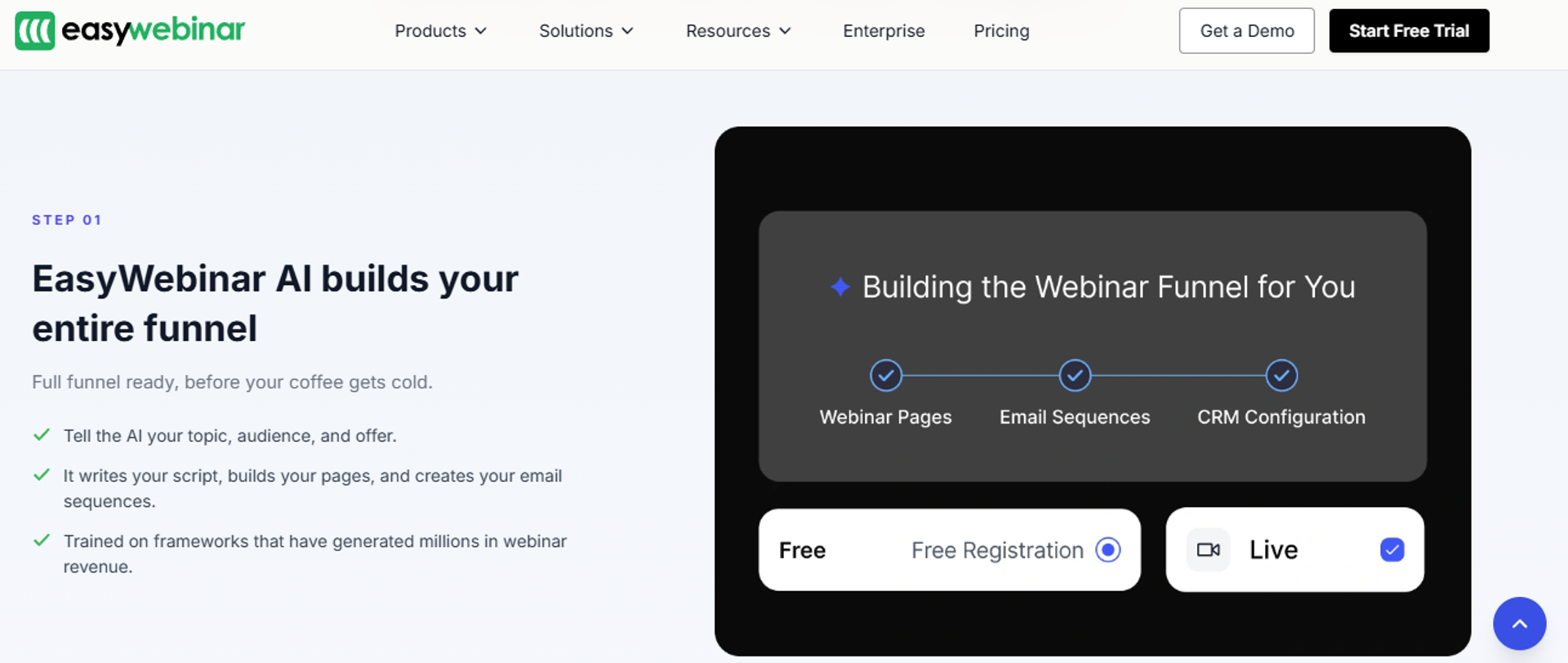
EasyWebinar is best for coaches, course creators, and revenue teams that need one webinar to sell repeatedly, because it combines Live, Simulated Live, and Evergreen delivery with an AI webinar builder, native CRM, and in-webinar checkout. It may not fit users who only need a one-off internal team meeting.
Why EasyWebinar ranks #1
EasyWebinar scores highest on format coverage, conversion workflow, and stack consolidation. Simulated Live and Evergreen both sit under one Automated umbrella. Just-in-time and timezone-adjusted scheduling belong to Evergreen, so nothing needs a second subscription.
✅ What the ranking rests on
Time to launch is the second reason. The AI Webinar Builder runs a roughly 12-question flow. It generates the script, pages, reminder emails, polls, offers, and follow-up in about 10 to 15 minutes.
That speed changes strategy, not just admin. Cheap launches mean you can run three or four funnels in parallel. You test offers, kill losers, and scale the winner.
What EasyWebinar does well
- Runs all three formats natively. You clone a proven live session into Simulive with live chat intact, or into Evergreen with just-in-time delivery. No rebuild, no second tool.
- Builds the funnel with AI in minutes. The AI funnel builder is trained on six to eight years of proprietary EasyWebinar data, so pages and emails arrive usable, not blank.
- Keeps follow-up inside the platform. A native email engine plus SMS via Twilio removes the fragile third-party bridge that silently breaks before launch.
- Takes payment in the room. Built-in checkout and offer overlays work with Stripe, PayPal, and PayU, so buyers never leave mid-decision.
- Reports at attendee level. Watch time, poll answers, offer clicks, and a drop-off heatmap export to CSV, which is how you find the exact minute people leave. See our guide to webinar analytics.
- Streams on a premium stack. Dolby OptiView WebRTC delivers sub-500ms latency, so polls and CTAs land while the topic is still live, which matters for live webinar software buyers.
Where EasyWebinar falls short
- Automated event setup needs the recording uploaded first, which blocks early promotion.
- Landing page design flexibility is narrower than a dedicated page builder.
- Email open and click tracking is limited, so some operators still run post-webinar sequences elsewhere.
- Just-in-time sits on a higher tier, which raises cost for solo operators.
Decision scorecard
Best for / skip if
Choose EasyWebinar if your webinar is the sales mechanism and you want live plus evergreen in one system. Skip it if you only need an internal meeting room, or if your offer sits under 200 USD where a webinar is not mathematically required. If you are weighing this against your current tool, our EasyWebinar vs Webinar Ninja breakdown covers the switch in detail.
Reviews
Evergreen conversion improved measurably for one course seller, though the just-in-time tier carried a real cost premium.
"With my live class I used to sell 10-12 courses. With EasyWebinar I sold 25 courses within 3 weeks of my evergreen launch... The only downside is that to have the 'just in time' feature you have to pay a premium that is about double the price of the basic subscription."Laura C. EasyWebinar G2 Verified Review
Email reporting remains a gap for operators who measure opens and clicks closely.
"I do use other email systems to send post-webinar email sequences because I can't track open and click rates on EasyWebinar."Eliza W. EasyWebinar G2 Verified Review
More operator outcomes are collected in our customer reviews.
2. WebinarJam
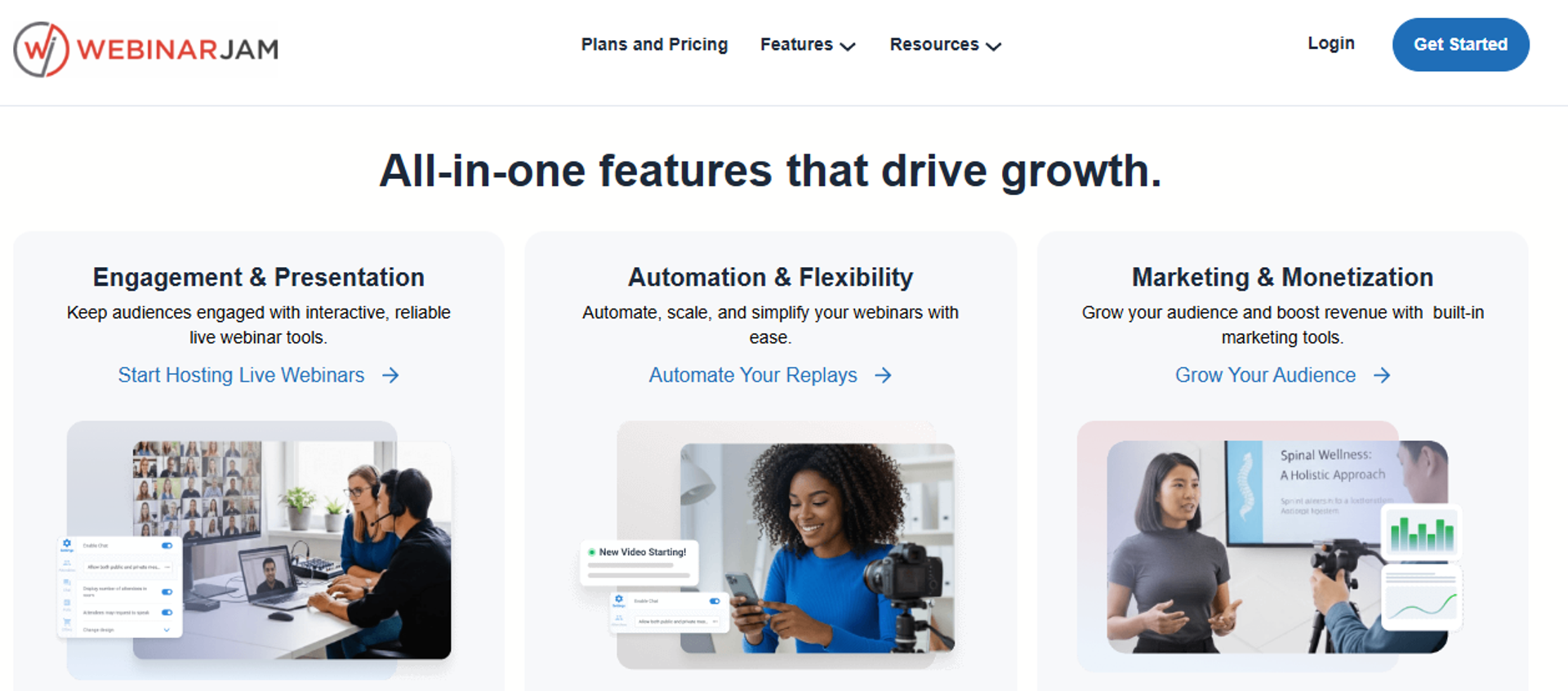
WebinarJam is best for operators running high-pressure live sales launches that need large attendee capacity, because it scales to 5,000 live viewers with strong in-room pitch tooling, but it may not fit buyers who want evergreen automation without a second purchase.
Why WebinarJam ranks #2
WebinarJam earns second place on live capability and price-to-capacity. The ladder is clear. Starter covers 100 attendees, Basic 500, Professional 2,000, and Enterprise 5,000.
💰 Where the pricing gets interesting
Basic and above bundle EverWebinar at no extra charge, which softens the split-product criticism. That makes Basic a genuinely competitive entry point.
It slips below EasyWebinar on architecture, though. You are still managing two products with two interfaces, and monetization runs through external checkout. Our EasyWebinar vs WebinarJam comparison maps that difference feature by feature.
⚠️ The limit nobody mentions upfront
Session length is capped by plan. Starter allows one hour, Basic two, Professional three, and Enterprise four.
For a 90-minute pitch plus Q&A, that math matters. Starter buyers discover it mid-webinar.
What WebinarJam does well
- Scales live capacity cheaply. Reaching 2,000 live attendees costs 229 USD per month annually, which is strong value for launch-driven sellers.
- Bundles automation from Basic upward. EverWebinar is included, so you get evergreen without a second invoice on most plans.
- Gives teams real seats. Basic adds five team seats, Professional ten, and Enterprise twenty-five.
- Lets you test for a dollar. A 14-day trial at 1 USD runs at 500-attendee capacity, so you can stress-test before committing.
- Charges no transaction fees. Sales through your own checkout are not taxed by the platform.
Where WebinarJam falls short
- Session time limits of one to four hours constrain longer training and Q&A formats.
- Live and evergreen remain two products with two setups, even when bundled.
- Payments and CRM sit outside the platform, so attendee data fragments across tools.
- Independent scoring puts it mid-pack at 3.6 out of 5, largely on interface and support friction.
Decision scorecard
Best for / skip if
Choose WebinarJam if live launches drive your revenue and you want 2,000 or more attendees at a published flat price. Skip it if you need evergreen as your primary format, native CRM, or in-room checkout, because both live and automated then live in separate systems. For a wider view of this segment, see our roundup of WebinarJam alternatives.
EasyWebinar removes that split by running Live, Simulated Live, and Evergreen inside one platform, with payments, EasyCast multistreaming, and attendee analytics attached to the same event record. Current tiers are listed on our webinar pricing page.
3. EverWebinar
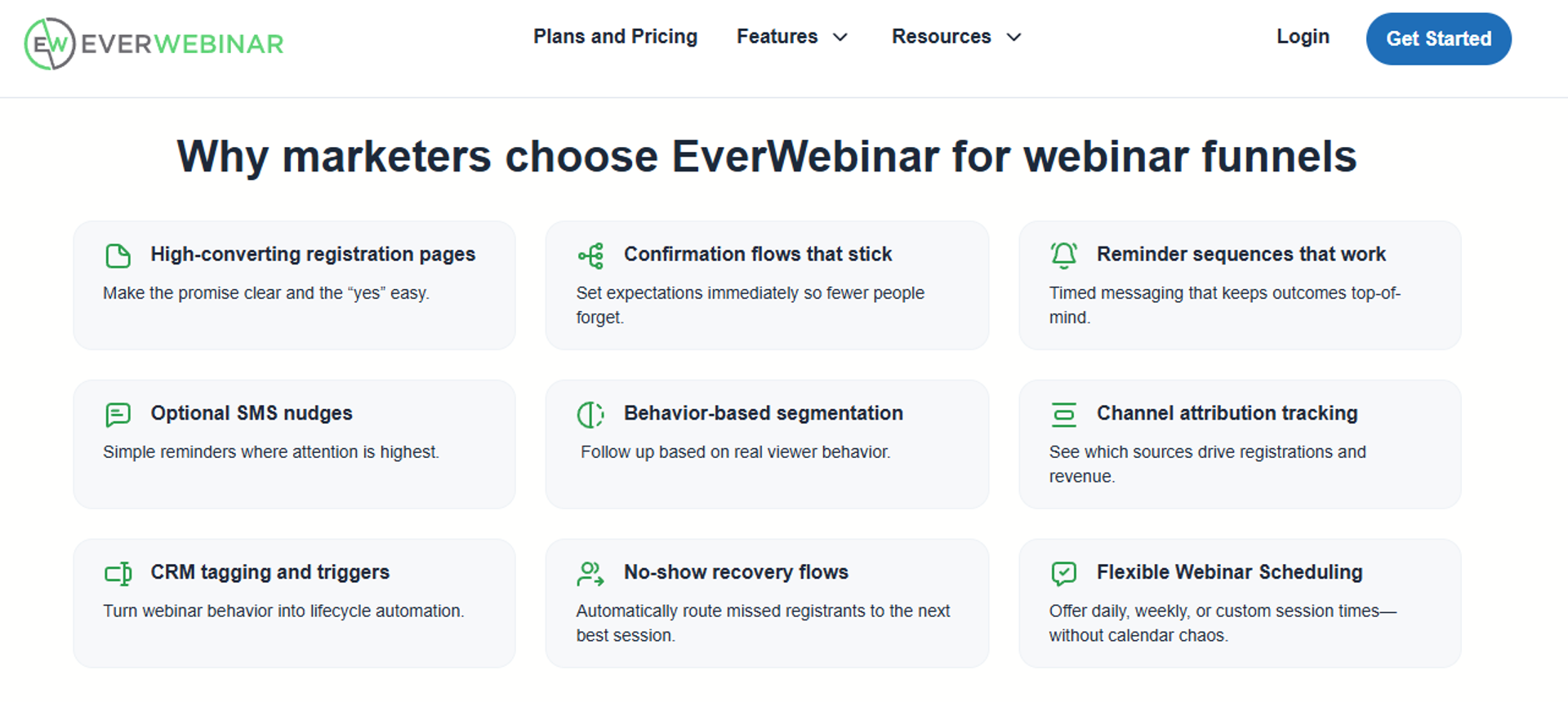
EverWebinar is best for creators who already have one proven webinar and want it running on a schedule, because it was built only for automated delivery, but it may not fit buyers who also need live sessions in the same tool.
Why EverWebinar ranks #3
EverWebinar wins on evergreen depth, which is exactly what most WebinarNinja leavers want. Scheduling is its whole reason for existing. That focus shows.
⚠️ Where the focus becomes a cost
It ranks third because focus cuts both ways. A tool that cannot run live sessions cannot validate your offer.
You end up buying two products anyway. That is the split-ecosystem tax, and the bundling on WebinarJam plans only partly hides it. Our EverWebinar vs EasyWebinar breakdown shows how a single-platform setup avoids it.
💰 The pricing problem nobody flags
Published EverWebinar pricing is genuinely inconsistent across sources. One listing shows 499 USD per year, another shows 79 to 199 USD monthly.
Do not budget from a blog. Pull the number from the vendor page on the day you buy, and compare it against our published webinar pricing.
What EverWebinar does well
- Automates on a real schedule. Recurring slots and just-in-time delivery, meaning a session that begins roughly 15 minutes after registration, reduce the wait that kills show-up rates.
- Simulates a live room. Chat, polls, and offers replay on a timeline, so automated sessions still feel like an event.
- Bundles with live cheaply. Buyers already on WebinarJam Basic or above get it included.
- Charges no per-attendee fee. Costs stay flat as your audience grows, unlike attendee-metered models.
- Handles replay urgency. Expiring replay windows keep pressure on the offer after the session ends.
Where EverWebinar falls short
- No live webinars at all, so you cannot validate a new offer inside the product.
- Pricing is annual-heavy and inconsistently published, which makes budget approval harder.
- Payments and CRM sit outside, so attendee behavior does not land in one record.
- The interface is dated relative to newer marketing-first platforms.
Decision scorecard
Best for / skip if
Choose EverWebinar if your webinar already converts and you only need it running around the clock. Skip it if you have not run five to ten live sessions yet, because you will be automating something unproven. Our guide to top automated webinar platforms covers what to check first.
4. Demio
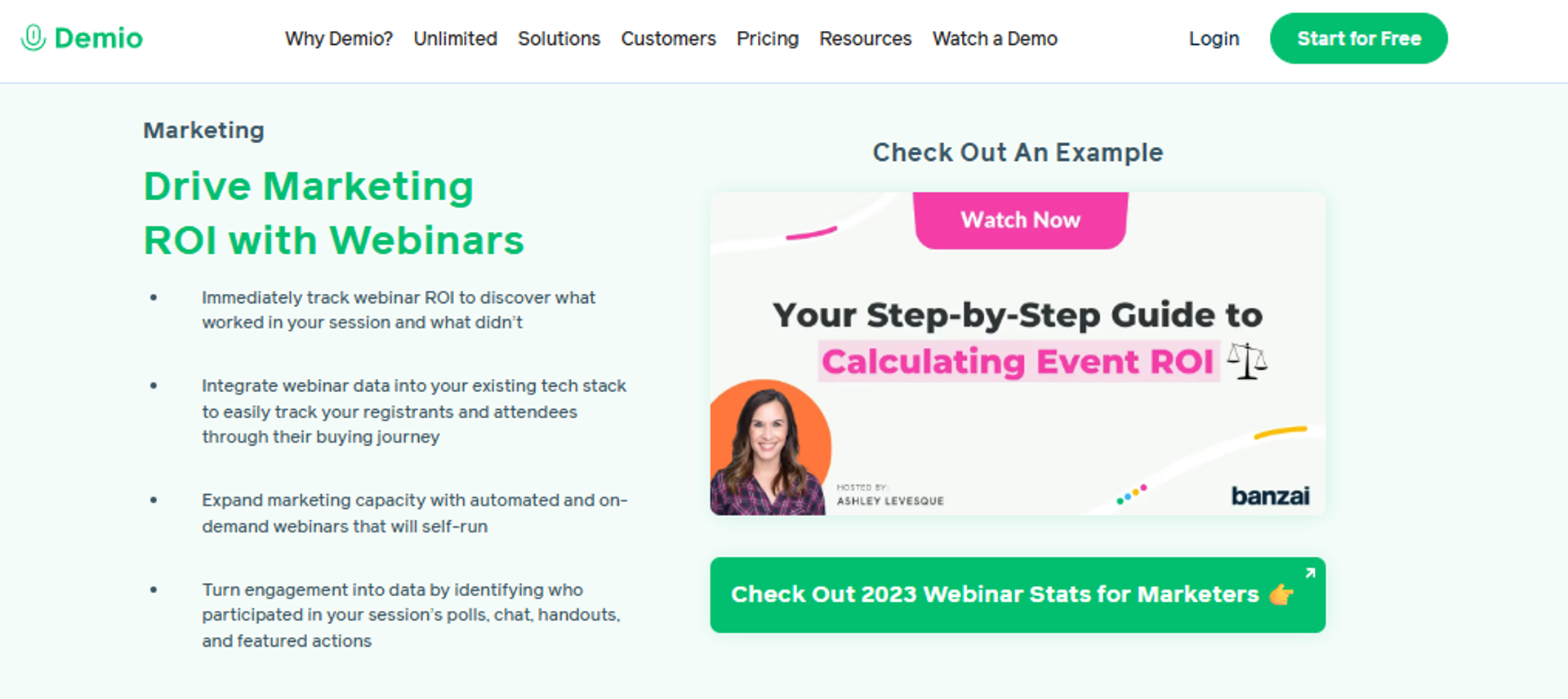
Demio is best for B2B marketing teams that need clean, fast live webinars for demand generation, because setup and registration pages are quick to spin up, but it may not fit operators who need deep evergreen scheduling or in-room checkout.
Why Demio ranks #4
Demio earns fourth on time to launch and attendee experience. Attendees join in a browser with no download. Registration pages go live in minutes.
✅ What marketing teams actually like
Preloading assets before the room opens is a real workflow win. Polls, handouts, and resources sit ready.
Anonymity also matters for some audiences. Participants cannot see each other, which makes coaching and sensitive training easier.
❌ Where the revenue mechanics thin out
Demio drops below the top three on monetization and follow-up. There is no native CRM and no in-webinar checkout, which is where a sales CRM built into the platform changes the workflow.
Replays are the sharper gap. One reviewer found live polls and calls to action missing from the replay entirely.
What Demio does well
- Removes install friction. Browser-only attendance lifts show-up rates for audiences that will not download software.
- Speeds up event creation. Registration pages and reminder emails are quick to configure, which suits recurring monthly webinars.
- Preloads engagement assets. Polls, handouts, and documents load before the room opens, so you present instead of fumbling.
- Keeps attendees private. Participants stay hidden from each other, which helps coaching and training formats.
- Sends reminders natively. Built-in email prompts cover the basics without a separate tool.
Where Demio falls short
- You cannot export your registrant list after cancelling a paid plan.
- Reviewers report audio delays, echo, and microphone detection problems.
- Replays can drop live polls and calls to action, which weakens evergreen use.
- CRM integrations are uneven, with some operators falling back to Zapier. Our integrations list shows which connections run natively.
Decision scorecard
Best for / skip if
Choose Demio if your webinars are lead-generation events and speed of setup matters most. Skip it if you sell inside the room or rely on replays that must carry your offer. For a wider view of this segment, see our roundup of Demio alternatives.
Reviews
Data portability is the most decision-relevant complaint on record.
"After canceling, I was shocked to find out I couldn't export the list unless I subscribed again."Sheida M. Demio G2 Verified Review
Replay fidelity and CRM depth came up from a satisfied user, which makes it more credible.
"It didn't fully integrated with my CRM (Highlevel) and the replay didn't show the live polls and CTAs."Ivanhoe S. Demio G2 Verified Review
5. Livestorm
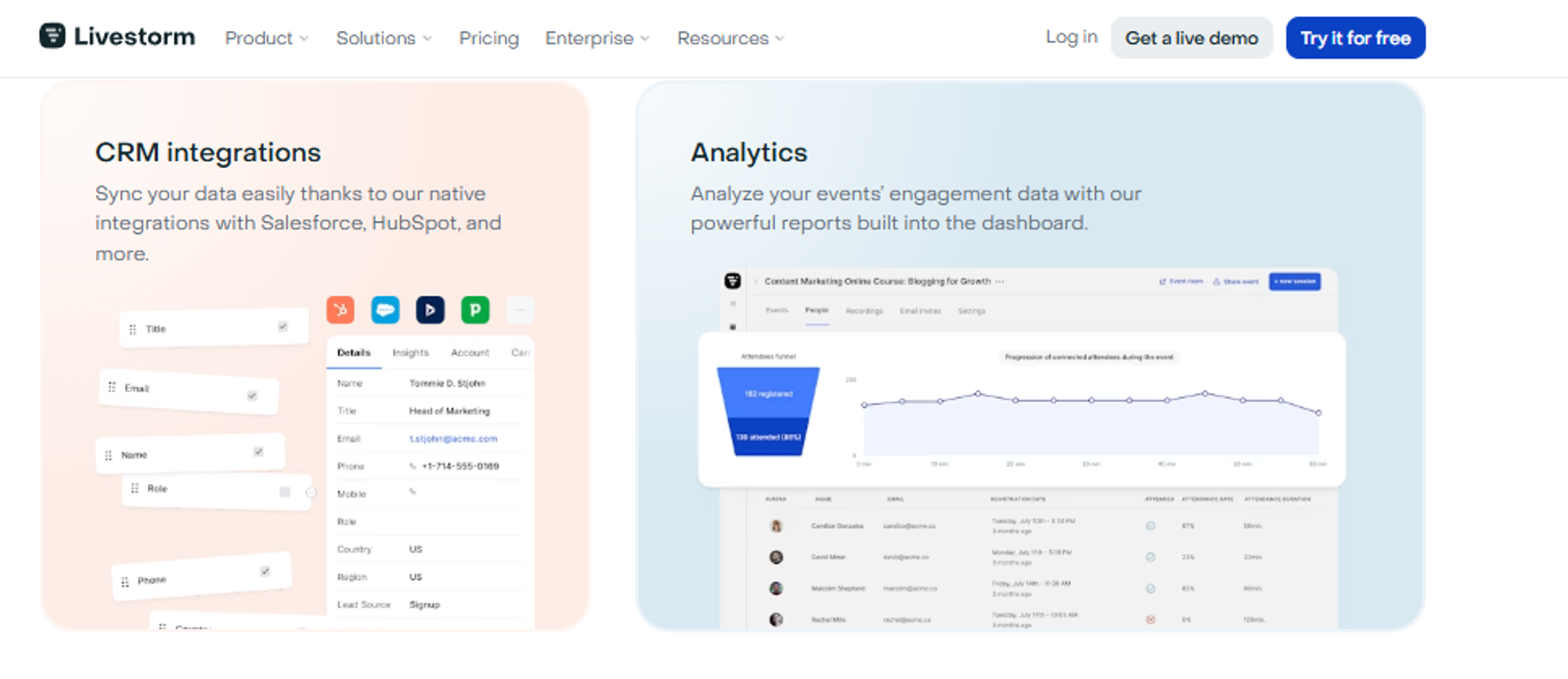
Livestorm is best for marketing and customer education teams that want browser-based events with no software install, because it offers a free tier and attendee-credit pricing, but it may not fit operators whose audiences grow fast, since cost scales with attendance.
Why Livestorm ranks #5
Livestorm ranks fifth on attendee experience and a genuinely useful free tier. Nothing installs. Sessions run in the browser on any device.
💸 The pricing model deserves a close read
Livestorm charges per attendee credit, not per host or per registrant. One unique person per session equals one credit.
That is fairer than it sounds. No-shows cost nothing, and your own hosts and moderators are free.
⚠️ Where the model turns against you
The catch arrives when a webinar works. A 1,000-attendee session at roughly 3 USD per credit costs about 3,000 USD.
WebinarNinja leavers escaping per-attendee billing should read this carefully. You may be switching into the same structure with a different label, which is why webinar platforms for 1,000 attendees deserve a cost model, not a feature list.
What Livestorm does well
- Runs entirely in the browser. No downloads means fewer attendees lost in the first two minutes.
- Bills only for real attendance. Registrants who never show do not consume credits, so wasted spend drops.
- Gives unlimited team members. Hosts and moderators are excluded from credit counts.
- Offers a usable free tier. Thirty attendees and 20-minute sessions are enough to test the workflow.
- Scales session length on higher tiers. Pro allows four hours and Enterprise allows twelve, which suits long training.
- Supports enterprise controls. SAML single sign-on, meaning one company login across tools, sits on Enterprise plans.
Where Livestorm falls short
- Attendee-credit pricing punishes growth, which is the exact pain most switchers are fleeing.
- Evergreen and on-demand depth is thinner than automation-first platforms.
- Monetization is not native, so paid webinars need external checkout.
- Salesforce and Marketo integrations sit behind Enterprise pricing.
Decision scorecard
Best for / skip if
Choose Livestorm if you run predictable mid-sized webinars and value a polished attendee experience. Skip it if your registrations are climbing, because attendee credits turn every win into a bigger invoice.
6. GoTo Webinar
GoTo Webinar is best for enterprise and internal training teams that need familiar reporting and easy procurement, because it handles large audiences with established admin controls, but it may not fit operators who need responsive support or funnel-grade conversion tooling.
Why GoTo Webinar ranks #6
GoTo Webinar ranks sixth because procurement loves it and operators often do not. Reporting is genuinely useful. Attendee, poll, and survey data pull cleanly.
✅ What earns it enterprise shortlists
Dedicated reps exist for business accounts, and audio and video quality hold up at scale. For a 500-person town hall, that is often enough.
Video overlays also help. You can display speaker names, branding, and key points during the feed.
❌ Where operators lose patience
Support is the recurring failure. One marketer described tickets escalated three times before solving the problem herself.
Conversion tooling is the second gap. There is no native CRM, no in-room checkout, and limited page customization. Our EasyWebinar vs GoToWebinar comparison lays those differences out side by side.
What GoTo Webinar does well
- Reports cleanly for management. Registrant, attendee, poll, and survey exports satisfy stakeholders who need attendance evidence.
- Handles large audiences. Teams routinely run 200-plus attendee sessions without capacity anxiety.
- Runs in the browser. Attendees join with a simple code, which lowers help-desk load.
- Overlays graphics on video. Speaker names and branding appear during the session, which improves polish for formal events.
- Automates reminder emails. Basic show-up mechanics are covered natively.
Where GoTo Webinar falls short
- Outsourced support with slow escalation, including a two-week wait to upgrade a license.
- Registration pages and post-event emails allow very little customization.
- Presenter setup confuses new hosts, with unclear practice and broadcast controls.
- Reviewers report audio cut-offs and dropped participants in large sessions.
Decision scorecard
Best for / skip if
Choose GoTo Webinar if attendance reporting and enterprise procurement matter more than conversion mechanics. Skip it if your webinar has to sell, or if slow support would put a launch at risk. Smaller teams should also review our GoToWebinar alternatives for small businesses.
Reviews
Support quality is the most consistent operator complaint, even from users who like the backend.
"Customer support is impossible to reach and is completely outsourced... They had to escalate the ticket 3 times until I realized it was an option the account administrator had to turn on, so I had to solve my own ticket."Forrester S. GoTo Webinar G2 Verified Review
Reporting depth is the genuine strength, confirmed by a mid-rated enterprise reviewer.
"The post-webinar analytics feature is great as well as it provides insights into audience engagement rate, attendance, etc."Khyati Doshi, Senior Marketing Manager GoTo Webinar TrustRadius Verified Review
7. eWebinar
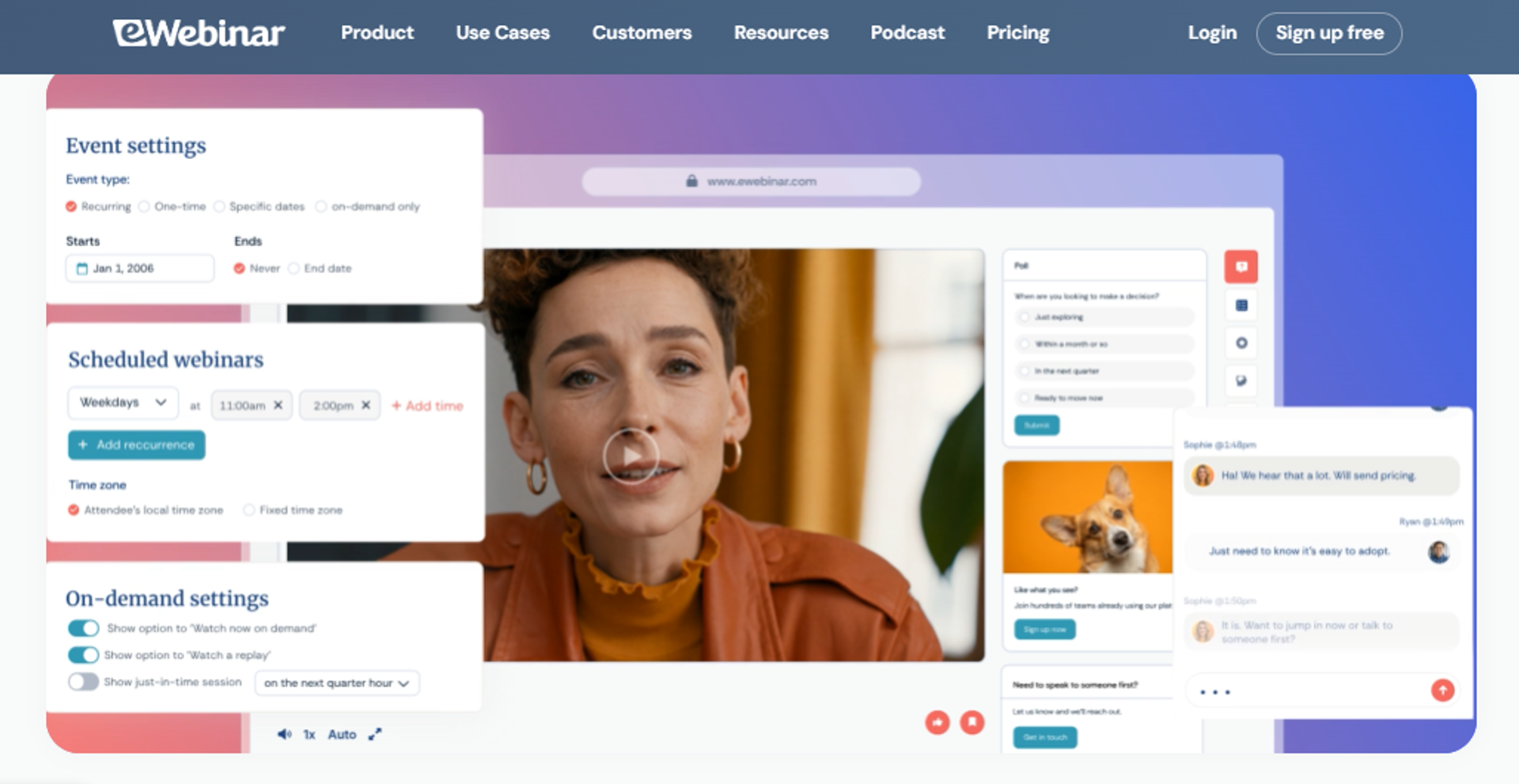
eWebinar is best for SaaS and customer success teams automating demos and onboarding sessions, because it is built entirely around pre-recorded delivery with timed interactions, but it may not fit buyers who need live webinars in the same platform.
Why eWebinar ranks #7
eWebinar ranks seventh because its automation is excellent and its scope is narrow. Pricing scales by webinar count, not attendees, which is refreshing after WebinarNinja.
⏰ Where it fits an operator's week
The strongest use case is repeatable delivery. A recorded demo runs on a loop while your team sleeps.
Level 1 covers one active webinar and 1,000 registrants per month. That is enough for a single onboarding funnel, and our on-demand webinar platform guide explains when one is not enough.
💰 Where the ladder gets steep
Costs climb fast if you run several funnels. Level 3 costs 299 USD monthly for 15 active webinars, plus 15 USD per additional five.
Marketing teams testing four offers in parallel will feel that. Flat plan pricing usually wins at that point.
What eWebinar does well
- Bills by webinar, not attendee. A successful session does not raise your invoice.
- Times interactions precisely. Polls, chat prompts, and offers fire at set timestamps, which keeps automated sessions engaging.
- Includes unlimited team members. Adding colleagues costs nothing across all tiers.
- Runs unlimited recurring sessions. You can offer many daily slots without extra fees.
- Offers a 14-day trial. You can test the automation before committing.
Where eWebinar falls short
- No live webinars, so offer validation happens elsewhere. Compare the trade-off in our live vs automated webinars breakdown.
- Monthly registrant caps of 1,000 to 5,000 can bind fast-growing funnels.
- Extra active webinars cost more, which penalizes parallel testing.
- No native CRM or in-webinar checkout.
Decision scorecard
Best for / skip if
Choose eWebinar if you are automating one or two recorded sessions that need to feel interactive. Skip it if live selling is part of your process, or if you plan to test several funnels at once.
8. Zoho Webinar
Zoho Webinar is best for small teams already inside the Zoho ecosystem that need low-cost live webinars, because it sits close to Zoho CRM, but it may not fit operators who need evergreen automation or conversion tooling in the room.
Why Zoho Webinar ranks #8
Zoho Webinar ranks eighth on price and ecosystem fit, not capability. If your contacts already live in Zoho CRM, attendee data has a short trip home.
💰 The budget case, stated plainly
For a team running a quarterly product update, the math is simple. You are paying for hosting, not for a funnel.
That is a legitimate purchase. It is just a different purchase from the one most WebinarNinja leavers are making, and our list of affordable webinar platforms covers that budget tier properly.
❌ What it does not try to be
There is no evergreen scheduling toolkit and no in-webinar checkout. Automated delivery is limited to recordings.
If your offer sits above 200 USD and the webinar has to close it, this tier will not carry the job.
What Zoho Webinar does well
- Keeps costs low. Entry pricing is among the lowest in the category, which suits teams with occasional events.
- Sits beside Zoho CRM. Registrant and attendee data flows into a CRM you already pay for.
- Covers live basics. Registration, reminders, polls, and recordings are present.
- Runs in the browser. Attendees join without installing software.
- Fits internal use. Team updates and partner briefings need reporting, not conversion mechanics.
Where Zoho Webinar falls short
- No meaningful evergreen or just-in-time scheduling. Verify current capability before publishing.
- No in-webinar payments, so paid workshops need external checkout.
- Page customization and branding are limited.
- Engagement and analytics depth trail purpose-built conversion platforms.
Decision scorecard
Best for / skip if
Choose Zoho Webinar if you already run Zoho CRM and need cheap, occasional live sessions. Skip it if the webinar is your sales mechanism, because the conversion layer is not there.
9. BigMarker
BigMarker is best for teams running virtual summits and multi-session events that need heavy configuration, because it handles series, tracks, and complex agendas, but it may not fit operators who want one simple selling webinar live fast.
Why BigMarker ranks #9
BigMarker ranks ninth for this keyword, not for the category overall. It is a capable virtual events platform. It is simply overbuilt for the person leaving WebinarNinja.
⭐ Where it genuinely wins
A five-day summit with 25 speakers needs tracks, agendas, and sponsor placements. BigMarker handles that. If that is your use case, start with our guide on how to choose a virtual event platform for conferences.
Casey has run automated summits himself, streamed on a schedule like television programming. For that job, event depth beats simplicity.
⚠️ Where it costs you time
Configuration depth becomes setup time. A solo coach who wants a Thursday webinar does not need an agenda builder.
Pricing is quote-based, which slows procurement. Confirm figures directly before you commit budget.
What BigMarker does well
- Runs multi-session events. Tracks, agendas, and series scheduling support summits that other tools cannot host.
- Supports several formats. Live, simulated live, on-demand, and recurring sessions all exist in one place.
- Handles large audiences. Capacity suits flagship events rather than weekly funnels.
- Offers white-label control. Branding depth matters when the event is the product.
- Provides sponsor and exhibitor tooling. Monetizing an event beyond ticket sales becomes possible.
Where BigMarker falls short
- Setup complexity slows simple single-webinar launches.
- Quote-based pricing makes budgeting and comparison harder.
- Cost scales toward enterprise events, not solo operators.
- Conversion mechanics are event-shaped rather than funnel-shaped.
Decision scorecard
Best for / skip if
Choose BigMarker if you are producing summits or multi-track virtual events where the event itself is the product. Skip it if you want one webinar selling one offer, because you will pay for configuration you never use.
EasyWebinar sits at the other end of that trade-off. Live, Simulated Live, and Evergreen run under one Automated umbrella, with in-webinar payments, native CRM, and attendee-level analytics attached to the same event record. That is the architecture difference behind the ranking, not a preference, and you can see the full capability set on our all features page.
Q2. How Did We Score These Platforms? Our Selection Criteria and Star Bands
Each platform was scored across five weighted criteria totalling 100 points: Automation Depth at 25%, Conversion Infrastructure at 25%, Reliability and Scale at 20%, Setup Speed and Usability at 15%, and Pricing Transparency at 15%. Totals map to stars. Zero to 20 is one star, 21 to 40 is two, 41 to 60 is three, 61 to 80 is four, and 81 to 100 is five.
Why the weights sit where they do
Most directory pages just republish star averages. That tells you how people feel, not whether the tool can carry a launch.
⭐ The benchmarks the rubric serves
I built these weights around three numbers I have used for years. Thirty percent registration on cold paid traffic. Ten percent attendee-to-buyer. Eight to twelve dollars cost per lead.
A platform either helps you hit those or it does not. A beautiful webinar room that cannot take an offer is an expensive Zoom call, which is why we treat webinar software comparison as a revenue exercise.
❌ What earned zero points
Raw feature count scored nothing. Volume is not value, and platforms that promise everything usually thin out everywhere.
Simple scales. Fancy fails. That is the bias baked into this rubric, and I am comfortable owning it.
The five criteria
Automation Depth (25%). Does the tool run Live, Simulated Live, and Evergreen, with just-in-time delivery, meaning a session that starts roughly 15 minutes after signup? Points are lost when automated webinar delivery is only a replay link.
Conversion Infrastructure (25%). Registration pages, in-room offers, checkout, CRM tagging, and behavioral follow-up. Points are lost when checkout or CRM lives outside the platform.
Reliability and Scale (20%). Streaming architecture, attendee ceilings, compliance posture, and support responsiveness. Outsourced support with slow escalation costs points here.
Setup Speed and Usability (15%). How long a full funnel takes to build from nothing. EasyWebinar measures this against its AI webinar builder, which runs a roughly 12-question flow trained on six to eight years of proprietary performance data.
Pricing Transparency (15%). Published, predictable, and comparable pricing. Quote-only models and conflicting public figures both lose points.
The scorecard
⚠️ What kept each tool out of the top band
WebinarJam and EverWebinar lose points because live and evergreen remain two products. eWebinar and Zoho Webinar cannot run live at all, or barely try. Our WebinarJam vs EverWebinar comparison shows how that split plays out in practice.
Demio and Livestorm score well on usability and poorly on monetization. GoTo Webinar reports beautifully and sells nothing. BigMarker is built for events, not funnels.
EasyWebinar scores five stars here because Just-in-Time, timezone-adjusted delivery, Instant Replay, and On-Demand all ship inside its Evergreen tier rather than as paid add-ons. That is the single biggest scoring gap in the table.
Q3. Why Are Marketing and Training Teams Actually Leaving WebinarNinja in 2026?
Four triggers dominate. Pricing scales at roughly 0.30 USD per attendee per month instead of per host. Post-acquisition continuity issues include revoked lifetime access and automated events disappearing. On-demand recordings cannot be edited after a flawed session. Reliability failures hit during high-stakes launches. None of these appear on a standard feature chart.
Trigger 1: pricing that taxes your growth
WebinarNinja bills by attendee, with capacity configured at purchase. That means 100 attendees costs around 30 USD, and 1,000 pushes past 300 USD.
💸 What that does to your math
Your best month becomes your most expensive month. If you are spending 8 to 12 USD per lead already, that stacks.
Check this before you switch: does the new plan bill per host or per head? EasyWebinar prices by plan rather than by attendee, so a doubled audience does not double the invoice, and current tiers sit on our webinar pricing page.
Trigger 2: platform continuity risk
The product changed hands, and reviewers describe the fallout in specific terms.
"The promise of WN was significant but the execution so consistently poor that ended with the product being so non financially viable as to have to be sold and restructured beyond recognition... Lack of base functionality. Poor execution. Product instability. Poor value."Stewart B., 1/5, 4/2/2025 WebinarNinja G2 Verified Review
⚠️ The check nobody runs
Lifetime access has been revoked without warning, and automated events have vanished repeatedly. Download your recordings before you cancel anything. If you are weighing the switch directly, our EasyWebinar vs Webinar Ninja page covers what transfers.
Trigger 3: the editing ceiling
You cannot fix a flawed on-demand recording. That is a hard stop for training teams.
"In the functionality of on-demand webinars you cant edit the recorded file. If you have technical problems us we had, the platform does not allow you to cut out or upload a new corrected session... If you are looking for a professional tool, you will reach the roof of Webinar Ninja quickly."Oscar A., 3/5, 3/1/2022 WebinarNinja G2 Verified Review
Trigger 4: the cost of downtime
Here is the incident that should reframe how you price reliability.
"They decided to perform server maintenance 2 days before a webinar I had been planning for 2 months with 600+ registrants. Their servers failed, sent out 4000+ emails to my registrants and caused my email to be blocked and labeled as spam."Andrew G., 0/5 WebinarNinja G2 Verified Review
💰 Put a number on it
That reviewer also reported roughly 20 percent of 3,000 people managing to register. At a 10 percent close rate on a 1,000 USD offer, the missing 2,400 registrants represent a quarter's revenue.
I have watched this happen to operators who did nothing wrong. The real cost is never the subscription line. It is the launch that did not happen.
What WebinarNinja still does fine
Small, live-only audiences with no evergreen ambition are served adequately. The interface is simple, and Capterra still shows 4.2 out of 5 across 203 reviews.
If you run one 50-person webinar a quarter and sell nothing from it, staying is defensible. If the webinar is your revenue, the math stops working. Our guide to webinar lead generation explains where that line usually falls.
EasyWebinar runs registration, reminder email, SMS via Twilio, and CRM tagging inside one system. That removes the third-party bridge most operators discover is broken four hours before the event.
Q4. Which Alternatives Handle Evergreen Automation and Behavioral Follow-Up Properly?
EasyWebinar is strongest for 24/7 evergreen because Just-in-Time, timezone-adjusted delivery, multiple daily schedules, Instant Replay, and On-Demand all sit inside its Evergreen tier, with native email, SMS, and CRM tagging attached. EverWebinar and eWebinar are credible specialists. Demio, Livestorm, and GoTo Webinar treat automation as a replay layer rather than a scheduling system.
The taxonomy, in plain English
Automated is the umbrella. Under it sit exactly two tiers: Simulated Live and Evergreen. Nothing else.
✅ Simulated Live versus Evergreen
Simulated Live plays a recording at a fixed or fixed recurring time, in one timezone, with real-time live chat, polls, and timed offers. That live-chat layer is its whole edge.
Evergreen goes deeper. It carries Just-in-Time, meaning the next session begins roughly 15 minutes after someone registers, plus timezone-adjusted delivery and multiple daily slots.
⚠️ The rule people break
Just-in-Time belongs to Evergreen only. Attaching it to Simulated Live is a category error, and vendors blur this constantly.
EasyWebinar keeps them separate by design, which is why Evergreen uses an async question box rather than live chat. Competitors who strip chat from a fixed replay are shipping a glorified recording.
Automation depth across the nine
The follow-up layer
Automation without follow-up is a billboard in the desert.
❌ Where the Zapier bridge breaks
Demio reviewers report CRM gaps and falling back to Zapier for basic connections. I have seen a Zapier limit hit four hours before a launch, leaving a several-hundred-person gap in opt-ins. Our integrations page lists which connections run natively instead.
Every extra step raises what it costs you to acquire a customer. That is the honest argument for consolidation, and it has a limit.
The all-in-one honesty test
Be cautious of any tool claiming it replaces your CRM, email, storage, and course platform at once. Breadth usually costs depth.
⏰ My rule for what to consolidate
If two systems must talk within 60 seconds of a live event, own them in one platform. Everything asynchronous can integrate.
EasyWebinar is not your video editor or your ad manager, and pretending otherwise would fail the same test I just applied to competitors. Operators confirm the gaps honestly.
"Intergration is somewhat limited, but if you are comfortable with Zapier you can easily update that. Replay insights aren't currently captured on live webinars."Verified User in Professional Training and Coaching, 4.5/5 EasyWebinar G2 Verified Review
Your Monday action
Do not automate an unproven webinar. Run five to ten live sessions first, and hit at least 10 percent attendee-to-buyer. Our notes on live vs automated webinars explain why that order matters.
Then, when you build the automated version, toggle Just-in-Time and select nothing else. One setting removes the wait that kills show-up rates.
"EasyWebinar is hands-down THE webinar platform for evergreen webinars, no contest... The biggest challenge is around setting up automated webinars, and needing the presentation uploaded first in order to set it up."Ash A., 5/5, 3/13/2026 EasyWebinar G2 Verified Review
EasyWebinar clones a proven live session into Simulated Live with the live-chat layer intact, or into Evergreen with Just-in-Time and timezone-adjusted scheduling. Casey has run high-ticket launches on Evergreen himself, so the winning session becomes an always-on asset without a rebuild, and you can see the full all features set for yourself.
Q5. Which Platform Is Most Reliable for Large Live Audiences and Enterprise Training?
For large live audiences, EasyWebinar, GoTo Webinar, and BigMarker lead. EasyWebinar streams on Dolby OptiView WebRTC with sub-500ms latency, HD 1080p screen share, and YouTube Live overflow for unlimited spillover. GoTo Webinar wins on enterprise procurement familiarity. BigMarker suits multi-session summits. Livestorm and Demio cap well below enterprise training volumes.
Architecture and ceilings, side by side
⚠️ Read the capacity numbers carefully
Vendor-stated ceilings are marketing until your own test proves them. I would rather you run a 300-person dress rehearsal than trust any table, including mine. Our notes on choosing a webinar platform for 1,000 attendees cover how to run that test.
Latency matters more than raw capacity for engagement. When the stream lags, your poll lands after you have moved on, and the interaction dies.
The reporting layer that decides training mandates
Meeting tools lose enterprise training deals on reporting, not video. Basic meeting rooms give you no registration features, no real analytics, and no monetization, which is the gap our EasyWebinar vs Zoom comparison documents.
✅ What L&D actually needs
Attendance is not completion. You need watch time, drop-off timestamps, poll responses, and a clean CSV export.
EasyWebinar measures this at attendee level, including a drop-off heatmap and offer-click data exported to CSV. That is how a training lead proves completion instead of estimating it, and our webinar analytics guide walks through reading that data.
Support and deliverability are reliability, not soft factors
A platform that cannot get a reminder email into the inbox has a reliability problem. So does one whose escalation path takes two weeks.
❌ Where large sessions actually break
GoTo Webinar reviewers report dropped participants and spotty audio in large group settings. That is a capacity claim failing in practice. Teams evaluating replacements can start with our list of GoToWebinar alternatives.
"In a large group setting it has reliability issues that I feel have been left unaddressed. The last time we tried it for a large group meeting people were continually dropped from the call and the audio was very spotty."Richard (Ric) Hazel, Senior Business Application Analyst, 3/10 GoTo Webinar TrustRadius Verified Review
No platform is clean here, including mine. An EasyWebinar user on strong hardware still hit video inconsistency when switching sources mid-session.
"The video quality came and went when I switched from the slides as the main screen back to me. It was pixelated and then cleared. I have a Canon R6 and Google Fiber internet."Verified User in Photography, 4.5/5, 8/26/2025 EasyWebinar G2 Verified Review
EasyWebinar carries SOC 2 Type II attestation and GDPR compliance coverage with a data processing addendum, which is what IT and procurement actually ask for. Capacity claims still need your own load test before a flagship event.
Q6. What Do These WebinarNinja Alternatives Actually Cost at 100, 300, and 1,000 Attendees?
WebinarNinja bills roughly 0.30 USD per attendee per month on annual billing, so 100 attendees costs about 30 USD, 500 around 150 USD, and 1,000-plus moves past 300 USD into custom pricing. Demio, EasyWebinar, and GoTo Webinar bill per host, holding a flat rate as audiences grow. Per-attendee pricing taxes exactly the growth you are paying for.
Modelled monthly cost by audience size
💸 The trap hiding in plain sight
Livestorm charges near 3 USD per attendee credit. Switching from WebinarNinja to Livestorm can mean leaving one attendee-metered model for a costlier one.
Read the billing basis, not the headline price. That single column decides your cost curve for the next three years, so compare it against our published webinar pricing.
Hidden costs nobody prices
Attendee capacity is often configured at purchase, so you pay upfront for a ceiling you may not reach. Session length caps also cost money indirectly.
💰 The stack you still have to buy
WebinarJam session limits run one to four hours by plan. eWebinar charges 15 USD monthly for each extra batch of active webinars.
Then add the tools that are not included: email platform, CRM, and checkout. EasyWebinar folds native email, SMS, a built-in sales CRM, and in-webinar payments into the plan, which removes three of those line items.
Where free tiers genuinely help
Livestorm's free plan covers 30 attendees for 20 minutes. eWebinar and WebinarJam both offer trials, with WebinarJam running 14 days for 1 USD at 500-attendee capacity. Budget-first buyers should also read our roundup of affordable webinar platforms.
⏰ Use trials to test workflow, not revenue
Free tiers are for confirming that reminder emails fire and your slides render. They are not for a launch.
Here is the math that actually matters. Platform cost is noise next to your back-end offer size.
At a 997 USD to 10,000 USD offer, a 50 USD monthly difference is irrelevant. At a 47 USD product, no platform rescues the unit economics, because your cost per lead alone runs 8 to 12 USD.
EasyWebinar prices by plan rather than by head, so a webinar that doubles its audience does not double the invoice. Paid webinars and ticketed webinars are supported alongside free registration funnels, which lets the platform pay for itself inside one event.
Q7. Which Alternative Should You Choose, and How Do You Migrate Without Losing Registrants?
Choose EasyWebinar if the webinar has to make the sale, WebinarJam or EverWebinar for high-pressure live launches, Demio or Livestorm for B2B demand generation, GoTo Webinar or BigMarker for enterprise training and summits, and Zoho Webinar on the tightest budget. Then migrate in five steps: export registrants, download recordings, redirect old replay links, rebuild sequences natively, and test on a low-stakes webinar first.
Your situation, your shortlist
The five-step migration
- Export registrants and attendees. Pull CSVs while the plan is still active. Some platforms lock your list after cancellation, which costs you the whole audience. Twenty minutes.
- Download every recording. Anything you cannot re-record needs a local copy. Skipping this loses assets permanently. One hour.
- Map old replay URLs to redirects. Set 301 redirects so links in past emails still resolve. Skipping this breaks every historic email you sent. Thirty minutes.
- Rebuild sequences natively. Do not port a third-party bridge. I have watched a Zapier limit blow up four hours before a launch, leaving a several-hundred-person gap in opt-ins. Half a day.
- Run a throwaway webinar. Nothing for sale, low stakes. This is where you find the reminder email that never fired. Ninety minutes.
⚠️ Before you cancel anything
Reviewers report lifetime access revoked without warning and automated events disappearing. Data portability failures are documented elsewhere too. Our EasyWebinar vs Webinar Ninja page lists what actually transfers.
"After canceling, I was shocked to find out I couldn't export the list unless I subscribed again."Sheida M., 0/5 Demio G2 Verified Review
What switching will not fix
Run this self-diagnosis before blaming the tool. Target 30 percent registration on cold paid traffic, 10 percent attendee-to-buyer, and 80 percent retention from peak attendance to the pitch.
❌ Three fixes that beat any migration
Stop over-teaching. The job is to shift beliefs, not to transfer a curriculum, because overwhelmed people process instead of buying.
Make the registration page uglier. Testimonials, videos, and long copy often lower conversion. One headline that lands is enough, as our collection of webinar landing page examples that convert shows.
Never put the join link in the SMS reminder. One team found that show rate rose while booking rate collapsed, purely from that change.
⏰ My own weekly baseline
Sixty registered, thirty showed, three bought a 1,000 USD program. That was 12,000 USD a month, and it was not glamorous.
EasyWebinar has supported bigger outcomes than that, including Rick Mulready's 166 percent ROI on cold paid traffic at a 30 percent registration rate. I still think the modest baseline is the more useful number to aim at first, and more of those results sit in our customer reviews.
What I am still sitting with
Automated webinars are getting harder on cold traffic while live is getting stronger. My read is that this reverses again by 2027, as AI-built funnels make testing cheap enough to fix automation properly.
EasyWebinar's AI funnel builder regenerates the registration page, reminder emails, polls, and offer sequence from a short question flow, which turns a migration weekend into an afternoon. If you are mid-switch and something in your funnel is not firing, tell me what broke and when.
Frequently Asked Questions

Casey Zeman
Founder of EasyWebinar
About Author
Over the past decade, I've helped thousands of entrepreneurs, coaches, and consultants turn webinars into a predictable, powerful way to grow their audience, build trust, and scale, without the constant hustle. I created EasyWebinar because I couldn't find a system that combined authenticity, engagement, and automation the way I needed. So, I built one.
Related Posts

10 Best Community Engagement Platforms in 2026
Compare the 10 best community engagement platforms in 2026. Course creators, evaluate live hosting, analytics, and replay to pick your winner today.

10 Best Online Coaching Tools in 2026: Live Session Quality, Scheduling, Recording, and Client Engagement Analytics
Compare the 10 best online coaching tools of 2026 on session quality, scheduling, and analytics. Discover the right fit for your coaching revenue model.

10 Best Webinar Hosting Platforms Ranked by Uptime, Streaming Quality & Cost
Compare 10 webinar hosting platforms ranked by uptime, streaming quality, and cost. Discover which tool actually turns attendees into revenue.
Turn every webinar into a revenue stream
Launch your first paid event in just a few clicks - and start monetizing your expertise.
Book a Call