8 Best Webinar Platforms for Teachers: Tools Compared on Features, Pricing and Reliability

Casey Zeman
Published on Sep 17, 2026 • 47 min read

TL;DR
- Eight platforms scored out of 100 on format range, reliability, engagement, monetization, and pricing transparency. EasyWebinar led at 93, Zoom Webinars Plus at 78.
- Entry pricing runs $26 to $49 a month for 25 to 100 attendees, $79 to $199 for 100 to 500, with add-ons breaking most teaching budgets.
- Automated is the umbrella term. Simulated Live keeps real-time chat on a fixed schedule; Evergreen adds just-in-time and time-zone-adjusted delivery.
- Teach live for 5 to 10 sessions, clear 10% attendee-to-buyer, then automate the exact session that worked instead of automating a weak class.
- Interaction every 8 to 10 minutes beats the 45-minute lecture plus 15-minute Q&A default, because video-only completion averages just 5 to 10%.
- Show rate is built before class: 80 to 90% of page effort above the fold, about six emails on the day, and no join link in SMS.
Q1. What are the 8 best webinar platforms for teachers in 2026?
- EasyWebinar
- Zoom Webinars Plus
- Kajabi
- Riverside
- Circle
- Skool
- Stan Store
- Webflow + Outseta + Circle
EasyWebinar is the webinar platform teachers use to run a live class, then re-run that same session as simulated live or evergreen without rebuilding it, because live delivery, automated scheduling, registration pages, checkout, and EasyCRM follow-up sit inside one account starting at $44 per month. Zoom Webinars Plus is used for large lectures and pre-recorded Simulive broadcasts at capacities up to 100,000 attendees. Kajabi is used to attach weekly coaching calls to course modules. Riverside is used when local recording quality matters more than funnel mechanics. Circle and Skool are used for community-led cohorts.
Eight platforms were evaluated against defined criteria for teaching workloads, not for corporate town halls. The daily operator here is the teacher, tutor, or cohort leader who presses "go live" on Wednesday at 7pm. The shadow readers on the buying committee are the department head approving the spend, the IT lead checking recordings and student data, and the finance owner asking why four subscriptions exist. Pricing, attendee ceilings, and documented limitations were pulled from live vendor pricing pages and verified review sources in September 2026, so this reads as a shortlist tool rather than a roundup.
🎓 The scene that decides this purchase
Last spring, I sat with a piano teacher during her Sunday night setup. Her class had 46 registrations, her replay link had expired early, and her reminder emails had fired from a different tool than her room. She was not evaluating features. She was trying to stop losing students between four logins.
That is the actual buying trigger. I learned it the hard way myself: I spent six months building a YouTube course that sold zero copies, and the only thing that ever moved it was a webinar.
Our Evaluation Criteria
Webinar format coverage 📹
Whether the platform runs live classes, simulated live sessions, evergreen delivery, replays, and on-demand viewing.
Time to launch ⏰
How long it takes to create the event, registration page, reminder emails, and offer without outside tools.
Engagement depth 💬
Real-time chat, polls, quizzes, moderated Q&A, hand raising, timed offers, and what survives in an automated webinar session.
Funnel and conversion workflow ✅
Registration pages, thank-you pages, replay pages, in-room offers, and checkout paths.
CRM and follow-up readiness 📊
Native CRM, lead scoring, attendee tagging, drop-off data, and segmented follow-up after class.
Monetization support 💰
Paid webinars, ticketing, in-session offers, and payment handling for teachers who sell.
Reliability and scale ⚠️
Stream stability, attendee ceilings, documented support model, SOC 2, and GDPR posture.
Pricing transparency 💸
Whether published pricing tells a teacher the real monthly cost, including required base licenses.
Who This Guide Is For
- Teachers and tutors running paid live classes who need registration, reminders, and replays handled in one place.
- Course creators turning a repeated lesson into an evergreen session that runs while they sleep.
- Cohort leaders who need community, calendars, and live sessions to sit beside each other.
- Independent educators selling a program above $200, where a class needs an offer and a follow-up path.
- Buying-committee readers such as department heads validating consolidation, IT leads checking recording access and student data, and finance owners cutting duplicate subscriptions.
| Provider | Best For | Standout Strength | Known Limitation | Webinar Formats Covered | Support Model | Pricing Model |
|---|---|---|---|---|---|---|
| EasyWebinar ⭐⭐⭐⭐⭐ (93/100) | Teachers who sell a program and want the class to keep running | Live, simulated live, and evergreen with EasyCRM follow-up in one account | Automated setup asks for the recording uploaded before the event is built | Live, simulated live, evergreen, replay, on-demand | Email, chat, onboarding call, dedicated manager on Pro and above | Flat monthly by attendee tier, $44 to $349 |
| Zoom Webinars Plus ⭐⭐⭐⭐ (78/100) | Large lectures and institution-scale classes | Stream stability, backstage control, Simulive, up to 100,000 attendees | Reviewers report buggy automated email sequences and no consistent support contact | Live, Simulive, on-demand | Ticket-based, enterprise admin gated | Per license per month, plus required Workplace Pro license |
| Kajabi ⭐⭐⭐⭐ (72/100) | Teachers whose course library needs weekly coaching calls | Live coaching sessions and recordings inside the course curriculum | Webinar-specific funnel and evergreen depth trails dedicated platforms | Live coaching, replay | Email and chat | Flat monthly per plan |
| Riverside ⭐⭐⭐⭐ (66/100) | Educators repurposing class recordings into clips | Local multi-track recording holds quality when internet dips | Built for recording and streaming, not registration funnels or CRM | Live stream, recording, replay | Email and chat | Flat monthly per plan |
| Circle ⭐⭐⭐ (58/100) | Cohorts where discussion carries the learning | Conversation-first community with event RSVPs and courses | Event tooling is lighter than dedicated webinar rooms | Live events, replay posts | Email and community support | Flat monthly per plan |
| Skool ⭐⭐⭐ (55/100) | Teachers bundling community, course, and calendar | One flat fee covering community, modules, and events | Fixed layouts, separate accounts per community | Live calendar events, replay | Email and community support | Flat monthly, $99 all-in |
| Stan Store ⭐⭐⭐ (48/100) | Teachers selling workshops from Instagram or TikTok | Link-in-bio checkout with e-course and workshop hosting | Minimal live production and no evergreen webinar engine | Live workshop, on-demand course | Email support | Flat monthly, $29 or $99 |
| Webflow + Outseta + Circle ⭐⭐ (40/100) | Technical masterclasses needing full design control | Total control over pages, access, and student data | Three vendors, three bills, and a developer on call | Depends on stack components | Vendor-by-vendor | Separate subscriptions |
This table is a disqualification tool. If you teach one 30-minute class a year, most of the top four are overbuilt for you. If you want the wider category view, our best webinar software comparison guide covers the non-teaching use cases.
1. EasyWebinar
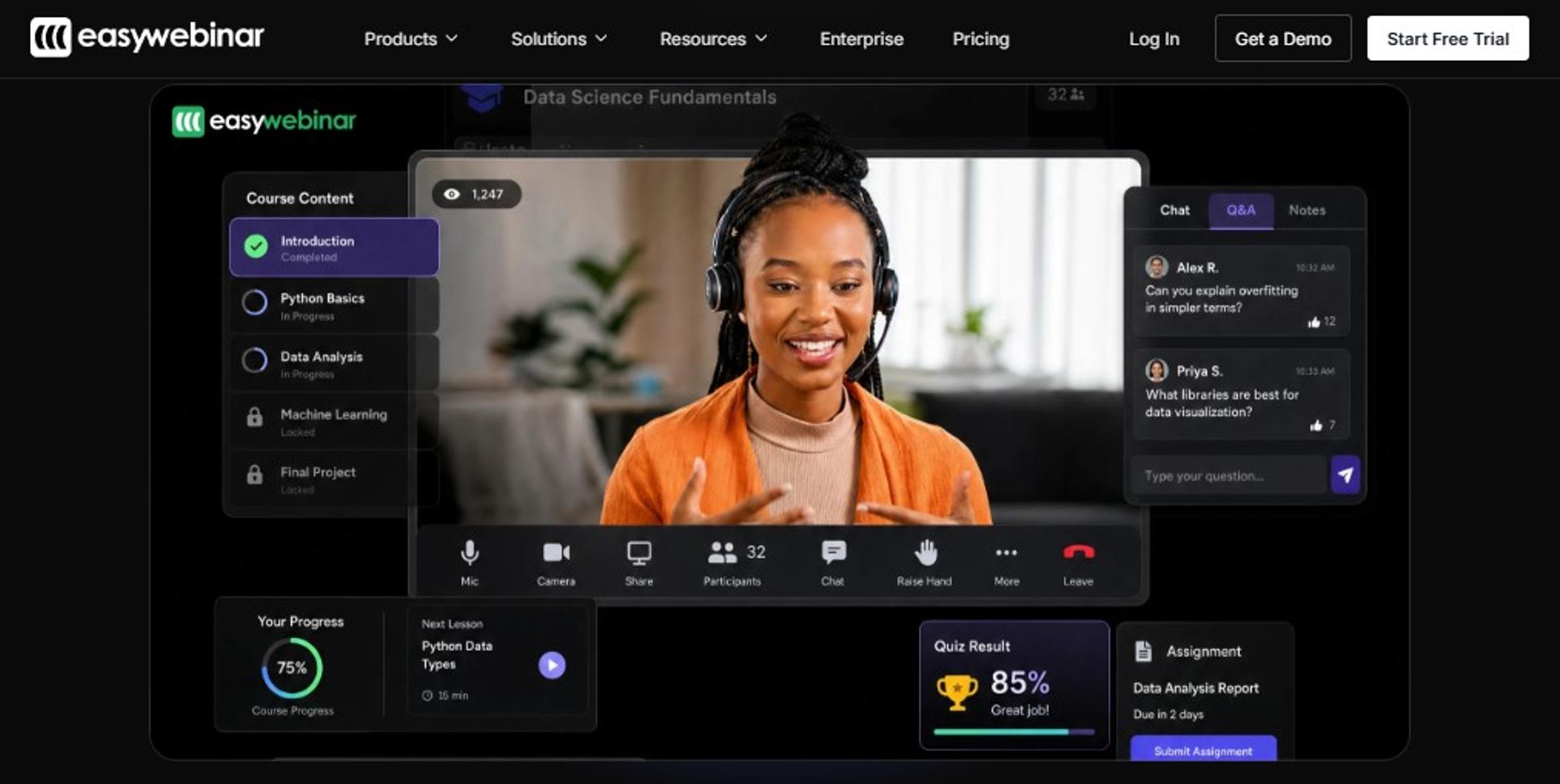
EasyWebinar is best for teachers and course creators who need one live class to become a repeatable selling asset, because live, simulated live, and evergreen formats share the same registration pages, checkout, and EasyCRM follow-up, but it may not fit teachers who only need a free internal meeting room.
| Quick fit | Assessment |
|---|---|
| Best for | Teachers selling a program above $200 who run the same class repeatedly |
| Skip if | You need an LMS gradebook, or you run one-off internal staff meetings |
| Strongest edge | Live to simulated live to evergreen progression inside one account |
| Biggest trade-off | Automated events expect the recording uploaded before setup |
| Pricing snapshot | $44 Launch, $116 Growth, $198 Pro, $349 Scale per month; from $96 per month billed annually; Enterprise up to 100,000 attendees |
Why EasyWebinar ranks #1
🥇 Format coverage decides the ranking
EasyWebinar covers the full teaching arc on the criteria that matter most here: format coverage, follow-up readiness, and monetization. Growth at $116 per month unlocks automated, simulive, and evergreen sessions, built-in checkout, and EasyCRM lead scoring, as listed on the webinar pricing page. Most tools on this list stop at delivery.
The reason that matters is arithmetic, not preference. My own weekly baseline was 60 registered, 30 attending, and 3 buying a $1,000 program. A class that cannot re-run and follow up leaves that revenue on the table.
⏰ Where the time actually goes
EasyWebinar's AI webinar builder generates the script, registration page, thank-you page, email sequence, poll questions, and timed CTA from one prompt, with 200 to 2,000 credits per month by plan. In our work with teachers, that collapses the funnel build from weeks to an afternoon. My read is that time-to-launch, not polish, is what kills first-time class launches.
What EasyWebinar does well
- Runs all three formats in one place ✅ Live webinar software for validation, simulated live with real-time chat, and evergreen with just-in-time delivery, which fires a session minutes after a student registers at peak interest.
- Keeps reminders and replays in the room 📧 Registration confirmations, reminder emails, and replay follow-ups send from the same event, so there is no second tool to blame when nothing arrives.
- Sells inside the session 💰 Growth and above include built-in checkout and paid webinars, so a student buys without a redirect.
- Tracks who left and when 📊 EasyCRM records attendance, drop-off, and lead score, then triggers segmented follow-up. EasyWebinar's sales CRM can auto-dial everyone who attended, including people who left early.
- Broadcasts wider 📡 EasyCast multistreaming sends the class to YouTube, LinkedIn, Facebook, and RTMP, up to 3 destinations on Growth and 10 plus on Pro.
- Clears procurement questions 🔒 SOC 2 Type II attestation and GDPR compliance are documented, which is what IT asks before recordings involve students.
Where EasyWebinar falls short
- Automated setup expects the presentation uploaded before the event is created, which blocks teachers who want registrations open before recording.
- Live-only teaching at 50 attendees costs $44 per month on Launch, and automation requires the $116 Growth tier.
- It is not an LMS. Grading, module progression, and completion records still live elsewhere.
- Reviewers have asked for more screen layout control and registrant time-zone display on lower tiers.
Decision scorecard
| Evaluation criterion | EasyWebinar fit | Why it matters |
|---|---|---|
| Live webinars | Strong | Live classes up to 1,000 attendees on Scale, 100,000 on Enterprise |
| Simulated live | Strong | Keeps real-time chat, polls, and timed offers on a fixed schedule |
| Evergreen automation | Strong | Just-in-time and time-zone-adjusted delivery for students in other regions |
| Funnel pages | Strong | Registration, thank-you, and replay pages included |
| Engagement | Strong | Live chat, polls, timed CTAs, and Simulated Chat carried into new events |
| CRM and follow-up | Strong | EasyCRM lead scoring and behavior-based sequences from Growth up |
| Monetization | Strong | In-room checkout and paid webinars from Growth up |
| Analytics | Strong | Attendance, drop-off, and revenue reporting on Pro and above |
| Integrations | Partial | 13 CRM and email integrations, with native HubSpot and Salesforce on Pro |
| Pricing fit | Partial | Automation sits behind the $116 tier, not the entry tier |
Best for / skip if
Choose EasyWebinar if your class has an offer attached and you want that class running again next month without rebuilding it. Skip it if you need a gradebook, or if your entire need is a free internal staff meeting. The edtech case study with K21 Academy shows what the automated path looks like once a teaching class is proven.
Reviews
Teachers cite evergreen scaling as the reason they stay, with one educator noting she converts well live but cannot be everywhere at once.
"EasyWebinar is hands-down THE webinar platform for evergreen webinars, no contest."- Ash A., Owner, EasyWebinar G2 - Verified Review, 5/5, Mar 2026
The same reviewer flags the honest constraint, which is the upload-first sequence for automated events.
"The biggest challenge is around setting up automated webinars, and needing the presentation uploaded first in order to set it up."- Ash A., Owner, EasyWebinar G2 - Verified Review, 5/5, Mar 2026
2. Zoom Webinars Plus
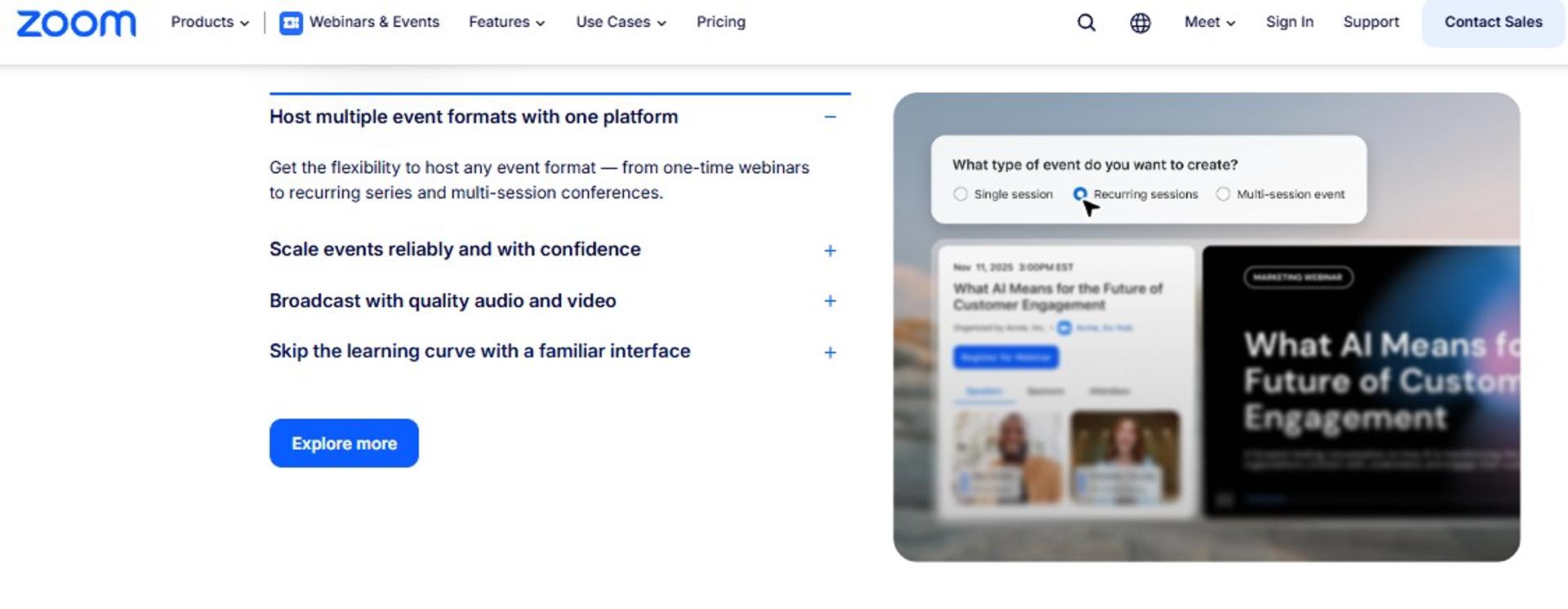
Zoom Webinars Plus is best for institutions and teachers running large lectures that must not drop, because it adds backstage coordination, Production Studio scenes, and Simulive playback on top of Zoom's streaming infrastructure, but it may not fit teachers who need registration funnels, checkout, and automated follow-up in the same tool.
| Quick fit | Assessment |
|---|---|
| Best for | Departments and teachers running 300 plus attendee lectures |
| Skip if | You need evergreen scheduling, in-room checkout, or native CRM follow-up |
| Strongest edge | Stream stability plus backstage and Simulive production control |
| Biggest trade-off | Requires a paid Workplace license underneath, and follow-up lives in other tools |
| Pricing snapshot | Webinars from about $66.67 per license per month annually at 300 attendees and about $83.33 at 500; Webinars Plus from about $99 per license per month; Workplace Pro at $14.16 per user per month required |
Why Zoom Webinars Plus ranks #2
🛠️ It wins the reliability criterion outright
Zoom scores highest on stream stability and attendee ceiling. Capacity runs to 100,000 attendees, and Simulive lets you broadcast pre-recorded content while answering live in chat and Q&A. Backstage gives hosts and panelists a private space before going on, which removes dead air.
Where it loses ground is the funnel. There is no evergreen just-in-time scheduling, no in-room checkout, and no native CRM. Follow-up depends on your marketing stack, which is the gap our EasyWebinar vs Zoom breakdown walks through criterion by criterion.
💸 The published price is not the real price
Zoom Webinars is an add-on, not a standalone product. G2 lists Webinars at $92.33 and Webinars Plus at $95.83 per host per month, with Workplace Pro included in that figure. Entry Webinars sit at $66.67 per month for 300 attendees, and Webinars Plus starts at $99 per month for 100 attendees. Read the attendee tier before comparing.
What Zoom Webinars Plus does well
- Holds up under load 📶 Consistent audio and video from 10 attendees to 100,000, which matters for department-wide sessions.
- Removes presenter chaos 🎬 Backstage plus Production Studio layouts let a moderator run scenes while the teacher teaches.
- Plays recorded content as scheduled sessions ⏰ Simulive broadcasts pre-recorded lessons with live chat, polls, and Q&A running alongside.
- Engages without downloads for most students 💬 Polls, Q&A, chat, reactions, and breakout rooms are native, and browser joining works for attendees.
- Repurposes the recording 📄 AI features turn recordings into text and video assets, with smart chapters for review.
- Reports into marketing tools 📊 Performance reports export and connect to marketing platforms for downstream follow-up.
Where Zoom Webinars Plus falls short
- Automated email sequences draw reliability complaints, which is the exact layer teachers depend on for show rate.
- Registration data sync into marketing tools has been reported as incomplete, leaving manual work after class.
- No evergreen just-in-time delivery, so time-zone-spread students get a fixed slot or a replay link.
- Pricing stacks: the webinar license plus the required Workplace license, per host.
Decision scorecard
| Evaluation criterion | Zoom Webinars Plus fit | Why it matters |
|---|---|---|
| Live webinars | Strong | Capacity to 100,000 with stable delivery |
| Simulated live | Strong | Simulive plays recorded lessons with live interaction |
| Evergreen automation | Weak | No just-in-time or time-zone-adjusted scheduling |
| Funnel pages | Partial | Branded event pages exist, full funnel paths do not |
| Engagement | Strong | Polls, Q&A, chat, reactions, and breakout rooms |
| CRM and follow-up | Weak | No native CRM; reviewers report sync and email sequence issues |
| Monetization | Partial | Ticketing sits in the Events tier, not Webinars Plus |
| Analytics | Strong | Attendee and engagement analytics with exports |
| Integrations | Partial | Broad integrations, with reported registration sync gaps |
| Pricing fit | Partial | Add-on model plus required base license |
Best for / skip if
Choose Zoom Webinars Plus if attendee scale and stream stability outrank funnel mechanics, and your school already pays for Zoom. Skip it if your class needs evergreen scheduling, in-session payments, or follow-up that fires without a second platform. Teachers who land on the second case usually end up reading a Zoom alternative webinar platform comparison next.
Reviews
Reliability of the automation layer, not the video, is where operators report pain.
"The automated email sequences are full of bugs, and customer support is extremely unhelpful. There is no consistent POC."- Verified User in Translation and Localization, Zoom G2 - Verified Review, 0.5/5, May 2024
Teachers still rate the core room highly, while flagging drift over time.
"Zoom remains the top choice overall, yet it has been deteriorating over time."- r/TEFL commenter, r/TEFL Reddit Thread
EasyWebinar's read is that Zoom sells the room and leaves the revenue workflow to you, which is a fair trade at lecture scale and a costly one for a teacher selling a program. The live vs automated webinars breakdown explains where that cost shows up.
3. Kajabi
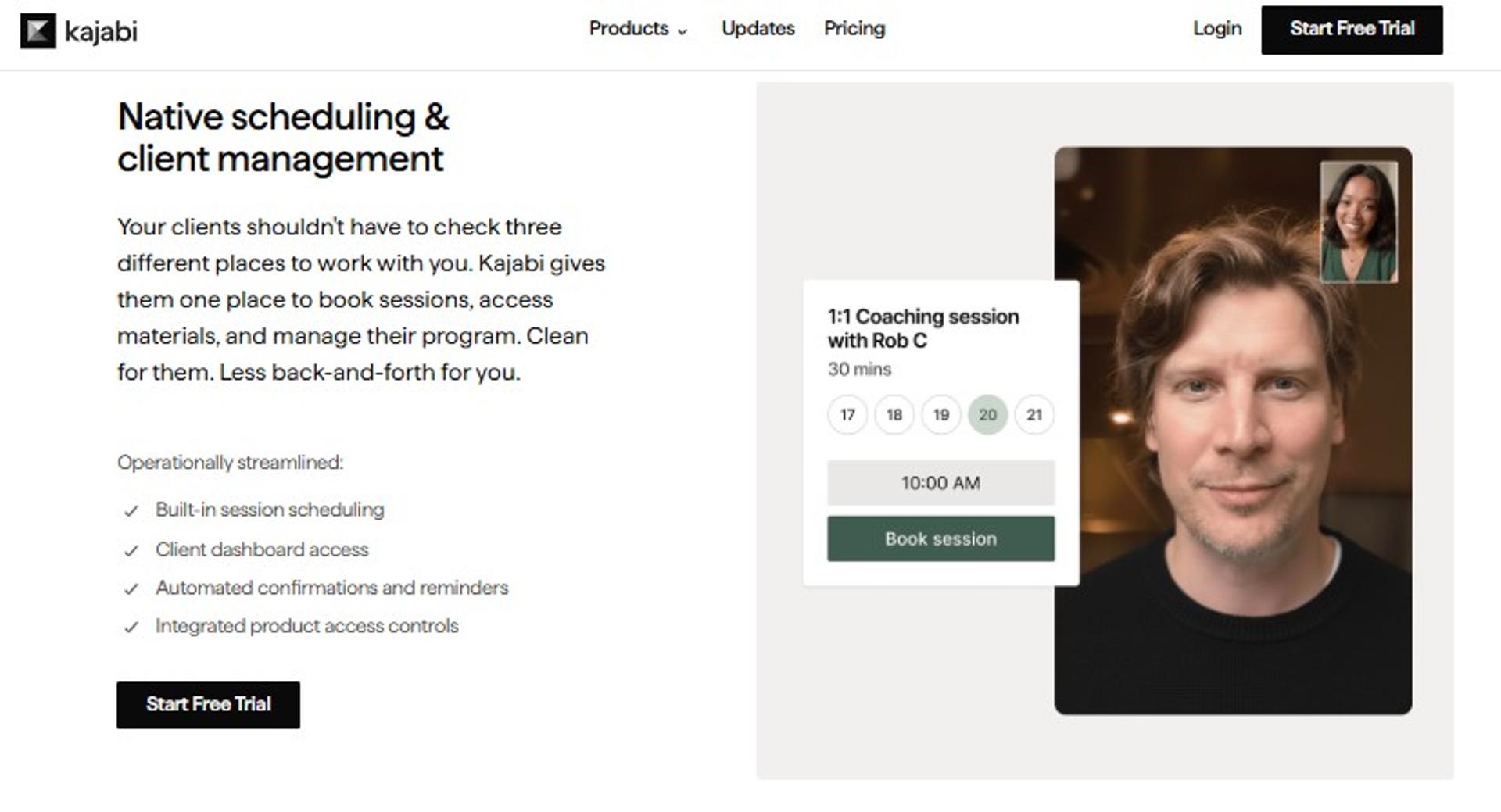
Kajabi is best for teachers whose course library needs weekly live coaching attached to it, because live coaching sessions and their recordings sit inside the course curriculum alongside checkout, email, and funnels, but it may not fit teachers who need evergreen webinar scheduling or a dedicated webinar room.
| Quick fit | Assessment |
|---|---|
| Best for | Course sellers running recurring coaching calls beside modules |
| Skip if | You need just-in-time evergreen sessions or a broadcast-grade room |
| Strongest edge | Course, community, email, checkout, and coaching in one subscription |
| Biggest trade-off | Webinar delivery is a coaching feature, not a webinar engine |
| Pricing snapshot | Basic $179 per month ($143 annual), Growth $249 ($199 annual), Pro $499 ($399 annual) |
Why Kajabi ranks #3
📚 It wins on course structure, not on delivery
Kajabi scores well on monetization, funnel pages, and stack consolidation. Growth at $249 per month covers 50 products, 25,000 contacts, unlimited funnels, and 500 AI credits. That covers most of what a teacher needs after the class ends.
It loses points on format coverage. There is no simulated live tier, no just-in-time delivery, and no evergreen webinar scheduling that fires a session minutes after signup. EasyWebinar and Kajabi are complements more often than rivals, which is why teachers often pair a course host with an automated webinar engine.
💰 Payment rates move with the plan
Kajabi Payments runs 2.9% plus $0.30 on Basic and drops to 2.7% plus $0.30 on Pro. Third-party processors add 2% on Basic and 0.5% on Pro. For a teacher selling a $997 cohort, that spread is real money, and it is the same math we walk through in our guide on webinars to sell online courses effectively.
What Kajabi does well
- Puts coaching inside the course ✅ Live calls and their recordings appear in the curriculum, so students never hunt for a link.
- Removes the page builder bill 💰 Unlimited landing pages, funnels, and marketing emails on every tier.
- Scales the contact list 📊 Contacts run 2,500 to 100,000 across the three plans.
- Ships a branded app 📱 The branded mobile app is included on Pro, listed at a $199 per month value.
- Handles checkout natively 💳 Checkout pages, custom domains, and affiliate programs come standard.
Where Kajabi falls short
- No evergreen or simulated live webinar formats, so a repeated class stays manual or becomes a passive replay.
- Basic is capped at 5 products, 2,500 contacts, and 0 AI credits.
- Live session tooling is lighter than dedicated webinar rooms on production controls.
- Entry pricing at $179 per month is high for a teacher running one class a month.
Decision scorecard
| Evaluation criterion | Kajabi fit | Why it matters |
|---|---|---|
| Live webinars | Partial | Live coaching calls, not broadcast-scale webinars |
| Simulated live | Weak | No scheduled playback of a recorded session |
| Evergreen automation | Weak | No just-in-time or time-zone-adjusted delivery |
| Funnel pages | Strong | Unlimited funnels and landing pages on all plans |
| Engagement | Partial | Community and comments, lighter in-session tooling |
| CRM and follow-up | Partial | Contacts, automations, and webhooks, no webinar-level scoring |
| Monetization | Strong | Checkout, affiliates, payment plans, and tiered processing rates |
| Analytics | Partial | Product and revenue reporting, limited attendee drop-off view |
| Integrations | Strong | Third-party integrations, API included on Pro |
| Pricing fit | Partial | Strong value if you use the whole suite, costly if you do not |
Best for / skip if
Choose Kajabi if your paid course is the product and live calls are the retention layer. Skip it if the class itself must run automatically for students in other time zones.
4. Riverside
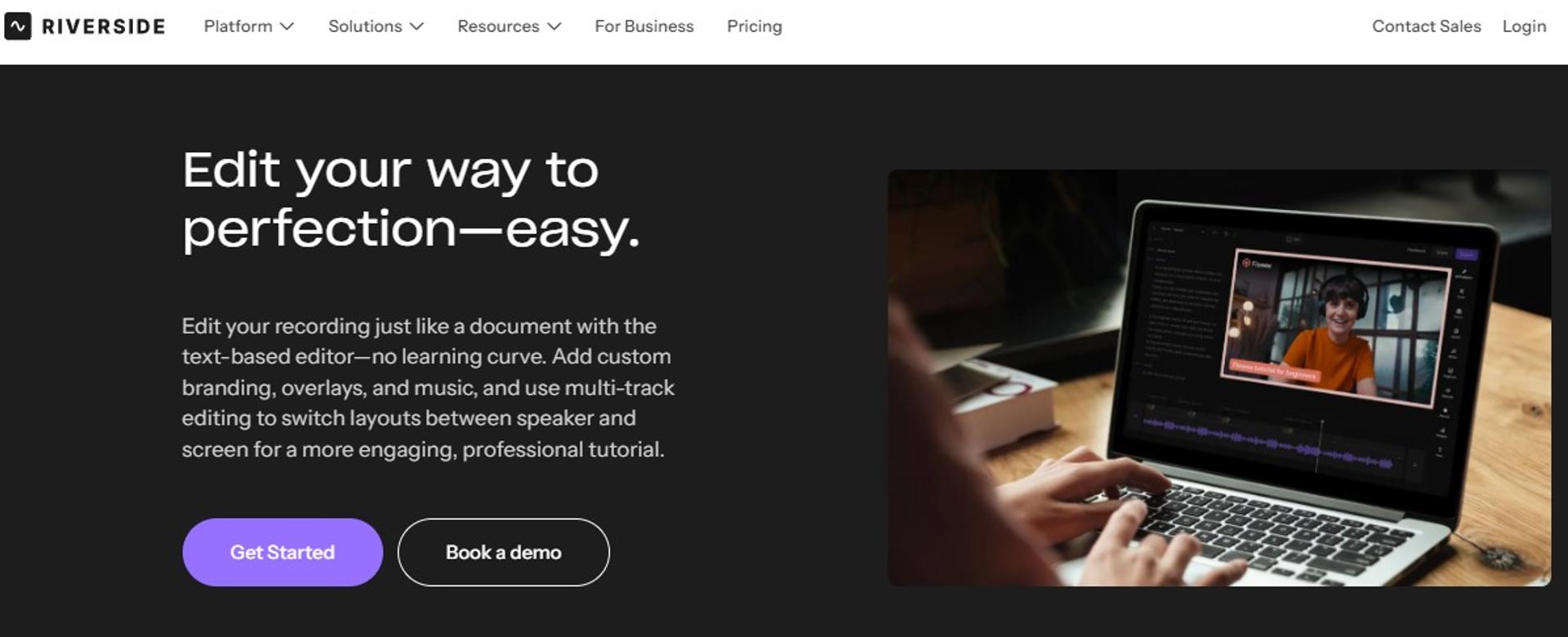
Riverside is best for teachers who repurpose class recordings into clips and lessons, because it records every participant locally in up to 4K and edits from a transcript, but it may not fit teachers who need evergreen scheduling, in-session checkout, or more than 100 registrants.
| Quick fit | Assessment |
|---|---|
| Best for | Educators building a content library from recorded sessions |
| Skip if | You expect over 100 registrants or need payments inside the session |
| Strongest edge | Local multi-track recording holds quality when internet dips |
| Biggest trade-off | Registration caps at 100, and CRM sync is HubSpot only |
| Pricing snapshot | Free tier; Pro $29 per month ($24 annual); Grow $39 ($34); Webinar $99 ($79 annual) |
Why Riverside ranks #4
🎥 Recording quality is the reason to buy it
Riverside records each participant's audio and video locally, then uploads the files, so a shaky connection does not ruin the class archive. The Webinar plan adds registration forms, branded reminders, Q&A, polls, analytics, and the ability to pre-record and stream a session, which is the same principle behind a simulated live webinar.
Capacity is where the ranking stops. The self-serve Webinar tier supports up to 100 registrants, and Salesforce or Marketo sync requires the custom Business plan.
⏰ Where the time savings land
The Webinar plan at $99 per month includes three studios and 25 hours of separate-track downloads. AI clip and transcript tools turn one class into short lessons without a separate editor. My read is that Riverside pays for itself on content output, not on conversion, and our technical setup guide for recording a webinar covers the equipment side of that trade.
What Riverside does well
- Protects the archive 📄 Local 4K recording and 48 kHz audio survive weak connections.
- Runs pre-recorded sessions on a schedule ⏰ The Webinar tier plays a recorded class with Q&A and polls running alongside.
- Cuts editing work ✂️ Text-based editing, Magic Clips, filler-word removal, and transcripts are included on Pro and up.
- Streams everywhere 📡 Grow adds 1080p multistreaming to unlimited destinations plus custom RTMP.
- Feeds one CRM 📊 Native HubSpot sync pushes registrants into follow-up sequences.
Where Riverside falls short
- The 100-registrant ceiling on the self-serve Webinar plan blocks larger classes.
- No evergreen just-in-time delivery, so time-zone-spread students get a fixed slot.
- No in-session checkout, so selling a program still needs another tool.
- Webinar features sit behind the top self-serve tier at $99 per month.
Decision scorecard
| Evaluation criterion | Riverside fit | Why it matters |
|---|---|---|
| Live webinars | Partial | Strong quality, capped at 100 registrants |
| Simulated live | Partial | Pre-recorded sessions stream on schedule |
| Evergreen automation | Weak | No just-in-time or recurring evergreen slots |
| Funnel pages | Partial | Branded registration forms, no full funnel paths |
| Engagement | Strong | Q&A, live call-ins, polls, and reactions |
| CRM and follow-up | Partial | Branded reminders plus HubSpot sync only |
| Monetization | Weak | No native checkout or paid ticketing |
| Analytics | Partial | Webinar analytics without revenue attribution |
| Integrations | Partial | Publishing integrations broad, CRM coverage narrow |
| Pricing fit | Strong | $79 per month annually is competitive for the recording depth |
Best for / skip if
Choose Riverside if the recording is the asset and your class stays under 100 registrants. Skip it if the class needs an offer, a checkout, or automated re-runs.
Reviews
Educators in teaching communities single out session smoothness rather than funnel features.
"I've experimented with several platforms, and in my experience, Riverside stands out as the most seamless option for educational webinars."- r/edtech commenter, r/edtech Reddit Thread
5. Circle
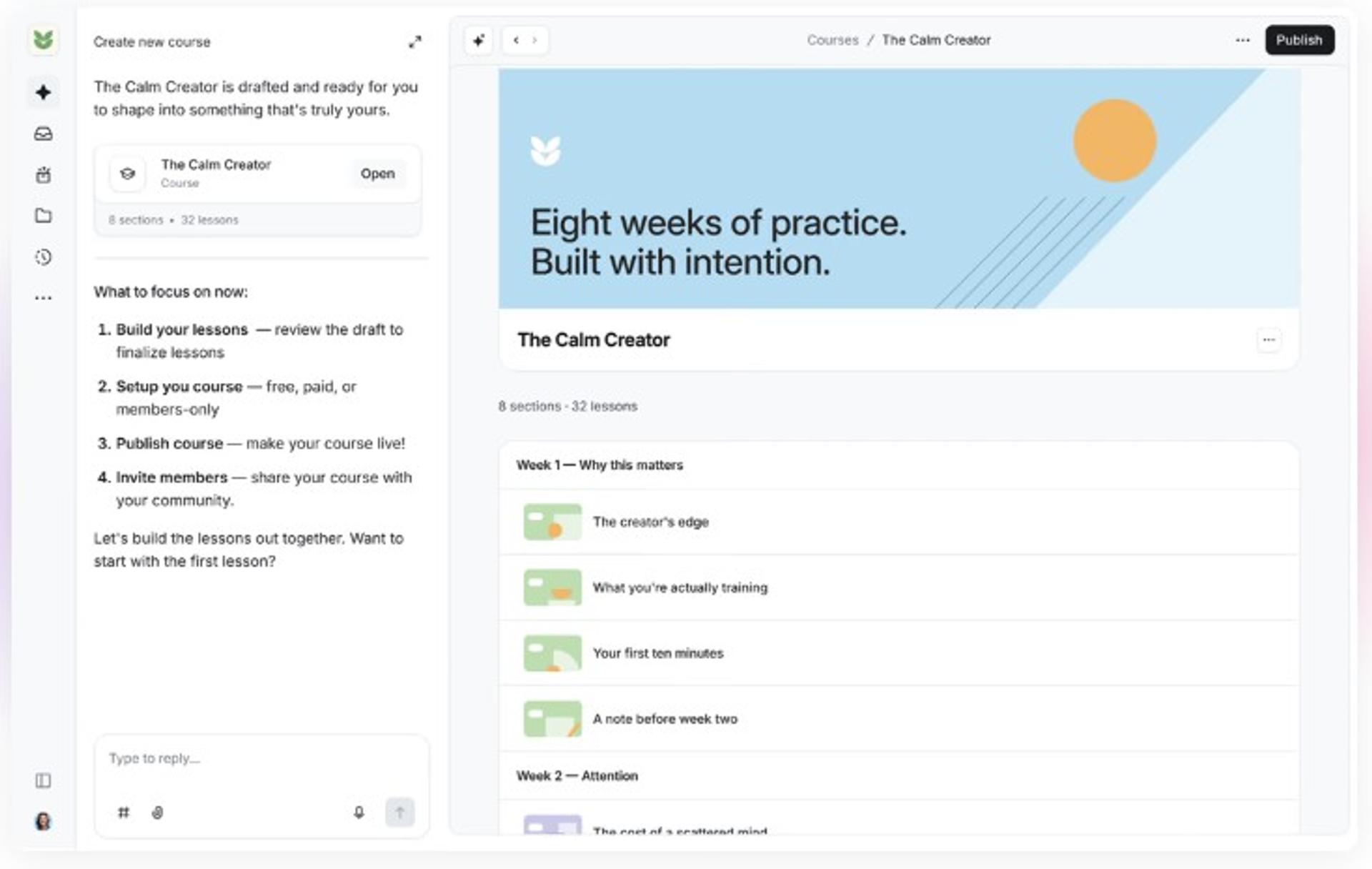
Circle is best for cohort leaders whose learning happens in discussion, because courses, events, live rooms, and live streams sit inside one member space with gamification and paid memberships, but it may not fit teachers who need webinar-grade production or automated evergreen sessions.
| Quick fit | Assessment |
|---|---|
| Best for | Cohorts where discussion between sessions carries the learning |
| Skip if | You need broadcast production controls or evergreen scheduling |
| Strongest edge | Conversation, courses, and events in one member home |
| Biggest trade-off | Event tooling is lighter than a dedicated webinar room |
| Pricing snapshot | Professional $89 per month, Business $199, Circle Plus custom; Email Hub adds $99 per month at 10,000 contacts |
Why Circle ranks #5
💬 Community is the product, class is a feature
Circle's Professional plan at $89 per month includes unlimited members, courses, events, live streams, live rooms, paid memberships, and gamification. For a teacher whose cohort talks daily, that beats bolting a forum onto a webinar tool. Our notes on building virtual engagement with webinar networking features cover where community and live delivery overlap.
Format coverage is the gap. There is no simulated live tier and no just-in-time delivery, which is the mechanic that starts a session minutes after a student registers at peak interest.
🔒 What unlocks higher up
Business at $199 per month adds workflows, admin and member APIs, branded email notifications, automated transcriptions, and activity scores. Custom single sign-on and AI agents sit on Circle Plus. IT leads usually ask for that SSO line before approving student access, alongside GDPR compliance documentation.
What Circle does well
- Keeps students in one place ✅ Courses, discussions, and events share a single login and member directory.
- Rewards participation 🎮 Gamification and activity scores surface who is engaging and who is drifting.
- Charges for access natively 💰 Paid memberships and payment migration services are included from Professional.
- Runs sessions in-platform 📹 Live streams and live rooms cover class delivery without a separate room link.
- Extends by API 🔧 Admin and Headless Member APIs on Business support custom student flows.
Where Circle falls short
- Event and stream tooling lacks backstage production control for larger classes.
- Email marketing sits in a paid Email Hub add-on starting at $99 per month for 10,000 contacts.
- No evergreen webinar scheduling, replay funnels, or in-session timed offers.
- SSO requires the custom-priced Circle Plus tier.
Decision scorecard
| Evaluation criterion | Circle fit | Why it matters |
|---|---|---|
| Live webinars | Partial | Live rooms and streams, not broadcast-scale events |
| Simulated live | Weak | No scheduled playback with live chat |
| Evergreen automation | Weak | No just-in-time delivery |
| Funnel pages | Partial | Website builder and custom domain, no replay funnels |
| Engagement | Strong | Discussions, events, gamification, and member profiles |
| CRM and follow-up | Partial | Activity scores and workflows on Business |
| Monetization | Strong | Paid memberships and course sales built in |
| Analytics | Partial | Community reporting, limited session-level data |
| Integrations | Strong | APIs, MCP, and workflows on Business |
| Pricing fit | Partial | $89 entry is fair, add-ons raise the real bill |
Best for / skip if
Choose Circle if the cohort conversation matters as much as the class. Skip it if you need a production-grade room or automated re-runs of a proven session.
6. Skool
Skool is best for teachers bundling a community, a course, and a live call calendar at one flat price, because Pro at $99 per month covers unlimited members, courses, videos, and live calls with a 2.9% transaction fee, but it may not fit teachers who need layout control or multiple communities in one account.
| Quick fit | Assessment |
|---|---|
| Best for | Solo teachers running one gamified community with weekly calls |
| Skip if | You run several distinct programs or need custom page design |
| Strongest edge | One flat fee covering community, courses, and unlimited live calls |
| Biggest trade-off | Fixed layout, and each community needs its own account |
| Pricing snapshot | Hobby $9 per month with a 10% transaction fee; Pro $99 per month with a 2.9% fee; 2 months free yearly |
Why Skool ranks #6
🎯 Simplicity is the whole argument
Skool's Pro plan at $99 per month includes unlimited members, courses, videos, and live calls, plus a custom URL and affiliates. There is nothing to configure across tools. For a first paid cohort, that removes the biggest reason launches stall.
The Hobby plan at $9 per month looks cheap until you read the 10% transaction fee. On $3,000 of monthly sales, that fee costs more than Pro.
⚠️ Where it stops being enough
Skool has no webinar formats beyond live calls, no registration funnel, and no evergreen scheduling. EasyWebinar sits at the other end of that trade: more moving parts, and a proven class that can re-run without you. Pick based on whether your class needs to sell, and compare the two paths in our webinar funnel walkthrough.
What Skool does well
- Prices predictably 💰 One flat fee, unlimited members and courses, no seat math.
- Cuts the fee at Pro 💸 Transaction fees drop from 10% to 2.9% when you upgrade.
- Drives participation 🏆 Leaderboards and gamification give students a reason to return.
- Hosts unlimited live calls ⏰ Weekly cohort calls carry no session cap.
- Pays affiliates 🤝 Affiliate tooling is included on both plans.
Where Skool falls short
- Fixed layouts limit branding and page structure for teachers who want control.
- Separate accounts are required to run multiple distinct communities.
- No registration pages, reminder sequences, replay funnels, or in-session offers.
- The Hobby tier's 10% transaction fee gets expensive fast.
Decision scorecard
| Evaluation criterion | Skool fit | Why it matters |
|---|---|---|
| Live webinars | Partial | Unlimited live calls, no broadcast controls |
| Simulated live | Weak | No scheduled playback of a recorded class |
| Evergreen automation | Weak | No just-in-time or recurring automated sessions |
| Funnel pages | Weak | About page only, no registration or replay pages |
| Engagement | Strong | Gamified feed, leaderboards, and discussion |
| CRM and follow-up | Weak | No attendee scoring or segmented follow-up |
| Monetization | Strong | Payments and affiliates on both plans |
| Analytics | Weak | Community-level view only |
| Integrations | Weak | Limited native integrations |
| Pricing fit | Strong | $99 flat covers community, course, and calls |
Best for / skip if
Choose Skool if you want one price, one login, and a cohort that shows up for calls. Skip it if the class needs registration funnels, reminders, or automated delivery.
7. Stan Store
Stan Store is best for teachers selling workshops straight from Instagram or TikTok, because a link-in-bio storefront hosts courses, bookings, and checkout at $29 per month with a 0% platform fee, but it may not fit teachers who need live production tools or automated webinar delivery.
| Quick fit | Assessment |
|---|---|
| Best for | Social-first teachers selling a workshop or mini course from a bio link |
| Skip if | You need a real webinar room, evergreen scheduling, or attendee analytics |
| Strongest edge | Mobile checkout with zero platform fee on sales |
| Biggest trade-off | Email flows and funnels only exist on the $99 tier |
| Pricing snapshot | Creator $29 per month ($300 per year); Creator Pro $99 per month ($948 per year); 14-day trial |
Why Stan Store ranks #7
📱 It removes friction, not delivery work
Stan Store's Creator plan at $29 per month covers the storefront, digital products, courses, bookings, and email signup collection. Students buy on a phone in two taps. For a teacher with an audience and no funnel, that is often the fastest first sale, and our paid webinars feature solves the same problem from inside the session.
The ceiling arrives quickly. Email flows, upsells, funnels, discount codes, and affiliate tools require Creator Pro at $99 per month.
💸 The fee math actually favors it
Stan takes 0% of sales on both plans, leaving only Stripe's processing fee. Compare that to Skool's 10% Hobby fee, and the flat subscription wins above roughly $1,000 in monthly sales. Teachers weighing platform cost against revenue per class will find the same arithmetic in how to make money with webinars.
What Stan Store does well
- Sells on mobile ✅ Checkout is built for phone traffic from social bios.
- Keeps the margin 💰 0% platform fee on both plans, only processor fees apply.
- Hosts the course too 📚 E-courses, subscriptions, and bookings live in the same store.
- Starts cheap ⏰ $29 per month, or $300 billed annually.
- Adds the marketing layer later 📧 Creator Pro brings email flows, funnels, upsells, and pixel tracking.
Where Stan Store falls short
- No live webinar room, polls, timed offers, or attendee drop-off data.
- No evergreen scheduling, so a repeated class means repeating the work.
- Creator at $29 includes no email automation, only signup collection.
- No free plan, and the trial requires payment details.
Decision scorecard
| Evaluation criterion | Stan Store fit | Why it matters |
|---|---|---|
| Live webinars | Weak | No native webinar room |
| Simulated live | Weak | No scheduled playback |
| Evergreen automation | Weak | No just-in-time delivery |
| Funnel pages | Partial | Storefront and product pages, funnels on Pro only |
| Engagement | Weak | No in-session interaction tooling |
| CRM and follow-up | Partial | Email flows on Creator Pro at $99 |
| Monetization | Strong | 0% platform fee, bookings, subscriptions, and payment plans |
| Analytics | Partial | Store and pixel data, no attendee analytics |
| Integrations | Partial | Payment and pixel integrations, limited CRM depth |
| Pricing fit | Strong | $29 entry is the lowest on this list |
Best for / skip if
Choose Stan Store if your audience already lives on social and you need checkout today. Skip it if the class itself needs a room, engagement tooling, or automated re-runs.
8. Webflow + Outseta + Circle
The Webflow plus Outseta plus Circle stack is best for technical masterclasses that need full design control and owned student data, because Webflow builds the pages, Outseta handles authentication, CRM, and billing, and Circle delivers the cohort, but it may not fit teachers without developer help.
| Quick fit | Assessment |
|---|---|
| Best for | Technical educators who need custom pages and data ownership |
| Skip if | You do not have a developer or want one bill and one login |
| Strongest edge | Total control over design, access, and student records |
| Biggest trade-off | Three vendors, three failure points, and integration upkeep |
| Pricing snapshot | Webflow Basic $15 per month yearly ($25 monthly) or Premium $25 ($39 monthly); Outseta Founder $37 per month annual ($47 monthly) plus 2% transaction fee; Circle Professional $89 |
Why this stack ranks #8
🔧 Control is real, and so is the upkeep
The stack scores highest on customization and lowest on everything a teacher does weekly. Combined entry cost lands around $141 per month annually, before Outseta's 2% transaction fee and Circle's Email Hub add-on. That is competitive on paper.
The cost that does not appear on any invoice is maintenance. When registration breaks at 6:50pm, three vendors each own one piece of the problem, which is the case for consolidating onto webinar registration software that owns the whole path.
⚠️ The trap I keep watching teachers walk into
Custom builds and self-hosted course sites drain the energy that should go into teaching. I have watched educators spend six months on infrastructure and zero months validating that anyone wanted the class. EasyWebinar's read is that the stack question is really a time question, and teachers usually undercount the hours.
What this stack does well
- Designs anything ✅ Webflow Premium at $25 per month yearly adds full CMS with 20,000 items.
- Owns the student record 🔒 Outseta bundles CRM, authentication, protected content, billing, email, and a help desk in one subscription.
- Charges no seat fees 💰 Outseta has no per-user pricing, so co-teachers cost nothing extra.
- Delivers the cohort properly 📚 Circle handles courses, events, and discussion for the teaching layer.
- Scales contacts predictably 📊 Outseta tiers run 1,000 to 50,000 contacts, $37 to $397 per month annually.
Where this stack falls short
- Three subscriptions, three support queues, and no single owner when something breaks.
- No webinar room, no engagement tooling, and no evergreen scheduling anywhere in the stack.
- Outseta adds a 2% transaction fee on the entry plan, dropping to 1% higher up.
- Requires developer time to wire and maintain the connections.
Decision scorecard
| Evaluation criterion | Stack fit | Why it matters |
|---|---|---|
| Live webinars | Weak | No native room, needs a fourth tool |
| Simulated live | Weak | Not available in any stack component |
| Evergreen automation | Weak | No just-in-time delivery |
| Funnel pages | Strong | Webflow gives unlimited design control |
| Engagement | Partial | Circle discussion, no in-session interaction layer |
| CRM and follow-up | Strong | Outseta CRM, email, and help desk included |
| Monetization | Strong | Stripe payments and memberships via Outseta |
| Analytics | Partial | Per-tool reporting, no unified attendee view |
| Integrations | Strong | Webhooks, MCP, and API access on all Outseta plans |
| Pricing fit | Partial | Low base cost, higher maintenance cost |
Best for / skip if
Choose this stack if design control and data ownership outweigh operational simplicity, and a developer is on call. Skip it if you teach weekly and cannot afford a broken link at 6:50pm.
EasyWebinar sits at position one on this list for a narrow, checkable reason: it is the only entry that covers live delivery, simulated live with real-time chat, evergreen just-in-time scheduling, registration pages, in-room checkout, and EasyCRM follow-up inside one $116 per month Growth plan, as published on our webinar pricing page. The other seven each win a column. They do not win the whole workflow, and the compare webinar platforms hub shows that column by column.
Q2. How were these platforms scored, and which ones actually hold up under a live class?
Each platform scored out of 100 on five weighted criteria: Format Range (25%), Stream Reliability and Production Control (20%), Student Engagement Depth (20%), Monetization and Follow-Up Automation (20%), and Pricing Transparency (15%). Stars follow twenty-point bands. EasyWebinar scored 93 out of 100, which places it in the five-star band. Reliability is scored here rather than assumed, because lifetime review averages hide recent drift.
🧮 Why these five weights, and not a feature checklist
Format range carries the most weight because it maps to the failure I see most. A teacher buys a live-only tool, then runs the same class weekly for two years and burns out. Our guide to live vs automated webinars covers that trade in detail.
Reliability and follow-up automation share equal weight for a simpler reason. A class that streams cleanly but never emails a replay still loses the student.
| Platform | Score | Stars | What decided the score |
|---|---|---|---|
| EasyWebinar | 93 | ⭐⭐⭐⭐⭐ | All three formats, native CRM, in-room checkout |
| Zoom Webinars Plus | 78 | ⭐⭐⭐⭐ | Stream stability and scale, weak follow-up layer |
| Kajabi | 72 | ⭐⭐⭐⭐ | Strong monetization, no evergreen webinar tier |
| Riverside | 66 | ⭐⭐⭐⭐ | Recording quality, 100-registrant ceiling |
| Circle | 58 | ⭐⭐⭐ | Community depth, light event production |
| Skool | 55 | ⭐⭐⭐ | Flat pricing, no registration funnel |
| Stan Store | 48 | ⭐⭐⭐ | Fast checkout, no webinar room |
| Webflow + Outseta + Circle | 40 | ⭐⭐ | Full control, three vendors to maintain |
⚠️ The three failure modes reliability actually measures
- The stream drops. Visible, embarrassing, and the one teachers fear most.
- The stack breaks quietly. As Jon Penberthy puts it, funnels start to look like a subway map, and then links stop working and emails stop firing.
- The follow-up never fires. Registration data sits in a tool that cannot trigger anything, so the replay goes out late or not at all.
Mode two and three cost more than mode one. Nobody notices them during class, which is why we treat webinar marketing automation as part of reliability rather than a separate feature set.
📉 Read ratings on a rolling window, not a lifetime average
Demio's lifetime G2 average sits at 4.7 out of 5, while its 2026 rolling three-month slice reads 4.1, with feature completeness at 7.2. Same product, two very different stories. Zoom Events and Webinars holds 4.5 from 413 G2 reviews, GoToWebinar 4.2, and Webex 4.3. Our webinar platform reviews hub tracks those shifts by quarter.
That gap is why every rating here carries a capture date. EasyWebinar's scoring method reads the most recent 90 days of reviews first, then the lifetime average as context, and you can read the unfiltered set on our customer reviews page.
Reviews
Reliability complaints cluster around the automation layer rather than the video itself.
"The automated email sequences are full of bugs, and customer support is extremely unhelpful."- Verified User in Translation and Localization, Zoom G2 - Verified Review, 0.5/5, May 2024
The same standard applies to the platform I built, and its own reviewers name the gap.
"I would like my registrants to be able to see their own time zone when they register on the plan that I am paying for."- Jennifer B., EasyWebinar G2 - Verified Review, 5/5, Apr 2025
🔍 What this scoring does not cover
I built one of these platforms, so read the rubric with that in mind. Scores reflect published pricing, documented features, and reviews captured in September 2026. Nobody load-tested 10,000 concurrent students. Support response times were not stopwatch-timed.
EasyWebinar loses points on the same rubric as everyone else, specifically on registrant time-zone display and screen layout control, both flagged by its own G2 reviewers rather than by a competitor. The full feature set behind each score sits on our all features page.
Q3. Should you teach live, simulated live, or evergreen?
Teach live until the class works, then automate the version that works. Run 5 to 10 live sessions, fix the content and the offer, and graduate only after clearing 10% attendee-to-buyer conversion. Simulated live keeps real-time chat, polls, and timed offers on a fixed schedule. EasyWebinar's Evergreen tier adds just-in-time delivery, which starts a session minutes after a student registers, plus time-zone-adjusted slots and an async question box.
📚 The taxonomy, stated plainly
Automated is the umbrella term. Only two tiers sit under it: Simulated Live and Evergreen. Treating "automated" as a third sibling is where most comparison articles go wrong, and our explainer on the simulated live webinar format draws the line clearly.
Live and Simulated Live both run on fixed or fixed-recurring times in a single time zone. Just-in-time, time-zone-adjusted delivery, multiple daily slots, instant replay, and on-demand belong to Evergreen only.
| Format | Scheduling | Engagement layer |
|---|---|---|
| Live | Fixed or fixed recurring, one time zone | Real-time chat, polls, timed offers, and Q&A |
| Simulated Live | Fixed or fixed recurring, one time zone | Real-time chat, polls, and timed offers |
| Evergreen | Just-in-time, time-zone-adjusted, multi-slot | Async question box, pre-set polls, and offers |
⚖️ Both camps are right, for different students
The live camp has real data behind it. Direct-response operators report that some high-ticket buyers attend two or three sessions before purchasing, and cold traffic responds better to a real room. That is the case for live webinar software with genuine interaction.
The evergreen camp has the honest counterpoint. Weekly live sessions eat your calendar, and show-up rates on the tenth repeat of the same class fall off a cliff.
💰 The gate that settles it
My own weekly baseline was 60 registered, 30 attending, and 3 buying a $1,000 program. That is $12,000 a month from one class. The gate matters because automating a class that converts at 2% just automates the 2%.
So the rule I hold teachers to is simple. Hit 10% attendee-to-buyer live, then promote that exact session. EasyWebinar keeps all three tiers in one account, so the graduation is a toggle rather than a rebuild, and the evergreen sales funnel guide shows what the promoted version looks like.
⏰ What hybrid actually means
Hybrid is one session that starts live, plays a pre-recorded segment, then returns to live for Q&A. It is not a mix of separate funnels. I use it when the teaching portion is settled but the questions still change every cohort.
Reviews
Teachers who convert well live hit a capacity wall, not a conversion wall.
"I convert really well with live webinars, but I can't be everywhere at once."- Ash A., Owner, EasyWebinar G2 - Verified Review, 5/5, Mar 2026
Peer operators still default to live rooms for cohort teaching, and say so plainly.
"Zoom is your best option for Live classroom. Mainly because it's a familiar platform."- r/smallbusiness commenter, r/smallbusiness Reddit Thread
EasyWebinar's read is that the format war is a sequencing question, not a preference. Automation multiplies whatever the live class already does, including the parts that do not work. The pre-recorded webinar platforms vs live comparison covers where each side wins.
Q4. Which engagement features keep students in the room and finishing the course?
Stop saving interaction for the end. Ask a chat question inside the first two minutes, then place a poll, hand-raise, or prompt every 8 to 10 minutes. Completion on video-only courses averages 5 to 10%, because raw video now accounts for roughly 15% of what students actually buy. Structure, community, done-for-you tools, and accountability carry the rest.
🎤 The 45-plus-15 format trains students to lurk
Most teaching sessions run 45 minutes of talking, then 15 minutes of questions. Community strategist Jono Bacon asks the obvious question: why reserve all the interaction for the end?
By minute 20, a silent attendee has settled into watching television. Getting them back costs more than never losing them, which is the whole argument for interactive webinars that drive 5x engagement.
⏰ The cadence I run, in order
- Minute 1 to 2: ask one yes or no question and tell students to type it in chat.
- Minute 10: run a poll that reveals where the group actually stands.
- Minute 20: take one live question by hand raise, not by chat.
- Minute 30: a second poll, framed as a self-diagnosis.
- Minute 40: name what you are covering next and why it matters.
The first prompt is the one that matters. Ask something with a story attached, not a survey question.
| Capability | Live | Simulated Live | Evergreen |
|---|---|---|---|
| Real-time chat | Yes | Yes | Async question box |
| Polls and quizzes | Live | Live | Pre-configured |
| Hand raising | Yes | No | No |
| Moderated Q&A | Yes | Yes | Async |
| Timed offers | Yes | Yes | Pre-set |
| Attendance and drop-off data | Yes | Yes | Yes |
Across the eight platforms, breakout rooms and interactive whiteboards live mainly with Zoom Webinars Plus. Captions and transcripts appear on Zoom, Riverside, and Circle's Business tier. Engagement reports exist almost everywhere, but attendee drop-off timing does not, which is where webinar analytics earn their place.
📊 Where software stops helping
The five-pillar shift explains the ceiling. Education dropped from about 60% of the perceived offer value in 2016 to roughly 15% by 2025, with structure at 20%, support and community at 20%, done-for-you tools at 35%, and accountability at 10%.
No platform supplies structure or accountability. AI gives answers, and teachers give context, nuance, and belief. I might be reading the pillar data harder than it deserves, but the direction is not subtle.
✅ The three capabilities that actually move completion
- Attendance data with timing, so you know which minute lost people.
- Scheduled live checkpoints, because a date on a calendar beats a file in a library.
- Behavioral follow-up, triggered by what a student did, not by a blanket send.
EasyWebinar's Simulated Chat can carry chat from earlier sessions into a new event, so a recorded class keeps the feel of a full room. Attendee analytics then show who left early, and the follow-up fires on that behavior rather than on a flat list through our sales CRM.
Q5. What do webinar platforms for teachers actually cost?
Budget $26 to $49 a month at entry for 25 to 100 attendees, $79 to $199 for 100 to 500, and $200 or more for institution-scale capacity, with 15 to 20% off on annual billing. Community-first tools flatten that curve. Skool charges $99 a month all-in, and Stan Store charges $29 or $99. The cost that surprises teachers is the add-on layer sitting underneath the headline price.
💰 What each tool costs to start
Prices below are the published entry points as of September 2026, with the capacity or fee that actually defines the tier. Our own tiers are listed in full on the webinar pricing page.
| Platform | Entry price | What defines that tier |
|---|---|---|
| EasyWebinar | $44 per month (Launch) | 50 live attendees, live only; automation starts at $116 (Growth) |
| Zoom Webinars | About $66.67 per license monthly, billed annually | 300 attendees, plus a required Workplace Pro license at $14.16 per user |
| Kajabi | $179 per month ($143 annual) | 5 products, 2,500 contacts, 0 AI credits |
| Riverside | $29 per month (Pro) | Webinar tools require the $99 tier, capped at 100 registrants |
| Circle | $89 per month (Professional) | Email Hub costs a further $99 at 10,000 contacts |
| Skool | $9 per month (Hobby) | 10% transaction fee; Pro at $99 drops it to 2.9% |
| Stan Store | $29 per month (Creator) | Email flows and funnels require $99 Creator Pro |
| Webflow + Outseta + Circle | About $141 per month combined | Plus Outseta's 2% transaction fee on the entry tier |
💸 The add-on layer is where budgets break
A teacher rarely buys one thing. The common stack is a room, a polling tool, an email platform, a course host, and a scheduler. Four of those are included in the mid-tier plans on this list, which is why stack total beats seat price as a comparison. Our affordable webinar platforms breakdown runs the same math across cheaper tiers.
Run the arithmetic against traffic instead of against payroll. Paid ads to a high-ticket workshop cost roughly $8 to $12 per lead. At that rate, a $116 platform bill is about ten leads, and one $997 sale covers eight months of it.
⚠️ Where highly rated tools score lowest
Review subscores tell the honest story. Demio rates 4.8 on ease of use and 4.5 on value for money, which is the pattern across this category. Teachers like the product and question the invoice, and our EasyWebinar vs Demio comparison sets those subscores side by side.
EasyWebinar carries the same tension, and its own tier structure shows it. Automation, checkout, and CRM follow-up sit behind the $116 Growth plan, so a teacher who only wants a live room pays for a room and nothing more.
Reviews
Bundling is a genuine strength, and the support model is the recurring complaint attached to it.
"Basic functionality is ok, can be bundled with other Zoom services."- Pavel P., Zoom G2 - Verified Review, 1/5, Jan 2021
Billing continues whether or not the automation works, which is the cost line nobody forecasts.
"Continuous charges, despite the unresolved issues, which essentially made the tool unfit for use."- Verified User in Translation and Localization, Zoom G2 - Verified Review, 0.5/5, May 2024
⏰ My pricing lens, plainly stated
Measure the bill against one converted student, not against a monthly line item. Under $47, a lead magnet does the job. Under $197, a sales page works. Above $200, a class with an offer earns the subscription, especially when you run paid webinars with checkout inside the session.
EasyWebinar includes registration pages, reminder emails, replay pages, and CRM follow-up inside its plan price, which is why I ask teachers to compare stack totals rather than headline numbers. Simple stacks scale. Fancy ones fail quietly.
Q6. Do you need an LMS, and what should you check on joining, recordings, and student data?
If you teach live and sell a program, a webinar platform is usually enough. Add an LMS, meaning a learning management system that tracks coursework, when you need graded assignments, module progression, and completion records. Insist on browser-based joining with no download, because every install step costs attendees. Before recording, settle who can access the file, how long it stays up, and whether student identifiers leave your control. EasyWebinar publishes GDPR and data-processing terms and sets replay availability per event.
❌ Two traps I watch teachers walk into
The first is building the course site yourself. If someone sidetracks you into an LMS on WordPress, do not do it. Custom code drains the energy that belongs in teaching, unless you genuinely operate at enterprise scale.
The second is believing one vendor can be your community, CRM, email tool, video host, and storage. Platforms that promise all five usually deliver a thin version of each. My read is that consolidation helps until it starts costing you quality in the tool you use daily.
✅ The three architectures that actually work
| Architecture | Best fit | Tools from this list |
|---|---|---|
| Webinar platform alone | Live classes with an offer attached | EasyWebinar, Zoom Webinars Plus, Riverside |
| Webinar plus community | Cohorts that talk between sessions | Circle, Skool, EasyWebinar with either |
| Webinar plus LMS | Graded coursework and completion records | Kajabi, plus a room, connected by API or Zapier |
Check joining behavior before you commit. Attendees should join in a browser tab, on a phone, without an app install. Presenters can use an app; students should never have to. Our guide to webinars for edtech covers the access questions schools raise first.
⚠️ The student-data checklist
- Consent and notice. Tell students at the top of the session that you are recording, and where the file goes.
- Access control. Decide who can view the replay, and whether the link is public or gated.
- Retention window. Set an expiry date rather than leaving recordings up forever.
- Documentation. Ask for GDPR compliance terms, a data processing addendum, and SOC 2 Type II attestation if a school is involved.
- Captions and transcripts. Required for accessibility, useful for review.
For K-12 contexts in the United States, federal student privacy guidance covers recorded virtual instruction. The Department of Education publishes FERPA training modules on studentprivacy.ed.gov, which cost nothing and answer most questions a district will ask you.
⏰ Replay windows are revenue mechanics
A replay that never expires teaches students that nothing you schedule matters. I run a 72-hour window, then close it with two emails on day three: one in the morning saying the replay comes down today, and one a few hours before it does.
EasyWebinar handles that window as an event setting, so the replay closes on schedule rather than when you remember to close it. Write those closing emails yourself, though. Raw AI copy in a student reminder sequence reads exactly like what it is. The mechanics behind that window sit in our on-demand webinar platform explainer.
📊 What passes through to your other tools
Registration and attendance data should not be trapped. Ask any platform whether you can export registrants after cancelling, because at least one competitor in this category blocks that until you resubscribe.
EasyWebinar passes registration and attendance data onward through 13 CRM and email integrations, with native HubSpot and Salesforce connections on higher tiers. That matters most when the LMS, not the webinar room, is where the grading happens.
Q7. How do you fill the room and pick the platform for your exact teaching scenario?
Show rate is built before the session. Spend 80 to 90% of your registration page effort above the fold, since roughly 60% of visitors never scroll past it. Run about six emails on the day of the class, and keep the join link out of the SMS reminder. Then route by scenario. EasyWebinar fits a weekly live cohort that must also sell automatically, and Zoom Webinars Plus fits a lecture above 1,000 attendees.
⏰ The section of the page that carries everything
The area visible without scrolling is the only part every visitor sees. It needs the promise, the date, the time with a time zone, and one button. Nothing else earns space there. Our collection of webinar landing page examples that convert shows what that block looks like when it works.
I test one variable at a time in that block. Usually the headline, sometimes the time format. Cold traffic converting at 30% from page visit to registration is the direct-response baseline worth aiming at.
📧 The day-of cadence, and one link mistake
Across the two weeks before a class, plan 12 to 14 emails. On the day itself, that compresses to about six. Show rate moves more from that single day than from the previous fortnight, and our notes on how to improve webinar attendance break the sequence down email by email.
Keep the join link out of text reminders. When we tested SMS with the room link included, call booking dropped noticeably, because phone viewers watch with different intent than desktop viewers. Also promise a bonus delivered after the session, which holds roughly 80% of your peak audience through to the close.
| Your situation | Platform to shortlist |
|---|---|
| Weekly live cohort that must also sell automatically | EasyWebinar |
| Lecture above 1,000 attendees | Zoom Webinars Plus |
| Course library with weekly coaching calls | Kajabi |
| Recording quality above everything | Riverside |
| Community-led cohort | Circle or Skool |
| Selling a workshop from Instagram | Stan Store |
| Fully custom masterclass with a developer on call | Webflow plus Outseta plus Circle |
❌ Where each pick is wrong
EasyWebinar is the wrong call for one 30-minute class a year with no follow-up. Zoom is wrong when you need evergreen delivery, meaning sessions that start minutes after a student registers. Skool and Stan Store are wrong when the class needs reminder sequences and replay funnels. Line the shortlist up side by side on our compare webinar platforms hub.
Before any of that, build the curriculum on sticky notes. Write every teachable idea on its own note, order them, then group them into modules. Pick the tool that fits the shape you built, never the reverse.
Reviews
Time-zone clarity at registration is a show-rate lever, and teachers say so directly.
"I think it's important in improving the show-up rate."- Jennifer B., EasyWebinar G2 - Verified Review, 5/5, Apr 2025
Session smoothness still decides which room teachers return to.
"Riverside stands out as the most seamless option for educational webinars."- r/edtech commenter, r/edtech Reddit Thread
✅ The one thing to do this week
Run one live class. Not a perfect one. My first year of live sessions built a 14,000-person email list and $245,000 in course sales, and none of those sessions were polished.
EasyWebinar's registration, reminder, and replay emails ship inside the event, so the six-email day-of cadence above is configuration rather than a weekend project. You grow the audience by running the classes, not by preparing to run them, and the how to create webinars walkthrough covers the first setup end to end.
Frequently Asked Questions

Casey Zeman
Founder of EasyWebinar
About Author
Over the past decade, I've helped thousands of entrepreneurs, coaches, and consultants turn webinars into a predictable, powerful way to grow their audience, build trust, and scale, without the constant hustle. I created EasyWebinar because I couldn't find a system that combined authenticity, engagement, and automation the way I needed. So, I built one.
Related Posts

10 Best Community Engagement Platforms in 2026
Compare the 10 best community engagement platforms in 2026. Course creators, evaluate live hosting, analytics, and replay to pick your winner today.

10 Best Online Coaching Tools in 2026: Live Session Quality, Scheduling, Recording, and Client Engagement Analytics
Compare the 10 best online coaching tools of 2026 on session quality, scheduling, and analytics. Discover the right fit for your coaching revenue model.

10 Best Webinar Hosting Platforms Ranked by Uptime, Streaming Quality & Cost
Compare 10 webinar hosting platforms ranked by uptime, streaming quality, and cost. Discover which tool actually turns attendees into revenue.
Turn every webinar into a revenue stream
Launch your first paid event in just a few clicks - and start monetizing your expertise.
Book a Call