11 Best Webinar Marketing Platforms to Generate & Convert Leads (2026)

Casey Zeman
Published on Jul 24, 2026 • 44 min read
TL;DR
- We rank the 11 best webinar marketing platforms in 2026 by conversion capability, not stream polish, because a packed room that buys nothing is a hobby, not a funnel.
- EasyWebinar ranks first for combining live, automated, simulive, and just-in-time formats with a native CRM and in-webinar checkout in one system.
- We score every tool on conversion depth, automation flexibility, engagement, integrations, and pricing transparency, then map the totals to star ratings.
- Live webinars still convert hardest, so we run 5 to 10 live sessions to roughly 10% buyer conversion before automating the winner into evergreen.
- Pick by offer price: under $47 use a lead magnet, over $200 you need a webinar and a platform that converts, plus enterprise checks like SOC 2, SSO, and API.
- Consolidating pages, email, SMS, CRM, storage, multistream, and payments can save $600 to $1,000 a month, but consolidate the funnel, not the universe.
Q1. What Are the 11 Best Webinar Marketing Platforms to Generate & Convert Leads in 2026?
The 11 best webinar marketing platforms in 2026 are EasyWebinar (live plus automated conversion), Livestorm (browser-based demand gen), Demio (engagement), ON24 (enterprise attribution), Goldcast (B2B/ABM), BigMarker (branded automation), WebinarJam/EverWebinar (sales close), eWebinar (pure automated), Zoom Webinars (reliable scale), GoTo Webinar (training), and Zoho Webinar (budget). Pick by whether you need a tool to stream, or a webinar platform that actually converts leads into buyers.
📉 Stop Ranking Tools by How Pretty They Stream
Here’s the thing most “best webinar software” lists get backwards. They rank on stream polish and UI, not on money.
Most of you have no clear idea what breaks when you try to make real money on a webinar. Your cost per lead, show rate, and booking rate end up all over the place. That randomness is not a you problem. It’s usually a tooling problem.
I’ve run and consulted on 100-plus webinars that generated eight figures combined. What I’ve learned is blunt: live webinars convert hard, and automation often gets nerfed when the platform can’t hold the funnel together. So this guide ranks by conversion capability, not by who has the shiniest room.
🧭 How to Read This Guide
Treat this like a procurement shortlist, not a highlight reel. You (the operator running webinars weekly) are the primary reader. But your buying committee is watching too.
- The CFO wants to know if one platform replaces five line items.
- The RevOps or marketing lead wants attendee data flowing into the sales CRM.
- The IT director wants reliability, SOC 2, and SSO before signing.
We evaluated 11 vendors against defined criteria below. The goal is to help you cut the list to 2 or 3 for real evaluation. If you want a broader view, our best webinar software comparison guide covers more context.
Our Evaluation Criteria
Webinar Format Coverage 🎥
Whether the tool runs live, simulated live (a recording streamed on a schedule with live-style chat), automated, evergreen, and on-demand replay.
Time to Launch ⏰
How fast you can build pages, create the event, and set up automation, including AI-assisted funnel creation.
Engagement Depth 💬
Chat, polls, Q&A, timed offers, and CTAs that actually fire during the session.
Funnel and Conversion Workflow 🔁
Registration pages, thank-you pages, replay pages, offers, checkout, and follow-up paths built in.
CRM and Follow-Up Readiness 📇
Native CRM, lead scoring, attendee tagging, and segmented follow-up, plus clean CRM and email integrations.
Monetization Support 💰
Paid or ticketed webinars, in-webinar offers, and native checkout without a redirect.
Analytics and Attribution 📊
Visibility into registration, attendance, engagement, offer clicks, and replay behavior.
Reliability, Support, and Scale ⚙️
Streaming stability, attendee capacity, compliance, and the support model when something breaks at 2pm.
Who This Guide Is For
- Coaches and course creators turning teaching webinars into repeatable sales funnels.
- Marketing teams using webinars for lead generation, nurture, and pipeline acceleration.
- Revenue operators checking whether webinar data flows into CRM, scoring, and follow-up.
- Founders and consultants replacing disconnected tools for hosting, pages, email, checkout, and follow-up.
- Buying-committee readers: CFOs validating consolidation, IT leaders checking reliability and security, and marketing heads assessing funnel performance.
At-a-Glance Comparison
Pricing is indicative; check each vendor’s live pricing page before you buy.
| Provider | Best For | Standout Strength | Known Limitation | Webinar Formats Covered | Support Model | Pricing Model |
|---|---|---|---|---|---|---|
| EasyWebinar ⭐⭐⭐⭐⭐ | Operators who want one system to sell, not just stream | Live, automated, simulive, JIT, and on-demand plus native CRM and in-webinar payments in one place | Automated setup needs the video uploaded first before scheduling | Live, simulive, automated, evergreen, JIT, on-demand | Live chat, email, and onboarding calls (SPOC-style) | Flat monthly (tiered) |
| Livestorm ⭐⭐⭐⭐ | Marketing teams wanting browser-based demand gen | No-download, clean attendee experience with solid engagement analytics | Lighter on deep evergreen and native monetization | Live, on-demand, some automated | Email and chat | Freemium, then per-host/month |
| Demio ⭐⭐⭐ | Engagement-focused marketing teams | Simple, attractive interface with easy registration pages | Reviewers report audio, connection, and CRM-sync friction | Live, automated, on-demand | Email and chat | Attendee-based tiers |
| ON24 ⭐⭐⭐⭐ | Enterprise demand gen and attribution | Deep engagement analytics and first-party data for pipeline | Expensive and heavy for small teams | Live, simulive, on-demand | Enterprise account team; quote-based | Quote-based |
| Goldcast ⭐⭐⭐⭐ | B2B and ABM content programs | Content repurposing and multi-session events for pipeline | Priced for funded B2B teams | Live, on-demand, some automated | Account team; quote-based | Quote-based |
| BigMarker ⭐⭐⭐⭐ | Branded, large-scale automated events | Heavy customization and reliable large-audience automation | Learning curve and setup depth | Live, simulive, automated, evergreen, on-demand | Email and account support | Quote-based / tiered |
| WebinarJam / EverWebinar ⭐⭐⭐ | Sales-close style webinars | Strong in-room selling and JIT evergreen (via EverWebinar) | Two separate products; reviewers cite email and integration bugs | Live (WebinarJam) plus automated/JIT (EverWebinar) | Email and Facebook community | Annual-billed tiers |
| eWebinar ⭐⭐⭐ | Pure automated and on-demand | Fast automated setup with interaction simulated on recordings | Automation-only, no true live | Automated, on-demand | Chat and email | Flat monthly per active webinar |
| Zoom Webinars ⭐⭐⭐ | Reliable large-audience broadcasting | Familiar interface and stable video at scale | Minimal funnel, weak customization, buggy email sequences | Live, on-demand | Ticket-based; slow for many | Add-on / per-license |
| GoTo Webinar ⭐⭐ | Training and internal events | Simple organizer backend and robust reporting | Audio lag and reliability complaints at scale | Live, simulive, on-demand | Outsourced ticket support | Flat monthly (attendee tiers) |
| Zoho Webinar ⭐⭐⭐ | Budget-conscious teams in the Zoho stack | Low entry price with tight Zoho CRM integration | Lighter engagement and monetization depth | Live, on-demand | Email and ticket | Low-cost per-host/month |
1.1 EasyWebinar
EasyWebinar is best for coaches, course creators, and marketing teams that need webinars to generate leads and close sales, because it combines live, simulated live, automated, evergreen, and just-in-time formats with a native CRM and in-webinar checkout in one system. It may not fit users who only need a one-off internal meeting or a sub-$200 offer where a webinar isn’t mathematically required.
| Quick fit | Detail |
|---|---|
| Best for | Operators selling $200+ offers who want live and automated webinars plus follow-up in one place |
| Skip if | You run occasional internal team meetings with no funnel intent |
| Strongest edge | One platform for every webinar format, native CRM, and payments, so the funnel data stays unified |
| Biggest trade-off | You must upload your presentation before scheduling an automated event |
| Pricing snapshot | Flat monthly tiers; just-in-time sits on a higher tier. |
Why EasyWebinar ranks #1
We built EasyWebinar as a webinar revenue platform, not a hosting tool, and that framing is the whole point. Against the criteria that decide conversions, format coverage, follow-up, and monetization, it covers more of the funnel in one place than a hosting-only tool or a split two-product setup.
The ranking logic is simple. If you want a webinar to capture leads, sell an offer, automate follow-up, and cut disconnected tools, a unified system beats stitching five apps together. That’s exactly where randomness in show rates and booking rates comes from, tools that don’t talk to each other.
✅ What EasyWebinar does well
- Runs every webinar format in one account, so you can nail it live first, then clone the winner into an automated webinar or JIT without rebuilding the funnel.
- Auto-generates the full funnel (registration, thank-you, and replay pages), which cuts setup from days to an afternoon and gets you promoting faster.
- Fires polls, timed offers, and CTAs inside the room, so you can ask for the sale at the moment of intent instead of hoping for a follow-up click.
- Feeds attendee behavior into a native CRM with lead scoring, so sales calls the warm hands first instead of guessing.
- Takes payment inside the webinar via Stripe and PayPal, so buyers don’t leak out through a separate checkout tab. See how paid webinars work.
❌ Where EasyWebinar falls short
- You need the recording uploaded before you can schedule an automated event, which slows promoting far in advance.
- A few reviewers note occasional bugs, usually resolved fast by support.
- Landing-page design flexibility is good but not unlimited.
Decision scorecard
| Evaluation criterion | EasyWebinar fit | Why it matters |
|---|---|---|
| Live webinars | Strong | Real-time Q&A handles objections live |
| Simulive / automated | Strong | Clone a live winner into a scheduled run |
| Evergreen automation | Strong | Built specifically to scale evergreen funnels |
| Funnel pages | Strong | Registration, thank-you, and replay pages auto-build |
| Engagement | Strong | Polls, offers, and countdowns fire in-room |
| CRM and follow-up | Strong | Native CRM, tagging, and segmented email |
| Monetization | Strong | In-webinar checkout, no redirect |
| Analytics | Strong | Attendee-level attendance, clicks, and offer stats |
| Integrations | Partial | Native plus Zapier; some setups need a Zap |
| Pricing fit | Partial | JIT sits on a premium tier |
Best for / skip if
Choose EasyWebinar if you sell a real offer and want live plus automated webinars, CRM, and payments in one system. Skip it if you only host internal meetings or sell a sub-$200 product where a full webinar funnel isn’t worth the build. You can sign up free to test the fit.
Reviews
- Operators consistently praise the evergreen automation and hands-on support, with one course creator reporting she sold 25 courses in three weeks on evergreen versus 10 to 12 selling live.
- The most common gripe is real, not cosmetic: you can’t set up an automated webinar until the video is uploaded, which limits promoting before you’ve recorded.
“With my live class I used to sell 10-12 courses. With EasyWebinar I sold 25 courses within 3 weeks of my evergreen launch.”
Laura C. EasyWebinar G2 Verified Review
“The biggest challenge is around setting up automated webinars, and needing the presentation uploaded first in order to set it up.”
Ash A. EasyWebinar G2 Verified Review
1.2 Livestorm
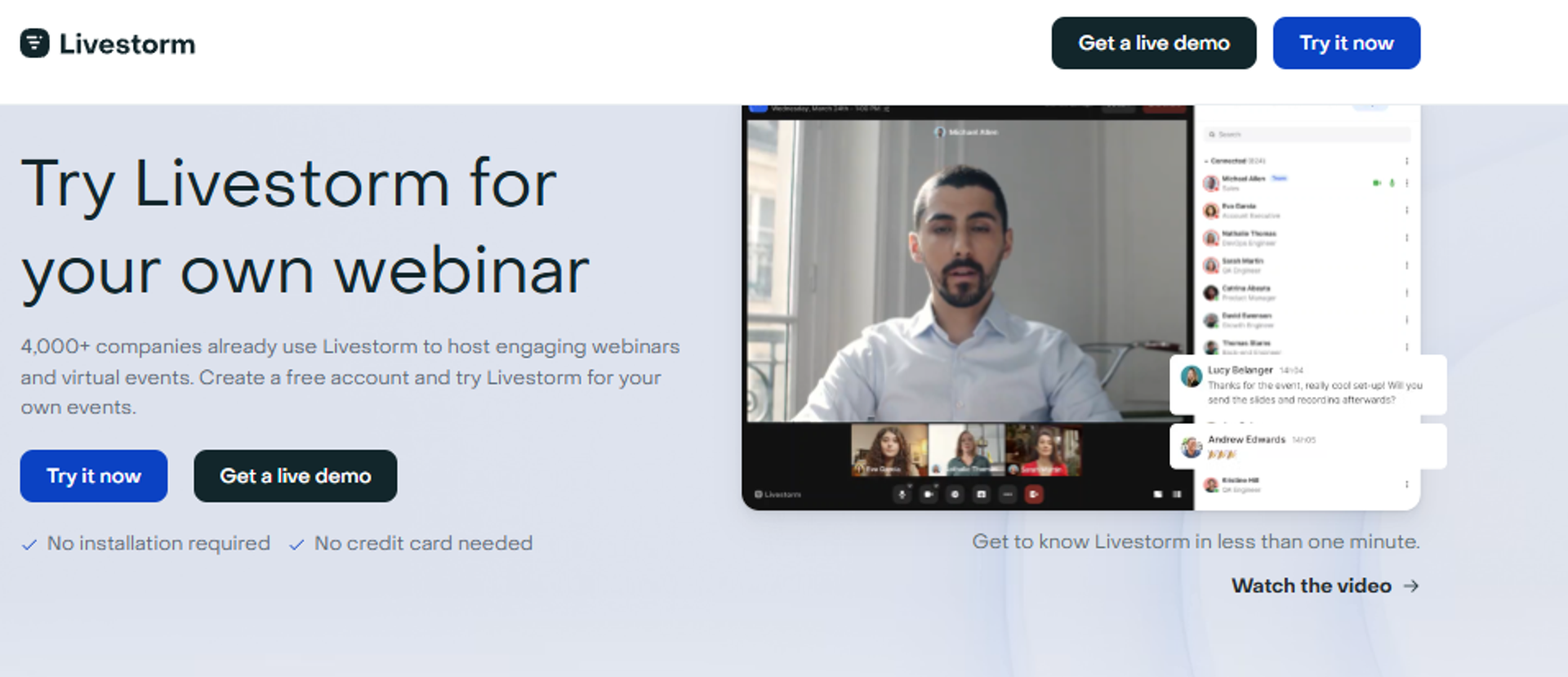
Livestorm is best for marketing teams that want a clean, browser-based webinar for demand generation, because it runs entirely in the browser with no downloads and pairs that with solid engagement analytics, but it may not fit operators who need deep evergreen automation or native in-webinar payments.
| Quick fit | Detail |
|---|---|
| Best for | Marketing teams running live and on-demand webinars for lead gen |
| Skip if | You need heavy evergreen funnels or native checkout inside the room |
| Strongest edge | No-download, browser-based attendee experience that lifts show-up and reduces friction |
| Biggest trade-off | Lighter on evergreen depth and native monetization |
| Pricing snapshot | Freemium tier, then per-host monthly pricing. |
Why Livestorm ranks #2
Livestorm earns its spot on friction reduction and engagement, two things that quietly move lead-gen numbers. The browser-based experience means attendees click and join, with no launcher failing 10 minutes before start, which is a real GoTo and legacy-tool pain.
For a marketing team whose job is registrations and MQLs, that reliability plus clean analytics is often enough. It ranks below EasyWebinar because the conversion tail, deep evergreen and native payments, is where it’s lighter, and that’s exactly where a coach or course seller makes the money. Our guide to top automated webinar platforms of 2026 digs into that gap.
✅ What Livestorm does well
- Runs fully in the browser, so attendees join without downloads, which reduces the drop-off that kills show-up rates.
- Offers polls, Q&A, and CTAs that keep marketing audiences engaged during the session.
- Provides clean engagement analytics, so demand-gen teams can see attendance and interaction without exporting a mess.
- Integrates with common marketing and CRM tools, so registrant data can flow into nurture workflows via integrations.
❌ Where Livestorm falls short
- Evergreen and automated depth is lighter than dedicated automation tools, so pure evergreen sellers may hit limits.
- Native in-webinar monetization is thinner, so paid or checkout-in-room selling usually leans on outside tools.
Decision scorecard
| Evaluation criterion | Livestorm fit | Why it matters |
|---|---|---|
| Live webinars | Strong | Reliable browser-based live delivery |
| Simulive / automated | Partial | Some automation, lighter than specialists |
| Evergreen automation | Partial | Not its core strength |
| Funnel pages | Partial | Registration pages yes; deeper funnel is lighter |
| Engagement | Strong | Polls, Q&A, and CTAs built in |
| CRM and follow-up | Partial | Integrates out; follow-up depends on your stack |
| Monetization | Weak | Native checkout is limited |
| Analytics | Strong | Clean engagement reporting |
| Integrations | Strong | Connects to common marketing and CRM tools |
| Pricing fit | Partial | Freemium start, scales per host |
Best for / skip if
Choose Livestorm if you’re a marketing team that lives on live and on-demand lead-gen webinars and values a frictionless browser experience. Skip it if your revenue depends on deep evergreen funnels or selling with checkout inside the room. To compare options side by side, see how we compare webinar platforms.
1.3 Demio
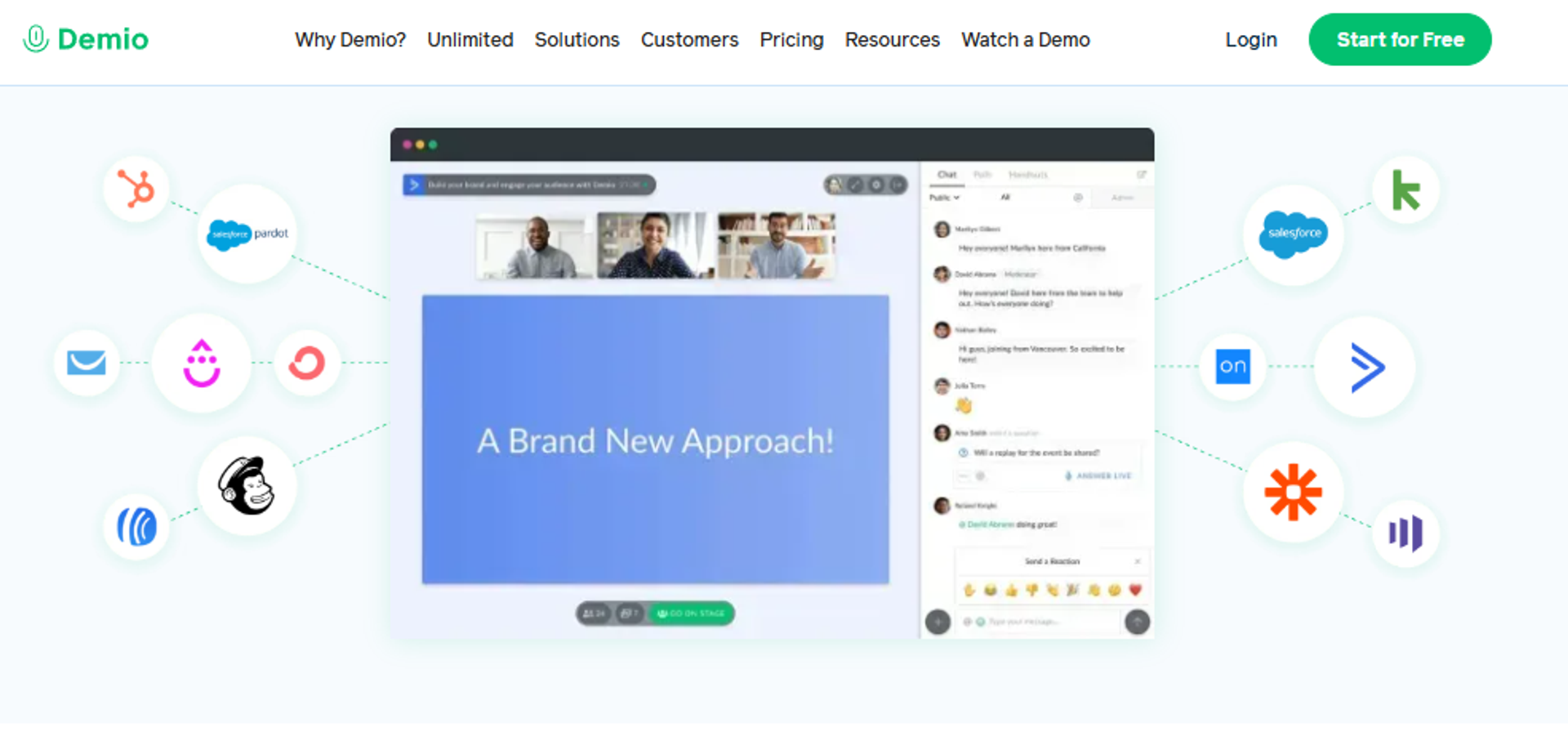
Demio is best for engagement-focused marketing teams that need clean live and automated webinars for lead nurture, because it offers an attractive interface, easy registration pages, and simple polls and handouts, but it may not fit operators who need deep CRM sync, native monetization, or rock-solid audio at scale.
| Quick fit | Detail |
|---|---|
| Best for | Marketing teams running live and automated lead-nurture webinars |
| Skip if | You need native checkout, deep CRM sync, or guaranteed audio stability |
| Strongest edge | A clean, low-friction interface that gets registration pages live fast |
| Biggest trade-off | Reviewers report audio, connection, and integration friction |
| Pricing snapshot | Attendee-based tiers, starting around $45/mo. |
Why Demio ranks #3
Demio earns its spot on experience and speed, not on revenue depth. Marketers like how fast they spin up a registration page and how simple the room feels for attendees.
It ranks below the top tools because the conversion tail is thin. There’s no native checkout inside the room, integrations can need workaround Zaps, and some operators report audio issues that force everything to be perfect to work. For a lead-nurture play, that’s fine. For a sell-from-the-room play, it’s a gap. If you want a deeper look, our list of top 10 Demio alternatives for webinars 2026 covers the options.
✅ What Demio does well
- Spins up registration pages quickly, so a marketer can get an event live the same day and start driving traffic.
- Keeps the attendee room simple and branded, which lowers confusion and helps first-time attendees stay engaged.
- Offers polls, resources, and handouts you preload, so you can drop an opt-in button on screen at the right moment.
- Sends email reminders automatically, which supports show-up rate without extra tools.
❌ Where Demio falls short
- Multiple reviewers report audio delays, echo, and connection issues during live sessions.
- CRM sync can be clunky; one reviewer noted incomplete HubSpot and HighLevel integration.
- One reviewer flagged being unable to export their own registrant list after canceling a paid plan.
Decision scorecard
| Evaluation criterion | Demio fit | Why it matters |
|---|---|---|
| Live webinars | Partial | Works, but audio reliability is inconsistent |
| Simulive / automated | Strong | Supports automated and recurring events |
| Evergreen automation | Partial | Present, but lighter than specialists |
| Funnel pages | Partial | Registration pages yes; deeper funnel is limited |
| Engagement | Strong | Polls, handouts, and resources built in |
| CRM and follow-up | Partial | Integrations can require workaround Zaps |
| Monetization | Weak | No native in-room checkout |
| Analytics | Partial | Reviewers find visit analytics hard to read |
| Integrations | Partial | Zapier-reliant for some CRMs |
| Pricing fit | Partial | Attendee-based cost climbs as you scale |
Best for / skip if
Choose Demio if you’re a marketing team that wants a clean, simple room for lead-nurture webinars and email follow-up. Skip it if you sell from the room, need reliable audio at scale, or want deep native CRM sync. You can see how the two stack up on our EasyWebinar vs Demio page.
Reviews
- Operators repeatedly cite audio and connection problems that don’t appear on tools like Zoom.
- A billing policy stung one user: after canceling, they couldn’t export the registrant emails they’d collected on a paid plan.
“The two webinars I have run so far have been littered with audio issues. There have been delays, feedback noise, echos.”
Amanda P. Demio G2 Verified Review
“After canceling, I was shocked to find out I couldn’t export the list unless I subscribed again.”
Sheida M. Demio G2 Verified Review
1.4 ON24
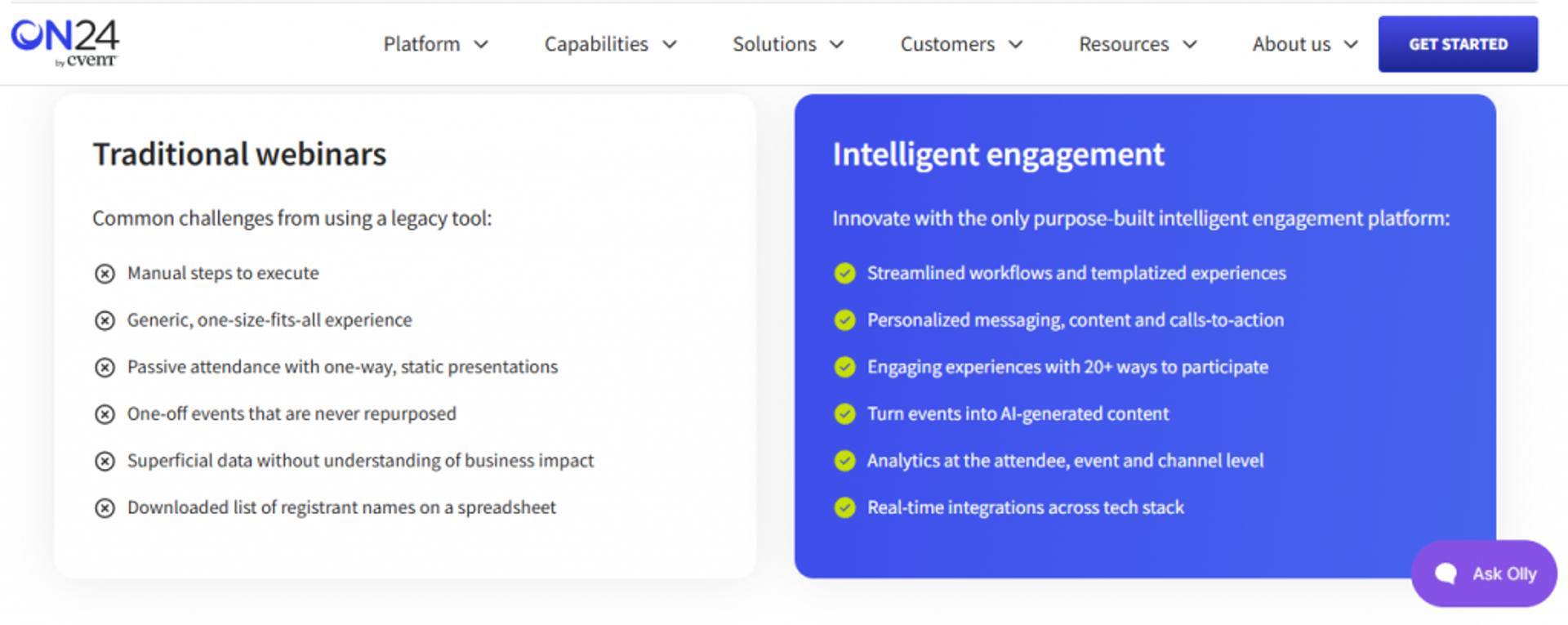
ON24 is best for enterprise marketing teams that need deep engagement data and attribution, because it offers rich first-party analytics and content hubs that feed pipeline, but it may not fit solo operators or small teams who need fast setup and simple pricing.
| Quick fit | Detail |
|---|---|
| Best for | Enterprise demand-gen teams tying webinar data to pipeline |
| Skip if | You’re a solo coach or small team wanting quick, cheap setup |
| Strongest edge | First-party engagement analytics built for attribution and MQL scoring |
| Biggest trade-off | Heavy to set up and priced for the enterprise |
| Pricing snapshot | Quote-based, enterprise contracts. Not publicly listed |
Why ON24 ranks #4
ON24 ranks high on one axis that matters to enterprise buyers: data. Its engagement scoring and content hubs are built to prove which webinars drove pipeline, which is what a RevOps lead needs to defend spend.
It sits at #4, not higher, because it solves a narrower problem. It’s a demand-gen and attribution engine, not a sell-from-the-room conversion system for coaches or course creators. The setup weight and enterprise pricing also put it out of reach for the solo operator this guide often serves. For richer reporting context, see our take on webinar analytics.
✅ What ON24 does well
- Captures deep first-party engagement data, so marketing can score leads by real behavior, not just attendance.
- Feeds attribution and CRM workflows, which helps RevOps connect webinars to pipeline and revenue.
- Runs content hubs and always-on experiences, so one event can live on as an ongoing demand asset.
- Scales to large, compliant enterprise events, which matters for regulated industries and big audiences.
❌ Where ON24 falls short
- Setup and administration are heavy, so small teams face a steep learning curve.
- Pricing is quote-based and enterprise-level, which prices out most solo operators.
- It centers demand gen and attribution, not native in-room selling for direct-response offers.
Decision scorecard
| Evaluation criterion | ON24 fit | Why it matters |
|---|---|---|
| Live webinars | Strong | Reliable enterprise-grade live delivery |
| Simulive / automated | Strong | Supports simulive and on-demand |
| Evergreen automation | Partial | Content hubs yes; not a coach-style evergreen funnel |
| Funnel pages | Partial | Registration and hubs, less direct-response funnel |
| Engagement | Strong | Deep engagement tools and scoring |
| CRM and follow-up | Strong | Built for attribution and CRM handoff |
| Monetization | Weak | Not built for in-room checkout |
| Analytics | Strong | Its core strength, first-party data |
| Integrations | Strong | Enterprise martech connectors |
| Pricing fit | Weak | Enterprise-only, quote-based |
Best for / skip if
Choose ON24 if you’re an enterprise demand-gen team that must prove webinar-to-pipeline attribution. Skip it if you’re a coach, course creator, or small team that wants to sell from the room and launch fast. If large events are your focus, our guide to choosing a virtual event platform for conferences helps.
1.5 Goldcast
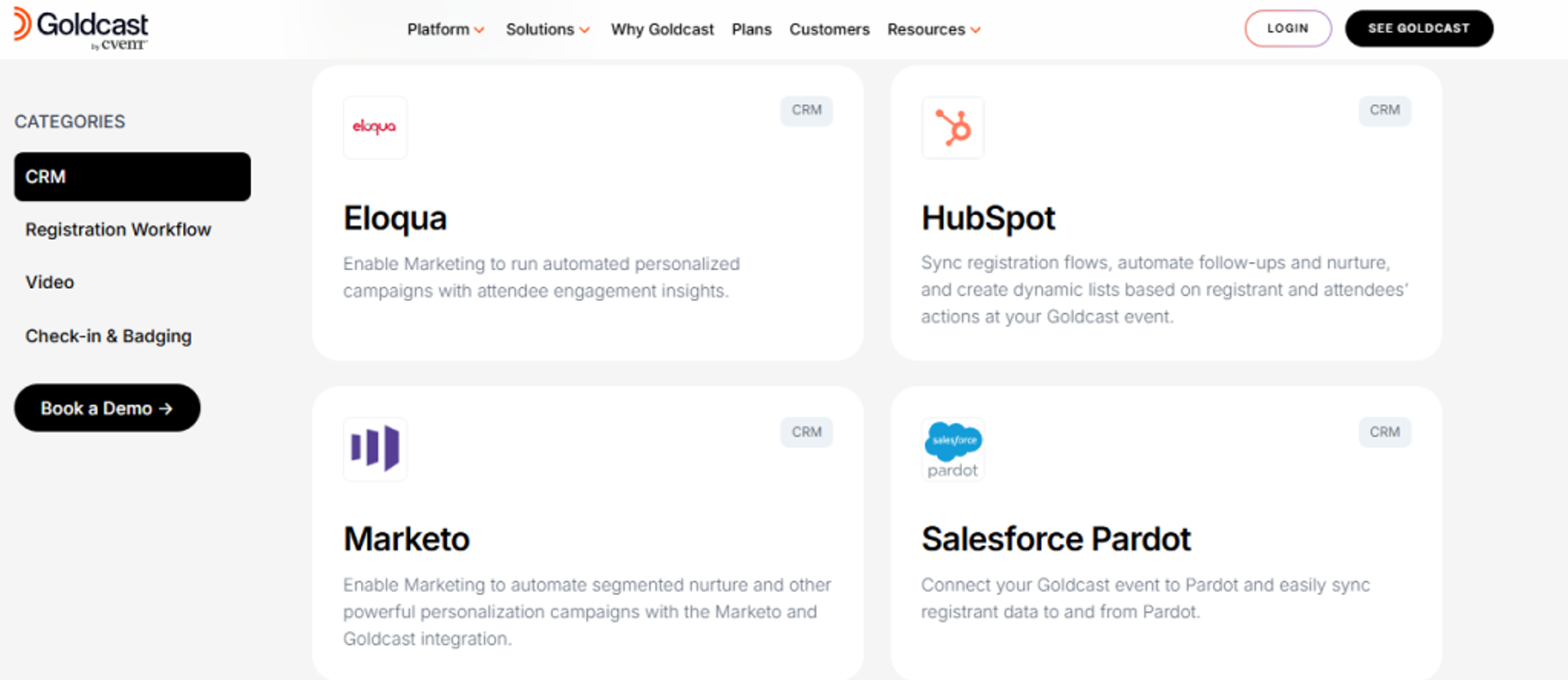
Goldcast is best for B2B and account-based marketing (ABM) teams that need webinars and virtual events that fuel content pipelines, because it offers strong content repurposing and multi-session events, but it may not fit solo creators or budget-conscious operators.
| Quick fit | Detail |
|---|---|
| Best for | B2B and ABM teams running events plus content repurposing |
| Skip if | You’re a solo coach or price-sensitive operator |
| Strongest edge | Turns event recordings into clips and content for ongoing demand |
| Biggest trade-off | Priced and built for funded B2B teams |
| Pricing snapshot | Quote-based. Not publicly listed |
Why Goldcast ranks #5
Goldcast earns its place on B2B content leverage. It’s built so one event becomes many assets: clips, highlights, and repurposed content that feed ABM campaigns.
It ranks at #5 because that strength is narrow. For a marketing team running an event-led content engine, it fits well. For a coach or course seller who needs live-to-evergreen selling and native checkout, it’s the wrong shape, and the enterprise pricing seals that. Creators focused on selling should look at building an evergreen sales funnel instead.
✅ What Goldcast does well
- Repurposes event video into content clips, so one webinar fuels weeks of social and campaign assets.
- Runs multi-session and multi-track events, which suits larger B2B programs and summits.
- Integrates with B2B martech and CRM, so event data flows into ABM and pipeline workflows.
- Delivers a polished branded experience, which matters for enterprise brand standards.
❌ Where Goldcast falls short
- Priced for funded B2B teams, so it’s out of reach for solo operators.
- Built around events and content, not direct-response selling from the room.
- Overkill for a simple recurring sales webinar.
Decision scorecard
| Evaluation criterion | Goldcast fit | Why it matters |
|---|---|---|
| Live webinars | Strong | Solid live and virtual event delivery |
| Simulive / automated | Partial | Supported, but not the focus |
| Evergreen automation | Partial | Content hubs over coach-style evergreen |
| Funnel pages | Partial | Event pages, less direct-response funnel |
| Engagement | Strong | Interactive event engagement tools |
| CRM and follow-up | Strong | B2B CRM and martech integration |
| Monetization | Weak | Not built for in-room checkout |
| Analytics | Strong | Event and content performance data |
| Integrations | Strong | Deep B2B martech stack fit |
| Pricing fit | Weak | Quote-based, enterprise-level |
Best for / skip if
Choose Goldcast if you’re a B2B or ABM team that wants events plus a content-repurposing engine. Skip it if you’re a solo creator or you need affordable, sell-from-the-room webinars.
1.6 BigMarker
BigMarker is best for teams running branded, large-scale automated webinars and virtual events, because it offers heavy customization and reliable large-audience delivery, but it may not fit operators who want a fast, simple setup out of the box.
| Quick fit | Detail |
|---|---|
| Best for | Teams needing branded, large-audience automated events |
| Skip if | You want a quick, no-learning-curve setup |
| Strongest edge | Deep customization and no-download browser delivery at scale |
| Biggest trade-off | Customization depth brings a real learning curve |
| Pricing snapshot | Quote-based / tiered. |
Why BigMarker ranks #6
BigMarker ranks on flexibility and scale. It handles large audiences in the browser and lets teams brand and customize nearly everything, which suits agencies and companies with strict brand needs.
It sits mid-list because that power costs time. The setup depth that makes it flexible also makes it slower to learn than a simple tool, and for many operators the extra control isn’t worth the ramp. It’s a strong fit when customization is the requirement, not a nice-to-have. If speed matters more, an automated webinar platform built for 2026 may fit better.
✅ What BigMarker does well
- Delivers webinars fully in the browser, so large audiences join without downloads or launcher failures.
- Allows deep branding and customization, which lets agencies match client brand standards closely.
- Supports automated and evergreen formats, so teams can scale recorded events on a schedule.
- Handles large-scale events and summits, which matters for high-registration campaigns.
❌ Where BigMarker falls short
- The customization depth creates a learning curve that slows first setup.
- It can be more platform than a simple recurring sales webinar needs.
- Pricing is quote-based, which reduces upfront clarity for small buyers.
Decision scorecard
| Evaluation criterion | BigMarker fit | Why it matters |
|---|---|---|
| Live webinars | Strong | Reliable browser-based live at scale |
| Simulive / automated | Strong | Robust automated and evergreen support |
| Evergreen automation | Strong | Built for scheduled recorded events |
| Funnel pages | Strong | Customizable registration and landing pages |
| Engagement | Strong | Polls, chat, offers, and CTAs |
| CRM and follow-up | Partial | Integrations present; setup takes work |
| Monetization | Partial | Paid webinar support, less native than a checkout-first tool |
| Analytics | Strong | Detailed event reporting |
| Integrations | Strong | Wide integration library |
| Pricing fit | Partial | Quote-based, mid-to-upper market |
Best for / skip if
Choose BigMarker if you need branded, large-scale automated events and you’ll invest in the setup. Skip it if you want a simple tool that’s live and selling in an afternoon.
1.7 WebinarJam / EverWebinar
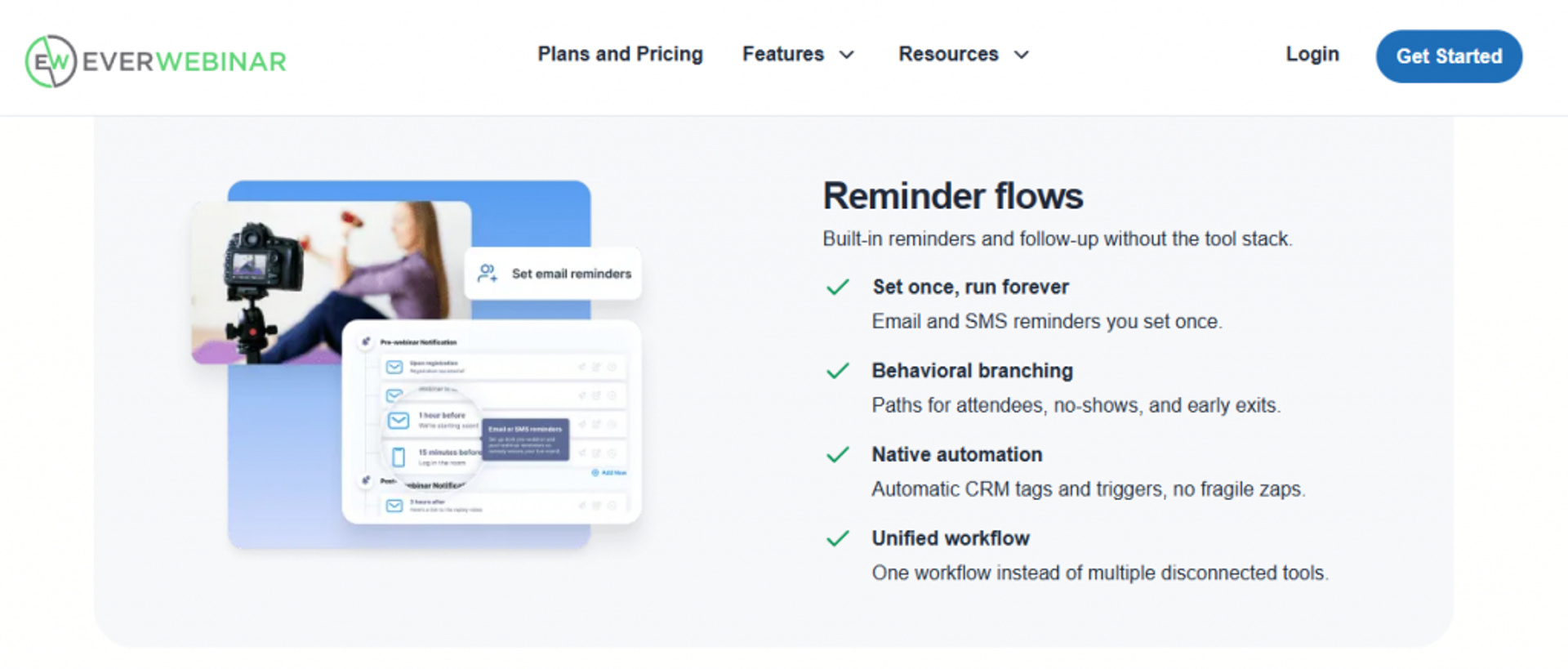
WebinarJam (live) and EverWebinar (automated) are best for direct-response operators running sales-close webinars, because together they offer strong in-room selling and just-in-time scheduling (a recorded session that starts within minutes of a visitor landing, so it feels immediate). But they may not fit operators who want one unified product instead of two, or who need reliable email and clean integrations.
| Quick fit | Detail |
|---|---|
| Best for | Direct-response sellers running live and automated sales webinars |
| Skip if | You want one product, not two, and dependable native email |
| Strongest edge | In-room selling plus just-in-time evergreen scheduling |
| Biggest trade-off | Two separate products, plus reported email and integration bugs |
| Pricing snapshot | Annual-billed tiers; EverWebinar sold separately. |
Why WebinarJam / EverWebinar ranks #7
This pairing genuinely does one thing well: selling. WebinarJam supports in-room offers and upsells live, and EverWebinar adds just-in-time evergreen so you can run the winner around the clock.
It ranks at #7 because of the split-product tax. You buy and manage two tools, and reviewers report real friction: inconsistent third-party integrations, clunky native email that doesn’t always send, and cloning bugs. For an operator who wants one system that captures, sells, and follows up cleanly, that’s a lot of duct tape. See the head-to-head on our EasyWebinar vs WebinarJam page.
✅ What WebinarJam / EverWebinar does well
- Supports in-room offers and upsells, so you can ask for the sale live at the moment of intent.
- Adds just-in-time evergreen via EverWebinar, so a recorded session starts within minutes of a visitor landing.
- Runs recorded webinars that feel timely, which lets a solo operator sell without going live every week.
- Offers familiar direct-response templates, so first-time sellers can launch a working funnel fast.
❌ Where WebinarJam / EverWebinar falls short
- You must buy and manage two separate products for live plus automated.
- Reviewers report native email that’s clunky and doesn’t consistently send to registrants.
- Cloning webinars can trigger duplicate messages and delivery bugs, per reviewers.
Decision scorecard
| Evaluation criterion | WebinarJam / EverWebinar fit | Why it matters |
|---|---|---|
| Live webinars | Strong | WebinarJam handles live selling |
| Simulive / automated | Strong | EverWebinar covers automated and JIT |
| Evergreen automation | Strong | Just-in-time scheduling is a core strength |
| Funnel pages | Partial | Templates yes; native email is weak |
| Engagement | Strong | Offers, polls, and in-room CTAs |
| CRM and follow-up | Weak | Email delivery and integration issues reported |
| Monetization | Strong | Built for in-room selling and upsells |
| Analytics | Partial | Present, but reporting can be inconsistent |
| Integrations | Partial | Third-party sync reported as inconsistent |
| Pricing fit | Partial | Two products, annual billing |
Best for / skip if
Choose WebinarJam / EverWebinar if you’re a direct-response seller who wants proven in-room selling and just-in-time evergreen, and you’ll accept running two tools. Skip it if you want one unified system with dependable native email and clean CRM sync. Our roundup of WebinarJam alternatives for live and evergreen webinars lists other options.
Reviews
- One operator likes the EverWebinar “feels live” replay for running a webinar repeatedly, but calls the native email clunky and inconsistent at sending.
- Another reviewer reported cloning bugs, duplicate chat messages, and missed registrant emails, plus a hard cancellation process.
“Their email service is clunky, hard to edit… doesn’t consistently send to registrants.”
Tara G. WebinarJam G2 Verified Review
“Inability to clone webinars without serious resulting issues… duplicate chat messages, emails not being sent to registrants.”
Kaylen M. EverWebinar G2 Verified Review
1.8 eWebinar
eWebinar is best for teams that want pure automated and on-demand webinars without going live, because it offers fast automated setup with simulated interaction layered on a recording, but it may not fit operators who need true live sessions or deep sell-from-the-room mechanics.
| Quick fit | Detail |
|---|---|
| Best for | Teams automating onboarding, demos, or evergreen sales without going live |
| Skip if | You need live webinars or live Q&A that handles objections in real time |
| Strongest edge | Fast automated setup with interactions simulated on a recording |
| Biggest trade-off | Automation-only; no true live delivery |
| Pricing snapshot | Flat monthly per active webinar. |
Why eWebinar ranks #8
eWebinar earns its spot on automation simplicity. It’s purpose-built to turn a recording into an interactive, always-on webinar with chat and polls scheduled or on-demand, which suits onboarding and evergreen demos.
It ranks at #8 because it deliberately skips live. My read, and this is the contested ground in our space, is that live still converts hardest because real-time Q&A kills objections in the moment. A pure-automation tool can’t do that. For onboarding, it’s a clean fit. For a cold-traffic sales launch, I’d want live first. Our comparison of pre-recorded webinar platforms vs live unpacks that trade-off.
✅ What eWebinar does well
- Turns a recording into an interactive webinar fast, so you can launch evergreen in hours, not weeks.
- Simulates chat and interactions on the recording, which keeps automated attendees engaged.
- Runs scheduled or on-demand playback, so viewers watch when they want, lifting attendance.
- Reduces operational load, so a small team automates onboarding and demos without staffing live sessions.
❌ Where eWebinar falls short
- No true live delivery, so you can’t handle objections in real time.
- Selling depth is lighter than direct-response tools built for in-room closing.
- Per-webinar pricing can add up if you run many separate automated events.
Decision scorecard
| Evaluation criterion | eWebinar fit | Why it matters |
|---|---|---|
| Live webinars | Weak | No true live sessions |
| Simulive / automated | Strong | This is its entire purpose |
| Evergreen automation | Strong | Built for on-demand and scheduled replay |
| Funnel pages | Partial | Registration and replay pages, lighter funnel |
| Engagement | Strong | Simulated chat, polls, and interactions |
| CRM and follow-up | Partial | Integrations present; follow-up depends on your stack |
| Monetization | Partial | Supports offers, less native than checkout-first tools |
| Analytics | Partial | Attendance and interaction data |
| Integrations | Strong | Connects to common CRM and email tools |
| Pricing fit | Partial | Per-active-webinar cost scales with volume |
Best for / skip if
Choose eWebinar if you want to automate onboarding, demos, or evergreen sales and never go live. Skip it if you need live sessions or real-time Q&A to close cold traffic. For always-on delivery ideas, see our guide to the best on-demand webinar platform options.
1.9 Zoom Webinars
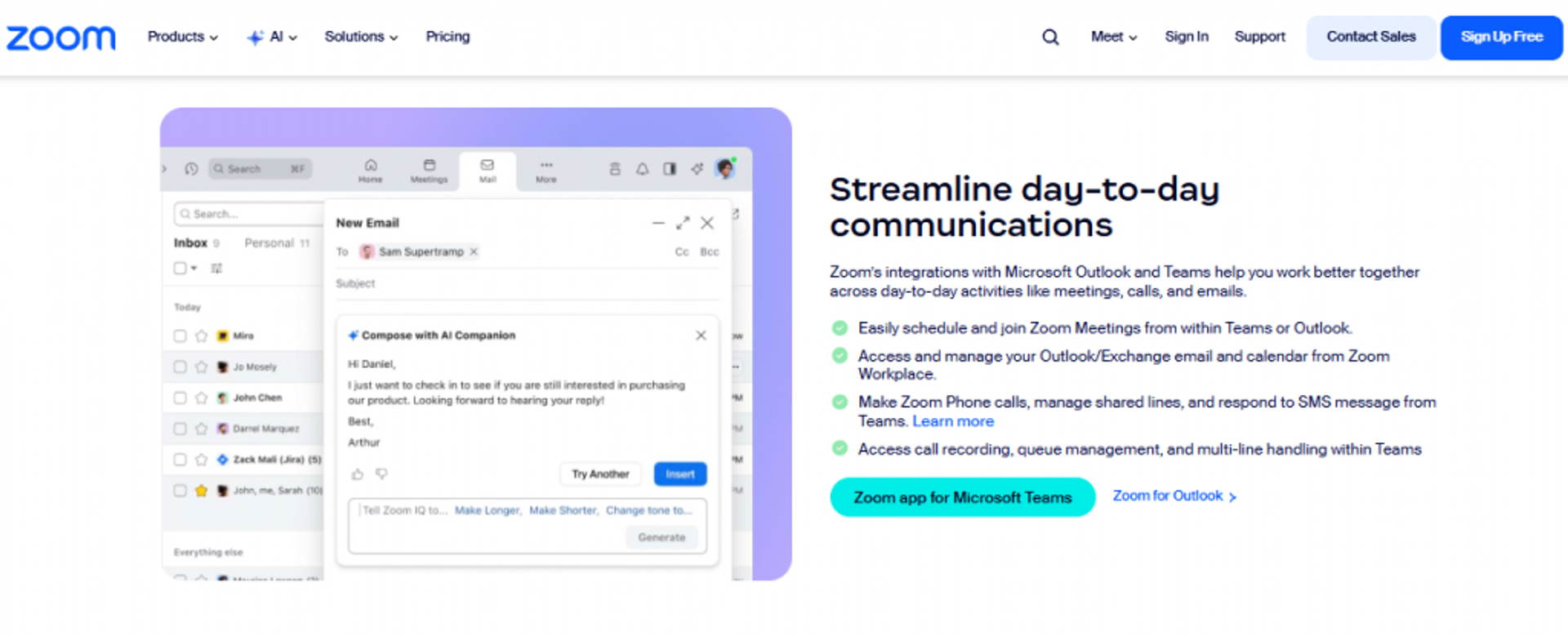
Zoom Webinars is best for teams that need reliable, familiar broadcasting to large audiences, because it offers stable video and an interface most attendees already know, but it may not fit operators who need funnel pages, customization, or conversion tooling.
| Quick fit | Detail |
|---|---|
| Best for | Teams broadcasting to large, familiar audiences |
| Skip if | You need funnel pages, customization, or in-room selling |
| Strongest edge | Familiar interface and stable video at scale |
| Biggest trade-off | Minimal funnel, weak customization, buggy email |
| Pricing snapshot | Add-on / per-license. |
Why Zoom Webinars ranks #9
Zoom earns its spot on reliability and familiarity. Attendees know the interface, and the video holds up at scale, which one membership association praised for money savings.
It ranks low for revenue use because it’s a broadcast room, not a conversion system. Reviewers describe missing waiting rooms and exit pages, rudimentary polls, buggy reminder emails, and almost no landing-page customization. For selling, that’s a lot of gaps. If Zoom is your current setup, our Zoom alternative webinar platform guide shows what a conversion-first tool adds.
✅ What Zoom Webinars does well
- Delivers stable video at scale, so large broadcasts stay reliable.
- Uses a familiar interface, which lowers the learning curve for attendees.
- Integrates with major CRM and marketing tools, though sync depth varies.
- Handles large audiences for company-wide or association events.
❌ Where Zoom Webinars falls short
- Missing core funnel features like waiting rooms and exit pages, per reviewers.
- Automated email sequences reported as buggy, with reminders sometimes sent late.
- Landing-page and branding customization is minimal.
Decision scorecard
| Evaluation criterion | Zoom Webinars fit | Why it matters |
|---|---|---|
| Live webinars | Strong | Reliable large-scale broadcasting |
| Simulive / automated | Weak | Not built for automated funnels |
| Evergreen automation | Weak | No native evergreen selling |
| Funnel pages | Weak | Minimal, uncustomizable pages |
| Engagement | Weak | Polls rudimentary, chat confusing |
| CRM and follow-up | Weak | Buggy email; sync issues reported |
| Monetization | Weak | No native in-room checkout |
| Analytics | Partial | Basic reporting, hard to navigate |
| Integrations | Partial | Broad, but sync depth varies |
| Pricing fit | Partial | Add-on cost on top of Zoom |
Best for / skip if
Choose Zoom Webinars if you need reliable, familiar broadcasting to a large audience. Skip it if you need funnel pages, strong engagement, or any real conversion and follow-up tooling.
Reviews
- Reviewers value the familiar interface and stable video for large events.
- The recurring pain is that it’s a broadcast tool missing funnel basics, with buggy email sequences.
“Zoom Webinar is ridiculously glitchy… reminder notices going out eight hours after an event has concluded.”Casey S. Zoom Webinars G2 Verified Review
“The automated email sequences are full of bugs, and customer support is extremely unhelpful.”Verified User Zoom Webinars G2 Verified Review
1.10 GoTo Webinar
GoTo Webinar is best for teams running training and internal events that need a simple organizer backend and solid reporting, because it offers easy management and robust analytics, but it may not fit operators needing reliable scale or conversion tooling.
| Quick fit | Detail |
|---|---|
| Best for | Training teams and internal events with straightforward needs |
| Skip if | You need conversion funnels or flawless large-scale reliability |
| Strongest edge | Simple organizer backend and robust reporting |
| Biggest trade-off | Audio lag and reliability complaints at scale |
| Pricing snapshot | Flat monthly by attendee tier |
Why GoTo Webinar ranks #10
GoTo earns its spot for training and internal use. Organizers find the backend easy and the reporting solid, and one large education marketer called it intuitive for big audiences.
It ranks near the bottom for revenue use because reliability and support draw complaints. Reviewers cite audio lag, dropped participants, a glitchy launcher, and outsourced support that’s hard to reach. It’s a hosting tool, not a conversion system. For teams outgrowing it, we cover GoToWebinar alternatives in detail.
✅ What GoTo Webinar does well
- Offers an easy organizer backend, so setup and report-pulling are simple.
- Provides robust attendance and engagement reporting management teams value.
- Handles large audiences over 200 with video overlays for branding.
- Includes polling to engage the live audience and gather feedback.
❌ Where GoTo Webinar falls short
- Reviewers report audio lag and dropped participants at larger scale.
- The launcher has caused join problems that hurt attendance, per one admin.
- Support is outsourced and hard to reach, per a recent reviewer.
Decision scorecard
| Evaluation criterion | GoTo Webinar fit | Why it matters |
|---|---|---|
| Live webinars | Partial | Fine for training; reliability complaints at scale |
| Simulive / automated | Partial | On-demand yes; limited automation |
| Evergreen automation | Weak | No native evergreen selling |
| Funnel pages | Weak | Registration limited, little customization |
| Engagement | Partial | Polls yes; interactions basic |
| CRM and follow-up | Partial | Email automation exists; post-event emails wonky |
| Monetization | Weak | No native in-room checkout |
| Analytics | Strong | Robust reporting praised |
| Integrations | Partial | API docs called not user-friendly |
| Pricing fit | Partial | Called costly for the value |
Best for / skip if
Choose GoTo Webinar if you run training or internal events and value simple management and reporting. Skip it if you need conversion funnels, native selling, or flawless reliability at large scale.
Reviews
- Reviewers praise the simple organizer backend and robust reporting for training use.
- The common complaint is reliability and support: audio lag, dropped attendees, and hard-to-reach outsourced support.
“Customer support is impossible to reach and is completely outsourced. When you do get a hold of them, they are never any help.”Forrester S. GoTo Webinar G2 Verified Review
“Even though we had no where near the maximum numbers of users, the quality of the video and audio broke up and disconnected.”Catherine D. GoTo Webinar G2 Verified Review
1.11 Zoho Webinar
Zoho Webinar is best for budget-conscious teams already inside the Zoho ecosystem, because it offers a low entry price and tight Zoho CRM integration, but it may not fit operators who need deep engagement or native monetization.
| Quick fit | Detail |
|---|---|
| Best for | Budget teams using Zoho CRM who need basic webinars |
| Skip if | You need deep engagement, evergreen selling, or checkout |
| Strongest edge | Low cost plus tight native Zoho CRM integration |
| Biggest trade-off | Lighter engagement and monetization depth |
| Pricing snapshot | Low-cost per-host/month. |
Why Zoho Webinar ranks #11
Zoho earns its spot on price and CRM fit. If you already run Zoho CRM, the webinar tool plugs in cleanly and costs little.
It ranks last because the criteria that drive conversion, engagement depth, evergreen selling, and native checkout, are its weakest areas. It’s a solid basic tool for teams already committed to the Zoho stack, not a revenue engine. If you outgrow it, a native sales CRM built into the webinar tool removes the sync gap.
✅ What Zoho Webinar does well
- Costs little to start, so budget teams can run webinars without a big commitment.
- Integrates natively with Zoho CRM, so registrant data flows without extra tools.
- Covers live and on-demand basics, which suits simple lead-gen sessions.
- Fits an existing Zoho stack, reducing tool sprawl for current customers.
❌ Where Zoho Webinar falls short
- Engagement tools are lighter than dedicated marketing platforms.
- No native evergreen selling or in-room checkout.
- Value is strongest only if you already use Zoho CRM.
Decision scorecard
| Evaluation criterion | Zoho Webinar fit | Why it matters |
|---|---|---|
| Live webinars | Strong | Covers basic live sessions |
| Simulive / automated | Weak | Limited automation |
| Evergreen automation | Weak | No native evergreen selling |
| Funnel pages | Partial | Basic registration pages |
| Engagement | Partial | Polls and Q&A, lighter depth |
| CRM and follow-up | Strong | Native Zoho CRM integration |
| Monetization | Weak | No native in-room checkout |
| Analytics | Partial | Basic reporting |
| Integrations | Partial | Strong within Zoho, lighter outside |
| Pricing fit | Strong | Low entry cost |
Best for / skip if
Choose Zoho Webinar if you already run Zoho CRM and need affordable, basic webinars. Skip it if you need deep engagement, evergreen selling, or native monetization to drive revenue.
Where this shakes out for a revenue operator is simple: the tools cluster into hosting-only (Zoom, GoTo), split-product (WebinarJam plus EverWebinar), marketing-focused (Livestorm, Demio, ON24, Goldcast, BigMarker, eWebinar, Zoho), and full-funnel revenue systems. We built our automated webinar platform for the last group, unifying live, simulive, automated, evergreen, and just-in-time formats with native CRM and in-webinar payments, so the funnel data stays in one place instead of leaking across five tools. Shortlist by the outcome you’re buying: a room to stream in, or a system that turns one webinar into repeatable revenue.
Q2. How Did We Score and Select These Webinar Marketing Platforms?
We scored each platform on five weighted criteria: Conversion and Monetization Depth (30%), Automation and Webinar-Type Flexibility (25%), Engagement and Analytics (20%), Integrations and Stack Consolidation (15%), and Pricing Transparency (10%). Tools scoring 0-20 earn 1 star, 21-40 two stars, and so on up to 5 stars. This weighting reflects what actually moves lead-to-buyer conversion, not stream aesthetics.
🎯 Why Most Roundups Score the Wrong Thing
Most “best webinar software” lists rank on stream polish and UI. That’s exactly why your booking rate is still random.
I weight conversion and monetization highest because engagement isn’t cash. A packed room that buys nothing is a hobby, not a funnel. Simple setups that sell beat pretty setups that don’t. If you want the deeper build logic, our best webinar software comparison guide lays it out.
⚖️ The Five Weighted Criteria
Here’s how the 100 points break down, and why each one earns its weight.
- Conversion and Monetization Depth (30%): In-webinar offers, native checkout, and follow-up. This is where revenue actually happens.
- Automation and Webinar-Type Flexibility (25%): Live, simulive, evergreen, and just-in-time (a recorded session that starts within minutes of a visitor landing).
- Engagement and Analytics (20%): Polls, CTAs, and attendee-level data you can act on.
- Integrations and Stack Consolidation (15%): How many separate tools the platform replaces.
- Pricing Transparency (10%): Whether a buyer can understand the cost before a sales call.
⭐ How the Stars Shake Out
Scores map to stars in 20-point bands, checked against public G2, Capterra, and TrustRadius ratings so the math isn’t just my opinion. You can see how our own paid webinars feature factors into the conversion score.
| Platform | Score | Stars |
|---|---|---|
| EasyWebinar | 92 | ⭐⭐⭐⭐⭐ |
| BigMarker | 84 | ⭐⭐⭐⭐⭐ |
| ON24 | 78 | ⭐⭐⭐⭐ |
| Goldcast | 76 | ⭐⭐⭐⭐ |
| Livestorm | 72 | ⭐⭐⭐⭐ |
| WebinarJam / EverWebinar | 66 | ⭐⭐⭐⭐ |
| eWebinar | 60 | ⭐⭐⭐ |
| Demio | 58 | ⭐⭐⭐ |
| Zoho Webinar | 54 | ⭐⭐⭐ |
| Zoom Webinars | 48 | ⭐⭐⭐ |
| GoTo Webinar | 40 | ⭐⭐ |
EasyWebinar lands at 5 stars mostly on the two heaviest criteria. It takes payment inside the room and runs multiple webinar types in one account, so the conversion and automated webinar scores carry it. Operators confirm that combination in reviews.
“I love that there are options for live webinars AND automated so you have options… I love that we can have a poll, offer and countdown right in the event!”
Verified User in Photography EasyWebinar G2 Verified Review
“GoToWebinar is the most basic webinar tool that offers nothing more than any other tool.”
Forrester S. GoTo Webinar G2 Verified Review
Q3. What Exactly Is a Webinar Marketing Platform, and Why Isn’t a Meeting Tool Enough?
A webinar marketing platform hosts live, automated, and evergreen webinars while capturing and converting leads. It handles registration pages, engagement, analytics, CRM sync, and behavioral follow-up. A meeting tool like Zoom just broadcasts. A webinar marketing platform runs the full funnel from opt-in to sale, turning a one-off event into an always-on revenue asset where the value lives in the before-and-after workflows.
🧩 The Category Confusion That Costs You Money
Most buyers can’t tell a meeting tool from a webinar marketing platform. So they either overpay for enterprise event software or underbuy a broadcast tool that can’t sell.
That confusion is expensive. A meeting tool streams your face and ends. It doesn’t qualify a lead, fire an offer, or follow up when someone leaves early. For the fuller definition, see what a webinar is and how it grows businesses.
🔁 Where the Real Value Lives
A true webinar marketing platform owns the whole funnel, not just the 60 minutes on screen. Think of the parts most buyers forget.
- Registration and confirmation pages that capture and warm the lead.
- In-room engagement (polls, CTAs, and offers) that moves people to act.
- Analytics that show who watched, clicked, and stalled.
- CRM sync and behavioral follow-up that recovers no-shows and drop-offs, powered by a native sales CRM.
The value has moved off the live event and into the workflows around it. That’s the shift most tools haven’t caught up to.
💡 A Webinar Is a Conversion Tool, Not a Presentation
Here’s the reframe I’d stake my reputation on. A webinar is a conversion tool, not a presentation. One good sales webinar can replace a small sales team, running the same pitch perfectly every time. That’s the core idea behind why every business needs webinars.
This is where EasyWebinar sits as the category example. We built it as webinar revenue infrastructure that folds pages, email, SMS, CRM, storage, multistream, and payments into one system, instead of the seven-tool stack most operators duct-tape together. That consolidation is the whole point: fewer seams, fewer places for a lead to leak out. You can see the range on our all features page.
Q4. Which Platform Actually Converts Leads: Lead Capture, In-Webinar Selling, and Follow-Up?
Platforms that convert do three things well. They qualify leads at registration with custom fields and engagement scoring. They sell inside the room with timed offers and native checkout via Stripe or PayPal, with no redirect. And they follow up by behavior, so a no-show, an early-leaver, and someone who saw the offer but didn’t click each get a different sequence. Attendance is vanity. Qualification, in-room selling, and segmented follow-up are where booking rates stop being random.
📉 Why Your Numbers Are All Over the Place
Most operators can’t see who in the room is a buyer. So cost per lead and booking rate swing wildly, and revenue leaks after the event ends.
The fix isn’t more attendees. It’s better mechanics at three specific points in the funnel. Our guide to webinar lead generation covers the front end in more detail.
🎣 Point One: Qualify at the Door
Capture more than an email. Add one or two qualification fields at registration, then score engagement during the session.
For a cold audience, expect a 10 to 15% show rate as your floor, and warm the list before the event. That way, the people who show up are already leaning in, not just curious. If show-up is your problem, read how to improve webinar attendance.
💰 Point Two: Sell Inside the Room
The close happens live, not in a follow-up email. Stack timed offers, and take payment right there so the buyer never leaves to a separate tab.
Two tactics I run every time:
- Ask permission to close. Say, “I’ve got a paid offer that goes deeper, is it cool if I walk you through it? Drop a 1 in the chat.” Consent lowers resistance.
- Sell the what, not the how. Give the outcome and the shift, not the step-by-step. Giving away the how is one of the fastest ways to kill conversions.
For more on this, see our 5 proven strategies to increase online sales with EasyWebinar.
✉️ Point Three: Follow Up by Behavior
The one page 100% of your leads see is the confirmation page after opt-in. Fix that first, because it has the biggest knock-on effect.
Then segment follow-up by what people did, and keep the replay window tight.
- Run a three-day replay campaign. Four, five, or six days is too long and kills urgency.
- For call funnels, don’t drop the join link in the text message. We found that nuked booking rates even when show rate looked higher.
🧰 Where EasyWebinar Fits
This is the exact loop we built EasyWebinar around: capture, sell, and recover in one place. The native CRM scores attendees Hot, Warm, or Nurture, checkout runs inside the room, and behavioral follow-ups fire on no-shows and drop-offs. That’s how an evergreen sales funnel keeps converting while you sleep, and operators feel the difference.
“With my live class I used to sell 10-12 courses. With EasyWebinar I sold 25 courses within 3 weeks of my evergreen launch.”
Laura C. EasyWebinar G2 Verified Review
“It didn’t fully integrate with my CRM Highlevel and the replay didn’t show the live polls and CTAs.”
Ivanhoe S. Demio G2 Verified Review
Q5. Live vs. Automated vs. Evergreen: Which Webinar Type Converts, and When Should You Switch?
Live webinars still convert hardest, because real-time Q&A kills objections in the moment. Automation scales, but it often gets nerfed, so the offer that crushed live can flatline on evergreen. The proven path is simple: run 5 to 10 live sessions, hit roughly 10% attendee-to-buyer, then automate the winner. Just-in-time and simulive keep the live feel while removing you from the room, so you scale without gutting conversion.
⚠️ The Mistake That Kills Conversions
Most operators automate too early. They record one webinar, switch it to evergreen, and watch the sales dry up.
I’ve seen this over and over. Live webinars perform hard. Automated versions of the exact same pitch often get nerfed and convert far worse in direct comparison. Our breakdown of live vs automated webinars covers why.
🥊 The Debate Nobody Names Honestly
Here’s the contested ground. Yuri Elkaim argues you don’t need live at all, because live show-up rates are rough and evergreen scales from day one.
My read, sitting closer to Jeremy Haynes on this, is the opposite. You earn the right to automate. Hit a 5 to 10% conversion rate live first, then flip the switch. Don’t take it as gospel, but that’s what keeps surfacing when I actually run this. If show-up is the worry, see how to drive webinar attendance.
🔁 The Bridge: Just-in-Time and Simulive
You don’t have to choose live forever. Two formats bridge the gap once your live version converts.
- Simulive: a recording streamed on a schedule with live-style chat, so it feels present without you being there.
- Just-in-time (JIT): a session that starts within about 1 to 14 minutes of a visitor landing, so there’s no long wait. That short wait creates the feeling of, “okay, it’s about to start.”
The trap is rebuilding your whole funnel to switch formats. With EasyWebinar, one funnel toggles between live and automated across nine webinar types, so you nail it live, then clone the winner into JIT or simulive without starting over. That’s the difference between scaling a proven offer and gambling on a cold recording. You can explore the mechanics of a simulated live webinar in more depth.
Here’s the question I’m sitting with: as creators get over-AI’d and audiences crave real presence, will live workshops come roaring back in 2027? I think they might.
Q6. What Makes EasyWebinar Different: Sub-500ms Streaming, AI Funnel Builder, and Stack Consolidation?
Three things separate a conversion system from a broadcast tool. First, ultra-low latency (sub-500ms), so polls and offers land in sync instead of 20 to 30 seconds late. Second, an AI builder that generates the whole funnel, including the script, pages, emails, offers, and follow-up, in minutes instead of weeks. Third, true stack consolidation that replaces seven or eight tools. But beware the “do-everything” pitch. Consolidate the funnel, not the universe.
🔧 “Check the Tech” Is Where Money Leaks
Most conversion loss is silent. A button that doesn’t work on mobile can nuke your registration rate while you sleep, and you never see it.
I’ve lived this. Once, our Zapier account hit its automation limit, and we caught it four hours before a webinar. There was a couple-hundred-person gap of opt-ins missing from the CRM. So yes, check the tech, every single time. Clean integrations are what stop leaks like that.
⏱️ Why Latency Is a Conversion Variable
Stream delay isn’t a vanity spec. When your video lags 20 to 30 seconds, your poll fires late and your offer lands after the buying moment has passed.
We built EasyWebinar on Dolby OptiView and WebRTC (browser-based real-time streaming) to hold latency under 500 milliseconds. That keeps the offer, the countdown, and the chat all in sync at the exact second intent peaks. Broadcast tools that lag can’t do that, which is why our live webinar software treats latency as a conversion variable.
🤖 The AI Builder Does the Whole Funnel
Most “AI” in this category is thin: a transcript here, a summary there. That doesn’t build a funnel.
Our AI webinar builder asks about a dozen questions, then drafts the script, pages, emails, polls, offers, and follow-up in 10 to 15 minutes. It’s trained on years of real webinar data, so it starts from what converts, not a blank page. See how the AI funnel builder assembles the full flow.
💰 Consolidate the Funnel, Not the Universe
One system replacing pages, email, SMS, CRM, storage, multistream, and payments can save $600 to $1,000 a month in separate tools. That’s real cash back in your ad budget.
But here’s my caution. Be skeptical of any tool claiming to be your webinar, community, CRM, and email service all at once. When a platform promises to be everything, it’s often mediocre across the board. Consolidate the webinar revenue funnel deeply. Don’t chase an everything-app. Our EasyCast multistreaming is one piece of that consolidated funnel.
“I love EasyWebinar’s support team… how it’s simple to host a webinar without having to set everything up from scratch each time. The detailed analytics are great.”
Eliza W. EasyWebinar G2 Verified Review
“The automated email sequences are full of bugs, and customer support is extremely unhelpful. There is no consistent POC.”
Verified User Zoom G2 Verified Review
What I keep wondering: by 2027, does the fully AI-built funnel become table stakes, or does human-tuned copy still out-convert it? My bet is on the hybrid.
Q7. How Do You Pick the Right Webinar Marketing Platform for Your Business (Including Enterprise Scale)?
Pick by what you sell and where you are. Under $47? A lead magnet beats a webinar. Over $200? You need a webinar, and a platform that converts, not just streams. Match the tool to your dominant use case: evergreen sales, big-launch scale, or budget testing. Enterprise buyers add capacity, SOC 2 Type II, SSO/SAML, and API. Need live, automated, payments, and CRM in one? That’s EasyWebinar.
🎯 Cut Through the Paralysis with Price
Eleven options is a lot. So start with one number: your offer price.
- Under $47: a simple lead magnet does the job. Skip the webinar.
- $47 to $197: a long-form sales page usually converts fine.
- Over $200: you need a webinar to handle objections and close.
That single filter removes half the decision. Simple scales. Fancy fails. If you’re weighing tools, our compare webinar platforms page lays them side by side.
🧭 Then Match Tool to Use Case
Once a webinar makes sense, pick by your dominant job to be done.
- Evergreen sales for coaches and course creators: you want live plus automated, native checkout, and follow-up in one place.
- Big launches or town halls: live is the killer use case, so prioritize reliable scale.
- Budget testing: a low-cost tool gets you started, but expect to outgrow it.
One caution I repeat often: an automated webinar without traffic is like a billboard in the desert. The tool doesn’t fix an empty funnel. For that traffic problem, read our webinar marketing guide.
🏢 The Enterprise Checklist
Bigger buyers have a buying committee, so add four non-negotiables before you shortlist.
| Requirement | Why it matters |
|---|---|
| Attendee capacity | IT needs headroom for 10K+ live |
| SOC 2 Type II | Security sign-off for procurement |
| SSO / SAML | Clean, safe team access |
| API access | Data flows into your stack |
EasyWebinar closes as the default pick for operators selling $200+ offers who want live, automated, payments, and CRM in one system, and it’s built for enterprise with SOC 2 Type II, SSO/SAML, and API. You can request a demo to see the enterprise setup. Your Monday-morning move is small: run one live session this week. You’re often one good sales webinar away from the whole thing clicking.
So here’s what I’m sitting with, and I’d genuinely like your take. If you ran just one live webinar this week instead of building for six more, what would you actually learn about your offer?
Frequently Asked Questions

Casey Zeman
Founder of EasyWebinar
About Author
Over the past decade, I've helped thousands of entrepreneurs, coaches, and consultants turn webinars into a predictable, powerful way to grow their audience, build trust, and scale, without the constant hustle. I created EasyWebinar because I couldn't find a system that combined authenticity, engagement, and automation the way I needed. So, I built one.
Related Posts

10 Best Community Engagement Platforms in 2026
Compare the 10 best community engagement platforms in 2026. Course creators, evaluate live hosting, analytics, and replay to pick your winner today.

10 Best Online Coaching Tools in 2026: Live Session Quality, Scheduling, Recording, and Client Engagement Analytics
Compare the 10 best online coaching tools of 2026 on session quality, scheduling, and analytics. Discover the right fit for your coaching revenue model.

10 Best Webinar Hosting Platforms Ranked by Uptime, Streaming Quality & Cost
Compare 10 webinar hosting platforms ranked by uptime, streaming quality, and cost. Discover which tool actually turns attendees into revenue.
Turn every webinar into a revenue stream
Launch your first paid event in just a few clicks - and start monetizing your expertise.
Book a Call