10 Best Webinar Software for Tech Companies: Compared on Features, Pricing and Reliability

Casey Zeman
Published on Sep 17, 2026 • 50 min read

TL;DR
- Ten platforms scored out of 100 on reliability, format range, integration depth, security readiness, and pricing transparency, then converted to stars in 20 point bands.
- Tech webinars usually fail on plumbing, not features: an automation plan ceiling, a reminder that never fired, or a 20 to 30 second stream delay mid demo.
- Compliance decides the shortlist before features do, and most vendors on this list publish no reviewable attestation at all.
- Real cost is the stack, not the licence: pages, email, SMS, checkout, and automation regularly push a cheap platform past $600 a month.
- Run 5 to 10 live sessions and clear 10% attendee to buyer conversion before automating anything into evergreen.
- Judge outcomes against ON24 2026 norms of 239 average attendees, near 60% registration to attendance, and 49 minutes of engagement.
Q1. What Are the 10 Best Webinar Software Tools for Tech Companies in 2026?
Ranked list covered in this guide
- EasyWebinar
- Zoom Webinars Plus
- Riverside
- meetn
- GoTo Webinar
- Circle
- Heartbeat
- Webflow + Outseta + Circle (assembled stack)
- Stan Store / ScoreApp
- GoHighLevel
EasyWebinar runs live, simulive, evergreen, just-in-time, and on-demand webinars from one account, with registration pages, EasyCRM, built-in checkout, and behaviour based follow-up included. Plans are priced by attendee tier at $44, $116, $198, and $349 per month on the published webinar pricing page, with SSO/SAML and API access on the Scale plan and up to 100,000 live attendees on Enterprise. EasyWebinar holds SOC 2 Type II attestation and GDPR compliance.
For this guide, 10 vendors were evaluated against defined criteria. Webinar tooling is a high stakes decision for a tech company, because the platform sits between paid traffic and pipeline. If the stream lags during a demo, or a reminder never fires, the spend is already gone. The daily operator here is the demand generation lead, product marketer, or DevRel manager who builds and runs the sessions. The shadow readers on the buying committee are the IT director checking attestations, the RevOps lead checking CRM sync, the CFO checking consolidation, and the revenue leader checking attributable pipeline.
Our Evaluation Criteria
Webinar format coverage ⭐
Whether the platform supports live, simulive, automated, evergreen, just-in-time, replay, and on-demand delivery, or only one of them. Our live versus automated webinars breakdown explains why format range decides fit.
Stream reliability and production control ⚠️
Latency, backstage staging for guest speakers, behaviour under load, and what happens when a session breaks mid demo.
Time to launch ⏰
How fast a registration page, reminder sequence, and event go live, including template and AI funnel builder assisted setup.
Engagement depth ✅
Chat, polls, Q and A, handouts, timed offers, and whether those mechanics also work in automated sessions. See our guide to webinar engagement tools for the mechanics that matter.
Funnel and CRM readiness ✅
Registration, thank you, and replay pages, attendee tagging, lead scoring, segmented follow up, and native CRM or MAP sync.
Monetization support 💰
Paid or ticketed sessions, in room offers, and checkout that does not push the buyer offsite. Format details sit on our paid webinars page.
Analytics and attribution 📊
Registration, attendance, watch time, offer clicks, replay behaviour, and drop off visibility, as covered in our webinar analytics guide.
Security and scale ⚠️
Published attestations, SSO, API access, data handling, and attendee ceiling.
Who This Guide Is For
- Product marketers and demand generation leads running recurring demo and launch webinars.
- DevRel managers hosting technical workshops for skeptical developer audiences.
- RevOps leads checking whether attendee behaviour can reach HubSpot or Salesforce as a scored signal.
- Founders and consultants replacing separate tools for hosting, pages, email, checkout, and follow up.
- Buying committee readers: IT validating attestations, CFOs validating consolidation, and revenue leaders validating pipeline.
📋 The 10 platforms at a glance
| Provider | Best For | Standout Strength | Known Limitation | Webinar Formats Covered | Support Model | Pricing Model |
|---|---|---|---|---|---|---|
| EasyWebinar ⭐⭐⭐⭐⭐ | SaaS teams running demos plus always on onboarding | Live, evergreen, CRM, and checkout in one login | G2 reviewers note the recording must be uploaded before an automated funnel can be built | Live, simulive, evergreen, just-in-time, on-demand, replay | Email, chat, onboarding calls, account manager on Pro, Slack on Scale | Flat monthly by attendee tier, $44 to $349 |
| Zoom Webinars Plus ⭐⭐⭐⭐ | Large broadcasts and enterprise all hands | Scale to 100,000 attendees with backstage and simulive | Funnel, checkout, and CRM follow up are not native | Live, simulive, on-demand | Ticket and chat, premier tiers sold separately | Per user per month, about $290.83 for 500 attendees, plus a Workplace licence |
| Riverside ⭐⭐⭐ | Teams repurposing sessions into clips | Local multi track recording survives bandwidth dips | Webinar plan caps at 100 registrants | Live, pre-recorded as live, recurring | — | Flat monthly, Webinar plan billed $408 annually |
| meetn ⭐⭐⭐ | Low friction internal or small external sessions | Stealth admin entry and very low entry price | Limited page design and funnel control | Live, recorded | — | Flat monthly, $14.95 and $49.95 |
| GoTo Webinar ⭐⭐⭐ | Training teams wanting legacy reliability | Fast out of the box registration and reporting | Rigid registration page design | Live, simulated live, on-demand | — | Per organizer, $59 to $499 monthly |
| Circle ⭐⭐⭐ | Cohort programmes and ongoing communities | Events, courses, and discussion in one home | Not built as a conversion funnel engine | Live rooms, live streams | Priority support and CSM on Circle Plus | Flat monthly, $89 and $199 |
| Heartbeat ⭐⭐ | Event driven communities and masterminds | Smooth live session UX for recurring cohorts | No thread topic organization; video hosting is a $19 add on | Live events | Priority support on Grow | Flat monthly, $49 to $849 |
| Webflow + Outseta + Circle ⭐⭐⭐ | Teams wanting full design and data control | Total control of pages, auth, and billing | Three subscriptions and ongoing API work | Depends on assembled parts | Self managed across vendors | Stacked: Outseta $47+, Circle $89+ |
| Stan Store / ScoreApp ⭐⭐ | Mobile first assessment and micro funnels | Near zero friction quiz to checkout | No multi speaker broadcast staging | None native | — | Flat monthly, Stan $29 to $99, ScoreApp $39 to $799 |
| GoHighLevel ⭐⭐⭐ | Agencies consolidating client marketing | Deep CRM and automation breadth | Video and webcast quality is the weakest layer in the bundle | None native | — | Flat monthly, $97 to $497 |
1. EasyWebinar
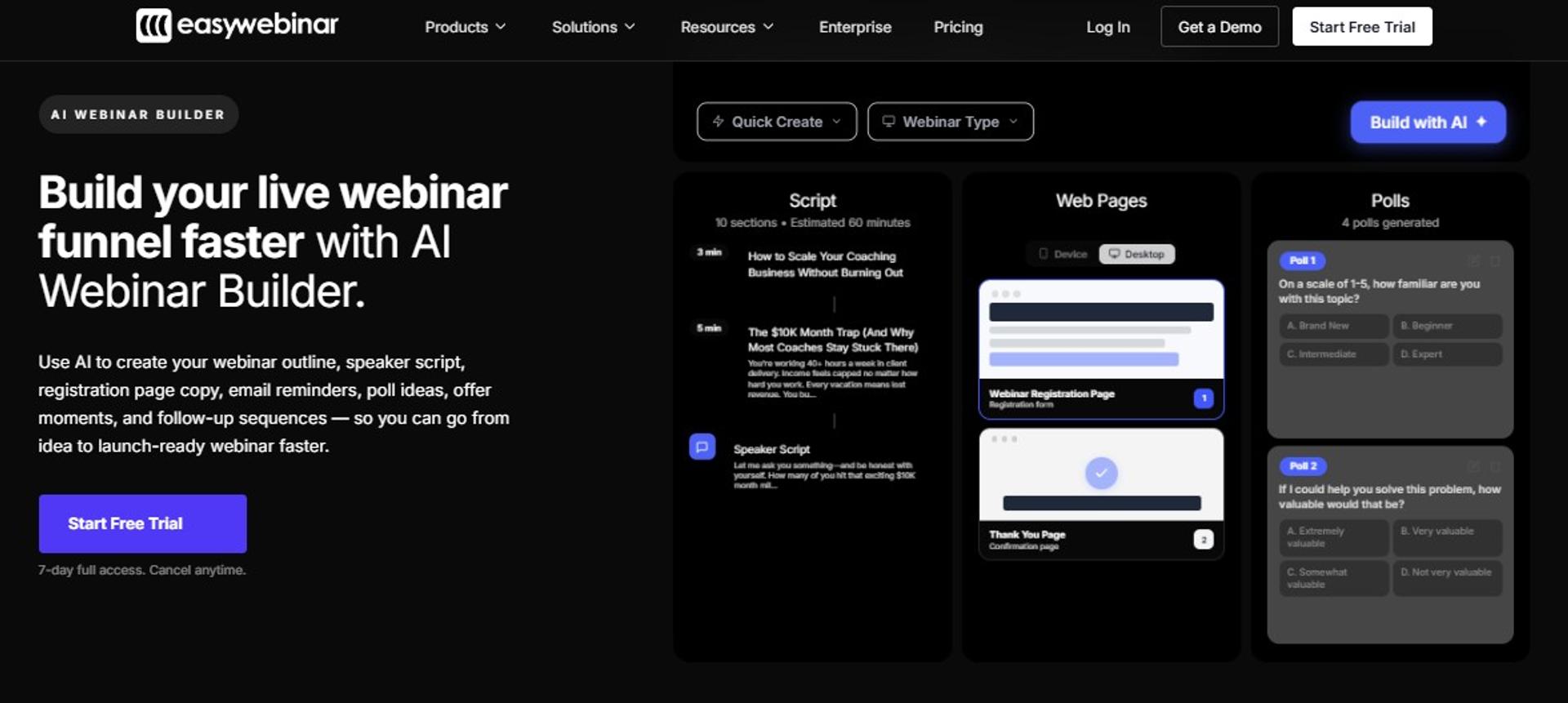
EasyWebinar is best for tech teams that need one system for live product launches and always on demos, because live streaming, evergreen scheduling, in room checkout, and EasyCRM follow up sit inside a single account. It may not fit teams that only need studio grade recording for content clips.
🎯 Quick fit
| Qualifier | Detail |
|---|---|
| Best for | SaaS product marketers and demand gen leads running demos plus evergreen onboarding |
| Skip if | You need one off internal team meetings or pure live only events with no funnel intent |
| Strongest edge | Live to automated cloning with CRM, checkout, and analytics in the same login |
| Biggest trade-off | Automated setup expects the recording first, so you cannot open registration before recording |
| Pricing snapshot | $44, $116, $198, and $349 per month by attendee tier; Enterprise for 100,000 capacity |
Why EasyWebinar ranks #1
I have spent 14 years inside this work, and I score platforms on what breaks at 9:58pm before a 10pm launch. Format coverage and follow up readiness are where most tech stacks fail, not on features.
EasyWebinar covers six delivery formats, native CRM sync, and checkout on the same criteria grid where hosting tools score partial. On the Pro plan it adds native HubSpot and Salesforce sync through its integrations library, and Scale adds SSO/SAML plus full API and webhooks. That combination is what a demo programme actually needs on Monday.
✅ What EasyWebinar does well
- Turns one live session into an evergreen asset. Any recorded session converts to simulive, evergreen, or just-in-time, which means a session starting within roughly 15 minutes of signup. The mechanics sit on our automated webinar page.
- Keeps follow up calls inside the platform. EasyWebinar's built-in sales CRM auto dials people who attended, and lets you separate those who left early from those who stayed.
- Removes the middleware ceiling. Reminder emails, SMS, pages, and checkout fire from one system, so there is no third party plan limit to trip four hours before a launch.
- Sells inside the room. Built-in checkout and timed offer overlays mean the buyer never leaves the session, so attribution stays in one place.
- Reports behaviour, not just attendance. Watch time, poll answers, offer clicks, and a drop off view feed lead scoring.
❌ Where EasyWebinar falls short
- Automated funnel setup expects the presentation uploaded first, which blocks early registration.
- Email open and click rates are not tracked natively, so some operators keep a separate ESP for post webinar sequences.
- Landing page design flexibility is narrower than a dedicated page builder.
- Just-in-time scheduling sits on higher tiers, which raises cost for smaller operators.
📊 Decision scorecard
| Evaluation criterion | EasyWebinar fit | Why it matters |
|---|---|---|
| Live webinars | Strong | Sub 500ms WebRTC delivery keeps polls and offers in sync during demos |
| Simulive and automated | Strong | Available from the Growth plan upward |
| Evergreen automation | Strong | Timezone adjusted scheduling plus just-in-time sessions |
| Funnel pages | Partial | Native builder included, but design flexibility is limited |
| Engagement | Strong | Polls, chat, timed offers, and attendee promotion in session |
| CRM and follow up | Strong | EasyCRM plus native HubSpot and Salesforce sync on Pro |
| Monetization | Strong | Built-in checkout with Stripe, PayPal, and PayU |
| Analytics | Strong | Attendee level actions, drop off view, GA4 and Meta Pixel |
| Integrations | Strong | 13 CRM and email integrations, full API on Scale |
| Security | Strong | SOC 2 Type II and GDPR, SSO/SAML on Scale |
| Best-fit buyer | SaaS demand gen and product marketing teams | Needs demos, evergreen onboarding, and CRM handoff in one place |
💰 Best for / skip if
Choose EasyWebinar if the same system has to run a live launch on Tuesday and an hourly evergreen onboarding session after that. Skip it if you only host occasional internal meetings, or if your offer sits below $200, where a webinar is not mathematically required.
Reviews
"EasyWebinar is THE platform for evergreen webinars. It makes it easy to work smarter, not harder."- Ash A., Owner, EasyWebinar G2 - Verified Review (5 stars)
"I do use other email systems to send post webinar email sequences because I can't track open and click rates on EasyWebinar."- Eliza W., Founder, EasyWebinar G2 - Verified Review (4.5 stars)
2. Zoom Webinars Plus
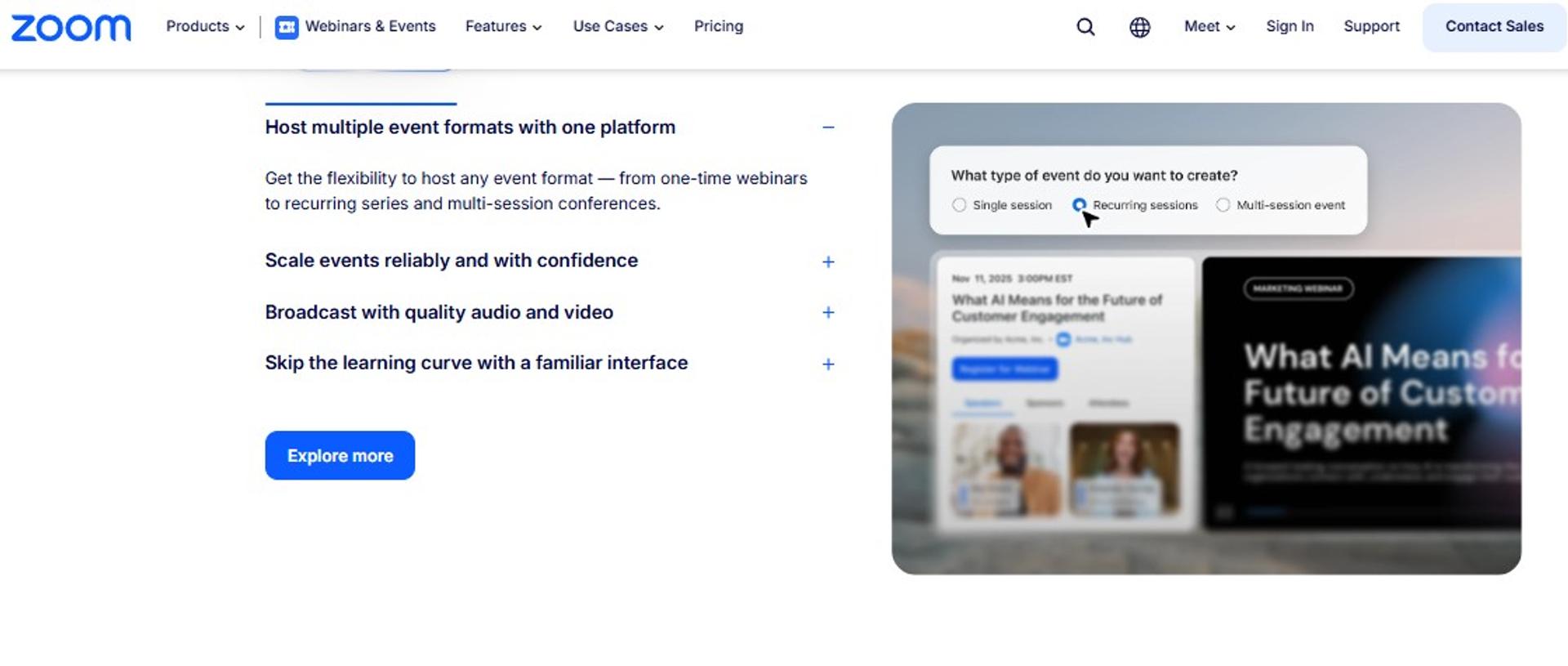
Zoom Webinars Plus is best for tech companies running large broadcasts and enterprise all hands that need audience familiarity and production control, because it adds backstage staging, scene layouts, simulive, and on demand to the standard webinar platform. It may not fit teams that need registration funnels, checkout, and CRM follow up without buying more tools.
🎯 Quick fit
| Qualifier | Detail |
|---|---|
| Best for | Enterprise comms and product launch teams already standardised on Zoom |
| Skip if | You need evergreen funnels, in session checkout, or native lead scoring |
| Strongest edge | Capacity to 100,000 attendees with backstage speaker coordination |
| Biggest trade-off | The conversion layer sits outside the product, so pages, email, and CRM are separate spend |
| Pricing snapshot | About $290.83 per month for 500 attendees on Webinars Plus, plus a Workplace licence from $14.16 per user monthly |
Why Zoom Webinars Plus ranks #2
Zoom earns second place on reliability and scale, not on revenue workflow. Zoom Webinars supports up to 100,000 attendees, and Simulive lets you pre record and broadcast as if live while still running chat, polls, and Q and A, as documented on the Zoom Webinars product page.
It also clears procurement faster than anything else here. Zoom publishes a dated SOC 2 Type 2 report, CSA STAR Level 2, SOC 2 with HITRUST, and ISO/IEC 27001. For an IT director, that shortens the review by weeks.
Where it drops is format range and follow up. There is no evergreen just-in-time engine, no in room checkout, and no native lead scoring. EasyWebinar sits beside it in the same comparison row with six formats and native CRM sync at a lower attendee tier price, which our EasyWebinar vs Zoom breakdown sets out line by line.
✅ What Zoom Webinars Plus does well
- Removes dead air between speakers. Backstage lets hosts, panelists, and speakers coordinate privately, so nobody shuffles slides on camera while the audience watches.
- Scales without capacity anxiety. The same delivery quality holds from 10 attendees to 100,000.
- Pre records without lying to the audience. Simulive broadcasts recorded content while chat and Q and A stay live.
- Shortens security review. Published attestations cover Zoom Webinars explicitly, which IT can verify directly on the Zoom Trust Center.
- Reduces training cost. Teams already know the interface, so presenter onboarding is close to zero.
❌ Where Zoom Webinars Plus falls short
- Registration pages, email nurture, checkout, and CRM follow up all need separate tools.
- Pricing stacks, because the webinar licence sits on top of a paid Workplace licence.
- No evergreen or just-in-time scheduling, so always on demos are not possible natively. Teams that need that path usually end up reviewing a Zoom alternative webinar platform.
- Analytics report attendance and engagement, not offer level revenue behaviour.
📊 Decision scorecard
| Evaluation criterion | Zoom Webinars Plus fit | Why it matters |
|---|---|---|
| Live webinars | Strong | Proven delivery to very large audiences |
| Simulive and automated | Strong | Simulive with live chat and Q and A included |
| Evergreen automation | Weak | No timezone adjusted or just-in-time engine |
| Funnel pages | Partial | Event pages with AI generated text, but not a conversion funnel |
| Engagement | Strong | Polls, Q and A, chat, reactions, breakout rooms |
| CRM and follow up | Partial | Reports export to marketing tools, follow up is not native |
| Monetization | Partial | Ticketing sits in the Events tier, not in room checkout |
| Analytics | Partial | Richer event analytics, no offer level revenue view |
| Integrations | Strong | Broad ecosystem and CRM connectors |
| Security | Strong | SOC 2 Type 2, CSA STAR Level 2, ISO/IEC 27001 |
| Best-fit buyer | Enterprise comms and large launch teams | Needs scale and production control more than funnel mechanics |
💰 Best for / skip if
Choose Zoom Webinars Plus if your priority is a flawless 5,000 person launch and your funnel already lives elsewhere. Skip it if you need one system to register, sell, and follow up, because you will end up buying three more tools around it.
Reviews
"Already a Zoom user? Stick with Zoom Webinars."- u/anonymous, r/ChiefMarketingOfficer Reddit Thread
3. Riverside
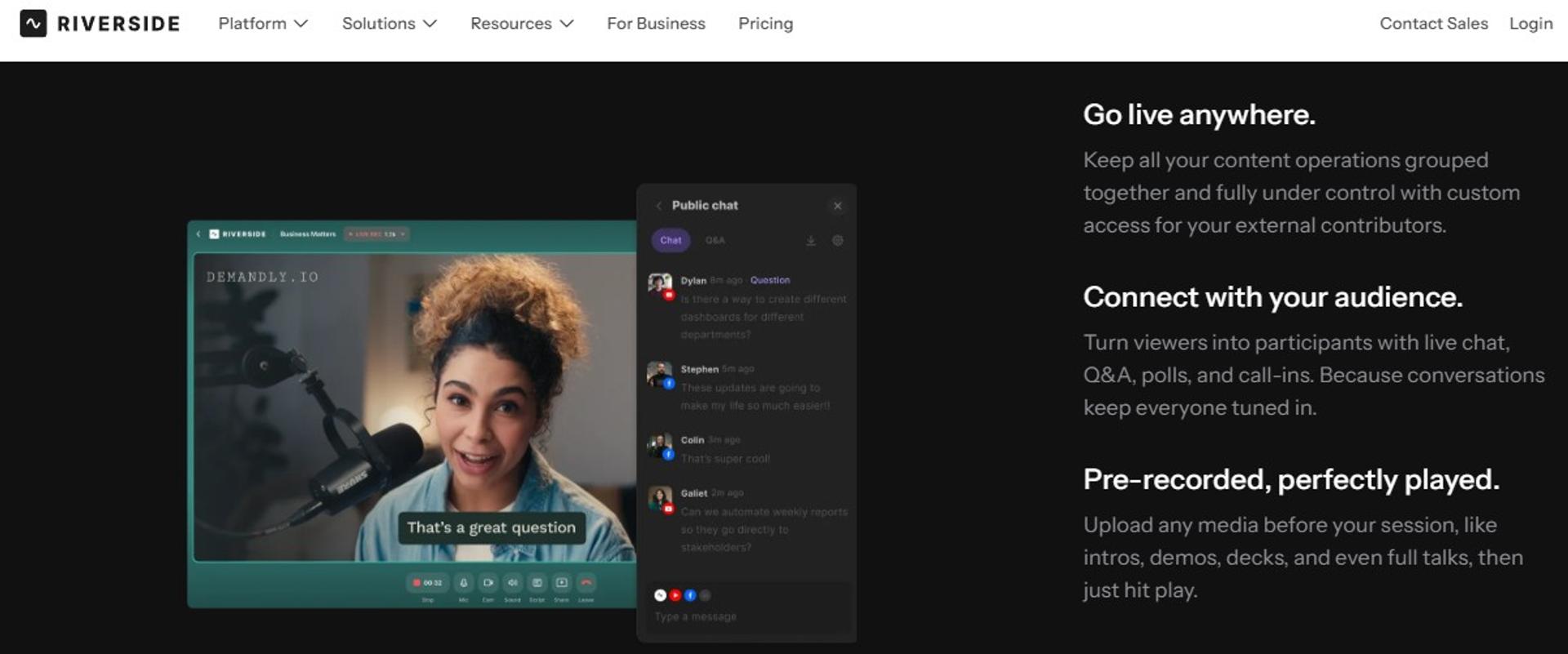
Riverside is best for tech marketing teams that need studio quality recordings and social clips from every session, because it records each participant locally in separate tracks and adds AI repurposing tools, but it may not fit teams running registration funnels at scale, since the Webinar plan caps at 100 registrants.
🎯 Quick fit
| Qualifier | Detail |
|---|---|
| Best for | Product marketing and content teams turning sessions into clips |
| Skip if | You need more than 100 registrants or in session checkout |
| Strongest edge | Local multi track recording, so a bandwidth dip does not ruin the file |
| Biggest trade-off | No CRM, no payments, and a hard registrant ceiling |
| Pricing snapshot | Free tier; Pro billed $288 annually; Grow and Webinar plans billed $408 annually |
Why Riverside ranks #3
Riverside earns third place on reliability and repurposing, not on revenue workflow. It records separate audio and video tracks on each guest's device, so the master file survives an unstable connection. That matters when your CTO joins a launch from a hotel network. Our webinar recording setup guide covers the same protection at the hardware level.
The Webinar plan adds branded registration forms, email reminders, polls, Q and A, webinar analytics, and a HubSpot integration to sync leads, per the published Riverside pricing page. That covers the top of the funnel. It stops short of evergreen delivery and payments, which is where EasyWebinar's six format range and built-in checkout sit in the same comparison. You can see that range on our all features page.
✅ What Riverside does well
- Protects the recording. Local multi track capture means a dropped connection does not destroy the asset.
- Cuts editing time. Text based editing, Magic Clips, and show notes turn one session into many posts.
- Streams everywhere at once. Full HD multistreaming to YouTube, LinkedIn, Facebook, X, and Twitch, plus custom RTMP. The equivalent inside our platform is EasyCast multistreaming.
- Captures leads natively. Branded registration forms and a HubSpot sync remove one integration step.
- Stages speakers cleanly. Backstage controls let you hide or show participants before they go on camera.
❌ Where Riverside falls short
- The Webinar plan caps at 100 registrants, which rules out most launch events.
- No evergreen, just-in-time, or timezone adjusted scheduling.
- No native checkout, so paid sessions need another tool.
- Studios are limited by tier, at 1, 2, and 3 studios, which constrains parallel programmes.
📊 Decision scorecard
| Evaluation criterion | Riverside fit | Why it matters |
|---|---|---|
| Live webinars | Strong | 1080p streaming with backstage control |
| Simulated live | Strong | Pre record and stream as live |
| Evergreen automation | Weak | No always on scheduling engine |
| Funnel pages | Partial | Branded registration form only |
| Engagement | Strong | Q and A, polls, live call ins, reactions |
| CRM and follow up | Partial | HubSpot sync plus reminder emails |
| Monetization | Weak | No native checkout |
| Analytics | Partial | Webinar analytics without offer level data |
| Integrations | Partial | HubSpot named, wider stack unverified |
| Pricing fit | Strong | $408 annually is low for the recording quality |
| Best-fit buyer | Content led product marketing teams | Values the asset more than the funnel |
💰 Best for / skip if
Choose Riverside if your webinar's second life as clips matters as much as the live session. Skip it if you need more than 100 registrants, evergreen delivery, or payments in the room.
4. meetn
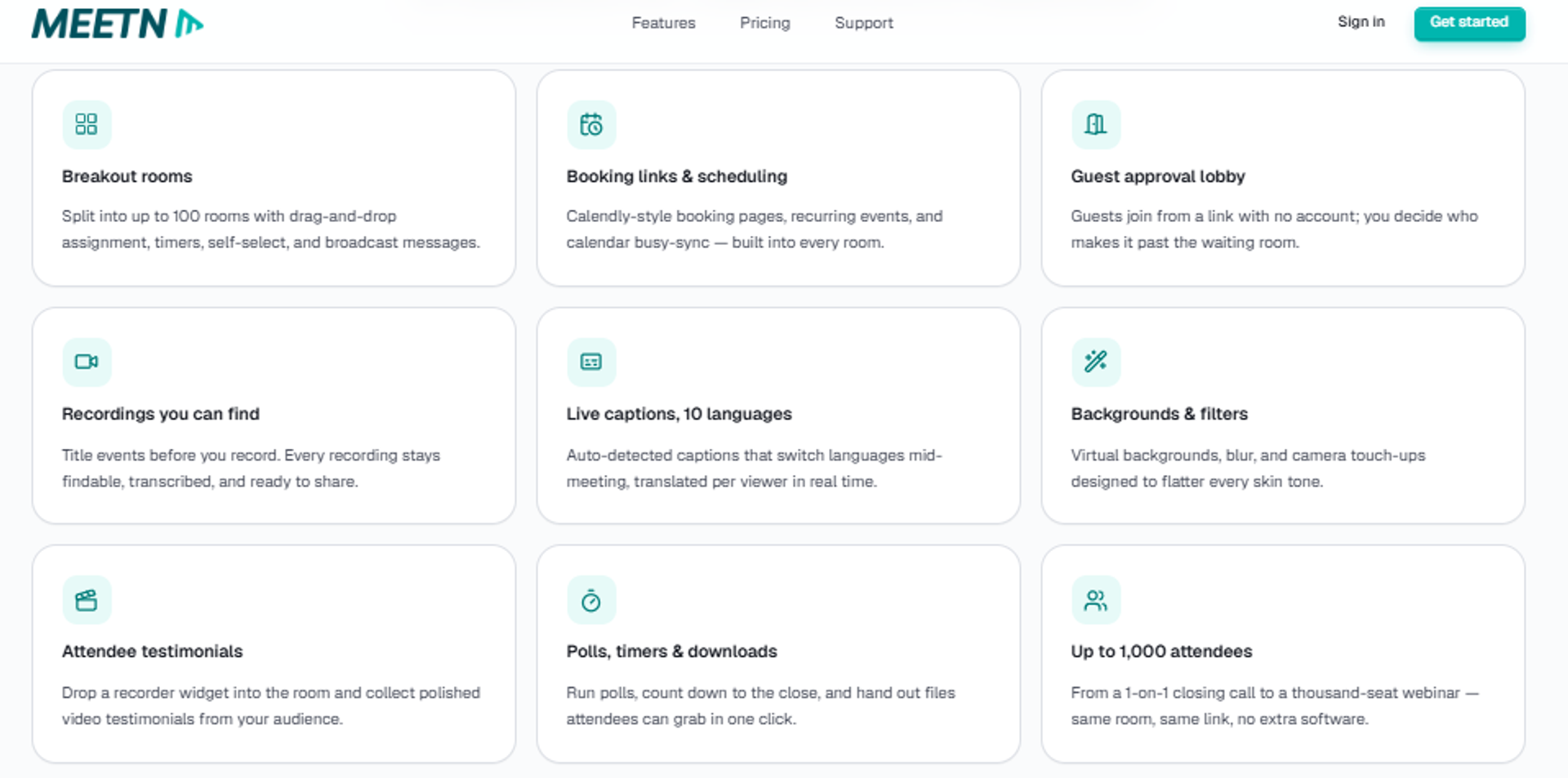
meetn is best for small tech teams and internal sessions that need stable webcasting at a low monthly cost, because it offers large rooms and a stealth admin entry mode, but it may not fit teams that need branded funnel pages or conversion tooling.
🎯 Quick fit
| Qualifier | Detail |
|---|---|
| Best for | Small teams running frequent low stakes sessions |
| Skip if | You need funnel pages, evergreen delivery, or CRM sync |
| Strongest edge | Host up to 300 attendees from $14.95 per month |
| Biggest trade-off | Minimal page design and no revenue mechanics |
| Pricing snapshot | $14.95 per month for 300 attendees; $49.95 per month for larger rooms; 3 day free trial |
Why meetn ranks #4
meetn ranks here on pricing fit and simplicity, not on capability breadth. At $14.95 a month for a 300 attendee room, it is the cheapest stable option in this list, according to the published meetn pricing page. For a weekly internal engineering demo, that is often the right answer.
The trade off is everything downstream. There is no evergreen engine, no in room checkout, and no lead scoring. A team that needs those will end up rebuilding them elsewhere, which is the exact stack sprawl this guide is trying to help you avoid. Teams weighing budget against capability often start with our list of affordable webinar platforms.
✅ What meetn does well
- Keeps cost predictable. Flat monthly pricing with no attendee based surprises.
- Lets hosts enter quietly. Admin and stealth entry means you can check a room without alerting attendees.
- Starts fast. A 3 day free trial with no long setup path.
- Scales rooms cheaply. The higher tier moves to much larger rooms for $49.95 per month.
❌ Where meetn falls short
- Registration and waiting room design options are basic.
- No automated, evergreen, or just-in-time delivery.
- No native CRM, lead scoring, or payments.
- Enterprise attestations and SSO are not published, so procurement will stall.
📊 Decision scorecard
| Evaluation criterion | meetn fit | Why it matters |
|---|---|---|
| Live webinars | Strong | Stable rooms up to 300 or more |
| Simulated live | Weak | Not a documented format |
| Evergreen automation | Weak | No scheduling engine |
| Funnel pages | Weak | Limited design control |
| Engagement | Partial | Core chat and interaction only |
| CRM and follow up | Weak | No native CRM |
| Monetization | Weak | No in room checkout |
| Analytics | Weak | Basic session reporting |
| Integrations | — | Not published in detail |
| Pricing fit | Strong | Lowest entry price in this list |
| Best-fit buyer | Small teams and internal sessions | Cost matters more than conversion |
💰 Best for / skip if
Choose meetn if the job is a recurring low stakes session and budget is the binding constraint. Skip it if the webinar sits in front of paid traffic or a revenue target.
5. GoTo Webinar
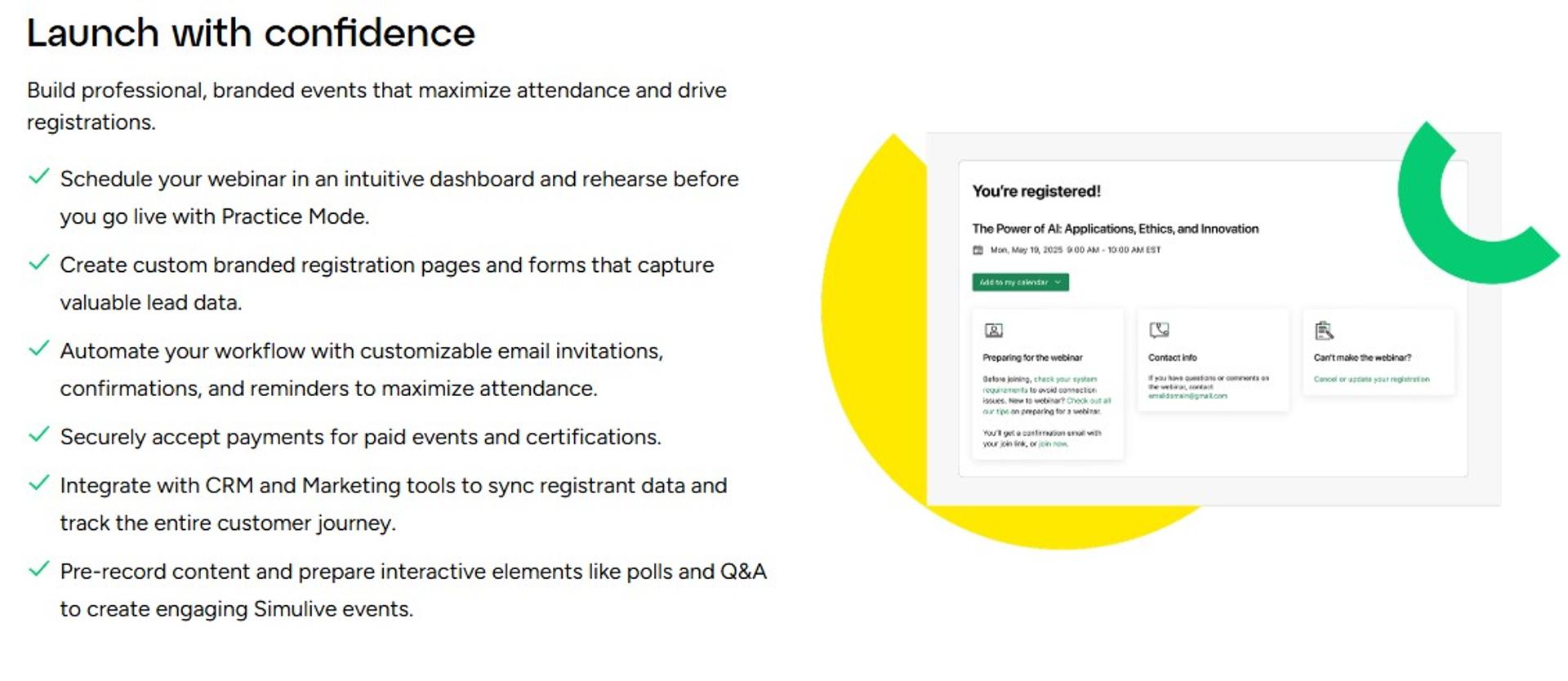
GoTo Webinar is best for training and enablement teams that need dependable delivery with reporting out of the box, because it now bundles simulive events, AI summaries, and paid event support across its Reach, Elevate, and Complete tiers, but it may not fit teams that want design flexibility on registration pages.
🎯 Quick fit
| Qualifier | Detail |
|---|---|
| Best for | Corporate training, enablement, and town hall teams |
| Skip if | You need custom funnel design or evergreen scheduling |
| Strongest edge | Reporting, source tracking, and certified training in one product |
| Biggest trade-off | Registration page design is rigid |
| Pricing snapshot | Reach at $69 per month; Elevate at $129 per month billed annually; Complete is quote based |
Why GoTo Webinar ranks #5
GoTo ranks mid table, because it is strong on delivery and weak on funnel control. Reach covers 500 participants with reporting, automated reminders, polls, and live Q and A. Elevate adds 1,000 participants, cloud recordings, AI summaries and transcripts, breakout rooms, and running recordings as live events, per the published GoTo Webinar pricing page.
Complete adds paid events, certified training, live streaming to unlimited attendees, and registration source tracking. That is a serious training stack. What it does not do is give you an evergreen funnel, and the pages you send traffic to stay inside GoTo's template system. Our GoTo Webinar pricing breakdown works through the tier maths, and the EasyWebinar vs GoToWebinar comparison sets the two side by side.
✅ What GoTo Webinar does well
- Reports on source. Complete tracks every registration source, so you can judge which channel actually produced attendance.
- Runs recordings as live events. Simulive on Elevate lets you deliver a polished session on a schedule. The mechanic itself is explained in our guide to the simulated live webinar format.
- Summarises sessions automatically. AI summaries and transcripts cut the post event write up.
- Handles paid training. Complete supports paid events and certificates, useful for enablement revenue.
- Scales beyond the room. Live streaming to unlimited attendees sits on the top tier.
❌ Where GoTo Webinar falls short
- Registration pages offer little design flexibility, which hurts conversion on cold traffic.
- Pricing is per organizer seat, so multi presenter teams pay repeatedly.
- No evergreen or just-in-time delivery for always on demos. Teams that need that path usually review GoToWebinar alternatives first.
- Top tier capability, including paid events, sits behind a quote.
📊 Decision scorecard
| Evaluation criterion | GoTo Webinar fit | Why it matters |
|---|---|---|
| Live webinars | Strong | Up to 3,000 participants on Complete |
| Simulated live | Strong | Recordings run as live events |
| Evergreen automation | Weak | No timezone adjusted always on engine |
| Funnel pages | Partial | Channel pages and custom URL, limited design |
| Engagement | Strong | Polls, handouts, Q and A, breakout rooms |
| CRM and follow up | Partial | Automated emails plus integrations |
| Monetization | Partial | Paid events only on Complete |
| Analytics | Strong | Reporting plus source tracking |
| Integrations | Strong | Established connector library |
| Pricing fit | Partial | Per organizer seats add up |
| Best-fit buyer | Training and enablement teams | Needs delivery and reporting over funnel design |
💰 Best for / skip if
Choose GoTo Webinar if you run scheduled training and need certificates, source tracking, and clean reporting. Skip it if the registration page is a conversion asset you need to control.
Reviews
"Choose GoToWebinar."- u/anonymous, r/ChiefMarketingOfficer Reddit Thread
6. Circle
Circle is best for tech companies running cohort programmes or ongoing customer communities that need events, courses, and discussion in one home, because it centralises live rooms with asynchronous conversation, but it may not fit teams whose primary goal is converting cold traffic in a single session.
🎯 Quick fit
| Qualifier | Detail |
|---|---|
| Best for | Customer communities, cohort training, and partner programmes |
| Skip if | You need evergreen sales funnels or in webinar checkout |
| Strongest edge | Events, courses, and discussion live in one member experience |
| Biggest trade-off | Not architected as a conversion funnel |
| Pricing snapshot | Professional at $89 per month; Business at $199 per month; 14 day free trial |
Why Circle ranks #6
Circle ranks here because it solves a different job well. For a developer community or a paid cohort, the recurring value sits between sessions, not only inside them. Circle keeps that continuity in one place instead of scattering it across a webinar tool and a chat app. Our piece on webinar networking features covers the community side of that argument.
Circle Plus adds priority support and a customer success manager, which matters if the community is revenue critical, per the published Circle pricing page. What it does not do is run a timed offer against a cold audience, which is the mechanic EasyWebinar's in room checkout and countdown offers are built for.
✅ What Circle does well
- Keeps the audience in one place. Events, courses, and threads sit under a single membership, so members stop bouncing between tools.
- Supports paid access. Community subscriptions and paid programmes are native to the model.
- Scales into enterprise use. Higher tiers add workflows and governance for larger programmes.
- Gives real support at the top tier. Priority support plus a CSM on Circle Plus.
❌ Where Circle falls short
- No simulive, evergreen, or just-in-time webinar delivery.
- Live streaming quality and capacity are not built for large broadcasts.
- No offer overlays or timed in session checkout.
- Attendee level webinar analytics are thinner than a dedicated webinar platform.
📊 Decision scorecard
| Evaluation criterion | Circle fit | Why it matters |
|---|---|---|
| Live webinars | Partial | Live rooms and streams, not broadcast scale |
| Simulated live | Weak | Not a supported format |
| Evergreen automation | Weak | No always on scheduling |
| Funnel pages | Partial | Member pages, not conversion funnels |
| Engagement | Strong | Threads, courses, and events combined |
| CRM and follow up | Partial | Member data without lead scoring |
| Monetization | Strong | Paid memberships and programmes |
| Analytics | Partial | Community metrics over offer metrics |
| Integrations | Partial | Growing library |
| Pricing fit | Strong | $89 entry for a full community layer |
| Best-fit buyer | Community and cohort programme owners | Values retention over single session conversion |
💰 Best for / skip if
Choose Circle if the webinar is one moment inside an ongoing programme. Skip it if the webinar is the sales mechanism and the offer has to close in the room.
7. Heartbeat
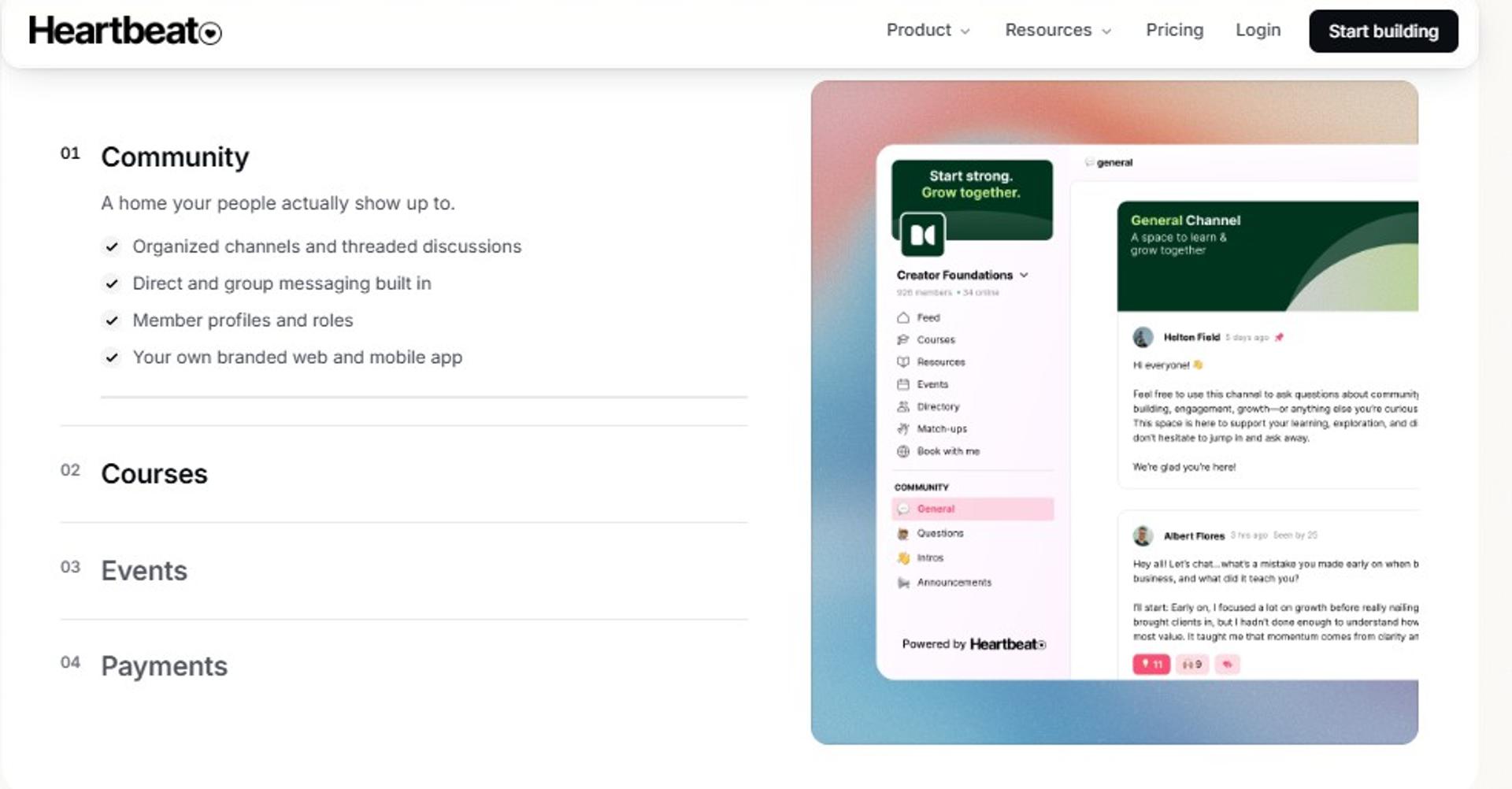
Heartbeat is best for event driven communities and mastermind groups that need smooth recurring live sessions, because it is built around scheduled gatherings rather than static content, but it may not fit teams that need organised topic threads or native video storage at the entry tier.
🎯 Quick fit
| Qualifier | Detail |
|---|---|
| Best for | Masterminds, cohorts, and recurring member calls |
| Skip if | You need structured threads or large broadcasts |
| Strongest edge | Live session experience designed for recurring groups |
| Biggest trade-off | Video hosting costs extra on the entry plan |
| Pricing snapshot | Build at $49 per month; Grow at $149 per month; Scale at $849 per month; video hosting add on at $19 per month |
Why Heartbeat ranks #7
Heartbeat ranks below Circle, because its strength is narrower. It handles recurring live gatherings well, and the Build plan supports up to 350 members at $49 a month. For a mastermind, that fit is genuinely good.
Its structural gap is organisation. Channels sit in a flat list without thread topics, which gets noisy as the group grows. Native video hosting is a $19 monthly add on at the entry level, included with 50 hours on Grow and 200 hours on Scale, per the published Heartbeat pricing page.
✅ What Heartbeat does well
- Centres the calendar. Recurring live sessions are the core object, not an afterthought.
- Starts affordably. $49 a month covers up to 350 members.
- Includes video storage higher up. Grow bundles 50 hours, Scale bundles 200 hours.
- Adds priority support on Grow. Useful when member sessions are revenue bearing.
❌ Where Heartbeat falls short
- No thread topic organisation, so discussion becomes hard to navigate.
- Video hosting is a paid add on at the entry tier.
- No simulive, evergreen, or just-in-time webinar delivery.
- Not built for large scale broadcast events, unlike a webinar platform for 1,000 attendees.
📊 Decision scorecard
| Evaluation criterion | Heartbeat fit | Why it matters |
|---|---|---|
| Live webinars | Partial | Group sessions, not broadcasts |
| Simulated live | Weak | Not supported |
| Evergreen automation | Weak | No scheduling engine |
| Funnel pages | Weak | Member facing only |
| Engagement | Strong | Built for recurring live participation |
| CRM and follow up | Weak | No lead scoring |
| Monetization | Partial | Paid membership support |
| Analytics | Weak | Limited attendee level data |
| Integrations | — | Not published in depth |
| Pricing fit | Strong | $49 entry for 350 members |
| Best-fit buyer | Mastermind and cohort operators | Needs rhythm, not reach |
💰 Best for / skip if
Choose Heartbeat if your programme runs on a weekly group call and member count is modest. Skip it if you need searchable topic threads or a broadcast to thousands.
8. Webflow + Outseta + Circle (assembled stack)
The Webflow, Outseta, and Circle stack is best for engineering led teams that need total design and data control over cohort programmes, because it separates pages, billing, authentication, and community into best of breed parts, but it may not fit teams without ongoing developer capacity.
🎯 Quick fit
| Qualifier | Detail |
|---|---|
| Best for | Technical teams building custom cohort or masterclass products |
| Skip if | You need to launch this month without developer time |
| Strongest edge | Full control of pages, auth, billing, and data ownership |
| Biggest trade-off | Three subscriptions and permanent integration maintenance |
| Pricing snapshot | Webflow Basic $15 or Premium $25 per month; Outseta Founder $47 per month plus a 2% transaction fee; Circle Professional $89 per month |
Why the assembled stack ranks #8
This stack ranks low on time to launch and high on control. Webflow gives you custom domains, CMS, and a REST API, with Basic at $15 and Premium at $25 monthly on the published Webflow pricing page. Outseta bundles subscription billing on your own Stripe account with authentication, content gating, CRM, and email from $47 a month plus 2% per transaction, per the Outseta pricing page.
The honest cost is not the licences. It is the ongoing work of keeping three systems in sync. I have watched teams spend six months on this and still not have a reliable reminder sequence, which is the same failure mode as any hand built funnel chain. Our webinar funnel guide maps the pieces that have to connect.
✅ What the assembled stack does well
- Removes design constraints. Webflow pages are fully custom, with unlimited form submissions on paid tiers.
- Keeps billing in your own Stripe. Outseta layers subscriptions on your account rather than holding funds.
- Owns the data. Auth, CRM, and member records stay in systems you control.
- Scales the community layer separately. Circle can grow without touching the site build.
- Exposes APIs. Webflow's REST API supports programmatic content updates.
❌ Where the assembled stack falls short
- Three subscriptions before a single webinar runs.
- No native webinar streaming, so delivery still needs another tool.
- Outseta charges 2% per transaction on the entry plan.
- Every reminder, tag, and handoff is custom work you now maintain.
📊 Decision scorecard
| Evaluation criterion | Assembled stack fit | Why it matters |
|---|---|---|
| Live webinars | Weak | No streaming layer included |
| Simulated live | Weak | Not available |
| Evergreen automation | — | Only if you build it |
| Funnel pages | Strong | Full custom design in Webflow |
| Engagement | Partial | Depends on the added streaming tool |
| CRM and follow up | Partial | Outseta CRM and email, hand wired |
| Monetization | Strong | Own Stripe, own checkout |
| Analytics | — | Assembled from separate sources |
| Integrations | Strong | API first across all three |
| Pricing fit | Partial | Low licences, high build cost |
| Best-fit buyer | Engineering led product teams | Control matters more than speed |
💰 Best for / skip if
Choose this stack if design and data ownership are non negotiable and you have developer time booked. Skip it if you need a launch running in two weeks.
9. Stan Store / ScoreApp
Stan Store and ScoreApp are best for tech teams testing lead qualification and mobile checkout without funnel software, because they turn a quiz or a simple storefront into a scored lead and a payment, but they may not fit teams that need multi speaker broadcast sessions.
🎯 Quick fit
| Qualifier | Detail |
|---|---|
| Best for | Fast assessment funnels and low friction mobile purchases |
| Skip if | You need to host a live session at all |
| Strongest edge | Quiz to scored lead to checkout with almost no setup |
| Biggest trade-off | No webinar delivery, staging, or attendee analytics |
| Pricing snapshot | Stan Store Creator $29 and Creator Pro $99 per month with 0% platform fee; ScoreApp Starter $39, Business $99, Pro $149, Enterprise $799 per month |
Why this pairing ranks #9
These tools rank ninth, because they are adjacent, not substitutes. ScoreApp scores and segments inbound leads before a human touches them, starting at $39 a month with 1,000 responses on the higher tier, per the published ScoreApp pricing page. Stan Store handles the checkout at $29 or $99 monthly with no platform fee.
Together they cover qualification and payment. They do not cover the session where the belief actually changes, which is why they sit beside a webinar platform rather than instead of one. Our webinar lead generation guide explains where each part belongs.
✅ What they do well
- Qualify before the call. ScoreApp segments leads by score, so sales talks to the right people first.
- Charge without a cart build. Stan Store checkout works on mobile with 0% platform fee, per the Stan Store pricing page.
- Start cheap. Both begin under $40 a month.
- Reduce setup time. No funnel builder or page stack required.
❌ Where they fall short
- No live, simulive, or evergreen webinar delivery.
- No multi speaker staging or backstage control.
- Stan Store does not support connecting your own Stripe account.
- ScoreApp response limits mean cost rises with volume.
📊 Decision scorecard
| Evaluation criterion | Stan Store / ScoreApp fit | Why it matters |
|---|---|---|
| Live webinars | Weak | Not a delivery platform |
| Simulated live | Weak | Not supported |
| Evergreen automation | Weak | Not supported |
| Funnel pages | Partial | Quiz and storefront pages only |
| Engagement | Weak | No in session mechanics |
| CRM and follow up | Partial | Scoring and segmentation via ScoreApp |
| Monetization | Strong | Mobile checkout with 0% platform fee |
| Analytics | Partial | Response and sales data, no attendee data |
| Integrations | — | Confirm per tool before relying on it |
| Pricing fit | Strong | Both start under $40 monthly |
| Best-fit buyer | Teams testing qualification and payment | Needs speed at the edges of the funnel |
💰 Best for / skip if
Choose these if you want to score inbound leads and take payment this week. Skip them if the webinar itself is the thing you are trying to run.
10. GoHighLevel
GoHighLevel is best for agencies consolidating client marketing operations into one CRM and automation system, because it bundles pipelines, email, SMS, and funnels across sub accounts, but it may not fit teams whose primary need is high quality webinar delivery.
🎯 Quick fit
| Qualifier | Detail |
|---|---|
| Best for | Agencies running marketing operations for multiple clients |
| Skip if | Webinar streaming quality is a primary requirement |
| Strongest edge | Unlimited contacts and users across every plan |
| Biggest trade-off | Video and webcast quality is the weakest layer in the bundle |
| Pricing snapshot | Starter $97 per month, Unlimited $297 per month, Agency Pro $497 per month, 14 day free trial |
Why GoHighLevel ranks #10
GoHighLevel ranks last for this specific job, not for its own category. For agency CRM and automation, it is genuinely deep, with Starter covering 3 sub accounts and unlimited contacts at $97 monthly on the published HighLevel pricing page. Real costs climb once SMS, email, and AI add ons are counted, often landing between $250 and $450 a month.
The structural problem is scope. When one platform claims to be your CRM, email provider, community, storage, and video layer at once, the video layer is usually the one that suffers. For a tech audience watching a live product demo, that is the layer you cannot afford to compromise. Agencies that want both often pair the two, as our EasyWebinar and HighLevel agency guide sets out.
✅ What GoHighLevel does well
- Removes seat anxiety. Unlimited contacts and users on all plans.
- Runs many clients from one login. Sub accounts scale across an agency roster.
- Automates outreach broadly. Email, SMS, and pipeline automation sit in one system.
- Supports resale. Agency Pro at $497 adds SaaS mode for reselling the platform.
❌ Where GoHighLevel falls short
- No native webinar delivery, so streaming still needs another tool.
- Usage based email, SMS, and AI charges push real cost well above the sticker price.
- No simulive, evergreen, or just-in-time webinar formats, unlike a purpose built automated webinar software.
- No attendee level webinar analytics or drop off data.
📊 Decision scorecard
| Evaluation criterion | GoHighLevel fit | Why it matters |
|---|---|---|
| Live webinars | Weak | Not a streaming platform |
| Simulated live | Weak | Not supported |
| Evergreen automation | Partial | Email automation, not webinar delivery |
| Funnel pages | Strong | Native funnel and page builder |
| Engagement | Weak | No in session mechanics |
| CRM and follow up | Strong | Pipelines, scoring, and multichannel outreach |
| Monetization | Partial | Payments supported, no in room offers |
| Analytics | Partial | Marketing reporting, no attendee behaviour |
| Integrations | Strong | Broad connector and API coverage |
| Pricing fit | Partial | Usage charges raise the true number |
| Best-fit buyer | Agencies consolidating client operations | Needs CRM breadth, not webinar depth |
💰 Best for / skip if
Choose GoHighLevel if you are running client marketing operations and webinars are occasional. Skip it if the live demo is your main revenue motion, because you will still buy a delivery platform.
EasyWebinar sits at position one on this grid, because it is the only entry covering live, simulive, evergreen, just-in-time, on-demand, and replay delivery alongside EasyCRM, built-in checkout, and SOC 2 Type II attestation in one account, priced from $44 to $349 per month by attendee tier on our webinar pricing page. In our work, that consolidation is what removes the integration nobody wants to maintain at 9:58pm.
Q2. How Did We Score These 10 Webinar Platforms?
Each platform scored out of 100 across five weighted criteria: Stream Reliability and Production Control (25%), Format Range covering live, simulive, evergreen, and on-demand (20%), Funnel and CRM Integration Depth (20%), Security and Enterprise Readiness including SOC 2, SSO, and API (20%), and Pricing Transparency (15%). Scores convert to stars in 20 point bands.
⚠️ Why an unscored list is worse than no list
Most roundups rank on vibes. A vendor gets called reliable because the writer never tried to break it. That is how a marketing team ends up with a platform that fails at minute nine of a launch.
So I published the rubric first. Weighting reliability above price is a contrarian call. Most lists put price on top, but one crashed launch costs more than a year of licence fees. Our best webinar software comparison guide uses the same discipline.
📏 What each criterion measures
- Stream Reliability and Production Control (25%). Latency specs, backstage staging, recording path, and documented behaviour when a session breaks mid demo.
- Format Range (20%). Live, simulive, evergreen, just-in-time (a session that starts roughly 15 minutes after signup), on-demand, and replay. The full set sits on our all features page.
- Funnel and CRM Integration Depth (20%). Native connectors, webhooks, API access, and whether attendee behaviour arrives as a scored signal.
- Security and Enterprise Readiness (20%). Published attestations, SSO, data handling, and attendee ceiling.
- Pricing Transparency (15%). Published tiers, attendee caps, and usage charges disclosed before purchase, as listed on our webinar pricing page.
Integration depth carries a full fifth of the score for a specific reason. Jeremy Haynes has described catching a Zapier plan ceiling four hours before a launch, spotted only because someone reconciled a few hundred missing opt-ins against the CRM. That failure is invisible until it is expensive.
⭐ Star bands and full scores
Bands are simple: 0 to 20 is one star, 21 to 40 is two, 41 to 60 is three, 61 to 80 is four, and 81 to 100 is five.
| Platform | Reliability /25 | Formats /20 | Integration /20 | Security /20 | Pricing /15 | Total | Stars |
|---|---|---|---|---|---|---|---|
| EasyWebinar | 22 | 20 | 18 | 18 | 14 | 92 | ⭐⭐⭐⭐⭐ |
| Zoom Webinars Plus | 24 | 13 | 12 | 19 | 8 | 76 | ⭐⭐⭐⭐ |
| Riverside | 21 | 10 | 10 | 8 | 9 | 58 | ⭐⭐⭐ |
| GoTo Webinar | 19 | 13 | 12 | 9 | 6 | 59 | ⭐⭐⭐ |
| Webflow + Outseta + Circle | 10 | 8 | 17 | 10 | 10 | 55 | ⭐⭐⭐ |
| Circle | 13 | 6 | 12 | 10 | 10 | 51 | ⭐⭐⭐ |
| GoHighLevel | 8 | 4 | 18 | 9 | 8 | 47 | ⭐⭐⭐ |
| meetn | 15 | 5 | 5 | 5 | 14 | 44 | ⭐⭐⭐ |
| Heartbeat | 12 | 4 | 6 | 5 | 11 | 38 | ⭐⭐ |
| Stan Store / ScoreApp | 6 | 2 | 9 | 6 | 10 | 33 | ⭐⭐ |
EasyWebinar takes full marks on format range, because six delivery types run from one account, and near full marks on integration depth, because EasyCRM plus native HubSpot and Salesforce sync remove the two links most likely to break. It loses points on pricing transparency, since just-in-time scheduling sits on higher tiers. The connector list sits on our integrations page.
❌ What the rubric deliberately ignores
Brand familiarity earns nothing. Neither does a headline attendee ceiling nobody in this reader group will ever use.
User evidence entered the rubric as review volume and rating, not as sentiment. Zoom Workplace carries 4.5 out of 5 across 56,560 G2 reviews, which is a different kind of signal than a 172 review sample.
"The video quality came and went when I switched from the slides as the main screen back to me. It was pixelated and then cleared."- Verified User in Photography, EasyWebinar G2 - Verified Review (4.5 stars)
"To have the just in time feature you have to pay a premium that is about double the price of the basic subscription."- Laura C., Course Creator, EasyWebinar G2 - Verified Review (5 stars)
EasyWebinar published its own weakest scores here on purpose. In our rubric, pricing transparency is the one criterion where we do not lead, and hiding that would make every other number less useful to you. More operator verdicts sit on our customer reviews page.
Q3. Why Do Tech Webinars Fail on Plumbing and Latency Instead of Features?
EasyWebinar streams on Dolby OptiView WebRTC at sub 500ms latency with Dolby Voice audio and in house video storage, so polls and timed offers reach attendees while the topic is still live. Tech webinars rarely fail from a missing feature. They fail because an automation hit a plan ceiling, a reminder never fired, or the stream lagged 20 to 30 seconds during a demo. Reliability means three measurable things: sub second delivery, backstage staging, and a recording path that survives a bandwidth dip.
🕸️ The failure nobody puts on a feature grid
Jon Penberthy has a line I steal constantly. Your funnel should not look like the tube map, because that shape is a list of things that can go wrong.
He also puts a number on it. Chaining each stage to the next takes six months to a year to get right. That is time your ad spend does not wait for. Our webinar funnel guide maps the connections that actually have to hold.
⚠️ The proof: a ceiling caught four hours out
Jeremy Haynes has described hitting a Zapier plan limit before a launch. The team noticed a few hundred person gap between opt-ins and CRM records, four hours before going live. The fix was a billing upgrade, which is the point. Nothing was broken except the ceiling nobody checked.
I have made a version of this mistake. Live means tech issues and repetition, and once my kid nearly put ketchup on my face mid session. You plan for chaos, or chaos plans for you. Our host preparation guide is the pre-flight version of that lesson.
🔌 The three reliability layers, defined
- Delivery speed. How long between you speaking and the attendee hearing it. Sub second keeps interaction in sync.
- Staging. Whether guests wait backstage or appear on camera unprepared.
- Recording path. Whether the file survives a dropped connection.
Here is the concrete version. You fire a poll at minute 12 about the feature on screen. On a 25 second delay, the poll lands after you moved on. Attendees answer a question about something they can no longer see, and your engagement data becomes noise.
🛠️ How the platforms actually differ
| Reliability layer | Zoom Webinars Plus | Riverside | EasyWebinar |
|---|---|---|---|
| Delivery | Proven to 100,000 attendees | 1080p streaming | Sub 500ms via Dolby OptiView WebRTC |
| Staging | Backstage for hosts and panelists | Backstage show or hide | Promote any attendee to co presenter |
| Recording | Cloud recording on higher tiers | Local multi track per guest | In house storage, no third party bucket |
Zoom's backstage exists for one reason. It ends the awkward slide shuffle while an audience watches you search for the right file. The delivery specs behind our own row sit on the live webinar software page.
✅ Engagement only works when delivery is fast
Interaction is not a nice extra. ON24's 2026 data shows roughly 1.9 interactions per attendee and CTA conversions up 31% year over year, per the ON24 webinar benchmarks guide.
Jono Bacon, who runs DevRel sessions for companies including Dragonfly and Loft Labs, asks the obvious question. Why do most people save all interactivity for the last 15 minutes? His own fix is a chat prompt inside the first two minutes, right after the opening story. Our guide to webinar engagement tools covers the mechanics that carry that cadence.
"I've been going live every month since 2020 and I'm exhausted."- Verified User in Photography, EasyWebinar G2 - Verified Review (4.5 stars)
"There are just a lot of moving parts to these kinds of funnels when done well."- Ajarae C., Coach, EasyWebinar G2 - Verified Review (5 stars)
EasyWebinar runs pages, reminder emails, SMS, the stream, and follow up from one account, so there is no external automation ceiling to trip at hour four. Our read is that most reliability problems are integration problems wearing a streaming costume.
Q4. Which Webinar Format and Entry Path Fits a Tech Team's Job?
EasyWebinar converts any recorded live session into simulive, evergreen, just-in-time, or on-demand delivery without re-uploading the file, reusing the same registration and replay pages. Run live first, automate second. Cold traffic converts better live, because higher priced buyers often attend two or three sessions before purchasing. Weekly live sessions still burn presenter energy. Run 5 to 10 live sessions, hit 10% attendee to buyer conversion, then clone the winner into evergreen. Then remove entry friction.
⏰ The sequencing rule, stated plainly
Two credible operators contradict each other here, and both are right about their own conditions.
Jeremy Haynes reports automated sessions underperforming live on cold paid traffic, with close to half of one client's buyers attending two or three live sessions first. Yuri Elkaim argues the opposite for warm audiences, because weekly live shows have poor show up rates and burn the presenter. Our live versus automated webinars comparison works through both cases.
🎯 How I resolve it
My rule is a sprint, not a preference. Run 5 to 10 live sessions. Fix the message, the offer, and the pacing. Only automate once attendee to buyer conversion clears 10%.
That threshold matters, because automation multiplies whatever you already have. Automate a session converting at 2%, and you have built a machine that reliably converts at 2%. The delivery side of that move sits on our automated webinar page.
📅 Format coverage across the ten
| Platform | Live | Simulive | Evergreen | Just-in-time | On-demand |
|---|---|---|---|---|---|
| EasyWebinar | Yes | Yes | Yes, timezone detected | Yes | Yes |
| Zoom Webinars Plus | Yes | Yes | No | No | Yes |
| GoTo Webinar | Yes | Yes | No | No | Yes |
| Riverside | Yes | Yes | No | No | No |
| meetn | Yes | No | No | No | No |
| Circle | Yes | No | No | No | No |
| Heartbeat | Yes | No | No | No | No |
| Webflow + Outseta + Circle | No | No | Only if built | No | No |
| GoHighLevel | No | No | No | No | No |
| Stan Store / ScoreApp | No | No | No | No | No |
Just-in-time is the mechanic worth explaining. The registration page offers a session starting within roughly the next 15 minutes, so a high intent visitor never waits three days and forgets.
🚪 Entry friction is a comparison axis
Ask EasyWebinar to embed registration as an inline form or a popover on any page, or to issue a one click link that auto registers a known contact. Both remove a form from the path, as our webinar registration software guide sets out.
Operators switch platforms over this, not over features. One practitioner in r/marketing described moving specifically because guests faced "no awkward login processes" on the new tool. Developers are the least patient audience you will ever ask to create an account.
"After trying out several alternatives, we switched. The standout feature for us was the seamless experience it offers for guests, there are no awkward login processes."- u/anonymous, r/marketing Reddit Thread
There is one delivery detail I test in every deployment. Do not put the join link in an SMS reminder. Haynes found it raised show rate but wrecked booking rate, because phone viewers behave differently than desktop viewers.
💸 The caveat that undoes all of this
An automated session with no traffic is a billboard in the desert. ON24 reports 52% of attendees now watch on demand, which sounds like permission to automate everything.
It is not. It means your replay path deserves the same attention as your live one, including expiry windows and behaviour based follow up. Our guide to the on-demand webinar platform model explains why.
EasyWebinar makes the live to automated move a toggle rather than a rebuild, since a past recording converts into scheduled or always on delivery while keeping the original funnel pages and follow up sequences intact. In our deployments, that is where the second and third revenue cycles come from.
Q5. Which Platforms Clear Security Review and Reach Your CRM?
EasyWebinar holds SOC 2 Type II attestation and GDPR compliance with a DPA, and lists SSO/SAML plus full API and webhook access on its Scale plan at $349 per month. Few webinar vendors publish reviewable attestations at all. Zoom's trust centre carries a dated SOC 2 Type 2 report covering Zoom Webinars, plus CSA STAR Level 2, SOC 2 with HITRUST, and ISO/IEC 27001. Then check the second half of the review: whether attendee behaviour reaches HubSpot or Salesforce as a buying signal.
⚠️ Compliance decides the shortlist before features do
I have watched marketing teams pick a platform, build the funnel, and then lose the purchase in security review. The IT director asks for a report, the vendor sends a marketing page, and the project stalls a quarter.
So check attestations first. It takes ten minutes and removes two vendors from your list. Our own posture sits on the GDPR compliance page, with the processing terms in the data processing addendum.
📋 What each vendor publishes
| Platform | Published attestations | SSO/SAML | Notes |
|---|---|---|---|
| Zoom Webinars Plus | SOC 2 Type 2 (10/16/2024 to 10/15/2025), CSA STAR Level 2, SOC 2 + HITRUST, ISO/IEC 27001, 27017, 27018, 27701, per the Zoom SOC 2 page and Zoom Trust Center | Yes | Zoom Webinars explicitly in scope |
| EasyWebinar | SOC 2 Type II (auditor: Scrut Automation), GDPR with DPA | Listed on Scale | Custom CNAME domain included |
| GoTo Webinar | Not published on the pricing page | Not published | Request directly |
| Riverside | Not published | Not published | — |
| Circle | Not published | Not published | — |
| meetn, Heartbeat, Stan Store, ScoreApp, GoHighLevel | Not published | Not published | Expect procurement friction |
Two things to request in writing. Ask for the current report, and ask for a bridge letter covering the gap since the report period closed. A vendor that cannot supply both is not enterprise ready, regardless of the logo wall.
🔌 Integration depth beats integration count
Every vendor claims integrations. What matters is whether attendee behaviour arrives as a scored record, or as a name in a spreadsheet.
Ask EasyWebinar to pass registered, attended, missed, watched replay, joined late, and left early as triggers into HubSpot, ActiveCampaign, Keap, Ontraport, Pardot, or GoHighLevel, with webhooks and a REST API behind them, as listed on our integrations page. That behavioural granularity is what lets a rep call the person who watched 38 minutes and clicked the offer. Our webinar CRM guide explains how those triggers are meant to be used.
| Capability | Zoom Webinars Plus | GoTo Webinar | EasyWebinar |
|---|---|---|---|
| Native CRM connectors | Yes, broad ecosystem | Yes, established library | 13 named connectors |
| Behavioural triggers | Registration and attendance | Registration and attendance | Six attendee actions |
| REST API and webhooks | Yes | Yes | Yes, on Scale |
| Zapier fallback | Yes | Yes | Yes, 1,500+ apps |
💸 Where bundles fall down
There is a real trade-off with all-in-one suites. When a platform claims to be your CRM, email provider, community, storage, and video layer at once, one of those layers is always the weakest. In practice, it is the video.
That is not an argument against consolidation. It is an argument for consolidating around the thing you cannot compromise, which for a tech company is the live demo. Our sales CRM is built to sit behind that session rather than in front of it.
"Integration is somewhat limited, but if you are comfortable with Zapier you can easily update that."- Verified User in Professional Training and Coaching, EasyWebinar G2 - Verified Review (4.5 stars)
"I love the ease of being able to integrate this platform with other platforms we use, like Hubspot and Zapier."- Annette S., Marketing Lead, EasyWebinar G2 - Verified Review (5 stars)
EasyWebinar publishes only what it can evidence, which is SOC 2 Type II and GDPR with a DPA, and nothing beyond that. I would rather lose a deal on a missing certification than win one on an implied claim your auditor later disproves.
Q6. What Does Webinar Software Actually Cost at 50, 500 and 1,000 Attendees?
EasyWebinar prices by attendee tier at $44, $116, $198, and $349 per month, covering 50, 200, 500, and 1,000 live attendees respectively. The licence is rarely the real number. Attendee based billing and flat tier billing diverge sharply above 500 attendees. Once you add landing pages, email, SMS, checkout, and an automation tier to hold it together, a cheap platform routinely lands between $600 and $1,000 a month, with attribution split across five dashboards.
💰 The same job at three sizes
| Attendee target | EasyWebinar | Zoom Webinars | GoTo Webinar | meetn |
|---|---|---|---|---|
| 50 | $44/mo | Workplace Pro from $14.16/user/mo plus webinar licence | Reach $69/mo | $14.95/mo |
| 500 | $198/mo | About $79/mo annual, or $290.83/mo on Webinars Plus | Elevate $129/mo | $49.95/mo |
| 1,000+ | $349/mo | Up to $690/mo at higher tiers | Complete, quote based | Not supported |
Read the Zoom row carefully. The webinar licence sits on top of a paid Workplace seat, so the real number is two line items, not one. Our tier by tier webinar pricing is published in full, and the GoTo Webinar pricing breakdown does the same maths for their plans.
💸 The stack nobody prices upfront
A hosting only tool leaves five jobs unfunded. Here is what teams actually assemble.
- Landing pages: Webflow Basic at $15 or Premium at $25 per month, per the Webflow pricing page.
- CRM and automation: GoHighLevel Starter at $97 per month, with real all in cost often $250 to $450 once SMS, email, and AI usage are counted, per the HighLevel pricing page.
- Checkout and billing: Outseta Founder at $47 per month plus a 2% transaction fee, per the Outseta pricing page.
- Community layer, when required: Circle Professional at $89 per month, per the Circle pricing page.
Add a mid tier webinar licence and you clear $600 a month quickly. Nothing here is unreasonable on its own. Together they produce five dashboards and one broken attribution chain. Teams comparing consolidated options usually start with our list of top webinar platforms.
⚠️ The cost that never appears on an invoice
When checkout redirects offsite, the purchase leaves the session data behind. You can see who clicked and who bought, but not reliably as the same record.
EasyWebinar keeps checkout inside the room with Stripe, PayPal, and PayU, which is why offer clicks and purchases stay on one attendee record. In our deployments, that single join is what makes the drop off graph worth reading. The mechanics sit on our paid webinars page.
📊 The unit economics that decide viability
Licence cost only matters against acquisition cost. On paid traffic to a higher priced offer, plan for $8 to $12 per lead and roughly a 30% registration rate on cold audiences.
Rick Mulready ran that shape and returned 166% ROI at a 30% registration rate with $8 to $12 cost per lead. At those numbers, a $198 licence is a rounding error. At a 10% show up rate with no follow up, no licence price saves you. Our guide to making money with webinars works through the same arithmetic.
"It seems such a reasonable price for all the features you receive."- Pat G., Digital Product Seller, EasyWebinar G2 - Verified Review (5 stars)
"We needed a solution that we could just pick up and put down as and when we needed it, and this is perfect for one off webinars without being locked into a contract."- Annette S., Marketing Lead, EasyWebinar G2 - Verified Review (5 stars)
EasyWebinar replaces roughly seven to eight line items, covering pages, email, SMS, checkout, CRM, storage, and multistream, which is why I run this comparison on total stack cost rather than seat price.
Q7. What Benchmarks Prove It Works, and Which Platform Fits Your Use Case?
EasyWebinar reports attendee level behaviour including watch time, poll responses, offer clicks, and a drop off graph across the session timeline, plus a cross webinar filter for everyone who saw an offer and never clicked. Judge any platform on outcomes. Industry data puts average webinar attendance at 239 people, registration to attendance near 60%, and engagement around 49 minutes. On cold paid traffic, expect a 30% registration rate and 10% to 15% show up at the low end.
📊 The benchmark panel
| Metric | Figure | Source |
|---|---|---|
| Average attendees per webinar | 239, up 11% year over year | ON24 2026 |
| Registration to attendance | 60% | ON24 2026 |
| Average engagement time | 49 minutes | ON24 2026 |
| Watched on demand | 52% | ON24 2026 |
| CTA conversions | Up 31% year over year | ON24 2026 |
| Show up on ice cold traffic | 10% to 15% | Operator reporting |
| Attendee to buyer before automating | 10% | Webinar Sprint threshold |
⚠️ Why the numbers disagree
Published registrant to attendee rates land near 57% for ON24, around 48% for Livestorm, and roughly 40% for GoTo. That spread is not error. Each vendor measures a different population at a different moment.
So use benchmarks as a range, not a target. If your own show up sits at 45%, you are inside normal, not failing. Our guide to improving webinar attendance covers what actually moves that number.
🔍 What a platform must expose
You cannot manage any of this without three views: per attendee actions, a drop off curve across the timeline, and offer level clicks. Meeting tools report attendance. Webinar platforms report behaviour, and only behaviour tells you where the offer lost the room. Our webinar analytics guide walks through each view.
Aim for about 80% retention from peak attendance to the moment you pitch. One reliable way to hold it is telling attendees early that bonuses go out right after the session, to people still there.
🎯 Routing by job
| Scenario | Primary pick | Runner up | Why |
|---|---|---|---|
| Live product launch, 5,000+ | Zoom Webinars Plus | EasyWebinar | Backstage staging and proven scale |
| Recurring product demo | EasyWebinar | GoTo Webinar | Just-in-time sessions start within about 15 minutes |
| DevRel workshop | EasyWebinar | Riverside | Interaction throughout, plus clip repurposing |
| Customer onboarding | EasyWebinar | Circle | Evergreen with timezone detection |
| Enterprise all hands | Zoom Webinars Plus | GoTo Webinar | Attestations shorten security review |
❌ Where each one is the wrong call
- Skip Zoom Webinars Plus if you need evergreen delivery or in room checkout. The trade-offs are set out in our EasyWebinar vs Zoom comparison.
- Skip Riverside above 100 registrants.
- Skip GoHighLevel and Stan Store if the live session is the revenue motion.
- Skip EasyWebinar for one off internal meetings, pure live only events with no funnel intent, or offers priced under $200, where a webinar is not mathematically required.
⏰ A 30 day pilot that actually settles it
- Week one: run one live session on the shortlist tool. Note what broke.
- Week two: rerun it as a scheduled recording with chat active. Compare show up.
- Week three: open a just-in-time path and measure registration to attendance.
- Week four: read the drop off graph. Find the minute you lose 20% of the room, and fix that segment.
EasyWebinar measures each of those steps on one attendee record, from registration through watch time, poll answers, and offer clicks, with GA4 and Meta Pixel support on the funnel pages. My read is that the platform choice matters less than whether you can see the minute the room left. Side by side scoring for every tool sits on our compare webinar platforms hub.
Frequently Asked Questions

Casey Zeman
Founder of EasyWebinar
About Author
Over the past decade, I've helped thousands of entrepreneurs, coaches, and consultants turn webinars into a predictable, powerful way to grow their audience, build trust, and scale, without the constant hustle. I created EasyWebinar because I couldn't find a system that combined authenticity, engagement, and automation the way I needed. So, I built one.
Related Posts

10 Best Community Engagement Platforms in 2026
Compare the 10 best community engagement platforms in 2026. Course creators, evaluate live hosting, analytics, and replay to pick your winner today.

10 Best Online Coaching Tools in 2026: Live Session Quality, Scheduling, Recording, and Client Engagement Analytics
Compare the 10 best online coaching tools of 2026 on session quality, scheduling, and analytics. Discover the right fit for your coaching revenue model.

10 Best Webinar Hosting Platforms Ranked by Uptime, Streaming Quality & Cost
Compare 10 webinar hosting platforms ranked by uptime, streaming quality, and cost. Discover which tool actually turns attendees into revenue.
Turn every webinar into a revenue stream
Launch your first paid event in just a few clicks - and start monetizing your expertise.
Book a Call