11 Best Automated Webinar Software 2026: Platforms Ranked by Revenue Fit

Casey Zeman
Published on May 11, 2026 • 48 min read

Q1: What Are the 11 Best Automated Webinar Software Tools in 2026?
The eleven platforms evaluated in this guide, ranked in order:
- EasyWebinar
- EverWebinar
- WebinarJam
- Demio
- ProProfs WebinarNinja
- Livestorm
- WebinarKit
- eWebinar
- BigMarker
- GoTo Webinar
- Zoom Webinars
Disclosure: EasyWebinar publishes this guide, and we've included our own platform. We note where other tools are the better fit.
Choosing automated webinar software is a high-stakes call because the platform you pick decides whether registration traffic turns into revenue or leaks out between disconnected tools. I evaluated eleven vendors against defined criteria covering format depth, engagement, CRM, monetization, analytics, reliability, and pricing. The primary operator-reader is the marketing lead, course creator, or demand-gen manager who actually builds and runs the funnel every week. The shadow readers on the buying committee include the CFO validating software consolidation, the RevOps lead checking CRM and attribution flow, the IT director reviewing SOC 2 and SSO posture, and the revenue leader pressure-testing whether the platform sells inside the room or just hosts the event.
Our Evaluation Criteria
Webinar format coverage 🎛️
Whether the platform supports Live, Simulated Live, and Evergreen (with Just-in-Time and timezone-adjusted delivery) under one roof, or forces you to pick a single format.
Time to launch ⏰
How long it takes to go from empty dashboard to a publishable funnel: registration page, reminder sequences, script scaffolding, and timed offers, including AI-assisted builders.
Engagement depth 💬
Chat, polls, Q&A, timed CTAs, countdown overlays, and whether engagement signals fire at the exact timestamps on replay.
Funnel and conversion workflow 🧭
Registration pages, thank-you pages, replay pages, offer overlays, in-session checkout, and follow-up paths, built in or bolted on.
CRM and follow-up readiness 🗂️
Native CRM, lead scoring, attendee tagging, behavioral segmentation, and auto-dialer vs. Zapier-dependent handoff.
Monetization support 💰
In-webinar checkout, ticketed/paid access, and payment-gateway integrations that capture purchase intent before it decays.
Analytics and attribution 📊
Registration, attendance, stick rate, offer-click, and replay-behavior visibility that the CFO can actually defend.
Reliability, support, and scale ⚠️
Streaming stability, attendee capacity, SOC 2/SSO posture, and whether the support model is phone plus email plus SPOC or a ticket queue.
Who This Guide Is For
- Coaches and course creators graduating from Zoom plus ClickFunnels stacks into a single revenue workflow.
- Marketing teams running webinar-led demand gen for mid-funnel nurture and pipeline acceleration.
- Revenue operators verifying that webinar data flows cleanly into CRM, lead scoring, and behavioral follow-up.
- Founders and consultants replacing disconnected hosting, landing-page, email, checkout, and CRM tools with one platform.
- Enterprise buyers validating SOC 2 Type II, SSO/SAML, and 50K+ attendee scalability without a $30K+ ACV lock-in.
At-a-Glance Comparison
| Provider | Best For | Standout Strength | Known Limitation | Format Coverage | Support Model | Pricing Model |
|---|---|---|---|---|---|---|
| EasyWebinar ⭐⭐⭐⭐⭐ | Operators running full webinar revenue funnels | Live, Simulated Live, and Evergreen with native EasyCRM, in-session checkout, and EasyCast multistreaming in one workflow | A few G2 reviewers want deeper landing-page design flexibility and richer email customization | Live, Simulated Live, Evergreen, Hybrid, On-Demand | Phone plus email plus SPOC onboarding (Rakesh-style named reps) | Flat monthly, attendee-tiered (live from $44/mo; automation from $116/mo) |
| EverWebinar ⭐⭐⭐ | Teams that already run WebinarJam live and want evergreen replay | Mature JIT scheduling and scarcity mechanics | No live capability; G2 reviewers report clone-and-schedule bugs and support delays | Evergreen only | Email/ticket | Annual-only (~$499/yr) |
| WebinarJam ⭐⭐⭐ | Live broadcasters with large audiences and existing Genesis Digital stack | High-capacity live streaming and upsell overlays | Integration, email-editor, and 3-hour live-session constraints flagged in G2 reviews | Live only | Email/ticket | Annual/flat monthly (from $39 to $99/mo) |
| Demio ⭐⭐⭐ | Marketing teams wanting browser-based live events with clean UX | Attendee-friendly browser experience and polished registration | No native CRM; no built-in checkout; data-export locked behind active subscription; can cost ~$734/mo at 3K attendees | Live, Simulated (limited), On-Demand | Chat plus email | Flat monthly, attendee-tiered |
| ProProfs WebinarNinja ⭐⭐⭐ | Marketers, coaches, course creators, and businesses running webinars for lead generation, education, and sales | Combines live and automated webinars with registration, engagement, email notifications, and analytics in one workflow | Advanced enterprise event-management and highly specialized customization may require a more enterprise-focused platform | Live, Automated, Series, Hybrid, On-Demand | 24/7 email, phone, and live chat plus a dedicated Success Manager | Per attendee ($0.30/attendee/mo billed annually; 1,000-attendee self-serve ceiling) |
| Livestorm ⭐⭐⭐ | Demand-gen teams optimizing for analytics and HubSpot sync | Strong reporting and multi-event architecture | No in-platform monetization; evergreen depth limited vs. purpose-built automated tools | Live, On-Demand, Automated (limited) | Email/chat | Flat monthly (from $79/mo) |
| WebinarKit ⭐⭐⭐ | Solo operators running automated-only funnels at low price | Aggressive AI automation and low entry price | No live capability; limited enterprise trust signals; narrow use case | Automated/Evergreen only | Flat monthly ($99 to $197/mo) | |
| eWebinar ⭐⭐ | Teams replacing demos with interactive simulated replays | Clever simulated-interaction overlays for demo-style replays | Narrow use case; per-attendee limits expensive to scale; no live | Automated replay only | Email/chat | Flat monthly (from $99/mo) |
| BigMarker ⭐⭐⭐ | Mid-market and enterprise virtual-event teams | Deep customization and on-demand summit architecture | Opaque pricing; learning curve; heavier than needed for straightforward funnels | Live, On-Demand, Evergreen (Automated) | Email plus partner-delivered | Quote-based |
| GoTo Webinar ⭐⭐ | Compliance-driven enterprises with legacy GoTo deployments | Brand-trust familiarity and polling reliability at scale | Dated UX, no automation depth, no CRM, no funnel builder; G2 reviewers cite outsourced support delays | Live, On-Demand | Email/ticket | Flat monthly ($59 to $429/mo) |
| Zoom Webinars ⭐⭐ | Teams already on Zoom licensing for broadcast-only events | Familiar UI and universal attendee reach | No evergreen, no JIT, no CRM, no in-webinar checkout; G2 reviews flag glitchy webinar-specific features | Live only | Email/ticket | Per-license plus attendee tier ($79 to $340+/mo) |
1. EasyWebinar
EasyWebinar is best for operators who treat the webinar as a revenue system: course creators, growth-stage marketing teams, and high-ticket consultants, because it unifies Live, Simulated Live, and Evergreen under one Automated umbrella and ships native EasyCRM, in-session Stripe/PayPal checkout, an AI Webinar Builder, and EasyCast multistreaming in one platform. It may not fit someone who only needs a quick one-off broadcast and doesn’t care about follow-up, monetization, or funnel pages.
Quick fit
| Field | Detail |
|---|---|
| Best for | Course creators, coaches, and growth-stage marketing teams running webinar-led revenue funnels |
| Skip if | You only need a free broadcast room for internal meetings or occasional town halls |
| Strongest edge | Full lifecycle in one toggle: Live to Simulated Live to Evergreen, with native CRM, checkout, and multistreaming |
| Biggest trade-off | Landing-page design flexibility and email template customization are serviceable, not elite |
| Pricing snapshot | Live from $44/mo (Launch); automated, evergreen and Just-in-Time from $116/mo (Growth) |
Why we put EasyWebinar first
EasyWebinar earns the top slot on architecture, not brand preference. In this evaluation it scores Strong on the four highest-weight criteria simultaneously: format coverage (all three tiers under one dashboard), CRM and follow-up (EasyCRM with hot/warm/nurture scoring and auto-dialer), monetization (in-session checkout with stacked offers and timed CTAs), and stack consolidation (it consolidates a $600 to $1,000/mo duct-taped stack of ClickFunnels, Zoom, HubSpot, Zapier, Restream, and Stripe). The AI funnel builder produces a publish-ready funnel: registration page, thank-you page, reminder sequences, script scaffolding, polls, and timed offers, from a single prompt in about 10–15 minutes, trained on 14 years of EasyWebinar funnel data rather than generic LLM output.
What EasyWebinar does well
- ✅ Runs Live, Simulated Live, Evergreen, Hybrid, and On-Demand from one dashboard with a single toggle, so proven live content graduates into automation without migrating tools.
- ✅ Just-in-Time, timezone-adjusted scheduling, and multi-daily Evergreen cadences collapse the registration-to-attendance gap and push show-up rates above 40% for global audiences.
- ✅ EasyCRM captures every in-webinar signal, including registered, attended, clicked offer, and watched X minutes, tags contacts automatically, and fires behavioral Power Follow-Ups instead of broadcast emails.
- ✅ In-session Stripe/PayPal/PayU checkout with stacked offers, countdown overlays, and paid webinars access sells inside the room at peak intent.
- ✅ EasyCast multistreaming broadcasts live or simulive sessions to YouTube, LinkedIn, Facebook, and custom RTMP destinations simultaneously, so the webinar becomes a distribution engine.
- ✅ Named onboarding reps (reviewers repeatedly name Rakesh) help operators stand up the first funnel inside a day.
Where EasyWebinar falls short
- ⚠️ Landing-page customization is functional but not as design-rich as dedicated page builders; brand-heavy teams may want extra polish.
- ⚠️ Some reviewers want richer email-template branding and click-tracking inside the platform rather than routing post-webinar sequences through a separate ESP.
- ⚠️ Just-in-Time scheduling sits on a higher plan, a real cost decision for smaller operators even though most reviewers say it’s worth it.
Decision scorecard
| Evaluation criterion | EasyWebinar fit | Why it matters |
|---|---|---|
| Live webinars | Strong | Native Live with HD streaming, co-presenters, and chat |
| Simulated Live | Strong | Fixed/fixed-recurring schedule with real-time chat and timed offers |
| Evergreen automation | Strong | JIT, timezone-adjusted, Instant Replay, On-Demand |
| Funnel pages | Strong | AI Builder generates registration, thank-you, and replay pages in about 10–15 minutes |
| Engagement | Strong | Polls, chat, Simulated Chat, timed offer overlays, and countdown CTAs |
| CRM and follow-up | Strong | EasyCRM with lead scoring, auto-dialer, and Power Follow-Ups |
| Monetization | Strong | In-session Stripe/PayPal checkout, stacked offers, and paid tickets |
| Analytics | Strong | Registration, attendance, stick rate, CTA-click, and replay behavior |
| Integrations | Partial | Native HubSpot, Mailchimp, ActiveCampaign, and Keap; some edge-case integrations rely on Zapier |
| Pricing fit | Strong | Flat monthly; automation from $116/mo on Growth; replaces $600 to $1,000/mo stack |
| Best-fit buyer | Strong | Operators running webinar-led revenue, not broadcast-only events |
Best for / skip if
Choose EasyWebinar if you run webinars as a revenue channel and want funnel pages, live plus simulive plus evergreen, CRM, and checkout inside one workflow. Skip it if you only need a broadcast room for internal meetings or if a dedicated design-first landing-page builder is a must-have that a webinar tool can’t replace.
Reviews
“EasyWebinar is hands-down THE webinar platform for evergreen webinars, no contest. While plenty of software can stream live webinars and do, EasyWebinar is the only one on the market who makes a product built specifically to scale and 10X your efforts.”— Ash A. Easywebinar G2 – Verified Review
“I used to do live webinars to sell my online course. With my live class I used to sell 10 to 12 courses. With EasyWebinar I sold 25 courses within 3 weeks of my evergreen launch.”— Laura C. Easywebinar G2 – Verified Review
2. EverWebinar
EverWebinar is best for teams already inside the Genesis Digital ecosystem (WebinarJam for live) who need an evergreen replay engine with scarcity timers and JIT-style scheduling, because it’s a mature, purpose-built automated webinar tool. However, it may not fit operators who need live webinars, built-in CRM, or modern support SLAs.
Quick fit
| Field | Detail |
|---|---|
| Best for | Marketers running WebinarJam live who need a dedicated evergreen funnel |
| Skip if | You want live plus evergreen from the same platform, or a native CRM and checkout |
| Strongest edge | Mature JIT-style scheduling, scarcity timers, and stable evergreen replay |
| Biggest trade-off | No live capability; pairs with WebinarJam as a second purchase |
| Pricing snapshot | Annual-only, ~$499/yr |
Why EverWebinar ranks #2
EverWebinar ranks on format specialization. It built the evergreen webinar category and remains a credible choice when the only job-to-be-done is a 24/7 pre-recorded funnel with registration, scarcity, and replay. It loses ground against EasyWebinar because it doesn’t host live events, has no native CRM, and leaves monetization and follow-up to external tools, which rebuilds the 5 to 7 tool stack it was supposed to replace.
What EverWebinar does well
- ✅ Evergreen-only architecture with JIT-style scheduling and fixed-time recurring slots.
- ✅ Scarcity timers and countdown offers integrated natively into the player.
- ✅ Paired with WebinarJam, covers the live plus evergreen split for teams already on that stack.
- ✅ Established brand and long track record in automated webinars.
Where EverWebinar falls short
- ❌ No live webinars: you cannot validate content in the same tool before automating.
- ❌ No native CRM, lead scoring, or auto-dialer; follow-up depends on ActiveCampaign/HubSpot plus Zapier.
- ⚠️ G2 reviewers flag clone-and-schedule bugs, slow email-only support, and dated UX.
- ⚠️ Annual-only billing reduces flexibility for teams testing the category.
Decision scorecard
| Evaluation criterion | EverWebinar fit | Why it matters |
|---|---|---|
| Live webinars | Weak | Not supported |
| Simulated Live | Partial | Scheduled evergreen behaves similarly but lacks real-time chat |
| Evergreen automation | Strong | Category-defining depth |
| Funnel pages | Partial | Registration/thank-you pages included, with limited design flexibility |
| Engagement | Partial | Polls, chat simulation, and scarcity timers |
| CRM and follow-up | Weak | No native CRM; Zapier-dependent |
| Monetization | Weak | No in-session checkout; external redirect |
| Analytics | Partial | Basic registration/attendance reporting |
| Integrations | Partial | Works with major ESPs via Zapier |
| Pricing fit | Partial | Annual-only commitment |
| Best-fit buyer | Partial | Only if already on WebinarJam |
Best for / skip if
Choose EverWebinar if you already run WebinarJam live and need a mature evergreen layer on top. Skip it if you want one platform for live plus evergreen, a native CRM, or monthly billing flexibility. Teams looking to consolidate may want to review EasyWebinar vs WebinarJam to compare architectures.
Reviews
“There were bugs and problems galore, we’ve stopped using it, and it is not at all intuitive. They have their own link on the screen to WebinarJam. A good company serves the customer: I don’t get that feeling from EverWebinar.”— Verified User, Health & Wellness EverWebinar – G2 Verified Review
“Inability to clone webinars without serious resulting issues, despite a clone button that is featured prominently. Poor customer service. It took 10 emails to get the issue figured out.”— Kaylen M. EverWebinar – G2 Verified Review
3. WebinarJam
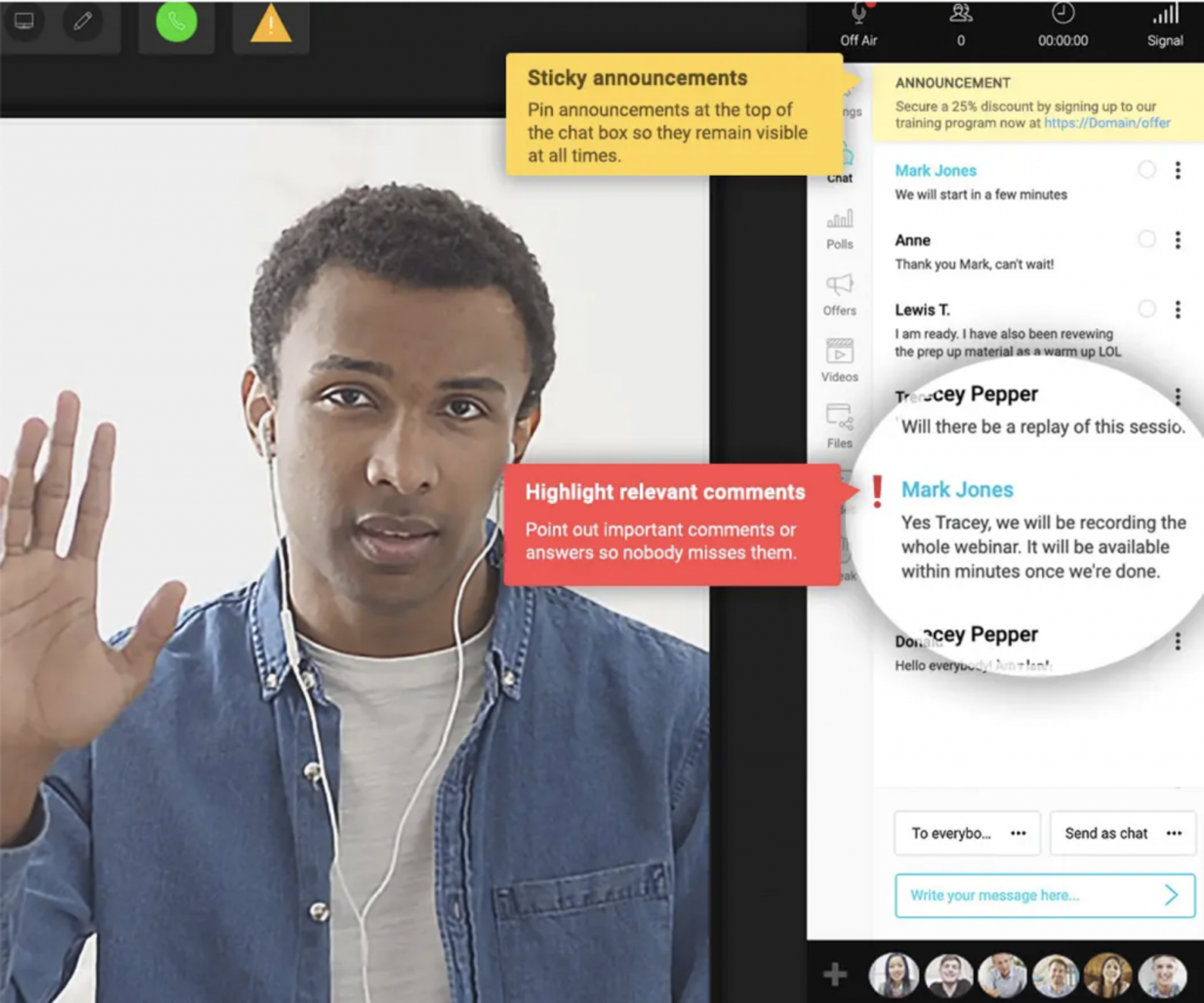
WebinarJam is best for live broadcasters who need high-capacity live webinar software with upsell overlays and already have an external CRM and page builder, because it delivers reliable live infrastructure inside the Genesis Digital ecosystem. However, it may not fit operators who want evergreen, native CRM, or modern email editing inside the same tool.
Quick fit
| Field | Detail |
|---|---|
| Best for | Live-first marketers with a separate CRM and checkout stack |
| Skip if | You want one platform covering live plus evergreen plus CRM plus monetization |
| Strongest edge | High-capacity live streams with timed upsell overlays |
| Biggest trade-off | Live-only (EverWebinar sold separately for evergreen); dated email editor |
| Pricing snapshot | From $39 to $99/mo annualized |
Why WebinarJam ranks #3
WebinarJam still earns a top-three slot because its live-streaming engine handles large audiences and its upsell overlays sell inside the room. It ranks below EasyWebinar because evergreen requires a second purchase (EverWebinar), and CRM/email/checkout sit outside the platform, which rebuilds the fragmented stack buyers are trying to escape. Teams seeking consolidation can skim WebinarJam alternatives for purpose-built replacements.
What WebinarJam does well
- ✅ Live streaming for large audiences with stable broadcast architecture.
- ✅ Timed offer overlays, countdown elements, and stacked CTA moments inside live sessions.
- ✅ Integrates with major ESPs and CRMs via Zapier.
- ✅ Mature presenter controls for multi-host formats.
Where WebinarJam falls short
- ❌ Live-only; evergreen requires EverWebinar as a separate annual subscription.
- ⚠️ Email editor is clunky, with HTML limitations flagged in G2 reviews.
- ⚠️ Integration reliability with Mailchimp and similar ESPs is inconsistent per reviewer reports.
- ⚠️ Live sessions capped at 3 hours; file-size constraints on PowerPoint uploads.
Decision scorecard
| Evaluation criterion | WebinarJam fit | Why it matters |
|---|---|---|
| Live webinars | Strong | Core strength |
| Simulated Live | Weak | Not a first-class feature |
| Evergreen automation | Weak | Requires EverWebinar |
| Funnel pages | Partial | Registration pages included; limited flexibility |
| Engagement | Strong | Timed offers, polls, and chat |
| CRM and follow-up | Weak | No native CRM |
| Monetization | Partial | Offer overlays, but checkout routes externally |
| Analytics | Partial | Basic live reporting |
| Integrations | Partial | Mostly via Zapier |
| Pricing fit | Partial | Annualized pricing commitment |
| Best-fit buyer | Partial | Live-first marketers with external stack |
Best for / skip if
Choose WebinarJam if live broadcasting is your dominant use case and you’re comfortable paying for EverWebinar separately. Skip it if you want one tool that covers the full live-to-evergreen lifecycle with native CRM and checkout.
Reviews
“The integrations with 3rd-party software such as Mailchimp is inconsistent on both the pushing the registrants over and the custom form field population. Their email service is clunky, hard to edit, doesn’t have HTML options.”— Tara G. WebinarJam – G2 Verified Review
“Cannot enable or disable speak of audience by presenter. PowerPoint file size constraint to 80MB. Live constraint to 3 hours only.”— Verified User, Investment Management WebinarJam – G2 Verified Review
4. Demio
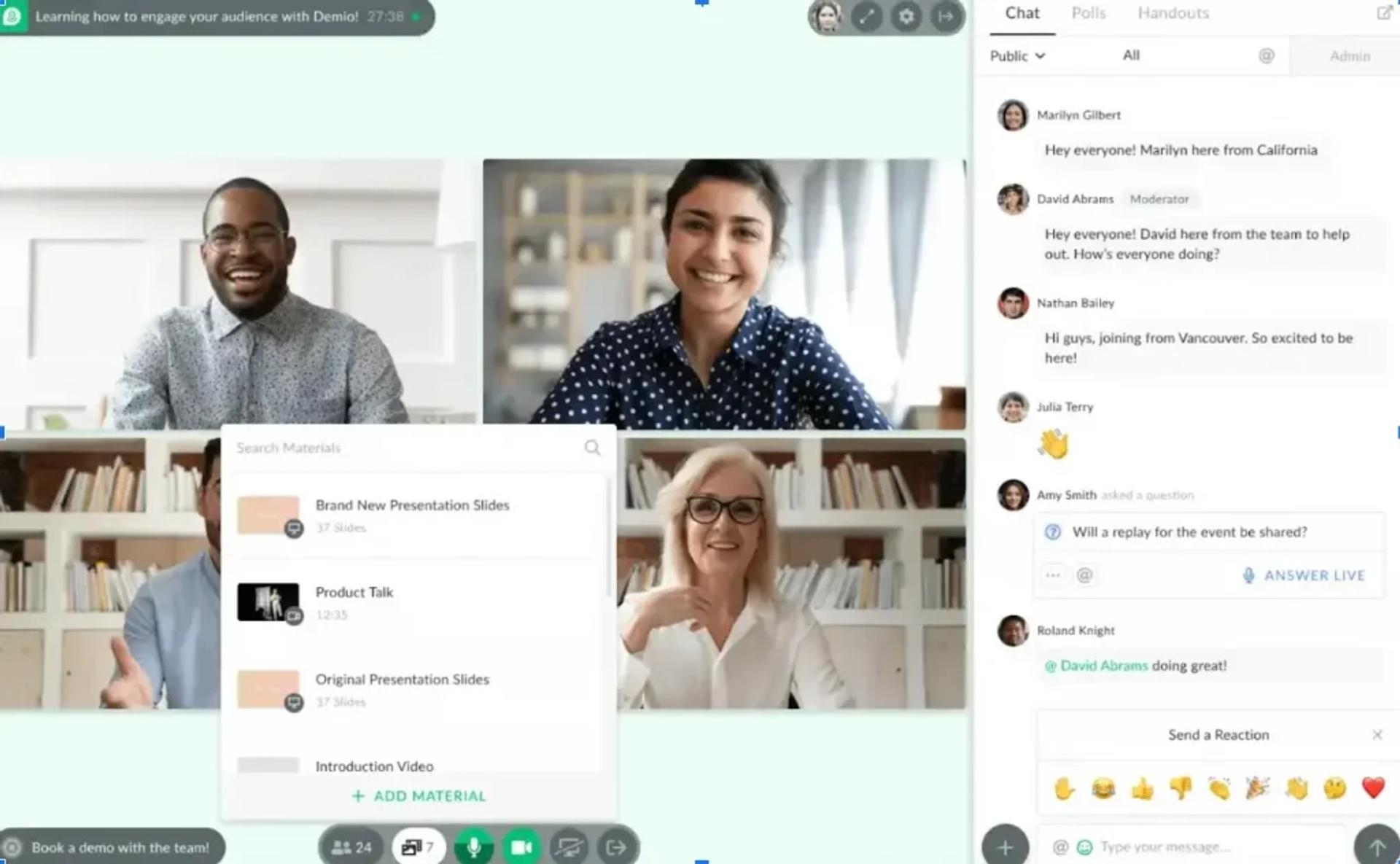
Demio is best for marketing teams running browser-based live and limited-automated webinars who value a clean attendee experience, because it delivers a polished browser-first UX and straightforward registration. However, it may not fit operators who need a native CRM, in-session checkout, or true evergreen depth with JIT scheduling.
Quick fit
| Field | Detail |
|---|---|
| Best for | Marketing teams prioritizing clean UX for live webinars |
| Skip if | You need native CRM, in-session monetization, or deep evergreen with JIT |
| Strongest edge | Attendee-friendly browser experience and polished registration flows |
| Biggest trade-off | Scales to ~$734/mo at 3K attendees without built-in monetization or CRM |
| Pricing snapshot | Flat monthly, attendee-tiered |
Why Demio ranks #4
Demio ranks mid-list because its UX is genuinely strong, but the architecture stops at hosting. There’s no native CRM, no in-webinar checkout, and as G2 reviewers document, exported registrant data is gated behind an active subscription. For marketing teams who only need a clean live event, Demio is credible; for teams trying to close the loop from registration to revenue, it forces them back into the multi-tool stack. See EasyWebinar vs Demio for a side-by-side breakdown.
What Demio does well
- ✅ Clean, browser-based attendee experience with no downloads required.
- ✅ Polished registration pages and reliable reminder email sequences.
- ✅ Modern polls, handouts, and resource uploads inside the session.
- ✅ Straightforward setup that solo operators can deploy without engineering help.
Where Demio falls short
- ❌ No native CRM; follow-up depends on Zapier chains into HubSpot or Pipedrive.
- ❌ No in-webinar checkout: attendees route to an external payment page.
- ⚠️ Reviewers report audio glitches, integration friction with HubSpot, and data-export blocked after cancellation.
- ⚠️ Scales to roughly $734/mo at 3K attendees without delivering the CRM or monetization justifying the cost.
Decision scorecard
| Evaluation criterion | Demio fit | Why it matters |
|---|---|---|
| Live webinars | Strong | Core strength |
| Simulated Live | Partial | Limited automated modes |
| Evergreen automation | Weak | No true JIT/timezone-adjusted |
| Funnel pages | Partial | Registration/thank-you pages included |
| Engagement | Strong | Polls, chat, and handouts |
| CRM and follow-up | Weak | No native CRM |
| Monetization | Weak | External checkout only |
| Analytics | Partial | Basic attendance and engagement reporting |
| Integrations | Partial | HubSpot sync reported as imperfect |
| Pricing fit | Weak at scale | Expensive relative to delivered workflow |
| Best-fit buyer | Partial | Marketing teams with existing CRM plus checkout |
Best for / skip if
Choose Demio if you want a modern live webinar room and already have a working CRM and checkout elsewhere. Skip it if you want one platform covering live plus evergreen plus CRM plus monetization, or if CFO pressure is pushing stack consolidation.
Reviews
“I used Demio to run a webinar and collected registrant emails while on a paid plan. After canceling, I was shocked to find out I couldn’t export the list unless I subscribed again.”— Sheida M. Demio – G2 Verified Review
“It’s hard to integrate into HubSpot. We use a third-party capture form and had to do several zaps to get all data to flow accurately from our form to HubSpot to Demio.”— Verified User, Education Management Demio – G2 Verified Review
5. ProProfs WebinarNinja
WebinarNinja is best for marketers, coaches, course creators, and businesses that want to run live and automated webinars without stitching together separate registration, email, engagement, and webinar-hosting tools. It combines webinar creation, customizable registration pages, email notifications, audience engagement, analytics, and automated webinar capabilities in one platform. It may not fit teams looking for a highly specialized enterprise virtual-event platform or organizations that primarily need webinar hosting for large corporate broadcasts.
Quick fit
| Field | Detail |
|---|---|
| Best for | Marketers, coaches, course creators, and businesses running webinars for lead generation, education, and sales |
| Skip if | You only need a basic video-conferencing tool for occasional internal meetings |
| Strongest edge | Combines live and automated webinars with registration, engagement, email notifications, and analytics in one workflow |
| Biggest trade-off | Advanced enterprise event-management and highly specialized customization may require a more enterprise-focused platform |
| Pricing snapshot | Subscription-based plans with features and attendee capacity varying by plan |
Why WebinarNinja ranks highly
WebinarNinja ranks highly for teams that want to turn webinars into a repeatable marketing and lead-generation channel rather than simply use them as online meeting rooms. The platform brings webinar hosting, registration, audience engagement, email communication, and automated webinar delivery into one workflow, reducing the need to connect multiple tools. Its combination of live and automated webinar functionality also allows marketers to test content with live audiences before turning successful sessions into recurring automated experiences.
What WebinarNinja does well
- ✅ Runs live and automated webinars from the same platform, allowing businesses to use webinars for both real-time events and recurring lead-generation campaigns.
- ✅ Customizable registration pages and forms help marketers capture attendee information before the webinar and create dedicated registration experiences for different campaigns.
- ✅ Audience engagement features such as live chat, polls, Q&A, and offers help presenters interact with attendees and keep them involved throughout the session.
- ✅ Automated webinars allow businesses to reuse recorded presentations and schedule them for recurring sessions without requiring the presenter to host every event live.
- ✅ Built-in email notifications and reminders help keep registrants informed before the webinar and improve the transition from registration to attendance.
- ✅ Webinar analytics provide visibility into registrations, attendance, engagement, and attendee behavior so marketers can evaluate webinar performance and optimize future campaigns.
Where WebinarNinja falls short
- ⚠️ Teams running very large enterprise events may need more advanced virtual-event infrastructure and customization than a webinar-focused platform provides.
- ⚠️ Businesses that need highly specialized CRM, marketing automation, or enterprise workflow requirements may still need integrations with their existing technology stack.
- ⚠️ Users looking only for simple internal video meetings may find webinar-specific registration, engagement, and marketing features unnecessary.
Decision scorecard
| Evaluation criterion | WebinarNinja fit | Why it matters |
|---|---|---|
| Live webinars | Strong | Supports live webinar hosting with audience interaction |
| Automated webinars | Strong | Allows recorded webinars to be reused for recurring automated sessions |
| Funnel pages | Strong | Registration pages and forms help capture and qualify webinar leads |
| Engagement | Strong | Chat, polls, Q&A, and interactive features support attendee participation |
| Email and follow-up | Strong | Automated notifications and reminders support the registration-to-attendance journey |
| Analytics | Strong | Provides visibility into registrations, attendance, and webinar engagement |
| Integrations | Partial | Can connect with external marketing and business tools when deeper workflows are required |
| Monetization | Partial | Supports promotional and conversion-focused webinar use cases, with deeper commerce workflows depending on the setup |
| Pricing fit | Strong | Subscription-based plans provide options for businesses at different stages |
| Best-fit buyer | Strong | Marketers, course creators, coaches, and businesses using webinars for lead generation and sales |
Best for / skip if
Choose WebinarNinja if you want to use webinars as an ongoing marketing, education, or sales channel and need live and automated webinar capabilities alongside registration, engagement, email communication, and analytics. Skip it if your primary requirement is a large-scale enterprise virtual-event platform with highly specialized event-management controls or if you only need a basic video meeting room.
6. Livestorm
Livestorm is best for demand-gen teams running high-volume live and on-demand events with HubSpot as their system of record, because it delivers strong analytics and native HubSpot sync. However, it may not fit operators who need in-platform monetization or deep evergreen automation with JIT scheduling.
Quick fit
| Field | Detail |
|---|---|
| Best for | HubSpot-centric demand-gen teams optimizing analytics |
| Skip if | You need in-session checkout or purpose-built evergreen with JIT |
| Strongest edge | Reporting depth and native HubSpot integration |
| Biggest trade-off | No native monetization; evergreen depth is shallow vs. purpose-built automated tools |
| Pricing snapshot | Flat monthly from $79/mo; higher tiers quote-based |
Why Livestorm ranks #6
Livestorm earns a solid mid-list slot on analytics and integration. It’s often the right choice for marketing teams running HubSpot-driven demand gen. It ranks below the full-funnel platforms because monetization routes externally and evergreen is limited, making it another piece of the duct-taped stack rather than a consolidated revenue workflow.
What Livestorm does well
- ✅ Clean browser-based experience for live and on-demand events.
- ✅ Strong post-event reporting with engagement scoring.
- ✅ Native HubSpot, Salesforce, and Marketo integrations.
- ✅ Multi-event architecture supports recurring webinar programs.
Where Livestorm falls short
- ❌ No native in-webinar checkout; monetization redirects to external processors.
- ⚠️ Evergreen/automated depth is limited: no true JIT with timezone-adjusted multi-slot cadences.
- ⚠️ Higher-tier pricing becomes quote-based, reducing transparency for mid-market buyers.
Decision scorecard
| Evaluation criterion | Livestorm fit | Why it matters |
|---|---|---|
| Live webinars | Strong | Core strength |
| Simulated Live | Partial | Limited automated modes |
| Evergreen automation | Weak | No true JIT |
| Funnel pages | Partial | Registration pages included |
| Engagement | Strong | Polls, Q&A, chat, and reactions |
| CRM and follow-up | Partial | Strong integrations, not native |
| Monetization | Weak | External checkout only |
| Analytics | Strong | Engagement scoring and exports |
| Integrations | Strong | HubSpot, Salesforce, and Marketo native |
| Pricing fit | Partial | Transparent at entry, quote-based at scale |
| Best-fit buyer | Partial | HubSpot-driven demand gen |
Best for / skip if
Choose Livestorm if analytics depth and HubSpot integration are your non-negotiables. Skip it if you want in-session monetization, true evergreen, or a consolidated revenue workflow without external stack dependencies.
7. WebinarKit
WebinarKit is best for solo operators running automated-only funnels on a tight budget, because it delivers AI-assisted automation at an aggressive price point. However, it may not fit teams needing live capability, enterprise trust signals, or a full revenue workflow.
Quick fit
| Field | Detail |
|---|---|
| Best for | Solo creators running evergreen funnels at low monthly cost |
| Skip if | You want live webinars or enterprise-grade support and compliance |
| Strongest edge | Aggressive pricing and AI-led automation depth |
| Biggest trade-off | No live; limited enterprise trust signals |
| Pricing snapshot | Flat monthly $99 to $197/mo |
Why WebinarKit ranks #7
WebinarKit is a legitimate automation player: the AI flow generates evergreen funnels fast and the price is hard to beat. It ranks here because missing live capability means you can’t validate content in the same platform before scaling, and the trust signals (compliance and enterprise references) are thinner than the top five.
What WebinarKit does well
- ✅ AI-assisted funnel creation with fast time-to-launch.
- ✅ Evergreen scheduling with timezone-adjusted delivery.
- ✅ Low monthly price relative to EasyWebinar and Demio.
- ✅ In-webinar CTA overlays and offer mechanics.
Where WebinarKit falls short
- ❌ No live webinars: you can’t test and validate before scaling automated.
- ⚠️ Enterprise trust signals (SOC 2 Type II and SSO/SAML) are thinner than alternatives.
- ⚠️ Native CRM depth and auto-dialer are not on par with EasyCRM.
Decision scorecard
| Evaluation criterion | WebinarKit fit | Why it matters |
|---|---|---|
| Live webinars | Weak | Not supported |
| Simulated Live | Partial | Scheduled automated, no real-time chat |
| Evergreen automation | Strong | Purpose-built |
| Funnel pages | Strong | AI-generated registration pages |
| Engagement | Partial | CTA overlays and basic polls |
| CRM and follow-up | Partial | Lighter than native CRMs |
| Monetization | Partial | Offer overlays, external checkout |
| Analytics | Partial | Core reporting |
| Integrations | Partial | Zapier plus key ESPs |
| Pricing fit | Strong | Low monthly cost |
| Best-fit buyer | Partial | Solo operators on automated-only funnels |
Best for / skip if
Choose WebinarKit if you only need automated funnels and price is the dominant decision axis. Skip it if you need live validation, deep CRM, or enterprise compliance.
8. eWebinar
eWebinar is best for teams replacing demo calls with interactive simulated replays, because it offers clever simulated-interaction overlays that make pre-recorded demos feel live. However, it may not fit operators running full webinar revenue funnels with live validation, CRM, and monetization depth.
Quick fit
| Field | Detail |
|---|---|
| Best for | Product teams replacing 1:1 demos with scalable interactive replays |
| Skip if | You want live webinars, native CRM, or multi-format coverage |
| Strongest edge | Simulated-interaction overlays inside pre-recorded sessions |
| Biggest trade-off | Narrow use case; no live; per-attendee tiers expensive to scale |
| Pricing snapshot | Flat monthly from $99/mo |
Why eWebinar ranks #8
eWebinar wins a specific niche, demo-replacement replays, but it’s not a full revenue platform. No live, no broad format coverage, and the per-attendee tiering gets expensive at scale. It earns a spot on this list because the use case is real, not because it competes with full-funnel tools.
What eWebinar does well
- ✅ Interactive overlays (Q&A prompts and chat simulation) layered on pre-recorded sessions.
- ✅ Fast setup for demo-style replays.
- ✅ Clean attendee experience tailored for product walkthroughs.
Where eWebinar falls short
- ❌ No live webinars: a blocker for high-ticket launches and validation.
- ⚠️ Narrow scope compared to full-funnel platforms.
- ⚠️ Per-attendee pricing tiers become expensive without the matching revenue workflow.
Decision scorecard
| Evaluation criterion | eWebinar fit | Why it matters |
|---|---|---|
| Live webinars | Weak | Not supported |
| Simulated Live | Partial | Simulated interactions only |
| Evergreen automation | Strong | Core strength |
| Funnel pages | Partial | Basic registration |
| Engagement | Strong | Simulated interaction overlays |
| CRM and follow-up | Weak | External only |
| Monetization | Weak | External redirect |
| Analytics | Partial | Core replay reporting |
| Integrations | Partial | Zapier plus ESPs |
| Pricing fit | Partial | Tiered per attendee |
| Best-fit buyer | Partial | Demo replacement, not webinar revenue funnels |
Best for / skip if
Choose eWebinar if you specifically want to replace live demos with interactive replays. Skip it if you need live webinars, CRM, monetization, or a full revenue workflow.
9. BigMarker
BigMarker is best for mid-market and enterprise virtual-event teams running summits, multi-track events, and on-demand libraries, because it delivers deep customization and summit-style architecture. However, it may not fit operators who want published pricing, a lean setup, or a straightforward revenue funnel.
Quick fit
| Field | Detail |
|---|---|
| Best for | Mid-market/enterprise event teams running summits and multi-track events |
| Skip if | You want transparent pricing and a lean funnel-first workflow |
| Strongest edge | Deep customization and on-demand summit architecture |
| Biggest trade-off | Opaque pricing; heavier than needed for simple webinar funnels |
| Pricing snapshot | Quote-based |
Why BigMarker ranks #9
BigMarker earns its slot on enterprise capability: summit architecture, deep branding, and on-demand libraries are legitimate strengths. It ranks here because pricing is opaque, the learning curve is real, and for most operators running a single webinar funnel, it’s over-engineered. Teams evaluating conference-grade tools may want to review the virtual event platform guide.
What BigMarker does well
- ✅ Summit and multi-session event architecture with strong branding control.
- ✅ On-demand library and replay experiences.
- ✅ White-label capabilities for agencies and media brands.
- ✅ Enterprise features including SSO and custom domains on higher tiers.
Where BigMarker falls short
- ❌ Pricing is quote-based: friction for buyers evaluating without a sales call.
- ⚠️ Setup complexity is higher than lean funnel-first tools.
- ⚠️ CRM depth isn’t on par with platforms that own the revenue workflow.
Decision scorecard
| Evaluation criterion | BigMarker fit | Why it matters |
|---|---|---|
| Live webinars | Strong | Supported |
| Simulated Live | Partial | Supported at higher tiers |
| Evergreen automation | Partial | On-demand strong, JIT depth less clear |
| Funnel pages | Strong | Deep customization |
| Engagement | Strong | Polls, Q&A, and handouts |
| CRM and follow-up | Partial | Integrations, not native |
| Monetization | Partial | Paid events supported, external processor |
| Analytics | Strong | Enterprise reporting |
| Integrations | Strong | Broad enterprise connectors |
| Pricing fit | Weak | Quote-based |
| Best-fit buyer | Partial | Enterprise event teams, not solo operators |
Best for / skip if
Choose BigMarker if you’re running summits, multi-track virtual events, or an on-demand content hub at enterprise scale. Skip it if you want transparent pricing and a lean webinar-funnel workflow.
10. GoTo Webinar
GoTo Webinar is best for compliance-driven enterprises with legacy GoTo deployments that need reliable live broadcasting, because it offers established polling, reporting, and brand familiarity. However, it may not fit operators looking for automation depth, modern UX, or a full revenue workflow.
Quick fit
| Field | Detail |
|---|---|
| Best for | Compliance-driven enterprises with existing GoTo contracts |
| Skip if | You need AI funnel building, native CRM, or in-session monetization |
| Strongest edge | Brand trust and polling reliability at scale |
| Biggest trade-off | Dated UX, no automation depth, no CRM, no funnel pages |
| Pricing snapshot | Flat monthly $59 to $429/mo |
Why GoTo Webinar ranks #10
GoTo Webinar coasts on legacy trust but the product hasn’t kept pace. It ranks this low because there’s no automation lifecycle, no native CRM, and G2 reviewers consistently cite outsourced support, reliability issues, and missing core webinar features. For procurement teams with existing contracts, it’s defensible; for teams choosing fresh, it rarely wins on architecture. See EasyWebinar vs GoToWebinar for the side-by-side.
What GoTo Webinar does well
- ✅ Reliable live broadcasting for large, compliance-sensitive audiences.
- ✅ Established polling and post-event reporting features.
- ✅ Familiar brand name that procurement teams already know.
- ✅ Supports recurring enterprise training programs.
Where GoTo Webinar falls short
- ❌ No automation depth: no JIT and no true evergreen with timezone-adjusted delivery.
- ❌ No native CRM, no AI funnel builder, and no in-webinar checkout.
- ⚠️ G2 reviewers report outsourced support, microphone/camera reliability issues, and a dated attendee experience.
Decision scorecard
| Evaluation criterion | GoTo Webinar fit | Why it matters |
|---|---|---|
| Live webinars | Strong | Core strength |
| Simulated Live | Weak | Not automated |
| Evergreen automation | Weak | Not supported at parity |
| Funnel pages | Weak | Limited registration customization |
| Engagement | Partial | Polls and Q&A |
| CRM and follow-up | Weak | External only |
| Monetization | Weak | External only |
| Analytics | Partial | Core reporting |
| Integrations | Partial | Standard enterprise connectors |
| Pricing fit | Partial | Mid-tier monthly pricing |
| Best-fit buyer | Partial | Legacy enterprise deployments |
Best for / skip if
Choose GoTo Webinar if you already have the contract and need predictable live broadcasting. Skip it if you want automation, AI funnel building, or a modern attendee experience.
Reviews
“GoToWebinar is the most basic webinar tool that offers nothing more than any other tool. Customer support is impossible to reach and is completely outsourced. I have several webinars a week, meaning this platform has issues constantly.”— Forrester S. GoTo Webinar – G2 Verified Review
“Video/sound lag. Even though we had nowhere near the maximum number of users, the quality of the video and audio broke up and disconnected as if there were too many users.”— Catherine D. GoTo Webinar – G2 Verified Review
11. Zoom Webinars
Zoom Webinars is best for teams already on Zoom licensing who need a familiar broadcast room for one-off events, because it offers universal attendee reach and a known interface. However, it may not fit operators running webinar funnels that need automation, evergreen scheduling, CRM, or in-session monetization.
Quick fit
| Field | Detail |
|---|---|
| Best for | Teams with existing Zoom licensing running broadcast-only events |
| Skip if | You want evergreen, CRM, or in-webinar checkout |
| Strongest edge | Familiar UI and universal attendee reach |
| Biggest trade-off | No evergreen, no JIT, no CRM, no funnel pages, no monetization |
| Pricing snapshot | Per-license plus attendee tier, $79 to $340+/mo |
Why Zoom Webinars ranks #11
Zoom ends exactly where the webinar revenue workflow begins. It’s a broadcast room, nothing more. Ranking it last isn’t a knock on the meetings product, it’s an honest read on architecture: no automation, no funnel builder, no CRM, no checkout, and G2 reviewers repeatedly flag the webinar-specific features as unintuitive and clunky despite the core meeting experience being familiar. For teams migrating off, EasyWebinar vs Zoom lays out the architecture gap.
What Zoom Webinars does well
- ✅ Universal brand recognition: attendees know how to join.
- ✅ Reliable HD video and audio for live broadcasts.
- ✅ Integrates with most major marketing automation tools.
- ✅ Bundles well if your organization already pays for Zoom meetings.
Where Zoom Webinars falls short
- ❌ No evergreen automation, no JIT scheduling, and no timezone-adjusted delivery.
- ❌ No native CRM, no lead scoring, no in-webinar checkout, and no funnel builder.
- ⚠️ G2 reviewers cite sloppy webinar-specific UX (branding tab holding speaker bios, confusing polling modes).
- ⚠️ Customization of landing pages, reminders, and calendar invites is minimal.
Decision scorecard
| Evaluation criterion | Zoom Webinars fit | Why it matters |
|---|---|---|
| Live webinars | Strong | Core strength |
| Simulated Live | Weak | Not supported |
| Evergreen automation | Weak | Not supported |
| Funnel pages | Weak | Minimal customization |
| Engagement | Partial | Basic polls and chat |
| CRM and follow-up | Weak | External only |
| Monetization | Weak | External only |
| Analytics | Partial | Core reporting |
| Integrations | Strong | Broad ecosystem |
| Pricing fit | Partial | Attendee-tier escalation |
| Best-fit buyer | Partial | Broadcast-only teams |
Best for / skip if
Choose Zoom Webinars if you need a familiar broadcast room and the webinar is a one-off event with no follow-up workflow. Skip it if you’re building webinar-led revenue and need automation, CRM, or in-session monetization.
Reviews
“I don’t know who designed the Zoom Webinar portion of the product portfolio, but it’s not clear they’ve ever used a computer. Everything about the experience, creating the webinar itself, setting up the landing page, and broadcasting, is completely backwards and unintuitive.”— Verified User, IT & Services Zoom Webinars – G2 Verified Review
“First, Zoom Webinar is ridiculously glitchy. We’ve had problems with presenters being able to enter the webinar, with reminder notices going out, and with attendee experience across the board.”— Verified User Zoom Webinars – G2 Verified Review
For the full shortlist logic and side-by-side format comparisons, see the Top Automated Webinar Platforms of 2026 guide, or start a 7-day full-access trial to build your first funnel inside EasyWebinar today.
Q2: How Did We Rank the Best Automated Webinar Software? (Selection Criteria)
Each platform in this guide was scored against five weighted criteria summing to 100: Format Depth and Evergreen Reliability (25%), Built-In CRM and Follow-Up Automation (25%), In-Platform Monetization (20%), Setup and Usability including AI Builder (15%), and Pricing Transparency (15%). Star mapping is linear: 81 to 100 points earns ⭐⭐⭐⭐⭐, 61 to 80 earns ⭐⭐⭐⭐, 41 to 60 earns ⭐⭐⭐, 21 to 40 earns ⭐⭐, and 0 to 20 earns ⭐.
How the Rubric Works
The weighting isn’t arbitrary. It reflects what an operator actually pays for. Format Depth and CRM carry the highest weight because they decide whether the webinar is an event or a revenue engine. Monetization sits at 20% because selling inside the room is where intent converts. Setup and Pricing Transparency round out the rubric at 15% each: they matter for adoption speed and procurement defensibility, but they aren’t what determines revenue.
| Criterion | Weight | What We Scored |
|---|---|---|
| Format Depth and Evergreen Reliability | 25% | Live, Simulated Live, and Evergreen under one umbrella; JIT and timezone-adjusted delivery (JIT is Evergreen-only); replay stream fidelity; G2/TrustRadius sentiment on bugs and stability |
| Built-In CRM and Follow-Up Automation | 25% | Native lead scoring, auto-dialer, behavioral tagging, and Power Follow-Ups triggered by in-webinar actions, not Zapier-dependent handoffs |
| In-Platform Monetization | 20% | In-session Stripe/PayPal/PayU checkout, stacked offers, timed CTA overlays, and paid/ticketed access |
| Setup and Usability (incl. AI Builder) | 15% | Time-to-first-funnel, AI-assisted generation of pages, emails, scripts, and offers; onboarding model |
| Pricing Transparency | 15% | Published per-tier pricing vs. quote-based gates; annual-only vs. monthly flexibility |
Reliability Scorecard Baked Into the Star
Reliability is not a separate line item. It’s folded directly into Format Depth. ⚠️ A platform that advertises JIT but whose G2 reviewers report recording glitches, email-sequence bugs, or email-only support delays loses points on the same criterion that rewards its advertised features. Zoom and GoTo Webinar lose reliability points because reviewers consistently document broadcast-quality issues and outsourced support. EverWebinar loses points because clone-and-schedule bugs appear in multiple reviews. Demio loses points because data-export is gated behind active subscription. The star you see is evidence-informed, not marketing-claim-informed.
Why EasyWebinar Scores 5 Stars
Applied across the eleven tools, the rubric places EasyWebinar at five stars because, as a webinar platform, it scores maximum on the three highest-weight criteria simultaneously: Format Depth (Live, Simulated Live, and Evergreen with JIT and timezone-adjusted delivery inside one dashboard), CRM (EasyCRM with native hot/warm/nurture scoring, auto-dialer, and Power Follow-Ups triggered by in-webinar behavior), and Monetization (in-session Stripe/PayPal checkout with stacked offers, countdown CTAs, and ticketed access). Setup scores well because the AI webinar builder produces a publish-ready funnel in about 10–15 minutes, and webinar pricing is transparent from $44/mo with no “Contact Sales” gate at mid-tier. Competitors cluster between three and four stars because each excels in one or two dimensions but requires external tools to complete the workflow, which rebuilds the $600 to $1,000/mo duct-taped stack the rubric is designed to expose.
✅ The rubric isn’t theoretical. It matches how real operators describe the switch.
“EasyWebinar is hands-down THE webinar platform for evergreen webinars, no contest. EasyWebinar is the only one on the market who makes a product built specifically to scale and 10X your efforts.”— Ash A. Easywebinar G2 – Verified Review
“We’ve made a lot of money since implementing this tool in our sales strategy using a set it and forget it sales funnel with Facebook ads and have made multiple thousands of dollars in passive income since implementing it.”— Meaghan L. Easywebinar G2 – Verified Review
Q3: What Is Automated Webinar Software and What Features Separate Reliable Platforms From Glorified Replay Tools?
Automated webinar software is the umbrella category for pre-built webinars that run without a live presenter. It contains two tiers: Simulated Live (fixed or fixed-recurring schedule, real-time chat, polls, and timed offers) and Evergreen (Just-in-Time scheduling, timezone-adjusted delivery, async question box, pre-configured polls and offers, Instant Replay, and On-Demand). “Automated” is the umbrella, not a third sibling. Get the taxonomy right, and the feature decisions get easier.
The Taxonomy Most Articles Get Wrong
| Tier | Scheduling | Engagement | Chat Type | Typical Use Case |
|---|---|---|---|---|
| Live | Host-chosen date/time | Real-time everything | Live chat | High-ticket launches, validation runs |
| Simulated Live | Fixed or fixed-recurring, single time zone | Real-time chat, polls, and timed offers | Live chat | Scaling a proven live session without the host |
| Evergreen | JIT, timezone-adjusted, multi-daily/weekly cadences, Instant Replay, On-Demand | Async question box, pre-configured polls and offers | Async question box (by design) | 24/7 funnels, global audiences, always-on revenue |
⚠️ JIT, timezone-adjusted delivery, and multi-slot cadences sit only under Evergreen, never Simulive. Hybrid is a separate animal: one session that starts live, plays a pre-recorded segment, and returns to live. It’s not a cross-funnel mix.
Six Features That Separate a Revenue Platform From a Replay Tool
A true automated webinar platform has to do more than schedule a recording. Run every shortlist candidate through this checklist:
✅ Scheduling depth: JIT plus timezone-adjusted delivery on Evergreen, fixed/recurring on Simulive.
✅ Real-time chat on Simulive: if chat is stripped, Simulive behaves like Evergreen, and you’ve lost the defining edge.
✅ Timed offers and polls on exact timestamps: polls and CTA overlays must fire on the timestamps you set, not approximate moments.
✅ Behavioral follow-up sequences: different emails for attended-and-clicked, attended-but-left-early, registered-but-didn’t-attend, and watched-replay.
✅ Native CRM capturing in-webinar signals: tagging, scoring, and auto-dialing without Zapier middleware.
✅ Stream fidelity on replay: the replay has to look and sound identical to the live run; buffering and drift kill stick rate.
The Glorified-Replay Problem
❌ Other automated webinar tools, think Zoom Webinars scheduling a recording, GoTo broadcasting an MP4, or eWebinar dropping simulated overlays on a static video, strip the chat and polling layer into what is effectively a glorified replay. That framing targets competitors, not EasyWebinar’s Evergreen, which uses an async question box by design and still captures the engagement signals that feed behavioral follow-up. The distinction matters because an async question box is a deliberate Evergreen engagement choice, not a missing feature. Teams mapping tools by category can skim the best on-demand webinar software guide to see the difference in practice.
How We Handle It
We built EasyWebinar to bundle all six feature layers natively. Simulated Chat can push prior-session chats into new events so the interaction layer carries over at scale. ✅ Evergreen keeps its async question box so registrant questions still reach you without pretending to be a live room. Live, Simulated Live, and Evergreen run off the same stream infrastructure, so reliability on replay inherits from reliability on live, not from a separate codepath. The native sales CRM captures every in-webinar signal for hot/warm/nurture scoring.
What Reviewers Actually Say
“Easy to set up live or evergreen webinars, including replay options, splits out live and replay attendee insights for evergreen webinars. It is easy to set up call to actions and polls and easy to use them in both types of webinars.”— Verified User, Professional Training & Coaching Easywebinar G2 – Verified Review
“Zoom Webinar is ridiculously glitchy. We’ve had problems with presenters being able to enter the webinar, with reminder notices going out eight hours after an event has concluded, and with broadcast quality.”— Casey S. Zoom Webinars – G2 Verified Review
Q4: Does Automated Webinar Software Convert as Well as Live, and How Do You Migrate Without Losing Conversions?
Automated webinars match or exceed live conversion once two conditions are met: the content is validated live to at least 10% attendee-to-buyer, and the automation uses JIT scheduling plus behavioral follow-ups. Published benchmarks place webinar-to-customer conversion between 19% and 56% depending on format and follow-up quality; the spread is driven by architecture, not by whether the presenter is live in the room.
The Reality Operators Are Actually Living
Most operators running live webinar software weekly hit a ceiling around show-up rate 25% to 35% and attendee-to-buyer 8% to 12%. They try to fix attendance with more reminder emails, better subject lines, and extra countdown timers. The numbers barely move. Then they hear “automation kills conversion” from someone who tried a scheduled replay on Zoom, confirmed the fear, and stayed stuck in the weekly-live loop. That’s the reality, and it’s a scheduling problem dressed up as a format problem.
The “Live Always Wins” Myth Confuses Urgency With Architecture
❌ Zoom, GoTo Webinar, and Demio enforce fixed scheduling across time zones. A single fixed session means most global registrants are asked to attend at an inconvenient time. Live performance collapses not because the format is superior but because the scheduling is inflexible. Add to that the fact that none of these platforms fire behavioral follow-ups natively (every post-event email is a broadcast, not a response to what the attendee actually did), and conversion decays at the handoff between the webinar and whatever ESP/CRM is stitched behind it. Conversion loss is a scheduling plus follow-up problem. It’s not a format problem. Buyers weighing architectures can compare options on compare webinar platforms.
The Shift: From Format Debate to Workflow Architecture
Stop arguing live versus automated. Start asking whether the architecture fires at peak intent. JIT collapses the registration-to-attendance gap to under 15 minutes, so the registrant watches while intent is still at its peak. Timezone-adjusted delivery means the session fires at a sensible local hour regardless of where the registrant sits. Behavioral Power Follow-Ups send different sequences based on what the attendee actually did: clicked the offer but didn’t buy, left at minute 22, or watched the replay twice. That’s the workflow that turns format choice from a conversion tax into a revenue multiplier.
The Migration Playbook
Graduate a proven live session into Simulated Live or Evergreen using Casey’s maturity rule: automate what’s proven, never what’s untested. For the deeper strategy, see automated webinars for passive income.
⏰ Validate live first: run 2 to 3 consecutive live sessions and confirm ≥10% attendee-to-buyer before automating.
✅ Choose the tier: Simulive if real-time chat is core to your sale; Evergreen if global scheduling and 24/7 access matter more.
✅ Rebuild engagement on exact timestamps: polls, timed offers, and CTA overlays must fire on the moments they fired live.
✅ Configure Power Follow-Ups: parallel email sequences for attended-and-clicked, attended-but-left-early, and registered-but-didn’t-attend.
⚠️ QA from a second time zone: log in as a registrant from another zone, confirm JIT fires, polls hit the right timestamps, and replay plays clean.
How We Handle It
We built the AI funnel builder so the migration from live to automated doesn’t take two weeks. It takes about 10–15 minutes. Drop your prompt, and the system regenerates the registration page, thank-you page, reminder emails, script scaffolding, timed offers, and poll questions. Flip the session to Simulive or Evergreen with one toggle. Power Follow-Ups fire behaviorally, Instant Replay and On-Demand make the session available at peak intent, and EasyCRM captures every signal so sales follow-up runs on hot/warm/nurture scoring instead of guesswork.
Revenue Proof, Not Feature Proof
💰 Carla Biesinger generated $5M from a single EasyWebinar Evergreen funnel, as documented in the course creator case study. Ryan Fenn built a $2M automated funnel after replacing a Zoom, ClickFunnels, ActiveCampaign, and Stripe stack with one workflow. The comparison isn’t feature vs. feature: it’s which platform has the proof that automated webinars generate revenue at scale.
“I used to do live webinars to sell my online course. With my live class I used to sell 10 to 12 courses. With EasyWebinar I sold 25 courses within 3 weeks of my evergreen launch.”— Laura C. Easywebinar G2 – Verified Review
“Automating webinars that we used to have to run live every week and over time also saving us money, being more efficient.”— Darrin B. Easywebinar G2 – Verified Review
Q5: Which Automated Webinar Software Runs Evergreen Most Reliably 24/7, and How Do AI Webinar Builders Compare?
Reliable 24/7 evergreen performance rests on three pillars: Just-in-Time (JIT) scheduling, timezone-adjusted delivery, and replay stream fidelity. EasyWebinar, EverWebinar, and WebinarKit support all three; Zoom, GoTo Webinar, Demio, and Livestorm lack at least one. On the AI-builder axis, EasyWebinar and WebinarKit lead, Livestorm and Demio are catching up, and Zoom, GoTo, and EverWebinar ship no AI funnel builder at all.
Reliability and AI Builder Head-to-Head
| Platform | JIT | Timezone-Adjusted | Instant Replay | On-Demand | G2 Stability Sentiment | AI Funnel Builder | AI Time-to-Launch |
|---|---|---|---|---|---|---|---|
| EasyWebinar | ✅ | ✅ | ✅ | ✅ | Strong | ✅ Pages, emails, offers, polls, and script | About 10–15 min |
| EverWebinar | ✅ | ✅ | ✅ | Partial | Mixed (clone bugs) | ❌ | Not applicable |
| WebinarKit | ✅ | ✅ | ✅ | ✅ | Mixed | ✅ Pages, emails, and script | ~15 min |
| Demio | ❌ | Partial | Partial | ✅ | Mixed (export/HubSpot) | Partial | Not applicable |
| Livestorm | ❌ | Partial | ✅ | ✅ | Strong | Partial | Not applicable |
| Zoom Webinars | ❌ | ❌ | ❌ | Partial | Weak (glitches) | ❌ | Not applicable |
| GoTo Webinar | ❌ | ❌ | Partial | ✅ | Weak (support) | ❌ | Not applicable |
| BigMarker | Partial | Partial | ✅ | ✅ | Strong | Partial | Not applicable |
| eWebinar | ❌ | ✅ | ✅ | ✅ | Strong | Partial | Not applicable |
| WebinarJam | ❌ | ❌ | ❌ | ❌ | Mixed | ❌ | Not applicable |
| ProProfs WebinarNinja | ✅ | Partial | Partial | ✅ | Mixed (3.3/5 on G2) | Partial | Not applicable |
What “Reliable” Actually Means Operationally
⏰ Reliable means no manual timezone math. A registrant in Singapore and a registrant in São Paulo both get a session that fires at a sensible local hour without the operator editing schedules. Reliable means replay without buffering, polls and timed offers hitting the exact timestamps you set, and the registration-to-watch gap closing inside 15 minutes via JIT. For teams tuning for global reach, the automated webinar toolkit was designed around exactly this behavior.
On the AI-builder axis, the question is deeper than “does it have AI?” ⚠️ Generic LLM output produces generic copy. What matters is whether the AI is trained on webinar-specific conversion data: registration-page patterns that actually register, reminder sequences that actually lift show-up rate, and offer stacks that actually close. Prompt-to-launch time is the second axis: a true AI builder regenerates pages, emails, offers, script scaffolding, and polls together, not just a headline. See the webinar landing page examples that convert for the patterns baked into the AI output.
How We Handle Reliability and AI
We built EasyWebinar’s AI webinar builder on 14 years of EasyWebinar funnel data, not generic LLM scaffolding. Drop a single prompt, and the system generates a complete funnel in about 10–15 minutes: registration page, thank-you page, reminder emails, script scaffolding, timed offers, and polls with timestamps baked in. The Evergreen toolkit includes JIT, timezone-adjusted sessions, multi-daily cadences, Instant Replay, and On-Demand, all on the same stream infrastructure as live webinar software, so replay fidelity inherits from live reliability.
“EasyWebinar is hands-down THE webinar platform for evergreen webinars, no contest. EasyWebinar is the only one on the market who makes a product built specifically to scale and 10X your efforts.”— Ash A. Easywebinar G2 – Verified Review
“Inability to clone webinars without serious resulting issues, despite a clone button that is featured prominently. Poor customer service.”— Kaylen M. EverWebinar – G2 Verified Review
Q6: How Much Does the Best Automated Webinar Software Cost in 2026, and Why Is a 5 to 7 Tool Stack More Expensive Than One Full-Funnel Platform?
Automated webinar software ranges from $59/mo (GoTo Webinar starter), to ~$499/yr (EverWebinar), to ~$734/mo (Demio at 3K attendees), to enterprise-opaque (BigMarker). EasyWebinar starts at $44/mo for live webinars, with automation from $116/mo, and every tier is published on the webinar pricing page. A typical 5 to 7 tool stack, ClickFunnels plus Zoom plus HubSpot plus Zapier plus Restream plus Stripe, runs $600 to $1,000/mo, with broken attribution thrown in for free.
Transparent Pricing Table
| Platform | Entry Plan | Attendee Ceiling (Entry) | Scaling Tier | Includes CRM | Includes Checkout | Multistream | AI Builder |
|---|---|---|---|---|---|---|---|
| EasyWebinar | $116/mo (Growth) | 200 live; 1,000 automated | Scale: 1,000 live, 5,000 automated; Enterprise custom | ✅ EasyCRM | ✅ Stripe/PayPal/PayU | ✅ EasyCast | ✅ |
| EverWebinar | ~$499/yr | 1,000 | Flat | ❌ | ❌ | ❌ | ❌ |
| WebinarJam | ~$39 to $99/mo (annualized) | 500 | Up to 5,000 | ❌ | Partial | ❌ | ❌ |
| Demio | ~$84/mo | 50 | ~$734/mo at 3K | ❌ | ❌ | ❌ | Partial |
| ProProfs WebinarNinja | $0.30/attendee/mo (annual) | Set at checkout; 1,000 self-serve | Quote above 1,000 | ❌ | Partial (Stripe registration only) | ❌ | Partial |
| Livestorm | $79/mo | 100 | Quote-based | ❌ | ❌ | ❌ | Partial |
| WebinarKit | $99 to $197/mo | 500 to 2,000 | Flat | Partial | Partial | ❌ | ✅ |
| eWebinar | $99+/mo | Per-attendee | Tiered | ❌ | ❌ | ❌ | Partial |
| BigMarker | Quote-based | Quote | Quote | Partial | Partial | ✅ | Partial |
| GoTo Webinar | $59/mo | 250 | Up to $429/mo | ❌ | ❌ | ❌ | ❌ |
| Zoom Webinars | $79/mo | 500 | Up to $340+/mo | ❌ | ❌ | ❌ | ❌ |
The Invisible-Competitor Math
❌ The most expensive competitor isn’t on this list. It’s the stack nobody priced out before they built it:
- ClickFunnels or Kajabi landing pages: $150 to $250/mo
- Zoom or GoTo for hosting: $100 to $200/mo
- HubSpot or Pipedrive CRM: $80 to $150/mo
- Zapier for glue automations: $50 to $100/mo
- Restream for multistreaming: $40 to $100/mo
- Stripe or payment processor: transaction fees plus setup time
💸 That’s $600 to $1,000/mo, and attribution breaks at every handoff. The marketing director can’t tell the CFO which tool produced revenue because the registrant’s journey touches six systems with six different IDs. Teams consolidating should review compare webinar platforms to see the architectural difference.
12-Month TCO Reality
Run the math across a team scaling from 500 to 3,000 attendees. Demio at 3K hits ~$8,800/yr for hosting alone, still no CRM, still no checkout. A multi-tool stack runs $7,200 to $12,000/yr plus orchestration time (usually 5 to 10 hours/month of someone debugging Zaps and reconciling reports). EasyWebinar at a comparable tier lands inside the same envelope but replaces the CRM, checkout, landing pages, and multistreaming costs in one line item. The EasyCast multistreaming layer alone replaces a standalone Restream subscription.
How We Handle Pricing
We built EasyWebinar’s Endpoint Ecosystem so one bill replaces the stack: AI Builder, sales CRM, in-session checkout, timed offers, ticketed access via paid webinars, Power Follow-Ups, and EasyCast multistreaming in one workflow, one event log, and one pricing page. Replicating those capabilities elsewhere costs $400 to $600/mo in stitched tools, plus the orchestration time that never shows up on the invoice.
💰 Ryan Fenn replaced a Zoom, ClickFunnels, ActiveCampaign, and Stripe stack with EasyWebinar and built a $2M automated funnel on the consolidated workflow. The TCO argument isn’t theoretical. Consolidation is what made the math work. For the broader playbook, see how to make money with webinars.
“Finally a platform that does it all without the hefty price tag! From setting up your webinar to customising landing pages, thank you pages, and emails, the platform is so intuitive. We needed a solution we could just pick and put down as and when we needed it.”— Annette S. Easywebinar G2 – Verified Review
“We faced so many issues and bugs with our Zoom events that made the tool completely unreliable. Continuous charges, despite the unresolved issues, which essentially made the tool unfit for use.”— Verified User, Translation & Localization Zoom Webinars – G2 Verified Review
Q7: Which Automated Webinar Software Should You Choose for Your Revenue Model?
Choose EasyWebinar if you want Live, Simulated Live, and Evergreen with native CRM, monetization, and multistreaming in one workflow. Choose EverWebinar or WebinarKit for evergreen-only replay. Choose Demio or Livestorm for browser-first live events where checkout and CRM live elsewhere. Choose Zoom or GoTo only when you need broadcast without automation.
Decision Matrix by Operator Type
| Operator | What You Actually Need | Best Fit | Skip |
|---|---|---|---|
| Creator / coach selling courses or programs | Revenue per webinar, stack simplicity, and in-session checkout | EasyWebinar | Zoom, GoTo |
| Growth-stage SaaS ($5M to $100M ARR) under CFO consolidation pressure | One tool replacing ClickFunnels, Zoom, CRM, Zapier, and Stripe | EasyWebinar | Demio at 3K tier, multi-tool stack |
| Evergreen-only funnel already paired with live tool | JIT plus scarcity timers for 24/7 replay | EverWebinar, WebinarKit | Live-first platforms |
| Marketing team running HubSpot-centric demand gen | Browser-first live, analytics, and HubSpot sync | Livestorm, Demio | Automation-only tools |
| Enterprise training / compliance-driven | SOC 2 Type II, SSO/SAML, and 50K+ attendees | EasyWebinar, BigMarker | ON24 (too expensive), Webex (per-seat) |
| Legacy procurement-locked deployment | Known brand, predictable live | GoTo, Zoom | Automation-dependent buyers |
The Enterprise Parity Note
✅ EasyWebinar holds SOC 2 Type II, supports SSO/SAML, and offers 50K+ attendee scalability at a fraction of ON24’s $30K+ ACV, and without Webex’s per-seat pricing escalation. The enterprise trust signals are there without the enterprise tax, which matters when IT and Finance co-sign the shortlist. Review all features to validate against procurement requirements.
How the Choice Actually Resolves
⭐ The honest filter is this: which platform owns the full path from ad click to completed purchase? If the answer requires naming three or more tools, the stack is going to leak revenue at the handoffs. If the answer is one platform, attribution stays intact, follow-up fires behaviorally instead of broadcast, and the CFO gets a clean revenue report. That’s the decision, not feature count.
See the Full Top 11 Comparison
This analysis is grounded in 14+ years of running and consulting on 1,000+ webinars that have generated eight figures in sales, across every format, price point, and vertical. The framework isn’t a marketing exercise. It’s the exact shortlist logic I use when an operator calls and asks which tool to buy first. When you’re ready to put it to work, start a 7-day full-access trial or request demo to see the consolidated workflow in action.

Casey Zeman
Founder of EasyWebinar
About Author
Over the past decade, I've helped thousands of entrepreneurs, coaches, and consultants turn webinars into a predictable, powerful way to grow their audience, build trust, and scale, without the constant hustle. I created EasyWebinar because I couldn't find a system that combined authenticity, engagement, and automation the way I needed. So, I built one.
Related Posts

10 Best Community Engagement Platforms in 2026
Compare the 10 best community engagement platforms in 2026. Course creators, evaluate live hosting, analytics, and replay to pick your winner today.

10 Best Online Coaching Tools in 2026: Live Session Quality, Scheduling, Recording, and Client Engagement Analytics
Compare the 10 best online coaching tools of 2026 on session quality, scheduling, and analytics. Discover the right fit for your coaching revenue model.
10 Best Webinar Hosting Platforms Ranked by Uptime, Streaming Quality & Cost
Compare 10 webinar hosting platforms ranked by uptime, streaming quality, and cost. Discover which tool actually turns attendees into revenue.
Turn every webinar into a revenue stream
Launch your first paid event in just a few clicks - and start monetizing your expertise.
Book a Call