10 Best EverWebinar Alternatives (Tested and Compared) in 2026

Casey Zeman
Published on Aug 8, 2026 • 41 min read

TL;DR
- The ten alternatives evaluated are EasyWebinar, Demio, eWebinar, StealthSeminar, Livestorm, WebinarKit, WebinarGeek, BigMarker, ClickMeeting, and GoTo Webinar, scored on a published weighted rubric.
- Operators leave EverWebinar for four reasons: no live capability without a separate WebinarJam subscription, annual-first billing, no AI build layer, and weak support ratings.
- Pricing sources disagree by 2.4x, with the live page listing $99 monthly billed $1,188 annually while third parties still quote a legacy $499 per year.
- Just-in-Time and simulated-live chat are the two features switchers refuse to lose, and only a handful of platforms carry both honestly.
- Pick the format before the platform: run 5 to 10 live sessions, clear 10% attendee-to-buyer, then graduate the winner into Simulated Live or Evergreen.
- Export your registrant list before cancelling anything, then run one parallel week and compare show-up rate, stick rate, and drop-off timestamp.
Q1: What Are the 10 Best EverWebinar Alternatives in 2026, and How Did We Test Them?
The ten best EverWebinar alternatives in 2026 are EasyWebinar, Demio, eWebinar, WebinarKit, StealthSeminar, Livestorm, WebinarGeek, BigMarker, ClickMeeting, and GoTo Webinar. EasyWebinar ranks first because Live, Simulated Live, and Evergreen sit inside one subscription, with Just-in-Time and timezone-adjusted scheduling on the Evergreen tier, so going live never triggers a second product purchase.
- EasyWebinar
- Demio
- eWebinar
- StealthSeminar
- Livestorm
- WebinarKit
- WebinarGeek
- BigMarker
- ClickMeeting
- GoTo Webinar
Switching webinar platforms is expensive in ways the invoice never shows. You move video assets, registration pages, CRM tags, and reminder sequences while your funnel is still running. We evaluated ten vendors against eight defined criteria. The daily operator here is the person who builds and runs the sessions, usually a coach, course creator, or demand generation manager. The shadow readers on the buying committee are the CFO validating consolidation, the IT or security lead checking SOC 2 and SSO, the RevOps lead checking CRM flow, and the marketing head checking pipeline contribution.
Our Evaluation Criteria
Webinar Format Coverage ⭐
Whether the platform runs Live, Simulated Live, and Evergreen, plus Just-in-Time, Instant Replay, and On-Demand delivery. Format coverage is the single biggest reason operators outgrow an automated webinar product that only handles one tier.
Time to Launch ⏰
How long it takes to go from a blank account to a published registration page, scheduled event, and reminder sequence. An AI webinar builder shortens this step considerably when it is included in the plan.
Engagement Depth 💬
Real-time chat, polls, question handling, timed offers, and what survives when a session moves from live to automated.
Funnel and Conversion Workflow ✅
Native registration, thank-you, and replay pages, plus offer overlays and the paths that follow a click.
CRM and Follow-Up Readiness 🔁
Native CRM or clean integrations, attendee tagging, behavioral segmentation, and follow-up triggered by what someone actually did. A built-in sales CRM removes one of the most common failure points in this chain.
Monetization Support 💰
Paid or ticketed access, in-session checkout, and payment gateway coverage, including support for paid webinars sold directly from the registration page.
Analytics and Attribution 📊
Attendee-level tracking, drop-off visibility, offer click data, and export rights. Depth here is what separates usable webinar analytics from a simple attendance list.
Reliability, Compliance, and Scale 🔒
Streaming stability, attendee ceilings, SOC 2 and GDPR compliance posture, and the support model behind it.
Who This Guide Is For
- Coaches and course creators turning one proven session into a repeatable sales funnel.
- Marketing teams running webinars for lead generation, nurture, and pipeline acceleration.
- Revenue operators checking whether attendee behavior can reach the CRM and drive scoring.
- Founders and consultants replacing separate tools for hosting, pages, email, checkout, and follow-up.
- Buying-committee readers validating consolidation cost, security posture, and funnel performance.
🧪 How we tested
Every platform was scored on a weighted rubric: Automation Depth 30%, Live Capability In-Plan 20%, Conversion Tooling 20%, Verified Peer Reviews 15%, and Pricing Transparency 15%. Scores of 0 to 20 earn one star, and 81 to 100 earn five.
The hands-on protocol measured five things: setup-to-published time, stream behavior when slides and camera swap, Just-in-Time slot accuracy, replay and On-Demand handling, and whether you can export your registrant list after cancelling.
| Provider | Best For | Standout Strength | Known Limitation | Automation Depth | Support Model | Pricing Model |
|---|---|---|---|---|---|---|
| EasyWebinar ⭐⭐⭐⭐⭐ | Coaches and creators scaling one proven session | Live, Simulated Live, and Evergreen in one subscription with JIT | Automated setup needs the video uploaded first | Full: JIT, timezone-adjusted, Instant Replay, On-Demand | Email, chat, and named onboarding rep | Tiered subscription |
| Demio ⭐⭐⭐⭐ | Live-first marketing teams | Clean attendee experience with no downloads | Registrant export blocked after cancellation | Moderate | Email and chat | Flat monthly per host |
| eWebinar ⭐⭐⭐⭐ | Onboarding and demo automation | Purpose-built automated sessions with real-time chat handoff | No true live capability | High, automation only | Email and chat | Flat monthly by session volume |
| StealthSeminar ⭐⭐⭐⭐ | Evergreen funnel operators | Deep scheduling and replay controls | Dated interface | High | Email and ticket | Flat monthly |
| Livestorm ⭐⭐⭐⭐ | B2B demand generation teams | Browser-based reliability and reporting | Automation is lighter than evergreen specialists | Moderate | Email, chat, and account team on higher tiers | Freemium plus quote-based |
| WebinarKit ⭐⭐⭐ | Budget-constrained solo operators | Automated and JIT-style sessions at entry pricing | Smaller integration library | Moderate to high | Flat monthly and lifetime deal | |
| WebinarGeek ⭐⭐⭐ | European operators needing GDPR clarity | EU hosting and straightforward compliance | Smaller ecosystem outside Europe | Moderate | Email and chat | Attendee-tier monthly |
| BigMarker ⭐⭐⭐ | Large virtual events and summits | Heavy customization and event scale | Enterprise complexity for a solo funnel | Moderate | Account-managed | Quote-based |
| ClickMeeting ⭐⭐⭐ | Training and education teams | Predictable attendee-tier pricing | Lighter conversion tooling | Moderate | Email and ticket | Attendee-based monthly |
| GoTo Webinar ⭐⭐⭐ | Corporate and compliance-driven programs | Established enterprise procurement path | Outsourced support and thin funnel tooling | Minimal | Ticket, largely outsourced | Attendee-tier, annual-leaning |
📌 How to read this list
Read it by funnel stage, not by star count. If you have not yet cleared 10% attendee-to-buyer on a live session, automation depth is not your bottleneck.
Some readers should stay put. If EverWebinar's scheduling works, your renewal is affordable, and you already own WebinarJam, switching buys you very little.
1. EasyWebinar
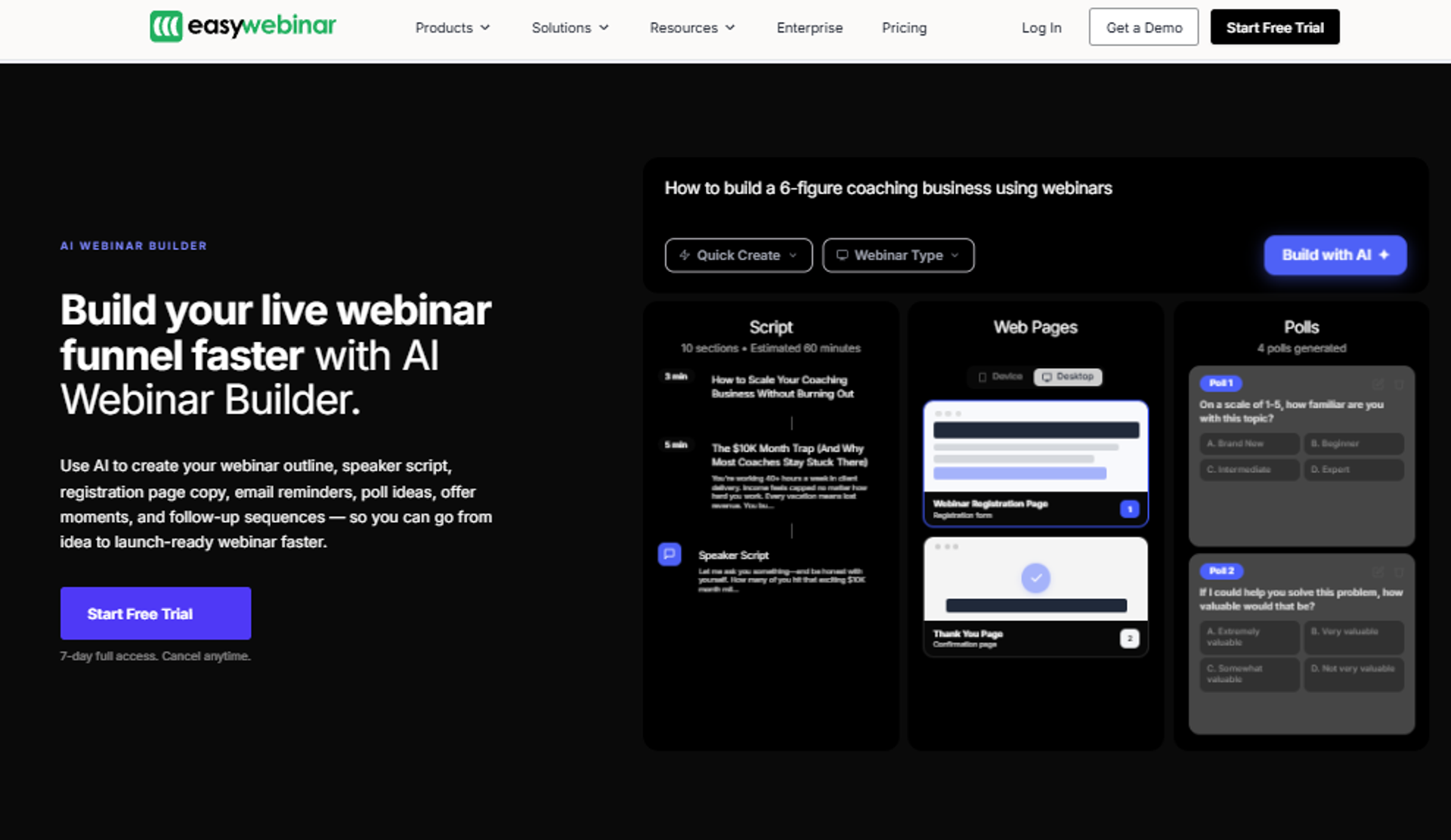
EasyWebinar is best for coaches, course creators, and marketing teams that need one proven session to keep selling around the clock, because it runs Live, Simulated Live, and Evergreen inside a single subscription with Just-in-Time and timezone-adjusted scheduling. It may not fit teams running one-off internal meetings with no funnel intent.
| Quick fit | Detail |
|---|---|
| Best for | Operators with a validated offer moving from live-only to automated selling |
| Skip if | You need pure internal meetings, or your product sits under $200 |
| Strongest edge | Live and automated in one platform, with JIT and timezone-adjusted Evergreen |
| Biggest trade-off | The automated build needs your recording uploaded before setup |
| Pricing snapshot | Tiered subscription, JIT sits on a higher tier |
Why EasyWebinar ranks #1
It scores highest on the two heaviest criteria. Automation depth carries 30% of the rubric, and EasyWebinar covers JIT, timezone-adjusted delivery, Instant Replay, and On-Demand.
Live capability carries another 20%. This is where the split-product model loses points, because EverWebinar cannot host a true live webinar software session without WebinarJam bought separately.
⚙️ What EasyWebinar does well
- One subscription covers every format. Live, Simulated Live, and Evergreen sit under one account, so consolidating removes a second invoice.
- Simulated Live keeps the engagement layer. Real-time chat, polls, and timed offers stay active, which is what separates a simulated live webinar from a replay page.
- JIT and timezone-adjusted scheduling live on Evergreen. Cold paid traffic lands on a session starting shortly, which lifts show-up rate.
- Built-in pages, email, CRM, and checkout. Registration, reminders, tagging, and in-session payment reduce the tool count.
- Attendee-level analytics with drop-off view. You can see where people leave, then fix that exact minute of the presentation.
- SOC 2 Type II and GDPR with a DPA. Security review has an answer before procurement asks.
⚠️ Where EasyWebinar falls short
- Automated setup requires the video uploaded first, so you cannot open registrations before recording.
- JIT sits on a higher tier, which roughly doubles cost versus the entry plan for some buyers.
- Landing page design flexibility is narrower than a dedicated page builder.
- Post-webinar email open and click tracking is limited, so some operators still route sequences through their ESP.
| Evaluation criterion | EasyWebinar fit | Why it matters |
|---|---|---|
| Live webinars | Strong | Included in plan, no second product needed |
| Simulated Live | Strong | Keeps real-time chat, polls, and timed offers |
| Evergreen automation | Strong | JIT, timezone-adjusted, Instant Replay, On-Demand |
| Funnel pages | Partial | Native builder, limited design flexibility |
| Engagement | Strong | Chat, polls, offer overlays, and countdowns |
| CRM and follow-up | Strong | Native CRM plus behavior-triggered sequences |
| Monetization | Strong | Paid access and in-session checkout |
| Analytics | Strong | Attendee-level tracking and drop-off view |
| Integrations | Partial | Native set plus Zapier; some tools need a Zap |
| Pricing fit | Strong | JIT tier costs more; confirm on the live pricing page |
🎯 Best for / skip if
Choose EasyWebinar if you have a session that already converts and you want it selling while you sleep, without buying a live product separately. Skip it if you only need internal meetings or a one-off town hall with no offer attached. The course creator case study shows what the first pattern looks like at scale.
💬 Reviews
"With my live class I used to sell 10-12 courses. With EasyWebinar I sold 25 courses within 3 weeks of my evergreen 'launch'."- Laura C., EasyWebinar G2 - Verified Review
"The biggest challenge is around setting up automated webinars, and needing the presentation uploaded first in order to set it up."- Ash A., EasyWebinar G2 - Verified Review
I will hedge one thing here. EasyWebinar's data points to automation lifting revenue per registrant, though I may be reading the Evergreen cohort too strongly, since the operators who automate are usually the ones already converting.
2. Demio
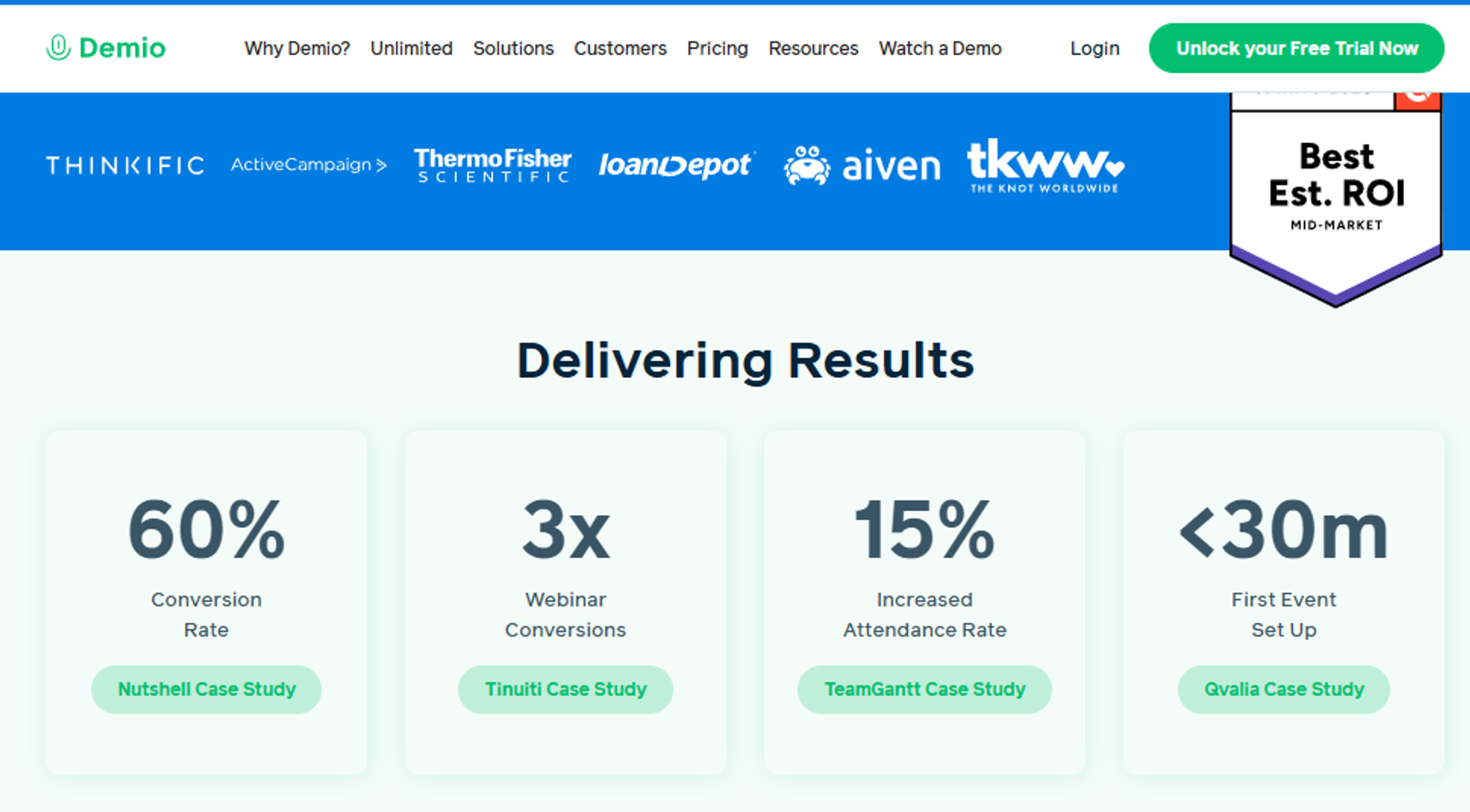
Demio is best for live-first marketing teams that need a clean, no-download attendee experience, because the browser-based room and setup speed reduce friction on both sides. It may not fit operators whose main job is deep evergreen automation with timezone-adjusted scheduling.
| Quick fit | Detail |
|---|---|
| Best for | B2B marketing teams running scheduled live sessions |
| Skip if | Evergreen and JIT scheduling are your primary requirement |
| Strongest edge | Attendee experience quality and fast event setup |
| Biggest trade-off | Registrant export is blocked once you cancel |
| Pricing snapshot | Flat monthly per host |
Why Demio ranks #2
Demio scores well on conversion tooling and peer reviews, and it genuinely beats most of this list on setup speed. Registration pages spin up quickly, and attendees join without installing anything.
It loses ground on automation depth, the heaviest weighted criterion. Automated sessions exist, but the evergreen scheduling toolkit is thinner than the specialists ranked around it, which is the core split covered in this EasyWebinar vs Demio comparison.
⚙️ What Demio does well
- No-download browser room. Fewer attendees drop at the join step, which protects show-up rate.
- Fast event and page setup. Operators report spinning up registration pages quickly, so testing a topic is cheap.
- Preloaded assets in the room. Polls, handouts, and CTAs can be staged before the session starts.
- Clean interface for non-technical hosts. Reviewers repeatedly call the option placement clear and logical.
- Anonymous attendee mode. Participants cannot see each other, which suits coaching and sensitive topics.
⚠️ Where Demio falls short
- Registrant lists cannot be exported after cancellation without resubscribing, which is a real switching risk.
- Reviewers report audio delays, echo, and mute issues across sessions.
- Replays have not always carried live polls and CTAs, which weakens post-event conversion.
- CRM depth is limited, with reported gaps connecting to HighLevel.
| Evaluation criterion | Demio fit | Why it matters |
|---|---|---|
| Live webinars | Strong | Browser-based, low join friction |
| Simulated Live | Partial | Available, lighter engagement carryover |
| Evergreen automation | Partial | Present, but scheduling depth is limited |
| Funnel pages | Partial | Registration pages included, modest customization |
| Engagement | Strong | Chat, polls, handouts, and CTAs |
| CRM and follow-up | Partial | Integrations exist, reported gaps at the edges |
| Monetization | Weak | No native in-session checkout |
| Analytics | Partial | Solid attendance data, lighter behavioral depth |
| Integrations | Partial | Zapier-dependent for several stacks |
| Pricing fit | — | Per-host flat monthly |
🎯 Best for / skip if
Choose Demio if your webinars are scheduled, live, and run by a marketing team that values attendee experience over automation depth. Skip it if your revenue depends on Just-in-Time evergreen sessions or in-session payments, and read the wider Demio alternatives breakdown before you commit.
💬 Reviews
"After canceling, I was shocked to find out I couldn't export the list unless I subscribed again."- Sheida M., Demio G2 - Verified Review
"It didn't fully integrate with my CRM (Highlevel) and the replay didn't show the live polls and CTAs."- Ivanhoe S., Demio G2 - Verified Review
Here is the contrarian read. Most buyers rank interface polish first, and I think that is backwards. Ugly templates that are finished still sell, because the presentation carries the room, not the page.
EasyWebinar earns position one on this rubric for a structural reason, not a stylistic one. Live, Simulated Live, and Evergreen ship in one subscription, JIT and timezone-adjusted delivery sit on the Evergreen tier, and SOC 2 Type II with GDPR is already attested.
3. eWebinar
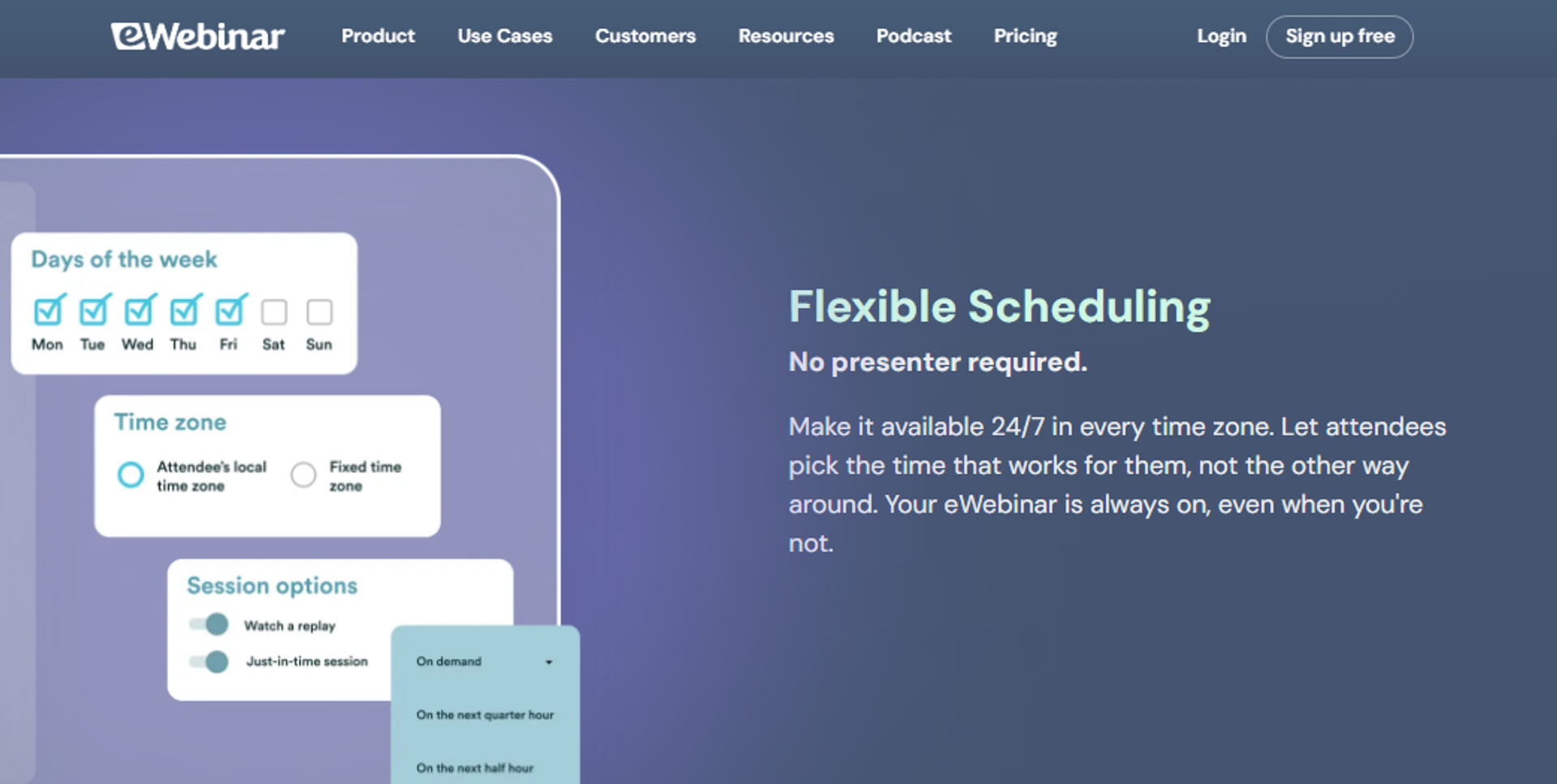
eWebinar is best for SaaS and service teams automating onboarding, training, or demo sessions, because it is purpose-built for pre-recorded sessions with real-time chat handoff to a human. It may not fit operators who still need to run true live events.
| Quick fit | Detail |
|---|---|
| Best for | Product, onboarding, and customer education teams |
| Skip if | You need live sessions, launches, or in-room selling |
| Strongest edge | Automation-only design with staffed chat during playback |
| Biggest trade-off | No live capability at all |
| Pricing snapshot | Flat monthly by session volume |
Why eWebinar ranks #3
It scores near the top on automation depth, which carries 30% of the rubric. Sessions run on a schedule or on demand without a host present.
It loses the full 20% for live capability in-plan. That is a deliberate product choice, not a defect, but it costs points in this comparison against platforms that ship live webinar software in the same subscription.
⚙️ What eWebinar does well
- Automation is the primary product, not an add-on. Setup assumes a recording exists, so the flow is faster for onboarding content.
- Real-time chat with human handoff. Attendees can reach a person during playback, which protects trust on automated sessions.
- Recurring session scheduling. Teams run the same onboarding session daily without staffing it.
- Registration and reminder handling included. Fewer separate tools for a simple automated funnel.
⚠️ Where eWebinar falls short
- No live webinar capability, so launches and workshops need a second platform.
- Conversion tooling is lighter than platforms built for selling from the room.
- Pricing scales with session volume, which can surprise teams adding new content.
| Evaluation criterion | eWebinar fit | Why it matters |
|---|---|---|
| Live webinars | Weak | Not supported |
| Simulated Live | Partial | Scheduled playback with chat, not a live room |
| Evergreen automation | Strong | Core product design |
| Funnel pages | Partial | Registration handled, limited page depth |
| Engagement | Strong | Live chat handoff during playback |
| CRM and follow-up | Partial | Integrations exist, no native CRM |
| Monetization | Weak | No native in-session checkout |
| Analytics | Partial | Attendance and engagement, lighter attribution |
| Integrations | Partial | — |
| Pricing fit | — | Session-volume model needs modeling first |
🎯 Best for / skip if
Choose eWebinar if your webinars teach, onboard, or demo, and nobody needs to be in the room. Skip it if a live launch is part of your revenue calendar.
4. StealthSeminar
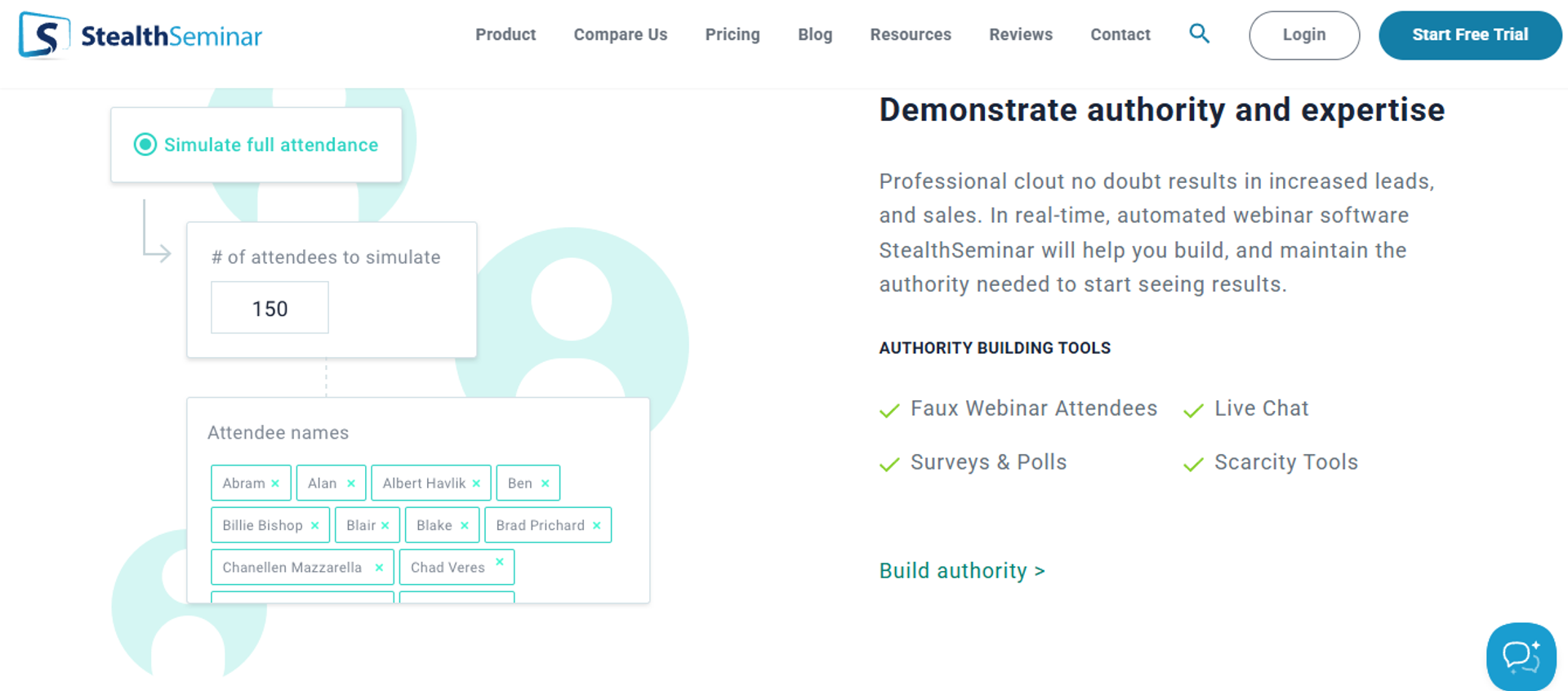
StealthSeminar is best for evergreen funnel operators who need deep scheduling control, because it offers granular session timing, replay windows, and attendance-simulation controls. It may not fit teams that want a modern interface or a live-first workflow.
| Quick fit | Detail |
|---|---|
| Best for | Direct-response marketers running always-on funnels |
| Skip if | You need live launches or polished page design |
| Strongest edge | Scheduling and replay control depth |
| Biggest trade-off | Dated interface and a steeper learning curve |
| Pricing snapshot | Flat monthly |
Why StealthSeminar ranks #4
Automation depth is genuinely strong here, which is the heaviest criterion. Operators get fine control over when sessions fire and how long replays stay open, which is the same axis compared in this EasyWebinar vs Stealth Seminar breakdown.
It scores lower on conversion tooling and pricing transparency. Native checkout and page design are thinner than the platforms above it.
⚙️ What StealthSeminar does well
- Granular scheduling controls. You can match session times to when your traffic actually converts.
- Replay window management. Expiring replays create real deadlines without manual work.
- Attendance and chat simulation settings. Useful, and worth configuring carefully for honesty.
- Long track record in evergreen funnels. The mechanics are mature rather than experimental.
⚠️ Where StealthSeminar falls short
- Interface feels older than most alternatives on this list.
- No live webinar capability for launches.
- Page builder depth is limited compared with newer platforms.
| Evaluation criterion | StealthSeminar fit | Why it matters |
|---|---|---|
| Live webinars | Weak | Not the product's purpose |
| Simulated Live | Strong | Core scheduling and chat controls |
| Evergreen automation | Strong | Deep timing and replay options |
| Funnel pages | Partial | Functional, limited design range |
| Engagement | Partial | Chat and offers, lighter interaction |
| CRM and follow-up | Partial | Integration-dependent |
| Monetization | Partial | External checkout typically required |
| Analytics | Partial | Session data, lighter attendee depth |
| Integrations | — | Confirm your CRM before committing |
| Pricing fit | — | Published tiers change; check current page |
🎯 Best for / skip if
Choose StealthSeminar if evergreen scheduling precision is your main requirement. Skip it if you run live launches or need design flexibility.
5. Livestorm
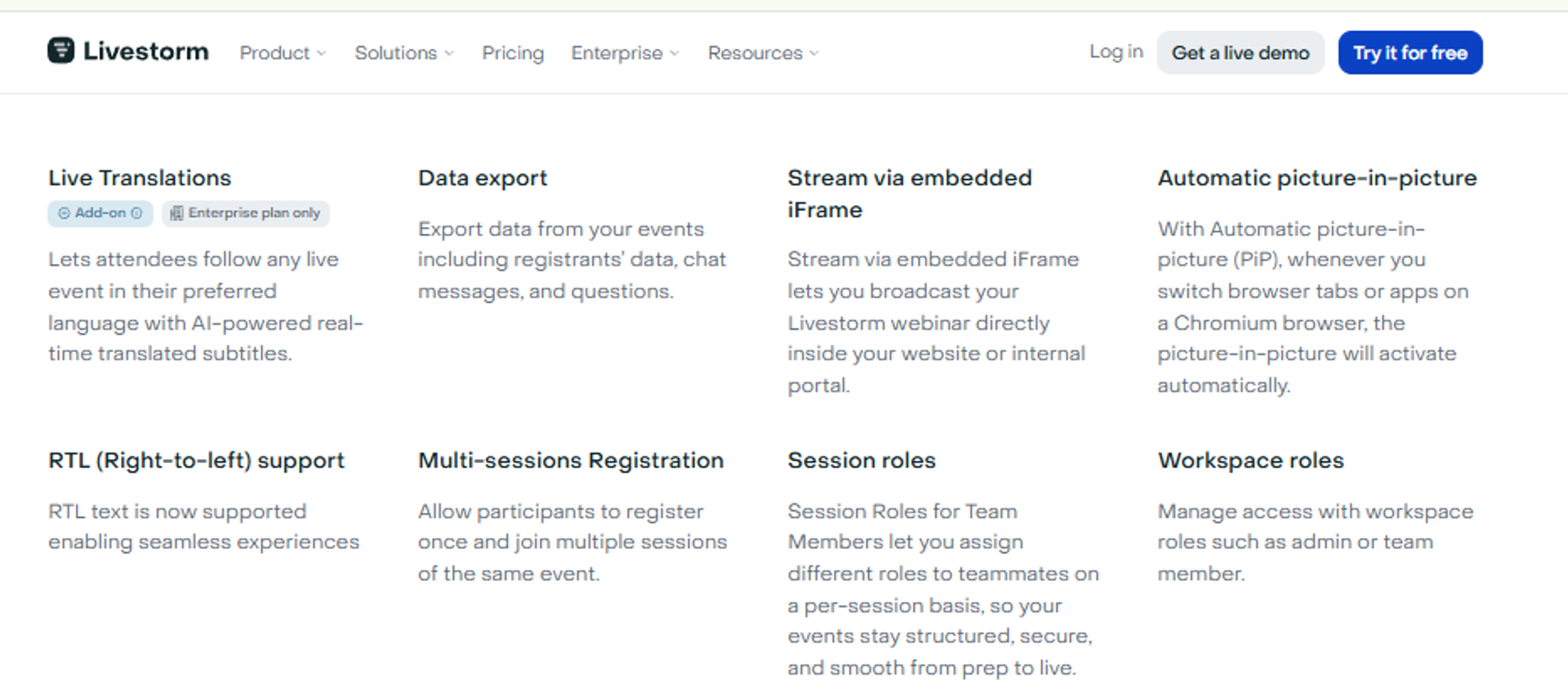
Livestorm is best for B2B demand generation teams that need reliable browser-based sessions and clean reporting, because it handles scheduled live events and integrates well with marketing stacks. It may not fit operators whose revenue depends on deep evergreen automation.
| Quick fit | Detail |
|---|---|
| Best for | Marketing and demand gen teams with a CRM-driven funnel |
| Skip if | Just-in-Time evergreen selling is your primary motion |
| Strongest edge | Reliability and reporting for scheduled live events |
| Biggest trade-off | Automation depth is lighter than evergreen specialists |
| Pricing snapshot | Freemium plus quote-based tiers |
Why Livestorm ranks #5
Livestorm scores well on reliability, engagement, and integrations. Sessions run in the browser, which reduces attendee friction.
It gives up points on automation depth and monetization. On-demand playback exists, but the evergreen scheduling toolkit is narrower than a dedicated on-demand webinar platform built for always-on selling.
⚙️ What Livestorm does well
- Browser-based joining. No installs, which protects show-up rate on cold audiences.
- Reporting built for marketing teams. Registration and attendance data lands in a usable format.
- Solid integration coverage. Attendee data can reach the CRM without heavy workarounds.
- On-demand session support. Useful for gated content libraries.
⚠️ Where Livestorm falls short
- Evergreen and Just-in-Time depth is limited versus automation specialists.
- No native in-session checkout for paid offers.
- Higher tiers move to quote-based pricing, which slows procurement.
| Evaluation criterion | Livestorm fit | Why it matters |
|---|---|---|
| Live webinars | Strong | Reliable browser-based rooms |
| Simulated Live | Partial | Available, lighter controls |
| Evergreen automation | Partial | On-demand yes, deep scheduling no |
| Funnel pages | Partial | Registration pages included |
| Engagement | Strong | Chat, polls, and questions |
| CRM and follow-up | Strong | Good integration coverage |
| Monetization | Weak | No native checkout |
| Analytics | Strong | Clear reporting for marketing teams |
| Integrations | Strong | Fits standard B2B stacks |
| Pricing fit | — | Quote-based at scale |
🎯 Best for / skip if
Choose Livestorm if your webinars are scheduled, live, and feeding a CRM-driven pipeline. Skip it if you need Just-in-Time evergreen sessions with in-room payments, since paid webinars require native checkout to keep the purchase inside the session.
6. WebinarKit
WebinarKit is best for budget-constrained solo operators who need automated and instant-start sessions, because entry pricing and lifetime options keep upfront cost low. It may not fit teams needing enterprise compliance or a wide native integration library.
| Quick fit | Detail |
|---|---|
| Best for | Solo coaches and consultants testing automated funnels |
| Skip if | You need SOC 2, SSO, or a large integration set |
| Strongest edge | Automated and instant-start sessions at entry cost |
| Biggest trade-off | Smaller ecosystem and support footprint |
| Pricing snapshot | Flat monthly plus lifetime deal options |
Why WebinarKit ranks #6
It scores respectably on automation depth and pricing transparency. Instant-start sessions mean a visitor can watch shortly after registering.
It loses points on peer-review volume and enterprise readiness. Fewer verified reviews means less independent evidence to lean on.
⚙️ What WebinarKit does well
- Automated and instant-start sessions. Cold traffic does not wait days to attend.
- Low entry cost. Testing a webinar funnel does not require a large annual commitment.
- Included registration pages. Faster launch for operators without a page builder.
- Simple setup flow. Fewer configuration decisions for first-time automators.
⚠️ Where WebinarKit falls short
- Smaller integration library, so some stacks need Zapier.
- Limited independent review volume for verification.
- Enterprise compliance signals are thin.
| Evaluation criterion | WebinarKit fit | Why it matters |
|---|---|---|
| Live webinars | Partial | Available, not the strength |
| Simulated Live | Partial | Supported with basic controls |
| Evergreen automation | Strong | Core use case |
| Funnel pages | Partial | Templates included |
| Engagement | Partial | Chat and offers, lighter depth |
| CRM and follow-up | Partial | Integration-dependent |
| Monetization | Partial | — |
| Analytics | Partial | Basic attendance reporting |
| Integrations | Weak | Smaller native library |
| Pricing fit | Strong | Lowest entry cost on this list |
🎯 Best for / skip if
Choose WebinarKit if cash is tight and you are testing whether webinars work for your offer. Skip it if procurement, compliance, or deep CRM flow matters, because a native sales CRM changes how quickly attendee behavior reaches your reps.
7. WebinarGeek
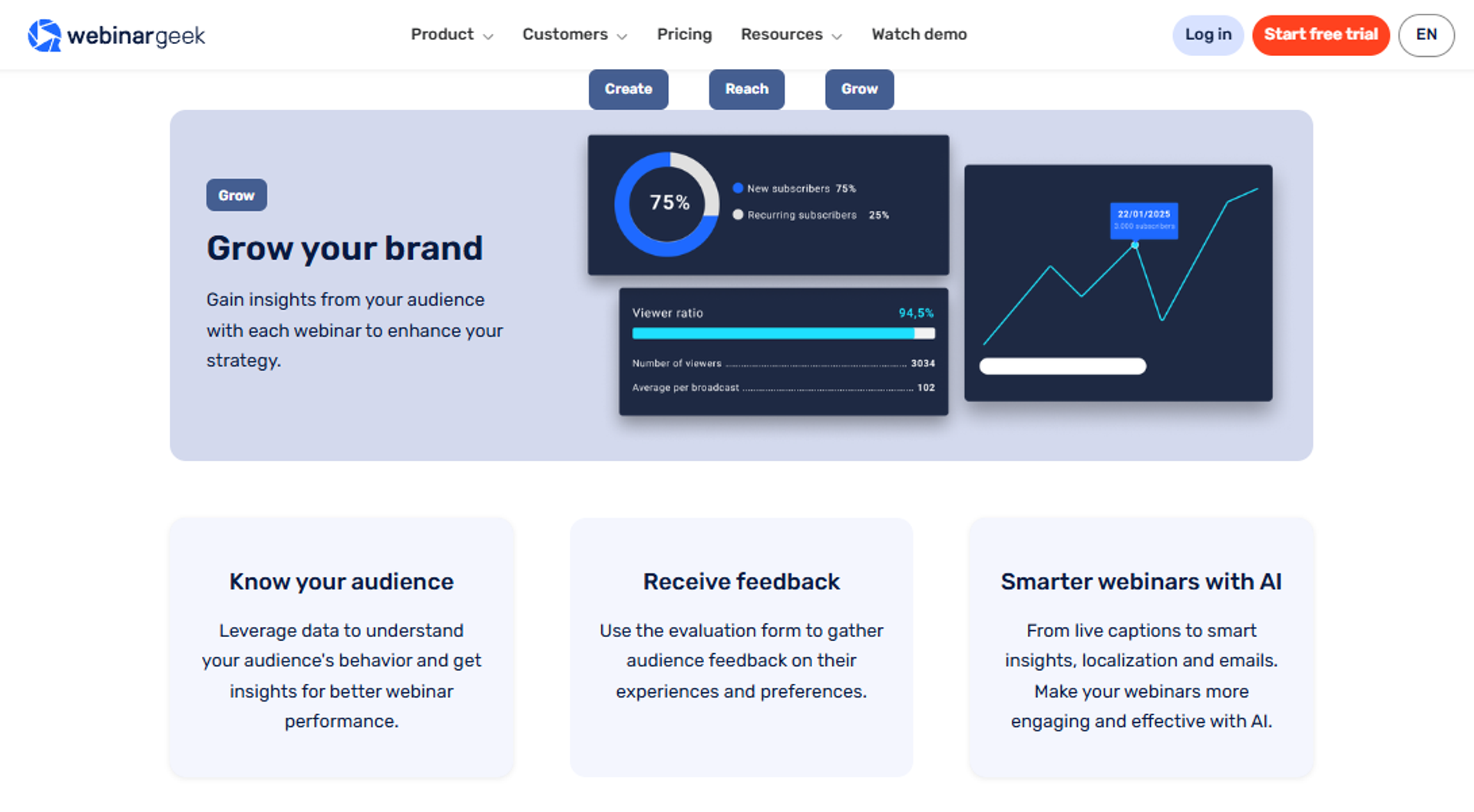
WebinarGeek is best for European operators who need straightforward GDPR handling and EU-based hosting, because compliance posture is clearer than most alternatives here. It may not fit teams needing a large integration ecosystem outside Europe.
| Quick fit | Detail |
|---|---|
| Best for | EU-based marketing and training teams |
| Skip if | You need deep US integrations or heavy evergreen tooling |
| Strongest edge | EU hosting and clear data handling |
| Biggest trade-off | Reported quality drop with multiple remote presenters |
| Pricing snapshot | Attendee-tier monthly |
Why WebinarGeek ranks #7
Compliance clarity earns real points under reliability and scale. For EU buyers, a documented GDPR compliance position shortens the security review.
Automation depth and conversion tooling sit mid-pack. Reviewer feedback also flags a host-to-viewer delay.
⚙️ What WebinarGeek does well
- EU hosting and GDPR clarity. Fewer questions from legal before you sign.
- On-demand and pre-recorded support. Content stays available after the event.
- Interaction and marketing tools included. Polls and calls to action come standard.
- Reachable support. Reviewers describe quick responses.
⚠️ Where WebinarGeek falls short
- A delay exists between host view and viewer view.
- Quality degrades when multiple presenters join from different locations.
- Integration library is smaller outside Europe.
| Evaluation criterion | WebinarGeek fit | Why it matters |
|---|---|---|
| Live webinars | Partial | Works, with reported delay |
| Simulated Live | Partial | Pre-recorded playback supported |
| Evergreen automation | Partial | On-demand yes, limited scheduling depth |
| Funnel pages | Partial | Registration included |
| Engagement | Strong | Interaction tools built in |
| CRM and follow-up | Partial | Integration-dependent |
| Monetization | Partial | — |
| Analytics | Partial | Standard attendance reporting |
| Integrations | Partial | Regional strength |
| Pricing fit | — | Attendee tiers shift cost quickly |
🎯 Best for / skip if
Choose WebinarGeek if EU data residency is a hard requirement. Skip it if you present with a distributed panel or need deep automation.
💬 Reviews
"There is a small delay in what I see as host and what the viewers see... If you have more presenters on different location the quality of the webinar will go down a lot."- Verified User in Management Consulting, WebinarGeek G2 - Verified Review
8. BigMarker
BigMarker is best for teams running large virtual events, summits, and multi-session programs, because customization and event scale go further than most platforms here. It may not fit a solo operator running one evergreen funnel.
| Quick fit | Detail |
|---|---|
| Best for | Event marketing teams running summits and multi-track programs |
| Skip if | You run one recurring sales webinar |
| Strongest edge | Customization and large-event architecture |
| Biggest trade-off | Complexity and quote-based pricing |
| Pricing snapshot | Quote-based, not publicly listed |
Why BigMarker ranks #8
Scale and customization score well under reliability. Directory listings consistently place it among the highest-rated event platforms, which is worth weighing if you also need to choose a virtual event platform for conferences.
It ranks lower for this specific query. Evergreen selling mechanics are not the product's center of gravity.
⚙️ What BigMarker does well
- Large-event handling. Summits and multi-session programs run without stitching tools together.
- Deep branding control. Rooms and pages can match an enterprise brand system.
- Interactive video features. Useful for sponsor-driven and multi-track events.
- Strong directory review standing. Independent ratings are consistently high.
⚠️ Where BigMarker falls short
- Quote-based pricing slows evaluation and blocks self-serve buyers.
- Setup complexity is heavy for a single recurring funnel.
- Evergreen scheduling depth trails the automation specialists here.
| Evaluation criterion | BigMarker fit | Why it matters |
|---|---|---|
| Live webinars | Strong | Built for scale |
| Simulated Live | Partial | Supported, secondary use case |
| Evergreen automation | Partial | Present, not the focus |
| Funnel pages | Strong | Highly customizable |
| Engagement | Strong | Rich interaction set |
| CRM and follow-up | Partial | Integration-dependent |
| Monetization | Partial | Ticketing available |
| Analytics | Strong | Event-grade reporting |
| Integrations | Partial | Verify your stack |
| Pricing fit | Weak | No public pricing |
🎯 Best for / skip if
Choose BigMarker if your calendar includes summits and multi-session events. Skip it if your job is one automated sales session running daily.
9. ClickMeeting
ClickMeeting is best for training and education teams that want predictable attendee-based pricing, because cost scales with room size rather than feature tiers. It may not fit operators who need deep conversion tooling inside the session.
| Quick fit | Detail |
|---|---|
| Best for | Training, education, and internal enablement teams |
| Skip if | Selling from the room is the main objective |
| Strongest edge | Predictable attendee-tier pricing |
| Biggest trade-off | Lighter conversion and evergreen tooling |
| Pricing snapshot | Attendee-based monthly |
Why ClickMeeting ranks #9
Pricing transparency scores well, which matters for budget approval. Attendee tiers are easy to model in advance, and you can benchmark them against published webinar pricing from the platforms above.
Automation depth and conversion tooling score lower. It is positioned as a lower-cost entry point rather than a revenue system.
⚙️ What ClickMeeting does well
- Clear attendee-tier pricing. Finance can approve the number without a sales call.
- On-demand and automated playback. Recorded sessions stay available to learners.
- Training-friendly features. Presentations, tests, and recordings suit education use.
- Lower entry cost than most event platforms. Useful for teams with tight budgets.
⚠️ Where ClickMeeting falls short
- Conversion tooling inside the room is limited.
- Evergreen scheduling lacks the depth of specialists on this list.
- CRM and behavioral follow-up depend on external tools.
| Evaluation criterion | ClickMeeting fit | Why it matters |
|---|---|---|
| Live webinars | Strong | Core capability |
| Simulated Live | Partial | Automated playback available |
| Evergreen automation | Partial | Limited scheduling depth |
| Funnel pages | Partial | Registration included |
| Engagement | Partial | Polls and chat, lighter offers |
| CRM and follow-up | Weak | External tools required |
| Monetization | Partial | Paid access available |
| Analytics | Partial | Attendance-focused |
| Integrations | Partial | Verify your stack |
| Pricing fit | Strong | Predictable attendee tiers |
🎯 Best for / skip if
Choose ClickMeeting if you run training sessions and need predictable per-attendee cost. Skip it if the session's job is to close sales.
10. GoTo Webinar
GoTo Webinar is best for corporate teams that need an established procurement path and familiar enterprise infrastructure, because IT departments already recognize and approve it. It may not fit marketing teams that need funnel tooling or automation.
| Quick fit | Detail |
|---|---|
| Best for | Corporate communications and compliance-driven programs |
| Skip if | Your webinars exist to generate and convert pipeline |
| Strongest edge | Enterprise familiarity and reporting for organizers |
| Biggest trade-off | Outsourced support and recurring reliability complaints |
| Pricing snapshot | Attendee-tier, annual-leaning |
Why GoTo Webinar ranks #10
It still earns a place because procurement trusts it and reporting is straightforward for organizers. That matters in regulated environments, and the trade-offs are laid out in this EasyWebinar vs GoToWebinar comparison.
It ranks last for this query. Automation depth, conversion tooling, and support scores all drag against a switcher's actual needs.
⚙️ What GoTo Webinar does well
- Organizer backend is manageable. Pulling reports is straightforward.
- Polling and email automation included. Basic engagement and reminders work out of the box.
- Handles larger audiences. Reviewers use it above 200 attendees regularly.
- Established procurement path. IT approval is usually already in place.
⚠️ Where GoTo Webinar falls short
- Support is outsourced and hard to reach, per multiple reviewers.
- Recurring speaker issues with microphones, webcams, and screen share.
- Registration page customization is limited.
- Automation and funnel tooling are minimal.
| Evaluation criterion | GoTo Webinar fit | Why it matters |
|---|---|---|
| Live webinars | Strong | Core capability at scale |
| Simulated Live | Weak | Not a real option |
| Evergreen automation | Weak | Minimal |
| Funnel pages | Weak | Limited registration customization |
| Engagement | Partial | Polls and Q and A included |
| CRM and follow-up | Partial | Integrations exist, behavior depth is thin |
| Monetization | Weak | No native selling tools |
| Analytics | Partial | Attendance reporting is solid |
| Integrations | Partial | Enterprise stacks covered |
| Pricing fit | Weak | Expensive for marketing use cases |
🎯 Best for / skip if
Choose GoTo Webinar if corporate IT dictates the platform and the session is informational. Skip it if the webinar has an offer attached, and review the wider set of GoToWebinar alternatives before renewing.
💬 Reviews
"Customer support is impossible to reach and is completely outsourced. When you do get a hold of them, they are never any help."- Forrester S., GoTo Webinar G2 - Verified Review
"Registration form options are limited. Post-event emails are wonky. Very little ability to customize."- Verified User, Media Production Company, GoTo Webinar TrustRadius - Verified Review
I will hold one opinion loosely here. My read is that support quality predicts churn better than feature count, though the review pool skews toward people already angry enough to write.
EasyWebinar sits at the top of this list for a structural reason. Live, Simulated Live, and Evergreen ship together, Just-in-Time and timezone-adjusted delivery run on the Evergreen tier, and SOC 2 Type II with GDPR is already attested. Most platforms below solve one slice of that well, and ask you to buy the rest. You can see the full picture across compare webinar platforms or start with the all features overview.
Q2: Why Are Operators Leaving EverWebinar, and What Does It Actually Cost in 2026?
Operators leave for four reasons: EverWebinar is automation-only and needs a separate WebinarJam subscription for live sessions; billing is annual-first, with the live pricing page listing $99/month billed $1,188 annually while third parties still quote $499/year; there is no AI build layer; and Capterra's customer-service sub-rating sits at 3.3/5. Verify pricing on everwebinar.com/pricing before budgeting.
The tool worked, then the renewal landed
Nobody shops for a new platform when the funnel is quiet and the invoice is small. They shop when the annual charge hits, and the feature list has not moved in two years.
That is the situation most switchers describe. The sessions still run. The math around them stopped making sense.
⚠️ Two products, one job
The complication is structural. EverWebinar handles automated sessions, and WebinarJam handles live ones, and they are sold separately by the same company. Reviewers also flag no hourly scheduling for upcoming days and a basic API, a split examined further in this EasyWebinar vs WebinarJam comparison.
EasyWebinar appears in this comparison as a single-subscription option, where Live, Simulated Live, and Evergreen run from one login. That is an architecture difference, not a marketing claim.
💬 What reviewers actually report
"Inability to clone webinars without serious resulting issues... we were told that we should not have cloned webinars or changed their schedule, as there are known issues with this feature."- Kaylen M., EverWebinar G2 - Verified Review
"I love the partner service, everwebinar, (which you have to pay more for)."- Tara G., WebinarJam G2 - Verified Review
The pricing table, dated at publication
| Plan or source | Listed cost | Note |
|---|---|---|
| Monthly | $199/month | Vendor pricing page |
| Annual | $99/month, billed $1,188/year | Vendor pricing page |
| Two-year | $79/month, $1,896 per two years | Third-party summary |
| Legacy figure | $499/year | Still quoted by third parties |
| Live capability | Separate WebinarJam subscription | Not included |
💰 Why sources disagree by 2.4x
Older reviews and roundups still carry the $499/year number, while the live page shows $1,188 annually. Screenshot the page yourself before you build a budget.
EasyWebinar's own webinar pricing must be checked the same way, since figures shift and stale numbers circulate through AI answers. I would rather send you to the source than guess on your behalf.
The break-even math nobody publishes
Automated sessions draw roughly 25% to 35% of registrants, and attendee-to-sale sits near 2% to 5%. Run that against a $997 offer.
At 30% attendance and 3% conversion, 40 registrants a month produce about 4.3 sales a year. That is roughly $4,300 against a $1,188 subscription, which is the kind of math worth running before you commit to any automated webinar platform.
⏰ The real cost is not the subscription
Break-even lands near 11 to 14 registrants a month. Your ad spend dwarfs that, because 40 registrants at $8 to $12 cost per lead runs $320 to $480 monthly.
My weekly baseline for years was 60 registered, 30 showed, and 3 bought a $1,000 program. Against $12,000 a month, the platform fee was noise. The expensive thing was the three weeks I lost building the funnel, which is exactly the gap an AI funnel builder is meant to close.
EasyWebinar removes the two-product problem at the architecture level. Live, Simulated Live, and Evergreen sit in one subscription, so the live capability you currently buy separately is already included.
Q3: Which Alternatives Actually Replace Just-in-Time Scheduling and Simulated-Live Chat?
Just-in-Time and simulated-live chat are the two features switchers refuse to lose. EasyWebinar carries both, with Just-in-Time on its Evergreen tier and real-time chat on Simulated Live. StealthSeminar and WebinarKit offer similar instant-start scheduling. eWebinar is automation-only, while Demio, Livestorm, and GoTo Webinar lean live-first.
Get the taxonomy right before you shop
Automated is the umbrella term, not a format. Under it sit exactly two tiers, Simulated Live and Evergreen.
Simulated Live means a recording plays on a fixed schedule with a real chat room open. Evergreen means the recording runs on flexible, always-on scheduling, and the difference is unpacked in this live vs automated webinars breakdown.
⏰ Which tier owns which scheduling feature
Live and Simulated Live run on fixed or fixed-recurring times, in one time zone. Nothing else.
Just-in-Time, timezone-adjusted delivery, multiple daily slots, Instant Replay, and On-Demand belong to Evergreen only. If a vendor pitches "Simulive with JIT," they have mislabeled their own product.
| Platform | Live | Simulated Live | Evergreen | JIT or instant start | Timezone-adjusted |
|---|---|---|---|---|---|
| EasyWebinar | Yes | Yes | Yes | Yes | Yes |
| Demio | Yes | Partial | Partial | No | No |
| eWebinar | No | Scheduled playback | Yes | Yes | — |
| StealthSeminar | No | Yes | Yes | Yes | — |
| Livestorm | Yes | Partial | On-demand | No | No |
| WebinarKit | Partial | Partial | Yes | Yes | — |
| WebinarGeek | Yes | Partial | On-demand | No | No |
| BigMarker | Yes | Partial | Partial | No | — |
| ClickMeeting | Yes | Partial | Partial | No | No |
| GoTo Webinar | Yes | No | No | No | No |
🎯 Why Just-in-Time moves show-up rate
Just-in-Time means the next session starts within about 10 to 15 minutes of registration. The visitor never waits three days to forget you.
That mechanic matters most on cold paid traffic. Show-up rate for an ice-cold audience often bottoms out around 10% to 15%, and removing the wait protects it, which is why it belongs in any plan to improve webinar attendance.
💬 The engagement layer decides the tier
Simulated Live keeps real-time chat, polls, and timed offers running. Evergreen uses an async question box with pre-configured polls and offers.
That distinction is where replays break down elsewhere. One Demio reviewer reported the replay dropping the live polls and calls to action entirely.
"It didn't fuly integrated with my CRM (Highlevel) and the replay didn't show the live polls and CTAs."- Ivanhoe S., Demio G2 - Verified Review
"The only downside is that to have the 'just in time' feature you have to pay a premium that is about double the price of the basic subscription."- Laura C., EasyWebinar G2 - Verified Review
⚠️ One honest counterweight
Not everyone believes automation still performs. Some paid-traffic operators report automated sessions converting worse than live ones this year, and they are running real budgets.
My read is that automation degrades when the underlying session was never validated. I could be wrong about the size of that effect, and I am watching it.
EasyWebinar's Simulated Chat feature can push prior event chat into new sessions, so automated rooms carry real conversation rather than invented lines. That is the parity detail most switchers check last and should check first, and it is covered in depth in this guide to the simulated live webinar format.
Q4: Should You Choose Live, Simulated Live, or Evergreen Before You Choose a Platform?
Pick the format before the platform. Run 5 to 10 live sessions, fix the offer, and clear at least 10% attendee-to-buyer. Then graduate the winning session into Simulated Live for real-time chat, or into Evergreen for Just-in-Time and timezone-adjusted delivery. EasyWebinar documents this maturity ladder as automate what is proven, not automate what is unfinished.
Most people buy the tool first, and that is why they churn
The order is backwards almost every time. Someone buys a year of automation, then tries to find a session worth automating.
An automated webinar without traffic is a billboard in the desert. An automated webinar without a validated offer is worse, because it scales the leak.
📊 The 10% gate
The ladder is simple. Go live, validate the content and the offer, clear 10% attendee-to-buyer, then automate the winner. Running that validation on live webinar software first is what makes the automated version worth paying for.
Ten percent is not arbitrary. Below it, the session has a message problem, and no scheduling feature fixes a message problem.
⚖️ The disagreement is real, and I will not pretend otherwise
Serious operators split here. Some paid-media buyers insist live sessions are outperforming automated ones badly right now, and they are spending real money to know that.
Others argue the opposite. Live show-up rates are punishing, and an always-on session runs while you sleep, across every time zone, which is the core promise of an evergreen sales funnel.
🧭 The compromise I actually run
Run the sprint. Five to ten live sessions to find the winner, then automate that one session and keep testing the next.
Live sessions also give you data nothing else does. You hear the objection in the chat, and you watch exactly where people leave.
🍅 Why automation exists at all
Live has a tax. You show up, the tech misbehaves, and one afternoon a kid can walk in and throw ketchup at you mid-presentation.
That is the honest case for automation. Not laziness, just repeatability, with the integrity rule attached: never say it is live, and never say it is not.
✅ What to do on Monday
Find your rung before you open another pricing page.
- No validated session yet. Stay live. Buy nothing new this month.
- Converting near 10%, still want chat. Move to Simulated Live and keep the room open.
- Converting above 10%, running paid traffic. Move to Evergreen for Just-in-Time and timezone-adjusted slots.
- Selling under $200. A webinar may not be mathematically required at all.
⚠️ Where I hold this loosely
EasyWebinar's customer data points toward automation lifting revenue per registrant, though I may be reading that cohort too strongly. The operators who automate are usually the ones already converting well live, a pattern visible across the published customer reviews.
That is a selection effect I cannot fully separate out yet. My read right now is that sequencing explains more of the outcome than the platform does.
EasyWebinar supports the whole ladder inside one account. A past live recording converts directly into Simulated Live or Evergreen, so validating on live does not mean rebuilding the funnel afterward. If you want to see how that sequence looks end to end, the all features overview lays out each tier.
Q5: Which EverWebinar Alternative Fits Your Business, Coach, Course Creator, Agency, or Enterprise?
Coaches and course creators selling $997 to $10,000 offers should prioritize Just-in-Time scheduling, in-session timed offers, and behavior-based follow-up. EasyWebinar and StealthSeminar fit that profile best, while WebinarKit suits tight budgets. Agencies need multi-account access and client reporting. Enterprise buyers should shortlist on SOC 2 Type II, SSO, documented API access, and real concurrent-attendee limits before comparing features.
The coach's real problem is not the webinar
Most coaches I talk to are not missing a webinar tool. They are running seven tools to deliver one funnel.
Pages in one place, email in another, checkout somewhere else, and a CRM that only sees half of it. The webinar is fine. The seams are what leak, which is why a consolidated webinar funnel beats a stitched-together stack.
💰 What the numbers look like when it works
Carla Beisinger built one evergreen funnel on EasyWebinar and generated $5M from it, as documented in her course creator case study. Rick Mulready hit 166% ROI on cold paid traffic, with a 30% registration rate and $8 to $12 cost per lead.
Jason Caruso made $14,000 from his first webinar while still working a nine-to-five. None of those outcomes are features. All of them depend on a session that can run without the presenter.
🎯 Pick by stage, not by brand
| Your situation | Shortlist | Why |
|---|---|---|
| Validated offer, paid traffic, $997 and up | EasyWebinar, StealthSeminar | Just-in-Time plus in-session offers |
| Testing whether webinars work at all | WebinarKit | Lowest entry cost |
| Live-first, marketing team owns it | Demio, Livestorm | Attendee experience and reporting |
| Onboarding and product education | eWebinar | Automation-only by design |
The agency slice
Agencies buy on launch speed and reporting, not on room aesthetics. You need to spin up a client funnel fast, brand it, and prove results monthly.
One EasyWebinar customer cloned setups to run close to 30 sessions in a single year, which is the workflow agencies actually need, and it is the same pattern behind the agency SaaS tools playbook.
"Pretty much once I have run one webinar, I can clone and setup multiple in a breeze. We have run close to 30 since we started running it this new year."- Darrin B., EasyWebinar G2 - Verified Review
🔒 The enterprise checklist
Ask every vendor for four things in writing, before the demo.
- SOC 2 Type II report. A trust-page logo is not evidence. Request the attestation.
- SSO availability. Confirm the tier it sits on, not just that it exists.
- Documented API access. Programmatic registration matters at volume.
- Real concurrent-attendee ceiling. Ask for the tested number, not the marketing one.
EasyWebinar holds SOC 2 Type II, audited by Scrut Automation, plus GDPR compliance with a data processing addendum.
⚠️ Why middleware breaks at volume
One operator I know hit their Zapier plan's task limit four hours before a webinar. Sales reps were dialing leads to save the show-up rate, with nobody sure what had failed.
Native integrations avoid that failure mode. Reviewers note EasyWebinar's native library is narrower than some, with Zapier filling gaps, which is a fair trade to weigh.
"Intergration is somewhat limited, but if you are comfortable with Zapier you can easily update that."- Verified User in Professional Training and Coaching, EasyWebinar G2 - Verified Review
EasyWebinar sits in an unusual spot on this list. It is where a solo course creator built a $5M evergreen funnel, and it carries the SOC 2 Type II attestation an enterprise security review asks for. Most platforms here serve one of those buyers well, not both.
Q6: Is Simulated-Live Chat Honest, and Where Is the Line You Shouldn't Cross?
Simulated live is honest when the experience is real. Attendees watch in real time, cannot scrub forward, and rejoin mid-stream on refresh. EasyWebinar's Simulated Chat feature pushes chat from prior events into new sessions, so the conversation reflects real people. The rule I hold to is simple. Never say it is live, and never say it is not.
What simulated live actually does
Strip the marketing language off it. A recording plays on a schedule, and a real chat room stays open beside it.
That is the whole mechanic. The session is scheduled, the video is fixed, and the interaction around it is genuine, which is what separates true webinar interaction from a passive replay.
❌ The three settings that cross the line
Automation stops being honest at three specific configurations.
- Fabricated attendee counters. Numbers that inflate on a timer are invented social proof.
- Scripted purchase chat. Fake "just bought this" messages manufacture pressure that never existed.
- Explicit live labeling. Calling a recording live is the one claim you cannot walk back.
Everything else sits inside normal direct-response practice. These three do not.
💸 What it costs when you get it wrong
Refunds and public reviews. Buyers who feel tricked do not quietly churn, they document it.
You can see the pattern in reviews where automation misfires became trust problems. Duplicate chat messages during cloned sessions are a small technical bug that reads to attendees as fakery.
"Upon reporting our errors (duplicate chat messages, emails not being sent to registrants, pop-ups not working, etc.) we were told that we should not have cloned webinars."- Kaylen M., EverWebinar G2 - Verified Review
"I love the partner service, everwebinar... that allows the participant to watch the webinar and feel as though it's a live webinar."- Tara G., WebinarJam G2 - Verified Review
✅ What to actually put on the registration page
Say the session is scheduled and starts at a set time. Say attendees join in real time and cannot fast-forward.
You do not have to announce "this is a recording" in bold. You do have to avoid claiming otherwise, and that principle belongs in every webinar landing page you build.
⏰ Why disclosure does not cost you conversions
The urgency in an automated session comes from the schedule, not from a lie. A session that starts in twelve minutes is genuinely starting in twelve minutes.
EasyWebinar's Evergreen tier uses Just-in-Time scheduling, meaning the next session begins roughly 10 to 15 minutes after someone registers. That deadline is real, which is exactly why it works.
🍅 Why I built it this way
I automated because live has a tax. You show up sick, the tech fails, and one afternoon a kid can wander in and throw ketchup at you mid-presentation.
That is the honest case for automation. It was never about inventing an audience that was not in the room.
I will hold one thing loosely. My read is that disclosure costs almost nothing in conversion, though I have not run a clean split test on it, and I would not trust anyone who claims they have.
EasyWebinar's Simulated Chat reuses what real attendees actually said in earlier sessions, rather than generating dialogue. That is a small design choice, and it is the one I would check first on any platform you shortlist.
Q7: How Do You Migrate Off EverWebinar Without Losing a Month of Revenue?
Migrate in this order. Export registrants and chat logs while the subscription is still active, re-upload the winning recording, rebuild registration and thank-you pages, rewire CRM tags and reminder sequences, reconfigure scheduling and replay windows, run one parallel week, then cancel. EasyWebinar converts a past recording directly into a Simulated Live or Evergreen session, which removes the funnel rebuild step.
Export before you do anything else
This is the step people skip, and it is the expensive one. Some platforms lock your registrant list behind an active plan.
Do not assume you can pull the data after cancelling. Pull it today, then start the rest.
"After canceling, I was shocked to find out I couldn't export the list unless I subscribed again. Support confirmed this."- Sheida M., Demio G2 - Verified Review
"During cancellation, are having to track down an old email to find an order ID in order to even begin the cancellation process."- Kaylen M., EverWebinar G2 - Verified Review
⏰ The seven steps, with honest time estimates
- Export registrants, chat logs, and analytics. 30 minutes.
- Upload the winning recording to the new platform. 20 minutes, plus processing.
- Rebuild registration, thank-you, and replay pages. 2 to 3 hours.
- Rewire CRM tags and integrations. 1 to 2 hours, longer if middleware is involved.
- Rebuild the reminder and follow-up sequences. 2 hours.
- Reconfigure scheduling and replay windows. 45 minutes.
- Run one parallel week on both platforms. 7 days.
EasyWebinar reviewers report the automated setup requires the video uploaded first, so treat step two as a blocker, not a background task. A technical setup guide for recording is worth reading before you start the clock.
⚠️ The reminder mistake that quietly kills bookings
Rebuilding sequences is where people break things without noticing. One team added the join link directly into their reminder texts.
Show-up rate went up. Booking rate collapsed, because attendees joined casually instead of committing. Test the sequence, do not just port it, and cross-check it against proven tactics to drive webinar attendance.
📊 The parallel week is the whole point
Run both platforms for seven days against the same traffic. Compare three numbers only.
- Show-up rate. Did more registrants actually attend?
- Stick rate. Did more people reach the offer?
- Drop-off timestamp. Did people leave at the same minute?
✅ What the comparison actually tells you
If the new platform looks worse at the same timestamp, the platform is the problem. If the drop-off curve is identical, the platform was never the problem.
That second outcome is the useful one. You just bought an honest diagnosis of your presentation for the price of one week, which is exactly what webinar analytics exist to give you.
💰 Keep the replay deadline intact
Do not lose your replay window in the move. A three-day replay with two emails on the final day, one in the morning and one a few hours before it closes, is worth rebuilding exactly.
EasyWebinar supports Instant Replay and On-Demand access on the Evergreen tier, so the deadline mechanic survives the migration.
What I am watching now is whether AI-built funnels shrink this runbook to an afternoon by 2027. My guess is the page rebuild disappears first, and the CRM rewiring stays manual longest. If you migrate this quarter, tell me which step actually took the longest, because I am collecting real numbers on it.
EasyWebinar turns an existing recording into a Simulated Live or Evergreen session without rebuilding the funnel around it. That single capability is what keeps a migration week from becoming a migration month. If you want to see the mechanics before you commit, request a demo and walk the ladder with someone.
Frequently Asked Questions

Casey Zeman
Founder of EasyWebinar
About Author
Over the past decade, I've helped thousands of entrepreneurs, coaches, and consultants turn webinars into a predictable, powerful way to grow their audience, build trust, and scale, without the constant hustle. I created EasyWebinar because I couldn't find a system that combined authenticity, engagement, and automation the way I needed. So, I built one.
Related Posts

10 Best Community Engagement Platforms in 2026
Compare the 10 best community engagement platforms in 2026. Course creators, evaluate live hosting, analytics, and replay to pick your winner today.

10 Best Online Coaching Tools in 2026: Live Session Quality, Scheduling, Recording, and Client Engagement Analytics
Compare the 10 best online coaching tools of 2026 on session quality, scheduling, and analytics. Discover the right fit for your coaching revenue model.

10 Best Webinar Hosting Platforms Ranked by Uptime, Streaming Quality & Cost
Compare 10 webinar hosting platforms ranked by uptime, streaming quality, and cost. Discover which tool actually turns attendees into revenue.
Turn every webinar into a revenue stream
Launch your first paid event in just a few clicks - and start monetizing your expertise.
Book a Call