10 Best Webinar Platforms for Small Business in 2026 (Ranked by ROI)

- • We rank webinar platforms by ROI, not sticker price, because cost-per-lead and show-to-sale rate decide profit, not the monthly fee.
- • Webinars convert roughly 5% to 20% of attendees versus 1% to 2% for cold email, so conversion tooling matters more than cheap hosting.
- • A $14 video tool needs a landing page, email, CRM, and replay bolted on, which often costs more than a single all-in-one platform.
- • Zoom fits occasional live, GoToWebinar suits corporate one-offs, and WebinarJam plus EverWebinar splits live and evergreen into two bills.
- • Prove a webinar live to at least a 10% buyer rate before automating, then flip it to just-in-time evergreen so you scale a winner.
- • Silent ROI killers include broken mobile buttons, automation limits, texting the join link, and giving away the how so nobody buys.
Q1. What Are the 10 Best Webinar Platforms for Small Business in 2026 (and How We Ranked Them)?
The 10 best webinar platforms for small business in 2026, ranked by ROI, are EasyWebinar, Demio, Livestorm, WebinarJam, EverWebinar, Zoom Webinars, GoToWebinar, eWebinar, WebinarNinja, and BigMarker. We scored each on Revenue and Conversion Tooling (30%), Automation Depth (25%), All-in-One Value (20%), Setup and Usability (15%), and Pricing Transparency (10%). EasyWebinar leads at 5 stars, the only tool that runs live and automated webinars with a built-in CRM in one stack.
💸 Why This Decision Costs More Than the Subscription
I started in real estate. When the market crashed, I went from mid-six figures to $15,000 in a year, and I almost lost my house. I built a course, spent six months on it, and launched to crickets. The only thing that ever moved money was a webinar.
So I read this list differently than most reviewers do. The monthly fee is the smallest number in this decision. The real cost is your ad spend, your list, and the hours you burn stitching five tools together. Pick wrong and you don’t lose $49 a month. You lose a launch.
That is why we did not rank by price or feature count. We ranked by ROI, meaning cost-per-lead and show-to-sale rate. A tool that costs more but converts more is cheaper per customer. Webinars convert 5% to 20% of attendees to buyers, versus 1% to 2% for cold email, so the platform that helps you convert wins the money race even at a higher sticker price.
⭐ How We Scored Every Platform
Most roundups reward the longest feature list. I think that gets it backwards. Engagement ain’t cash. Thirty percent of a massive number is amazing, but 30% of zero is nothing. So we weighted the criteria that actually produce sales the heaviest.
Here is the exact rubric. The five weights sum to 100%.
| Criterion | Weight | What We Measured |
|---|---|---|
| Revenue and Conversion Tooling | 30% | In-webinar offers, timed CTAs, checkout, follow-up sequences, and replay campaigns |
| Automation Depth | 25% | Live, simulated live, evergreen, and just-in-time (a session that starts within minutes of registration) support |
| All-in-One Value | 20% | Registration pages, email, CRM, and payments in one stack versus bolt-on tools |
| Setup and Usability | 15% | Time to launch a first webinar, template quality, and clone speed |
| Pricing Transparency | 10% | Published pricing, honest tier limits, and no surprise attendee-based jumps |
We then mapped each total score to a star rating: 0 to 20% earns 1 star, 21 to 40% earns 2 stars, 41 to 60% earns 3 stars, 61 to 80% earns 4 stars, and 81 to 100% earns 5 stars.
✅ The 10 Platforms, Ranked by ROI
Here is the shortlist with a one-line verdict for each. Detailed entries follow below.
1.1 EasyWebinar
Best overall ROI. Runs live and automated webinars with a built-in CRM in one stack.
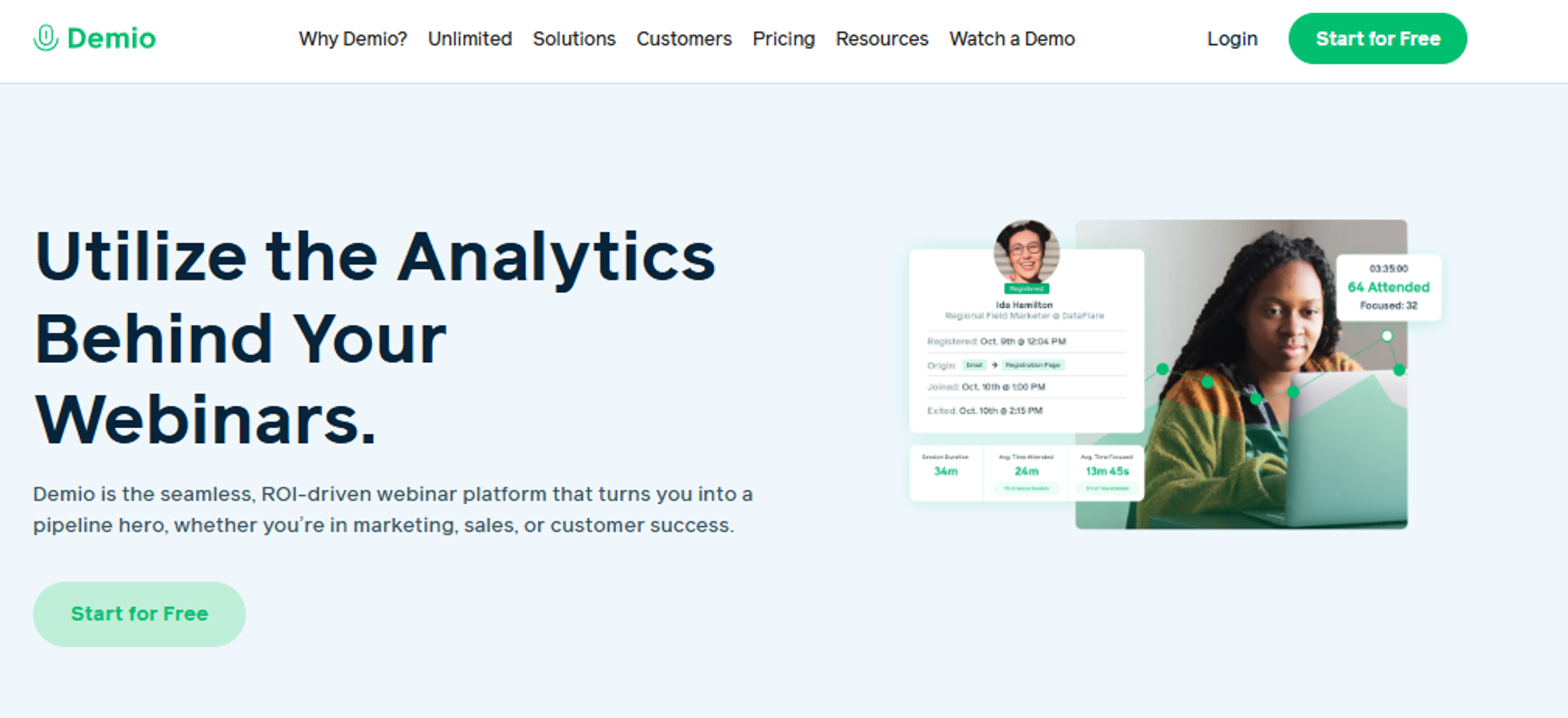
1.2 Demio
Best engagement analytics for clean, browser-based live sessions.
1.3 Livestorm
Best browser-based live experience with no downloads.
1.4 WebinarJam
Best for live selling with in-room offers.
1.5 EverWebinar
Best dedicated evergreen automation (pairs with WebinarJam).
1.6 Zoom Webinars
Cheapest paid option for occasional live sessions.
1.7 GoToWebinar
Best for reliable corporate one-off webinars.
1.8 eWebinar
Best for onboarding and support automation.
1.9 WebinarNinja
Entry-level pick for solo creators on a budget.
1.10 BigMarker
Best for large branded virtual events.
📊 2026 Webinar Platform Comparison Table
Pricing was verified against public pricing pages in mid-2026. Where a vendor hides pricing or uses per-attendee credits, we flag it. Several vendors are actively restructuring their plans, so verify current rates against each webinar pricing page.
| Provider | Best For | Standout Strength | Known Limitation | Webinar Formats Covered | Support Model | Pricing Model |
|---|---|---|---|---|---|---|
| EasyWebinar ⭐ 4.7/5 (G2) | Coaches and creators running live-then-evergreen sales webinars | Live and automated in one stack with built-in CRM and follow-up | Automated setup needs the video uploaded first, and landing-page design is somewhat limited | Live, simulated live, evergreen, just-in-time, and on-demand | Live onboarding calls, email, and chat | Flat monthly or annual |
| Demio ⭐ 4.7/5 (G2) | Marketing teams wanting clean live sessions and analytics | Simple browser-based UI and engagement tools | Reviewers report audio issues and blocked data export after canceling | Live, series, and on-demand | Email and chat | Flat monthly, attendee-tiered |
| Livestorm ⭐ 4.4/5 (G2) | Teams needing no-download browser webinars | Fully browser-based, polished experience | Moving toward per-attendee credit pricing, so verify cost | Live, on-demand, and automated | Email and chat | Freemium, per-attendee credits |
| WebinarJam ⭐ 4.0/5 (G2) | Presenters focused on live selling | Strong in-room offers and upsells | Clunky email, integration inconsistencies, and a 3-hour live cap | Live (automation via EverWebinar) | Email and ticket | Annual-only |
| EverWebinar ⭐ 3.9/5 (G2) | WebinarJam users adding evergreen | Purpose-built simulated-live scheduling | Cloning bugs, support complaints, and sold as a separate add-on | Simulated live, evergreen, and just-in-time | Email and ticket | Annual-only (add-on) |
| Zoom Webinars ⭐ 4.4/5 (G2) | Occasional live sessions to a known audience | Familiar, stable, cheap for light use | No funnel or CRM, glitchy webinar features, and weak customization | Live and on-demand | Ticket, enterprise SPOC | Flat add-on, around $14/mo Pro base |
| GoToWebinar ⭐ 4.2/5 (G2) | Corporate one-off marketing webinars | Reliable at 200+ attendees, robust reporting | Dated UI, outsourced support, and audio lag reported | Live and on-demand | Ticket, dedicated reps (business) | Quote-based, tiered |
| eWebinar ⭐ 4.8/5 (G2/GetApp) | Onboarding and support automation | Best automated just-in-time onboarding flows | Not built for live selling, and a narrower use case | Automated and on-demand | Email and chat | Flat monthly |
| WebinarNinja ⭐ 3.5/5 (G2) | Solo creators on a tight budget | Low entry price, simple setup | Heavy instability and support complaints, and recently restructured | Live, automated, series, and on-demand | Chat and email | Flat monthly |
| BigMarker ⭐ 4.7/5 (G2) | Large branded virtual events and summits | Deep customization and event scale | Enterprise pricing and a steeper learning curve, so verify cost | Live, automated, on-demand, and events | SPOC and email | Quote-based |
EasyWebinar sits at the top of this table because it scores highest on the two heaviest criteria, the 30% Revenue and Conversion weight and the 20% All-in-One weight. Where a coach would otherwise buy Zoom for live, EverWebinar for evergreen, a page builder, and an email tool, we fold live, simulated live, evergreen, just-in-time, built-in CRM, offers, and follow-up into one system. That is not a hosting tool. It is a webinar revenue platform, and it is why one operator told us they sold 25 courses in three weeks on evergreen after selling 10 to 12 per live launch.
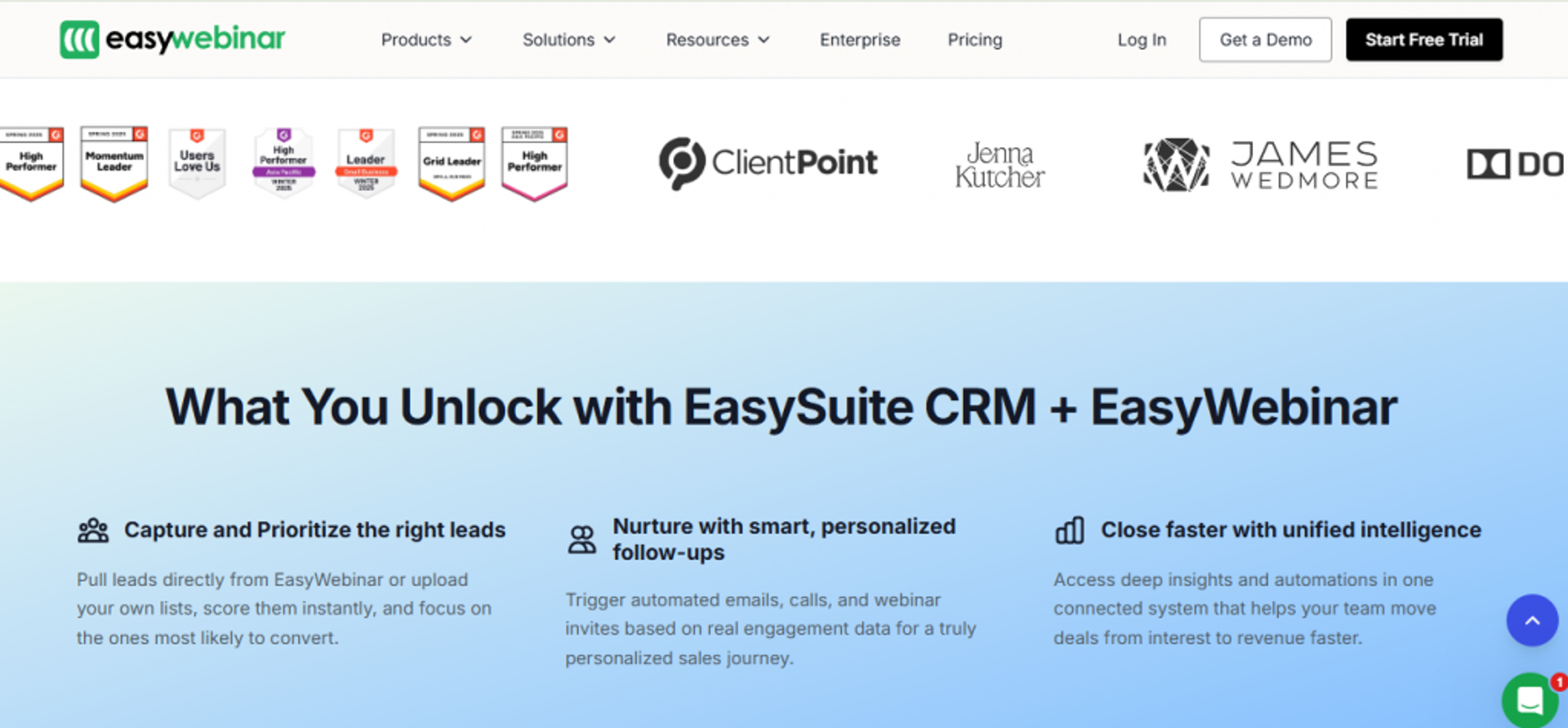
1.1 EasyWebinar
EasyWebinar is best for coaches, course creators, and small marketing teams that need one webinar to sell 24/7, because it runs live and automated formats with a built-in CRM, offers, and follow-up in a single stack, but it may not fit teams that only ever run one-off internal meetings with no funnel intent.
Quick fit
| Question | Answer |
|---|---|
| Best for | Coaches, course creators, and small teams selling offers through webinars |
| Skip if | You only host internal team meetings or live-only events with no sales intent |
| Strongest edge | Same webinar runs live, then flips to evergreen with a built-in CRM, no second tool |
| Biggest trade-off | Automated setup requires the presentation video uploaded before you build the funnel |
| Pricing snapshot | Flat monthly or annual, and just-in-time sits on a higher tier (verify current pricing) |
Why EasyWebinar ranks #1
EasyWebinar earns the top spot because it wins on the two criteria that carry the most weight, Revenue and Conversion Tooling at 30% and All-in-One Value at 20%. Other tools force a choice. Zoom and GoToWebinar host reliably but hand you no funnel. WebinarJam sells live but needs EverWebinar bolted on for automation. We built EasyWebinar to do both live and automated, plus several webinar types, in one place.
The logic is simple. When a buyer wants webinars to generate leads, sell offers, automate follow-up, and cut disconnected tools, the all-in-one architecture lowers true cost-per-lead. You are not paying for, or debugging, five tools that must talk to each other.
What EasyWebinar does well
- Runs live and automated from one build, so you prove a webinar live, then flip the exact same session to evergreen without rebuilding it. That protects the conversion rate you earned live.
- Built-in CRM and email follow-up keep registrant data and post-event sequences inside the platform, which reduces the fragile third-party hand-offs that silently drop opt-ins.
- In-webinar offers, polls, and countdown timers let you ask for the sale in the room, where objections actually get answered.
- Clone-and-reuse setup means once you build one webinar, you spin up the next in minutes. One operator ran close to 30 webinars after setup using cloning.
- Just-in-time scheduling starts a session within minutes of registration, so cold traffic converts while intent is hot.
Where EasyWebinar falls short
- You must upload the presentation video before building an automated funnel, which slows operators who want registrations live before recording.
- Landing-page and email design flexibility is limited, a deliberate clean-template choice, but real for brand-heavy users.
- Live-webinar insights lag automated insights in reporting depth, per some reviewers.
Decision scorecard
| Evaluation criterion | EasyWebinar fit | Why it matters |
|---|---|---|
| Live webinars | Strong | Native live hosting with chat, polls, and offers |
| Simulated live or automated | Strong | Purpose-built to scale a proven webinar |
| Evergreen automation | Strong | Just-in-time and on-demand run 24/7 |
| Funnel pages | Partial | Registration and thank-you pages included, and design flexibility limited |
| Engagement | Strong | Polls, CTAs, countdowns, and Q&A in-session |
| CRM and follow-up | Strong | Built-in CRM and email sequences |
| Monetization | Strong | In-webinar offers and checkout paths |
| Analytics | Strong | Split live and replay attendee insights |
| Integrations | Partial | Native plus Zapier, and some integrations need setup |
| Pricing fit | Partial | Just-in-time sits on a pricier tier |
Best for / skip if
Choose EasyWebinar if you sell a real offer through webinars and want one system for live, evergreen, CRM, and follow-up instead of a five-tool stack. Skip it if your webinars are purely internal meetings, or if your product sells below the price where a webinar is mathematically worth building. Keep it on the shortlist when consolidation and conversion, not just hosting, drive the decision.
Reviews
Operators consistently credit the platform for making evergreen scale without live-launch exhaustion, and one reported selling 25 courses in three weeks on evergreen versus 10 to 12 per live launch.
“EasyWebinar is hands-down THE webinar platform for evergreen webinars, no contest… built specifically to scale and 10X your efforts.”
“The biggest challenge is around setting up automated webinars, and needing the presentation uploaded first in order to set it up… Would love to be able to add the video later!”
1.2 Demio

Demio is best for marketing teams that want clean, browser-based live webinars with solid engagement analytics, because it offers a simple interface, polls, and preloaded resources with no attendee download, but it may not fit operators who need deep evergreen automation, reliable audio at scale, or portable data after they cancel.
Quick fit
| Question | Answer |
|---|---|
| Best for | Marketing teams running polished live and on-demand sessions |
| Skip if | You need deep evergreen selling or guaranteed data portability |
| Strongest edge | Clean, no-download browser experience with easy setup |
| Biggest trade-off | Reviewers report audio glitches and blocked email export after canceling |
| Pricing snapshot | Flat monthly, tiered by registered attendees (verify current pricing) |
Why Demio ranks #2
Demio ranks second because it does one thing genuinely well, a modern, low-friction live experience that marketing teams can launch fast. It scores strongly on Setup and Usability and on Engagement, with preloaded resources, polls, and a pop-on opt-in button that supports conversion in the room.
It ranks below EasyWebinar because it is lighter on the two heaviest criteria. Evergreen automation is shallower, follow-up leans on outside email tools, and there is no built-in CRM. For a team that just wants clean live webinars at the top of the funnel, that trade is fine. For an operator who wants one webinar to sell 24/7, it means more tools. If you are weighing the two, our EasyWebinar vs Demio comparison breaks down the differences.
What Demio does well
- Browser-based with no attendee download, which lifts show quality and lowers the “I can’t get in” support load.
- Preloaded resources, slides, and polls let you stage the room before you go live, so the session runs smoothly.
- A pop-on opt-in and offer button during the session supports live conversion.
- Clean, approachable UI that reviewers say is fast to learn and easy for attendees.
- Multiple event types and times, useful for teams running recurring sessions.
Where Demio falls short
- Audio and connection issues appear repeatedly in reviews, and they are hard to troubleshoot mid-session.
- Data portability is restricted, with one reviewer unable to export their own registrant list after canceling.
- CRM integrations can be clunky, with HubSpot and GoHighLevel connections needing workarounds.
- Evergreen and monetization depth are limited versus dedicated automated webinar platforms.
Decision scorecard
| Evaluation criterion | Demio fit | Why it matters |
|---|---|---|
| Live webinars | Strong | Clean browser-based live hosting |
| Simulated live or automated | Partial | Series and on-demand exist, and evergreen is shallow |
| Evergreen automation | Weak | Not a dedicated evergreen engine |
| Funnel pages | Partial | Registration pages with light customization |
| Engagement | Strong | Polls, resources, and in-room CTAs |
| CRM and follow-up | Weak | No built-in CRM, and relies on integrations |
| Monetization | Partial | Offers via CTA, and no native checkout depth |
| Analytics | Partial | Good basics, but some report analytics gaps |
| Integrations | Partial | Works, but CRM syncs need workarounds |
| Pricing fit | Partial | Attendee-tiered cost rises with scale |
Best for / skip if
Choose Demio if your priority is a clean, reliable-feeling live webinar for lead generation and your follow-up already lives in a separate email or CRM tool. Skip it if you need evergreen selling, native follow-up, or guaranteed access to your own data after you stop paying. Keep it on the shortlist as a live-first option, not a full revenue system.
Reviews
Coaches praise the simple interface, while multiple reviewers flag audio reliability and a data-export policy that locks lists behind an active subscription.
“Compared to some other ones I have used, I like the user interface, it’s simple… I like the polls, resources, and handouts.”
Saana K. Demio G2 Verified Review
“After canceling, I was shocked to find out I couldn’t export the list unless I subscribed again… they block access to my own data unless I keep paying.”
Sheida M. Demio G2 Verified Review
1.3 Livestorm
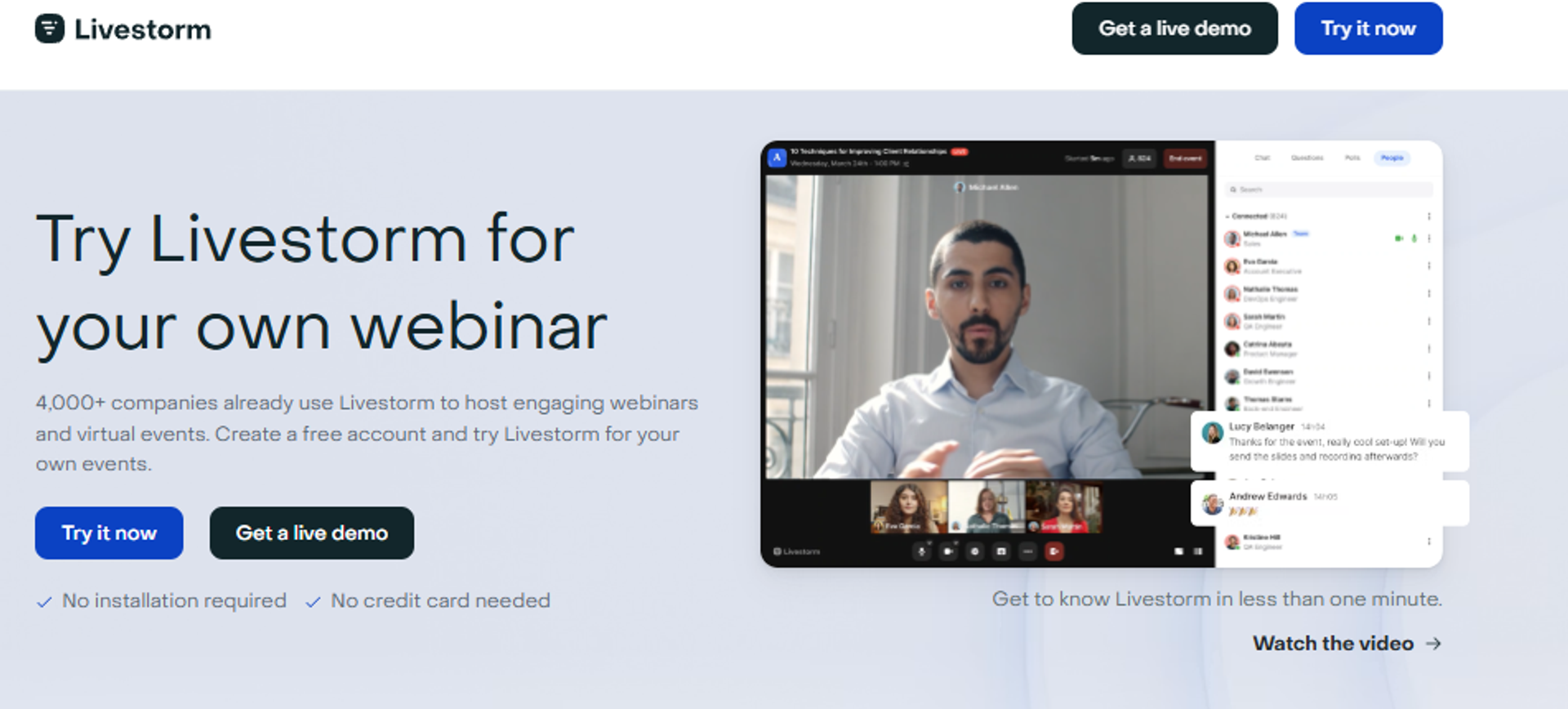
Livestorm is best for marketing and customer teams that need a clean, no-download webinar their audience can join from any browser, because it runs live and on-demand sessions with polished registration and engagement built in, but it may not fit operators who want deep evergreen selling or predictable flat pricing at scale.
Quick fit
| Question | Answer |
|---|---|
| Best for | Marketing teams wanting frictionless, browser-based live webinars |
| Skip if | You need a deep evergreen sales engine or a built-in CRM |
| Strongest edge | Fully browser-based, so nobody downloads an app to attend |
| Biggest trade-off | Per-attendee credit pricing can climb fast as you scale |
| Pricing snapshot | Freemium tier, then per-attendee credits (verify before publishing) |
Why Livestorm ranks #3
Livestorm earns third on the strength of its attendee experience. It is fully browser-based, meaning your registrants click a link and land in the room with no software install. That single design choice lifts show quality and cuts the “I can’t get in” support tickets that sink first-time presenters.
It ranks below the automation-first tools because its revenue mechanics are lighter. There is no native CRM, and its evergreen selling is shallow next to a dedicated automated webinar engine. For lead-gen webinars at the top of the funnel, that trade is reasonable. For an operator who wants one webinar selling around the clock, it means bolting on more tools.
What Livestorm does well
- Runs entirely in the browser, so attendees join in one click, which protects your show-up rate on cold traffic.
- Registration pages and email reminders are built in, so you launch a basic funnel without a separate page builder.
- Polls, Q&A, and chat keep the room engaged, which supports in-session conversion.
- On-demand and automated replays let you reuse a session, which reduces repeat setup work.
- Clean analytics dashboard shows registration and attendance, which helps you read what actually happened.
Where Livestorm falls short
- Per-attendee credit pricing means your cost can spike on a big webinar, which makes budgeting harder.
- No built-in CRM, so follow-up depends on outside email and CRM tools.
- Evergreen and monetization depth are limited compared to purpose-built automated webinar platforms.
Decision scorecard
| Evaluation criterion | Livestorm fit | Why it matters |
|---|---|---|
| Live webinars | Strong | Clean, no-download browser hosting |
| Simulated live or automated | Partial | On-demand exists, and automation is basic |
| Evergreen automation | Weak | Not a dedicated evergreen selling engine |
| Funnel pages | Partial | Registration pages included, and limited depth |
| Engagement | Strong | Polls, Q&A, and chat in-session |
| CRM and follow-up | Weak | No native CRM, and relies on integrations |
| Monetization | Weak | No deep native checkout |
| Analytics | Partial | Solid attendance basics |
| Integrations | Partial | Connects to common tools |
| Pricing fit | Partial | Per-attendee credits rise with scale |
Best for / skip if
Choose Livestorm if your priority is a frictionless live experience for lead generation, and your follow-up already lives elsewhere. Skip it if you want evergreen selling, native CRM, or flat pricing you can forecast. Keep it on the shortlist as a live-first, experience-led option, not a full revenue system.
1.4 WebinarJam

WebinarJam is best for presenters who sell live and want strong in-room offer mechanics, because it makes upsells, buttons, and timed offers easy during a broadcast, but it may not fit operators who need reliable email, clean integrations, or sessions longer than three hours.
Quick fit
| Question | Answer |
|---|---|
| Best for | Presenters running live sales webinars with offers in the room |
| Skip if | You need dependable native email, or automation without a second tool |
| Strongest edge | In-webinar offers and upsell buttons built for live selling |
| Biggest trade-off | Automation requires paying separately for EverWebinar |
| Pricing snapshot | Annual-only billing (verify before publishing) |
Why WebinarJam ranks #4
WebinarJam ranks fourth because it does one job well, live selling. The in-room offer and upsell tools make it easy to ask for the sale while attendees are watching, which is where most webinar revenue is actually won. For a presenter whose whole model is the live pitch, that focus matters.
It ranks here, and not higher, because of the split-product problem. To automate a webinar, you buy EverWebinar separately. That is two tools, two bills, and two setups for what should be one workflow. Reviewers also flag a clunky email system and inconsistent third-party syncs, plus a hard three-hour live cap. If you are weighing the tradeoff, our EasyWebinar vs WebinarJam breakdown lays it out.
What WebinarJam does well
- In-webinar offers and upsell buttons let you sell in the room, which is where objections get answered and orders get placed.
- Template library gets you live fast, so a first-timer is not stuck in a six-week build.
- Multiple presenter support, which helps panels and co-hosted sessions.
- Familiar, affordable entry point for operators already in the Genesis Digital ecosystem.
Where WebinarJam falls short
- The email system is clunky and inconsistent, with reviewers reporting emails that do not reliably reach registrants.
- Third-party integrations misfire, with registrant sync and form fields not always populating.
- Automation is a separate paid product (EverWebinar), so you manage two tools.
- Live sessions are capped at three hours, which limits long-form selling.
Decision scorecard
| Evaluation criterion | WebinarJam fit | Why it matters |
|---|---|---|
| Live webinars | Strong | Built for live selling with offers |
| Simulated live or automated | Weak | Needs EverWebinar bolted on |
| Evergreen automation | Weak | Not native to WebinarJam |
| Funnel pages | Partial | Templates included, and dated feel |
| Engagement | Strong | Offers, polls, and chat in-room |
| CRM and follow-up | Weak | Clunky email, and no built-in CRM |
| Monetization | Strong | In-room offers and upsells |
| Analytics | Partial | Basic reporting |
| Integrations | Weak | Reviewers report inconsistent syncs |
| Pricing fit | Partial | Annual-only, plus EverWebinar cost |
Best for / skip if
Choose WebinarJam if your model is the live pitch and you want offer mechanics that make selling in the room simple. Skip it if you need dependable native email, clean integrations, or automation without buying a second product. Keep it on the shortlist as a live-selling specialist, not an all-in-one.
Reviews
Operators like the upsell mechanics but repeatedly flag email reliability and a presenter interface that forces constant toggling.
“I pay my staff only one time to deliver a presentation… [but] their email service is clunky, hard to edit… doesn’t consistently send to registrants.”
Tara G. WebinarJam G2 Verified Review
“Live constraint to 3 hours only… Would not recommend.”
Verified User in Investment Management WebinarJam G2 Verified Review
1.5 EverWebinar
EverWebinar is best for existing WebinarJam users who want to turn a proven live webinar into a scheduled, simulated-live replay, because it specializes in recurring automated sessions and just-in-time scheduling, but it may not fit operators who want an all-in-one system or dependable support during a live event.
Quick fit
| Question | Answer |
|---|---|
| Best for | WebinarJam users adding evergreen, scheduled replays |
| Skip if | You want one unified tool, or hands-on live-day support |
| Strongest edge | Purpose-built simulated-live and just-in-time scheduling |
| Biggest trade-off | Sold as a separate add-on, with reported cloning bugs |
| Pricing snapshot | Annual-only, priced as a WebinarJam companion (verify before publishing) |
Why EverWebinar ranks #5
EverWebinar ranks fifth because it does the automation half of the equation that WebinarJam does not. It plays a recorded session on a schedule with live-style chat, and it supports just-in-time scheduling, meaning a session starts within minutes of someone registering. That is genuinely useful for converting cold traffic while intent is hot.
Here is my honest read, and I have watched a lot of these funnels. The category myth is that WebinarJam plus EverWebinar “gives you everything.” In practice, it gives you two tools to buy, sync, and debug. Reviewers report cloning bugs that break chat and emails, and support that is email-only right when a live event is going sideways. Our EverWebinar vs EasyWebinar comparison walks through that split-product cost.
What EverWebinar does well
- Simulated-live scheduling plays your best webinar on repeat, which lets one recording sell without you showing up.
- Just-in-time sessions start minutes after registration, which lifts conversion on cold, ad-driven traffic.
- Recurring schedule options keep a webinar always available, which reduces manual relaunches.
- Live-style chat and offers mimic the live feel, which supports in-session selling.
Where EverWebinar falls short
- Cloning webinars can break things, with reviewers reporting duplicate chat, missing emails, and broken pop-ups.
- Support is email-only, which is painful when an issue surfaces during a running session.
- It is a separate product from WebinarJam, so you manage and pay for two tools.
Decision scorecard
| Evaluation criterion | EverWebinar fit | Why it matters |
|---|---|---|
| Live webinars | Weak | Not a live tool, that is WebinarJam’s job |
| Simulated live or automated | Strong | Purpose-built for scheduled replays |
| Evergreen automation | Strong | Just-in-time and recurring scheduling |
| Funnel pages | Partial | Templates shared with WebinarJam |
| Engagement | Partial | Simulated chat and offers |
| CRM and follow-up | Weak | No built-in CRM |
| Monetization | Partial | Offers via CTA, and no native checkout depth |
| Analytics | Partial | Basic reporting |
| Integrations | Weak | Inherits WebinarJam sync issues |
| Pricing fit | Partial | Annual-only add-on cost |
Best for / skip if
Choose EverWebinar if you already run WebinarJam live and simply need to automate a webinar that has already proven itself. Skip it if you want one unified platform, live-day support, or a built-in CRM. Keep it on the shortlist only as the automation half of the WebinarJam pairing, not as a standalone system.
Reviews
Reviewers value the pre-recorded scheduling but report setup complexity, cloning bugs, and email-only support that fails during live sessions.
“Complexity of set up and ensuring everything works on live day… when things don’t work… there is no way to get help or reach support except via email.”
Verified User in Market Research EverWebinar G2 Verified Review
“Inability to clone webinars without serious resulting issues… duplicate chat messages, emails not being sent to registrants, pop-ups not working.”
Kaylen M. EverWebinar G2 Verified Review
Where This Leaves the Split-Product Camp
Look at 1.4 and 1.5 together and you see the real cost of the two-tool model. You buy WebinarJam to sell live, then EverWebinar to automate, then a page builder, an email tool, and a CRM to hold it all. Five bills. Five things that break independently.
That is the exact stack we collapsed. We built EasyWebinar so the same webinar runs live, then flips to simulated live or just-in-time evergreen inside one system, with the CRM and follow-up already attached. One operator ran close to 30 webinars after a single setup by cloning, no second product required. When you are counting cost-per-lead, fewer moving parts is not a nicety. It is margin.
1.6 Zoom Webinars
Zoom Webinars is best for teams running occasional live sessions to an audience that already knows Zoom, because it offers familiar, stable video at a low entry price, but it may not fit operators who need a funnel, a CRM, or polished conversion tooling.
Quick fit
| Factor | Detail |
|---|---|
| Best for | Occasional live webinars to a familiar audience |
| Skip if | You need a funnel, CRM, or in-webinar selling |
| Strongest edge | Familiar interface and stable video at scale |
| Biggest trade-off | No funnel or CRM; weak customization and glitchy webinar features |
| Pricing snapshot | Add-on to a paid plan; Zoom Pro base ~$14/mo (verify before publishing) |
Why Zoom Webinars ranks #6
Zoom Webinars ranks sixth because it is reliable, familiar, and cheap for light use. Attendees already have it installed, which removes friction. For a monthly internal or informational session, that is often enough.
It ranks lower because it is a hosting tool, not a revenue platform. There is no funnel, no CRM, and reviewers describe the webinar features as backwards and glitchy, from reminder emails firing hours late to missing waiting rooms and exit pages. If you want a webinar to sell, you will bolt on several other tools, which is why many teams look at EasyWebinar vs Zoom.
What Zoom Webinars does well
- Familiar interface, so attendees join without confusion, which supports show rate.
- Stable, high-quality video even at 200 to 500 attendees.
- Broad integrations with common marketing and CRM tools.
- Low entry cost for teams that already pay for Zoom.
Where Zoom Webinars falls short
- No funnel or landing-page system, and customization is nearly nonexistent, per reviewers.
- Glitchy webinar features, including delayed reminders and presenter entry issues.
- Rudimentary polling and no built-in CRM, so conversion tooling is thin.
- Support is slow and ticket-based, a risk during live events.
Decision scorecard
| Evaluation criterion | Zoom Webinars fit | Why it matters |
|---|---|---|
| Live webinars | Strong | Reliable live video |
| Simulated live / automated | Weak | No real automation |
| Evergreen automation | Weak | Not supported natively |
| Funnel pages | Weak | No funnel system |
| Engagement | Partial | Basic polls and chat |
| CRM and follow-up | Weak | No native CRM |
| Monetization | Weak | No in-webinar selling |
| Analytics | Partial | Basic attendance data |
| Integrations | Strong | Broad connector support |
| Pricing fit | Strong | Cheap for light use |
Best for / skip if
Choose Zoom Webinars if your webinars are occasional, informational, and aimed at a familiar audience with no sales intent. Skip it if you want registration funnels, follow-up, or in-webinar offers. Keep it on the shortlist for live-only use, then plan for extra tools if revenue is the goal. Teams switching often review Zoom alternative webinar platforms first.
Reviews
Reviewers praise the familiar video but criticize the clunky, glitchy webinar layer.
“Zoom Webinar is ridiculously glitchy… reminder notices going out eight hours after an event has concluded.”
Casey S. Zoom G2 Verified Review
“Zoom Webinars almost completely lacks customization options to the look/feel.”
Gabor F. Zoom G2 Verified Review
1.7 GoToWebinar

GoToWebinar is best for corporate teams running reliable one-off marketing webinars at 200-plus attendees, because it offers stable large-scale hosting and robust reporting, but it may not fit operators who need modern funnels, fast support, or evergreen selling.
Quick fit
| Factor | Detail |
|---|---|
| Best for | Corporate one-off webinars at larger attendee counts |
| Skip if | You need modern funnels, evergreen, or quick support |
| Strongest edge | Reliable large-scale hosting with robust analytics |
| Biggest trade-off | Dated UI, outsourced support, and reported audio lag |
| Pricing snapshot | Quote-based, tiered by attendees (verify before publishing) |
Why GoToWebinar ranks #7
GoToWebinar ranks seventh because it is a dependable workhorse for corporate events. It handles large audiences, offers overlays and polls, and gives management the robust reporting they ask for. For a one-off broadcast to hundreds of people, it delivers.
It ranks lower because it has not kept pace on the revenue side. There is no evergreen engine and no built-in CRM, registration pages are hard to customize, and reviewers repeatedly flag audio lag, a dated interface, and outsourced support that is slow to reach. Small teams comparing options often browse GoToWebinar alternatives for small businesses.
What GoToWebinar does well
- Reliable at 200-plus attendees, so large corporate webinars run smoothly.
- Robust analytics and reporting, which management values for attendance and engagement.
- Video overlays and branding, useful for polished, on-brand broadcasts.
- Dedicated reps on business accounts, per some reviewers.
Where GoToWebinar falls short
- Dated, sometimes confusing interface, with a “Practice, Start, Broadcast” flow reviewers find unclear.
- Outsourced, slow support, a real risk during live problems.
- Audio lag and reliability complaints at larger scale.
- Limited registration customization and no evergreen engine.
Decision scorecard
| Evaluation criterion | GoToWebinar fit | Why it matters |
|---|---|---|
| Live webinars | Strong | Reliable at large scale |
| Simulated live / automated | Weak | No real automation |
| Evergreen automation | Weak | Not supported |
| Funnel pages | Weak | Limited registration customization |
| Engagement | Partial | Polls and overlays |
| CRM and follow-up | Weak | No native CRM |
| Monetization | Weak | No in-webinar selling |
| Analytics | Strong | Robust reporting |
| Integrations | Partial | Works, API docs weak |
| Pricing fit | Partial | Quote-based, can be costly |
Best for / skip if
Choose GoToWebinar if you run large, one-off corporate webinars and value reliability and reporting over funnels. Skip it if you want evergreen selling, modern pages, or fast support. Keep it on the shortlist for enterprise-style broadcasts, not for revenue funnels. If selling is the goal, compare it against our EasyWebinar vs GoToWebinar breakdown.
Reviews
Reviewers value reliability at scale but flag dated design and support.
“GoToWebinar is a great platform for large team meetings, hosting large-scale webinars… superior video and audio functionality.”
Khyati Doshi, Senior Marketing Manager GoToWebinar TrustRadius Verified Review
“Customer support is impossible to reach and is completely outsourced. When you do get a hold of them, they are never any help.”
Forrester S. GoToWebinar G2 Verified Review
1.8 eWebinar
eWebinar is best for teams automating onboarding, training, and support sessions, because it turns a recording into a scheduled, interactive automated session with just-in-time start times, but it may not fit operators who need live selling or high-energy sales webinars.
Quick fit
| Factor | Detail |
|---|---|
| Best for | Onboarding, training, and support automation |
| Skip if | You need live sales webinars or big launch events |
| Strongest edge | Best-in-class automated onboarding with just-in-time sessions |
| Biggest trade-off | Narrow use case; not built for live selling |
| Pricing snapshot | Flat monthly (verify before publishing) |
Why eWebinar ranks #8
eWebinar ranks eighth because it owns a specific, valuable job. It automates recurring onboarding and training sessions, so your team stops delivering the same live walkthrough every week. Just-in-time scheduling lets a new customer start a session minutes after signing up.
It ranks in the middle of the pack because that focus is also its ceiling. It is not built for live sales webinars, big launches, or high-energy pitch rooms. For a coach selling a course live, it is the wrong tool. For a SaaS team automating onboarding, it is excellent, though a full webinar funnel automation approach still needs a selling engine.
What eWebinar does well
- Automated, interactive onboarding sessions, which free your team from repeating the same live walkthrough.
- Just-in-time scheduling, so new users start within minutes of signing up.
- Built-in chat and interactions, keeping automated sessions from feeling dead.
- Clean setup, so a team launches an automated flow quickly.
Where eWebinar falls short
- Not built for live sales webinars, so pitch-and-close operators outgrow it fast.
- Narrow use case focused on onboarding and support.
- Lighter monetization tooling than dedicated sales platforms.
Decision scorecard
| Evaluation criterion | eWebinar fit | Why it matters |
|---|---|---|
| Live webinars | Weak | Built for automated, not live |
| Simulated live / automated | Strong | Its core strength |
| Evergreen automation | Strong | Just-in-time onboarding |
| Funnel pages | Partial | Registration pages included |
| Engagement | Strong | Chat and interactions in automated sessions |
| CRM and follow-up | Partial | Integrations, no deep native CRM |
| Monetization | Weak | Not a sales-webinar tool |
| Analytics | Partial | Solid session data |
| Integrations | Strong | Good connector support |
| Pricing fit | Strong | Flat pricing for its use case |
Best for / skip if
Choose eWebinar if your priority is automating onboarding, training, or support at scale. Skip it if you sell through live, high-energy sales webinars or big launches. Keep it on the shortlist as a support-and-onboarding tool, not a sales engine.
1.9 WebinarNinja

WebinarNinja is best for solo creators on a tight budget testing their first webinars, because it offers a low entry price and simple setup, but it may not fit operators who need stability at scale, since reviewers report frequent instability and weak support.
Quick fit
| Factor | Detail |
|---|---|
| Best for | Budget-conscious solo creators testing webinars |
| Skip if | You need reliability for high-stakes live events |
| Strongest edge | Low entry price with an all-in-one starter feature set |
| Biggest trade-off | Reviewers report instability, bugs, and slow support |
| Pricing snapshot | Flat monthly; recently restructured (verify before publishing) |
Why WebinarNinja ranks #9
WebinarNinja ranks ninth because it covers the basic webinar workflow at a low starter price, which appeals to solo creators who are just testing the channel. On paper, it bundles live, automated, and series formats.
It ranks near the bottom because reviewers describe serious reliability problems, from hosts locked out of their own studios to registration failures and inaccurate analytics. The product was reportedly sold and restructured. I would treat it as an entry-level trial, not a platform to build ad-driven revenue on, especially when reliable webinar registration software matters.
What WebinarNinja does well
- Low entry price, which lets a solo creator test webinars cheaply.
- Simple, quick setup, so first-timers launch without a steep learning curve.
- Bundled email prompts, which help a beginner build a basic sequence.
- Multiple formats on paper, including live, automated, and series.
Where WebinarNinja falls short
- Serious stability problems, with reviewers locked out of live sessions and registrations failing.
- Inaccurate analytics, including conflating registrants with attendees.
- Slow, canned support during live-day emergencies.
- Refund and billing friction, per multiple reviewers.
Decision scorecard
| Evaluation criterion | WebinarNinja fit | Why it matters |
|---|---|---|
| Live webinars | Weak | Reviewers report live instability |
| Simulated live / automated | Partial | Automated exists, editing is limited |
| Evergreen automation | Partial | Basic support |
| Funnel pages | Partial | Customizable registration pages |
| Engagement | Partial | Basic chat and polls |
| CRM and follow-up | Weak | No native CRM |
| Monetization | Weak | Thin selling tools |
| Analytics | Weak | Reported as inaccurate |
| Integrations | Weak | Reviewers report friction |
| Pricing fit | Partial | Cheap, but value questioned |
Best for / skip if
Choose WebinarNinja only if you want the cheapest possible way to test a first webinar and can tolerate risk. Skip it for any high-stakes live event with real ad spend or a large registrant list behind it. In most cases, remove it from a serious shortlist.
Reviews
Reviewers cite low price but heavy instability and support problems.
“At the starter price it provides more tools than the competitors.”
Oscar A. WebinarNinja G2 Verified Review
“Their servers failed, sent out 4000 emails to my registrants and caused my email to be blocked and labeled as spam.”
Andrew G. WebinarNinja G2 Verified Review
1.10 BigMarker
BigMarker is best for teams running large, branded virtual events and summits, because it offers deep customization and event-scale hosting, but it may not fit solo operators who need simple pricing or a fast, low-cost path to a first sales webinar.
Quick fit
| Factor | Detail |
|---|---|
| Best for | Large branded virtual events and multi-session summits |
| Skip if | You are a solo operator wanting simple, cheap setup |
| Strongest edge | Deep customization and scale for complex events |
| Biggest trade-off | Quote-based pricing and a steeper learning curve |
| Pricing snapshot | Quote-based, not publicly listed (verify before publishing) |
Why BigMarker ranks #10
BigMarker ranks tenth on this small-business list, not because it is weak, but because it is aimed at a different buyer. It is built for large, highly customized virtual events and summits, where branding, scale, and complex agendas matter most. For that job, it is strong.
It lands last here because the small-business reader usually wants the opposite of what BigMarker optimizes for. Quote-based pricing, a steeper learning curve, and event-scale complexity are overkill for a coach who just wants one sales webinar live and evergreen. The fit gap, not the quality, sets the rank. For event-scale needs, our guide to choosing a virtual event platform helps.
What BigMarker does well
- Deep event customization, so brands run polished, on-brand experiences.
- Handles large-scale events and summits, including multi-session agendas.
- Automated and on-demand formats, useful for replaying sessions.
- Rich engagement tools for large audiences.
- Strong for webinar-driven demand generation at enterprise scale.
Where BigMarker falls short
- Quote-based pricing, which makes fast budgeting hard for small teams.
- Steeper learning curve than simple sales-webinar tools.
- More platform than a solo operator needs for a single sales webinar.
Decision scorecard
| Evaluation criterion | BigMarker fit | Why it matters |
|---|---|---|
| Live webinars | Strong | Handles large live events |
| Simulated live / automated | Strong | Automated and on-demand formats |
| Evergreen automation | Partial | Supported, but event-focused |
| Funnel pages | Strong | Deep customization |
| Engagement | Strong | Rich tools for large audiences |
| CRM and follow-up | Partial | Integrations, no deep native CRM |
| Monetization | Partial | Ticketing and offers |
| Analytics | Strong | Detailed event data |
| Integrations | Strong | Broad connector support |
| Pricing fit | Weak | Quote-based, geared to larger budgets |
Best for / skip if
Choose BigMarker if you run large branded events or summits and need deep customization at scale. Skip it if you are a solo coach or small team who just wants one sales webinar live, then evergreen, without enterprise complexity. For most small-business readers, remove it from the shortlist unless events are your core motion.
Where EasyWebinar Fits Against This Field [toc=Where EasyWebinar Fits]
Look across these nine tools and a pattern shows up. Zoom and GoToWebinar host reliably but hand you no funnel or CRM. WebinarJam sells live but needs EverWebinar bolted on for automation, so you run two tools and two bills. Demio and Livestorm polish the live experience but stay light on evergreen and revenue mechanics. eWebinar owns onboarding, BigMarker owns big events, and WebinarNinja struggles on stability.
That gap is the reason we built EasyWebinar as a webinar revenue platform, not a hosting tool. One system runs live, then flips the same proven webinar to simulated live and evergreen with just-in-time start times, a session that begins within minutes of registration. The built-in sales CRM, offers, and follow-up stay in one place. When a coach told us they went from selling 10 to 12 courses per live launch to 25 in three weeks on evergreen, that consolidation is what did it.
Q2. How Do You Rank a Webinar Platform by ROI Instead of Price?
You rank a webinar platform by ROI, not price, by measuring cost-per-lead and show-to-sale rate, not the monthly fee. A tool that costs more but converts more is cheaper per customer. Webinars convert roughly 5% to 20% of attendees to buyers, versus about 1% to 2% for cold email, so the platform that helps you convert wins the ROI race even at a higher sticker price.
💸 Why “Cheapest” Is the Wrong Question
Here is the mistake I watch operators make. They open ten pricing pages, sort by lowest number, and pick the $14 tool. They just optimized the smallest line item in the whole decision.
The number that actually matters is cost-per-lead, meaning your total spend divided by qualified leads. A cheap video tool with no funnel, no follow-up, and no in-room offer produces fewer buyers per dollar. So it can cost less per month and still cost more per customer. That is why we treat webinar pricing as one input, not the verdict.
📊 The Proof Is in the Conversion Gap
Look at the raw conversion math. Cold email converts around 1% to 2% of recipients in most industries. A webinar converts roughly 5% to 20% of attendees into buyers, because you handle objections live and ask for the sale in the room.
That gap is the whole argument. The platform’s job is to protect and lift that conversion rate through registration pages, reminders, in-webinar offers, and behavioral follow-up. Strip those out to save $30 a month and you quietly torch the thing that makes webinars work.
⭐ A Simple ROI Formula for Monday
Here is the model I use, and you can run it on any tool this week.
- Cost-per-lead equals total monthly spend (platform plus ads) divided by registrants.
- Show-to-sale rate equals buyers divided by people who showed up.
- Cost-per-customer equals total spend divided by buyers.
Rank on cost-per-customer, not the sticker. The easiest money I have ever made was not cutting my tool bill. It was taking an existing webinar and adding more results on top of it.
This is exactly the lens where EasyWebinar earns its price. We built the CRM (a system that stores and segments your leads) and behavioral follow-up directly into the platform, so more of the people who show up actually buy. A higher sticker that lowers your true cost-per-customer is not the expensive option. It is the cheap one.
Q3. What Does a Small Business Actually Need, and Live vs. Simulated Live vs. Evergreen?
A small business needs four things, not fifty: a fast above-the-fold opt-in page, the ability to run both live and automated webinars, built-in follow-up, and in-webinar conversion tools. On formats, live webinars convert hardest because you handle objections in real time, simulated live plays a recording on a schedule, and evergreen runs around the clock. Prove a webinar live before you automate it.
❌ The Operator Who Bought Fifty Features and Still Lost
I talked to a coach last year who bought the most feature-loaded tool she could find. Virtual backgrounds, breakout rooms, gamified badges, the works. She still got nuked on launch day, low show-up, zero sales.
The features were not the problem. The missing mechanics were. Simple scales, and fancy fails. She had polish where she needed conversion plumbing.
✅ The Four Things You Actually Need
Strip the checklist down to what moves money.
- A fast opt-in page with the headline and button above the fold, meaning visible without scrolling. You do not need testimonials or a hero video to get a registration, as these landing page examples show.
- Both live and automated formats, so you can prove live, then scale without rebuilding.
- Built-in follow-up, because most sales close in the hours and days after the event, not during it.
- In-webinar conversion tools, meaning offers, polls, and countdown timers that ask for the sale in the room.
Each one maps to a real loss. No opt-in speed, fewer registrants. No follow-up, dead leads. That is the whole list.
⏰ Live vs. Simulated Live vs. Evergreen, Plainly
Here is the taxonomy competitors love to blur.
| Format | How it works | Best for |
|---|---|---|
| Live | You present in real time and answer questions as they come | Proving a new webinar, high-ticket offers |
| Simulated live | A recording plays on a set schedule with live-style chat | Recurring sessions once the webinar converts |
| Evergreen (just-in-time) | A session starts within about 1 to 15 minutes of registration, 24/7 | Cold ad traffic you want to convert while intent is hot |
Just-in-time simply means the session begins minutes after someone signs up, so nobody waits three days and forgets. If you want the deeper breakdown, our live vs. automated webinars guide covers it.
⚠️ Prove It Live First
Here is my contrarian take, and I hold it firmly. Live webinars convert the hardest, and automated ones have been nerfed over the years by overuse. So automating a webinar you have not proven live just scales a loser.
Some smart operators, like Yuri Elkaim, argue for going evergreen from day one to save time. I understand the appeal. But my read, shared by folks like Jeremy Haynes, is to hit at least a 10% attendee-to-buyer rate live before you flip the switch. With EasyWebinar, you run that same proven webinar live, then convert it to simulated live or just-in-time automated webinar formats without rebuilding, so you automate a winner instead of a guess.
Q4. What Is the Cheapest Webinar Software for Small Business (and Is Cheap a Trap)?
The cheapest paid option is Zoom Pro at about $14.16 per month billed annually, but cheap is often a trap. A $14 video tool still needs a separate registration page, email tool, and replay system, which stacks past a single $49 to $79 all-in-one platform. Free unlimited-attendee tiers exist, but rank on cost-per-lead: the tool that costs more yet converts more is cheaper per sale.
💰 The Literal Cheapest Options
Let me answer the question straight before I complicate it. Zoom Pro runs $14.16 per user per month on annual billing, and it is the cheapest credible paid entry point. Zoom’s free Basic plan exists too, but it caps group sessions at 40 minutes.
Some tools advertise free or low-cost tiers with generous attendee limits. On sticker price alone, they win. The problem is what that sticker does not cover.
💸 The Stitched-Stack Math Nobody Shows You
A $14 video tool is not a webinar system. It is one piece. To run a real revenue webinar, you bolt on more tools, and the bills add up fast.
| Setup | Typical monthly cost | 3-year cost |
|---|---|---|
| Zoom Pro plus landing page plus email tool plus CRM plus replay | Around $14 plus $30 plus $30 plus $30 plus $15, roughly $119 | Around $4,284 |
| Single all-in-one platform | Around $49 to $79 | Around $1,764 to $2,844 |
Watch the pricing model too. Some tools charge per-attendee credits, so a big webinar spikes your bill, while a flat plan stays predictable. An automated webinar without traffic is like a billboard in the desert, and a cheap tool that cannot convert the traffic you paid for is the same waste. If you are comparing options, our webinar software comparison guide lays the stacks side by side.
⭐ Apply the Cost-Per-Lead Lens
So is cheap a trap? Only if you count the sticker instead of the sale. The $14 tool can produce a higher cost-per-customer once you add the missing pieces and the conversion gap.
This is where a flat all-in-one price like EasyWebinar’s reads as the true low total cost. One bill replaces the registration page, email, CRM, and webinar, which drops your cost-per-lead even when the monthly number looks higher than a $14 video tool. One operator ran close to 30 webinars off a single setup by cloning, without paying five separate vendors to do it, which is the kind of consolidation these sales strategies depend on.
Reviews
Operators consistently cite consolidation and affordability, framing the all-in-one price against the tools they replaced.
“It seems such a reasonable price for all the features you receive.”
“Finally a platform that does it all without the hefty price tag… perfect for one off webinars without having to be locked into a contract.”
Annette S. EasyWebinar G2 Verified Review
Q5. Which Platform Is Best for Automated Evergreen Revenue, and How Do the Big Names (Zoom, GoToWebinar, WebinarJam) Compare?
For automated evergreen revenue, EasyWebinar and EverWebinar lead with just-in-time sessions, in-webinar offers, and behavioral follow-up, while eWebinar is best for onboarding automation. Among the big names, Zoom is best for occasional live but has no funnel or CRM, GoToWebinar suits corporate one-offs, and WebinarJam is strong for live selling but pairs with EverWebinar to automate. None is truly all-in-one for a small business running webinars as a revenue engine.
💰 Who Leads for Hands-Off Revenue
Evergreen means your webinar runs on repeat without you showing up. The tools built for it are EasyWebinar and EverWebinar, because both offer just-in-time scheduling, meaning a session starts minutes after someone registers. That timing matters, since intent decays fast. Our guide to the top automated webinar platforms breaks down the field.
eWebinar plays a different game. It is excellent for onboarding and support automation, not live sales pressure. Pick it when your goal is teaching customers, not closing them.
⭐ Proof That Evergreen Prints Money
I have watched real operators do this. Carla Biesinger built a $5M evergreen funnel. A chef-baker made $49K in two months, and a pickleball coach cleared $200K, both on automated webinars.
The tactic underneath most of these wins is a tight replay campaign. I run a three-day replay window, then close it. Four, five, or six days is too long, the urgency dies, and the “final chance” email stops meaning anything.
📊 How the Incumbents Actually Stack Up
Here is the honest read on the big names, with real reviewer sentiment.
| Tool | Best for | Key limitation | Reviewer sentiment |
|---|---|---|---|
| Zoom | Occasional live sessions | No funnel, no CRM, glitchy webinar features | “Ridiculously glitchy,” missing core features |
| GoToWebinar | Corporate one-offs at scale | Dated UI, outsourced support | “The most basic webinar tool… support is impossible to reach” |
| WebinarJam | Live selling with offers | Clunky email, needs EverWebinar to automate | “Their email service is clunky… doesn’t consistently send” |
I will be fair about WebinarJam’s templates. I think they are all a bit ugly, but they are all done, and what actually sells is your presentation, not the theme. If you are torn between the two-tool route and a single system, our EasyWebinar vs WebinarJam comparison lays it out.
⏰ The Signal You’ve Outgrown Them
You outgrow a hosting tool the moment you want the same webinar to sell live and then keep selling while you sleep. That is the ceiling Zoom and GoToWebinar hit, and it is the seam where WebinarJam and EverWebinar split into two bills. Operators looking to switch often start with GoToWebinar alternatives.
EasyWebinar is the graduation path here. We run the same proven webinar live, then flip it to just-in-time evergreen with follow-up already attached, consolidating what Zoom lacks and what the WebinarJam-plus-EverWebinar pairing splits apart. One live sales webinar, running right, can replace the output of several sales reps.
Reviews
“We were excited to find a webinar software that didn’t require live events… [but] inability to clone webinars without serious resulting issues.”
Kaylen M. EverWebinar G2 Verified Review
“Zoom is missing a lot of core webinar features that should be table stakes today… no post-webinar exit page.”
Q6. What Silently Kills Webinar ROI Even With the Right Platform?
The platform rarely kills your ROI, the setup does. The silent killers are a mobile button that fails, an automation limit that drops opt-ins into a void, sending the join link by text (which tanks booking rate), and giving away the “how” so nobody buys. It compounds with brutal benchmarks, since roughly half of registrants never show up and 71% of webinars draw under 100 live attendees.
⚠️ The Near-Disaster I Caught Four Hours Out
Let me tell you about a webinar that almost died silently. Our Zapier account, the tool that passes leads between apps, quietly hit its limit. Registrations were coming in, but they were falling into a void.
We caught it four hours before going live. There was a couple-hundred-person discrepancy between who registered and who actually landed in our system. The lesson burned in: before every webinar, check the tech. Clean integrations are the difference between a full room and a silent leak.
❌ The Small Choices That Quietly Bleed Sales
Some killers look tiny and cost a fortune. We tested sending the join link inside a text message, and it nuked our overall call-booking rate. People tapped, got confused, and dropped.
Two more that hurt:
- Giving away the “how.” One of the fastest ways to kill conversions is teaching the full method, so nobody needs to buy. Teach the what and the why, sell the how, as these registration and sales best practices reinforce.
- Wasting the confirmation page. 100% of your leads see it right after they opt in, yet most operators leave it blank. That is free real estate to book calls or warm the sale.
📊 The Benchmarks That Compound Every Mistake
The math is unforgiving even before you make a mistake. Roughly half of registrants never show up live, and the number-one reason is simple: they forgot. On top of that, 71% of webinars pull fewer than 100 live attendees. Fixing this starts with knowing how to improve webinar attendance.
So if your setup leaks another 200 people, you are not trimming fat. You are cutting into an already-thin room. Small errors do not stay small when the base is this tight.
✅ Your Pre-Webinar Tech Checklist
Run this every single time, ideally the morning of.
- Test the opt-in button on mobile, not just desktop.
- Confirm your automation tool is under its limit and firing.
- Register as a fake attendee and walk the full path.
- Put a real offer or booking link on the confirmation page.
This is exactly why we built the CRM and automation natively into EasyWebinar. Fewer fragile hand-offs between apps means fewer of those silent 200-person discrepancies that never announce themselves until it is too late.
Q7. Which Platform Is Right for You, and How Do You Launch a Profitable Webinar This Month?
If you are a solo coach or small team running live-then-evergreen sales webinars, choose EasyWebinar for the all-in-one stack. Pick Zoom for occasional internal sessions, eWebinar for onboarding, and WebinarJam for big live launches. Then launch this month in four moves: build one above-the-fold opt-in page, run it live to learn your objections, ask permission before you close, and run a three-day replay campaign.
🎯 Match the Tool to Your Dominant Use Case
The right pick is not the “best” tool, it is the one that fits what you do most. Do not buy a live-selling specialist if you mostly run internal training. If you want to weigh options side by side, you can compare webinar platforms directly.
| Operator type or scenario | Recommended platform | Why |
|---|---|---|
| Solo coach or small team selling via webinars | EasyWebinar | Live plus evergreen plus CRM in one bill |
| Occasional internal team sessions | Zoom | Cheap, familiar, no funnel needed |
| Customer onboarding at scale | eWebinar | Built for automated teaching, not selling |
| Big one-time live product launch | WebinarJam | Strong in-room offer mechanics |
⏰ Your Four-Move Launch Plan
You can run a profitable webinar this month. Here is the exact sequence I use.
- Build one opt-in page with the headline and button above the fold, meaning visible without scrolling.
- Run it live so you hear the real objections people raise in chat.
- Ask permission before the close. Say something like, “If this is helpful, can you drop a one in the chat?” It cues people to lean in.
- Run a three-day replay campaign, then shut it, so urgency stays real.
That permission step is small and it works. It shifts the room from passive watching to active buying, right before you make the offer, which is the heart of these online sales strategies.
💰 One Webinar Away
I do not say this lightly, because I have lived the other side. I once went from mid-six figures to $15,000 in a single recession year. I built a course that sold zero copies until I put a webinar in front of it.
My frame is the Success Line versus the Struggle Line. You figure out where you want to be, then ask who can help you get there faster. Honestly, you are often one good sales webinar away from changing your numbers.
So here is my genuine ask instead of a demo pitch: tell me what you are launching this month, and what is actually stopping you from running it live first. With EasyWebinar, that same webinar becomes your evergreen engine once it converts, but the live run is where you learn. What is the offer you have been sitting on?