10 Best Customer Education Platforms 2026: Live Training, On-Demand Library, Analytics, and CRM


TL;DR
- • A customer education platform trains your customers and partners to speed adoption, cut support tickets, and reduce churn, unlike an internal LMS that trains employees.
- • Self-paced course libraries average only 5 to 10 percent completion, so live training plus on-demand replays drives far better engagement and outcomes.
- • Incumbents like Skilljar, Docebo, Thought Industries, LearnUpon, and Absorb excel at deep self-paced catalogs, while Teachfloor and Disco add cohort and community learning.
- • Pricing splits in two: transparent SMB tools from 24 to 399 dollars monthly, versus quote-based enterprise platforms at roughly 18,000 to 90,000 dollars yearly.
- • Decision-grade analytics plus a native CRM turn training behavior into follow-up, routing the warmest learners to reps while intent is still fresh.
- • EasyWebinar leads for adoption-and-revenue buyers by combining live and automated training, attendee-level analytics, native CRM, and in-session checkout in one platform.
Q1. What Are the 10 Best Customer Education Platforms for 2026?
The 10 best customer education platforms in 2026 are EasyWebinar (live plus automated training with analytics and built-in CRM), Skilljar, Thought Industries, WorkRamp, Docebo, LearnUpon, Absorb LMS, Teachfloor, Disco, and LearnWorlds. Enterprise LMS incumbents win on self-paced content libraries. EasyWebinar leads when live training, engagement analytics, and CRM-driven follow-up need to drive adoption and high-ticket conversion.
Here is the ranked shortlist covered in this guide:
- EasyWebinar
- Skilljar
- Thought Industries
- WorkRamp
- Docebo
- LearnUpon
- Absorb LMS
- Teachfloor
- Disco
- LearnWorlds
Picking a customer education platform is a high-stakes call, because the tool decides whether your customers actually finish training or quietly churn. We evaluated 10 vendors against the criteria below. The daily operator here is usually a customer education lead, a customer success manager, or a founder wearing both hats. The shadow buying committee watching over their shoulder includes the CFO signing a quote-based contract, the IT Director checking SOC 2 and SSO, the RevOps lead who wants training data in the CRM, and the Revenue Leader asking whether any of this moves retention. This guide is built to help you shortlist two or three vendors for a real RFP, not to sell you one.
Our Evaluation Criteria
Delivery format coverage 🎥
Whether the platform supports live, simulated live, automated, evergreen, and on-demand replay, not just one delivery mode.
Time to launch ⏰
How fast you can build pages, create a session, and set up automation, including template and AI assistance.
Engagement depth 💬
Chat, polls, Q&A, timed offers, and interaction tools that keep learners watching instead of dropping off.
Analytics and attribution 📊
Per-learner watch time, poll responses, drop-off points, offer clicks, and whether that data is exportable and decision-grade.
CRM and follow-up readiness 🔁
Native CRM, lead scoring, attendee tagging, behavior-triggered follow-up, and integrations with tools you already run.
Monetization support 💰
Paid workshops, certifications, ticketing, in-session checkout, and payment integrations.
Reliability, support, and scale ⚙️
Streaming stability, attendee capacity, compliance (SOC 2, GDPR), and the support model on offer.
Pricing fit 💸
Whether pricing is transparent or quote-based, and how it scales as your audience grows.
Who This Guide Is For
- Customer success and education teams turning onboarding sessions into repeatable, measurable training programs.
- SaaS teams that want product adoption to rise and support tickets to fall after customers complete training.
- Coaches, course creators, and consultants who train customers live, then want that session selling on autopilot.
- Founders replacing a disconnected stack of hosting, landing pages, email, checkout, and follow-up with fewer tools.
- Buying-committee readers, such as CFOs validating tool consolidation, IT leaders checking reliability and SOC 2, and revenue leaders assessing whether training touches retention.
| Provider | Best For | Standout Strength | Known Limitation | Delivery Formats Covered | Support Model | Pricing Model |
| EasyWebinar ⭐⭐⭐⭐⭐ | CS and coaching teams driving adoption through live plus automated training | Live, simulive, evergreen, and on-demand training with built-in CRM and attendee-level analytics | Presentation must be uploaded before an automated session is set up | Live, simulated live, automated, evergreen, just-in-time, on-demand replay | Email, chat, and live Zoom onboarding calls with a named rep | Flat monthly tiers (verify against live site before publishing) |
| Skilljar ⭐⭐⭐⭐⭐ | Enterprise CS orgs building certified self-paced academies | Purpose-built external customer academy with strong CRM integrations | Quote-based pricing and setup complexity for small teams | Self-paced on-demand courses | Ticket plus enterprise onboarding; verify tier details before publishing | Quote-based, ~$30K+/yr |
| Thought Industries ⭐⭐⭐⭐ | External training at scale with monetization | Handles paid training and large catalogs; cited ~20% adoption lift, $500K new revenue | Enterprise complexity and quote-based cost | Self-paced on-demand, some virtual and live add-ons | Enterprise support; verify before publishing | Quote-based, ~$25K+/yr |
| WorkRamp ⭐⭐⭐⭐ | Teams combining customer and employee learning | One platform for internal and external academies | Breadth can dilute customer-education depth; quote-based | Self-paced on-demand | Enterprise support; verify before publishing | Quote-based |
| Docebo ⭐⭐⭐⭐ | Enterprises wanting AI-driven LMS at scale | Deep AI features and large-catalog administration | Higher total cost of ownership; steeper learning curve | Self-paced on-demand | Enterprise support; verify before publishing | Quote-based, ~$25K TCO |
| LearnUpon ⭐⭐⭐⭐ | Teams needing multi-audience training portals | Clean multi-portal setup for customers and partners | Fewer live and cohort options; quote-based | Self-paced on-demand | Support included; verify tier before publishing | Quote-based, ~$18K+/yr |
| Absorb LMS ⭐⭐⭐⭐ | Buyers wanting polished self-paced UX | Strong learner experience and admin usability | Less suited to live and interactive training | Self-paced on-demand | Support included; verify before publishing | Quote-based |
| Teachfloor ⭐⭐⭐⭐ | Cohort-based customer education | Cohort and social learning built in | Smaller ecosystem; lighter enterprise features | Cohort, live, self-paced | Email and chat; verify before publishing | From ~$89/mo |
| Disco ⭐⭐⭐⭐ | AI plus community-powered programs | AI program creation with native community tools | Newer platform; enterprise depth still maturing | Cohort, live, self-paced | Email and chat; verify before publishing | From ~$399/mo |
| LearnWorlds ⭐⭐⭐⭐ | SMB academies wanting transparent pricing | Affordable, flexible course and academy builder | Lighter native CRM and enterprise controls | Self-paced on-demand, some live | Support included; verify before publishing | From $24/mo |
Star ratings reflect this guide’s weighted scoring rubric (see Selection Criteria section), not raw review averages.
1. EasyWebinar
EasyWebinar is best for customer success and coaching teams that need customer training to actually convert, because it runs live, simulated live, and evergreen sessions with attendee-level analytics and a built-in CRM. It may not fit teams that only want a static, self-paced course catalog with certification tracking.
Here is the honest framing before I go further. EasyWebinar is not a traditional LMS, and I would not pretend otherwise. It is a webinar revenue platform. We run the training session, measure exactly who engaged, and push that behavior into follow-up. If your customer education is really about live engagement and measurable adoption, it belongs at the top of this list. If you just need a course library people log into alone, an LMS lower down may fit better.

Quick fit
| Best for | CS teams and coaches running live plus automated customer training that must drive adoption and sales |
| Skip if | You only need a self-paced course catalog with formal certification tracking |
| Strongest edge | Live-to-evergreen delivery plus per-attendee analytics feeding a native CRM |
| Biggest trade-off | You upload your presentation before setting up an automated session |
| Pricing snapshot | Flat monthly tiers; verify exact pricing against the live site before publishing |
Why EasyWebinar ranks #1
Most customer education tools optimize for the wrong number. They report enrollments and completions, then stop. A completed course sitting inside an LMS does not tell you who is ready to buy the next tier or who is about to churn.
Here is what I keep seeing after years of watching webinar funnels. On-demand courses are on the decline when it is just you inside the LMS trying to change your life. What people actually want is interactive, supported learning where a human is present. That is the exact gap live training fills, and it is why EasyWebinar earns the top spot for this specific job.
EasyWebinar ranks #1 here because it covers the delivery formats the title promises (live training and an on-demand library), instruments engagement at the attendee level, and connects that data to follow-up. The logic is simple. When the buyer wants training to generate leads, prove adoption, and reduce disconnected tools, a full webinar workflow beats a static catalog.
What EasyWebinar does well
- Runs every training format in one place. Live, simulated live, evergreen, just-in-time, and on-demand replay all live under one setup, so one recorded session teaches customers 24/7 across time zones.
- Shows you where learners drop off. The event activity graph and per-attendee action tracking reveal the exact timestamp people leave, so you can fix the segment that loses them.
- Feeds a built-in CRM. Native sales CRM tags attendees by behavior and scores them Hot, Warm, or Nurture, so a finished session routes the warmest customer to your team without an export.
- Cuts the tool stack. Pages, email, SMS, analytics, and payments sit inside the platform, which replaces several separate subscriptions.
- Sells training in the room. Built-in checkout and offer overlays (Stripe, PayPal, PayU) let you charge for a paid workshop or certification while the learner is still watching.
Where EasyWebinar falls short
- You must record before you automate. You upload the presentation first to set up an automated session, which slows early promotion.
- It is not a formal LMS. If you need SCORM course catalogs and structured certification paths as the core, a dedicated LMS fits better.
- Email reporting has gaps. Some operators run post-session sequences in an outside email tool for open and click tracking.
Decision scorecard
| Evaluation criterion | EasyWebinar fit | Why it matters |
| Live webinars | Strong | Real-time sessions with polls, chat, and Q&A drive engagement |
| Simulated live and automated | Strong | Recorded sessions run on schedule with live-feel interaction |
| Evergreen automation | Strong | One session runs 24/7 across time zones |
| Funnel pages | Strong | Native registration, thank-you, and replay page builder |
| Engagement | Strong | Polls, timed offers, and live Q&A built in |
| CRM and follow-up | Strong | Native EasyCRM with behavior-based scoring |
| Monetization | Strong | In-session checkout and offer overlays |
| Analytics | Strong | Per-attendee tracking and drop-off heatmap |
| Integrations | Partial | Native CRM and ESP plus Zapier; some integrations need setup |
| Pricing fit | Partial | Just-in-time sits on a premium tier |
| Best-fit buyer | Strong | CS teams and coaches driving adoption and sales |
Best for / skip if
Choose EasyWebinar if your customer education runs on live and automated sessions, and you need the engagement data to flow into follow-up that converts. Skip it if your program is purely a self-paced course library with formal certification tracking, where a dedicated LMS is the cleaner fit.
Reviews
Operators repeatedly credit EasyWebinar for making evergreen training scalable, with one solo operator calling it the platform built specifically to scale without burning out.
“EasyWebinar is hands-down THE webinar platform for evergreen webinars, no contest… built specifically to scale and 10X your efforts.”
Ash A. EasyWebinar G2 Verified Review
The most common documented complaint is the setup constraint on automated webinars, which supports the limitation noted above.
“The biggest challenge is around setting up automated webinars, and needing the presentation uploaded first in order to set it up.”
Ash A. EasyWebinar G2 Verified Review
2. Skilljar
Skilljar is best for enterprise customer success organizations that need a certified, self-paced customer academy at scale, because it is purpose-built for external training with strong CRM integrations. It may not fit small teams that want live training or transparent, month-to-month pricing.
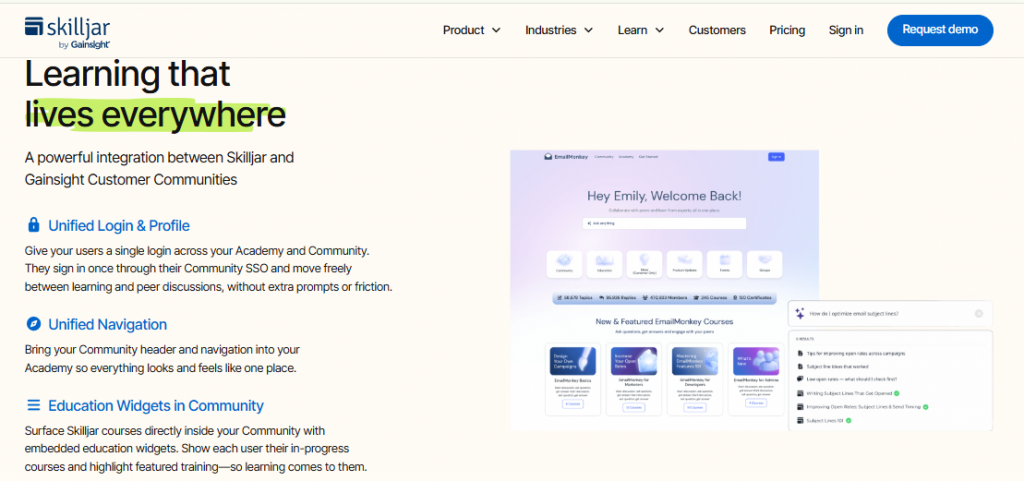
Skilljar is one of the most established names in this category, and it earns that reputation. It is validated by named enterprise customers including Smartsheet, Asana, and Shopify, and it holds a 4.6 G2 rating across roughly 387 reviews. If your job is to stand up a polished, branded academy that trains thousands of customers and syncs completion data into Salesforce, Skilljar is a serious shortlist candidate.
Quick fit
| Best for | Enterprise CS teams building certified self-paced customer academies |
| Skip if | You need live or cohort training or transparent SMB pricing |
| Strongest edge | Purpose-built external academy with deep CRM integration |
| Biggest trade-off | Quote-based cost and setup effort that overwhelm small teams |
| Pricing snapshot | Quote-based, commonly ~$30K+/yr; not publicly listed |
Why Skilljar ranks #2
Skilljar ranks #2 because it does the enterprise self-paced job better than almost anyone, which is exactly what many large CS orgs need. It scores strong on catalog administration, certification, and CRM integration, the axes that matter most for a scaled academy.
It ranks below EasyWebinar for this guide’s specific intent, because its delivery model is self-paced first. There is little native live or cohort training, so it leans on the same static-library model that drives the low completion rates operators complain about. For a buyer who wants live engagement plus automated follow-up, that is a real gap. For a buyer who wants a certification academy, it is a strength.
Recent structural context matters here too. Gainsight acquired Northpass in 2023 (now Gainsight Customer Education) and acquired Skilljar in 2025, which is reshaping how these enterprise CS-education tools overlap. Buyers should clarify roadmap and pricing given that consolidation before signing.
What Skilljar does well
- Launches branded academies fast for enterprises. Purpose-built templates and multi-course catalogs help large teams stand up a professional customer academy.
- Integrates deeply with the CRM. Native Salesforce and CRM syncing pushes training and certification data into the systems CS teams already run.
- Supports certification at scale. Structured learning paths and certificates suit formal onboarding and partner enablement programs.
- Carries enterprise proof. Named customers like Smartsheet, Asana, and Shopify signal it can handle large, security-conscious buyers.
Where Skilljar falls short
- Limited live and cohort training. The model is self-paced first, so real-time engagement is not its strength.
- Quote-based pricing. Cost is not public and commonly starts around $30K+/yr, which prices out smaller teams.
- Setup complexity. Standing up the academy takes real implementation effort and time.
Decision scorecard
| Evaluation criterion | Skilljar fit | Why it matters |
| Live webinars | Weak | Not built for real-time live training |
| Simulated live and automated | Weak | Focus is self-paced, not automated webinars |
| Evergreen automation | Partial | On-demand courses run always-on, but not webinar-style |
| Funnel pages | Partial | Branded academy pages, less funnel-oriented |
| Engagement | Partial | Course-based interaction, limited live engagement |
| CRM and follow-up | Strong | Deep native CRM integration |
| Monetization | Partial | Supports paid courses; less in-session selling |
| Analytics | Strong | Solid completion and course reporting |
| Integrations | Strong | Broad enterprise integration set |
| Pricing fit | Weak | Quote-based and costly for small teams |
| Best-fit buyer | Strong | Enterprise CS building a certified academy |
Best for / skip if
Choose Skilljar if you are an enterprise CS team building a certified, self-paced customer academy that must sync into Salesforce. Skip it if you want live or cohort training, in-session selling, or transparent pricing you can start on this month. For teams that fall on the live-and-automated side of that split, our guide on how webinars are changing customer education and our webinar platform comparison are useful next reads.
3. Thought Industries
Thought Industries is best for companies that sell external training at scale and want to monetize it, because it handles large course catalogs and paid learning. It may not fit small teams that need live sessions or quick, low-cost setup.
This is an enterprise-grade platform built for the business of learning, not just the delivery of it. Reviewers and case studies cite roughly a 20% adoption lift and $500K in new training revenue for customers running commercial academies on it. It carries a 4.5 G2 rating across about 160 reviews, which signals a mature, well-regarded product.
Quick fit
| Best for | Software and training companies monetizing external learning at scale |
| Skip if | You need live or cohort training, or fast, low-cost setup |
| Strongest edge | Deep catalog and commerce tools for paid, revenue-generating training |
| Biggest trade-off | Enterprise complexity and quote-based cost |
| Pricing snapshot | Quote-based, commonly ~$25K+/yr; not publicly listed |
Why Thought Industries ranks #3
Thought Industries ranks #3 because it does one hard thing very well. It turns customer education into a revenue line, with strong monetization and large-catalog support.
It sits below the live-and-automated tools for this guide’s intent, because its core is self-paced delivery. It leans lighter on real-time engagement, which is where completion problems usually start. If you want to compare how paid delivery works in a webinar-native model, our guide to paid webinars is a useful contrast.
What Thought Industries does well
- Monetizes training directly. Built-in commerce lets you sell courses and certifications, turning education into new revenue.
- Scales large catalogs. It handles many courses and audiences, so enterprise programs do not outgrow it.
- Reports proven outcomes. Case studies cite ~20% adoption lift and $500K new revenue, useful proof for a CFO.
- Supports multiple audiences. Customers, partners, and members can each get a tailored learning experience.
Where Thought Industries falls short
- Limited live training. The model favors self-paced courses over real-time sessions.
- Quote-based pricing. Cost is not public and skews enterprise, which prices out small teams.
- Setup effort. Standing up a full commercial academy takes real implementation time.
Decision scorecard
| Evaluation criterion | Thought Industries fit | Why it matters |
| Live webinars | Weak | Not built for real-time live delivery |
| Simulated live or automated | Weak | Focus is self-paced courses |
| Evergreen automation | Partial | On-demand courses run always-on |
| Funnel pages | Partial | Academy and commerce pages, less funnel-oriented |
| Engagement | Partial | Course interaction, limited live engagement |
| CRM and follow-up | Partial | Integrates with CRMs; no native CRM |
| Monetization | Strong | Built-in commerce for paid training |
| Analytics | Strong | Solid learning and revenue reporting |
| Integrations | Strong | Broad enterprise integrations |
| Pricing fit | Weak | Quote-based and enterprise-priced |
| Best-fit buyer | Strong | Companies monetizing external training |
Best for / skip if
Choose Thought Industries if you sell training as a product and need catalog scale plus commerce. Skip it if you want live engagement, cohort learning, or a small-team budget you can start on today.
4. WorkRamp
WorkRamp is best for teams that want to train both customers and employees on one platform, because it runs internal and external academies together. It may not fit buyers who want deep, customer-education-specific features or live training.
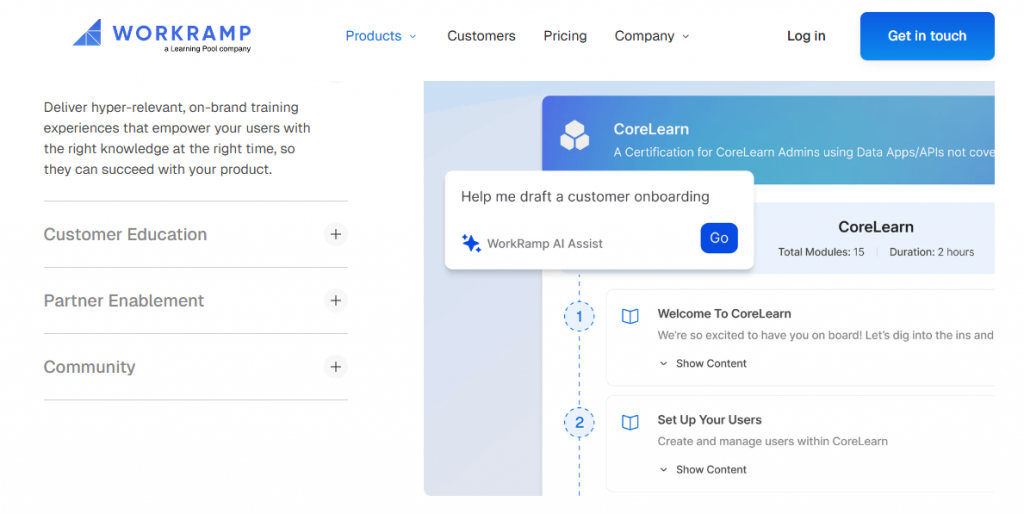
The appeal here is consolidation. One learning system covers your staff and your customers, which cuts tool sprawl for a growing company. WorkRamp holds a 4.4 G2 rating across roughly 295 reviews, a solid signal for a dual-purpose platform.
Quick fit
| Best for | Teams unifying employee and customer learning in one place |
| Skip if | You need deep customer-education depth or live sessions |
| Strongest edge | Internal and external academies on a single platform |
| Biggest trade-off | Breadth can dilute customer-education-specific depth |
| Pricing snapshot | Quote-based; not publicly listed |
Why WorkRamp ranks #4
WorkRamp ranks #4 because dual-purpose learning is a real, valuable use case, and it handles it cleanly. For a company that trains staff and customers, one system beats two.
It ranks mid-pack for this guide, because splitting focus across two audiences can thin out the customer-specific tooling. It is also self-paced first, with limited live delivery. Teams that lean on live sessions to train and onboard often get more from a dedicated live webinar software setup.
What WorkRamp does well
- Serves two audiences at once. Internal and external academies live together, so you manage one system, not two.
- Reduces tool sprawl. Combining employee and customer learning cuts stack cost for scaling teams.
- Offers clean administration. Reviewers point to solid usability for admins running multiple programs.
- Integrates with your stack. It connects to common business tools to keep data flowing.
Where WorkRamp falls short
- Split focus. Serving both audiences can dilute customer-education-specific depth.
- Limited live training. The model is self-paced first.
- Quote-based pricing. Cost is not public and requires a sales call.
Decision scorecard
| Evaluation criterion | WorkRamp fit | Why it matters |
| Live webinars | Weak | Not a live-first platform |
| Simulated live or automated | Weak | Focus is self-paced learning |
| Evergreen automation | Partial | On-demand courses run always-on |
| Funnel pages | Partial | Academy pages, not sales funnels |
| Engagement | Partial | Course-based interaction |
| CRM and follow-up | Partial | Integrates with CRMs; no native CRM |
| Monetization | Weak | Not built for paid-training commerce |
| Analytics | Partial | Standard learning reporting |
| Integrations | Strong | Connects to common business tools |
| Pricing fit | Weak | Quote-based |
| Best-fit buyer | Strong | Teams unifying staff and customer training |
Best for / skip if
Choose WorkRamp if you want one platform for employee and customer learning. Skip it if customer education is your only focus, and you need live training or deep, customer-specific features.
5. Docebo
Docebo is best for enterprises that want an AI-driven learning management system at scale, because it offers deep automation and large-catalog administration. It may not fit small teams put off by a learning curve and a higher total cost of ownership.
An LMS (learning management system) is software for hosting and tracking courses. Docebo is one of the most capable in this category, with heavy AI features for content and administration. It holds a 4.4 G2 rating, reflecting broad enterprise adoption.

Quick fit
| Best for | Enterprises wanting an AI-driven LMS with deep administration |
| Skip if | You want simple setup, low cost, or live training |
| Strongest edge | Deep AI features and large-catalog administration |
| Biggest trade-off | Higher total cost of ownership and a learning curve |
| Pricing snapshot | Quote-based, ~$25K TCO; not publicly listed |
Why Docebo ranks #5
Docebo ranks #5 because it is a genuinely deep enterprise LMS, strong on AI and administration at scale. Big organizations with complex learning needs get a lot here.
It ranks mid-list for this guide, because that depth brings a learning curve and higher cost of ownership, and it is self-paced first. For a lean team that wants live training and fast conversion, it is heavier than needed. If AI-assisted setup is the draw, it is worth seeing what an AI webinar builder does inside a live-first workflow.
What Docebo does well
- Automates with AI. AI tools help tag, recommend, and organize content, cutting admin work at scale.
- Handles complexity. It manages large catalogs and many learner groups without breaking.
- Supports enterprise needs. Compliance, administration, and reporting suit large, security-conscious buyers.
- Integrates broadly. A wide integration set keeps it connected to enterprise systems.
Where Docebo falls short
- Learning curve. The depth means real ramp-up time for admins.
- Higher cost of ownership. Total cost runs high once add-ons are included.
- Limited live delivery. The model is self-paced first, not live.
Decision scorecard
| Evaluation criterion | Docebo fit | Why it matters |
| Live webinars | Weak | Not a live-first platform |
| Simulated live or automated | Weak | Focus is self-paced courses |
| Evergreen automation | Partial | On-demand content runs always-on |
| Funnel pages | Weak | Built for learning, not sales funnels |
| Engagement | Partial | Course interaction, AI recommendations |
| CRM and follow-up | Partial | Integrates with CRMs; no native CRM |
| Monetization | Partial | Supports paid courses via add-ons |
| Analytics | Strong | Deep enterprise learning reporting |
| Integrations | Strong | Wide enterprise integration set |
| Pricing fit | Weak | High TCO and quote-based |
| Best-fit buyer | Strong | Enterprises needing an AI-driven LMS |
Best for / skip if
Choose Docebo if you are an enterprise that needs a deep, AI-driven LMS, and you have the budget and admin time for it. Skip it if you want simple setup, transparent pricing, or live training as your core.
6. LearnUpon
LearnUpon is best for teams that need to train multiple audiences through separate portals, because it handles customer, partner, and employee learning cleanly. It may not fit buyers who want live sessions or transparent, self-serve pricing.
The strength here is multi-portal setup. You can run distinct learning environments for different audiences from one system. LearnUpon holds a 4.6 G2 rating across roughly 250 reviews, a strong satisfaction signal.
Quick fit
| Best for | Teams running separate portals for customers, partners, and staff |
| Skip if | You need live or cohort training, or public pricing |
| Strongest edge | Clean multi-portal setup for multiple audiences |
| Biggest trade-off | Fewer live and cohort options |
| Pricing snapshot | Quote-based, ~$18K+/yr; not publicly listed |
Why LearnUpon ranks #6
LearnUpon ranks #6 because multi-audience training is a clear need, and it solves it with tidy, separate portals. Its high G2 score reflects real user satisfaction.
It ranks here because it stays self-paced first, with limited live and cohort delivery. That is fine for structured training, but it is not where live-conversion buyers will land.
What LearnUpon does well
- Runs multiple portals. Separate environments per audience keep customer, partner, and staff training organized.
- Keeps setup manageable. Reviewers cite a clean, usable admin experience.
- Supports certification. Structured paths and certificates suit formal onboarding programs.
- Integrates with your tools. It connects to CRMs and common business systems.
Where LearnUpon falls short
- Limited live and cohort learning. The model is self-paced first.
- Quote-based pricing. Cost is not public and needs a sales call.
- Lighter monetization. It is built for training delivery, not paid-course commerce.
Decision scorecard
| Evaluation criterion | LearnUpon fit | Why it matters |
| Live webinars | Weak | Not built for live sessions |
| Simulated live or automated | Weak | Focus is self-paced learning |
| Evergreen automation | Partial | On-demand courses run always-on |
| Funnel pages | Weak | Learning portals, not sales funnels |
| Engagement | Partial | Course-based interaction |
| CRM and follow-up | Partial | Integrates with CRMs; no native CRM |
| Monetization | Weak | Not built for paid-training commerce |
| Analytics | Partial | Standard multi-portal reporting |
| Integrations | Strong | Connects to CRMs and business tools |
| Pricing fit | Weak | Quote-based |
| Best-fit buyer | Strong | Teams training multiple audiences |
Best for / skip if
Choose LearnUpon if you train several audiences and want each in its own clean portal. Skip it if you need live training, in-session selling, or pricing you can start on without a sales call.
7. Absorb LMS
Absorb LMS is best for buyers who want a polished, self-paced learning experience, because it pairs a clean learner interface with strong admin usability. It may not fit teams that need live or highly interactive training.
Absorb wins on experience. The learner and admin interfaces are widely praised, which matters when adoption depends on people actually wanting to use the tool. It carries a 4.6 G2 rating across roughly 861 reviews, one of the larger review bases in this list.
Quick fit
| Best for | Buyers prioritizing a polished, self-paced learner experience |
| Skip if | You need live, interactive, or cohort training |
| Strongest edge | Strong learner UX and admin usability |
| Biggest trade-off | Less suited to live or interactive delivery |
| Pricing snapshot | Quote-based; not publicly listed |
Why Absorb LMS ranks #7
Absorb LMS ranks #7 because experience drives completion, and its interface is a genuine strength backed by a large, positive review base. If people enjoy using the tool, they finish more courses.
It ranks here because it is self-paced first, so live and interactive training are not its focus. For buyers who need real-time engagement, that is the deciding gap. There are practical webinar tools that increase engagement for teams whose completion problem is really an interaction problem.
What Absorb LMS does well
- Delivers a clean learner experience. A polished interface keeps learners moving through content.
- Simplifies administration. Admins find it usable, which cuts operational work.
- Carries broad validation. A large, high-rated review base signals reliability.
- Integrates with business tools. It connects to common systems for data flow.
Where Absorb LMS falls short
- Limited live delivery. The model is self-paced first.
- Quote-based pricing. Cost is not public and needs a sales call.
- Lighter interactivity. Real-time engagement tools are not the focus.
Decision scorecard
| Evaluation criterion | Absorb LMS fit | Why it matters |
| Live webinars | Weak | Not built for live sessions |
| Simulated live or automated | Weak | Focus is self-paced courses |
| Evergreen automation | Partial | On-demand content runs always-on |
| Funnel pages | Weak | Learning-focused, not funnels |
| Engagement | Partial | Clean course experience, limited live tools |
| CRM and follow-up | Partial | Integrates with CRMs; no native CRM |
| Monetization | Partial | Supports paid courses |
| Analytics | Partial | Standard learning reporting |
| Integrations | Strong | Connects to business tools |
| Pricing fit | Weak | Quote-based |
| Best-fit buyer | Strong | Buyers prioritizing learner UX |
Best for / skip if
Choose Absorb LMS if a polished, self-paced learner experience is your top priority. Skip it if you need live, interactive, or cohort-based customer training.
8. Teachfloor
Teachfloor is best for teams that want cohort-based customer education, because it builds group-paced learning and social interaction into the core. It may not fit buyers who need deep enterprise features or a large integration ecosystem.
Cohort learning means groups move through a course together, which lifts engagement over solo self-paced study. Teachfloor is built around this and social learning. It shows a 5.0 G2 rating across roughly 45 reviews, a strong but smaller sample worth noting.
Quick fit
| Best for | Teams running cohort-based, social customer education |
| Skip if | You need deep enterprise features or a large integration set |
| Strongest edge | Cohort and social learning built into the core |
| Biggest trade-off | Smaller ecosystem and lighter enterprise features |
| Pricing snapshot | From ~$89/mo; transparent SMB pricing |
Why Teachfloor ranks #8
Teachfloor ranks #8 because cohort learning directly attacks the completion problem, and it does this natively. Group accountability keeps learners engaged.
It ranks here because it is a smaller platform with lighter enterprise features and a thinner integration set. Its 45-review base, while perfect-rated, is a smaller signal than the incumbents.
What Teachfloor does well
- Runs cohorts natively. Group-paced learning lifts engagement and completion over solo courses.
- Builds in social learning. Peer interaction keeps learners accountable and active.
- Prices transparently. Published SMB pricing from ~$89/mo lets small teams start fast.
- Keeps setup light. A focused feature set is quicker to learn than an enterprise LMS.
Where Teachfloor falls short
- Lighter enterprise features. It is not built for large, complex organizations.
- Smaller ecosystem. Fewer native integrations than the incumbents.
- Smaller review base. A 45-review sample is a lighter validation signal.
Decision scorecard
| Evaluation criterion | Teachfloor fit | Why it matters |
| Live webinars | Partial | Supports live cohort sessions |
| Simulated live or automated | Weak | Not an automated-webinar tool |
| Evergreen automation | Weak | Cohort-first, not evergreen |
| Funnel pages | Partial | Course pages, not sales funnels |
| Engagement | Strong | Cohort and social learning built in |
| CRM and follow-up | Weak | No native CRM; limited integrations |
| Monetization | Partial | Supports paid cohorts |
| Analytics | Partial | Standard cohort reporting |
| Integrations | Weak | Smaller integration set |
| Pricing fit | Strong | Transparent from ~$89/mo |
| Best-fit buyer | Strong | Cohort-based education teams |
Best for / skip if
Choose Teachfloor if you want cohort-based, social customer education at a transparent SMB price. Skip it if you need deep enterprise features, heavy integrations, or automated evergreen delivery.
9. Disco
Disco is best for teams building AI-assisted, community-powered learning programs, because it pairs AI program creation with native community tools. It may not fit buyers who need proven enterprise depth or the lowest possible price.
Disco is one of the newer, AI-forward platforms in the category. It uses AI to help build programs and combines that with community features that drive engagement. Pricing starts around $399/mo, which is transparent but higher than entry SMB tools.
Quick fit
| Best for | Teams building AI-assisted, community-powered programs |
| Skip if | You need proven enterprise depth or the lowest price |
| Strongest edge | AI program creation plus native community tools |
| Biggest trade-off | Newer platform; enterprise depth still maturing |
| Pricing snapshot | From ~$399/mo; transparent pricing |
Why Disco ranks #9
Disco ranks #9 because it leans into where the category is heading: AI-built programs plus community engagement. That combination is genuinely forward-looking.
It ranks near the bottom because it is newer, so enterprise depth and track record are still building. For a large, security-conscious buyer, that maturity gap matters. Teams weighing an AI-first build can compare it against a dedicated AI funnel builder aimed at conversion.
What Disco does well
- Builds programs with AI. AI assistance speeds up course and program creation.
- Powers community learning. Native community tools drive engagement beyond solo courses.
- Prices transparently. Published pricing from ~$399/mo removes guesswork.
- Feels modern. A current, AI-forward design suits teams wanting newer workflows.
Where Disco falls short
- Maturity gap. As a newer platform, enterprise depth is still developing.
- Higher entry price. From ~$399/mo, it costs more than entry SMB tools.
- Lighter track record. Fewer large-scale references than incumbents.
Decision scorecard
| Evaluation criterion | Disco fit | Why it matters |
| Live webinars | Partial | Supports live cohort sessions |
| Simulated live or automated | Weak | Not an automated-webinar tool |
| Evergreen automation | Weak | Cohort and community-first |
| Funnel pages | Partial | Program pages, not sales funnels |
| Engagement | Strong | Community tools drive engagement |
| CRM and follow-up | Weak | No native CRM |
| Monetization | Partial | Supports paid programs |
| Analytics | Partial | Standard program reporting |
| Integrations | Partial | Growing integration set |
| Pricing fit | Partial | Transparent but higher entry |
| Best-fit buyer | Strong | AI and community program builders |
Best for / skip if
Choose Disco if you want AI-assisted program building plus community-driven learning. Skip it if you need proven enterprise depth, a long track record, or the lowest entry price.
10. LearnWorlds
LearnWorlds is best for SMB teams that want a transparent-priced academy builder, because it offers flexible course and academy creation from a low starting price. It may not fit buyers who need a strong native CRM or enterprise controls.
This is the accessible entry point on the list. LearnWorlds starts at $24/mo, making it the most budget-friendly way to launch a branded academy. It holds a strong satisfaction rating and a large user base for course creators.
Quick fit
| Best for | SMB teams launching a transparent-priced branded academy |
| Skip if | You need a strong native CRM or enterprise controls |
| Strongest edge | Affordable, flexible course and academy builder |
| Biggest trade-off | Lighter native CRM and enterprise features |
| Pricing snapshot | From $24/mo; transparent pricing |
Why LearnWorlds ranks #10
LearnWorlds ranks #10 because it makes a branded academy genuinely affordable and flexible for small teams. For a solo operator or SMB, the low entry price is a real advantage.
It closes the list because it is lighter on native CRM and enterprise controls, and it is self-paced first. It solves the build-an-academy job, not the drive-live-conversion job this guide’s top picks target. Creators comparing options can review our webinar pricing to weigh a live-first model against an SMB course builder.
What LearnWorlds does well
- Starts affordable. From $24/mo, small teams can launch without a big commitment.
- Builds flexible academies. Course and academy tools let creators design a branded experience.
- Prices transparently. Published pricing removes the sales-call friction of enterprise tools.
- Supports monetization. It lets creators sell courses directly.
Where LearnWorlds falls short
- Lighter native CRM. Follow-up leans on integrations rather than a built-in CRM.
- Fewer enterprise controls. It is built for SMB, not large, complex orgs.
- Self-paced first. Live and interactive delivery are not the focus.
Decision scorecard
| Evaluation criterion | LearnWorlds fit | Why it matters |
| Live webinars | Weak | Not a live-first platform |
| Simulated live or automated | Weak | Focus is self-paced courses |
| Evergreen automation | Partial | On-demand courses run always-on |
| Funnel pages | Partial | Academy and sales pages included |
| Engagement | Partial | Interactive course tools |
| CRM and follow-up | Weak | Lighter native CRM |
| Monetization | Strong | Built-in course selling |
| Analytics | Partial | Standard course reporting |
| Integrations | Partial | Connects to common tools |
| Pricing fit | Strong | Transparent from $24/mo |
| Best-fit buyer | Strong | SMB academy builders |
Best for / skip if
Choose LearnWorlds if you are an SMB or solo creator who wants an affordable, flexible academy with transparent pricing. Skip it if you need a strong native CRM, enterprise controls, or live training at the core.
Where EasyWebinar fits across this list
Looking at all 10 together, a clear split shows up. The incumbents (Skilljar, Docebo, Thought Industries, LearnUpon, and Absorb) are excellent self-paced content libraries, and the newer tools (Teachfloor and Disco) add cohorts and community. What almost none of them treat as core is scaled live training that converts. That is the gap EasyWebinar fills. We run the live session, measure who actually engaged, and push that behavior into a built-in sales CRM for follow-up, which is why it leads this list for adoption-and-revenue buyers rather than pure course-catalog buyers.
Q2. What Exactly Is a Customer Education Platform, and How Is It Different From an LMS?
A customer education platform is software for building, delivering, and measuring training for your customers and partners, usually a branded academy with courses, live sessions, certifications, and analytics. Unlike an internal LMS (a learning management system that trains employees) or help docs (passive reference pages), it aims to speed product adoption, cut support tickets, and improve retention by proving learners actually engaged and completed.
The concept in plain terms
Think of it this way. An internal LMS trains the people who work for you. A customer education platform trains the people who buy from you.
Help docs are passive. Someone has to go find them. A customer education platform is active, because it delivers structured training and then measures whether it worked.
📚 Why the difference matters
Here is the reframe I keep coming back to. Education, in a lot of ways, is homework. To get value from it, customers have to invest money, time, and effort.
So a real platform has to reduce that homework tax, not add to it. If your training is just videos people have to watch alone, completion craters and adoption stalls. This is exactly why webinars are changing customer education, because a live human presence beats a solo video.
A real example
Picture a SaaS team drowning in onboarding calls. They record their best live onboarding session once. Then they turn it into an on-demand academy that trains every new customer automatically.
That is the core job. One good session becomes a repeatable asset that lifts adoption without adding headcount. An automated webinar makes that recorded session run on its own schedule.
🔍 How to know you need one
Ask a simple question. Do you need to prove that customers learned something, or just point them to an article?
If you only need reference material, better help docs may be enough. If you need to drive adoption, reduce churn, and show which customers actually completed training, you need a customer education platform.
Why the category is consolidating
This space is maturing fast, and the mergers prove it. Gainsight acquired Northpass in 2023, now called Gainsight Customer Education, and then acquired Skilljar in 2025.
That matters for buyers. It signals customer education is now a core part of customer success, not a side project.
Where EasyWebinar fits
Most tools in this category are static course libraries. EasyWebinar sits at the live-and-automated-training end instead. We run the actual session, measure who engaged, and feed that behavior into a built-in CRM (customer relationship manager, the system that tracks leads and customers). It is the difference between hosting a course and proving a customer is ready for the next step.
Q3. How Did We Choose These Platforms? Our Selection Criteria & Scoring
We scored every platform on five weighted criteria: Learner Engagement and Completion (25%), Live plus On-Demand Delivery Flexibility (25%), Analytics Depth (20%), CRM and Follow-Up Integration (15%), and Pricing Transparency (15%). Scores of 0 to 20 earn 1 star, 21 to 40 earn 2 stars, and so on up to 81 to 100 for 5 stars, so the rubric is auditable, not opinion.
Why these five criteria
Each criterion maps to a real operator pain, not a feature checklist. I weighted them by what actually moves outcomes.
- Learner Engagement and Completion (25%). Engagement is not cash, but disengaged learners never adopt. This is the root of the completion problem.
- Live plus On-Demand Delivery Flexibility (25%). The best programs run live first, then automate. A platform that only does one mode limits you.
⚖️ The rest of the weighting
- Analytics Depth (20%). Volume is not value. You need per-learner data to know what worked.
- CRM and Follow-Up Integration (15%). The platform alone is not enough. You need a CRM and follow-up to turn training into revenue.
- Pricing Transparency (15%). Quote-based pricing hides cost. Transparent pricing lets you decide faster.
Because CRM and follow-up carry real weight here, tools with a native sales CRM score higher than those that depend on a separate system.
The scoring rubric
| Criterion | Weight | Star bands |
| Learner engagement and completion | 25% | 0-20 = 1 star, 21-40 = 2 stars |
| Live plus on-demand flexibility | 25% | 41-60 = 3 stars |
| Analytics depth | 20% | 61-80 = 4 stars |
| CRM and follow-up integration | 15% | 81-100 = 5 stars |
| Pricing transparency | 15% | Applied to weighted total |
Pricing transparency is scored on real data. LearnWorlds starts at $24/mo, Teachfloor at $89/mo, and Disco around $399/mo, while enterprise tools stay quote-based at roughly $18K to $90K+/yr. You can compare that against transparent webinar pricing to see the difference.
⚠️ What the scores do not capture
I want to be honest here. A rubric cannot measure how a support team treats you at 2pm when a session breaks.
It also cannot capture culture fit or how a tool feels after six months. Treat the scores as a shortlist filter, not the final word.
Where EasyWebinar lands
On this rubric, EasyWebinar earns full marks on Live plus On-Demand Flexibility and on CRM Integration. That is because native EasyCRM and behavior-based lead scoring live inside the platform, not as a Gainsight or Salesforce bolt-on you buy separately. Most tools score high on one axis. EasyWebinar’s edge is scoring across delivery and follow-up together, which is where a full feature set matters.
Q4. Live Training or On-Demand Library, Which Delivery Mode Actually Drives Completion?
Most self-paced course libraries fail on completion, with an industry average of only 5 to 10%. For live customer training at scale, EasyWebinar leads with real-time sessions, polls, and Q&A, while Teachfloor and Disco add cohort learning. For deep on-demand libraries, Skilljar, Docebo, Thought Industries, and Absorb dominate. Most buyers need both: a live session to drive engagement, converted into an on-demand replay that teaches 24/7.
The problem with static libraries
Here is the uncomfortable truth. A self-paced course library is homework nobody finishes. The average completion rate sits at just 5 to 10%.
On-demand courses are on the decline when it is just you inside the LMS trying to change your life. The learner is alone, and alone is where people quit.
🎥 The live column
Live training fixes the aloneness. Real-time polls, chat, and Q&A create accountability that static video cannot. Strong live webinar software is what makes that real-time engagement possible.
For scaled live sessions, EasyWebinar leads. For smaller cohort learning, where a group moves through a course together, Teachfloor and Disco do this well.
The on-demand column
On-demand libraries win on depth and structure. Skilljar, Docebo, Thought Industries, and Absorb all build large, certified catalogs that scale to thousands of customers.
The trade-off is engagement. These are self-paced first, so they inherit the same completion problem unless you add live touchpoints. Teams weighing the two should read our take on pre-recorded webinar platforms versus live.
⏰ The resolution: live first, then automate
There is a real debate here. Some operators swear live sessions convert hardest, while others argue show-up rates make weekly live events painful.
My read is a middle path. You nail it live first, then automate. Run 5 to 10 live sessions, learn where people drop off, then turn your best-performing session into an automated webinar that works like passive income.
Your Monday-morning move is simple. Run one live cohort this week and watch the drop-off timestamps. That data tells you exactly which segment to fix before you automate.
Where EasyWebinar fits
This is the exact gap EasyWebinar is built for. Its 9 formats span live, simulated live, evergreen, just-in-time (a session that starts within minutes of a visitor arriving), and timezone-detected on-demand replay. One recorded session then runs 24/7 across time zones, which is the “live training plus on-demand library” promise in one platform, not two.
Operators confirm this live-to-automated path in practice.
“I convert really well with live webinars, but I can’t be everywhere at once. EasyWebinar gives me the ability to multiply my efforts and offer a human touch.”
“With my live class I used to sell 10-12 courses. With EasyWebinar I sold 25 courses within 3 weeks of my evergreen launch.”
Laura C. EasyWebinar G2 Verified Review
Q5. How Do You Prove Training Works and Act on It: Analytics, CRM, and Follow-Up?
Vanity enrollment counts prove nothing. Decision-grade analytics track per-learner watch time, poll responses, and drop-off points, then push that behavior into a CRM (customer relationship manager, the system that tracks leads) to act on it. Enterprise LMS tools integrate with Gainsight, Salesforce, or HubSpot. A native CRM inside the platform means a finished lesson can auto-route the warmest learner to a rep, with no broken exports and no lost intent.
Vanity metrics versus decision-grade data
Most tools report enrollments and completions, then stop. Those are vanity numbers. They tell you people showed up, not whether training worked.
Decision-grade data is different. It shows who watched, for how long, and exactly where they quit. That is what lets you act, and it is why deeper webinar analytics matter more than raw attendance.
📊 The data points to demand
When you evaluate a platform, ask for these specifics:
- Per-learner watch time, not just a completion checkmark.
- Poll and question responses tied to each person.
- A drop-off view showing the timestamp where people leave.
- A clean CSV export (a spreadsheet file) into GA4 or Meta for attribution.
Here is my rule from watching thousands of sessions. If people drop off at the same timestamp, something is dragging there. Find it, and fix it. Strong engagement tools are what keep learners in the room past those weak points.
Native CRM versus bolt-on integration
This is the real fork in the road. Enterprise LMS tools connect to a separate CRM you buy and manage, like Salesforce or Gainsight.
That integration path works, but it adds cost and breakage points. The category consolidation shows how central this is, because Gainsight acquired Northpass in 2023 and Skilljar in 2025 to close that gap. A native sales CRM removes those breakage points entirely.
🔁 A behavior-triggered follow-up example
Picture a customer who finishes 90% of a training session and clicks your offer button. That behavior should tag them as a hot lead automatically.
A rep gets that customer routed to them while intent is still fresh. There is no manual export, no waiting until Friday, and no lost momentum. This is the heart of webinar lead generation that actually converts.
Where EasyWebinar fits
This is EasyWebinar’s core wedge. Attendee-level analytics, an event activity graph, per-attendee action tracking, and a drop-off view feed a native CRM inside the platform, called EasyCRM. It scores learners Hot, Warm, or Nurture by behavior, and connects natively to HubSpot, ActiveCampaign, and Zapier for the rest through deep integrations. Operators feel this difference in daily use.
“It also seamlessly integrated with our CRM… the built-in metrics give helpful insight.”
Darrin B. EasyWebinar G2 Verified Review
I will hedge honestly. Analytics is one area we keep improving, and some operators want deeper email-level tracking.
“I do use other email systems to send post-webinar email sequences because I can’t track open and click rates on EasyWebinar.”
Eliza W. EasyWebinar G2 Verified Review
Q6. How Much Does a Customer Education Platform Cost in 2026?
Pricing splits in two in 2026. SMB tools are transparent, with LearnWorlds from $24/mo, Teachfloor from $89/mo, and Disco around $399/mo, while enterprise platforms are quote-based, typically $18,000 to $90,000+/year (Skilljar ~$30K+, Thought Industries ~$25K+, Docebo ~$25K total cost). Add 10 to 25% for implementation in year one, and watch per-seat and per-portal fees that scale with your audience.
Two pricing worlds
The market divides cleanly. On one side sit transparent SMB tools you can start today.
On the other sit enterprise platforms that hide pricing behind a sales call. Which world you belong in depends on scale and complexity, not prestige. You can see a transparent example on the EasyWebinar webinar pricing page.
💰 The 2026 pricing table
| Platform | Starting price | Pricing model |
| LearnWorlds | $24/mo | Transparent, self-serve |
| Teachfloor | $89/mo | Transparent, self-serve |
| Disco | ~$399/mo | Transparent |
| LearnUpon | ~$18K+/yr | Quote-based |
| Thought Industries | ~$25K+/yr | Quote-based |
| Docebo | ~$25K TCO | Quote-based |
| Skilljar | ~$30K+/yr | Quote-based |
The hidden costs nobody quotes
The sticker price is rarely the real price. Watch three things before you sign.
- Implementation fees often add 10 to 25% in year one.
- Per-seat pricing climbs as your audience grows.
- Per-portal fees stack up if you train multiple audiences.
💸 The margin-math lens
Here is how I judge cost. The right question is not how much you should spend, but what your back-end offer looks like.
The higher the offer training drives, the more you can afford to spend. It is just math. A tool that lifts adoption and sells a $2,000 program pays for itself fast, especially when you run paid webinars that monetize directly.
Where EasyWebinar fits
One thing worth weighing is stack consolidation. EasyWebinar folds pages, email, SMS, analytics, and payments into one system, which offsets 7 to 8 separate subscriptions, and you can see the full feature set in one place. I would not quote a specific price here, because I want you to check the current numbers on the live site before you decide. The point is simpler: judge cost against the revenue the training actually drives, not the line item alone.
Q7. Which Customer Education Platform Is Right for Your Team (and Can You Monetize It)?
Choose by your dominant job-to-be-done. Enterprise customer success teams needing a certified self-paced academy should look at Skilljar, Docebo, or Thought Industries. Lean SaaS and coaching teams driving adoption through live training, analytics, and follow-up are better served by EasyWebinar. Cohort-and-community builders should weigh Teachfloor or Disco. If you plan to sell certifications or paid workshops, prioritize platforms with in-session checkout.
Start with the job, not the brand
The best tool depends on what you are actually trying to do. Ask who you train, how you train them, and whether training should make money.
That framing beats any feature list. It stops you buying enterprise software for a job a live webinar software setup solves.
🎯 Four scenarios, four picks
- Enterprise CS building a certified academy? Skilljar, Docebo, or Thought Industries fit, with named logos like Smartsheet, Asana, and Shopify on Skilljar.
- Lean SaaS or coaching team driving adoption? EasyWebinar fits, because live plus automated training feeds follow-up that converts.
- Cohort or community program? Teachfloor or Disco handle group-paced learning well.
- Monetizing a large course catalog? Thought Industries reports ~20% adoption lift and $500K new training revenue.
Monetization is a buying factor
Do not treat paid training as an afterthought. If you plan to sell certifications or workshops, checkout location matters.
In-session checkout keeps the buyer in the room. Redirecting them to a separate page lets intent decay before they pay, which is why teams that want to make money with webinars keep the offer inside the session.
💰 The paid-access reframe
Here is something I learned the hard way. When I made a Sunday session paid, suddenly it was worth everyone’s time to show up.
Charging for the transformation is fair when you raise people’s odds of succeeding. Paid access often lifts commitment, not lowers it.
Where EasyWebinar fits
EasyWebinar is the pick when your customer education is really live engagement, measurable adoption, and converting follow-up in one place. Built-in checkout and in-webinar offer overlays (Stripe, PayPal, and PayU) let you sell a paid workshop or certification while the learner is still watching, and an automated webinar keeps that offer running around the clock. Operators describe the shift plainly.
“I used to do live webinars to sell my online course… With EasyWebinar I sold 25 courses within 3 weeks of my evergreen launch.”
Laura C. EasyWebinar G2 Verified Review
“We have run close to 30 since we started running it this new year and it has been a game changer for our business.”
Darrin B. EasyWebinar G2 Verified Review
Here is the question I keep sitting with as creators get over-AI’d. As trust gets harder to earn, I think live workshops come back, and the winners will be teams who can run one live, then automate it. You are one live session away from seeing which customer is actually ready to buy. So tell me: how do your customers really learn today, live, on-demand, or somewhere in between?
Was this post helpful?
Frequently Asked Questions
A customer education platform is software for building, delivering, and measuring training for the people who buy from you, usually a branded academy with courses, live sessions, certifications, and analytics. An internal LMS trains the people who work for you instead.
The difference matters because the goals differ:
• Audience: a customer education platform trains customers and partners, while an LMS trains employees.
• Outcome: it targets product adoption, fewer support tickets, and lower churn, not internal compliance.
• Proof: it measures whether learners actually engaged and completed, rather than just hosting content.
Help docs are passive, because someone has to go find them. A customer education platform is active, since it delivers structured training and then proves it worked. In our experience, the strongest programs run a live session first, then convert it into an on-demand asset. That is exactly why we believe webinars are changing customer education, since a live human presence beats a solo video for completion. If you only need reference material, better documentation may suffice, but if you need to drive adoption and show which customers finished, you need a real platform.
It depends on your dominant job-to-be-done, but lean SaaS and coaching teams that drive adoption through live training are usually best served by an engagement-first platform rather than a heavy enterprise LMS.
Here is how we frame the four common scenarios:
• Enterprise CS building a certified academy: Skilljar, Docebo, or Thought Industries.
• Lean SaaS or coaching team driving adoption: a live-plus-automated tool with built-in follow-up.
• Cohort or community program: Teachfloor or Disco.
• Monetizing a large catalog: Thought Industries, which reports around 20 percent adoption lift.
For lean teams, we designed EasyWebinar around live engagement, measurable adoption, and converting follow-up in one place. You can run a session on our live webinar software, then automate your best performer so it teaches around the clock. The reason this fits smaller teams is simple: you do not need enterprise software for a job a well-run live session solves. Start with who you train and whether that training should make money, and the right pick usually becomes obvious.
Pricing splits into two clear worlds in 2026. SMB tools are transparent and self-serve, while enterprise platforms hide pricing behind a sales call.
• Transparent SMB: LearnWorlds from 24 dollars monthly, Teachfloor from 89 dollars monthly, and Disco around 399 dollars monthly.
• Quote-based enterprise: typically 18,000 to 90,000 dollars yearly, with Skilljar around 30,000 dollars, Thought Industries around 25,000 dollars, and Docebo around 25,000 dollars total cost.
Watch the hidden costs too. Implementation often adds 10 to 25 percent in year one, per-seat pricing climbs as your audience grows, and per-portal fees stack up if you train multiple audiences.
The lens we use is margin math. The right question is not how much you should spend, but what your back-end offer looks like, because a tool that lifts adoption and sells a 2,000 dollar program pays for itself fast. Rather than quoting a fixed number, we suggest checking current webinar pricing against the revenue your training actually drives. Stack consolidation matters here as well, since one platform can offset seven or eight separate subscriptions.
Both matter, but the data is blunt: most self-paced course libraries average only 5 to 10 percent completion. The learner is alone, and alone is where people quit.
Here is how the two modes compare:
• Live training: real-time polls, chat, and Q&A create accountability that static video cannot, which lifts engagement.
• On-demand libraries: platforms like Skilljar, Docebo, and Absorb win on depth and certified structure, but inherit the completion problem unless you add live touchpoints.
Our recommended resolution is to run live first, then automate. Host 5 to 10 live sessions, learn exactly where people drop off, then turn your best-performing session into an automated webinar that runs around the clock. Your first move this week is to run one live cohort and watch the drop-off timestamps, because that data tells you which segment to fix before you automate. This live-to-automated path gives you the engagement of a real session and the scale of an always-on library, which is the promise of a modern customer education platform delivered in one system rather than two.
You prove it with decision-grade analytics, then act on it with a CRM. Vanity enrollment counts tell you people showed up, not whether training worked.
The data points worth demanding are:
• Per-learner watch time, not just a completion checkmark.
• Poll and question responses tied to each individual.
• A drop-off view showing the exact timestamp people leave.
• A clean export into GA4 or Meta for attribution.
The real fork is native CRM versus bolt-on integration. Enterprise LMS tools connect to a separate CRM you buy and manage, which adds cost and breakage points. A native CRM instead lets a finished lesson auto-tag a 90 percent completer who clicked your offer as a hot lead, routing them to a rep while intent is fresh.
This is our core wedge. Attendee-level analytics feed a native sales CRM that scores learners Hot, Warm, or Nurture by behavior, then connects to HubSpot, ActiveCampaign, and Zapier. The point is to close the loop between what a learner did and what your team does next, with no manual export and no lost momentum.

Related Posts