Interactive Webinar Tools: Creating Engagement Beyond Q&A


Summary:
Discover how interactive webinars tools can significantly boost engagement and conversions. Learn how timed polls, dynamic CTAs, and AI-driven funnels transform passive webinars into qualification engines, increasing retention and lead scoring. This guide reveals the power of structuring participation throughout, offering real-world examples and actionable insights to help you elevate your webinar strategy. Read more to start engaging your audience effectively.
According to ON24’s Webinar Benchmarks Report, average webinar engagement sits around 50 minutes, yet conversion rates often lag because attention does not equal interaction.
We have seen sessions with solid attendance still lose 50 to 70 percent of energy halfway through. The problem is not attendance. It is passivity. The industry consensus is shifting toward interactive webinars that feel participatory instead of presentational. If attention is currency, interaction is leverage.
This guide breaks down what interactive webinars actually mean, how to make them work, and which interactive webinar tools help you drive measurable results.
What Is an Interactive Webinar?
An interactive webinar is a session designed for participation rather than one-way delivery. Attendees are prompted to respond, vote, click, react, or engage in real time.
Traditional webinars rely on slides plus Q&A at the end. Interactive webinars distribute engagement throughout the session.
This includes:
- Timed polls that segment audiences
- Clickable calls to action inside the presentation
- Live chat and emoji reactions
- Hand raising and spotlight participation
- Breakout co-host discussions
The shift is subtle but powerful. Instead of asking for engagement at the end, you build it into the flow.
How to Make Webinars More Interactive?
This is one of the most searched questions in the webinar space. The answer is tactical, not theoretical.
Here is what consistently works:
1. Use Timed Micro Polls Every 10 to 15 Minutes
We have seen polls increase retention by up to 25 percent when used strategically. The key is to ask qualifying questions, not trivia.
Example:
“Which best describes your current funnel?”
Now you have segmented your audience without a form.
2. Embed Contextual CTAs Instead of End Slides
Instead of waiting until minute 58, trigger CTAs when interest peaks. For example, after demonstrating a framework, prompt users to download a related resource.
Platforms that support timed CTAs within webinars consistently lift conversions by 30 to 40 percent.
3. Enable Visible Reactions and Hand Raising
Psychologically, visible engagement signals social proof. When attendees see others reacting, they stay involved.
4. Simulate Live Interaction in Evergreen Sessions
Evergreen webinars lose energy because they feel static. Simulated live chat and timed comments restore urgency without manual hosting.
An interactive webinar software that supports realistic automation bridges this gap.
Interactive Webinar Examples That Drive Results
Theory is useful. Execution is decisive.
Here are three interactive webinar examples that consistently outperform traditional formats:
Example 1: The Segmented Demo
A SaaS founder hosts a 45-minute product walkthrough. Instead of a single demo path, attendees vote on which use case they care about most.
Result:
Higher relevance. Shorter Q&A. More qualified leads.
Example 2: The Conversion Trigger Framework
A coach teaching pricing strategies inserts a timed CTA after revealing a high-value insight. Attendees click while momentum is high.
Result:
40 percent lift in mid-session conversions compared to end slide offers.
Example 3: The Evergreen Authority Engine
An educator runs a pre-recorded masterclass. The session includes dynamic chat prompts, emoji reactions, and simulated real-time comments.
Result:
Engagement metrics similar to live events. No calendar constraints. These interactive webinar examples prove one thing. Engagement is engineered, not accidental.
Interactive Webinar Tools That Move Beyond Q&A
Most teams piece together Zoom, a polling app, Zapier, and an email tool. It works, but it creates friction.
Here is a simplified comparison:
| Feature | Basic Webinar Setup | Interactive Webinar Platform |
| Timed CTAs | Manual slide only | Automated inside session |
| Polls | Static | Dynamic and segment-driven |
| Chat | Basic text | Simulated and live hybrid |
| Lead Scoring | External CRM | AI-driven inside funnel |
| Evergreen Conversion | Replay only | One click live to evergreen |
An interactive webinar platform centralizes engagement. Instead of stitching together stitching tools, you design the experience in a single system. We have observed that fragmented setups often reduce agility.
Hosts hesitate to experiment because every tweak requires reconfiguration. An interactive webinar software with built-in automation removes that hesitation.
Why Engagement Directly Impacts Revenue
Low engagement is not just an attention problem. It is a qualification problem.
When attendees interact:
- They self-identify intent
- They reveal pain points
- They respond to contextual offers
This creates cleaner segmentation and smarter follow-up.
AI-driven funnels inside advanced interactive webinar tools can automate lead scoring based on clicks, poll responses, and watch duration. Instead of guessing who is hot, you know.
How to Implement Interactive Webinars Step by Step
Here is a practical checklist you can use immediately:
- Define one primary engagement metric. Poll participation rate, CTA clicks, or chat activity.
- Insert engagement triggers every 10-15 minutes.
- Design mid-session offers, not just closing offers.
- Segment based on poll responses.
- Automate follow-up sequences based on engagement behavior.
- Convert high-performing live sessions into evergreen with interactive elements intact.
For implementation, link internally to your feature pages such as Timed CTAs, Evergreen Automation, and Interactive Polls. For external credibility, reference neutral industry benchmarks from leading engagement studies.
Choosing the Right Interactive Webinar Platform
When evaluating an interactive webinar platform, look for:
- Built-in timed CTAs
- Dynamic polling and segmentation
- Simulated live chat for automated sessions
- One click live to evergreen conversion
- AI-based follow-up and lead scoring
EasyWebinar is built for teams that are done juggling Zoom, Zapier, chat plugins, and manual follow-ups. It brings live streaming, automated webinars, timed CTAs, dynamic polls, simulated live chat, emoji reactions, hand-raising, and AI-driven funnels into a single system.
The result is operational simplicity and measurable performance. We have seen coaches and SaaS marketers cut setup time by 40% after consolidating their stacks into EasyWebinar.
More importantly, structured interaction within the session has delivered up to a 5x engagement lift, 23 to 32 percent higher retention, and 40 percent spikes in CTA conversions when offers are triggered at peak attention rather than at the end.
The Strategic Shift Toward Interaction
Webinars are no longer broadcast channels. They are qualification engines.
The difference between average and high-performing sessions is not better slides. It is engineered participation from minute one to minute sixty. EasyWebinar enables that shift with built-in tools designed for continuous interaction.
When you structure participation throughout the session using EasyWebinar, you create:
- Higher retention
Timed polls, reactions, and simulated live chat keep attention active, driving a 23 to 32 percent higher watch duration than static formats. - Accurate lead scoring
AI funnels track poll responses, clicks, and engagement signals in real time, so you know who is ready to buy instead of guessing from attendance alone. - Mid-session conversions
Conversion-focused CTAs triggered at key insight moments generate up to 40 percent higher click-through rates than end slide offers. - Stronger community perception
Co-host collaboration, hand raising, and visible engagement signals create a shared experience that builds authority and trust.
This is the operational shift. Stop treating Q&A as your only lever for engagement. Start designing interaction into the flow of your webinar.
If you want fewer drop-offs, better-qualified leads, and predictable conversion spikes, the next step is simple.
Final Thoughts

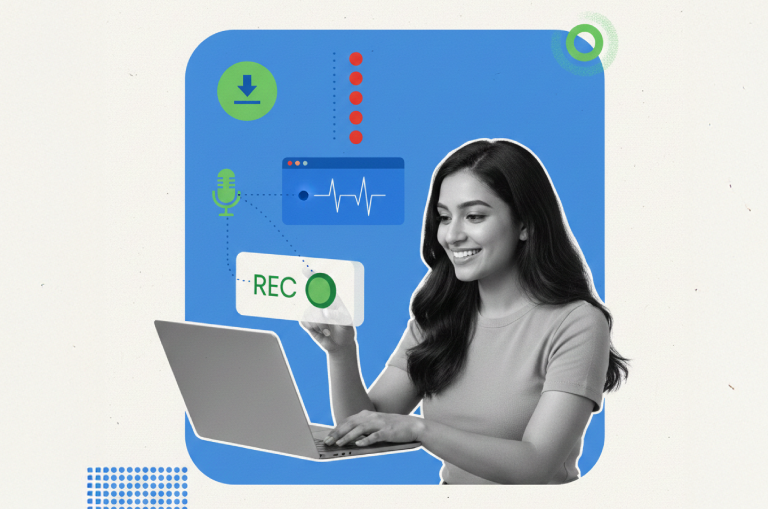
Alt text: Interactive webinar tools to drive higher engagement, boost conversions, and maximize lead generation.
Engagement is not accidental. It is designed. If your current webinars feel flat, it is likely not your content. It is your interaction structure.
Interactive webinars outperform static sessions because they qualify leads in real time. They turn attention into measurable behavior. If you want to move beyond reactive Q&A and build a scalable engagement engine, the next step is simple.
Start your 7-day free trial and experience how interactive webinar tools can transform every session into a lead-generating powerhouse
FAQ
Q1. What is an interactive webinar?
An interactive webinar is a session designed for continuous audience participation through polls, CTAs, chat, and reactions. It replaces passive viewing with structured engagement.
Q2. How to make webinars more interactive?
Insert timed polls, mid-session CTAs, live chat prompts, and audience segmentation triggers every 10 to 15 minutes. Use automation to reduce manual friction.
Q3. What are the best interactive webinar tools?
The best interactive webinar tools combine polling, timed CTAs, simulated live chat, and AI-based lead scoring into a single system rather than fragmented integrations.
Q4. Do interactive webinars improve conversions?
Yes. Sessions with structured engagement elements often achieve 25 percent higher retention and up to 40 percent stronger conversion performance than static formats.
Q5. Can evergreen webinars be interactive?
Yes. With simulated live chat, timed reactions, and dynamic CTAs, automated sessions can feel realistic and maintain engagement levels similar to live events.
Q6. How much should I charge for an interactive webinar?
Pricing depends on audience and positioning. Many use free webinars for lead generation, while premium workshops range from $27 to $497 depending on value delivered.
Was this post helpful?
Related Posts